Transform complex support workflows
10 Best Automated Ticketing Systems: Pricing Compared (2026)
An automated ticketing system captures a request, classifies it, and moves it to the right queue without a person doing the sorting. Most tools in this category stop there. That is real time saved, and it still leaves someone answering a password reset that never needed a human.
Enjo Platform is one of the ten below and it is built by us at Troopr Labs, which has 600+ enterprise deployments and 99.9% uptime over 7 years across its products, so read that entry accordingly. Every price here comes from the vendor's own pricing page, fetched September 1, 2026, and every G2 rating was pulled the same day. Where a vendor does not publish a figure in dollars, this page says so rather than converting one.
Below, we compare 10 automated ticketing systems on what each resolves without a human, what it costs in 2026, and the AI charge that sits on top of the seat.

The short answer
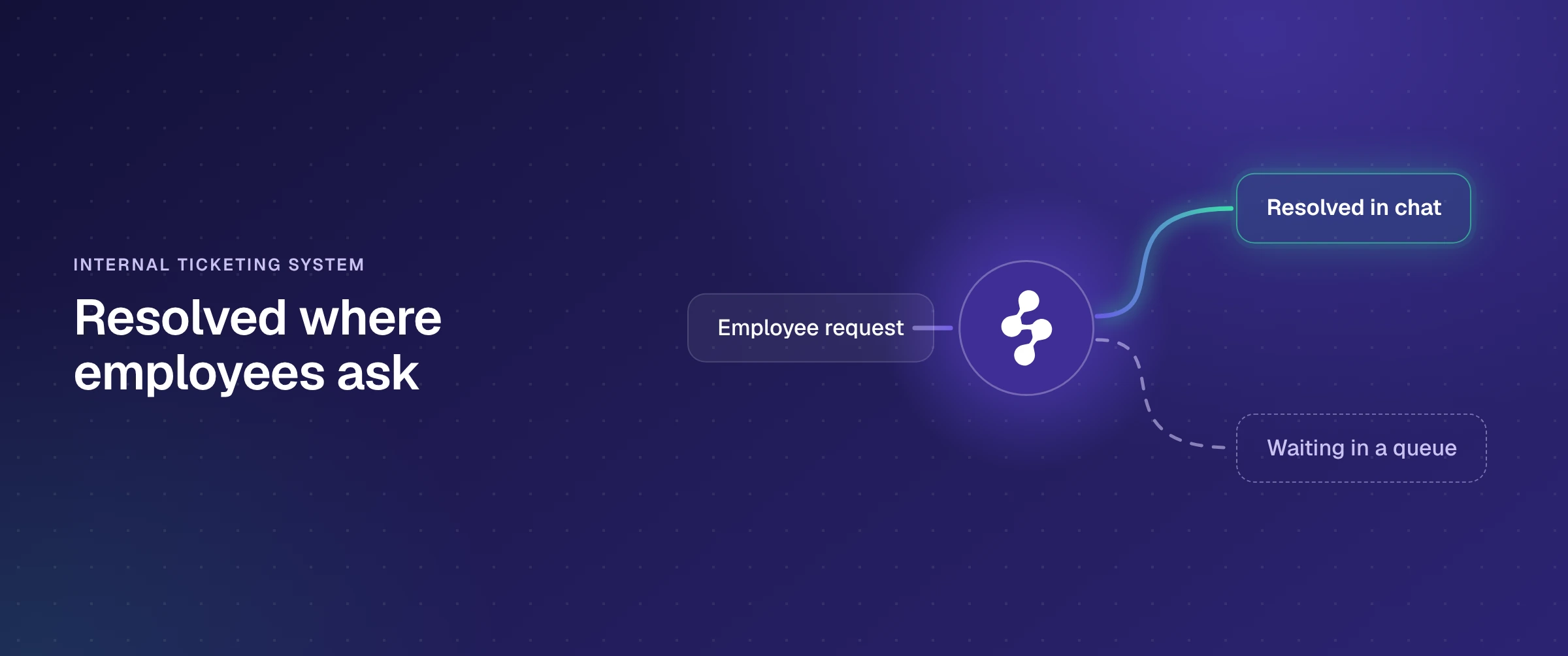
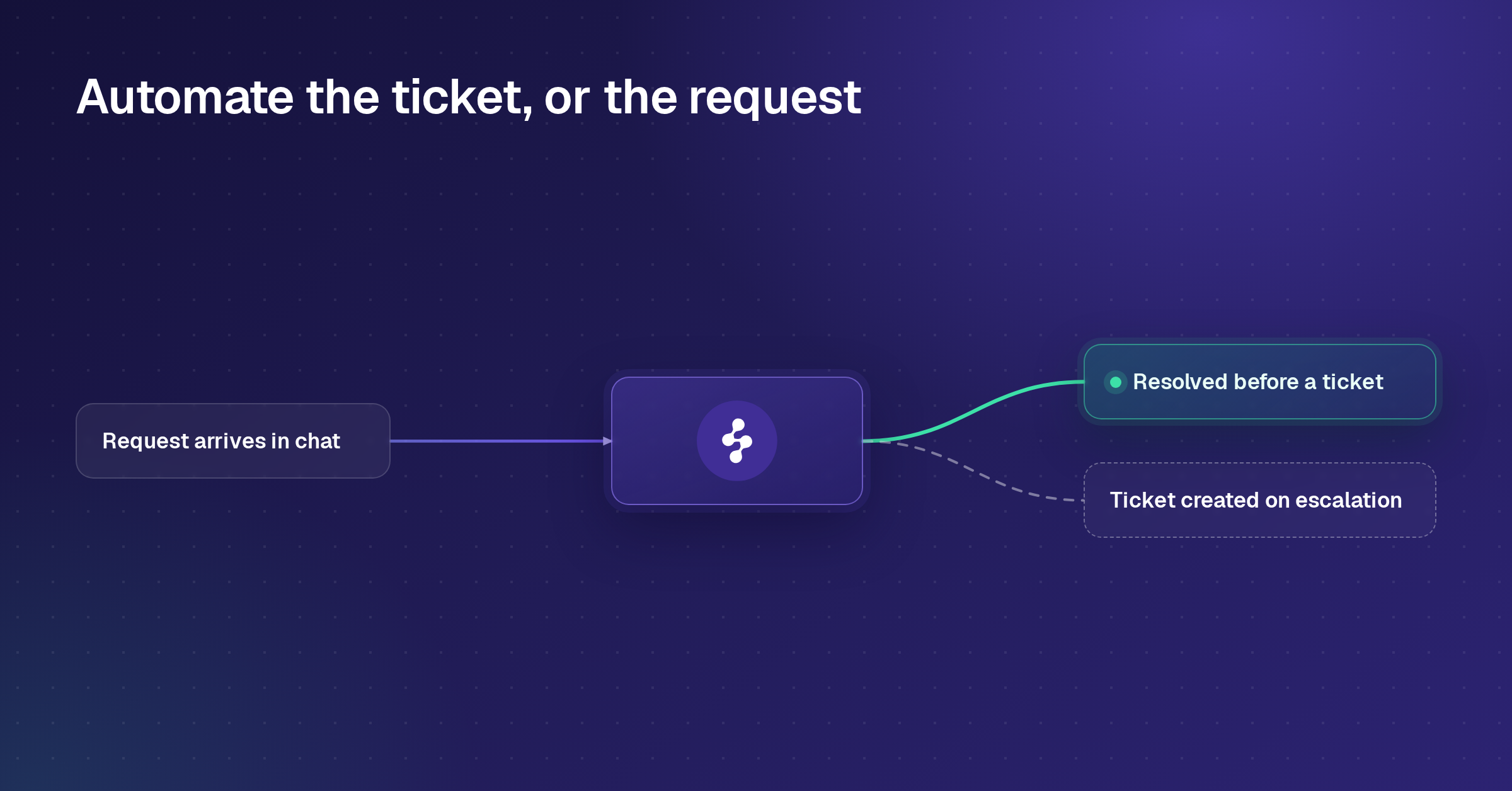
Search results use an automated ticketing system and an AI ticketing system for the same category, and the real split is where the automation acts. Most of these tools automate the handling of a ticket that already exists through automated ticket routing, tagging, and prioritization. A smaller group resolves the request first and opens a ticket only when a human is needed, and Enjo Platform sits there because the agent answers in Slack, Microsoft Teams, website chat, and the Help Center portal while Inbox creates a ticket only on escalation.
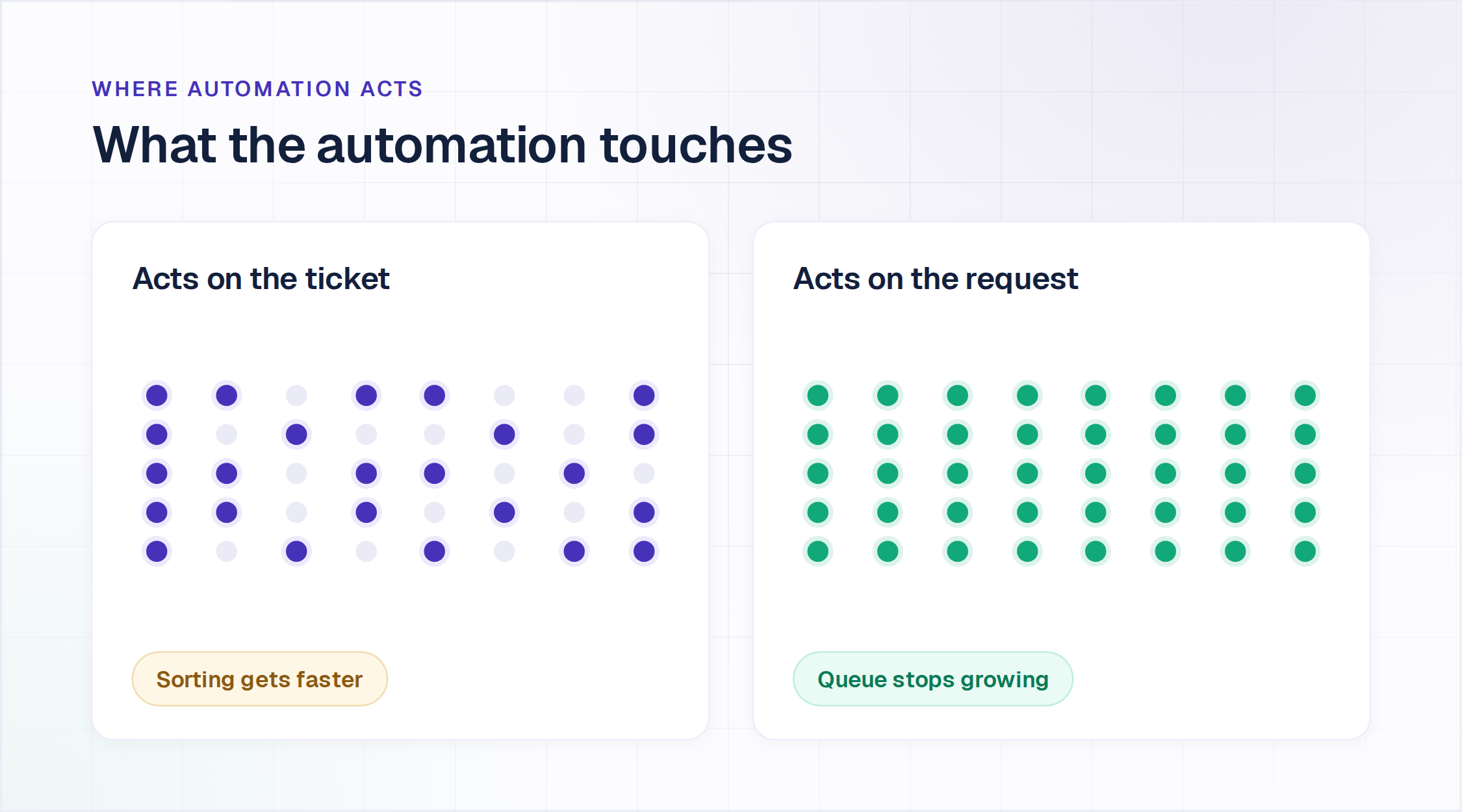
How an automated ticketing system works
Four stages run on every request. The difference between the tools on this list is which stage they start at.
Capture. A request arrives and becomes a ticket. Older systems capture from email, a web form, or a portal. Newer ones capture from the chat app people already use, which matters because a portal only ever sees the requests someone was willing to file. Enjo Platform captures in Slack, Microsoft Teams, website chat, and the Help Center portal. For intake that starts in chat specifically, our guide to the Slack ticketing system covers setup, tools and costs.
Classify and route. The system reads the request, works out what it is, and sends it somewhere. Rule-based routing matches keywords and assigns by skill, load, or topic. Intent-based routing classifies the request itself, which holds up on phrasing nobody anticipated. Both produce the same output: a ticket with an owner.
Resolve. This stage splits the category. Most automated ticketing systems hand the classified ticket to a person. A smaller group answers the request from your knowledge and, where the request is transactional, takes the action that finishes it. Enjo Platform runs AI Actions against Okta, Entra ID, Google Workspace, Jira, ServiceNow, Salesforce, and custom APIs, so a locked account gets unlocked in the conversation rather than logged for someone to unlock later. Every action is configured, authorized, and recorded.
The same context fills the ticket before anyone opens it. Practitioners consistently name this as the thing that actually saves time, ahead of routing: the requester's device and OS build from endpoint management, their group membership from Active Directory or your IdP, their job title, location and approving manager from the HR system, and prior tickets on the same asset. Enjo Platform retrieves those through Customer Context and AI Actions at the moment the request arrives, so a locked-account request already knows the account, the group and who approves the unlock. That is the difference between a request the agent can finish and a ticket someone has to research.
Escalate and track. What the system cannot finish goes to a human, and what matters is how much of the gathered background data travels with it. A ticket carrying the full conversation, the account context, the attributes pulled at creation and suggested next steps starts where the agent left off. A bare handoff makes the human reconstruct all of it, which is why a fast escalation and a useful one are different things. Tracking then closes the loop through SLA timers, status, and reporting, and through the tools that resolve, reflected in the resolution rate itself.
The four stages are why two tools with identical feature lists produce different queues ninety days in. A system that captures, classifies and routes well still leaves every request to a person. One that resolves removes the ticket entirely, and our AI service desk guide covers what that resolve stage finishes for IT and HR requests and what it costs.
How we evaluated these automated ticketing systems
Feature grids read the same on every AI ticket system vendor page. These six dimensions change what a team pays and what its queue looks like ninety days in.
- What triggers the automation. Whether the system acts on a ticket that already exists, or on the request before a ticket is created.
- What the AI can write to, not just read from. Retrieving an answer is half a resolution; the other half is updating the system that holds the data.
- Where requests arrive. A tool that resolves inside the chat app people already use touches volume that a portal never sees.
- What an escalation carries. The full conversation, account context, and suggested next steps, or a bare handoff the human has to reconstruct.
- How the price behaves as volume grows. Per agent seat, per resolution, per credit, or per AI reply. These curves diverge fast.
- Time to a first resolved request. Days, weeks, or a configuration project that outlives the quarter.
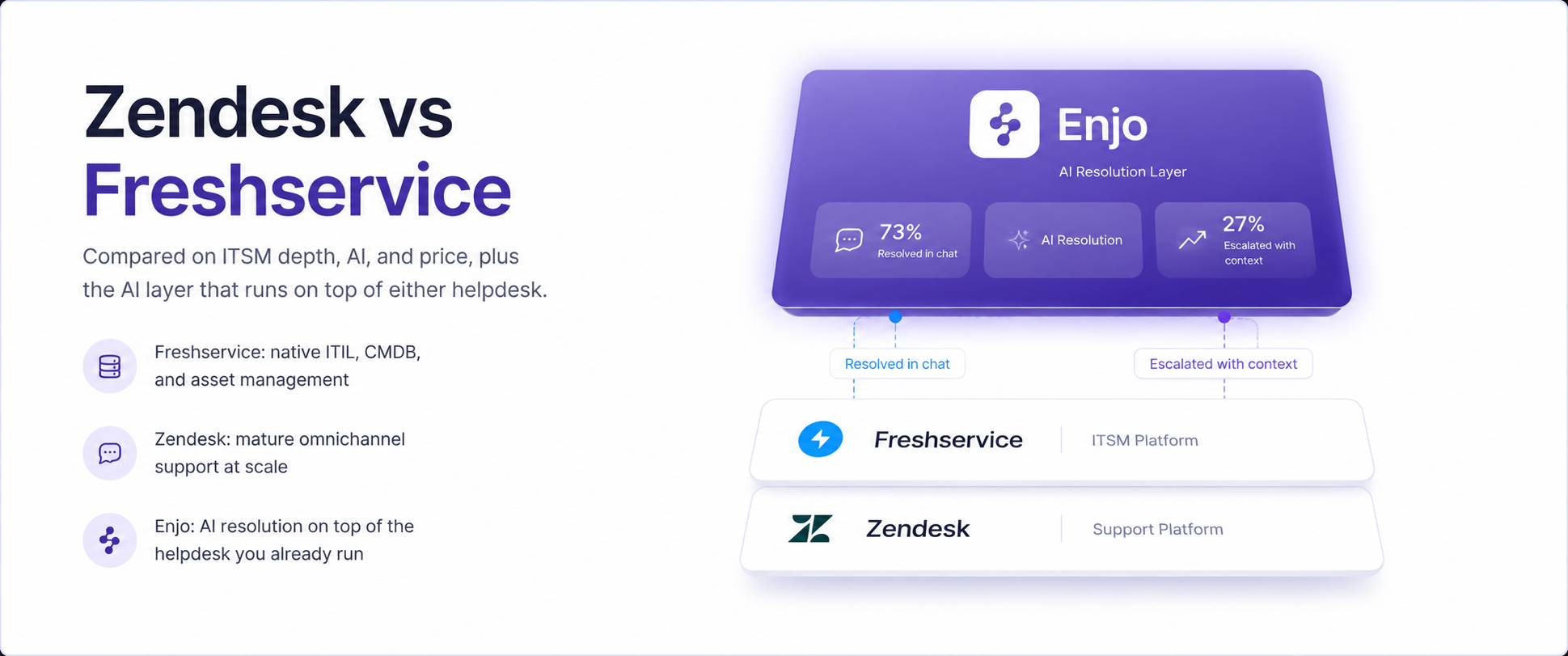
Prices below are the lowest paid tier on annual billing unless stated. Teams weighing an AI ticketing system against a full IT service management platform will find that comparison in our roundup of the best ITSM tools. For how AI resolves IT requests end to end, see our AI ITSM guide. Teams pricing the AI itself will find ten AI helpdesk tools priced side by side, per seat, per resolution and per reply.
Which automated ticketing systems are free?
Four of the ten have a permanent free tier rather than a trial, and they cap different things.
Zoho Desk: Free Forever for three users with email ticketing. Built-in Zia AI starts at Professional, two tiers above the entry plan.
Jira Service Management: free for up to three agents, with portal, email, Slack and Microsoft Teams intake. The virtual service agent starts at Premium.
HubSpot Service Hub: free for two users with ticketing. The knowledge base, customer portal and Customer Agent start at Professional.
Zendesk, Freshdesk, Fin, LiveAgent, HappyFox and TeamSupport have no standing free plan. Freshdesk and HappyFox trials run 14 days and LiveAgent's runs 30, while Zendesk and Fin offer trials without a published length. If Freshdesk is the tool you are replacing, our guide to open-source and free Freshdesk alternatives covers the help desks you can run yourself. Our helpdesk ticketing system comparison sets 14 free and paid tools side by side on 2026 pricing.
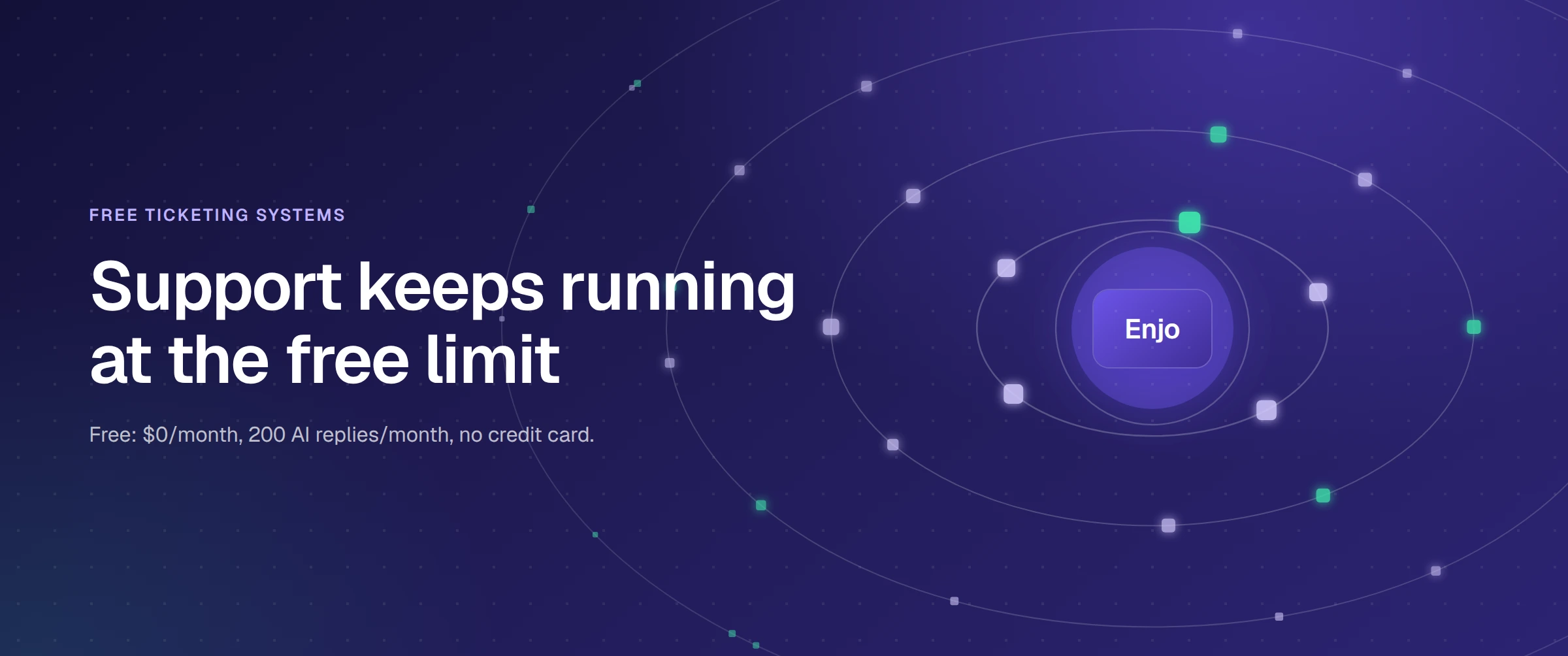
Enjo is the fourth free tier here and the only one where AI resolution is included rather than gated above it. $0 a month, 200 AI replies, unlimited human agent seats, no credit card and no expiry. At the reply cap, requests escalate to human agents in Inbox on those same unlimited seats.
Full entry in the comparison below.
The 10 best automated ticketing systems
| Tool | G2 | Where It Runs | Starting Price (annual) | Free Tier |
|---|---|---|---|---|
| Enjo Platform | 4.8/5 | Slack, Teams, website chat, Help Center portal, Inbox | $95/mo for 1,000 AI replies | Yes, 200 AI replies/mo, unlimited seats |
| Zendesk | 4.3/5 | Zendesk agent workspace, email, chat, phone | $19/agent/mo (Support Team) | No, trial only |
| Freshdesk | 4.4/5 | Freshdesk workspace, email, chat, social | $19/agent/mo (Growth) | No, 14-day trial |
| Zoho Desk | 4.4/5 | Zoho Desk, email, chat, social, phone | Not published in USD | Yes, 3 users |
| Fin (formerly Intercom) | 4.5/5 | Fin messenger, email, social, or on another helpdesk | $29/seat/mo (Essential) | No, trial only |
| Jira Service Management | 4.3/5 | Atlassian projects, portal, Slack and Teams | $20/agent/mo (Standard) | Yes, up to 3 agents |
| HubSpot Service Hub | 4.4/5 | HubSpot workspace, email, chat, portal | $7/seat/mo (Starter) | Yes, up to 2 users |
| LiveAgent | 4.5/5 | LiveAgent desk, email, chat, call, social | $10/agent/mo (Small Business) | No, 30-day trial |
| HappyFox | 4.5/5 | HappyFox desk, email, chat, social | $24/agent/mo | No, 14-day trial |
| TeamSupport | 4.4/5 | TeamSupport desk, portal, messaging | $45/mo (Starter) | No |
1. Enjo Platform
Enjo Platform is an AI support agent with a helpdesk built around it, where the agent resolves the request, and Inbox holds the exceptions.
How it goes to market: Sold self-serve and through sales to IT, HR, and support teams, priced per AI reply rather than per seat, with unlimited human agent seats on every published plan.
Key capabilities:
- Resolution before a ticket exists: the agent answers in Slack, Microsoft Teams, website chat, and the Help Center portal, and a ticket is created only when the request escalates.
- Inbox as the system of record: tickets with status, owners and history, SLA timers with breach alerts, saved views, round-robin or load-based assignment and office hours, included on the free plan.
- One knowledge layer: Confluence, SharePoint, Google Drive, Notion and Guru on a daily sync, alongside past tickets from Jira, ServiceNow, Zendesk and Salesforce, with a citation on every answer.
- Escalation with context: the human receives the full conversation, account context, and suggested next steps rather than a one-line ticket.
- Workflows: automated triage, tagging, routing, approvals and follow-ups, with natural language workflows on the Standard plan.
- AI Actions, from the Starter plan: the agent queries and updates Okta, Entra ID, Google Workspace, Jira, ServiceNow, Salesforce, and custom APIs mid-conversation, so a locked account gets unlocked rather than logged.
- Guardrails and audit, from Starter and Standard: core Guardrails from Starter, advanced Guardrails, AI testing and training workflows, custom role-based access and an audit trail with QA review flows on Standard.
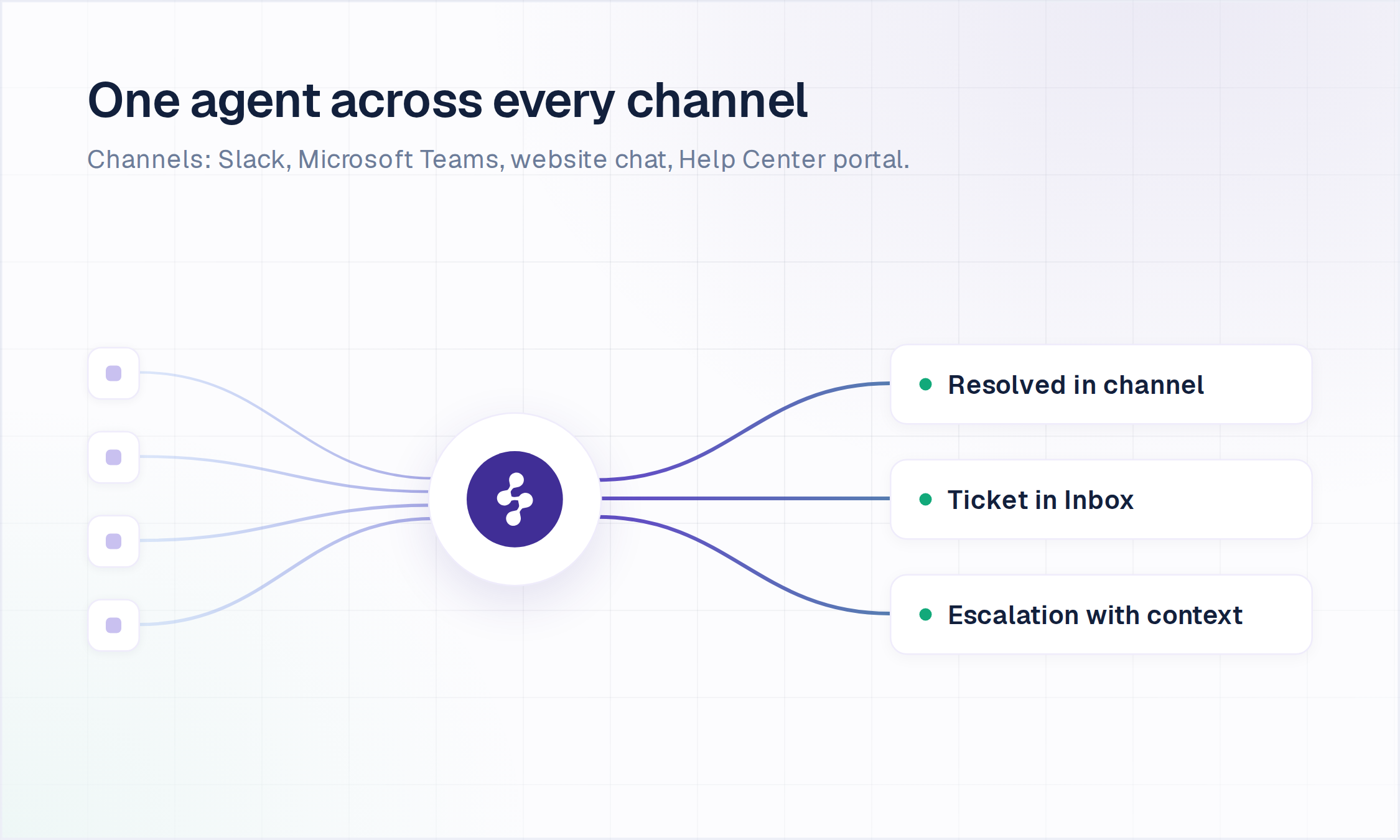
Pricing: The Free plan is permanent and includes 200 AI replies a month, unlimited human agent seats, unlimited AI agents and channels, Inbox, Help Center and Insights, with no credit card. Starter is $95/month for 1,000 AI replies and Standard is $295/month for 3,000, with additional replies at $0.05 each and Enterprise custom on yearly billing. At the free limit, requests auto-escalate to human agents, and Inbox keeps running.
Scope: Enjo Platform is configured agent-first. You set up the agent and its knowledge before you set up a queue, and Inbox exists for what the agent hands over. That ordering is a product design choice, not a constraint.
2. Zendesk
Zendesk is a customer service suite unifying email, chat, and phone in one agent workspace, with AI sold as usage on top of a per-agent subscription.
How it goes to market: Sold to customer service organizations as a full suite, priced per agent, with AI agents included in every Suite and Support plan and charged on the automated resolutions they deliver.
Key capabilities:
- Unified agent workspace: email, chat, and phone conversations with customer context in a single view.
- Automated ticket routing: assignment by skill, load, or topic before an agent opens the request.
- AI agents on outcomes: resolutions handled without escalation are the billable unit, not seats.
- App marketplace: a large catalog of prebuilt integrations covering common connections without custom development.
Pricing: Support Team is $19/agent/month on annual billing, Suite Team $55, Suite Professional $115, and Suite Enterprise is contact-sales. Copilot is a $50/agent/month add-on. Zendesk states that AI agents are priced on automated resolutions but does not publish the per-resolution rate; check zendesk.com for current figures.
Limitation: The per-resolution rate is absent from the public pricing page, so the AI line cannot be modeled before a sales conversation.
3. Freshdesk
Freshdesk is Freshworks' support desk, pairing ticketing with Freddy AI across a three-tier per-agent structure.
How it goes to market: Sold to support teams as part of the Freshworks suite, priced per agent, with a fixed allowance of AI agent sessions included and the agent-facing assistant sold separately.
Key capabilities:
- Freddy AI Agent: customer-facing resolution with the first 500 sessions included on every plan.
- Threaded collaboration: internal tasks and notes kept inside the ticket rather than in side channels.
- Self-service portal: a knowledge base answering repeat questions before they reach the queue.
- Multilingual desk: region-specific support and custom dashboards from the Pro plan.
Pricing: Growth is $19/agent/month on annual billing, Pro $55, and Enterprise $89. There is no free plan, only a 14-day trial of Enterprise. Additional Freddy AI Agent sessions are $49 per 100, and Freddy AI Copilot is a $29/agent/month add-on available on Pro and Enterprise. Check freshworks.com for current figures.
Limitation: Copilot is never bundled, and extra agent sessions are metered at $49 per 100, so the AI line grows on a curve separate from the seat count.
4. Zoho Desk
Zoho Desk is the support desk in the Zoho suite, with ticket automation and Zia AI layered into its per-user plans.
How it goes to market: Sold to teams already running other Zoho products, priced per user, with generative AI available through your own model key at the entry tier and built-in Zia reserved for higher plans.
Key capabilities:
- Omnichannel queue: email, chat, social and phone requests centralized in one view.
- Blueprint process automation: multi-step approval workflows modeled without custom code.
- Zia AI: auto-tagging, sentiment analysis, and anomaly detection on incoming tickets, built in from the Professional plan.
- Bring-your-own-key generative AI: connect an OpenAI or DeepSeek key from the Express tier.
Pricing: The page renders in Indian rupees for us: ₹420, ₹800, ₹1,400, and ₹2,400 per user per month across Express, Standard, Professional, and Enterprise on annual billing, plus a free edition for three users. No dollar figure is shown, so this page states none; check zoho.com with the currency selector set to USD.
Limitation: Built-in Zia sits at Professional, two tiers above the entry plan a price-led buyer starts from.
5. Fin (formerly Intercom)
Fin is the AI agent from the company formerly called Intercom, sold on top of per-seat helpdesk plans and also deployable onto another vendor's helpdesk.
How it goes to market: Sold to customer service teams as a messaging-first platform, priced per seat, with the AI agent billed per outcome and no seat requirement attached to it.
Key capabilities:
- Fin AI Agent: resolves conversations across email, chat, and social from connected knowledge sources.
- Runs on other helpdesks: available as an add-on, without requiring a platform migration.
- Unified inbox: AI-handled and human-handled conversations share one workspace and one reporting surface.
- Lite seats: 20 on Advanced and 50 on Expert for occasional internal users.
Pricing: Essential is $29/seat/month on annual billing, Advanced $85 and Expert $132. The Fin AI Agent is billed from $0.99 per outcome across every plan. Check intercom.com for current figures.
Limitation: Per-outcome billing sits on top of per-seat plans, so the AI line moves with request volume independently of headcount. Salesforce completed its acquisition of Fin on September 10, 2026, so plans and pricing may shift as Fin moves into Salesforce. Teams that want an option outside that roadmap can compare Fin alternatives.
6. Jira Service Management
Jira Service Management is Atlassian's service desk, built on the platform engineering teams already use, with AI sold as metered usage above a per-agent plan.
How it goes to market: Sold to teams standardizing IT and engineering work on Atlassian, priced per agent, with the virtual service agent bundled at Premium and metered above an included allowance.
Key capabilities:
- Ties tickets to engineering work: service requests link directly to Jira issues and releases.
- Virtual service agent: resolves requests in Slack and Teams, included on Premium and above.
- Assets and configuration management: IT inventory tracked alongside the service desk.
- Embedded portal: self-service articles and request submission without an agent.
Pricing: Free covers up to 3 agents. Standard is $20/agent/month and Premium is about $51.42/agent/month on monthly billing, with annual billing up to 17% less, and Enterprise is custom on annual billing. The virtual service agent includes 1,000 assisted conversations a month on Premium, then $0.30 per assisted conversation. Fetched from atlassian.com on August 31, 2026.
Limitation: The virtual service agent sits at Premium, and assisted conversations meter above the included 1,000, so both the tier and the usage are separate decisions.
7. HubSpot Service Hub
HubSpot Service Hub is the service product inside HubSpot's platform, with AI metered through a shared credit system rather than a per-resolution fee.
How it goes to market: Sold to teams running marketing, sales, and service on one HubSpot account, priced per seat, with AI consumption drawn from HubSpot Credits and onboarding fees attached to the upper tiers.
Key capabilities:
- Customer Agent: resolves conversations automatically, charged at 50 credits per resolved conversation.
- Shared CRM record: service conversations sit on the same contact record as marketing and sales activity.
- Credit metering: 500 credits on Starter, 3,000 on Professional, 5,000 on Enterprise, with extras at $0.009 each annually.
- Free tools: a working service tier for up to 2 users.
Pricing: Free tools cover up to 2 users. Starter is $20/seat/month, or $7/seat/month at an annual promotional rate; Professional is $90/seat/month, and Enterprise is $150/seat/month. Professional includes a one-time $1,500 onboarding fee, and Enterprise includes $3,500. Check hubspot.com for current figures.
Limitation: The AI agent starts at Professional, which carries a mandatory $1,500 onboarding fee on top of the seat price.
8. LiveAgent
LiveAgent is an all-channel help desk that consolidates email, live chat, calls, and social messages into a single ticket stream.
How it goes to market: Sold to small and mid-sized support teams, priced per agent across four tiers, with AI capabilities bundled into every plan rather than sold separately.
Key capabilities:
- Single ticket stream: email, chat, call, and social conversations threaded into one queue.
- AI on every tier: answer assistant, chatbot, ticket triage, summarization and spam filtering at all four price points.
- Call center built in: inbound and outbound voice handled inside the same desk.
- Customer portal: self-service articles and request submission.
Pricing: Small Business is $10/agent/month, Medium Business $19, Large Business $33, and Enterprise $46 on annual billing. Those are promotional rates running to January 1, 2027; the regular rates are $15, $29, $49, and $69. There is no free plan, and the trial runs for 30 days. Check liveagent.com for current figures.
Limitation: The prices above are discounted and expire on January 1, 2027, so renewal will be at the regular rate rather than the advertised one.
9. HappyFox
HappyFox is a configurable help desk that converts email, chat, and social interactions into tickets, with its AI sold as a separate product line.
How it goes to market: Sold to teams that want a straightforward, configurable desk, priced per agent, with flat-fee annual plans offered to larger teams in place of per-seat billing.
Key capabilities:
- Smart Rules: ticket assignment, escalation, and repetitive actions automated without scripting.
- Branded support portal: a customer-facing self-service site with search-optimized articles.
- Flat-fee option: annual plans with ticket allowances instead of per-agent charges for larger teams.
- Multilingual desk: requests answered in the requester's language without a separate tool.
Pricing: Plans start at $24/agent/month on annual billing, with agents capped at 5 on the Basic plan and unlimited above it. There is no free plan, and the trial runs for 14 days. HappyFox AI is a separate product starting at $14/agent/month. Check happyfox.com for current figures.
Limitation: AI is a separate product rather than a higher tier, so adding it means pricing two products instead of upgrading one.
10. TeamSupport
TeamSupport is a support platform organized around account-level context rather than individual conversations.
How it goes to market: Sold to teams that manage support at the account level, priced by plan with messaging and live chat charged per agent on top, and onboarding and training quoted as one-time fees.
Key capabilities:
- Account-level context: every ticket links to account data such as revenue and renewal date.
- Customer Distress Index: account signals and sentiment aggregated to flag at-risk customers.
- Kevin AI: the AI assistant included from the Professional plan.
- Playbooks: structured response sequences, one on Professional and three on Scale.
Pricing: Starter is $45/month on annual billing and caps at 5 users, Professional $65/month with unlimited users and Scale $85/month. Messaging and live chat are $15/month per agent on every plan, and onboarding and training are quoted from $1,000 to $2,000. Check teamsupport.com for current figures.
Limitation: The pricing page doesn't label whether the plan price is per agent or per account, and live chat messaging is metered per agent on top of that, so the real monthly total needs a quote.
How to run the evaluation on your own queue
Vendor demos run on clean data. These five checks run on yours, and the answers separate automated ticket routing from actual resolution.
- Pull ninety days of tickets and rank them by request type. Count how many of the top ten types could have been finished without a person. That number, not a vendor deflection figure, is the size of the prize.
- Ask for the list of systems the AI can write to, and who authorizes each write. Reading a knowledge base is table stakes. Unlocking an account, provisioning access or updating a record is where a ticket disappears.
- Watch one escalation land in your real queue. Check what travelled with it: the full conversation and account context, or a subject line the agent has to reconstruct.
- Price it at next year's volume, not this year's seat count. Model per-seat, per-resolution, per-credit, and per-reply against the same request forecast. On this list, those four curves produce very different totals at the same volume.
- Ask how soon a first request resolves end to end. Days and weeks are an architecture property. A multi-quarter configuration project is a different purchase.
Enjo Platform answers those five as follows: the agent resolves in Slack, Teams, website chat and the Help Center portal before a ticket exists; AI Actions writes to Okta, Entra ID, Google Workspace, Jira, ServiceNow, Salesforce and custom APIs from the Starter plan, each action configured and authorized; escalations carry the full conversation, account context and suggested next steps into Inbox; pricing runs per AI reply with unlimited human agent seats; and the free plan puts the agent on real requests the same day. Teams with customer-facing, rather than internal, volume will also want our comparison of customer service ticketing systems.
The bottom line
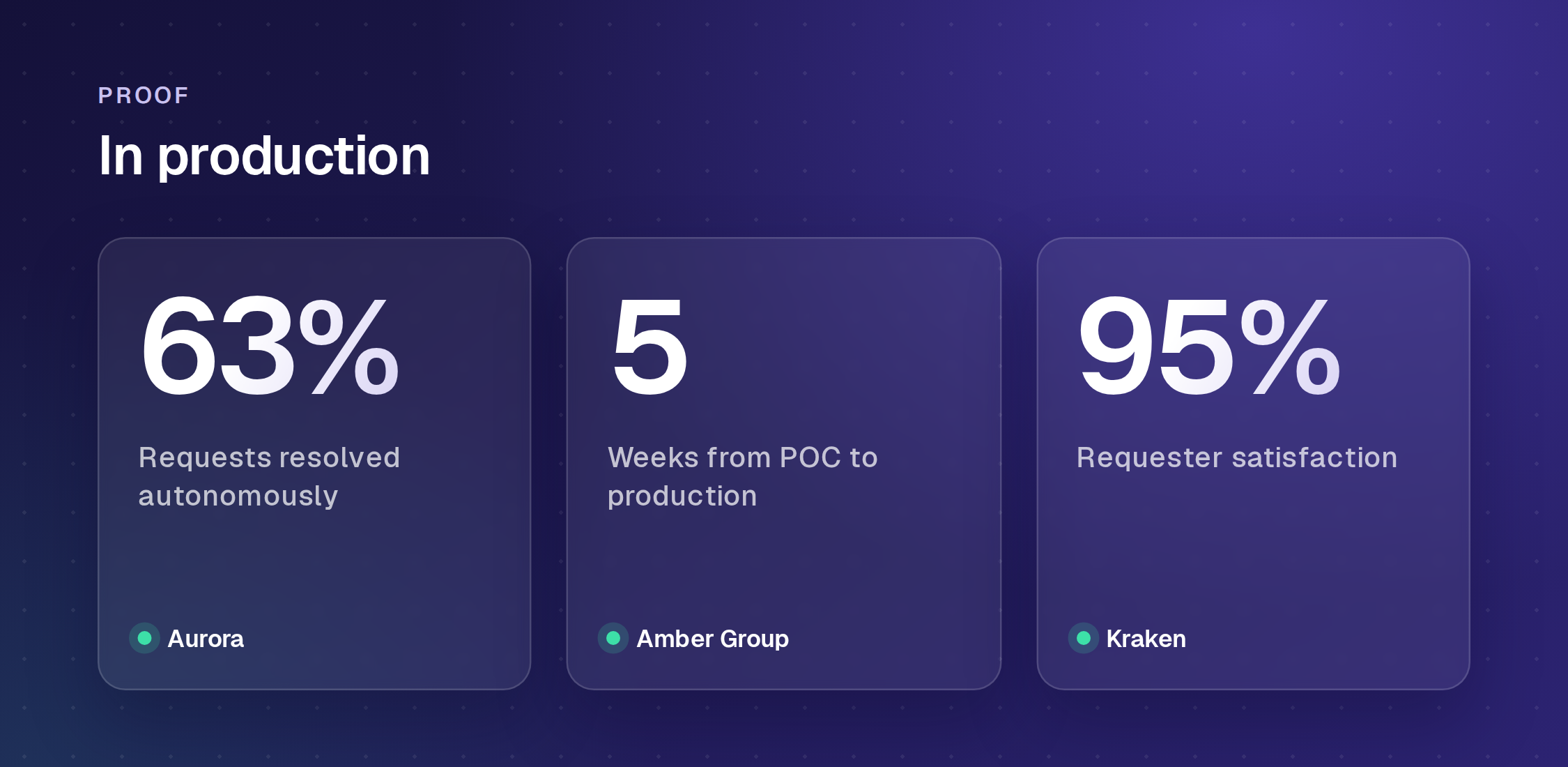
Every system here moves a ticket faster than a person sorting it by hand, and that problem was solved years ago. The automated ticketing system decision in 2026 turns on a different question: how much of your queue can finish without a ticket, and what the AI that does it costs on top of the seats you already pay for. Run the five checks above against your own ninety days of requests, price all four models at next year's volume, and the shortlist narrows fast.
Frequently Asked Questions
What is an automated ticketing system?
An automated ticketing system captures incoming requests, classifies them, and moves them through to resolution with as little manual handling as possible. The older generation automates the work around the ticket, including intake, tagging, prioritization, and automated ticket routing. The current generation, often marketed as an AI ticketing system, adds an AI agent that answers from your knowledge and, on some tools, takes the action the request needs so no ticket is created at all.
What are the top 5 ticketing systems?
Ranked on what each resolves without a human and how the bill behaves at volume, the top five here are Enjo Platform, Zendesk, Freshdesk, Zoho Desk and Fin. Enjo resolves requests before a ticket exists and bills per AI reply with unlimited human agent seats. Zendesk and Freshdesk are per-agent suites with AI metered on top, Zoho Desk keeps built-in Zia at Professional, and Fin bills $0.99 per outcome on top of seats.
What is the best software for ticketing systems?
Enjo Platform ranks first here: it resolves requests in Slack, Microsoft Teams, website chat and the Help Center portal before a ticket exists, and its permanent free plan includes 200 AI replies a month with unlimited human agent seats.
How does automated ticket routing differ from AI resolution?
Routing decides where an existing ticket goes; resolution answers the request so the ticket never needs an owner. Most tools branded as an AI ticketing system route, triage, and summarize well. Fewer complete the transaction in the system that holds the data, which is the difference between a faster queue and a smaller one. Our guide to conversational ticketing covers how requests arrive in chat in the first place.
How much does an automated ticketing system cost?
Four pricing models appear on this list, and they behave differently as volume grows. Per-agent seat pricing runs from $7 to $132 per seat per month among the tools above.
The other three meter usage. Per resolution or per outcome is billed on top of seats, from $0.99 per outcome on Fin and $0.30 per assisted conversation above the included allowance on Jira Service Management. Credit metering draws from a shared pool, at 50 credits per resolved conversation on HubSpot. Per AI reply is the model Enjo Platform uses, at $95 a month for 1,000 replies with unlimited human agent seats and a permanent free tier of 200.
How long does an automated ticketing system take to deploy?
It depends far more on the state of your knowledge than on the vendor's project plan. Where answers already sit in connected sources such as Confluence, SharePoint, or past tickets, an AI ticket system can resolve real requests within days to weeks. Where they do not, the knowledge audit is the project, whichever AI ticket system you pick. Platforms that need queues, forms, asset records, and approval chains rebuilt before launch commonly run months, and that work lands on your team rather than the vendor's.
Does an automated ticketing system replace support agents?
No. It absorbs the repetitive load so the team works the cases that need judgment, and every tool on this list escalates when confidence is low or policy requires a person. The number that moves is how much volume resolves without a human, not how many humans you employ.
Is Jira just a ticketing system?
Jira Service Management is a full ITSM platform with incident, problem and change management, not only ticketing. Jira Software is a development tracker. Teams often run both, which is why the distinction matters when scoping a ticketing project.
Is Zendesk a CRM or a ticketing system?
Zendesk is a support platform built on ticketing, with customer records attached. It is not a CRM in the Salesforce or HubSpot sense: the record exists to serve the ticket, not the other way round.