Production AI Support, Live on your Salesforce in days

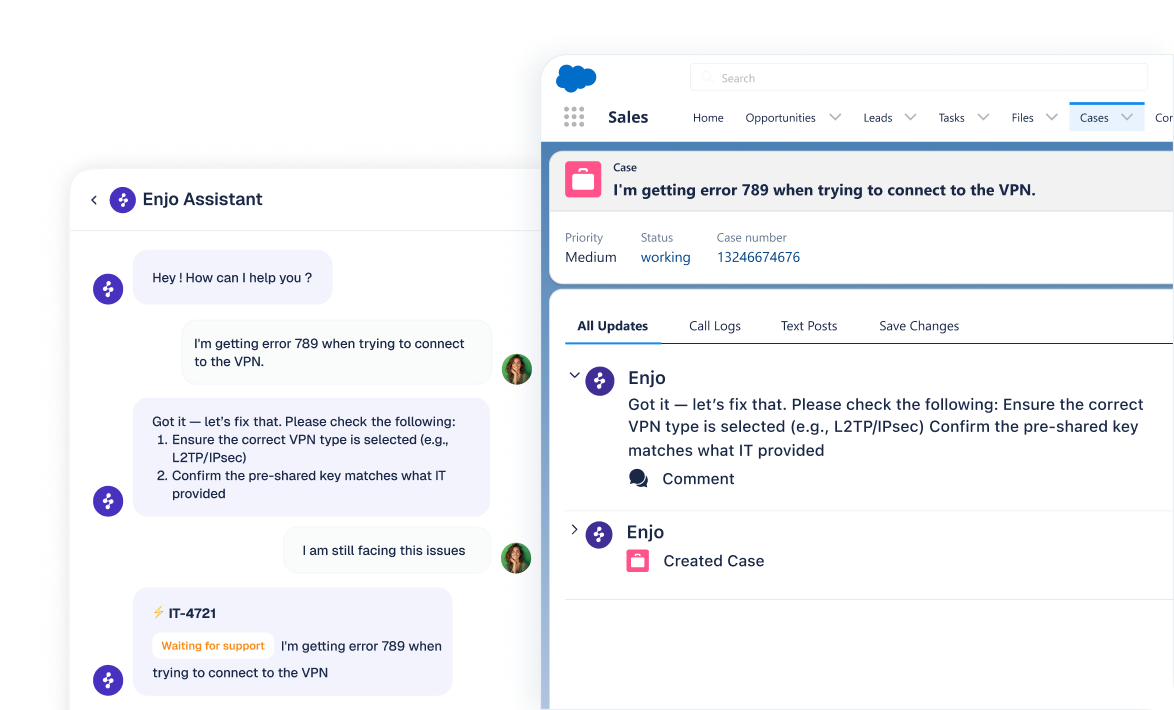
Enjo extends Salesforce Service Cloud with AI Agents that resolve Cases end-to-end, Agent Assist embedded in the Case View, and an AI-native Help Center. Grounded in your Salesforce Knowledge, Past Cases, and every other document your team actually uses.

Start for Free
Book a Demo
Trusted by startups and established enterprises

What Enjo does inside Salesforce

Four things, built to work together.
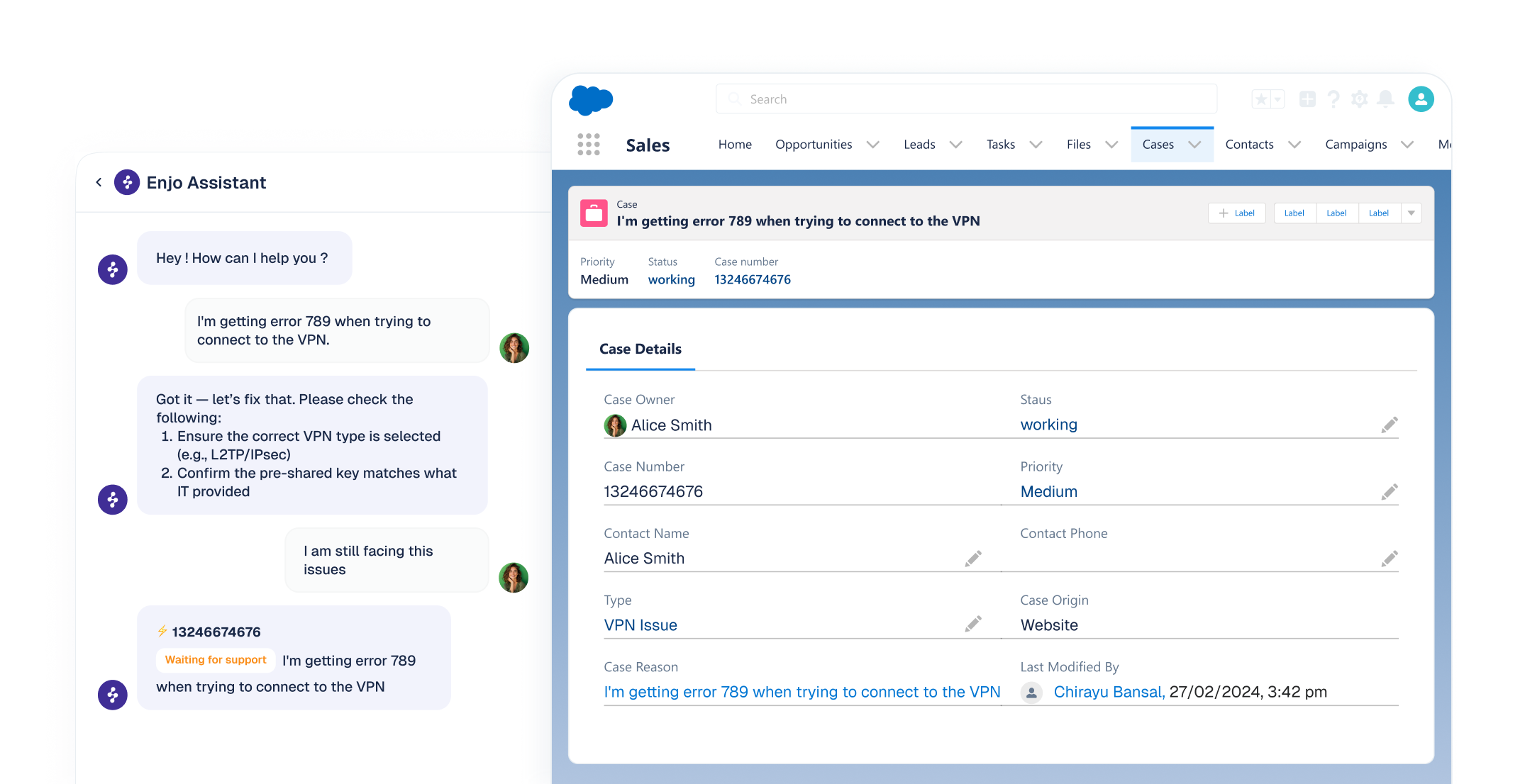
AI Agent in Service Cloud
Autonomous resolver for customer, IT, and HR service. Grounded in your Salesforce Knowledge and past Cases. Performs native Salesforce actions: look up accounts, update Cases, check entitlements.
  • Multi-step logic with fallbacks and guardrails
  • Trained on your Knowledge articles and past Cases
  • Works across Slack, Teams, email, and web
  • Connects in minutes via OAuth, no code required
Agent Assist in the Case View
Embedded directly in the Salesforce Case View. Your reps stay in Service Cloud, no context switching, no extra clicks.
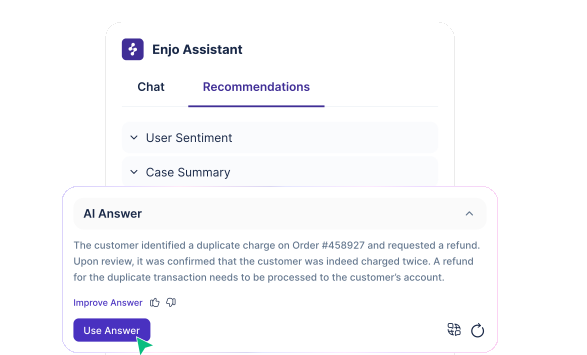
  • Instant case summaries with full conversation context
  • AI reply suggestions grounded in approved knowledge
  • Reply refinement: tone, length, translation
  • Real-time sentiment analysis
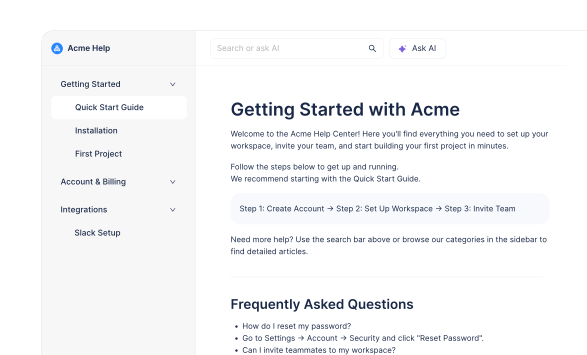
AI-native Help Center
Customer-facing self-serve portal. AI-powered search that answers with citations. Articles generated from your website, connected docs, or resolved Cases.
  • Self-improving: resolved conversations draft new articles
  • Multi-brand, multilingual, custom domain
  • AI Command Center for bulk content operations
  • Seamless handoff to AI Agent or human
Clean escalation back to Salesforce
When AI cannot resolve something, Enjo creates a properly routed native Salesforce Case with full conversation context and suggested next steps.
  • Creates a standard native Salesforce Case
  • Full conversation transcript and AI reasoning attached
  • Flows into your existing queues, SLAs, and routing rules
  • Nothing changes for your human agents

Grounded in every document your team actually uses

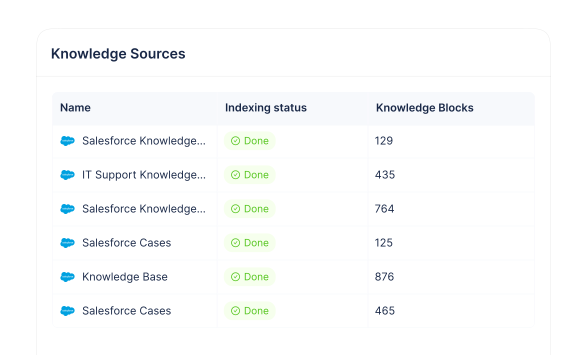
Not just Salesforce Knowledge. Enjo ingests directly from the sources where your content already lives. Knowledge syncs automatically, no separate data preparation required.
Salesforce sources
Native ingestion with daily sync. Sandbox supported for pre-production validation.
Salesforce Knowledge articles
Past Salesforce Cases
Sandbox environments
Everything else your team has
Connect the documents, wikis, and tools your team already uses. One unified knowledge layer grounds every AI Agent.
Confluence
SharePoint
Google Drive
Notion
Guru
Zendesk tickets
Jira / JSM
ServiceNow
Websites
PDF, DOCX, audio, video
OAuth 2.0 delegated connection. Daily sync. Workspace-scoped, so every AI Agent in the workspace inherits the connection. Your Salesforce admin approves access, scoped to what the authenticated user can see.

Live in days

Most Enjo on Salesforce deployments are in production within a week. No consulting partner required for a standard deployment.
Connect
OAuth 2.0 delegated connection. Your Salesforce admin approves. Sandbox or production. Minutes, not days.
Ingest
Enjo indexes your Salesforce Knowledge, past Cases, and any other knowledge source you connect. Daily sync stays fresh.
Configure
Define your first AI workflow in Enjo Studio. Configure actions, escalation rules, guardrails. Test in the Playground against real historical tickets.
Go live
Deploy to a channel (Slack, Teams, web, email). Monitor live resolution rate. Tune and expand.
For more complex deployments involving custom Salesforce objects or multi-team rollouts, timelines can extend into a few weeks.

How Enjo and Agentforce fit together

Agentforce is a strong native product. Enjo is built to be complementary or alternative depending on what your team needs. Here is the honest comparison.

Dimension

Agentforce

Enjo

Time to production
3 to 6 months for full deployment (per SI partners)
First workflow in production within a week
Pricing
Six pricing models. Flex Credits, Conversations, add-ons, editions
One pricing model. Per AI Reply. From $95 per month
Data foundation
Data 360 (formerly Data Cloud) required for most capabilities
No data lake required. Direct indexing from source systems
Knowledge sources
Salesforce Knowledge native. Confluence, SharePoint, others via Data 360
Salesforce Knowledge, Confluence, SharePoint, Drive, Notion, past tickets, all native
Across helpdesks
Salesforce-native. External systems require custom integration
Same platform works with Zendesk, ServiceNow, Jira, Freshservice
Slack / Teams native
Agentforce for Slack available and maturing
Slack and Teams have been primary channels since 2019
Case creation from AI
Native
Native. Full conversation context included
Agent Assist in Case View
Service Rep Assistant (bundled in Agentforce 1 editions)
Enjo Agent Assist plugin
When Agentforce is the right choice
You are all-in on Salesforce, running heavy customization on custom objects and Apex, you already have Data 360, and you want a single-vendor stack.
When Enjo is the right choice
Your knowledge lives in Confluence, SharePoint, Drive, or past tickets across multiple systems. You want production AI in days. You want predictable, usage-based pricing. You run more than one helpdesk or might in the future. You want IT or HR service in Slack and Teams, not a new portal.
When both make sense
Many customers run Agentforce for native Salesforce workflows and Enjo for cross-system resolution, unified knowledge across tools, and employee service in Slack and Teams. The two can coexist. The knowledge layer stays unified.

Running in production at scale

Flagship deployment

Aptean runs its full customer service on Enjo on Salesforce.

Flagship customer service deployment on Salesforce Service Cloud. [Placeholder. Replace with published case study: autonomous resolution rate, time saved per ticket, CSAT impact, or a one-line customer quote.]

Read case study

What you'd pay, typically

Enjo charges per AI Reply. Most Salesforce customers start with Agent Assist inside Service Cloud, then add AI Agent on their website or in Slack. Here's what three typical usage patterns cost.
Most common start
Agent Assist only
Your support reps use Enjo inside the Salesforce Case View. 5 AI Replies per case, flat, charged on first use.
30 cases/day with Agent Assist, 20 days
600 cases
× 5 AI Replies per case
3,000 AI Replies
Standard plan
$295 / mo

≈ $0.49 per case

Includes a generous refresh policy, case summaries, translation, and AI-drafted knowledge articles from resolved cases.
Customer-facing AI
AI Agent on your website
Customers chat with Enjo on your website. AI Agent resolves or escalates. Average 3 AI Replies per conversation.
500 website conversations / month
500 convos
× 3 AI Replies per conversation
1,500 AI Replies
Standard plan
$295 / mo

≈ $0.59 per conversation

Includes autonomous resolution, native Salesforce Case escalation with full context, and Slack, Teams, or email channels.
Typical expansion
Both together
The natural path for most Salesforce customers. AI on the website plus Agent Assist inside Service Cloud.
AI Agent (500 × 3)
1,500 AI Replies
Agent Assist (600 × 5)
3,000 AI Replies
Standard + overage
~$370 / mo

Customer-facing + rep-facing AI on one bill

AI Replies from both surfaces share one pool. One knowledge layer grounds customer-facing and rep-facing AI. No double billing.
Starter

$95

Per month
1,000 AI Replies included.
Best for pilots and small teams.
Start for Free
Standard

$295

Per month
3,000 AI Replies included.
Best for growing teams on Salesforce.
Book a Demo
Enterprise

Let's talk

Volume tailored to your deployment.
Dedicated support, SSO, custom SLAs, advanced security.
Contact Sales
Additional AI Replies: $0.05 each on all plans. Human agent seats unlimited on every plan.
What counts as an AI Reply?

For AI Agent: one response generated in a customer or employee conversation. A typical chat conversation is about 3 AI Replies.

For Agent Assist: 5 AI Replies per Salesforce Case, flat, charged on the first Agent Assist interaction with that case. Includes a generous refresh policy, case summaries, translation, and knowledge article generation for that case.

See how Enjo works end-to-end inside your Salesforce Helpdesk

Turn Enjo into your most reliable agent, directly in Salesforce

Trained on Salesforce Cases & Knowledge

Trained on Salesforce Knowledge articles and past cases to answer with accuracy and context.

Built for your workflows

Configure advanced multi-step logic to handle complex support scenarios in minutes.

Salesforce-native AI actions

Instantly fetch case details, create or update cases, and run Salesforce actions, no code required.

Automatic escalations  via Case creation

Escalates to the right team by creating and routing Salesforce Cases using SLAs and urgency.

Easy to launch

Connects to Salesforce in minutes, no engineering or change management required.

Give every agent an AI assistant,
right inside the Salesforce Case View

Works inside the Salesforce Case View

Agents get help right where they work, no context switching or extra clicks.

AI-powered response suggestions

Get smart, context-aware responses with article links and recommended next actions.

Instant Salesforce case summaries

Quickly see case history, customer details, and full conversation context.

Your brand voice with faster, consistent replies

Ensure consistent, high-quality replies, no matter the complexity.

Real-time sentiment analysis

Helps agents understand tone and urgency so they can tailor responses instantly.

Know what’s working. Fix what’s not.

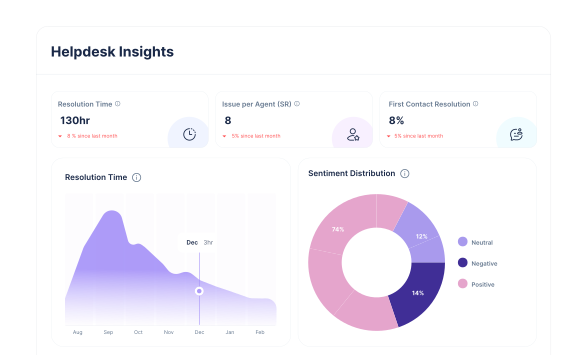
Track AI performance in real time

Measure how Enjo reduces effort, speeds up resolution, and improves service quality.

Close knowledge gaps automatically

Identify missing content, outdated answers, and high-impact topics to update.

Monitor key support metrics

Track First Contact Resolution and Time to Resolution automatically.

horizontal-da…ne-vector

Security & AI governance, trusted by top enterprises

Enjo keeps your data protected while enabling safe automation, without losing control.Trusted by 100s of enterprises, including Snap, Wayfair, Delivery Hero, Cubic, Aptean, and Rakuten.
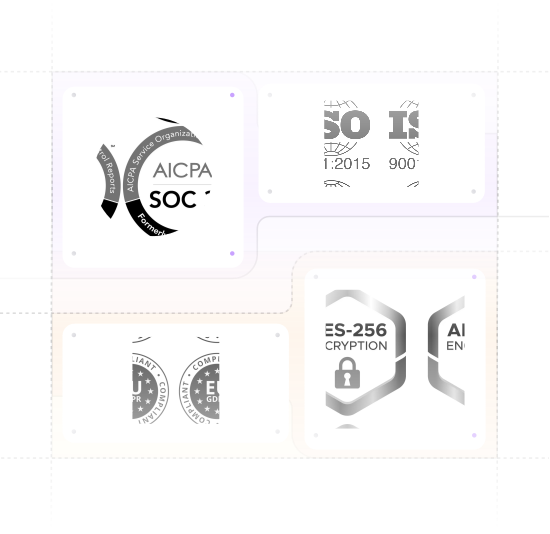
  • SOC 2 Type II + ISO 27001 compliant; GDPR compliant
  • TLS 1.2+ in transit, AES-256 at rest, keys via AWS KMS
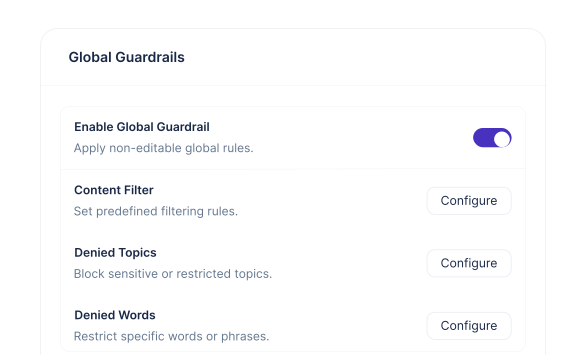
  • AI Guardrails for inputs/outputs + full audit logs
  • Regular scans + pen tests (NDA), tested backups + IR plan
  • 99.9% uptime for 6 years, proven at enterprise scale

Frequently asked questions

If you have further questions, simply request a demo from our team, and we'll respond promptly.
Start for Free
How is Enjo different from Agentforce?

Agentforce is a strong native product. Enjo is complementary in most cases. We focus on three things: going live in days, one price per AI Reply, and grounding on knowledge outside Salesforce like Confluence and SharePoint. Many customers run both for different use cases. See our comparison section above for the full side-by-side.

Do we need Salesforce Data Cloud?

No. Enjo indexes knowledge directly from sources like Salesforce Knowledge, past Cases, Confluence, SharePoint, Drive, and Notion. No data lake required.

How long does it take to go live?

OAuth connection is minutes. Knowledge sync is about a day. First workflow in production within a week for standard deployments. No consulting partner required.

Does Enjo support Salesforce sandbox?

Yes. Connect a sandbox URL during setup for development, validation, and training before moving to production.

What Salesforce actions can Enjo perform?

Standard Case operations including lookup, creation, and field updates. Account and contact record lookups. Additional objects via Salesforce API. Custom objects and Apex integration available on request.

How does escalation to human agents work?

Enjo creates a native Salesforce Case with the full conversation context and suggested next steps. The Case enters your existing queues, SLAs, and routing rules. Nothing changes for your human agents.

Does Enjo replace Service Cloud?

No. Enjo extends Service Cloud. Your Salesforce investment, workflows, and agent experience stay. Enjo adds AI on top.

How much does it cost?

Enjo charges per AI Reply. In practice, this works out to about 3 AI Replies per website conversation when customers chat with AI Agent, and 5 AI Replies per Salesforce Case when your reps use Agent Assist.

Starter is $95 per month (1,000 AI Replies). Standard is $295 per month (3,000 AI Replies), the plan most Salesforce teams land on. Enterprise is custom and tailored to your deployment, with dedicated support, SSO, and advanced security. Contact sales for Enterprise pricing. Overage is $0.05 per AI Reply. Human agent seats are unlimited on all plans.

horizontal-da…ne-vector