Transform complex support workflows
Freshdesk Alternatives: 13 Best Free and Paid Tools for 2026
The best Freshdesk alternatives in 2026 are Enjo, Zoho Desk, Help Scout, Intercom (Fin), Zendesk, HubSpot Service Hub, Front, Kayako and Crisp, plus four self-hosted open-source options: Chatwoot, Zammad, FreeScout and osTicket.
Teams researching a Freshdesk alternative usually hit the same wall first. Freshdesk pushes AI hard on the pitch, then bills for it twice: once per agent, once per AI session. On annual billing, a ten-agent Pro team pays $550 a month before Freddy Copilot even gets added, and Copilot tacks on another $290. Price is the most visible symptom; a free plan that now runs out after six months is the other.
This guide compares all of that, not just the invoice, and names one honest, vendor-verified limitation for every tool on the list. Behind Enjo is Troopr Labs with 600+ enterprise deployments and 99.9% uptime over 7 years. Every price below was checked on the vendor's own pricing page on 29 October 2026. The comparison table and the free and self-hosted options come before the paid alternatives, and each paid entry shows what AI adds to its bill.
Enjo
Teams that want AI resolving requests first, with unlimited human seats free.
$0 to start
Intercom (Fin)
High-volume consumer messaging, billed per outcome.
From $29/seat/mo
Zoho Desk
Teams already in the Zoho suite.
From $7/agent/mo
Zendesk
Chat, email and voice in one enterprise suite.
$55/agent/mo

Freshdesk Alternatives Compared: Free, Self-Hosted and Paid
All 13 alternatives in one table, with Freshdesk for reference. Where It Runs separates the hosted tools from the open-source ones you run on your own server.
| Tool | Where It Runs | Best For | Free Tier | Starting Price |
|---|---|---|---|---|
| Freshdesk (incumbent) | Cloud | Freshworks-suite teams | No, 6-month program | $19/agent/mo |
| EnjoOur pick | Cloud | Teams wanting AI resolution with unlimited free seats | Yes, 200 AI replies | $0 |
| Zoho Desk | Cloud | Teams already in the Zoho suite | Yes, 3 agents | $7/agent/mo |
| Help Scout | Cloud | Small email-first teams | Yes, 5 users | $25/user/mo |
| Intercom (Fin) | Cloud | High-volume B2C messaging | No, trial only | $29/seat/mo |
| Zendesk | Cloud | Enterprise suite and marketplace depth | No, trial only | $19/agent/mo |
| HubSpot | Cloud | Teams already on HubSpot CRM | Yes, 2 users | $7/seat/mo |
| Front | Cloud | AI-assisted shared-inbox teams | No, trial only | $25/seat/mo |
| Kayako | Cloud | Teams wanting per-resolution billing, no seats | No | $1 per resolution |
| Crisp | Cloud | SMBs wanting flat per-workspace pricing | Yes, 2 seats | $45/mo flat |
| Chatwoot | Self-hosted or cloud | Open-source shared inbox and live chat | Yes, self-hosted or 2 agents | $0 self-hosted |
| Zammad | Self-hosted or cloud | Open-source ticketing | Yes, self-hosted | $0 self-hosted |
| FreeScout | Self-hosted | Open-source shared mailbox | Yes, free core | $0, paid modules |
| osTicket | Self-hosted or cloud | Open-source email ticketing | Yes, self-hosted | Cloud from $12/agent/mo |
Starting price is the lowest paid tier, at the annual-billing rate where a vendor shows one; HubSpot lists Starter at $20 but sells it for $7 on annual billing. Prices checked on each vendor's own pricing page on 29 October 2026. AI add-on rates, per-resolution fees and metered charges sit in each entry below, because that is where the real cost lives.
Why Teams Look for a Freshdesk Alternative in 2026
Here is how Freshdesk is packaged and priced today, none of it about the ticketing itself, checked on Freshworks' own pages on 29 October 2026.
- The free plan is now a six-month program: Freshworks' help center describes the Free program as available for free for 6 months, for Freshdesk only and not Freshdesk Omni. The pricing page itself lists three paid plans: Growth at $19, Pro at $55 and Enterprise at $89 per agent per month, billed annually.
- AI runs on two meters: each account gets 500 free Freddy AI Agent sessions once, and after that sessions cost $49 per 100, in packs that expire with the billing cycle. Freddy AI Copilot, the assistant for human agents, is a separate $29 per agent per month on Pro and Enterprise (billed annually, $35 monthly), which adds more than half again to a Pro seat.
- Omnichannel is a separate product: classic Freshdesk is sold for service over email, and omnichannel support sits in Freshdesk Omni, at $29, $79 and $119 per agent per month on annual billing, with voice a further add-on of $15 to $69 per agent. The Free program does not cover Omni.
- Add-ons pile up: the pricing page lists paid add-ons on every plan, including connector app tasks at $80 per 5,000 and MCP actions at $15 per 1,000, on top of day passes for occasional agents.
The criteria and entries below come back to the same points: what each free tier really includes, how each tool bills for AI, and which channels come in one product.
How I Picked These Freshdesk Alternatives
I priced every tool below on its own vendor pages and read each one's plan pages for what its free tier, its AI billing and its escalation path include, rather than scoring a feature checklist. This list is built on five criteria:
- Pricing model. Per seat, per resolution, per conversation, or flat. This decides your bill at scale more than any feature.
- AI resolution vs. assist. Does the tool resolve the request end to end, or only draft replies for a human to send?
- Free tier reality. Is it genuinely usable, or a trial with a long runway?
- Escalation depth. Where does the ticket go when AI can't finish it?
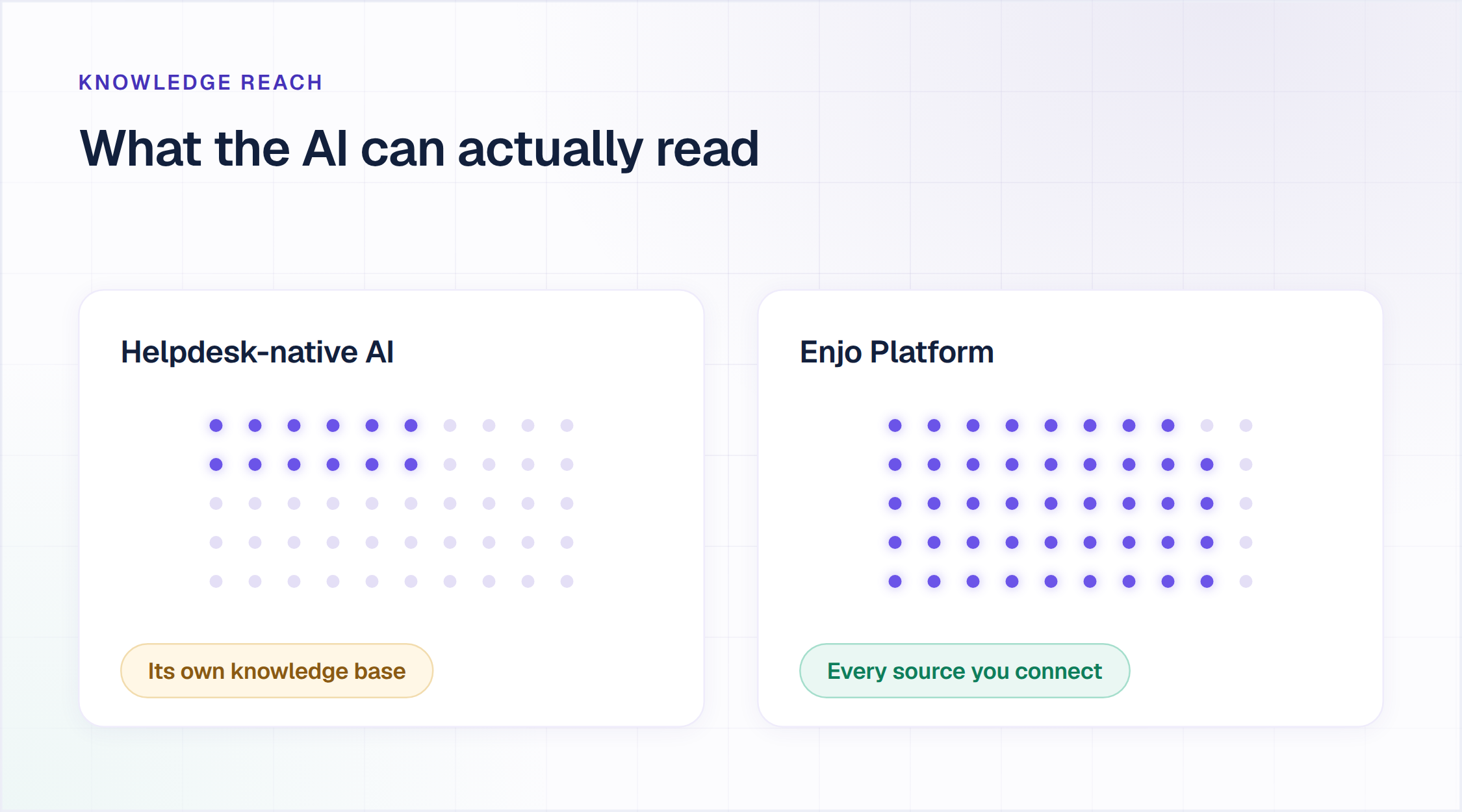
- Knowledge reach. Can the AI read what's in Confluence, SharePoint, or past tickets, or only its own database?
Every tool below was priced from its own vendor page, last checked on 29 October 2026. Where a vendor showed AI as a separate add-on, that's called out, because the add-on is usually where the real cost hides.
That last criterion, knowledge reach, matters more than any feature row. A team leaving Freshdesk usually has knowledge scattered across Confluence, SharePoint, Google Drive, and years of past tickets. So check which outside sources each tool's AI can actually read: one that answers only from its own help center tends to reproduce your current deflection rate in a new wrapper.

Is Freshdesk Still Free? 4 Free and Open Source Alternatives
Freshdesk used to be the free default. It is not anymore. The Free Program now runs six months for up to two agents, covers classic Freshdesk only and not Freshdesk Omni, and is not listed on the pricing page at all. You reach it from inside an account you already have. That single change is why most people searching for a Freshdesk alternative are really searching for a free one.
Free splits two ways here, and the two cost very different things. A hosted free tier costs nothing and caps what you get. Self-hosted open source costs nothing to license and everything to run: a server, a database, upgrades, backups, and somebody who owns security when it breaks at 2am. Both routes are below, with the exact terms each vendor publishes. If you want the wider category rather than just Freshdesk's competitors, our helpdesk ticketing system roundup sets free and paid tools side by side, and we compared free ticketing systems separately.
Chatwoot
Chatwoot is an open-source shared inbox and live chat platform, offered as a self-hosted Community Edition on GitHub at chatwoot/chatwoot, and as a hosted cloud product, priced per agent.
Free terms: The Community Edition is $0 per agent per month, free forever, running on your own Linux server with PostgreSQL and Redis. The hosted Hacker plan is $0 per agent per month for up to 2 agents, capped at 500 conversations a month, live chat only, with 30-day data retention.
Where it falls short: Captain AI, Chatwoot's AI assistant, is excluded from both free routes. It is not in the Community Edition and not in the Hacker plan, so free gets you the inbox and not the automation. SSO, SLA policies, and roles and permissions also sit outside the Community Edition.
Zammad
Zammad is an open-source ticketing system under the AGPLv3 licence, on GitHub at zammad/zammad, built on Ruby on Rails, with a hosted option sold separately.
Free terms: Download and run it on your own servers at no licence cost.
Where it falls short: Zammad states on its own pricing page that in the self-hosted version you are responsible for updates, backups and availability. Vendor support is a paid contract; the free route is community support through the forum and GitHub. Budget for the operator, not the licence.
FreeScout
FreeScout is a free, open-source help desk and shared mailbox written in PHP on Laravel, on GitHub at freescout-help-desk/freescout, built as a self-hosted equivalent to Help Scout, and light enough to run on shared hosting.
Free terms: The core is free and open source, with unlimited support agents, tickets and mailboxes.
Where it falls short: Much of what a team treats as standard ships as a separately purchased module rather than in the free core, including the knowledge base, live chat, the end-user portal, workflows and SLA, API and webhooks, and SAML SSO. Modules are one-time purchases rather than a subscription, which is what self-hosted teams tend to prefer, but they are licensed to a single instance and all payments are non-refundable. The AI Integration module is currently free.
osTicket
osTicket is a long-running open-source ticketing system, on GitHub at osTicket/osTicket, that turns email, web forms and phone-logged requests into tickets, and it has been doing that for over a decade.
Free terms: The self-hosted edition is a free download with community support.
Where it falls short: osTicket's own editions page marks email and phone support, managed upgrades and maintenance, guaranteed uptime, and daily backups as not included on the free edition. Those arrive on the cloud-hosted edition, which starts at $12 per agent per month.
Two more open-source options: UVdesk ships a free open-source edition you run on your own server, under the OSL-3.0 licence, and also sells a hosted version from $8 per agent per month billed annually ($11 monthly), with a two-agent minimum. Libredesk is a self-hosted help desk under the AGPL-3.0 licence, shipped as a single binary that needs PostgreSQL and Redis, covering email, live chat and WhatsApp. It includes an AI assistant that answers live chat from your knowledge base, and every feature is free, with no paid tiers.
Free and self-hosted both work while volume is low and the questions are simple. The calculation changes the moment the goal is reducing ticket volume rather than organising it, because the self-hosted options above either leave the AI out or leave you to run it yourself. The comparison below adds the paid alternatives and prices what AI actually costs on each one.
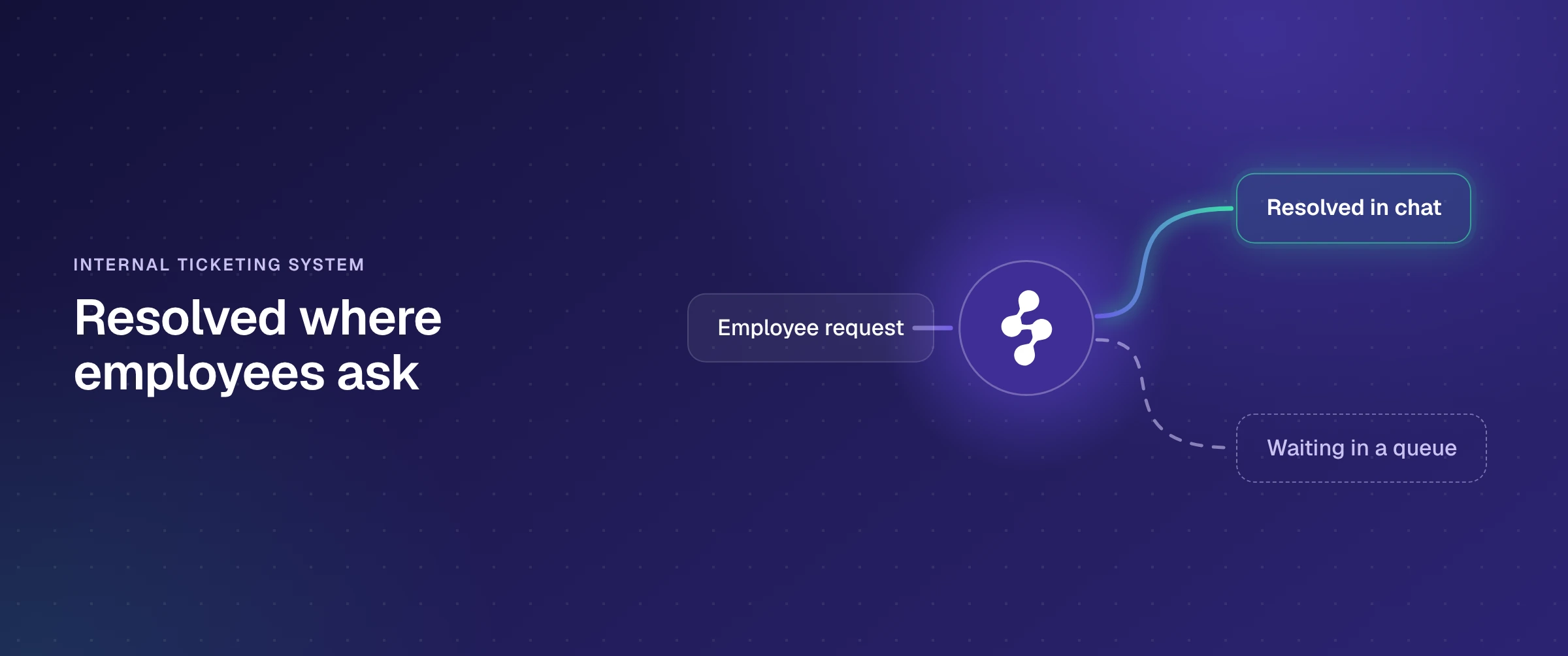
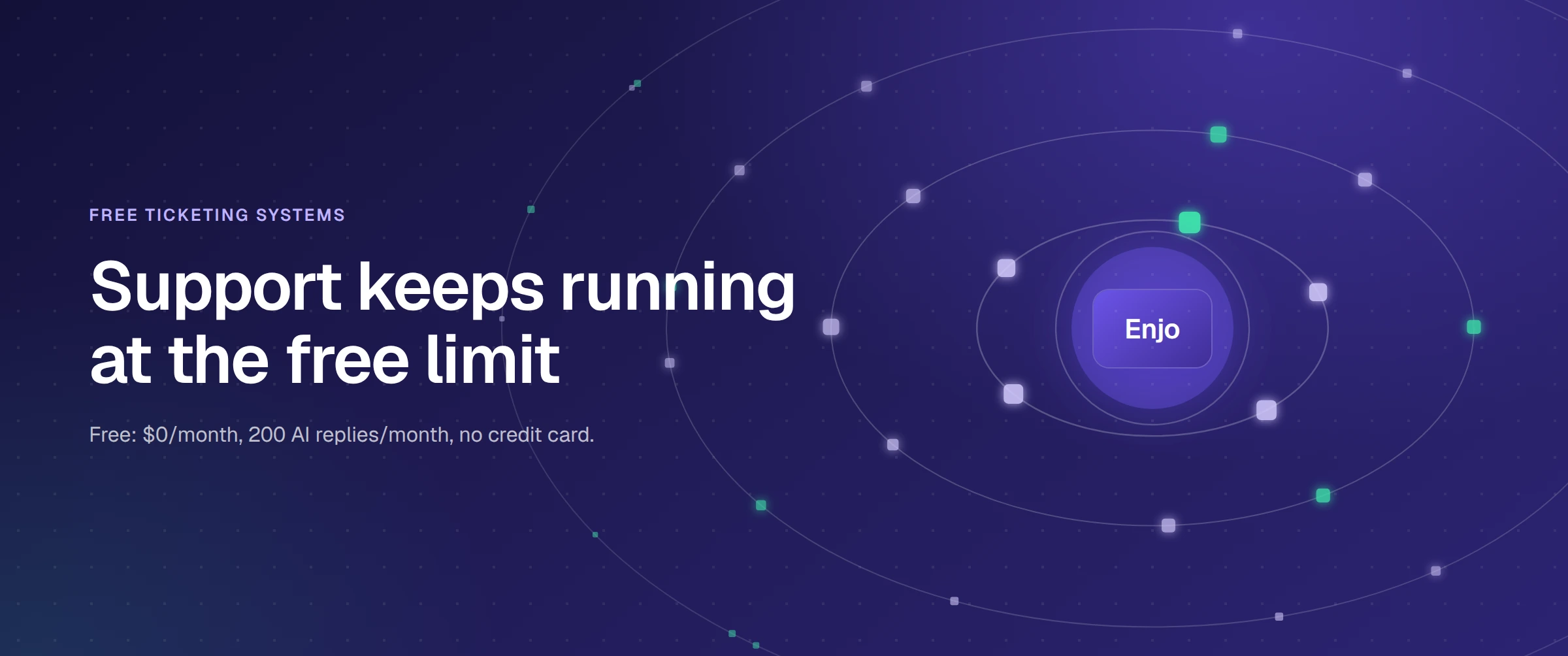
Enjo is the only hosted tool in this comparison with a permanent free plan where AI resolution is included rather than sold as an add-on above it. $0 a month, 200 AI Replies, unlimited human agent seats, no credit card and no expiry. When the 200 replies are used, requests escalate to human agents in Inbox on those same unlimited seats, so nothing is dropped.
It is not open source and it is not self-hosted, so it sits outside this section's two routes. Paid plans start at $95 a month flat for 1,000 AI Replies. Full entry in the comparison below.
The 9 Best Paid Freshdesk Alternatives
1. Enjo
Enjo is an AI Support Agent that resolves requests end to end, with Inbox as the helpdesk where a human picks up what AI Agents escalate. Its difference on this list is knowledge reach: the AI reads the systems your answers actually live in, not just its own database.
Best for: Teams that want AI resolving requests before a human is involved, without paying per seat for the humans who handle the rest.
Key capabilities:
- Reads knowledge across your stack: Enjo indexes Confluence, Notion, SharePoint, Google Drive, past Zendesk tickets, Slack threads, and your website, then answers from source-grounded content.
- Takes action mid-ticket: Through AI Actions, the agent looks up a Salesforce case, unlocks an Okta account, or creates a Jira ticket during the conversation, not after.
- Orchestrates multi-step work: AI Flows runs sequences with explicit fallbacks and full auditability, so a five-step resolution escalates cleanly when one system returns nothing.
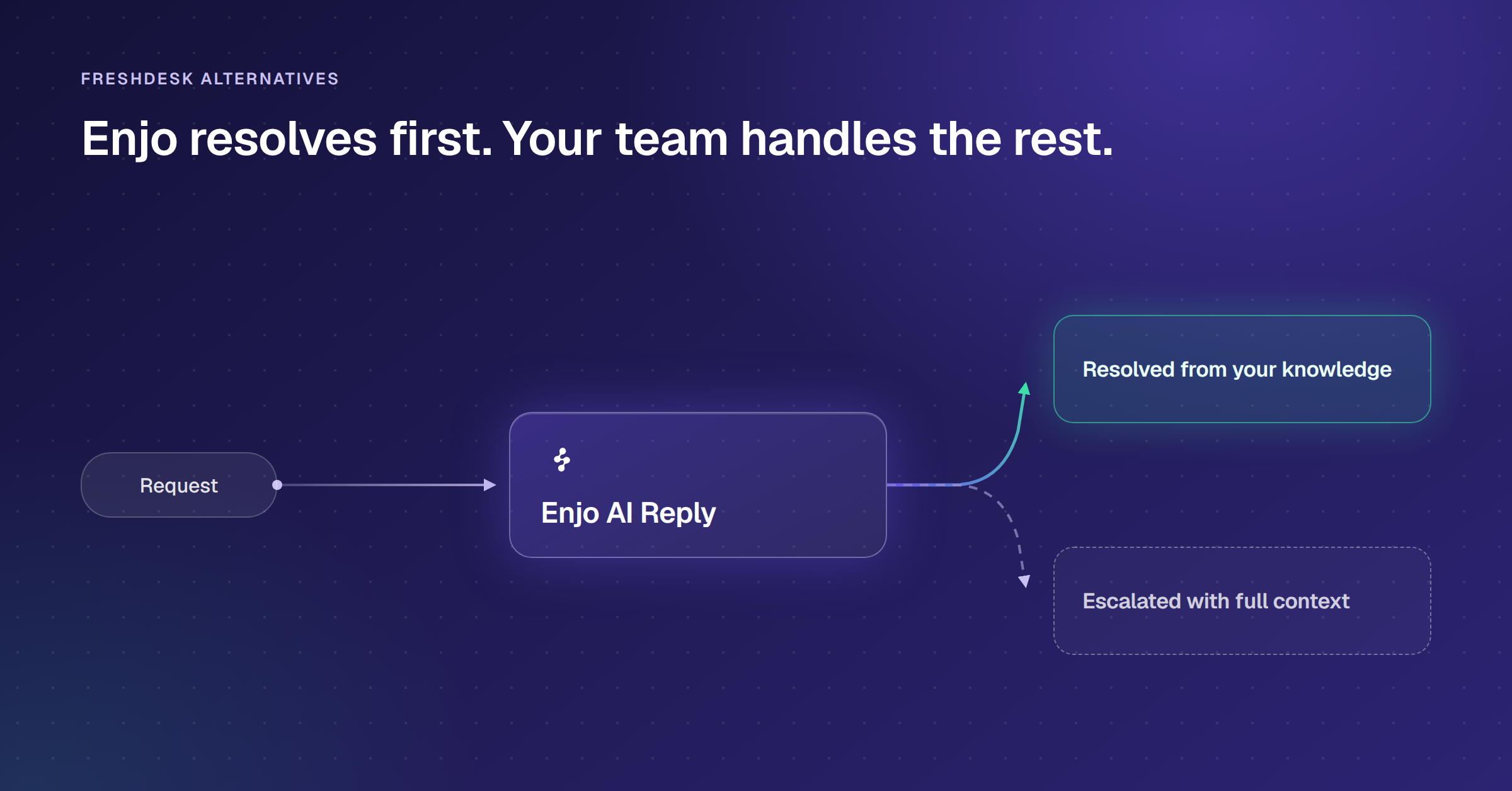
- Escalates with full context: When AI can't finish, the ticket lands in Inbox or your existing helpdesk with the transcript summarized and a reply drafted.
- Assists the humans: Agent Assist surfaces suggested replies from past tickets and lets agents trigger the same actions from the reply box.
- Unlimited human seats on every plan, including Free, for the team working in Inbox and Help Center
Pricing: Free is $0/month with 200 AI Replies, unlimited seats, and no credit card. Paid starts at $95/month flat for 1,000 AI Replies; Standard is $295/month for 3,000. Additional replies are $0.05 each. An AI Reply is one interaction with Enjo AI: understanding the request, responding from approved knowledge, taking action if needed, and escalating with full context. Verified at enjo.ai/pricing, 29 October 2026.
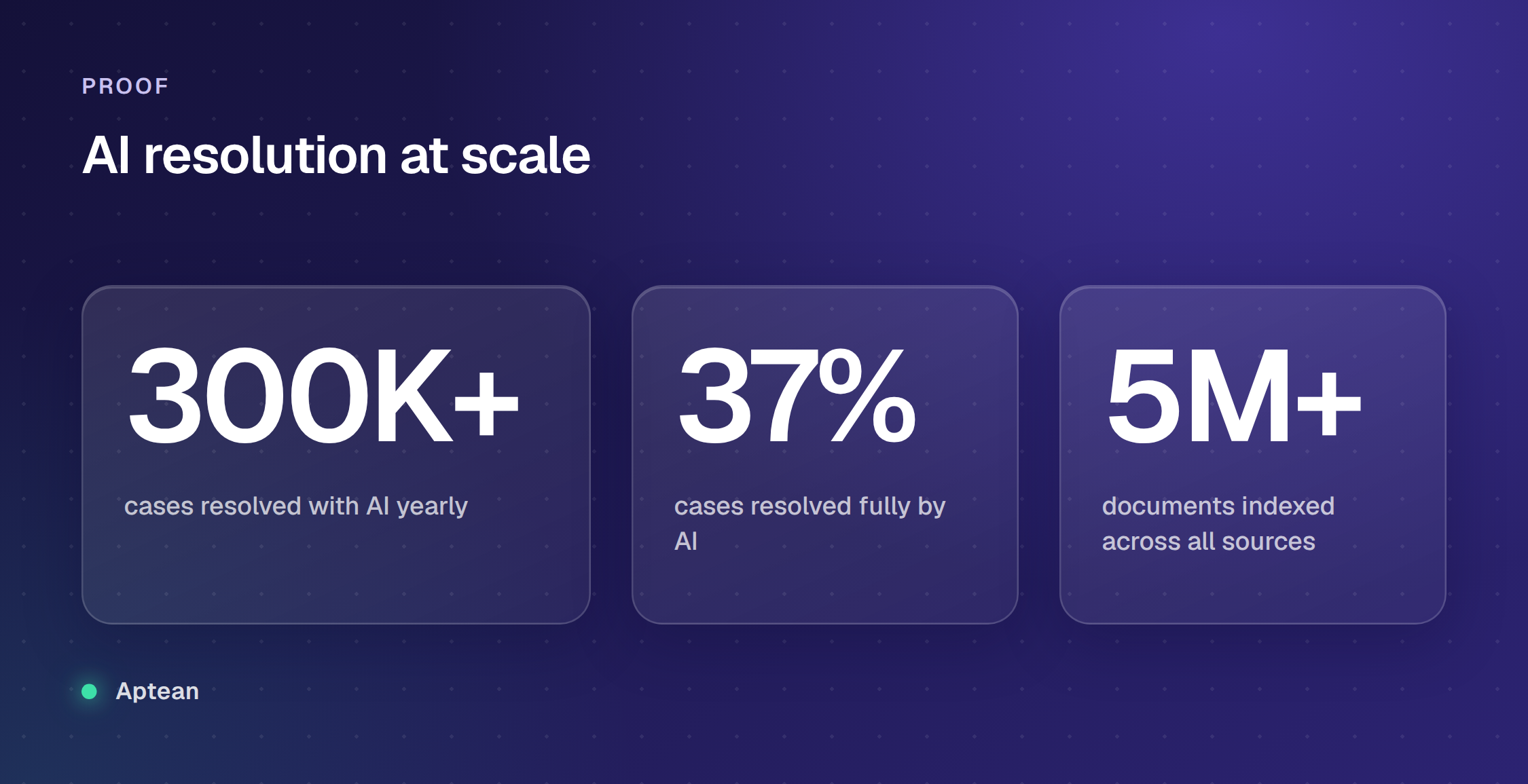
Proof point: Aptean, an ERP company supporting 80+ products and 15,000+ customers, had its initial cohort live in a single day and indexed 5M+ documents. It now resolves 300K+ cases a year with Enjo AI, 37% of them fully by AI, the equivalent of 120 agents' volume.
Scope: Enjo Platform is built agent-first. The AI Support Agent is configured before any queue exists, and Inbox is the helpdesk for escalations and human collaboration rather than the primary work surface. Teams that want a ticket queue first with AI attached later are describing the legacy model, which is the point rather than a limit.
2. Zoho Desk
Zoho Desk is a mature helpdesk built for teams already inside the Zoho ecosystem, with AI that starts at the entry tier and deepens as you move up the plans.
Best for: Mid-market teams already on Zoho CRM or Zoho One who want automation without adding a new vendor.
Key capabilities:
- AI starts at the entry tier, but not all of it: Express includes AI Agents with 30M tokens a month and generative features that run on your own OpenAI or DeepSeek key. Zia AI built in arrives at Professional.
- Blueprint workflow builder: automates multi-step processes with approval gates and branching.
- Omnichannel intake: email, chat, social, and telephony land in one agent workspace.
- Genuinely usable free tier: three agents, permanent, not a countdown.
Pricing: Free for up to 3 agents, permanent. Paid plans in US dollars, per agent per month billed annually: Express $7, Standard $14, Professional $23 and Enterprise $40 ($9, $20, $35 and $50 billed monthly). Zoho's pricing page shows local currency depending on where you load it from, so switch it to USD on zoho.com before you budget.
Where it falls short: The generative features on the cheaper tiers run on a key you supply, so you carry a second bill from OpenAI or DeepSeek on top of the seat. Zia AI built in starts only at Professional, $23 per agent per month billed annually.
3. Help Scout
Help Scout is the email-first choice: a clean shared inbox with a Docs knowledge base, built for teams that want simplicity over a sprawling platform.
Best for: Small support teams that run mostly on email and value a tool their agents can learn in an afternoon.
Key capabilities:
- Shared inbox done well: private notes, collision detection, and saved replies with very little setup.
- Docs knowledge base included: a hosted help center ships with paid plans, no separate product.
- AI Assist included: draft editing, expansion, and translation come with paid tiers at no extra charge.
- Usage-based AI resolution: Envoy (formerly AI Answers) resolves chats autonomously and bills only when it works.
Pricing: Free covers 5 users, 1 Inbox and 100 contacts a month. Paid starts at Standard at $25 per user per month, then Plus at $45 and Pro at $75, all on annual billing; billed monthly they are $30, $54 and $90. Standard caps at 25 users, Plus at 50, Pro is unlimited with a 10-user minimum. Envoy, the autonomous resolver, is a $0.75-per-resolution add-on on every paid plan, with a 3-month free trial. Visit helpscout.com directly to verify.
Where it falls short: Seats are capped by tier rather than unlimited. The deepest AI features, AI Drafts and AI Summarize, only appear on Plus and above, so a small team on Standard gets a lighter AI experience.
4. Intercom (Fin)
Intercom, the company now called Fin after its AI agent, built the messenger that shaped modern B2C chat and now sells the platform AI-first around Fin.
Best for: High-volume B2C teams where per-outcome billing stays predictable, or teams already standardized on Intercom.
Key capabilities:
- Fin resolves autonomously: it answers from your content, takes actions in external systems, and hands off unresolved chats.
- Runs standalone on other helpdesks: Fin works on Zendesk, Salesforce, Freshdesk and HubSpot, and on other helpdesks through a connector, with no seat costs, at $0.99 per outcome and a $49 monthly minimum that includes 50 outcomes.
- Outcome pricing: you pay $0.99 only when Fin actually resolves a conversation.
- Mature messaging surface: unlimited live chat, in-app messages, and tooltips come with every seat plan.
Pricing: Seat plans start at $29 per seat per month (Essential, billed annually; new customers pay $19), plus $0.99 per Fin outcome. Copilot is a further $29 per agent per month billed annually, or $35 monthly. Salesforce completed its acquisition of Fin on September 10, 2026, which adds some roadmap uncertainty for multi-year contracts. Visit intercom.com directly to verify.
Where it falls short: Seats plus per-resolution fees plus add-ons like Copilot stack into a bill that's hard to forecast.
5. Zendesk
Zendesk folds ticketing, chat, voice, and a help center into a single enterprise suite with a marketplace of 1,800+ apps and integrations, sold from $19 per agent per month (Support Team) to $115 (Suite Professional), billed annually.
Best for: Mid-market and enterprise teams that want everything in one established platform and rely on deep third-party integrations.
Key capabilities:
- Omnichannel workspace: agents answer a ticket with the customer's email, chat, and voice history in one view.
- AI agents with a learning loop: resolution improves with every closed ticket, no manual retraining.
- Intelligent triage: incoming tickets route by intent, language, and sentiment before an agent touches them.
- 1,800+ apps and integrations: nearly any CRM, billing, or workforce tool has a prebuilt connector.
Pricing: Support Team is $19 per agent per month (ticketing only). Chat and the full omnichannel experience require the Suite, which starts at $55 per agent per month, billed annually, with Suite Professional at $115. Copilot is a $50 per agent per month add-on available on Professional and above; Enterprise is sold as Suite Enterprise plus Copilot on a sales quote. AI agents are included on every plan but bill per automated resolution above your allowance. Visit zendesk.com directly to verify.
Where it falls short: AI is metered on top of the seat: each plan includes 5 automated resolutions per agent a month (10 on Suite Professional), every one after that costs $1.50 committed or $2.00 pay as you go, and Copilot is a further $50 per agent per month from Suite Professional up.
6. HubSpot Service Hub
Service Hub puts support on the same customer record as your sales and marketing, so ticket context includes deal stage and lifecycle without any manual sync.
Best for: SaaS teams already on HubSpot CRM who want support running on one shared customer data layer.
Key capabilities:
- Chat inside a free CRM: the free tools include live chat, basic bots, and a shared inbox, with HubSpot branding.
- Every conversation becomes CRM data: tickets attach to contact records visible to sales and marketing.
- Customer Agent: on Professional and above, it resolves conversations at 50 HubSpot Credits per resolved conversation, drawn from a monthly credit budget that does not roll over.
- Routing and pipelines: paid tiers add conversation routing, ticket pipelines, and SLA tracking.
Pricing: Free tools cover up to 2 users with no credit card. Starter is listed at $20 per seat per month but currently sells for $10 on monthly billing or $7 on annual billing, and includes 500 HubSpot Credits. Customer Agent unlocks on Professional at $90 per seat per month annually with 3,000 credits, plus a required one-time $1,500 onboarding fee. Enterprise is $150 per seat with 5,000 credits and a $3,500 onboarding fee. Customer Agent uses 50 credits per resolved conversation, and extra credits cost $10 per 1,000. Visit hubspot.com directly to verify.
Where it falls short: The climb from the free chat widget to AI resolution means Professional seats at $90 per seat per month plus a mandatory $1,500 onboarding fee before Customer Agent resolves a single conversation, and each resolved conversation then draws 50 credits from a monthly budget that does not roll over.
7. Front
Front treats support as email collaboration in a shared inbox, with chat and other channels layered on top. It is built around shared inboxes rather than a ticket queue.
Best for: Teams running support from shared inboxes who want automated routing and reply assistance without adopting tickets.
Key capabilities:
- Channels land in one shared inbox: email, chat, SMS, and WhatsApp with assignments and internal comments.
- Real-time collaboration: teammates draft together, comment internally, and share ownership without forwarding.
- Rule-based automation: routing, tagging, and SLA rules apply across every channel from one builder.
- AI Copilot drafting: replies draw from past conversation history and knowledge base content.
Pricing: Starter is $25 per seat per month (up to 10 seats, single channel). Full omnichannel requires Professional at $65 per seat, and Enterprise is $105, all billed annually. AI bills as add-ons on Starter and Professional: Copilot at $20 per seat per month and Autopilot from $0.05 per conversation. Enterprise includes Copilot, Smart QA and Smart CSAT. Visit front.com directly to verify.
Where it falls short: The Starter plan's single-channel limit means chat plus email forces you onto the $65 tier immediately.
8. Kayako
Kayako rebuilt its product around a single AI agent, Kay, that completes the task rather than just replying to it. It's the only tool on this list priced purely per resolution, with no seat fee at all.
Best for: Teams replacing seat licences with per-resolution billing.
Key capabilities:
- Takes the action, not just answers it: Kay completes the underlying task using API connections into whatever ticketing, billing, or ecommerce systems a team already runs.
- Zero seat fees: the entire platform, ticketing, live chat, knowledge base, and automation, comes bundled with Kay at one per-resolution rate.
- A dedicated setup team, not a self-serve wizard: implementation is hands-on, with Kayako staff building out the routing and knowledge structure alongside the customer's team.
- Billing tracks outcomes, not attempts: a ticket only counts toward the bill once Kay has actually closed it; work that gets handed to a human doesn't.
Pricing: $1 per resolved ticket, with no seat fees and no setup fees. There's no published self-serve tier; every plan routes through a sales conversation. Visit kayako.com directly to verify.
Where it falls short: There's no free tier and no public self-serve checkout, so evaluating Kayako means a sales call before you see it work on your own tickets. Per-resolution billing also has no ceiling, so a high-volume month costs proportionally more, unlike a flat AI tier.
9. Crisp
Crisp is a messaging-first support platform with an unusual pricing model: flat per workspace, with seats included, rather than per agent. Seats come in bundles: 4 on Mini, 10 on Essentials and 20 on Plus, with extra agents at $10 a month.
Best for: SMBs that want conversational, messaging-led support and predictable flat pricing as the team grows.
Key capabilities:
- Flat per-workspace pricing: seats are included per tier, so adding agents doesn't linearly raise the bill.
- Modern messaging widget: co-browsing, video chat, and screen sharing ship without extra plugins.
- Hugo AI agent: handles repetitive questions in-app, drawing from your connected content.
- Included migration: chats, help center articles, and contacts import from your old tool.
Pricing: Free covers 2 seats. Mini is $45 per month flat (4 seats), Essentials $95 (10 seats), and Plus $295 (20+ seats), with extra seats at $10 each. Hugo AI runs on AI credits included with each paid plan: $5 on Mini, $25 on Essentials and $75 on Plus. Visit crisp.chat directly to verify.
Where it falls short: The Free plan includes no AI credits, and Crisp's pricing page does not say what Hugo costs once a paid plan's included credits run out.
Also on Most Freshdesk Alternative Lists
Three more tools appear on many of the lists ranking for this search. They are not ranked here, but this is how each one is priced, checked on its own pricing page on 29 October 2026.
- LiveAgent: priced per agent, at $15 on Starter (up to 5 agents), $29 on Team and $49 on Business per agent per month billed annually (an offer lowers these until 22 November 2026), with a 30-day free trial and no free plan (liveagent.com). It charges nothing for AI: you connect your own AI provider and pay that provider directly.
- HappyFox Help Desk: priced per agent, at $24 on Basic (up to 5 agents), $49 on Team and $99 on Pro per agent per month billed annually, with a 14-day free trial requested through its demo form (happyfox.com).
- Gorgias: priced by ticket volume rather than by agent. Basic is $50 a month billed annually for 300 tickets; its AI Agent is a separate $27 a month for 30 automated interactions, then $1.50 for each one past that (gorgias.com).
What 10 Agents Pay on Each Tool, and How Each Bills Its AI
Seat prices are easy to compare. What changes the bill is the unit each tool charges when its AI resolves a conversation: a session, a resolution, an outcome, a credit or a reply. The table prices a 10-agent team on each tool's cheapest paid plan where its own AI can resolve a conversation, and names that unit, so you can multiply it by your own volume.
| Tool | Plan | 10 agents, per month | How AI resolutions are billed |
|---|---|---|---|
| Freshdesk | Growth | $190 | 500 free once, then $49 per 100 sessions |
| Enjo | Starter | $95 flat, unlimited seats | AI reply: 1,000 included, then $0.05 |
| Zoho Desk | Express | $70 | Your own LLM key, or Zoho's tokens |
| Help Scout | Standard | $250 | Envoy: $0.75 per resolution |
| Intercom (Fin) | Essential | $290 ($190 new customers) | $0.99 per outcome |
| Zendesk | Support Team (email only) | $190 | 50 included monthly, then $1.50 to $2.00 each |
| HubSpot Service Hub | Professional | $900, plus $1,500 once | 50 credits per resolved conversation |
| Front | Starter (one channel type) | $250 | Autopilot: from $0.05 per conversation |
| Kayako | Kay AI agent | No seat fees | $1 per resolved ticket |
| Crisp | Essentials | $95 flat | $25 of AI credits included |
List prices per month for 10 human agents, at the annual-billing rate where a vendor shows one, on the cheapest paid plan where the vendor's own AI can resolve a conversation. Checked on each vendor's pricing page on 29 October 2026. Zoho Desk's AI Agents include up to 30M Zoho tokens a month. Zendesk's Suite plans start at $55 per agent. HubSpot Professional includes 3,000 credits a month, and extra credits are $10 per 1,000. Kayako's full platform is priced by quote.
Kayako charges no seat fees and bills each resolved ticket, and Enjo bills each AI reply above its plan's allowance with unlimited human seats. Crisp charges a flat price per workspace with seats included. The other seven charge for each human seat first and meter AI on top, so their bill grows with headcount and with automation at the same time.
Per-seat pricing grows with headcount, while per-resolution and per-reply pricing grow with volume, so match the model to how your team actually scales.
Questions to Ask Every Freshdesk Alternative Before You Switch
A demo shows every tool at its best. These five checks show how it behaves on your own tickets, and each one needs only a free tier or a trial and an afternoon. Run them on every tool on your shortlist, Enjo included.
- Which of our knowledge sources does the AI answer from? Connect the places your answers actually live, such as your wiki, shared drives and past tickets, then ask it twenty questions taken from last month's tickets. Enjo answers from one index built from the sources you connect, such as Confluence, SharePoint, Google Drive, Notion, Guru, past tickets, websites and uploaded files, with a citation on every response; the Free plan covers core sources and Standard removes the limit.
- Can it finish the request, or only reply to it? Pick three requests that need a lookup or an update in another system, such as an order status, an account unlock or a plan change, and see whether the tool completes them. On Enjo's Starter plan and above, AI Actions query and update connected systems such as Salesforce, Okta and Google Workspace during the conversation, not after it.
- What does a human receive when the AI hands off? Force an escalation and read what lands in the queue. On Enjo the agent picking it up in Inbox gets the full conversation, account context and suggested next steps.
- What does the bill do when the AI starts working? Price your current volume, then price it again with twice as many conversations handled by AI, counting seats, per-resolution fees and AI add-ons. Enjo is priced per AI reply, not per seat, and every published plan includes unlimited human agent seats: Starter is $95 a month for 1,000 AI replies, Standard is $295 for 3,000, and extra replies are $0.05 each.
- How long until it resolves a real request? Time the gap between signing up and the first request the AI resolves on its own, with your own knowledge connected. Enjo's Free plan needs no credit card and no procurement, and includes 200 AI replies a month to test on live requests.
Frequently Asked Questions
Is Freshdesk no longer free?
Not in the way it was. The Free Program now runs six months for up to two agents, covers classic Freshdesk only and not Freshdesk Omni, and is not listed on the pricing page. You reach it from inside an account you already have.
What are the disadvantages of Freshdesk?
The main ones are about cost and packaging rather than the ticketing: AI is billed on two meters on top of the seat (Freddy AI Copilot per agent, Freddy AI Agent per session), omnichannel support is a separate product, Freshdesk Omni, and the Free program now runs six months for up to two agents.
Is Zendesk better than Freshdesk?
Neither is better across the board; they are packaged and priced differently. Zendesk's Support Team plan, email and ticketing only, is $19 per agent per month and its Suite starts at $55, both billed annually; Freshdesk's Growth plan is $19 and its Omni edition starts at $29. Both bill AI on top of the seat: Zendesk includes 5 automated resolutions per agent a month on its entry plans and charges $1.50 to $2.00 for each one after that, while Freshdesk gives each account 500 free AI Agent sessions once and then charges $49 per 100. Compare them on what an AI-resolved conversation costs at your volume, not on the seat price.
Who is Freshworks' biggest competitor?
For customer service software, Freshworks' annual report for 2025 names the customer service suites it competes with as Salesforce, Zendesk and Intercom (now Fin, owned by Salesforce since September 2026), alongside legacy vendors such as Oracle and SAP. Of those, Zendesk sells the product closest to Freshdesk: a per-agent help desk with AI billed on top of the seat.
What is the best free Freshdesk alternative?
If you want AI resolution included, Enjo is the only hosted option here with it on a permanent free plan: 200 AI replies a month, unlimited human agent seats and no credit card. Among the rest, Zoho Desk (3 agents) and HubSpot's free tools (2 users) are the strongest permanent free tiers, and the free and open-source section above covers the self-hosted options in full.
Is there an open-source Freshdesk alternative?
Zammad, FreeScout, and osTicket are the common self-hosted options, and each one needs someone to host, secure and patch the instance. None of them ships an autonomous AI resolver in the core product, though FreeScout offers a free AI Integration module you connect yourself. If reducing ticket volume with AI is the goal, a hosted tool with a real free tier gets you there faster.
Why is Freshdesk's AI more expensive than it looks?
Freddy is billed separately from your seats, and that separate meter is what makes the real cost higher than the advertised price. Freddy AI Copilot is $29 per agent per month on Pro and above, billed annually ($35 monthly). Freddy AI Agent gives each account 500 free sessions once, then charges $49 per 100 sessions, and unused sessions expire with the billing cycle. So the AI cost is stacked on top of the per-agent price, not included in it. That's why the real monthly total often surprises buyers who priced only the seats.
How hard is it to migrate off Freshdesk?
Migrating off Freshdesk is less painful than it used to be. Most alternatives import your tickets, contacts, and help center articles, and tools with a genuine free tier let you run a parallel pilot on real traffic before you cut over. With Enjo's free Inbox, you can point AI at your existing knowledge and test resolution quality on live requests the same day, with no procurement cycle.