Transform complex support workflows
Best Internal Ticketing Systems in 2026: 8 Tools Compared for Slack and Microsoft Teams
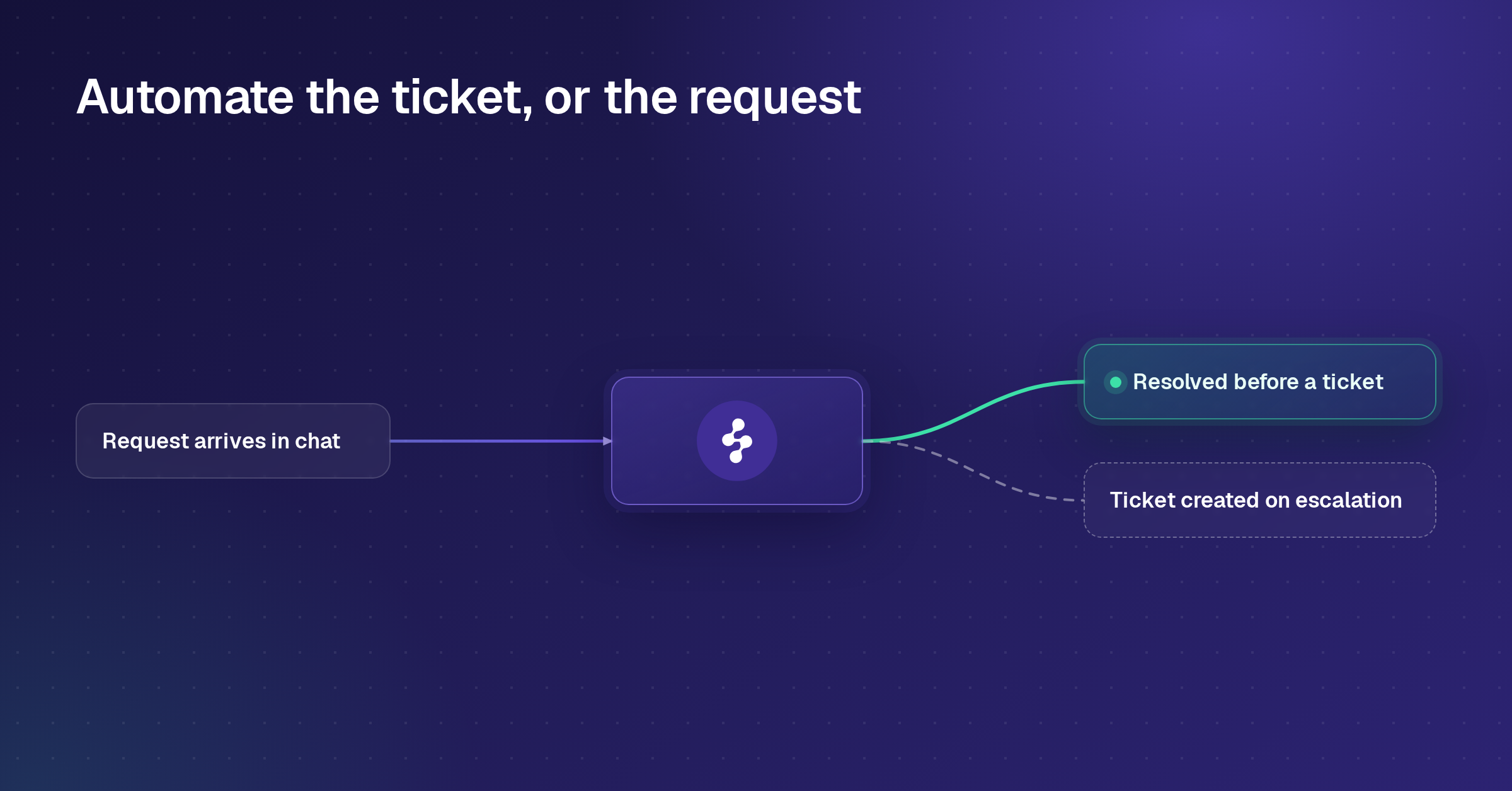
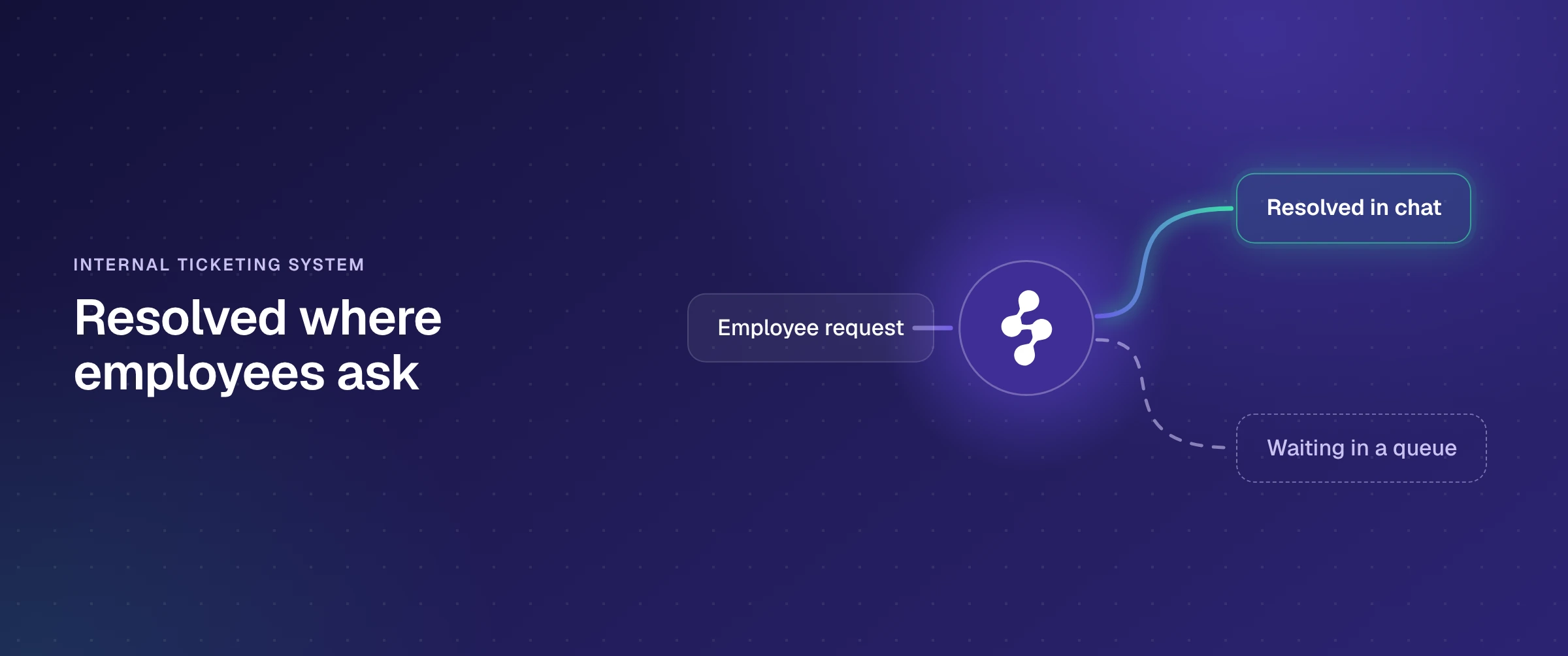
An internal ticketing system is the software IT, HR and other internal teams use to receive employee requests, give each one an owner and a status, and track it until it is resolved. The category splits two ways: portal-first service desks, where a request starts as a form or an email and waits in an agent queue, and chat-first tools, where employees ask in Slack or Microsoft Teams and the request is tracked from that conversation. Enjo Platform is chat-first and agent-first: Enjo, its AI Support Agent, resolves the request inside the Slack or Teams conversation and escalates into Enjo Inbox with the full conversation when a person needs to step in.
Below, eight internal ticketing systems ranked for teams whose employees already ask for help in Slack or Teams: where each lets employees ask, how much of a request it resolves in that conversation, and how its price grows, with every price taken from the vendor's own pricing page on 28 October 2026. Then five checks to run on a week of your own requests before you commit to any of them.
The 8 best internal ticketing systems in 2026
Ranked for teams whose employees ask for help in Slack or Microsoft Teams, in the same order as the table and the reviews below.
- Enjo Platform: Enjo resolves the request in the Slack or Teams conversation and escalates into Enjo Inbox with the full conversation.
- Siit: a request desk that runs in Slack and Teams, priced per admin, with approvals on its entry plan.
- ClearFeed: a Slack-first help desk that turns channel messages into tracked tickets, with Teams channels on its Professional plan.
- Jira Service Management: Atlassian's service desk, taking requests from Slack or Teams even on its free plan for three agents.
- Freshservice: an IT service management suite whose ServiceBot creates and updates tickets in Teams and Slack on every plan.
- Zendesk Employee Service: a service suite with AI agents on every plan, metered per automated resolution.
- Spiceworks Cloud Help Desk: a portal-based IT help desk with a free plan for up to five tech and admin seats.
- osTicket: open-source ticketing you host yourself, taking requests by email, web form and API.
What is an internal ticketing system?
An internal ticketing system records every request an employee sends to IT, HR, facilities, finance or another internal team as a ticket with an owner, a status and a history, so nothing gets lost in a DM and the team can see its workload. It is the employee-facing sibling of customer service software: the requester is a colleague, the requests are about access, equipment, policy and approvals, and the systems involved are the company's own identity provider, HR system and knowledge base. When the IT team runs it alone, it is often called an internal IT ticketing system or an internal help desk; when HR, facilities and finance share it, vendors call it employee service or enterprise service management.
Typical internal tickets look like this:
- IT: a password reset, a locked account, access to a new app, a VPN problem, a laptop request.
- HR: a leave balance question, a policy question, a payroll correction, an onboarding step.
- Operations and finance: an expense approval, a purchase request, a new starter's equipment.
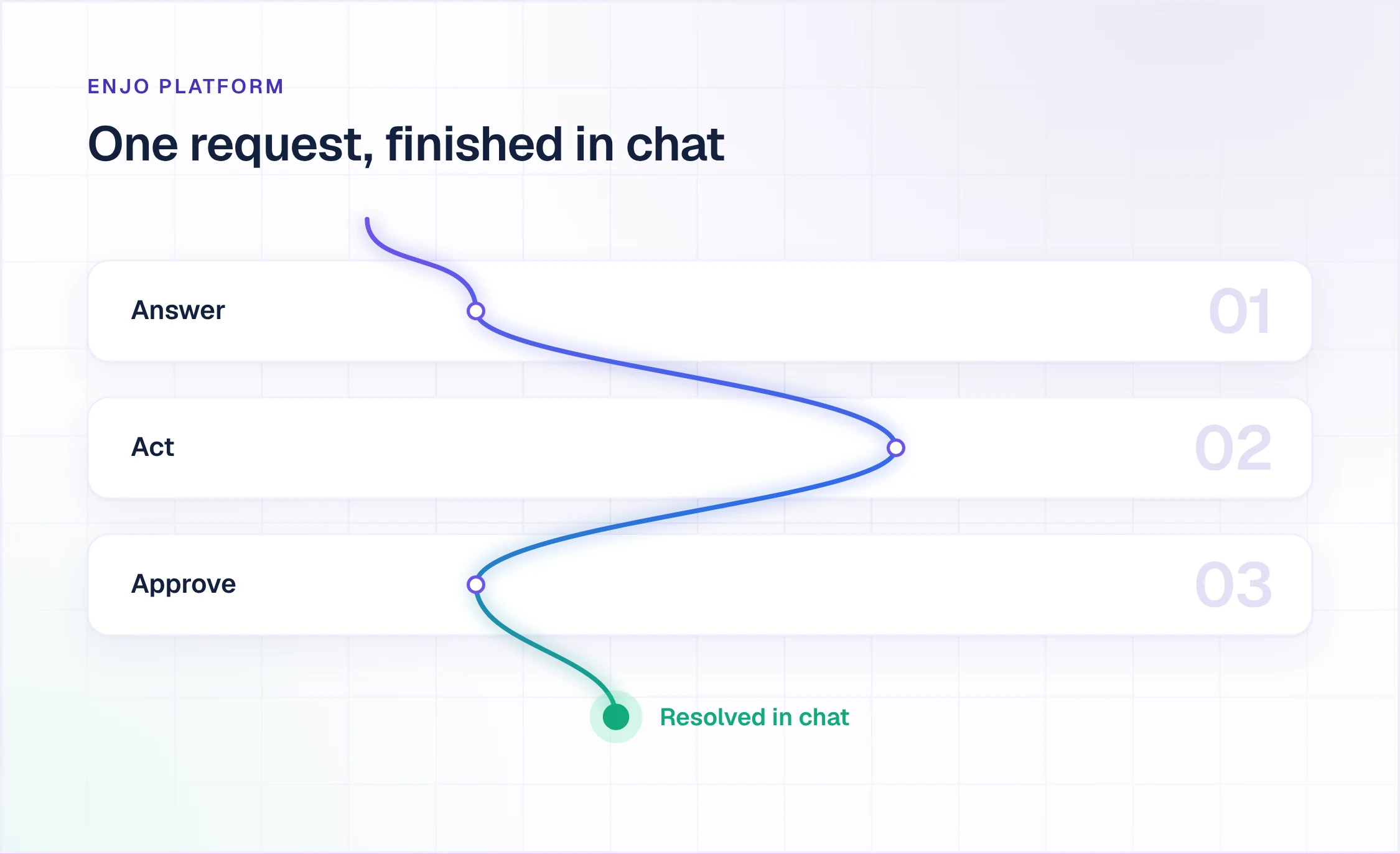
Those requests are four different kinds of work. Some only need an answer from a policy page. Some need an action in another system, like an account unlock in Okta. Some need a manager's approval. A few need a specialist. A ticketing system that only logs requests treats all four the same way, as a ticket waiting for an agent. The tools below differ most in how many of the first three they can finish without a person.
Portal-first service desks vs chat-first tools
Portal-first service desks (Jira Service Management, Freshservice, Zendesk Employee Service, Spiceworks and osTicket) are built around a request form, an email address and an agent queue. Most of them now have a Slack or Teams app, but the app is a door into the queue: a message becomes a ticket, and the work happens in the agent workspace.
Chat-first tools (Enjo Platform, Siit and ClearFeed) start from the conversation. The employee asks in a Slack channel, a DM or Teams, the request is tracked from that thread, and the reply comes back in the same place. The practical difference is adoption: nobody has to be sent to a portal to get help, so fewer requests end up in private messages that nobody is counting.
A third question cuts across both groups: does anything resolve the request, or does every request wait for a person? Enjo Platform is built agent-first, so the AI Support Agent is set up before any queue exists and the queue holds only what needs a human. Of the other seven, five offer an AI agent, each on a higher plan, as an add-on, or metered per conversation or resolution; the reviews below give each one's terms. Spiceworks and osTicket list no AI agent.
How we compared these internal help desk tools
Each tool was judged on six questions, weighted for a team whose employees ask in Slack or Teams:
- Where employees ask: Slack, Microsoft Teams, email, a portal or a widget, and which plan each channel needs.
- What gets finished in the conversation: answers, actions in other systems and approvals, versus a ticket that waits for an agent.
- What an escalation carries: whether the person who picks it up gets the whole conversation or a one-line ticket.
- Which knowledge it reads: its own knowledge base only, or the Confluence, SharePoint and Google Drive pages where your answers already live.
- How the price grows: per agent, per admin, per AI resolution or per AI reply, and what happens when the team or the volume doubles.
- How fast you can start: a free plan or a trial, and whether you need a sales call to get one.
Prices and plan details come from each vendor's own pricing page, checked on 28 October 2026. Plans change, so treat them as the starting point for your own quote.
Left out on purpose: Zoho Desk, Freshdesk, Help Scout, Hiver, JitBit and ProProfs appear on other internal ticketing lists, but they are built around customer support, shared inboxes or email. Freshworks' product for internal IT is Freshservice, which is reviewed here, and Zoho Desk's pricing page lists WhatsApp, Instagram, Facebook Messenger, Telegram, WeChat and Line as its messaging channels.
Internal ticketing systems compared
| Tool | Built Around | Where Employees Ask | Starting Price | Free Plan |
|---|---|---|---|---|
| Enjo Platform | Agent first | Slack, Teams, website chat, Help Center | $95/mo | Yes, 200 replies |
| Siit | Chat first | Slack, Teams, email | $23/admin/mo | No, 14-day trial |
| ClearFeed | Slack first | Slack, email, web chat; Teams on Professional | $24/agent/mo | No, 14-day trial |
| Jira Service Management | Jira queues | Portal, email, Slack or Teams, widget | $21.50/agent/mo | Yes, 3 agents |
| Freshservice | ITSM suite | Portal, email, chat, Slack, Teams | $19/agent/mo | No, 14-day trial |
| Zendesk | Service suite | Email, Slack, Teams; portal from Growth | $29/agent/mo | No, 14-day trial |
| Spiceworks | IT help desk | End-user portal | $6/seat/mo | Yes, 1 to 5 seats |
| osTicket | Open source | Email, web forms, API | Free to host | Yes, open source |
Starting price is the lowest paid plan on each vendor's own pricing page (siit.io, clearfeed.ai, atlassian.com, freshworks.com, zendesk.com and spiceworks.com), checked 28 October 2026; /mo is per month. Siit, Freshservice, Zendesk Employee Service (Suite Team) and Spiceworks Cloud Help Desk (Premium) are on annual billing. Jira Service Management shows Atlassian's default monthly view at 75 agents, and its price per agent changes with team size; its free plan covers up to 3 agents. ClearFeed lists $24 with 15% off annual subscriptions. Enjo Platform's $95 is the Starter plan with 1,000 AI replies a month and unlimited agent seats; its free plan includes 200 AI replies a month.
The best internal ticketing systems, reviewed
1. Enjo Platform
Enjo Platform is an agent-first support system for IT, HR and other internal teams. Enjo, the AI Support Agent, works each request in Slack or Microsoft Teams, and Enjo Inbox, the Help Center and Insights sit behind it for escalations, self-service and reporting.
Best for: IT and HR teams whose employees already ask in Slack or Teams.
How it goes to market: self-serve, starting on a permanent free plan with no credit card and no procurement, priced per AI reply rather than per seat, with unlimited human agent seats on every published plan.
- Resolution in the conversation: Enjo answers in Slack public and private channels, DMs, group DMs and the App Home tab, and with the same core resolution capabilities in Microsoft Teams. Every answer is grounded in your knowledge, with citations.
- Actions in connected systems: with AI Actions (Starter and above), Enjo unlocks an Okta account, provisions access through Okta or Entra ID, or manages a Google Workspace group as part of the reply. Every action is configured, authorized, bounded by Guardrails and recorded in the audit trail.
- Approvals in chat: Approval Flow runs the approval inside the chat and ties it to the ticket, so a manager approves an access request where the employee asked for it.
- Escalation with the full conversation: when a person is needed, the request lands in Enjo Inbox with the full conversation history, account context and suggested next steps, under SLA timers, workload rules and office hours.
- One knowledge layer: Confluence, SharePoint and OneDrive, Google Drive, Notion and Guru sync daily, alongside past tickets from Jira, Zendesk or ServiceNow, so the agent, Inbox and the Help Center answer from the same index.
- Learning from your team: when someone resolves an escalation in Inbox, that response teaches Enjo, and resolved conversations draft new Help Center articles for your review.
- Security: SOC 2 Type II, ISO 27001 and GDPR compliant, with Guardrails on AI inputs and outputs and full audit logs. Troopr Labs, the company behind Enjo, reports 600+ enterprise deployments and 99.9% uptime over 7 years.
Proof: Aurora, the autonomous vehicle company with 2,500 employees, runs Enjo for IT support and reports 63% autonomous resolution, 45% faster resolution and a 60% ESAT improvement (Aurora case study).
Pricing: Free is $0 a month with 200 AI replies, unlimited AI agents, agent seats and channels, a shared Inbox, Help Center and Insights. Starter is $95 a month for 1,000 AI replies and adds AI Actions and core Guardrails. Standard is $295 a month for 3,000 AI replies and adds natural language workflows, advanced Guardrails and an audit trail with QA review flows. Enterprise is custom, on yearly billing. When the free replies run out, requests auto-escalate to human agents in Inbox, so no request is dropped. Details are on Enjo pricing.
Scope: Enjo Platform is built agent-first. The AI Support Agent is configured before any queue exists, and Inbox is the helpdesk for escalations and human collaboration rather than the primary work surface. Teams that want a ticket queue first with AI attached later are describing the legacy model, which is the point rather than a limit.
2. Siit
Siit is an internal service desk that takes requests through Slack and Microsoft Teams bots and email, and runs workflows across IT, HR, finance and other internal systems.
Best for: IT and people teams running app access and onboarding from chat.
How it goes to market: self-serve with a 14-day free trial, priced per admin (the people who work requests) on annual billing, with AI agents on its top published plan.
- Requests from chat and email: a Slack bot and a Microsoft Teams bot collect requests and carry the admins' replies in the same chat, and email conversations become requests, on every plan.
- Approvals inside workflows: a workflow step waits for a manager or stakeholder to approve before the next action runs, from Essentials up.
- Joiners, movers and leavers: actions trigger when someone joins, moves or leaves in your HRIS or directory, and app access is requested, approved and provisioned through your identity provider, with an audit trail on every request.
- Routing by working hours: requests go only to admins inside their working hours and are spread evenly across an inbox.
Pricing: Essentials $23, Standard $45 and Pro $89 per admin per month, billed annually (listed on siit.io). HRIS, MDM and ticketing integrations start on Standard.
Limitation: AI agents that execute workflows end to end are on Pro, at $89 per admin a month. On Essentials and Standard, each admin gets Assist, Siit's AI assistant, for 10 conversations a week.
3. ClearFeed
ClearFeed is a Slack-first help desk for internal and external support: messages in Slack channels become tickets that agents work from a triage channel in Slack or a browser inbox.
Best for: teams whose requests already sit in Slack channels.
How it goes to market: a 14-day free trial with no credit card, priced per agent or by usage (channels or tickets), with AI sold in credits.
- Tickets from Slack channels: messages in request channels become tickets, private internal tickets are available from Starter, and email and web chat create tickets too.
- Two-way sync: tickets sync with Jira, Jira Service Management, Zendesk, ClickUp, Linear and other tools, so another team keeps its tracker while the requester stays in Slack.
- Professional plan workflows: approval and participant workflows, SLAs, an employee portal, IT and HR tool integrations and Microsoft Teams channels.
- AI agents: custom AI agents read 20+ knowledge sources and answer in Slack, with deflection reports.
Pricing: Starter $24 and Professional $49 per agent per month, with 15% off annual subscriptions (listed on clearfeed.ai). The AI pack starts at $20 a month for 100 credits on Starter; Professional includes 50 credits per agent, and more usage is billed at tiered rates.
Limitation: Microsoft Teams channels, approval workflows and the employee portal start on Professional, at $49 per agent a month, and AI answers draw down credits.
4. Jira Service Management
Jira Service Management is Atlassian's service desk for IT, HR and other service teams, now sold inside Atlassian's Service Collection, where one license covers Jira Service Management and Customer Service Management.
Best for: teams already running Jira and Confluence.
How it goes to market: free for three agents, then per agent with a price that changes with team size; Premium adds deeper ITSM and the virtual service agent.
- Requests from Slack or Teams: through the Atlassian Assist app, an agent turns a message in a request channel into an issue (the ticket emoji in Slack, More actions in Teams), and the issue appears in the agent channel and the service space.
- Forms, queues and automation: request types, dynamic forms, drag-and-drop workflows and queues, with 1,250 automation steps a month on Free.
- Knowledge base: an embedded knowledge base recommends articles to deflect requests. Standard adds Rovo search, chat and agents, plus asset and configuration management.
- Virtual service agent: conversational AI on Premium and Enterprise, with 1,000 assisted conversations a month included, then from $0.30 per assisted conversation.
Pricing: Free for up to 3 agents. Standard is $21.50 and Premium $55.28 per agent per month on Atlassian's default monthly view at 75 agents (atlassian.com); Enterprise is annual, through sales. Standard and Premium have a 14-day trial.
Limitation: Atlassian's own documentation states that a Jira site can only connect to one Slack workspace or one Microsoft Teams tenant at a time, so a company split across Slack and Teams has to choose. The virtual service agent needs Premium.
5. Freshservice
Freshservice is Freshworks' IT service management suite, extended to HR, facilities, finance and legal teams through business agent licenses.
Best for: IT teams wanting incident, change and asset management in one suite.
How it goes to market: per agent on annual billing with a 14-day trial, AI Copilot as an add-on and the conversational AI agent on Enterprise.
- ServiceBot in Teams and Slack: creates tickets, updates them and runs related actions from Microsoft Teams or Slack, on every plan.
- Portal and channels: a support portal, email, phone, chat and a widget on every plan; service catalog and SLA management from Growth.
- Non-IT teams: a Business Agent License at $49 per agent a month for HR, facilities, finance, legal and other teams.
- Freddy AI Agent (Classic): resolves queries end to end in Teams, Slack and the service portal in 40+ languages, on Enterprise, with 1,200 sessions per license a year.
Pricing: Starter $19, Growth $49 and Pro $99 per agent per month, billed annually (listed on freshworks.com); Enterprise is by quote. Freddy AI Copilot is $29 per agent a month on Pro and Enterprise.
Limitation: the AI agent that resolves requests in Teams and Slack is Enterprise only. Starter, Growth and Pro get ServiceBot, which creates and updates tickets.
6. Zendesk Employee Service
Zendesk Employee Service is Zendesk's service suite for internal teams: tickets, AI agents and a knowledge base on every plan, with an employee portal, service catalog and IT asset management on higher plans.
Best for: one service suite across IT, HR and other departments.
How it goes to market: per agent on annual or monthly billing, with a 14-day trial of Suite Professional and AI resolutions metered beyond a per-agent allowance.
- Slack and Teams: business messaging channels for Slack and Microsoft Teams on every suite plan, and agents can view, create and update tickets from Slack.
- AI agents: AI agents for messaging and email on every suite plan, built from natural-language procedure descriptions in the AI agent builder.
- Portal, catalog and approvals: a self-service employee portal, service catalog, tasks and approvals, SLAs and IT asset management from Suite Growth.
- Knowledge connectors: knowledge from external sources joins the Zendesk knowledge base from Suite Growth.
Pricing: Suite Team $29, Suite Growth $59 and Suite Professional $99 per agent per month billed annually, or $39, $79 and $125 monthly (listed on zendesk.com). The Copilot add-on is $50 per agent a month.
Limitation: AI resolutions are metered. Suite Team includes 5 automated resolutions per agent a month and Growth and Professional 10, then each costs $1.50 committed or $2.00 pay as you go. The employee portal and approvals start on Growth.
7. Spiceworks Cloud Help Desk
Spiceworks Cloud Help Desk is a cloud IT help desk from Spiceworks, the IT professional community, with a free Core plan.
Best for: small IT teams moving requests off email.
How it goes to market: sign up online; the Core plan is free for 1 to 5 tech and admin seats, and paid plans are per seat with unlimited seats.
- Ticketing and incidents: tickets, incident tracking, alerts and reporting, sortable by custom attributes, on Core.
- End-user portal: an end-user portal with unlimited end users on every plan.
- Mobile and reporting: a native mobile app, and a Power BI Desktop data connector for help desk data.
- Paid extras: ad free, with task lists, bulk actions and custom ticket statuses.
Pricing: Core is free. Premium is $6 per seat per month billed annually, or $7 on the monthly plan (listed on spiceworks.com).
Limitation: its plan page lists no Slack or Teams channel and no AI agent, which matters most when requests start in chat.
8. osTicket
osTicket is an open-source support ticketing system from Enhancesoft that you download and host yourself, with a hosted version sold as SupportSystem.
Best for: IT teams wanting free, self-hosted ticketing.
How it goes to market: a free open-source download with community support. Enhancesoft also sells commercial support and professional services, and offers the hosted SupportSystem with a 30-day free trial.
- Email, web form and API intake: requests created by email, web forms and the API are routed into the help desk.
- Ticket filters and help topics: filters send each ticket to the right department, and help topics are configurable.
- SLAs and reports: business hours drive SLA plans, and a dashboard shows help desk statistics.
- Support portal: requesters open and follow tickets in a web portal.
Pricing: free to download and self-host (osticket.com).
Limitation: self-hosting puts installation, upgrades and security patches on your team (osTicket asks users to join its mailing list to hear about them), and its listed intake channels are email, web forms and API, with no Slack or Teams channel.
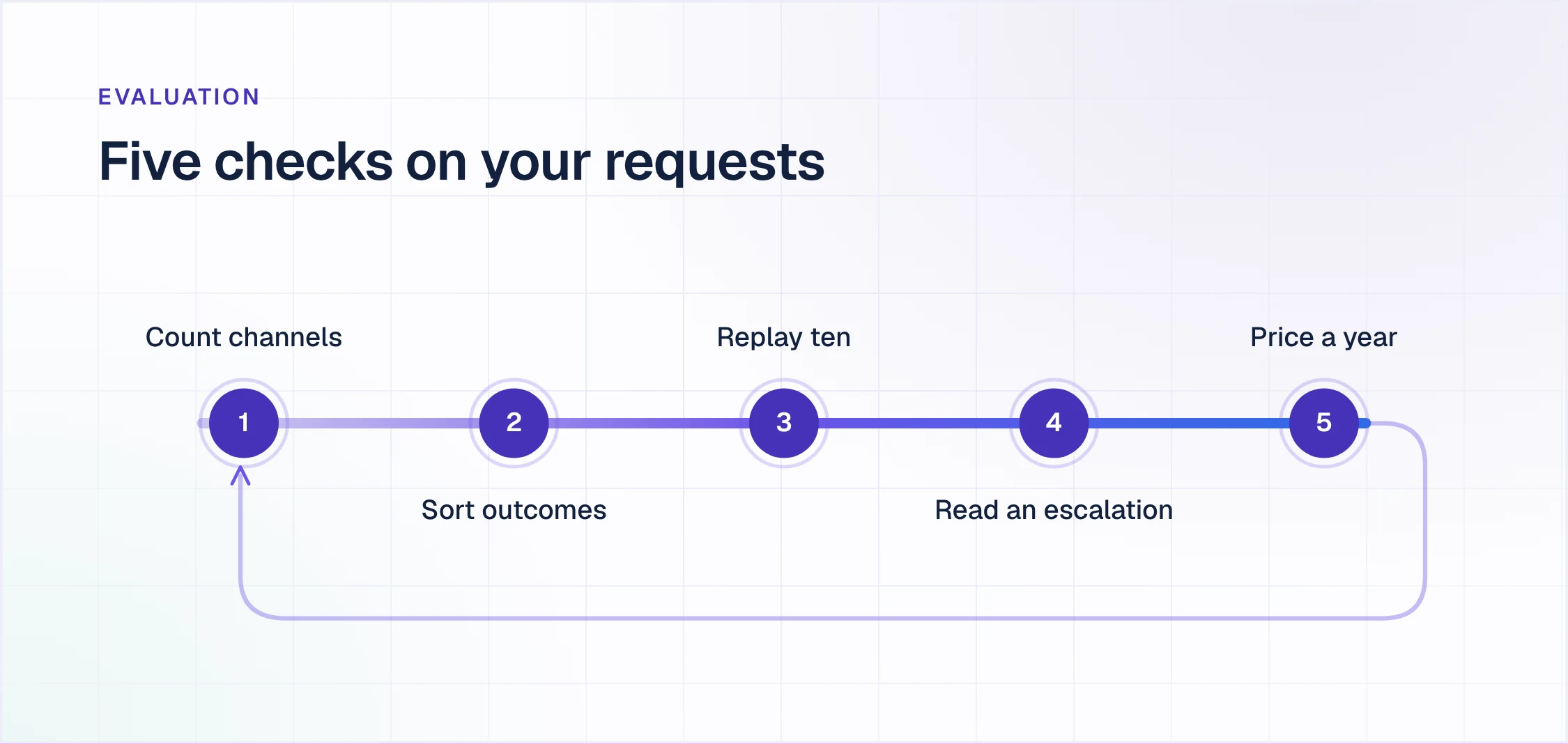
Five checks to run on a week of your own requests
Vendor demos run on sample data. These five checks run on yours, and one week of real requests is enough to settle most shortlists.
- Count where requests start. Export a week of requests and tag each one by channel: Slack channel, Slack DM, Teams, email or portal. If most start in chat, the tool's Slack and Teams support is the product, not an integration, so check which plan it needs.
- Sort them by what finished means. Mark each request as an answer, an action in another system, an approval or a job for a specialist. The first three are where an AI agent saves time; the fourth is where your queue earns its keep.
- Replay ten in chat during the trial. Pick ten requests from the first three groups and send them from Slack or Teams. Count how many come back resolved in the conversation, how many become a ticket, and how many get no reply.
- Read one escalation from the agent's side. Take a request the AI cannot finish and look at what the person picking it up receives: the whole conversation and context, or a one-line ticket that sends them back to the employee.
- Price a year at your volume. Multiply the week by 52 and price it in each tool's unit: per agent, per admin, per automated resolution or session, per AI reply. Price it again at double the volume and with five more people working requests, because that is where the units pull apart.
How Enjo Platform answers the five checks
Where requests start: Enjo works in Slack channels, DMs, group DMs and the App Home tab, in Microsoft Teams, in website chat and in the Help Center portal, with unlimited channels on every plan, Free included.
What finished means: answers come from your connected knowledge with citations, actions in Okta, Entra ID, Google Workspace and your own APIs run through AI Actions from Starter, and approvals run in chat through Approval Flow.
The replay: the Free plan's 200 AI replies a month cover a ten-request replay many times over, with no credit card and no sales call. Enjo IT Service shows the IT requests it handles.
The escalation: anything Enjo cannot finish lands in Enjo Inbox with the full conversation, account context and suggested next steps, and the person who resolves it teaches Enjo for next time.
The price: Enjo Platform is priced per AI reply with unlimited human agent seats on every published plan, so five more people working requests add nothing to the bill. Only AI reply volume moves it, from $0 to $95 to $295 a month on the published plans.
Read more
- Slack ticketing system: setup, tools and costs
- Conversational ticketing: everything you need to know
- Slack and Teams AI agents for internal support
- 10 best ITSM tools in 2026
- 10 best free ticketing systems in 2026
Frequently asked questions
What is an internal ticketing system?
An internal ticketing system is software that turns employee requests to IT, HR and other internal teams into tracked tickets, each with an owner, a status and a history. Employees raise requests through a portal, email, Slack or Microsoft Teams, and the team sees every open request in one place instead of scattered across DMs and inboxes.
What is the difference between an internal and an external ticketing system?
An internal ticketing system serves employees and an external one serves customers. Internal requests are about access, equipment, policies and approvals, arrive mostly through Slack, Teams, email or an employee portal, and often need an action in an identity or HR system. External systems are built around customer email, website chat, social channels and customer-facing SLAs.
What are examples of internal support tickets?
Common internal support tickets are password resets, locked accounts, software access requests, VPN problems and laptop requests for IT; leave balance, policy and payroll questions for HR; and expense, purchase and onboarding approvals for operations and finance. Most repeat every week, which makes them the first requests worth automating.
Is there a free internal ticketing system?
Yes. Enjo Platform has a permanent free plan with 200 AI replies a month and unlimited agent seats, Jira Service Management is free for up to 3 agents, Spiceworks Cloud Help Desk's Core plan is free for 1 to 5 tech and admin seats, and osTicket is free open-source software you host yourself. Siit, ClearFeed, Freshservice and Zendesk offer 14-day trials instead. Our list of free ticketing systems covers more options.
Can employees submit tickets from Slack or Microsoft Teams?
Yes, in most current tools, but what happens next differs. In Jira Service Management an agent turns the message into an issue, Freshservice's ServiceBot creates and updates tickets, and Zendesk lets agents create and update tickets from Slack. Siit and ClearFeed track the request from the chat thread. Enjo resolves it in the conversation and escalates to Inbox only when a person is needed. Check the plan each tool needs for Teams: ClearFeed's Teams channels start on Professional.
How much does an internal ticketing system cost?
Per-agent service desks start at $19 (Freshservice Starter) to $29 (Zendesk Suite Team) per agent a month on annual billing, Jira Service Management Standard lists $21.50 per agent a month at 75 agents, and Siit charges $23 per admin a month. AI usually costs extra: Zendesk meters automated resolutions at $1.50 to $2.00 beyond the plan allowance, and Jira Service Management's virtual service agent costs from $0.30 per assisted conversation beyond 1,000 a month. Enjo Platform runs from $0 to $295 a month by AI reply volume, with unlimited agent seats.
How do you get employees to use an internal ticketing system?
Put it where employees already ask. If requests arrive in Slack or Teams, a tool that answers there needs no new habit, while a portal has to be promoted and requests keep leaking into DMs. Then make the first reply fast: a request resolved in the conversation teaches people to ask there next time.
When does a team need an internal ticketing system?
A team needs one when requests start getting lost or nobody can say how many came in last week. The usual signs are repeat questions answered by hand in DMs, approvals chased over chat, and no record of how long requests take. A free plan is the cheapest way to start counting.