Transform complex support workflows
10 Best Free Ticketing Systems in 2026
Free ticketing systems share one label and very little else. Some of what ranks for this term is a trial with a countdown. Some of it is a free plan that quietly shrinks between pricing updates. The word "free" is doing a lot of work in this category. Almost none of it is load-bearing.
I opened all fifteen vendor pricing pages myself in August 2026. For each one, I recorded how many human seats you get at $0, what the volume cap actually is, and whether any AI is included on the free plan. Four turned out to be trials. Two had free plans the vendor no longer advertises.
Free ticketing systems compared on what the free tier really gives you: seats at $0, volume caps, and whether AI is included, with all 15 prices verified.
How Do the Top Free Ticketing Systems Compare?
The table below is the whole argument of this article in one screen. Read the seat column and the AI column together, because those two decide how long your free plan lasts. The list is sorted by free-tier generosity: unlimited seats and included AI first, then descending by seat cap. Take a look:
Two things worth flagging from that table. Tawk.to also includes autonomous AI on its free tier, so Enjo is not alone on the AI column. And every self-hosted option beats every SaaS option on seats, because unlimited seats is free when you own the hardware.
What Should You Look for in a Free Ticketing System?
Free tiers are hard to compare because vendors cap different things. One limits agents, another limits contacts, a third limits how long a ticket stays visible. Ranking them on feature checklists hides the constraint that actually ends your free plan.
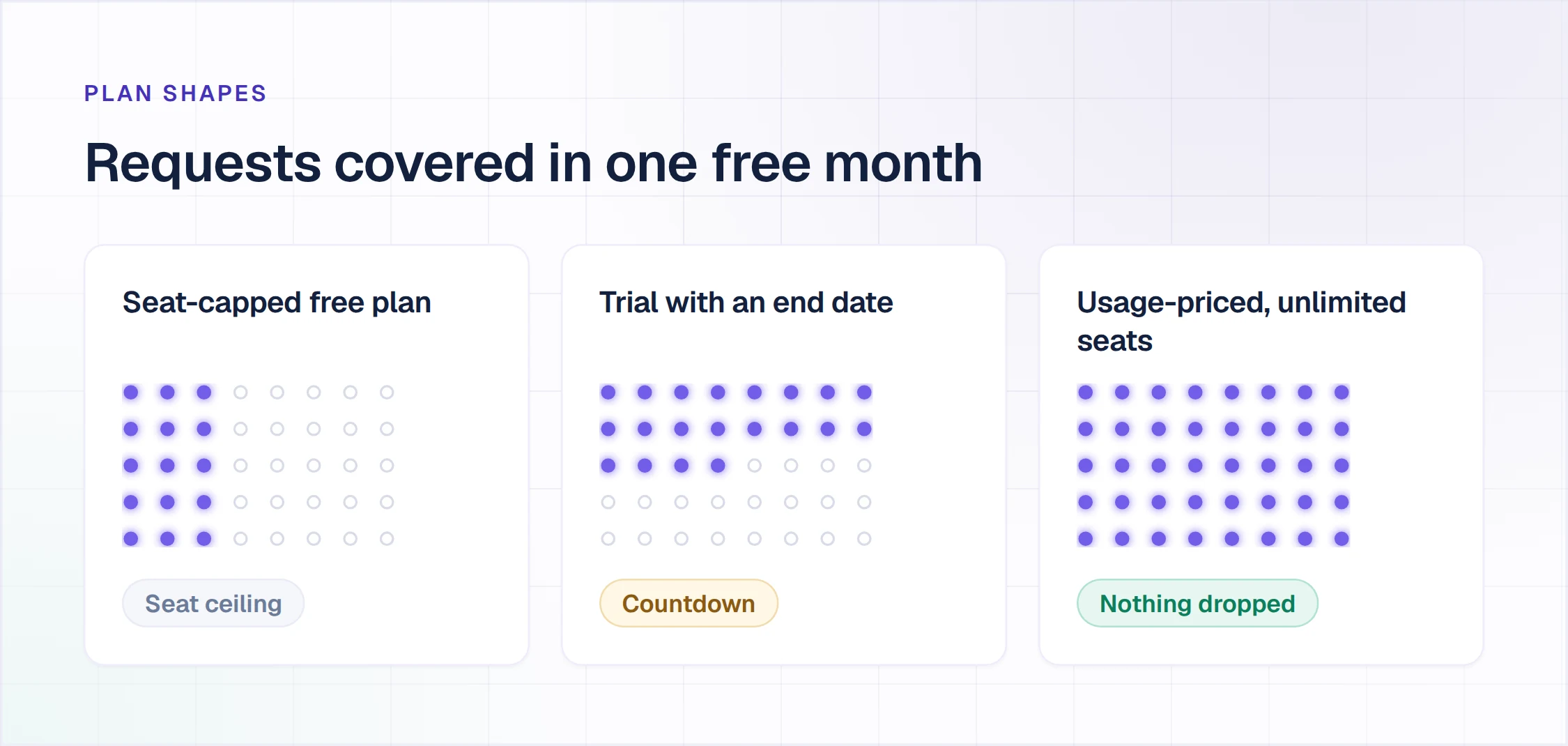
So every tool in this guide is sorted against five criteria, applied in this order. The criteria are stated up front so you can disagree with the weighting and re-rank the list yourself.
The category also goes by more than one name, though free ticketing systems is the term used throughout this guide. Some vendors sell the same thing as free helpdesk software, others as a helpdesk ticketing system, and IT buyers often search for a free IT ticketing system. A couple of vendors just call it a shared inbox. The label does not change which constraint hits first.
- Free forever, or a trial with an end date. A trial is not a free tier. Anything with a countdown moved to a separate table.
- Human seats at $0. Most free plans cap you at two or three agents. This is the constraint teams hit first, and it is the one that turns a free plan into a paid one.
- Whether AI is included at $0, and what kind. There is a real difference between AI that answers a customer without a human and AI that only summarizes a ticket for an agent. I recorded which one each vendor is actually offering, in their own words.
- The real volume cap. Ticket caps, contact caps, storage caps, and history windows. A seven-day ticket history is a harder limit than a seat count.
- Whether you have to run a server. Self-hosted tools have no seat cap because you are paying in ops time instead.
That order is why Enjo and Tawk.to lead the table: both include AI at $0, and Enjo pairs that with unlimited seats and no trial risk. It is why a two-seat, no-AI, delisted free plan sits at the bottom. The ranking follows the criteria, not the other way around.
What Are the 10 Best Free Ticketing Systems?
Each entry below follows the same format so you can scan across them. You get what the product is, how the vendor sells it, its concrete capabilities, the pricing, and one honest limitation. The limitation is not a formality. Every tool here has a real reason it might be wrong for you, including the one at the top.
1. Enjo
Enjo is an AI support agent with a shared inbox and help center, priced per AI reply rather than per seat.
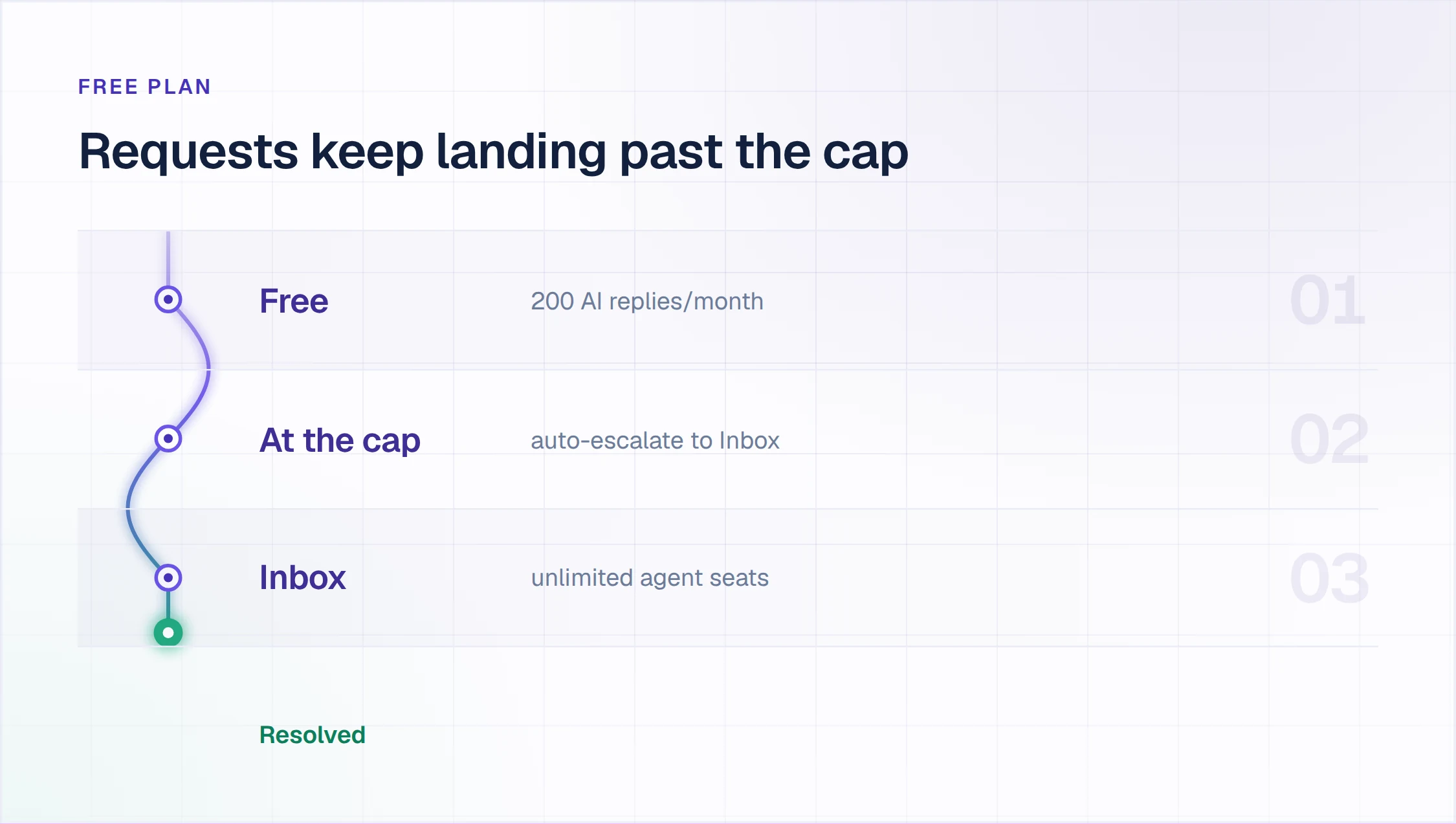
How it goes to market: Sold per AI reply rather than per seat, with a permanent Free plan that includes unlimited human agent seats, Inbox, Help Center and Insights. No credit card, no procurement cycle.
Key capabilities
- Unlimited human seats on the free plan: Every plan, including Free, carries unlimited agent seats. Adding a support hire does not change what you pay.
- 200 AI replies a month at $0: An AI reply is one response Enjo's agent sends to a requester, including the knowledge lookup behind it.
- Auto-escalation when the cap is reached: Once the 200 replies are used, requests route to human agents in Inbox rather than failing. No request is dropped.
- Omnichannel intake in one queue: Slack, Microsoft Teams, email, and web chat threads land in a single prioritized workspace instead of four separate ones.
- Escalation with the context attached: Smart escalation routes a complex thread to an owner with an AI summary and the full history. The human picking it up does not re-read the thread.
- Help Center on the free plan: Article Generation in Help Center drafts articles from a website URL or from connected Notion, Confluence, and Google Drive docs.
- Reporting on what to automate next: Insights shows which request types recur and where resolution slows down, so the next automation is chosen from data.
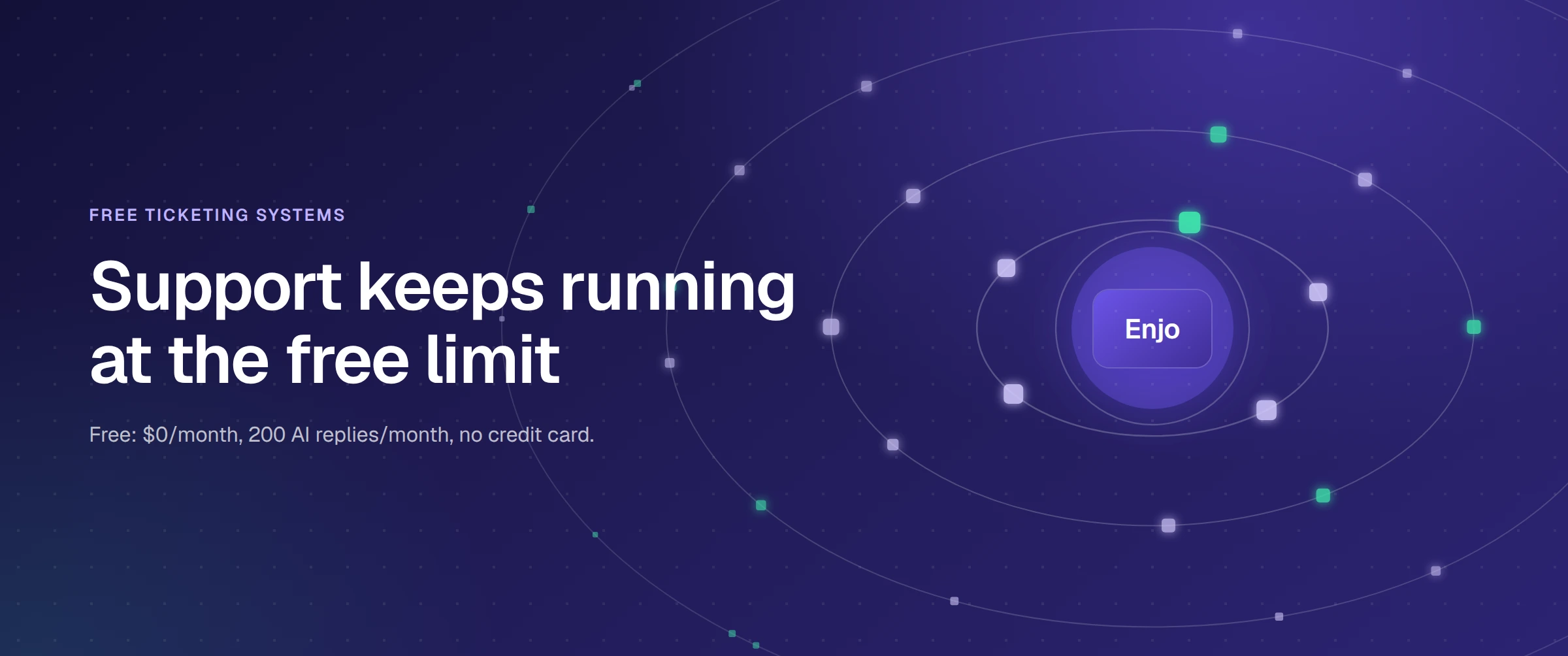
Pricing: Free at $0 a month with 200 AI replies, unlimited seats, and no credit card. Starter is $95 a month for 1,000 replies. Billing is flat monthly, not per agent. Full tiers are on the Enjo pricing page.
Scope: Enjo Platform is built agent-first. The AI Support Agent is configured before any queue exists, and Inbox is the helpdesk for escalations and human collaboration rather than the primary work surface. Teams that want a ticket queue first with AI attached later are describing the legacy model, which is the point rather than a limit. At the 200-reply limit, requests auto-escalate to human agents in Inbox with unlimited seats, and Starter at $95 a month covers 1,000 replies. Enjo is built by Troopr Labs, which has 600+ enterprise deployments and 99.9% uptime over 7 years across its products.

2. Tawk.to
Tawk.to is a hosted live chat widget whose free tier includes a capped AI assistant.
Best for: Sold as a free hosted live chat widget, monetized through a $39 a month branding-removal fee and paid AI Assist tiers from $29 a month.
Key capabilities
- Apollo AI Bot on the free Hobby tier: Tawk.to's documentation confirms the Hobby plan is free with a monthly message-completion allowance; check the current credit figure in the tawk.to dashboard before relying on it.
- Up to 10 AI agents per account: Each trained on your own content and tone, per Tawk.to's own wording.
- Nothing to install or host: A JavaScript widget on a hosted backend.
- Knowledge base at $0: Help articles ship with the free tier rather than sitting behind an add-on.
Pricing: Free with no stated seat cap. Removing Tawk.to branding costs $39 a month, or $348 a year. AI Assist paid tiers start at $29 a month.
Where it falls short: This is a chat product first and a help desk second. Teams that need email-driven queues, SLA timers, or Slack intake hit the ceiling early. The branding fee also means the free version carries Tawk.to's name in front of your customers.
3. FreeScout
FreeScout is an open-source shared inbox you install on your own PHP and MySQL hosting.
How it goes to market: Distributed as open-source software for self-hosting, monetized through one-time module licenses per instance.
Key capabilities
- Unlimited agents and unlimited tickets: FreeScout states both on its own site, with no plan gate behind either.
- Deployable on shared hosting: The project describes itself as a pure PHP and MySQL application with a web installer, which is a genuinely low bar to clear.
- Email-first shared inbox: Threads arrive by email and get assigned inside the team, closer to Help Scout's model than to a ticket tracker.
- One-time module licenses, not subscriptions: Paid add-ons are sold as lifetime licenses per instance, with no recurring fee and no refunds.
Pricing: The core application is free. The knowledge base and live chat are both paid modules. FreeScout does not publish module prices on its site, so budget for them as an unknown.
Where it falls short: The knowledge base is not in the core product, so a free FreeScout install has no help center at all. There is no official AI. A community ChatGPT module exists on GitHub, but it is not a supported vendor feature and should not be counted as one.
4. osTicket
osTicket is a free ticketing system, open-source under the GPL and installed on your own server.
How it goes to market: Distributed as GPL open-source software for self-hosting, with cloud hosting sold separately by SupportSystem at $12 per agent per month.
Key capabilities
- No published seat or ticket cap: The self-hosted edition carries no vendor-stated limit on either.
- Knowledge base included in the free download: Help topics and canned responses come with the core install.
- Rules-based ticket filtering: The filter system automates ticket creation and routing, with logic you define rather than a model.
- Standard LAMP requirements: Apache, LiteSpeed or IIS, PHP 8.2 to 8.4, and MySQL 5.5 or newer, per [osTicket's installation documentation]
Pricing: Self-hosted is free. Cloud hosting starts at $12 per agent per month and is operated by SupportSystem, a separate company.
Where it falls short: No AI appears anywhere on osTicket's site, assistive or autonomous. That is a deliberate position rather than a gap, but it is a real one in 2026. The interface shows its age, and patching, backups, and uptime are yours.
5. LiveAgent
LiveAgent is a multi-channel help desk with a free plan that does not appear on its pricing page.
How it goes to market: Sold per agent per month to multi-channel support teams, with an unlisted free plan capped at seven days of ticket history.
Key capabilities
- Seven-day ticket history on Free: Tickets older than seven days drop out of view entirely.
- One email channel on Free: Additional channels are gated to paid plans.
- No integrations or automation at $0: Both sit behind the paid tiers.
- Unlimited users on the free plan: LiveAgent's free-plan page lists the User Limit as unlimited, unusual for a hosted free tier in this category.
Pricing: Free plan with no credit card required. Small Business lists at $15 per agent per month billed annually, currently discounted to $10 through January 2027.
Where it falls short: The seven-day history window makes the free plan unusable as a system of record. Anything you need to reference next month is already gone, which rules it out for anyone who needs an audit trail.
6. Help Scout
Help Scout is a shared inbox and docs product with a documented free plan for small teams.
How it goes to market: Sold per user per month to small support teams, with a free plan capped at 100 contacts a month and AI billed per resolution after a trial.
Key capabilities
- Five users on the free plan: More generous than most SaaS free tiers in this category.
- 100 contacts a month: The real constraint, counted by people you correspond with rather than tickets.
- One inbox and one Docs site, capped at 10 articles: Enough for a single product's help center.
- AI Answers on a three-month trial only: After that it is billed at $0.75 per resolution.
Pricing: Free as described above. Standard is $25 per user per month with a 16% annual discount. Messages is excluded from the free plan.
Where it falls short: The 100-contact monthly cap arrives faster than a seat limit does, and it is the kind of ceiling you discover mid-month. AI is a trial here, not an inclusion.
7. Zoho Desk
Zoho Desk is a help desk product with a plan Zoho labels Free Forever.
How it goes to market: Sold per user per month as the help desk module of the Zoho suite, with a Free Forever plan for three users.
Key capabilities
- Three user licenses at $0: Zoho's pricing page states three.
- Email ticketing with a self-service portal: Zoho markets a customer portal with FAQs and help articles on the free plan.
- Records that join up across Zoho: Tickets and account data link to Zoho CRM without middleware.
- No AI on the free plan: Zia and Answer Bot rows are unmarked for Free on both of Zoho's pricing surfaces.
Pricing: Free for three users. Express is listed at ₹420 per user per month billed annually. Zoho's pricing page rendered in rupees only during verification, so visit zoho.com directly to confirm the USD figure.
Where it falls short: Zoho's own pages disagree on whether the free plan includes a public knowledge base. The pricing table places it at Standard and above, while the free-help-desk marketing page describes a self-service portal as included. Confirm which is true before building on it.
8. Jira Service Management
Jira Service Management is Atlassian's free IT ticketing system, capped at three agents.
How it goes to market: Sold per agent per month to internal IT and service teams already on Atlassian, with a free tier for three agents.
Key capabilities
- Three agents free forever: Atlassian's own wording on its pricing page.
- Embedded knowledge base on Free: Create and update articles, and recommend relevant ones to deflect incoming requests.
- 2GB storage cap: The actual volume constraint, rather than a ticket count.
- No autonomous AI at $0: Rovo agents start at Standard, and the virtual service agent is Premium.
Pricing: Free for three agents. Standard is $20 per agent per month on monthly billing.
Where it falls short: This is built for internal request queues, not customer-facing support. Customer conversations arriving by email or chat need real configuration work to fit Jira's issue model, and most small CS teams will find that work does not pay for itself.
9. HubSpot Service Hub
HubSpot Service Hub is the service module of HubSpot's CRM, with a free tier tied to the wider platform.
Best for: Teams already running HubSpot CRM who want tickets in the same system as deals.
Key capabilities
- Two users at $0: HubSpot's pricing page states up to two, no credit card.
- 1,000 contacts on Free: Alongside 10 dashboards and three email templates.
- Conversational bots, rules only: Limited to ticket creation, lead qualification, and meeting booking, with no custom branching logic.
- Autonomous AI starts at Professional: Customer Agent consumes HubSpot Credits, sold at $9 per 1,000 on annual billing.
Pricing: Free for two users. Starter is quoted at $7 and $20 per seat per month against an annual and monthly toggle. Visit hubspot.com directly to confirm which figure maps to which billing period.
Where it falls short: HubSpot's pricing page and its legal product catalog disagree on whether ticketing is in the free tier at all. The knowledge base sits at Professional, which also carries a $1,500 one-time onboarding fee.
10. Freshdesk
Freshdesk still has a free plan, though it no longer appears on the main pricing page.
How it goes to market: Sold per agent per month as part of the Freshworks suite, with a delisted free plan for two agents.
Key capabilities
- Two agents at $0, down from ten: The free tier shrank and was removed from the pricing table.
- Freddy AI Agent, first 500 sessions included: Freshworks states this across all plans, though whether the free plan qualifies is not confirmed on any vendor page.
- Email and social ticketing: The core intake channels available at $0.
- Knowledge base included: Self-service articles ship with the free tier.
Pricing: Free for two agents. Growth is $19 per agent per month billed annually. Additional Freddy sessions are $49 per 100.
Where it falls short: A delisted free plan is a plan the vendor is not committed to. Freshdesk cut it from ten agents to two and pulled it from the pricing page, which is the pattern to check before you build a workflow on any free tier.
Which Tools Get Mislabeled as Free Ticketing Software?
These five show up on nearly every free helpdesk ticketing system list, usually without a note on what happens at the end. Four are trials with an expiry date. The fifth has a free plan too small to run a team on.
Startup and eligibility programs like these get cited constantly as a free help desk ticketing system. Every one of them has an end date, whether that is a funding-stage cutoff or a fixed trial window.
How Do You Choose a Free Ticketing System for Your Team?
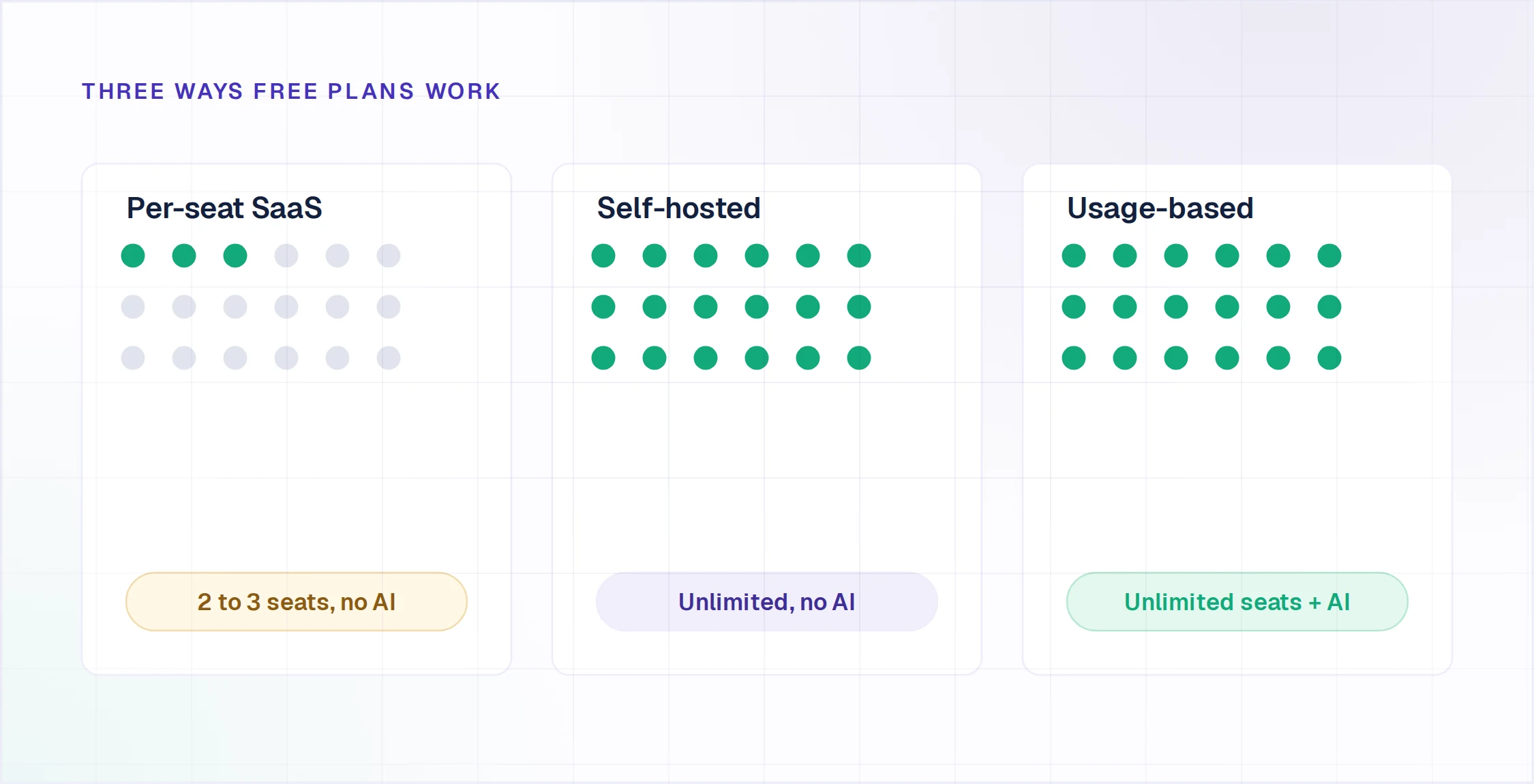
Match the constraint you will hit first, not the feature list. Every free plan above is generous somewhere and stingy somewhere else, and the right pick is the one whose stingy part you will never touch. Five common situations, and what each one points to.
If you expect to hire. Seat caps are the fastest route from free to paid. Two agents at HubSpot or Freshdesk, three at Zoho or Jira. Unlimited seats exist on Enjo, FreeScout, osTicket, and LiveAgent, and only the first of those is hosted with AI included.
If you need more than a ticket queue, our ranking of free customer service software compares all ten tools on what the free tier really costs as the team grows.
If you already own the ecosystem. Zoho Desk (three users), HubSpot Service Hub (two) and Jira Service Management (three) each read records from the CRM or issue tracker they ship inside, without middleware. The cap is the same; what differs is the integration you would otherwise build.
If nobody on the team runs servers. FreeScout, osTicket, Zammad, and Hesk all give you unlimited seats in exchange for hosting, patching, and backups. Zammad needs PostgreSQL and Redis, which is a heavier lift than FreeScout's shared hosting. Hesk is free to run but charges $49.99 one time to remove its branding.
If AI resolution is the point. Two free tiers include AI that answers a customer without a human: Enjo at 200 replies a month and Tawk.to at 100 message credits. Tawk.to's AI runs on its hosted chat widget. Enjo's runs across Slack, Microsoft Teams and website chat, with Inbox as the queue behind it.
If you need an audit trail. Rule out LiveAgent's free plan immediately. A seven-day ticket history cannot support a compliance conversation or a quarterly review.
If most of your volume arrives as email rather than chat. A free tier decides how long you stay at $0, but an email queue lives or dies on workflow: thread grouping, collision detection, and SLA timers per mailbox. Eleven tools compared on exactly that, paid andfree, in our email ticketing system guide.
If what you actually want is a free ticketing system, not a full help desk. osTicket and FreeScout are built around ticket intake and assignment first, with no chat widget and no AI bundled in. Both are free to run on your own server; the cost is hosting, patching and backups.
Bottom Line
The pattern across all fifteen products is that free tiers are shrinking. Freshdesk went from ten agents to two and left the pricing page. LiveAgent's free plan is unlisted. Help Scout's AI dropped to a three-month trial.
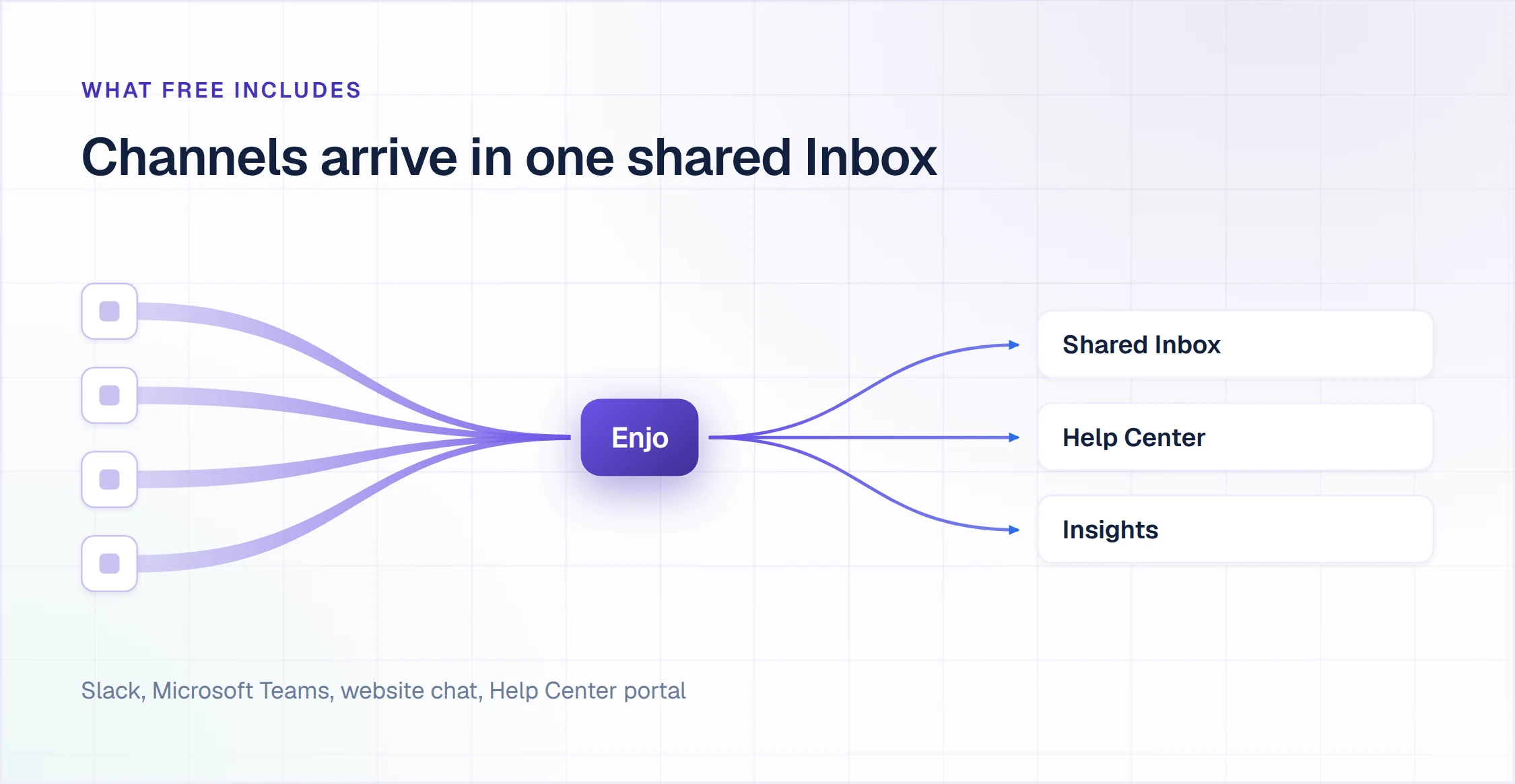
Vendors that price by seat have to protect the seat, so the free plan is where that protection shows up first. Usage-based pricing does not carry that pressure, which is why the seat count on Enjo's free plan is unlimited. Whether that matters depends on whether your volume grows through headcount or through conversations. If it is headcount, start free and stay free longer.
Every free plan here ends somewhere, and when yours does the question becomes which paid platform to move to. We ranked fifteen of them in our guide to the best customer service ticketing system for 2026, priced at fifteen agents.
Frequently Asked Questions
Which free ticketing systems are actually free?
Ten of the fifteen tools reviewed here have a free plan you can build a workflow on. The most generous on seats are the self-hosted ones, FreeScout and osTicket, which publish no seat cap at all. Among hosted products, Enjo and LiveAgent are the only two with unlimited seats, and Help Scout leads the capped tiers at five users. Of the two self-hosted options, osTicket ships a knowledge base and rules-based routing in the core download, while FreeScout sells its knowledge base as a paid module.
Yes, several, because Zendesk itself has no permanently free plan. Its 14-day trial and its six-month startups program both end. Three hosted products have a real free tier a Zendesk team can move to. Freshdesk gives two agents, Zoho Desk gives three, and Enjo gives unlimited seats with 200 AI replies a month.
Is Zoho Desk free?
Zoho Desk has a plan Zoho labels Free Forever, capped at three user licenses. It covers email ticketing, and Zoho markets a self-service portal alongside it. No AI is included. Zoho's pricing table and its free-help-desk page disagree on the public knowledge base, so confirm that detail against zoho.com before you commit.
What is the difference between a free helpdesk plan and a trial?
A free tier has a capacity limit; a trial has an expiry date. When you exceed a free tier's cap you are usually blocked from the capped feature while the rest keeps working. When a trial ends, access ends. Four of the products most commonly listed as free ticketing systems, including Zendesk and Salesforce Service Cloud, are trials.
Do any free ticketing systems include AI?
Two include AI that answers customers autonomously: Enjo, with 200 AI replies a month, and Tawk.to, with 100 monthly AI message credits. Freshdesk states 500 Freddy AI sessions across all plans, but no vendor page confirms the free plan qualifies. HubSpot's free bots follow rules rather than generating answers. Help Scout's AI Answers is a three-month trial, then $0.75 per resolution.