Transform complex support workflows
11 Best Email Ticketing Systems for Support Teams in 2026
If you manage a support team, you have felt this: a VIP complaint gets missed; two agents send conflicting answers to the same customer; someone asks, "Who's handling this?" and nobody knows. Each of those is a tooling failure. An email ticketing system assigns an owner, a status, and a full conversation history to every inbound email, so nothing falls through the cracks.
This guide covers the 11 best email ticketing systems for support teams in 2026. Compare tools, pricing, and AI capabilities to find the right one.
What Is an Email Ticketing System?
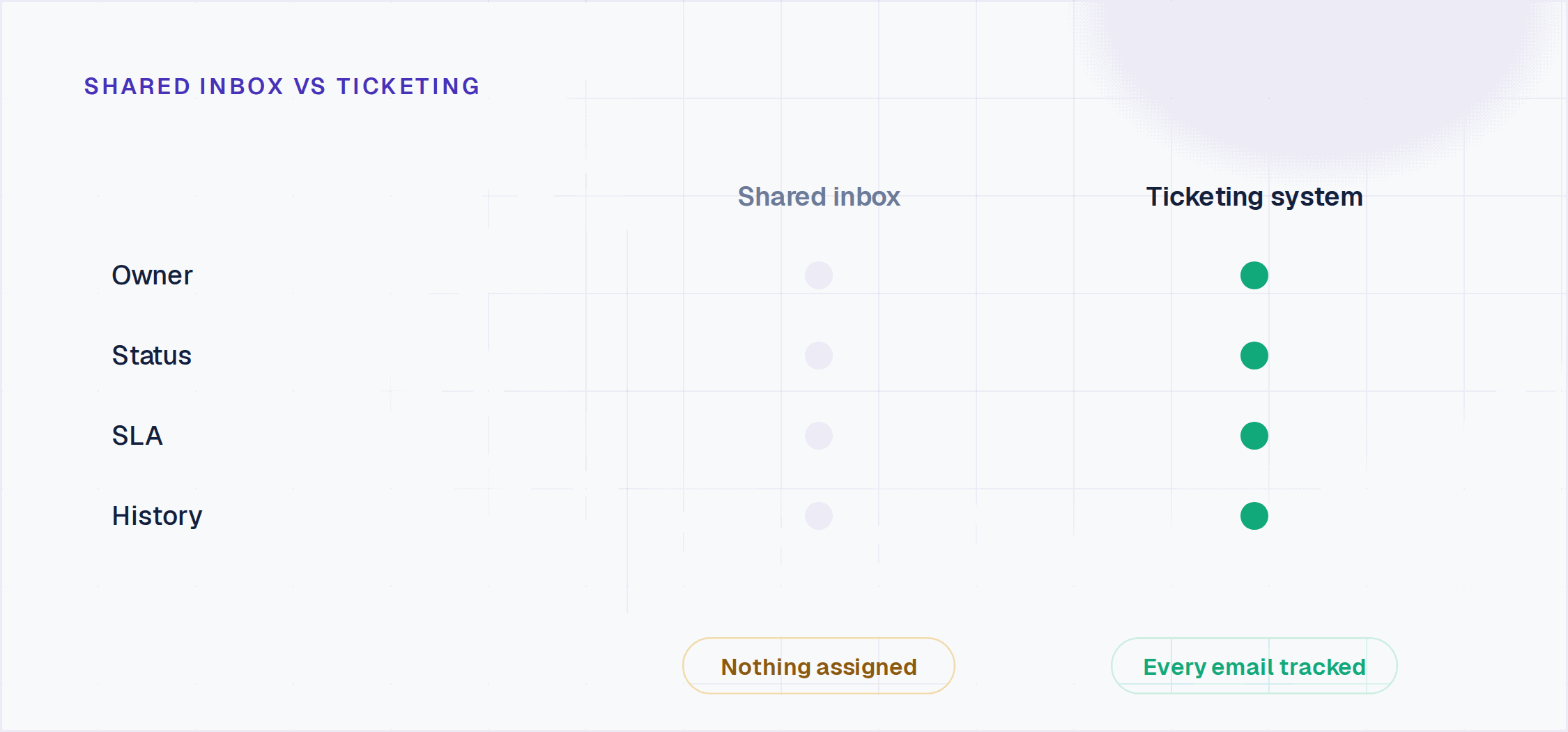
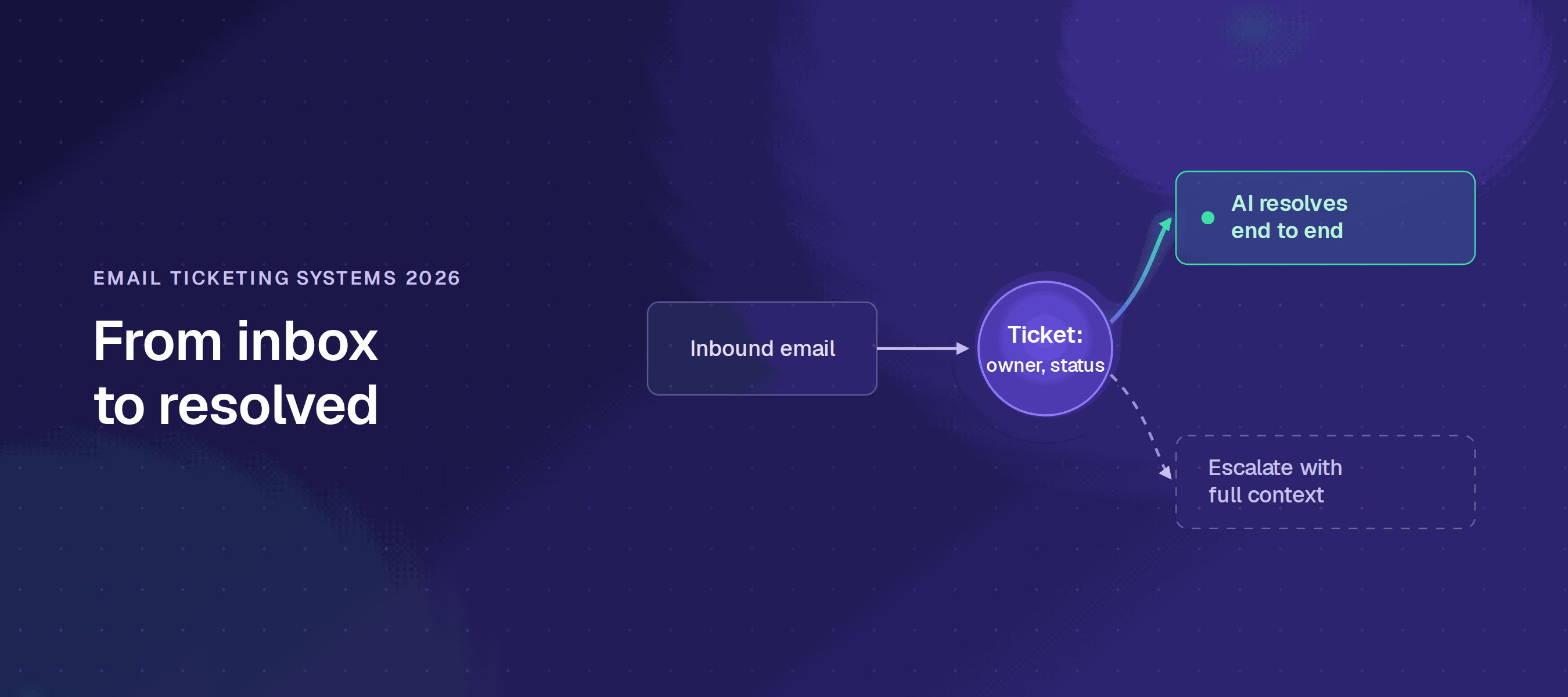
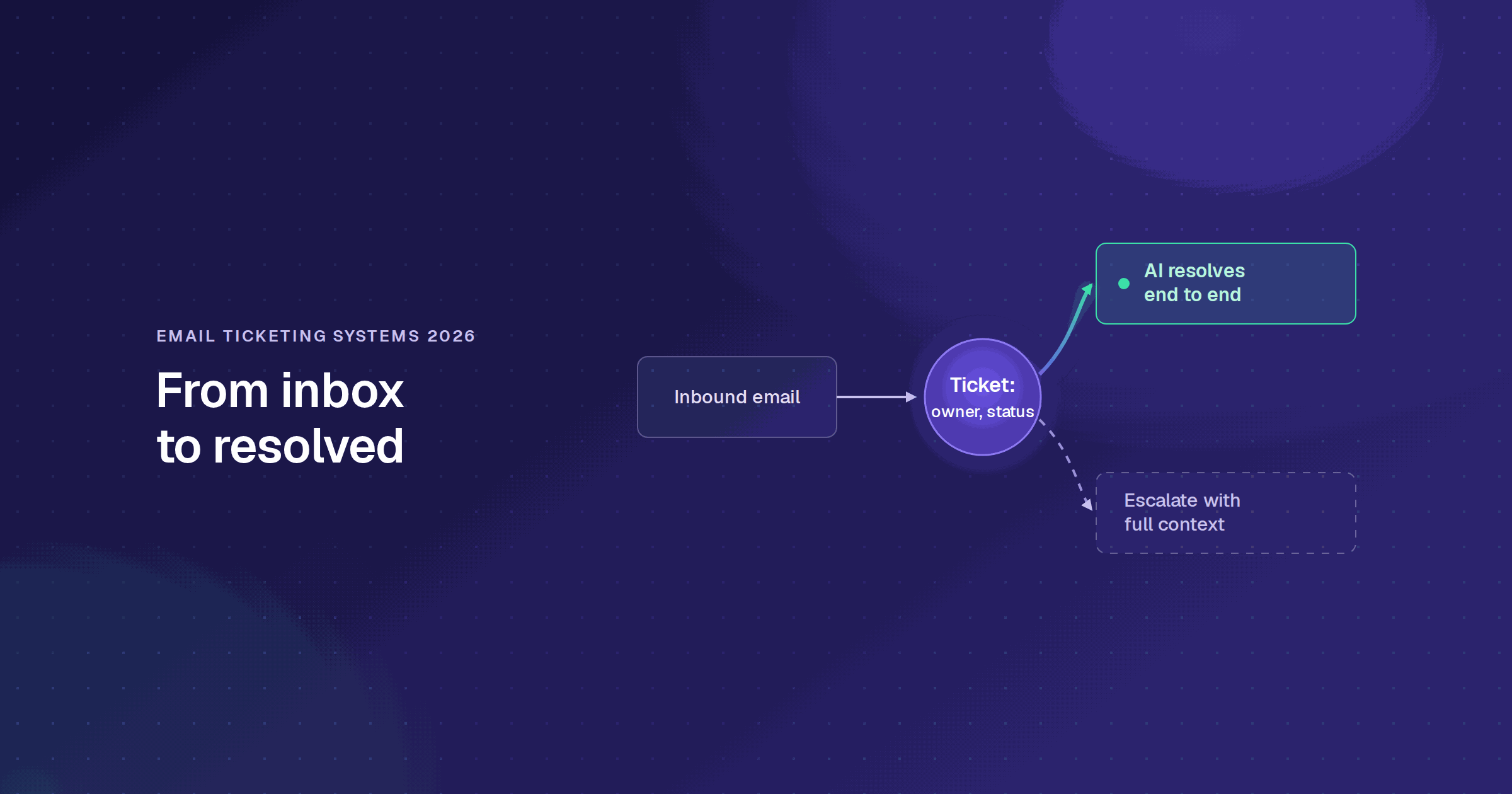
An email ticketing system is software that pulls inbound emails from your support mailbox and converts each one into a trackable ticket. Each ticket gets an owner, a status, a priority, and a full conversation history. Agents reply from inside the system; the customer sees a normal email response and never needs to change how they contact you.
The core difference from a shared inbox: every request is visible, assigned, and tracked. Nothing falls through because nobody knew it was theirs. For teams evaluating how email fits into a broader customer service automation strategy, or considering conversational ticketing via Slack and Teams alongside email, the choice of tool matters more than the channel.

What Should You Look for in Email Ticketing Software?
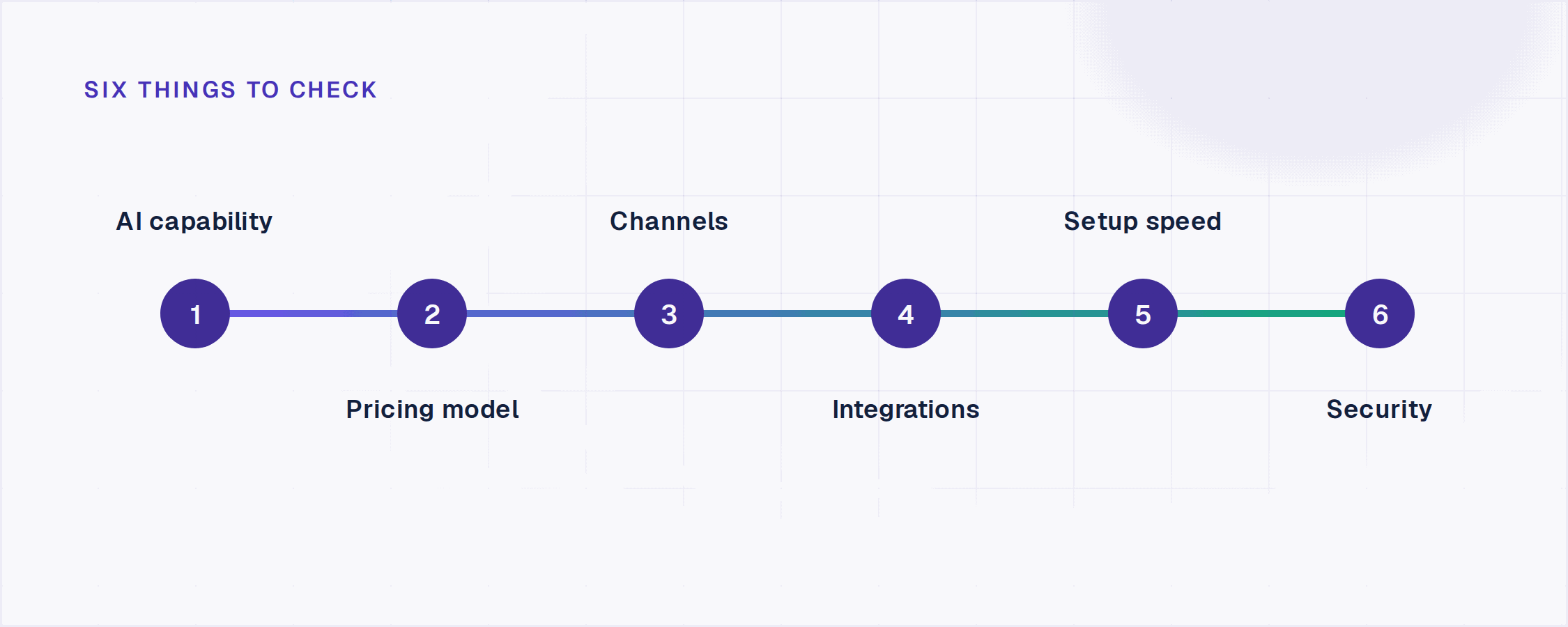
Not every tool in this category solves the same problem. Before comparing options, get clear on these six dimensions:
1. AI capabilities. Does the tool auto-triage and suggest replies, or does it actually resolve requests without agent involvement? There is a wide gap between "AI drafts a reply for an agent to approve" and "AI resolves the request end-to-end and escalates only when it can't."
2. Pricing model. Per-seat pricing punishes growth: every time you hire a support agent, your bill goes up. Usage-based pricing (per AI interaction or per resolution) scales with value delivered. Understand which model a tool uses before you run the math at your expected team size.
3. Channels beyond email. If your customers or employees also contact you via Slack, Microsoft Teams, or a web widget, a tool that handles email only will immediately create a second queue. Check whether the platform is genuinely omnichannel or email-first with add-ons bolted on. If website chat is one of those channels, our ranking of the 10 best live chat software tools prices every widget from the vendor's own page.
4. Integration depth. Can the system read your existing knowledge sources (Confluence, Google Drive, past tickets) to ground AI responses? Can it take actions in connected systems (Okta, Jira, Salesforce) or only create tickets?
5. Setup speed. Some enterprise tools take months to implement. For most support teams, the right answer is production in days, not a six-month rollout.
6. Security posture. If a CISO signs off on the purchase, you need SOC 2 Type II, RBAC, and an audit log, not just SSL.
The 11 Best Email Ticketing Systems for Support Teams in 2026
1. Enjo
What it is: An AI-native service automation platform with a built-in helpdesk (Inbox), email as a supported inbound channel, and AI that resolves requests before they become tickets.
Best for: Support teams migrating off shared Gmail or a legacy per-seat helpdesk who want AI included by default, not as a paid add-on, and a permanent free tier with no credit card or procurement cycle.
Key capabilities:
- Enjo Inbox: unified queue across email, Slack, Teams, and web widget. Every inbound email becomes a ticket with SLA timers, collision detection, assignment rules, and full conversation history, alongside tickets from every other channel. Agents work from one queue without toggling between tools.
- Agent Assist: in-ticket AI for every reply. When an agent opens a ticket, Agent Assist reads the inbound email, summarizes the thread, pulls relevant answers from your connected knowledge sources (Confluence, SharePoint, Google Drive, past tickets), and surfaces a suggested reply. The agent reviews, refines tone or language with one click via Reply Refinement, and sends, without leaving the ticket view.
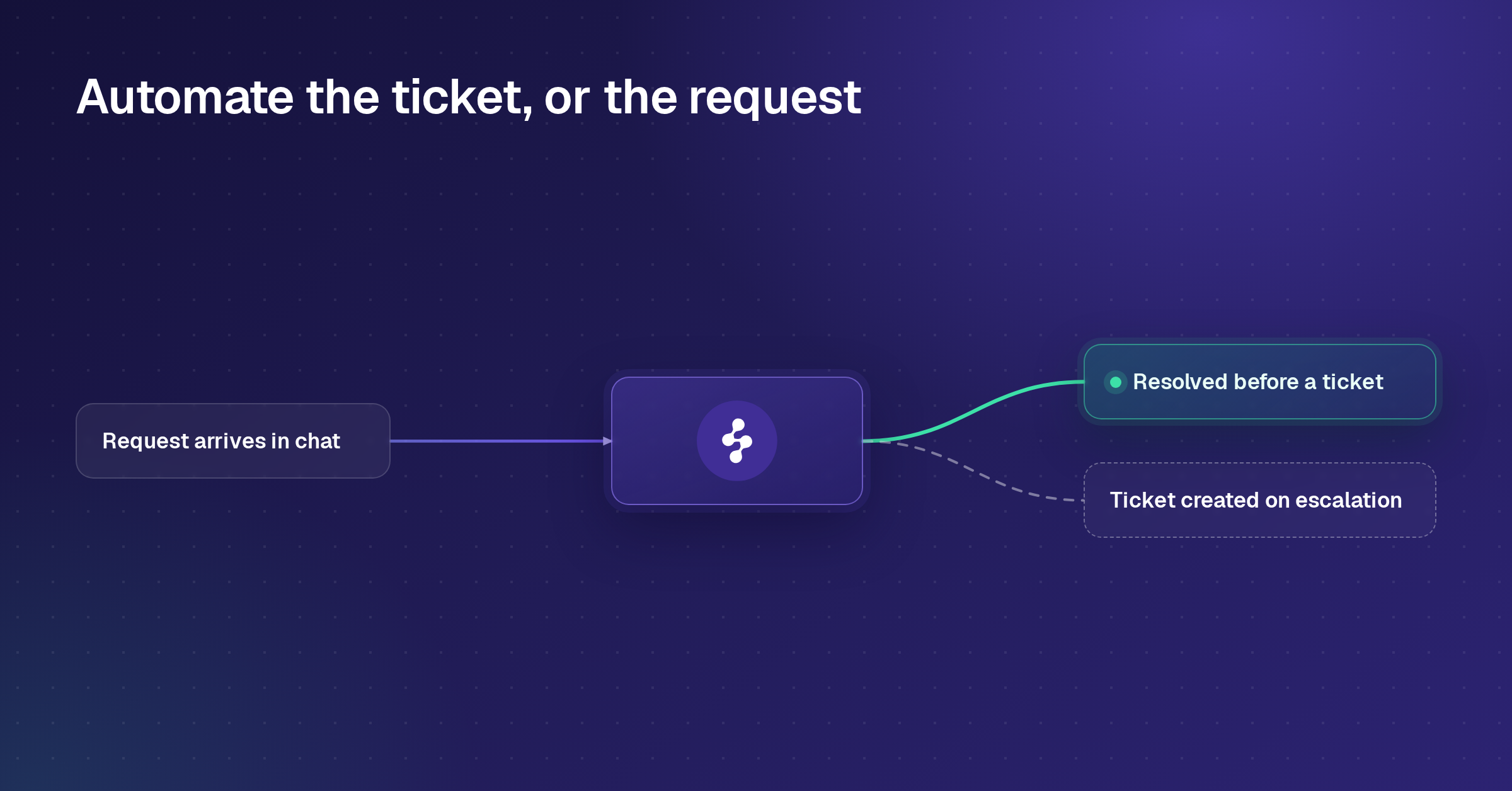
- AI Agents: end-to-end resolution before a human is involved. AI Agents read the inbound email, query your knowledge layer, and take actions in connected systems, unlocking an Okta account, looking up a Salesforce case, and creating a Jira ticket, without any agent involvement. When they can't resolve, they escalate to the Inbox with the full conversation attached. Agents start where AI left off, not from scratch.
- AI Flows: multi-step logic with explicit fallbacks. Built in Studio (Enjo's visual builder) without code. Every decision is auditable; you can see exactly what path a resolution took and where it was handed off.
- Guardrails: policy controls on what AI can say or do. Set per agent, per channel, or per topic. Prevents hallucination and policy drift. Every AI reply can be configured to require human approval before it's sent.
- Usage-based pricing with unlimited human seats. You pay per AI Reply, not per seat. Hiring a new support agent costs nothing. The pricing model doesn't punish team growth.
- Free tier: 200 AI Replies/month, unlimited seats, no credit card. The Inbox stays fully live after the free AI cap is hit; only AI Replies pause until the next billing cycle.
- SOC 2 Type II, ISO 27001, GDPR. Enjo is built by Troopr Labs, whose products run in 600+ enterprise deployments with 99.9% uptime over 7 years.
Pricing: Enjo starts free, $0/month with 200 AI Replies and unlimited human agent seats, no credit card required. The Starter plan is $95/month for 1,000 AI Replies, the Standard plan is $295/month for 3,000 AI Replies, and the Enterprise plan is custom. Additional AI Replies on paid plans cost $0.05 each. Every plan includes unlimited human agent seats. For full details, visit enjo.ai/pricing.
Where it falls short: Enjo Platform is built agent-first. The AI Support Agent is configured before any queue exists, and Inbox is the helpdesk for escalations and human collaboration rather than the primary work surface. Teams that want a ticket queue first with AI attached later are describing the legacy model, which is the point rather than a limit.
2. Zendesk
What it is: A customer service suite that brings email, messaging, phone and social into one agent workspace, priced per agent, with AI agents billed on automated resolutions.
Best for: Enterprise CS teams running email, voice and messaging in one workspace
Key capabilities:
- Intelligent routing that reads content, intent, and sentiment. Every inbound email is analyzed for topic, customer sentiment, and language before it's routed. Tickets go to the right queue and agent without manual rule-building for the most common scenarios.
- AI Agents: autonomous email resolution billed per outcome. Zendesk's AI Agents handle customer emails end-to-end, reading the request, querying the knowledge base and applying macros without human involvement. Zendesk bills them per automated resolution: Suite Team includes 5 a month per agent and Suite Professional 10, and the pricing page lists further automated resolutions at $1.50 committed or $2.00 pay-as-you-go. Zendesk says its AI agents can resolve up to 80% of customer interactions.
- Agent Copilot: real-time next-best-action for every open ticket. Before the agent types a single word, Copilot has already read the ticket, surfaced the suggested reply, and identified the next-best action based on similar past resolutions. Available as a $50/agent/month add-on.
- Trigger and automation engine for SLAs and follow-ups. Handles SLA escalation, auto-responses, time-based follow-ups, ticket field population, and multi-step conditional logic, all without code.
- Omnichannel Agent Workspace. Email, live chat, messaging, voice, and social all in one interface. Agents switch channels without switching tools or losing ticket context.
- Zendesk Guide (help center). Included in Suite plans. AI search surfaces the most relevant article inside the ticket view so agents can paste answers without opening a separate tab.
Pricing: Zendesk's pricing page lists Support Team at $19/agent/month, Suite Team at $55/agent/month and Suite Professional at $115/agent/month, all paid yearly ($25, $69 and $149 paid monthly), with Suite Enterprise quoted by sales. Copilot is a $50/agent/month add-on, paid yearly. AI agents are included in every Suite and Support plan and billed per automated resolution beyond the included allowance. There is no free plan; the 14-day trial runs on Suite Professional. A 10-agent team on Suite Professional with Copilot runs $1,650/month before additional automated resolutions. For full details, visit zendesk.com/pricing.
Where it falls short: A 10-agent team on Suite Professional with Copilot runs $1,650/month and includes 100 automated resolutions; at 3,000 AI-resolved requests a month, the other 2,900 add $4,350 at the committed rate, so the AI line can outgrow the seat line once automation starts working.
3. Freshdesk
What it is: A Freshworks helpdesk sold per agent, with 500 Freddy AI Agent sessions included on every plan and Freddy AI Copilot sold as a per-agent add-on.
Best for: Teams already in the Freshworks ecosystem
Key capabilities:
- Ticket threading that correctly groups email chains. All follow-up emails from the same customer, including CC-ed parties and forwarded threads, are automatically appended to the original ticket. No duplicate tickets from the same conversation.
- Freddy AI Copilot: in-ticket reply drafting from past resolutions. Reads the inbound email, searches your Freshdesk knowledge base and past ticket resolutions, and drafts a suggested reply. Also auto-populates ticket fields (priority, category, type) from the email body. Available as a $29/agent/month add-on on Pro and Enterprise.
- Freddy AI Agent: customer-facing email deflection billed per session. Reads inbound emails, queries the knowledge base, and replies autonomously. When it can't be resolved, it creates a ticket with the conversation attached. The first 500 sessions are included on every plan; additional sessions cost $49 per 100.
- Round-robin and skill-based routing. Distributes tickets based on agent availability, current load, or skill tag. Configurable without code on Pro and above.
- SLA policies by ticket type and customer segment. Breach alerts fire before deadlines, not after. Configurable lead times per SLA window.
- Collision detection. Shows a real-time indicator when another agent is already viewing or replying to the same ticket, the feature most shared inbox teams miss most on day one.
Pricing: Freshdesk's Free program covers up to 2 agents for 6 months, not a permanent free tier. Growth is $19/agent/month, Pro is $55/agent/month and Enterprise is $89/agent/month, billed annually, and signup starts a 14-day Enterprise trial. Freddy AI Copilot is a $29/agent/month add-on on Pro and Enterprise; Freddy AI Agent includes 500 sessions, then $49 per 100 sessions. For current pricing, visit freshdesk.com/pricing.
Where it falls short: Freddy AI Copilot is priced per agent, so a 10-agent Pro team pays $840/month before any extra AI Agent sessions, and 3,000 AI Agent sessions a month add $1,225 beyond the 500 included. The Free program ends after six months.
4. Help Scout
What it is: A clean, human-touch helpdesk built for small to mid-sized CS teams. Known for an inbox experience that feels like email, not enterprise software.
Best for: Smaller CS teams wanting inbox, Docs and chat in one tool
Key capabilities:
- Shared inbox with full customer conversation history. Every email from a customer, across all previous conversations, not just the current ticket, is visible in a single thread. Agents see the full relationship history before they type a word.
- Beacon: a self-service widget that reduces inbound volume. Beacon surfaces relevant Docs articles to customers before they email. When a customer submits a request through Beacon, it automatically converts into a Help Scout conversation.
- AI Answers: customer-facing deflection billed per resolution. Reads inbound questions, searches your Docs site and connected URLs, and replies without an agent. Billed at $0.75 per resolution after 3 months of free, unlimited resolutions.
- AI Drafts: suggested replies pulled from conversation context. Reads the customer's inbound email and previous conversations, and drafts a reply for the agent to review. The suggestion draws on prior exchange tone and content, not just knowledge base articles.
- Saved replies (Snippets) for high-frequency questions. Agents insert pre-written responses with a keyboard shortcut. The most-used feature by Help Scout teams for handling repetitive inbound emails quickly.
- CSAT surveys are sent automatically when a conversation ends. Available on Plus and above. Results are tied to individual agents and aggregated in the reporting dashboard.
Pricing: Help Scout's free plan includes 5 users, 1 inbox, 1 Docs site, and 100 contacts/month. Standard is $25/user/month for up to 25 users, Plus is $45/user/month for up to 50, and Pro is $75/user/month with a 10-user minimum, with a discount for annual billing. AI Answers is a separate add-on priced at $0.75/resolution, with a 3-month free trial. For full details, visit helpscout.com/pricing.
Where it falls short: Adding a 26th agent forces an upgrade from Standard to Plus, an 80% per-seat jump, and Salesforce, Jira and HubSpot integrations start on Plus. AI Answers adds $0.75 for every resolution on top of seat fees once the free period ends, $2,250 a month at 3,000 resolutions.
5. Intercom
What it is: A messaging-first customer service platform whose flagship is Fin, an AI agent billed per outcome. The company rebranded from Intercom to Fin in May 2026, and intercom.com/pricing still lists the Essential, Advanced and Expert seat plans.
Best for: High-volume consumer messaging teams on Intercom
Key capabilities:
- Fin AI Agent: autonomous email and chat resolution billed per outcome. Reads inbound messages, searches your Help Center and connected knowledge sources, and replies with source citations. Fin cites the exact article or document for each answer, reducing customer follow-up from ambiguous responses. Billed from $0.99 per outcome.
- Conversation routing using intent and customer attributes. Routes tickets by detected intent, account plan, company size, or any custom attribute, without manual rule-building for common scenarios. High-priority accounts can be automatically routed to senior agents.
- Ticket management with SLA tracking inside the inbox. Email conversations convert to tickets with status, assignment, SLA clock, and snooze. Tickets and conversations share one view; agents don't switch between two interfaces.
- Help Center with AI search. Surfaces the most relevant article for each inbound question. Article performance data (which articles deflect tickets and which generate follow-ups) feeds back into the editor, so the content team can see gaps without a separate analytics tool.
- Customer data in the ticket sidebar without a CRM integration. Account-level data (plan, MRR, usage events from the last 30 days) is automatically pulled into the ticket view for any customer using an Intercom-instrumented product. Agents have context they'd otherwise need to look up in a CRM.
Pricing: Essential is $29/seat/month, Advanced is $85/seat/month and Expert is $132/seat/month. Fin AI Agent is billed from $0.99 per outcome on every plan, on top of seat fees, and every plan includes live chat, support email and in-app chat. For full details, visit intercom.com/pricing.
Where it falls short: Per-outcome billing grows with every AI resolution: at 3,000 Fin outcomes a month, the AI line adds at least $2,970 on top of seat fees. Salesforce signed a definitive agreement on June 15, 2026 to acquire Fin for approximately $3.6 billion and completed the acquisition on September 10, 2026.
See the full breakdown of Intercom alternatives if per-outcome costs are a concern.
6. Front
What it is: A collaborative inbox platform for teams that treat email as a team sport, where multiple agents need to see, discuss, and co-author responses before they go out.
Best for: Account management, sales-adjacent support, and CS teams where agents collaborate heavily on replies and need shared visibility into customer relationships across email threads.
Key capabilities:
- Shared drafts: multiple agents co-writing the same reply. Two agents can edit the same draft simultaneously before it's sent. No forwarding, no copying into Slack, the draft lives in the ticket, and the customer never sees the collaboration.
- Internal comments are threaded inside the conversation. Agents ask questions, loop in teammates, and get approvals in a thread visible only to the team. The customer sees only the final outbound reply.
- AI Copilot: thread summarization and reply suggestions. Reads the full email thread (including long chains) and surfaces a suggested reply and a summary so agents don't have to read 40 messages to get context. Available as a $20/seat/month add-on on Starter and Professional, and included in Enterprise.
- AI Autopilot: autonomous first-response handling. Handles common inbound emails without agent involvement, replying, closing, or routing based on intent detection. Priced from $0.05 per conversation as an add-on.
- Omnichannel routing on Professional and above. Consolidates email, SMS, WhatsApp, and social into one queue with unified routing rules. Starter supports a single channel type: email, Front Chat or SMS.
- Analytics by agent, team, and tag. First reply time, resolution time, and CSAT are tracked on Growth and above. Exportable to BI tools via API.
Pricing: Front's Starter plan is $25/seat/month (annual, up to 10 seats). Professional is $65/seat/month (up to 50 seats), and Enterprise is $105/seat/month. AI Copilot is $20/seat/month as an add-on on Starter and Professional, and is included in Enterprise. AI Autopilot starts at $0.05/conversation as an add-on on all plans. For full details, visit front.com/pricing.
Where it falls short: A 10-agent team on Professional with Copilot runs $850/month before Autopilot fees, and Starter stops at 10 seats. Per-seat AI add-ons mean AI costs scale with headcount rather than with the volume AI handles.
7. Hiver
What it is: An email-first helpdesk sold in two forms: Hiver in Gmail, which runs inside the Gmail interface, and Hiver Omni, a standalone omnichannel workspace.
Best for: Google Workspace teams moving off shared Gmail inboxes
Key capabilities:
- Gmail-native shared inbox management. Converts shared inboxes (support@, billing@, info@) into structured queues with assignment, collision detection, and status tracking, all visible inside Gmail's existing interface. No new login, no context switch.
- AI Agents: automated email triage and draft generation. Reads inbound emails, tags them by intent, assigns them to the right agent, and drafts an initial reply for review, without manual rule-building for common request types. Included from Growth.
- AI Copilot: suggested replies with one-click translation. Reads the full email thread and surfaces a suggested reply drawing on your knowledge base and past resolutions. Translates replies into 20+ languages in one click, useful for teams with multilingual customers. Included from Growth.
- SLA management with pre-breach alerts. Sets response and resolution deadlines by email tag or customer segment. Breach alerts fire before the deadline, configurable at 50%, 75%, and 90% of the SLA window. Available on Pro and above only.
- Approval workflows for sensitive replies. Agents request sign-off on a reply before it is sent. Useful for billing adjustments, account changes, or any category where a second set of eyes is required before a response.
- CSAT surveys sent when a conversation ends. Results tied to individual agents, aggregated in the analytics dashboard. Available on Pro and above.
Pricing: Hiver has no free plan; a 7-day free trial opens the Elite plan. Growth starts at $25/user/month (annual), Pro is $55/user/month, and Elite is $85/user/month. Plans are sold in increments of 5 seats; a 7-person team pays for 10. For full details, visit hiverhq.com/pricing.
Where it falls short: Hiver is Gmail-native; its strength is also its ceiling. Agents outside Google Workspace cannot use it. Cross-channel support (Slack, Teams, web widget) requires separate tools. SLA management and CSAT are gated at Pro ($55/user/month); Growth includes AI features but no SLA or CSAT measurement. The 5-seat increment pricing means a 7-person team effectively pays $78.57/user/month at Pro, not $55.
8. Zoho Desk
What it is: A helpdesk platform inside the Zoho ecosystem, with strong value for teams already on Zoho CRM, Zoho Analytics, or other Zoho products.
Best for: Zoho-stack organizations consolidating vendors
Key capabilities:
- Context-aware ticket view that automatically pulls the CRM record. When an agent opens a ticket, the customer's full Zoho CRM record appears in the sidebar: account history, open deals, previous tickets, and any custom properties. No integration setup required if you're on Zoho CRM.
- Zia AI: sentiment detection and reply suggestions. Reads inbound emails, predicts ticket sentiment (positive, negative, neutral), tags tickets by topic, and suggests replies based on similar past resolutions. Also alerts agents when a customer's sentiment turns negative mid-conversation. Included from Professional.
- Multi-channel queue with one SLA clock. Email, live chat, phone, WhatsApp, Facebook Messenger, and web form submissions all feed into a single unified ticket view. Every channel shares the same SLA rules and routing logic, with no separate queues to manage per channel.
- Blueprint (visual workflow automation). Maps your ticket lifecycle as a flowchart. Every stage transition triggers an action: send an email, update a field, assign to a different agent, call a webhook. No code required.
- Cross-department ticket visibility. A ticket owned by CS can be made visible to Finance or Engineering without reassignment. Each department sees only the fields relevant to them, which are useful for billing disputes or bug reports that require multi-team input.
Pricing: Zoho Desk's Free edition covers 3 users. The paid editions, Express, Standard, Professional and Enterprise, are priced per user and billed annually, with rates shown by currency on zoho.com/desk/pricing.html. Zia is included from Professional.
Where it falls short: Zia starts on Professional, so teams on the Free, Express or Standard editions work without it. Outside the Zoho ecosystem, the CRM sidebar works with Salesforce but requires configuration. Teams not on Zoho products lose the ecosystem bundling value and pay for a helpdesk without the network effect.
9. HubSpot Service Hub
What it is: A helpdesk built on top of HubSpot's CRM. Every ticket is natively connected to a contact and company record, giving agents instant visibility into the customer's full history across marketing, sales, and support.
Best for: Teams already on HubSpot CRM or Sales Hub, where the value lies in a unified customer view across go-to-market functions, not the helpdesk features in isolation.
Key capabilities:
- CRM-native ticket view with full go-to-market context. Every inbound email ticket sits alongside the complete customer record: all previous support conversations, marketing emails received, deals in the sales pipeline, and any custom properties. No sync required, it's the same database.
- Customer Agent (Breeze AI): autonomous email resolution billed per conversation. Reads inbound emails and replies autonomously, drawing on your knowledge base articles and past ticket resolutions. HubSpot's credits catalog lists 50 HubSpot Credits for each resolved text conversation.
- Conversation inbox with multi-inbox routing. Routes inbound emails from any connected mailbox into a shared queue with assignment, internal notes, and status tracking. Supports multiple inboxes by team or brand on Professional and above.
- Customer portal: self-service ticket status tracking. Customers log in and see the status of all their open and closed tickets, eliminating "any update?" follow-up emails. Available on Professional and above.
- SLA enforcement with automated escalation. Sets and tracks response and resolution deadlines by ticket priority. Escalation rules are triggered automatically as deadlines approach. Professional and above only.
- Built-in CSAT, NPS, and CES surveys. Sent automatically when a ticket is resolved, on Professional and above. Results tied to the customer record, support feedback visible in the same place as sales and marketing data.
Pricing: HubSpot Service Hub has a free plan that includes ticketing and team email. HubSpot's Service Hub page lists Starter from $20/seat/month, discounted to $10 for new customers on 12 October 2026, Professional from $100/seat/month and Enterprise from $150/seat/month. Customer Agent runs on HubSpot Credits at 50 credits per resolved text conversation. For full details, visit hubspot.com/pricing/service.
Where it falls short: Customer Agent sits on Professional and above, so AI resolution starts at $100 per seat, and at 50 credits per resolved conversation, 3,000 resolutions a month consume 150,000 HubSpot Credits on top of seat fees.
10. Jira Service Management
What it is: Atlassian's service management product, built on Jira and sold inside the Service Collection, with ITSM process structure alongside standard ticketing.
Best for: Internal IT and engineering support teams on Jira
Key capabilities:
- Jira-native ticket-to-issue linking. A customer reports a bug by email; the agent creates a linked Jira Software issue; the customer's service ticket auto-updates when the issue is resolved. No manual status updates, no context loss between support and engineering.
- Rovo AI: inbound classification and knowledge-grounded reply suggestions. Reads inbound service requests, queries your Confluence knowledge base, suggests a resolution path or reply, and auto-classifies incidents by priority and impact from the request content. Rovo Agents, search and chat are included from Standard. The virtual service agent, which resolves requests without a human, is Premium and above, with 1,000 assisted conversations a month included and $0.30 for each one after that.
- ITSM workflow templates out of the box. Incident management, problem management, change management, and service request workflows are pre-configured and ready to use. Teams running ITIL-aligned processes don't build these from scratch.
- Assets (CMDB) linked directly to tickets. Tracks hardware, software licenses, and configuration items. When an agent handles a ticket, they see exactly which assets the customer owns, without opening a separate asset management tool. Included from Standard, with 5,000 objects stored free, rising to 50,000 on Premium.
- Email as an inbound channel. JSM can receive requests from an email address connected to a service project: the message becomes a request, agents reply from JSM, and the customer receives the reply by email.
- On-call scheduling and incident alerts are native to the platform. Routes P1 and P2 alerts to the right engineer with escalation policies and override rules, previously OpsGenie, now built directly into JSM.
Pricing: Atlassian now sells Jira Service Management inside the Service Collection, which bundles it with Customer Service Management, Assets and Rovo. Free covers 3 agents. Standard is $20/agent/month and includes Rovo search, chat and agents, plus asset and configuration management. Premium is $51.42/agent/month and adds the virtual service agent, change management, and advanced incident and problem management. Enterprise is quoted by sales on annual billing only. For current pricing, visit atlassian.com directly to verify.
Where it falls short: JSM is built for structured ITSM, not conversational CS. The interface is process-heavy, and meaningful configuration is required before it feels natural for a customer-facing support team. Marketplace apps for gaps like advanced reporting add cost beyond the base subscription. Teams without a Jira Software footprint or ITSM requirements are paying for infrastructure they won't use.
11. HappyFox
What it is: A mid-market helpdesk with solid SLA management and a dual pricing model, per-agent plans for smaller teams and unlimited-agent plans for high-volume operations that want to decouple cost from headcount.
Best for: Mid-market teams with strict SLA requirements and predictable ticket volume who want the option to move to an unlimited-agent pricing model as they scale.
Key capabilities:
- Smart Rules with explicit execution order. Automation rules trigger on any combination of ticket fields, customer attributes, or time conditions. Rules run in a defined sequence with explicit priority, with no ambiguity about which rule fires when multiple conditions match simultaneously.
- Collision detection with real-time agent indicators. Shows an "agent is typing" indicator in the ticket view so two agents never draft replies simultaneously.
- SLA management with multi-threshold breach alerts. Tracks first response time, resolution time, and next response time independently. Breach alerts fire at configurable thresholds, 50%, 75%, and 90% of the SLA window, not just at breach.
- Unlimited-agent plans that replace per-seat cost with ticket volume caps. Teams with large support headcounts but predictable volume often find the unlimited-agent model cheaper than per-agent pricing at scale. Charged as a flat annual fee with a yearly ticket allowance.
- HappyFox AI Autopilot: autonomous first-response handling. Reads inbound emails, queries the knowledge base, and sends a reply or flags the suggested answer for agent review. Sold separately, from 2 cents per successful action.
- Internal knowledge base accessible mid-ticket. Agents search the knowledge base without leaving the ticket view. Search results appear in a sidebar panel alongside the conversation.
Pricing: HappyFox's pricing page lists help desk plans from $24/agent/month, with annual billing saving 20% and a 14-day free trial. Basic is capped at 5 agents and higher plans include unlimited agents, and unlimited-agent plans replace the per-agent price with a flat annual fee and a yearly ticket allowance. HappyFox AI starts at $14/agent/month, Autopilot at 2 cents per successful action and the chatbot at $0.33 per resolution, each sold separately. For full and current details, visit happyfox.com/pricing.
Where it falls short: AI is sold as three separate products, HappyFox AI per agent, Autopilot per action and the chatbot per resolution, so the AI bill runs on three meters on top of agent seats.
How to Choose the Right Email Ticketing System
Not every customer support platform fits every team. The right email ticketing system depends on your starting point, stack, and how much of your support motion will stay in email.
Migrating off shared Gmail, want AI included, no procurement cycle: Start with Enjo's free Inbox. Unlimited human agent seats, 200 AI Replies/month, no credit card. If your customers are B2B companies that use Slack, email, and Slack Connect tickets, all of these channels feed into the same Inbox queue.
Already on HubSpot, need unified view across sales and support: HubSpot Service Hub. The CRM-native ticket view is the differentiator; without it, Service Hub is an expensive helpdesk compared to the alternatives at the same price point.
Internal IT team on Jira Software or Confluence: Jira Service Management. The Jira-native ticket-to-issue linking and pre-built ITSM workflow templates justify the configuration overhead. Premium tier for Rovo AI and Assets.
Enterprise CS team, deepest email configurability: Zendesk Suite Professional. Budget $115 + $50 Copilot = $165/agent/month minimum, plus AI Agent resolution fees.
The Google Workspace team wants structured ticketing without a new tool: Hiver Pro. Verify that your team size aligns with a 5-seat increment before committing, and confirm you need Pro-tier features (SLA, CSAT), not just Growth.
Mid-market, Freshworks ecosystem, cost-effective per-agent pricing: Freshdesk Pro. Add Freddy Copilot ($29/agent/month) from day one and budget for it; don't treat it as optional once agents get used to AI reply suggestions.
The Bottom Line
The best email ticketing system depends on where your requests arrive and how the bill grows as you add agents. Most tools on this list price per agent and sell AI separately, as an add-on, a higher tier or a per-resolution meter. Hiver runs inside Gmail, and Jira Service Management is built for IT service management on Atlassian. For a broader look at how email ticketing fits into a full customer service ticketing system evaluation, or how to pick the right customer support platform across all channels, those guides cover the extended shortlist.
For teams migrating off shared Gmail or a legacy per-seat tool, and who want AI included from day one without a procurement cycle, Enjo's free Inbox is the fastest path to structured, AI-assisted email support. Unlimited human agent seats, 200 AI Replies/month, no credit card. Launch in under an hour.
Q: What is the difference between an email ticketing system and a shared inbox?
A shared inbox gives multiple agents access to the same email account, with no ticket assignment, SLA tracking, conversation ownership, or reporting. An email ticketing system converts each inbound email into a structured ticket with an owner, status, priority, and full history. The customer experience is identical; they send an email and get a reply, but the agent experience is completely different.
Q: Which email ticketing software is free?
Enjo Inbox has a permanent free tier with unlimited human agent seats and 200 AI replies a month, with no credit card required. Zoho Desk's Free edition covers 3 users, Jira Service Management is free for 3 agents, Help Scout's free plan covers 5 users and 100 contacts a month, and HubSpot Service Hub's free plan includes ticketing and team email. Freshdesk's Free program covers 2 agents and ends after six months. For a full comparison of every permanent free option on the market, not just the email-focused tools covered here, see our guide to free ticketing systems. Teams whose requests arrive in Slack rather than a mailbox should compare Slack ticketing systems instead.
Q: Do email ticketing systems work with Gmail and Outlook?
Yes. Most email ticketing systems connect to a support address by forwarding, IMAP or a direct Google Workspace or Microsoft 365 connection. Hiver in Gmail runs inside the Gmail interface itself, and Jira Service Management receives requests from an email address connected to a service project.
Q: What should I look for in email ticketing software for a small team?
Four things matter most at small team size: whether there is a permanent free tier (not just a trial), whether AI is included or a separate add-on, how long setup takes, and what per-seat pricing looks like at 20 or 25 agents, not just at 5. The per-seat model is manageable at 5 agents; at 20, the AI add-on alone can exceed the base plan cost for some tools in this list.
Q: Can an email ticketing system handle support across other channels, too?
It depends on the tool. Zendesk brings email, messaging, phone and social into one workspace, Front's Professional and Enterprise plans add SMS, social and WhatsApp to email, and Intercom includes live chat, support email and in-app chat on every plan. Enjo resolves requests in Slack, Microsoft Teams, website chat, the Help Center portal and Slack Connect shared channels, and escalations land in one Enjo Inbox queue. If your support motion is already multi-channel or will be within a year, factor channel coverage into your evaluation from day one.