Transform complex support workflows
12 Best Knowledge Base Software Tools in 2026, for Employees and Customers
Knowledge base software is where teams publish answers people find without asking anyone: internal wikis for employees, help centers for customers, and knowledge layers that answer in chat. Enjo Help Center is the third kind: Article Generation builds it from your existing docs, and one index answers in its portal, website chat, Slack and Microsoft Teams.
Who reads your knowledge base and where they ask decide both the right tool and the bill. The 12 knowledge base tools below appear in the same order in the table and the reviews.
- Enjo Help Center: articles drafted from your docs and from resolved conversations, served by one index in the portal, website chat, Slack and Microsoft Teams.
- Confluence: Atlassian's team wiki, with Rovo answering in Confluence, Slack and Microsoft Teams on paid plans.
- Notion: a workspace for docs, wikis and databases that publishes pages to the web with Notion Sites.
- Guru: verified internal knowledge delivered in Slack, Microsoft Teams and a browser extension.
- SharePoint: Microsoft 365 team sites whose pages open as tabs in Microsoft Teams.
- Tettra: an internal wiki whose AI bot, Kai, answers repeat questions in Slack.
- Document360: public or private product documentation with Eddy AI search, on quoted pricing.
- Zendesk Guide: the help center inside Zendesk Suite, priced per agent, with AI agents billed per automated resolution.
- Help Scout Docs: Docs sites and the Beacon widget beside Help Scout's shared inbox.
- Helpjuice: a standalone knowledge base on flat plans by user count, with AI from $449 a month.
- ProProfs Knowledge Base: public and private help sites, with a forever-free plan for 25 pages.
- KnowledgeOwl: internal and customer knowledge bases with unlimited readers, priced by author.
Each review covers who reads the tool, where its answers appear and what it costs at your team size.
Best Knowledge Base Software at a Glance
Every row was checked on the vendor's own site on 30 September 2026. Starting price is the lowest paid tier, and the last column separates permanent free plans from trials.
| Tool | Built For | Where Answers Appear | Starting Price | Free Plan |
|---|---|---|---|---|
| Enjo Help Center | Both | Portal, website chat, Slack, Microsoft Teams | $95/month (Starter) | Yes, 200 AI replies a month. |
| Confluence | Employees | Confluence, JSM portal, Rovo in Slack and Teams | Standard, billed per user | Yes, up to 10 users. |
| Notion | Employees | Notion workspace, published Notion Sites | $10 per member/month (Plus) | Yes, AI on trial only. |
| Guru | Employees | Slack, Teams, browser extension, web app | Custom quote | None listed. |
| SharePoint | Employees | SharePoint sites, Teams tabs, Copilot agents | $7.00/user/month (Microsoft 365 Business Basic) | No; Business plans offer a trial. |
| Tettra | Employees | Tettra web app, Slack via Kai | $8/user/month, 10-user minimum | No; 30-day trial. |
| Document360 | Both | KB site, widget, Teams and Slack apps | Custom quote | No; 14-day trial. |
| Zendesk Guide | Customers | Help center, AI agents, agent workspace | $55/agent/month (Suite Team, yearly) | No; 14-day trial. |
| Help Scout Docs | Customers | Docs site, Beacon widget | $25/user/month (Standard) | Yes, up to 5 users. |
| Helpjuice | Both | KB site, Swifty helpbar, Chrome extension | $249/month for 30 users | No; 14-day trial. |
| ProProfs Knowledge Base | Both | Public or private sites, help widget | Business price not shown | Yes, 1 author and 25 pages. |
| KnowledgeOwl | Both | KB site, help widget, AI chatbot | $100/month, 1 author included | No; 30-day trial. |
What Is Knowledge Base Software?
Knowledge base software keeps articles, how-tos, policies and FAQs in one searchable library and controls who can read and edit each one. Most tools now also answer questions from that content. It is narrower than knowledge management systems, which also capture expertise, documents and processes across a company. The tools split by who reads the answers and where they ask for them.
Employee-facing knowledge bases
An employee-facing knowledge base holds IT how-tos, HR policies, onboarding checklists and runbooks behind a login. Employee questions usually arrive in Slack or Microsoft Teams, which is why several tools on this list answer inside chat.
An internal rollout turns on who can see each article, how accounts are provisioned and what occasional readers cost. Our comparison of internal knowledge base software ranks 10 tools on those three questions.
Help Desk and Customer Support Knowledge Base Software
A customer-facing knowledge base is a public help center with searchable articles, browsable collections, a contact route and SEO settings so articles rank. Companies with several products or markets need separate help centers that share one content operation, which Enjo Help Center handles with Multi-brand and Multilingual.
Help desks bundle this layer: Zendesk Guide and Help Scout Docs come inside per-agent or per-user help desk plans, while standalone tools sell the portal on its own. Our guide to help center software compares 9 tools on what AI answers cost and how articles stay current.
Knowledge bases with an AI answer layer
Most tools on this list now add AI search or chat on top of their articles, from Rovo in Confluence to Eddy AI in Document360. Slite, Stonly, Bloomfire and Glean appear on our AI list instead, where every tool is judged on what its AI does. That comparison of AI knowledge base software asks what each tool does with a question its content cannot answer.
Free and open-source knowledge bases
Five tools on this list keep a permanent $0 plan: Enjo Help Center, Confluence, Notion, Help Scout Docs and ProProfs Knowledge Base. Open-source wikis cost nothing to license but run on your own server; BookStack's installation guide lists PHP, a MySQL or MariaDB database and a web server. Our roundup of free knowledge base software shows where each free plan stops and what self-hosting takes.
Why Use Knowledge Base Software?
Knowledge base software is the content layer behind self service customer service, and content is where self-service breaks. In a Gartner survey of 5,728 customers, only 14% of service issues were fully resolved in self-service. The most common reason for failure, in 43% of cases, was that customers could not find content relevant to their issue.
Writing and maintaining that content is the expensive part. In a Gartner survey of 321 customer service and support leaders, 58% said they aim to upskill agents into knowledge management specialists. Their reason: AI systems and self-service both need accurate, continually updated content.
Stale content now costs twice. Once an AI knowledge base answers from the same articles, one outdated page misleads the requester who reads it and the agent that cites it. Enjo Help Center uses one index, so the article a requester reads in the portal is the source Enjo cites in Slack, Microsoft Teams and website chat.
The return is volume. Every question answered in the portal or in chat is one your team does not answer by hand, which leaves people for the cases that need them.
How We Evaluated These Knowledge Base Tools
We checked each vendor's own pricing and documentation pages on 30 September 2026. Each tool was compared on five points.
- Audience fit: whether the tool is built for employees, customers or both, and how it controls who reads each article.
- Where answers appear: the portal, a website widget, Slack, Microsoft Teams, a browser extension or the help desk, as each vendor documents it.
- How content stays current: manual authoring, verification reminders, generation from existing docs, or gap detection that drafts new articles.
- Pricing model: what grows the bill, whether readers, agents, authors, AI outcomes or AI replies.
- Free plan: a permanent $0 plan, a time-limited trial, or neither.
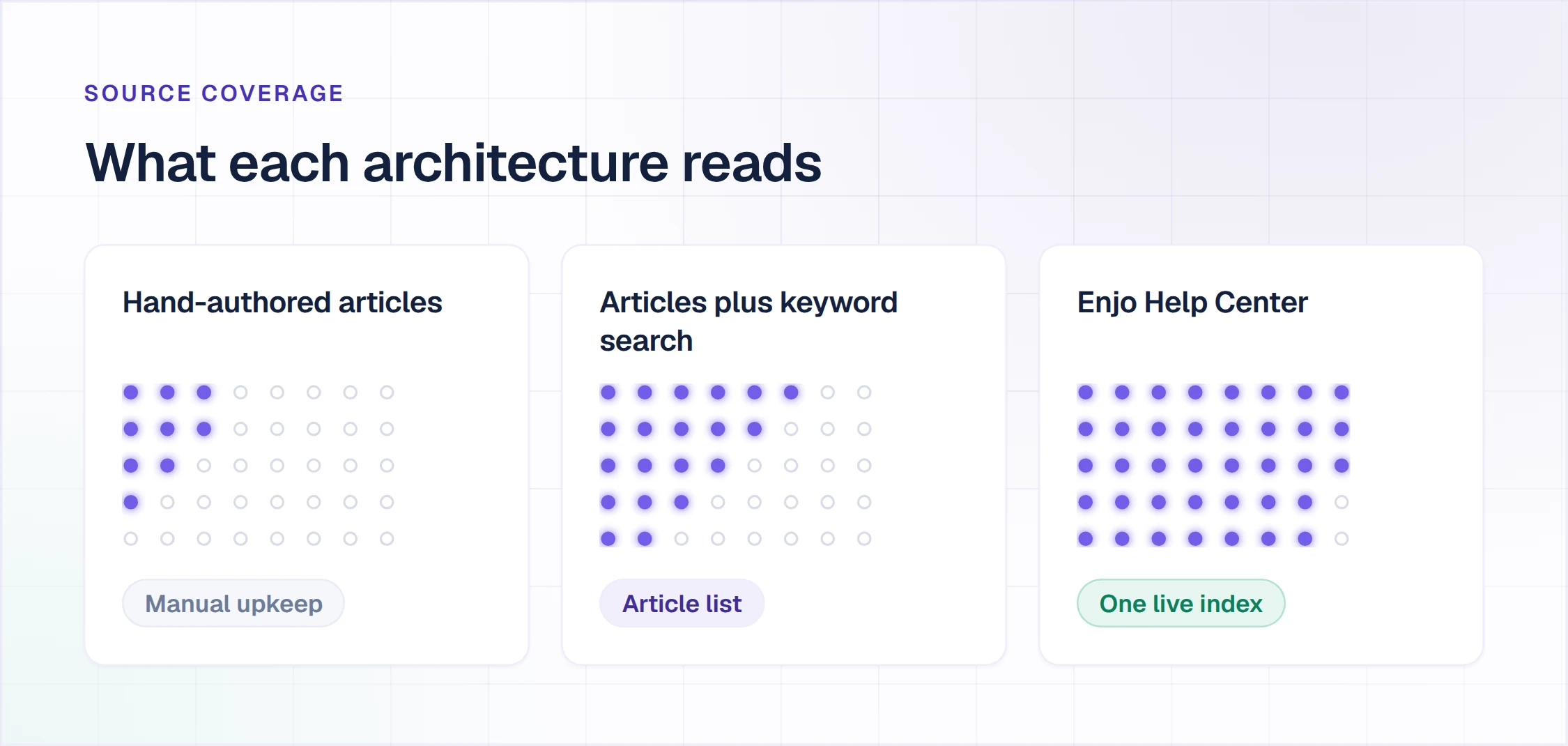
Enjo Help Center is our product. It sits first on the capability its entry names, and every other entry carries one limitation verified on the vendor's own page.
The 12 Best Knowledge Base Software Tools
Every entry follows the same shape. It covers what the tool is, how the vendor sells it, what it does, where answers appear, what it costs and one verified limitation. Enjo Help Center states its scope in that last slot instead.
1. Enjo Help Center: Best for One Index Across Portal, Chat, Slack and Teams
Best for: One knowledge index for the portal, website chat, Slack and Microsoft Teams.
Enjo Help Center is a requester-facing help center built from the content your team already has and kept current by the index that grounds Enjo, the AI Support Agent.
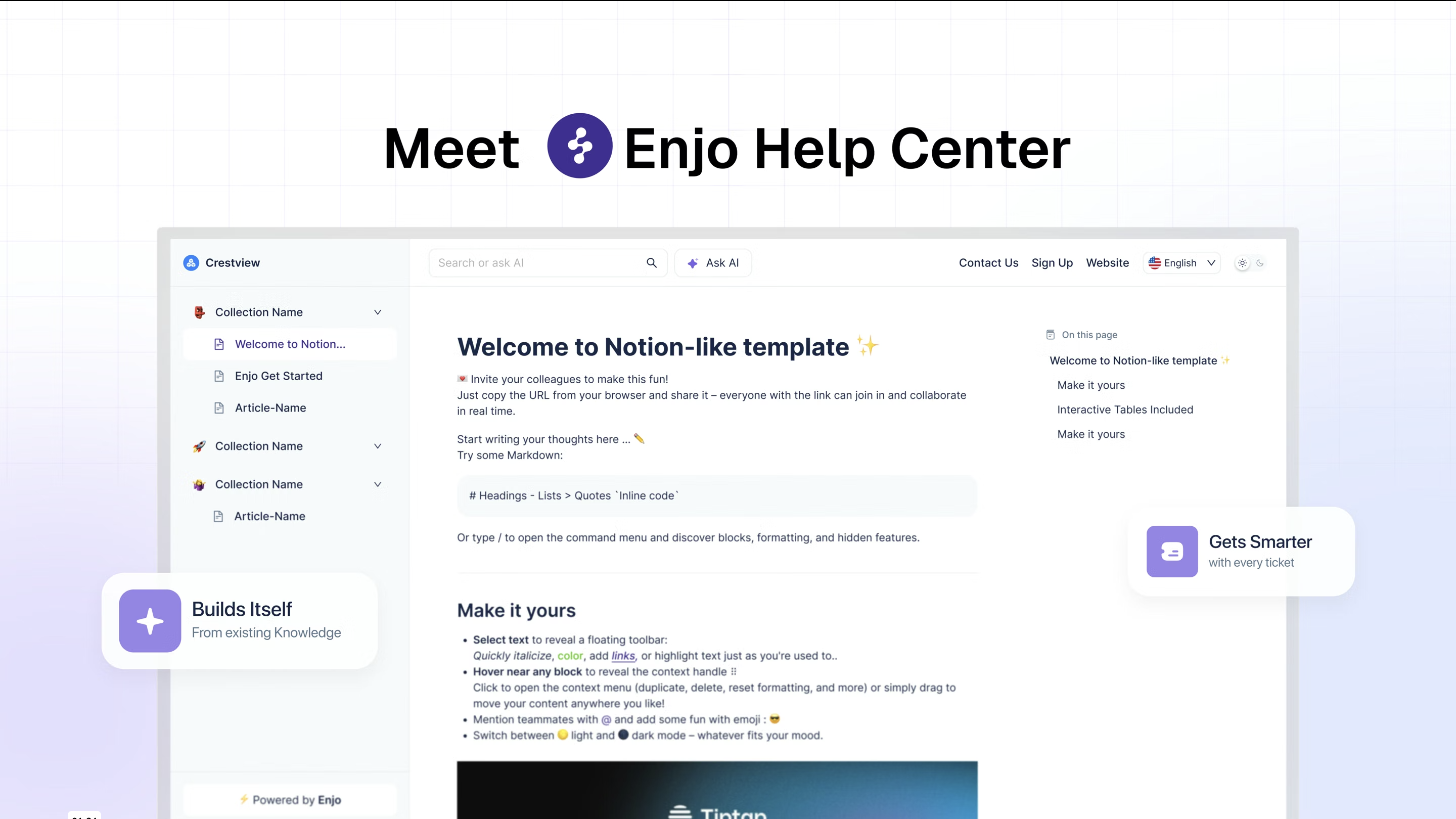
How it goes to market: Enjo includes Help Center on every plan, priced per AI reply with unlimited human agent seats. It is sold to support, IT and HR teams that own their documentation.
- Article Generation: point it at your website URL, connect Notion, Google Drive, Confluence or SharePoint, or connect Zendesk, Intercom or Freshdesk tickets, and it drafts your first articles.
- Help Center Agent: creates and updates articles from templates, prompts and connected sources, and runs bulk changes in natural language. Its Refresh an outdated article template compares an article with your current product and knowledge sources and flags content that no longer matches.
- Self-Improving Loop: a portal question no article covers escalates to your team, and the resolved conversation becomes a draft article for review.
- AI Assistant: requesters ask the portal search in plain language and get a direct answer from published articles, with the source cited.
- Audience Targeting and Publish Workflow: each article shows by plan, role, segment or login state, and nothing goes live without review.
- AI Agent Training: the same articles ground Enjo in Slack, Microsoft Teams and website chat, under Guardrails and an audit trail. Escalations reach Enjo Inbox with the full conversation, account context and suggested next steps.
- Security and track record: SOC 2 Type II, ISO 27001 and GDPR compliant, with TLS 1.2+ in transit and AES-256 at rest. Troopr Labs, the company behind Enjo, has 600+ enterprise deployments and 99.9% uptime over 7 years.
Where answers appear: the Help Center portal, where AI Assistant answers searches, plus Slack, Microsoft Teams, website chat and Slack Connect shared channels, where Enjo answers from the same index.
Pricing: Help Center is included on every plan. Free is $0 a month with 200 AI replies, shared Inbox, Insights, unlimited agent seats and no credit card. Starter is $95 a month for 1,000 AI replies, Standard $295 for 3,000, and Enterprise is custom, billed yearly. An AI reply is one response Enjo's AI agent sends to a requester (pricing on enjo.ai, checked 30 September 2026).
Scope: Enjo Help Center is built around the maintenance loop rather than the authoring editor. Articles are generated from a URL or connected docs. Unanswered questions draft new articles for review, and the same index that answers requests keeps the portal current, which is the point rather than a limit.

2. Confluence: Built for Team Wikis in the Atlassian Stack
Best for: Team wikis inside the Atlassian stack.
Confluence is Atlassian's team wiki, with spaces, pages, templates and databases, connected to Jira and Jira Service Management.
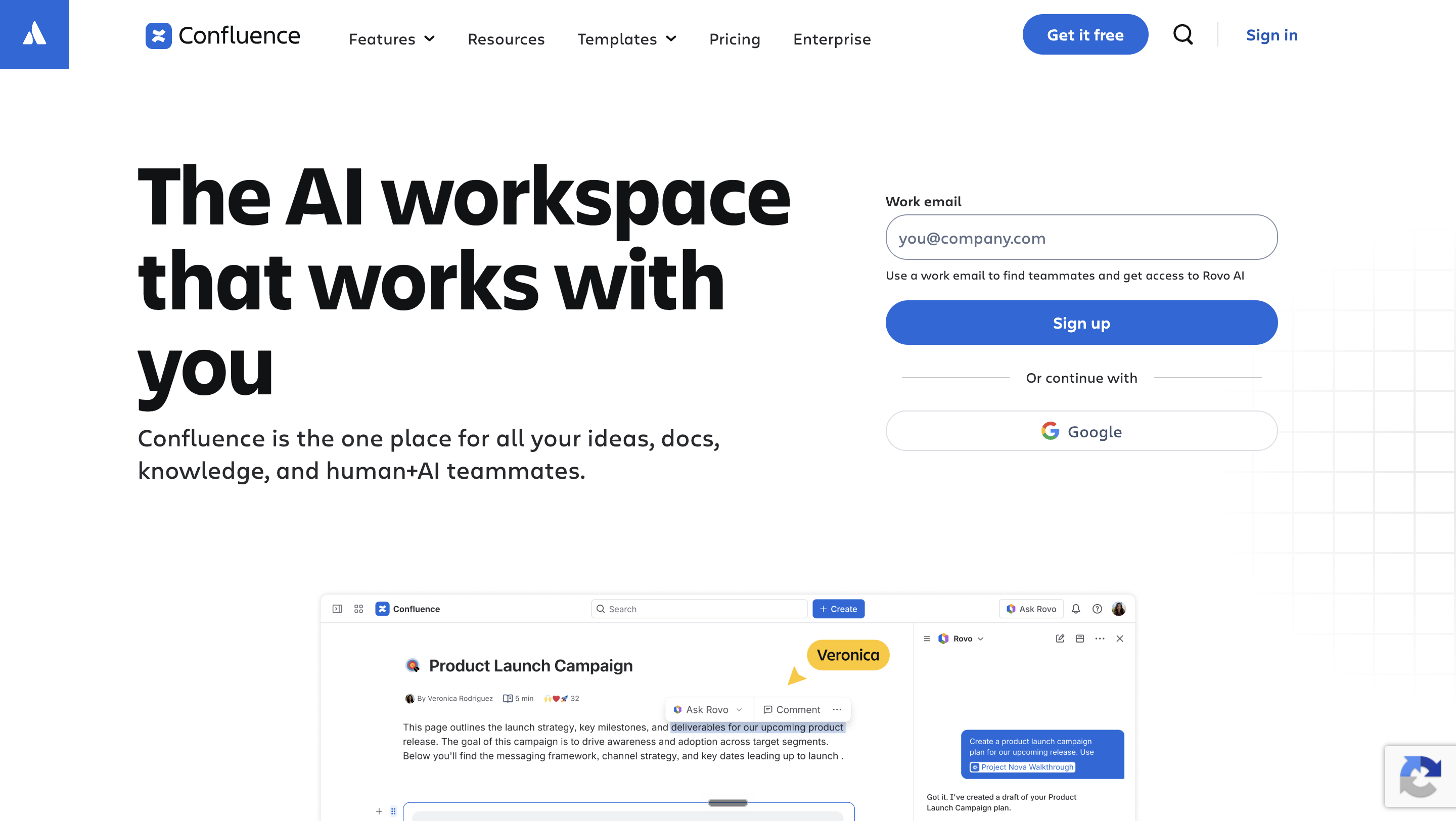
How it goes to market: Atlassian sells Confluence per user into teams that run Jira and Jira Service Management, with Rovo, its AI, included from the Standard plan.
- Spaces and templates: team or project spaces, customizable templates and a version history on every page, with files versioned automatically.
- Rovo Chat: on Standard, Premium and Enterprise, Rovo answers questions in Confluence, Jira and a browser extension, with higher usage quotas on Premium.
- Rovo in Slack and Microsoft Teams: Rovo apps answer in direct messages and channels; in Teams they draw on Jira, Confluence and connected tools such as SharePoint and Google Drive.
- Jira Service Management self-service: Confluence spaces act as the knowledge base behind self-service in a Jira Service Management help center.
- Permissions and sharing: global, space and page permissions, guest access and public links from the Standard plan.
Where answers appear: Confluence pages, Rovo Chat in Confluence, Jira and the browser extension, Rovo apps in Slack and Microsoft Teams, and Jira Service Management help centers.
Pricing: Free for up to 10 users with 2 GB of storage. Standard, with 250 GB, and Premium, with unlimited storage, are billed per user, as is Enterprise (pricing on atlassian.com, checked 30 September 2026).
Where it falls short: on Free, permissions cannot be customized, so everyone who logs in can view, add and edit every space and page.
3. Notion: Built for Docs, Wikis and Databases in One Workspace
Best for: Docs, wikis and databases in one team workspace.
Notion is a connected workspace for docs, wikis and databases that can publish any page to the web.

How it goes to market: Notion sells per member to teams that keep notes, projects and wikis in one workspace, with full Notion AI included from the Business plan.
- Pages and databases: blocks, relational databases and templates in one workspace that teams use as a wiki.
- Notion Sites: publish a page to the web on Free and unlimited published pages on Plus and above; Notion lists help centers among its Sites use cases.
- Notion AI: a trial on Free and Plus and full access on Business and Enterprise; custom agents are free to try, then $10 per 1,000 monthly Notion credits.
- AI connectors: on Business and Enterprise, Notion AI searches connected Slack conversations and answers inside Notion.
- Access and history: SAML SSO from Business, SCIM on Enterprise, and page history from 7 days on Free to 90 days on Business.
Where answers appear: the Notion workspace, including the Notion AI chat, and pages published to the web with Notion Sites.
Pricing: Free at $0. Plus is $10 and Business $20 per member per month billed monthly, up to 20% less yearly, and Enterprise is custom (pricing on notion.com, checked 30 September 2026).
Where it falls short: Free and Plus include only a trial of Notion AI, so full AI answers start on Business at $20 per member per month.
4. Guru: Built for Verified Knowledge in Slack, Teams and the Browser
Best for: Verified internal knowledge in Slack, Teams and the browser.
Guru is an internal knowledge platform that structures, governs and verifies company knowledge and delivers it where employees work.
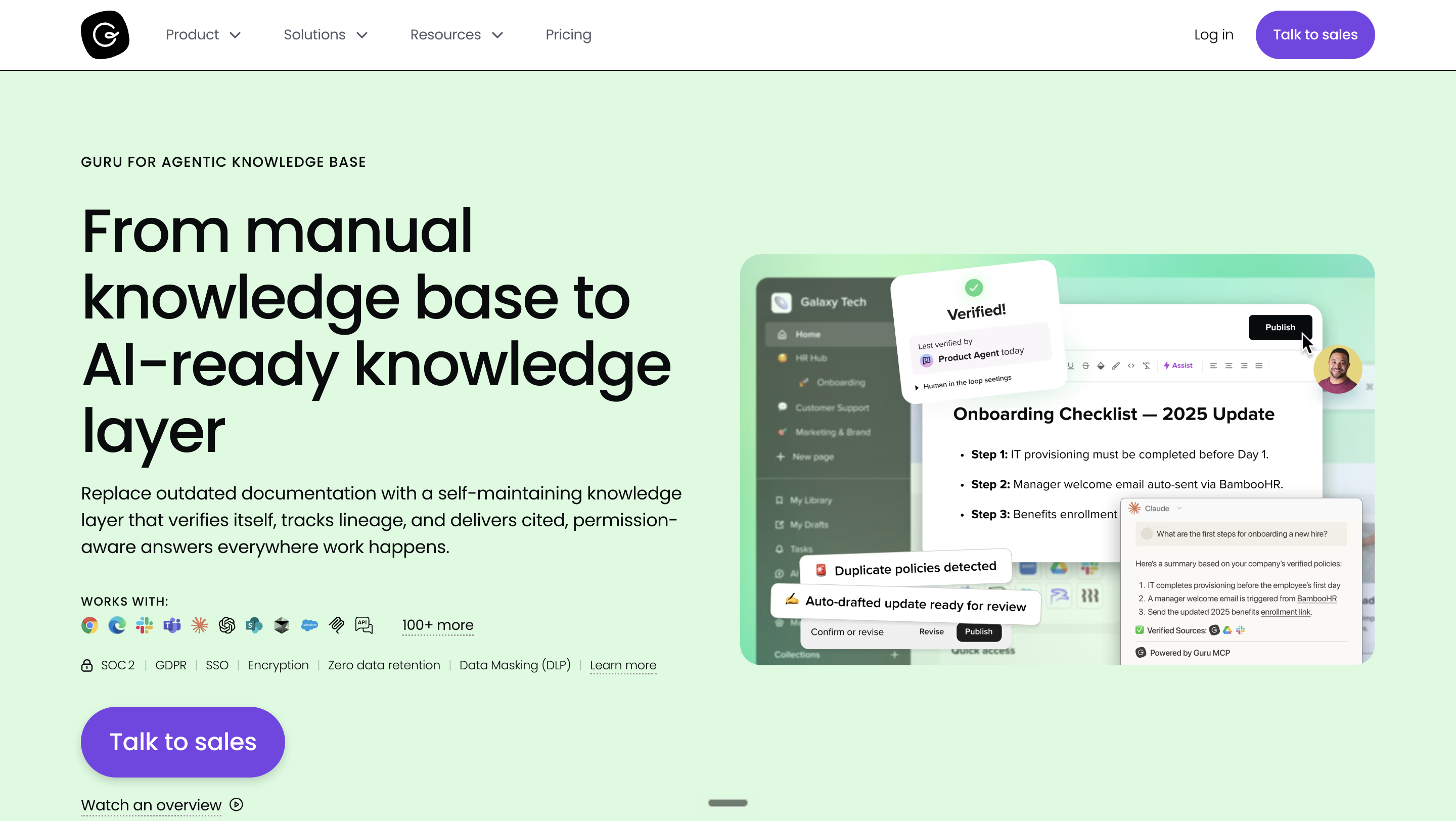
How it goes to market: Guru sells a platform and expertise engagement priced to each organization's scale, knowledge complexity and AI maturity, scoped by its team in a first conversation.
- Verification and quality checks: Guru detects conflicting versions, merges duplicates, flags knowledge gaps and routes unverified content to experts for review.
- Slack: cited AI answers in Slack, including requests that resolve without a person.
- Microsoft Teams app: search, create and share Guru Cards, or answer with a card, without leaving a chat or channel.
- Browser extension: answers inside the CRM, help desk or email tab already open, on Chrome, Edge and Opera.
- MCP: AI tools and agents such as Claude and Cursor pull from the same governed knowledge layer.
Where answers appear: Slack, Microsoft Teams, the browser extension, the web app and AI tools connected over MCP.
Pricing: Not published; nonprofits can apply for reduced pricing through Guru for Good (pricing on getguru.com, checked 30 September 2026).
Where it falls short: the pricing page lists no price, free plan or trial, so the cost is known only after a sales conversation.
5. SharePoint: Built for Microsoft 365 Intranets
Best for: Intranet sites in Microsoft 365 organizations.
SharePoint is Microsoft's platform for team sites, pages and document libraries, included in Microsoft 365 plans.
How it goes to market: Microsoft sells SharePoint only inside Microsoft 365, per user on annual subscriptions, alongside Teams, OneDrive and the Office apps.
- Team sites and pages: sites to share information, files and resources, with SharePoint Plan 1 in every Microsoft 365 business plan.
- Teams tabs: site owners add published SharePoint pages, lists and document libraries as tabs in a Teams channel, one at a time.
- Agents in SharePoint: agents answer from up to 20 selected sites, libraries, folders, lists or files, and work in SharePoint, Teams and Microsoft Copilot.
- Permission-aware answers: agents show people only content they can already access, even when it sits in the agent's sources.
Where answers appear: SharePoint sites and pages, Teams channel tabs, and agents in SharePoint, Teams and Microsoft Copilot for licensed users.
Pricing: Microsoft 365 Business Basic, with SharePoint Plan 1 and Teams, is $7.00 per user per month paid yearly, or $5.40 without Teams. Business plans cover 1 to 300 employees, and Microsoft 365 E3 is $39.00 per user per month paid yearly (pricing on microsoft.com, checked 30 September 2026).
Where it falls short: Business Basic includes Copilot Chat but not Microsoft 365 Copilot, which is an add-on, so agents in SharePoint need a Copilot license or pay-as-you-go billing on top of the seat.
6. Tettra: Built for Internal Questions Answered in Slack
Best for: Internal questions answered in Slack.
Tettra is an internal knowledge base built around answering repeat questions in Slack with its AI bot, Kai.
How it goes to market: Tettra sells per user to teams that want repeat questions answered in Slack, on a Scaling plan and a custom-priced Enterprise plan.
- Kai in Slack: mention Kai, message it directly or turn on auto answers in channels, and Kai replies from your Tettra content.
- Question capture: when Kai cannot find an answer, it asks to save the question and assigns it to a subject-matter expert.
- Existing docs: Google Docs and PDFs work as sources alongside pages written in Tettra.
- Upkeep tools: expert verification, page requests and stale page reports on the Scaling plan.
- Roles: guest and read-only user roles, with usage analytics by team.
Where answers appear: the Tettra web app and Slack, where Kai answers in channels and direct messages.
Pricing: Scaling is listed at $8 per user per month, with a 10-user minimum and a 30-day trial with no credit card. Enterprise is custom (pricing on tettra.com, checked 30 September 2026).
Where it falls short: SSO and SCIM are paid add-ons on Scaling and come included only on the custom-priced Enterprise plan.
7. Document360: Built for Product Documentation Portals
Best for: Product documentation portals, public or private.
Document360 is a knowledge base platform for product documentation, run as public, private or mixed knowledge bases.

How it goes to market: Document360 sells to teams maintaining product documentation, on a quote that follows a 3-step questionnaire and a 14-day free trial with no credit card.
- Eddy AI: included with plans, covering an AI writing agent, content and FAQ creation, search and answer, glossary generation, duplicate content detection and an MCP server.
- Ask Eddy AI: readers ask questions on the knowledge base site and get AI-curated answers; an API puts the same search inside your product.
- Knowledge base widget: Eddy AI and articles inside your app or website, with access restricted by domain.
- Teams and Slack apps: search for and share articles in Teams chats and channels, and give agents articles inside Slack.
- AI Premium Suite: an optional add-on for screen capture, step-by-step guides, interactive demos and video recording.
Where answers appear: public, private or mixed knowledge base sites, the in-app widget, Teams and Slack apps, a Chrome extension and help desks such as Zendesk and Freshdesk.
Pricing: Quote only, shaped by team accounts, workspaces, languages, SSO and security needs, the privacy model and AI Premium Suite usage (pricing on document360.com, checked 30 September 2026).
Where it falls short: no price or free plan is published, so the bill depends on a quote built from six variables.
8. Zendesk Guide: Built for Help Centers Inside Zendesk Suite
Best for: Help centers inside Zendesk Suite.
Zendesk Guide is the knowledge base and help center in Zendesk's customer service suite; Zendesk's site now calls the product Zendesk Knowledge.
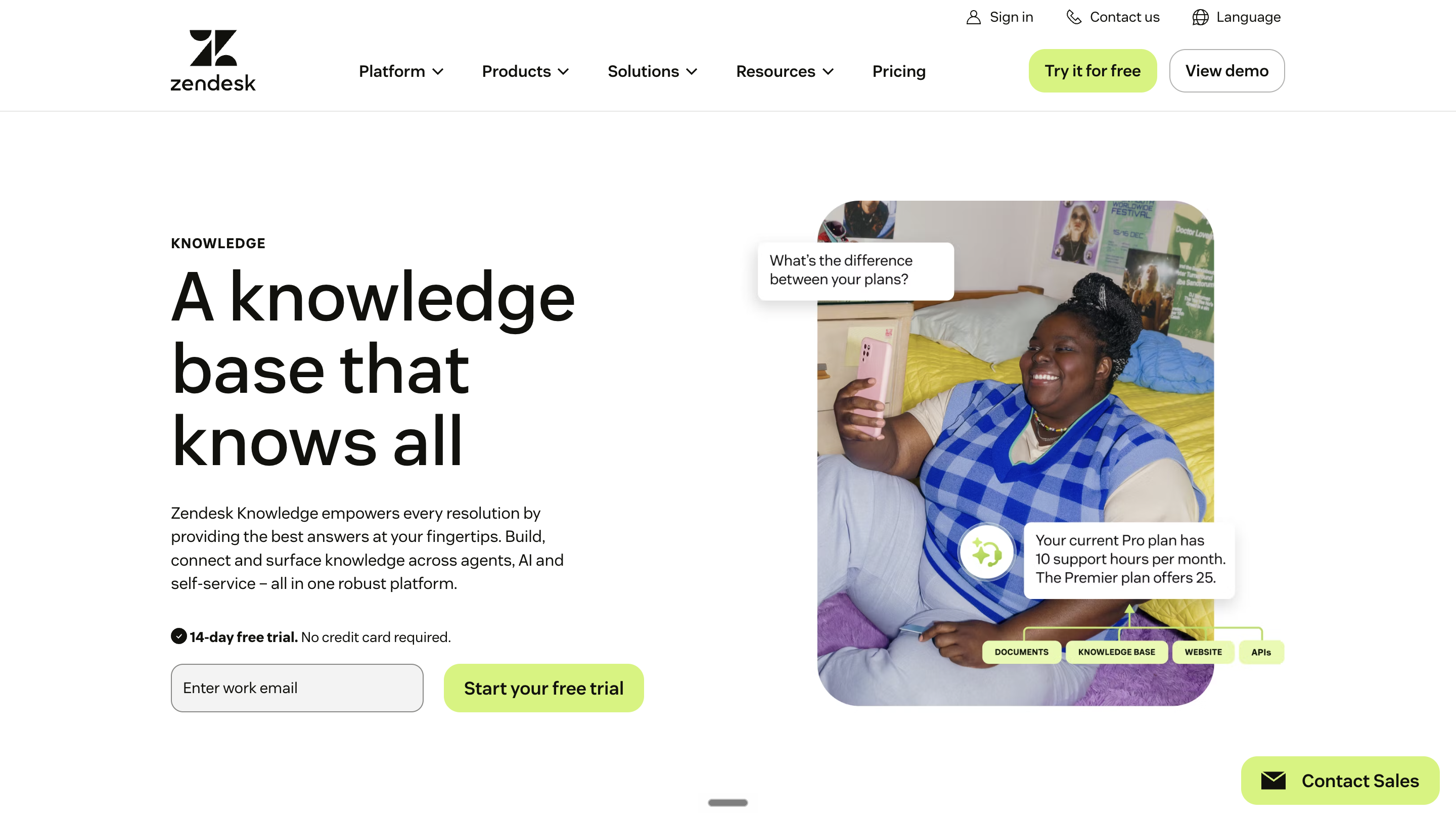
How it goes to market: Zendesk sells the knowledge base per agent inside Zendesk Suite, with AI agents billed per automated resolution and Copilot as a per-agent add-on.
- Knowledge Builder: analyzes historical tickets and business context, recommends a structure and drafts ready-to-review articles.
- Generative search: help center searches return concise answers grounded in your articles, with the source articles available.
- Knowledge connectors: bring content from Google Drive, Confluence, SharePoint, Notion and other sources into Zendesk, on all plans, with storage limits by plan.
- AI agents: answer across messaging, email and other channels, billed per automated resolution: a request resolved with no escalation to a human.
- Admin Copilot: identifies content gaps, outdated articles and improvement opportunities in the knowledge base.
Where answers appear: the help center, AI agents in messaging and email, and the agent workspace for human agents.
Pricing: Suite Team is $55 and Suite Professional $115 per agent per month paid yearly, with a 14-day trial. AI agents include 5 automated resolutions per agent a month on Suite Team and 10 on Suite Professional, then $2.00 each pay-as-you-go or $1.50 committed. Support Team at $19 lists no knowledge base, and Copilot is $50 per agent per month from Professional (pricing on zendesk.com, checked 12 October 2026).
Where it falls short: the knowledge base is not sold alone; it comes with a per-agent Suite subscription, and AI agent resolutions are billed on top.
9. Help Scout Docs: Built for Docs Beside a Shared Inbox
Best for: Docs sites beside a Help Scout shared inbox.
Help Scout Docs is the knowledge base inside Help Scout, a customer support platform built around a shared inbox.
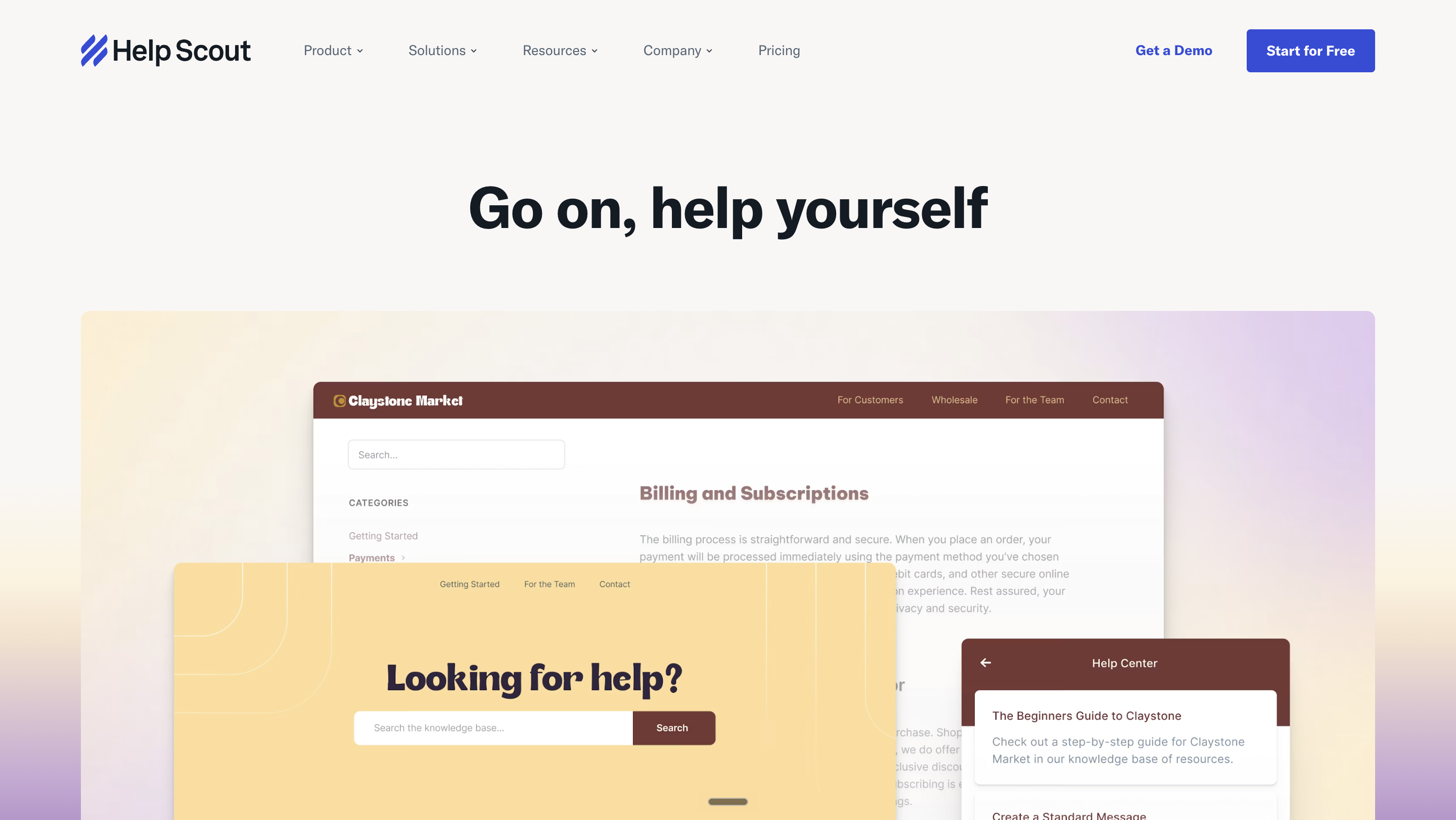
How it goes to market: Help Scout sells Docs inside a per-user support platform, with a Free plan for 5 users and AI Answers billed per resolution.
- Docs sites: 1 on Free, 2 on Standard, 3 on Plus and 5 on Pro, with extra sites at $20 a month paid annually.
- Beacon: a support widget embedded on your site that surfaces Docs articles; the Free plan includes 1.
- AI Answers: an AI agent in Beacon that answers from your Docs sites and other public sites and documents you add.
- Resolution rules: a resolution counts only when the customer gets an AI response and does not escalate, search the knowledge base or ask more; monthly caps are available.
Where answers appear: Docs sites and the Beacon widget, where AI Answers replies on paid plans and during a 3-month trial on Free.
Pricing: Free covers up to 5 users, 1 inbox, 1 Docs site and 100 contacts a month. Standard is $25, Plus $45 and Pro $75 per user per month, 16% less billed annually (pricing on helpscout.com, checked 30 September 2026).
Where it falls short: after a 3-month trial, AI Answers needs a paid plan and costs $0.75 per resolution on top of per-user pricing.
10. Helpjuice: Built for Knowledge Base Sites on Flat User Tiers
Best for: Knowledge base sites on flat user tiers.
Helpjuice is standalone knowledge base software for internal and customer-facing documentation.
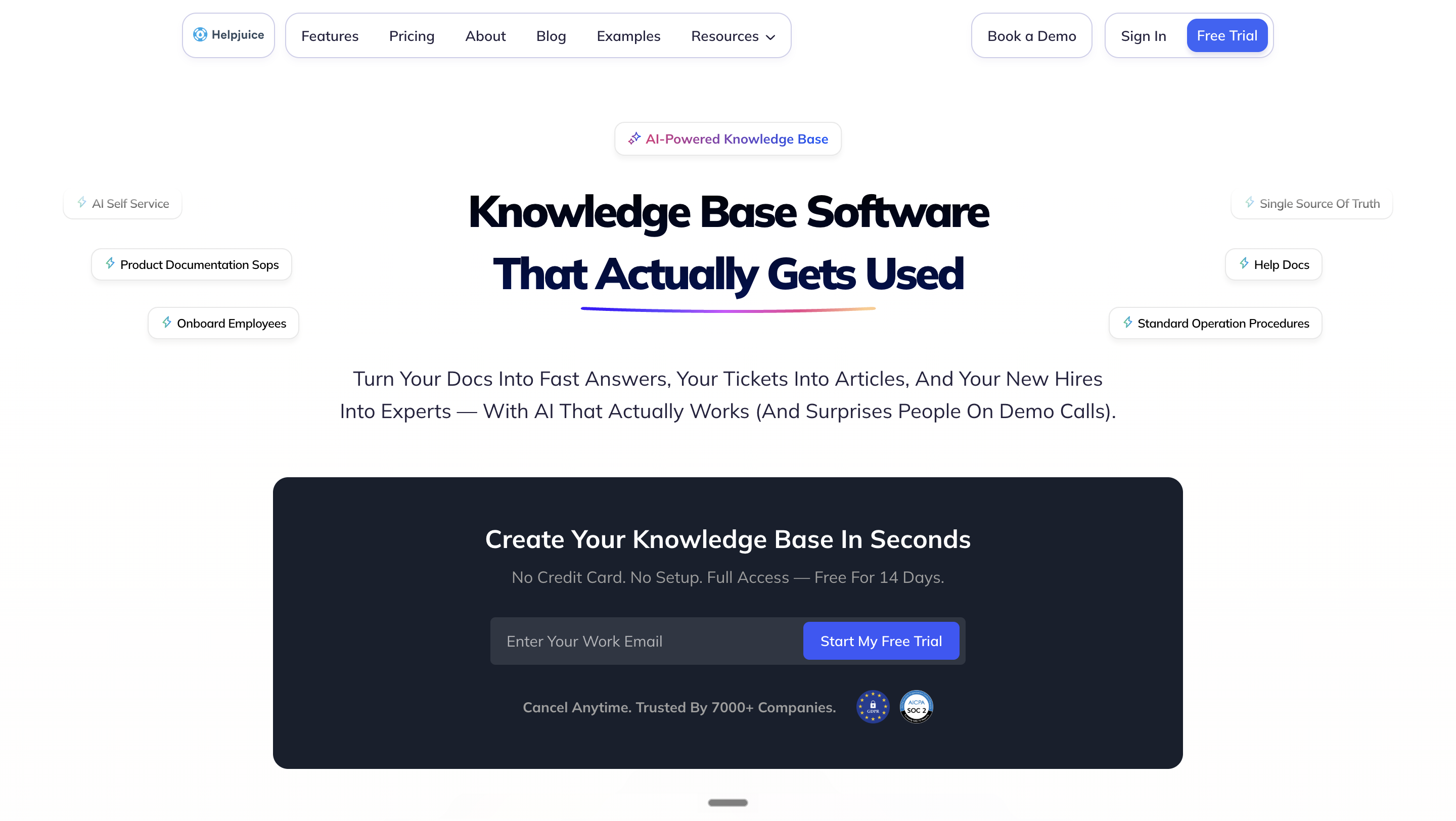
How it goes to market: Helpjuice sells flat monthly plans capped by user count, where a user is anyone with credentials to log in to the knowledge base.
- AI Suite: AI Writer, AI Search, an AI Chatbot, an auto-updating Chrome extension and a step-by-step tutorial builder, from the $449 plan.
- Swifty AI Helpbar: the chatbot combined with the knowledge base search bar, on the knowledge base or embedded in your websites and web apps.
- Permission-aware answers: Swifty can answer from private content that respects user permissions, and uses only public articles when embedded externally.
- Translation: localize into as many languages as you need, with one-click AI Article Translation into 40+ languages.
Where answers appear: the knowledge base site, the Swifty helpbar on your websites and web apps, and the Chrome extension.
Pricing: $249 a month for 30 users, $449 for 100 users with the AI Suite, and $799 for unlimited users. A 14-day trial needs no credit card (pricing on helpjuice.com, checked 30 September 2026).
Where it falls short: the $249 plan excludes the AI Suite, so AI search and the chatbot start at $449 a month.
11. ProProfs Knowledge Base: Built for Public Help Sites and Internal Manuals
Best for: Public help sites and internal manuals from one account.
ProProfs Knowledge Base is knowledge base software for public help centers and internal employee knowledge bases.
How it goes to market: ProProfs sells a forever-free plan and a Business plan, and bundles the knowledge base into a Customer Support Suite from $99 a month.
- Public and private sites: unlimited knowledge bases and pages, public or private, from one account.
- Help widget: embed a widget on your website that shows relevant help articles.
- AI Writer and AI Search Assistant: articles generated from a topic brief, and synthesized answers in place of link lists.
- Authentication: API, SSO, SAML and JWT support.
Where answers appear: public or private knowledge base sites, the help widget, in-app contextual help and live chat.
Pricing: Free for 1 author and up to 25 pages, forever. Custom Domain and White Label is $300 a year (pricing on proprofskb.com, checked 30 September 2026).
Where it falls short: the Free plan stops at 1 author and 25 pages; a second writer means the Business plan, whose price is not shown.
12. KnowledgeOwl: Built for Unlimited Readers on Author Pricing
Best for: Author-priced knowledge bases with unlimited readers.
KnowledgeOwl is knowledge base software for internal and external documentation, with semantic search and an AI chatbot.
How it goes to market: KnowledgeOwl sells monthly plans that each include 1 knowledge base and 1 author, adding authors and knowledge bases as a team grows.
- AI chatbot: answers only from your knowledge base, respects content permissions and shows its sources.
- Semantic search: natural-language search that needs no configuration.
- Reader access: unlimited private and public readers, sign-in for private articles, remote authentication and SAML SSO on every plan.
- Contextual help widget: search, page-matched recommended articles and a contact form inside your website or app.
- AI credits: 100 on Basic, 500 on Pro, 1,000 on Business and 10,000 on Enterprise.
Where answers appear: the knowledge base site, the contextual help widget and the AI chatbot.
Pricing: Basic $100, Pro $250, Business $500 and Enterprise $1,250 a month. Extra authors are $25 each and extra knowledge bases $50, with a 30-day trial and no card required (pricing on knowledgeowl.com, checked 30 September 2026).
Where it falls short: every plan includes one author, so each additional writer adds $25 to the price.
What Knowledge Base Software Costs
Prices on this list run from $0 to custom contracts. The pricing model matters more than the headline number, because each model grows with a different count.
- Per user or member: each licensed member is billed, including employees who only read, as on Confluence, Notion, Tettra and SharePoint inside Microsoft 365.
- Per agent: the billing unit is the support agent, as on Zendesk Guide and Help Scout Docs.
- User bands and authors: Helpjuice sells flat plans by user cap, and KnowledgeOwl adds authors at $25 each.
- Per site: Help Scout adds Docs sites at $20 a month paid annually, and KnowledgeOwl adds knowledge bases at $50.
- Per AI outcome: Zendesk bills AI agents at $2.00 per automated resolution pay-as-you-go after a monthly allowance, and Help Scout bills AI Answers at $0.75 per resolution.
- Per AI reply: Enjo bills the responses its AI agent sends to requesters, with unlimited human agent seats.
- Quote: Guru and Document360 publish no price, and ProProfs shows no Business price.
A 10-agent customer help center with 3,000 AI answers a month
Assume 10 support agents and 3,000 AI answers a month across the portal and website chat. Units differ: Enjo counts replies, while Zendesk and Help Scout count resolved conversations.
| Tool | Seats for 10 Agents | AI for 3,000 Answers | Monthly Total |
|---|---|---|---|
| Enjo Help Center (Standard) | Unlimited, included | 3,000 AI replies included | $295. |
| Zendesk Suite Team | $550 (10 x $55, yearly) | Up to $5,900 after 50 included | Up to $6,450. |
| Help Scout Standard | $250 (10 x $25, monthly) | Up to $2,250 at $0.75 each | Up to $2,500. |
| Helpjuice ($449 plan) | Up to 100 users included | AI Suite included | $449. |
| Document360 | Quote | Quote | Quote only. |
Zendesk's AI line reaches $5,900 and Help Scout's $2,250 only if every answer counts as a resolution; a conversation that escalates to a person is not billed as one. On Enjo, the 10 agents add nothing to the bill. At the Free limit, requests auto-escalate to your team in Inbox, so a team can read a month of real reply counts before paying.
A 500-person company reading an employee knowledge base
Assume 500 employees read the knowledge base and 8 people write it. Per-user tools bill all 500; the others bill authors, a user band or AI replies.
| Tool | Who Is Billed | Monthly Cost |
|---|---|---|
| Enjo Help Center | AI replies only, not readers or authors | $0 for 200 replies; $295 for 3,000. |
| Notion Plus | Every member | $5,000 (500 x $10, billed monthly). |
| Tettra Scaling | Every invited user who accepts | $4,000 (500 x $8, as listed). |
| Helpjuice | Everyone with login credentials | $799 (unlimited users plan). |
| KnowledgeOwl Basic | Authors; readers are unlimited | $100 plus $25 per extra author. |
| Confluence Standard | Every user | 500 times the per-user rate. |
| SharePoint | Every employee's Microsoft 365 license | No added line if already licensed. |
Above 300 employees, SharePoint sits in enterprise plans such as Microsoft 365 E3 at $39.00 per user per month paid yearly. Reader seat minimums and SSO tiers get their own comparison in our review of internal knowledge base tools.
How to Set Up Knowledge Base Software
Start from the content you already have, not a blank editor. Enjo Help Center's Article Generation drafts first articles from a website URL, connected docs or ticket patterns in Zendesk, Intercom or Freshdesk, and the Publish Workflow keeps every draft in review until someone approves it.
Then decide who sees what, and where people will ask. Audience Targeting shows each article by plan, role, segment or login state, and the same index answers in the portal, website chat, Slack and Microsoft Teams. After launch, the Self-Improving Loop turns each question the help center could not answer into a draft article once your team resolves it.
For the full build, step by step, see our guide to building a knowledge base.
How to Choose Knowledge Base Software
Vendor demos run on the vendor's content. Run these four checks on yours, with every tool you shortlist.
Paste your help URL or connect one folder of docs, then count. How many usable articles exist after the first session, and how many did you write by hand? A tool that starts from a blank editor shows you the next year of maintenance.
Ask a question your docs do not answer. Follow it: does it dead-end, show a contact form, or reach a person and come back as a draft article?
Ask the same question in the portal, Slack and Microsoft Teams. If the answers come from different libraries, you will maintain two copies. Every correction then has to be made twice, and the copy nobody updated is the one the next requester reads.
Price it at twice the readers and twice the AI answers. Whichever line doubles is the one finance will question next year.
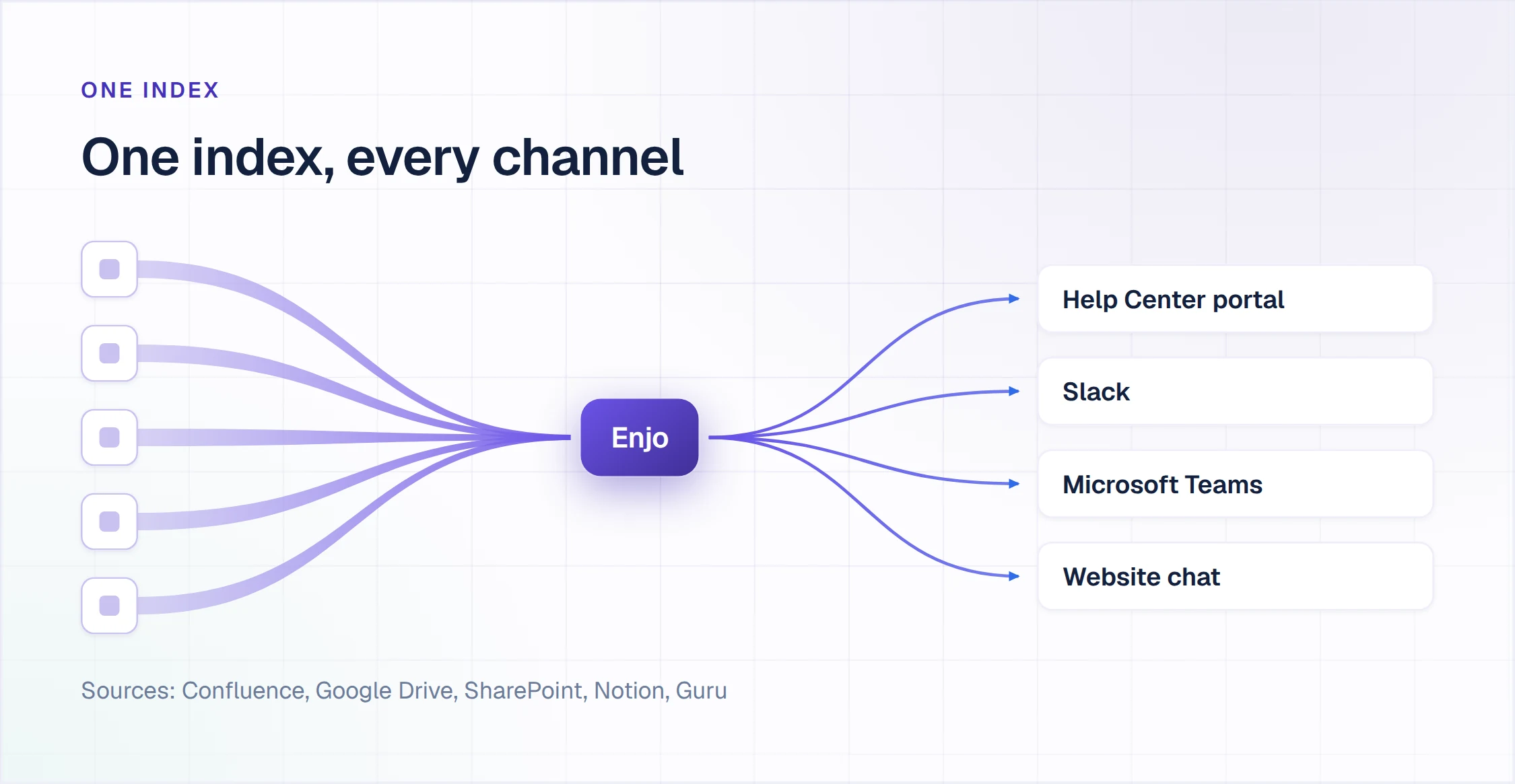
Enjo Help Center answers each check with a named module.
- URL or folder: Article Generation drafts from a website URL or connected Notion, Google Drive, Confluence or SharePoint, and signup scans your company website to pre-fill the agent.
- Unanswered question: the Self-Improving Loop escalates it to Enjo Inbox with the full conversation, account context and suggested next steps, then drafts an article from the resolution.
- Same question, three places: AI Assistant answers in the portal with the source cited, and the same index grounds Enjo in Slack and Microsoft Teams. Answers are grounded in your articles, checked by Guardrails and logged in the audit trail.
- Twice the readers: readers are never billed and agent seats are unlimited, so the bill follows AI replies, from $0 for 200 a month to $295 for 3,000.
Frequently Asked Questions About Knowledge Base Software
What is the best knowledge base software?
Enjo Help Center ranks first here because Article Generation builds it from your existing docs and one index answers in the portal, website chat, Slack and Microsoft Teams. The rest split by audience: Confluence, Notion, Guru, SharePoint and Tettra are built for employees, while Zendesk Guide and Help Scout Docs sit inside help desks. Document360, Helpjuice, ProProfs Knowledge Base and KnowledgeOwl run standalone sites for customers, employees or both.
What is knowledge base software?
Knowledge base software is where a team writes and publishes answers so employees or customers find them without asking a person. It holds articles, how-tos and policies behind search and permissions, and increasingly answers from them through AI search or chat. It comes as internal wikis, customer-facing help centers, or knowledge layers that also answer in Slack and Microsoft Teams.
Does Microsoft have a knowledge base tool?
Yes. SharePoint serves as Microsoft's internal knowledge base, with team sites and pages included in Microsoft 365 plans. Site owners can add published SharePoint pages as tabs in a Microsoft Teams channel. Agents in SharePoint answer from selected sites and files in SharePoint, Teams and Microsoft Copilot, with a Copilot license or pay-as-you-go billing.
For customer self-service, Dynamics 365 Customer Service includes knowledge management, and a portal with a knowledge base becomes a customer self-service portal. Enjo syncs SharePoint and OneDrive daily into the same index as the Help Center, and answers from it in Microsoft Teams.
Is knowledge base software the same as help desk software?
No. Help desk software manages requests, with tickets, queues, agents and SLAs; knowledge base software manages answers, with articles, search and self-service. Many help desks bundle a knowledge base, as Zendesk Guide and Help Scout Docs do, and price it per agent or per user. Questions Enjo Help Center cannot answer escalate into Enjo Inbox with the full conversation, account context and suggested next steps.
What is the difference between internal and external knowledge bases?
An internal knowledge base serves employees behind a login, with policies, runbooks and how-tos; an external knowledge base is a public help center for customers. Internal rollouts turn on article permissions, identity and reader pricing, which our review of internal knowledge base software compares across 10 tools.
Can you get knowledge base software for free?
Yes: Enjo Help Center, Confluence, Notion, Help Scout Docs and ProProfs Knowledge Base all publish permanent $0 plans, each with its own limit. Enjo's Free plan includes 200 AI replies a month and unlimited agent seats. Confluence's stops at 10 users, Help Scout's at 5 users and ProProfs' at 1 author and 25 pages. Our list of free knowledge base software adds open-source options and what self-hosting takes.
How long does it take to set up a knowledge base?
From under a day to several months, depending on where the content starts. With Enjo Help Center, which generates first articles from a website URL or connected docs, same-day go-live is feasible, and the Free plan needs no credit card or procurement cycle. Migrating a large hand-written library, redesigning its taxonomy and setting permissions across several teams takes weeks or months on any tool.
Can a knowledge base answer questions in Slack or Microsoft Teams?
Yes, when the tool has a chat app or an AI agent reading the same content. On this list, Guru answers in Slack and Microsoft Teams, Tettra's Kai answers in Slack, Confluence answers through Rovo apps on paid plans, and SharePoint pages open as Teams tabs. Enjo answers in Slack, Microsoft Teams, website chat and Slack Connect shared channels from the same index as the Help Center portal.
Our guides to a Slack knowledge base and a Microsoft Teams knowledge base cover the setup in each.
What is a knowledge base platform?
A knowledge base platform is knowledge base software that does more than host articles: it connects to the tools where your content already lives, controls who sees each article, and answers questions from the same content in more than one place. Enjo Help Center works this way, with one knowledge index answering in the portal, website chat, Slack and Microsoft Teams.
Is FAQ software the same as knowledge base software?
No. FAQ software publishes one page or widget of short question and answer pairs. Knowledge base software holds full articles with search, categories, permissions and a review workflow, and most knowledge bases can publish an FAQ section as well. If your answers run longer than a few sentences or differ by audience, you need a knowledge base.
What is the difference between knowledge base and knowledge management software?
Knowledge base software publishes approved answers for people to read. Knowledge management software covers the wider job of capturing, organizing and finding what an organization knows, including documents, expertise and enterprise search. Our comparison of knowledge management systems covers that category.
Start With the Docs You Already Have
Who reads and where they ask decide the tool and the bill, so run the four checks on your own content first. Enjo's Free plan includes Help Center, shared Inbox, Insights, unlimited agent seats and 200 AI replies a month, with no credit card.