Transform complex support workflows
What Is Agent Assist? How It Works and How to Choose One
Support teams lose more time to context rebuilding than to raw ticket volume. Agents re-read long threads, search for the right policy, and rewrite answers they have sent many times before. Agent Assist tools promise to remove that overhead, and most of the contact center market now sells some version of them.
This guide explains what Agent Assist is, how it works, and how it differs from a chatbot. It covers real-time versus post-call assist, the benefits teams report, and a checklist for evaluating the software.
Enjo Agent Assist adds that layer inside the helpdesk your team already runs, from Salesforce to Zendesk. Aptean, an ERP software company with 3,500+ employees and 600+ support reps running Salesforce Service Cloud, brought its initial Enjo cohort live in a single day and indexed 5M+ documents.
Agent Assist is AI that helps support agents resolve faster with real-time summaries, suggested replies, and knowledge in their workflow. Book a demo.
What Agent Assist Is, and What It Is Not
Agent Assist is AI that supports a human agent during a live customer interaction. It reads the conversation, surfaces relevant knowledge, drafts a suggested reply, and recommends the next step. The agent stays in control and decides what to send.
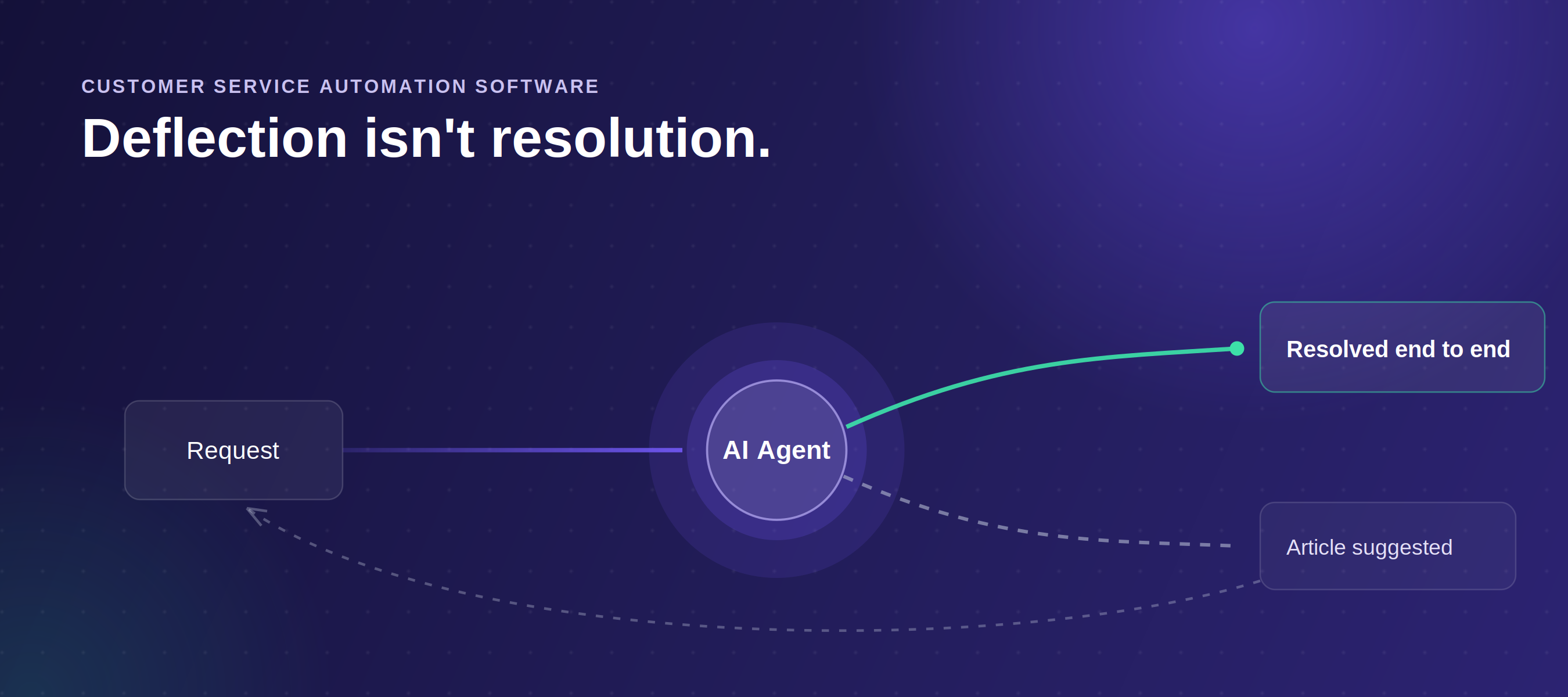
The cleanest way to place it is against a chatbot. A chatbot talks to the customer and tries to resolve or deflect the request on its own. Agent Assist talks to the agent, not the customer, and makes the human faster and more consistent. One replaces a step; the other augments a person.
There is a third category worth separating out. Autonomous AI agents resolve requests end-to-end and escalate exceptions. Agent Assist tools sit alongside those agents rather than competing with them, because complex, judgment-heavy cases still land with a person who benefits from real-time help.
.webp)
That split is about to matter more, not less. Gartner predicts that by 2029, agentic AI will autonomously resolve 80% of common customer service issues without human intervention, with a 30% reduction in operational costs. Agent Assist is what makes the remaining cases, the ones a person still handles, faster and more consistent.
How Agent Assist Works
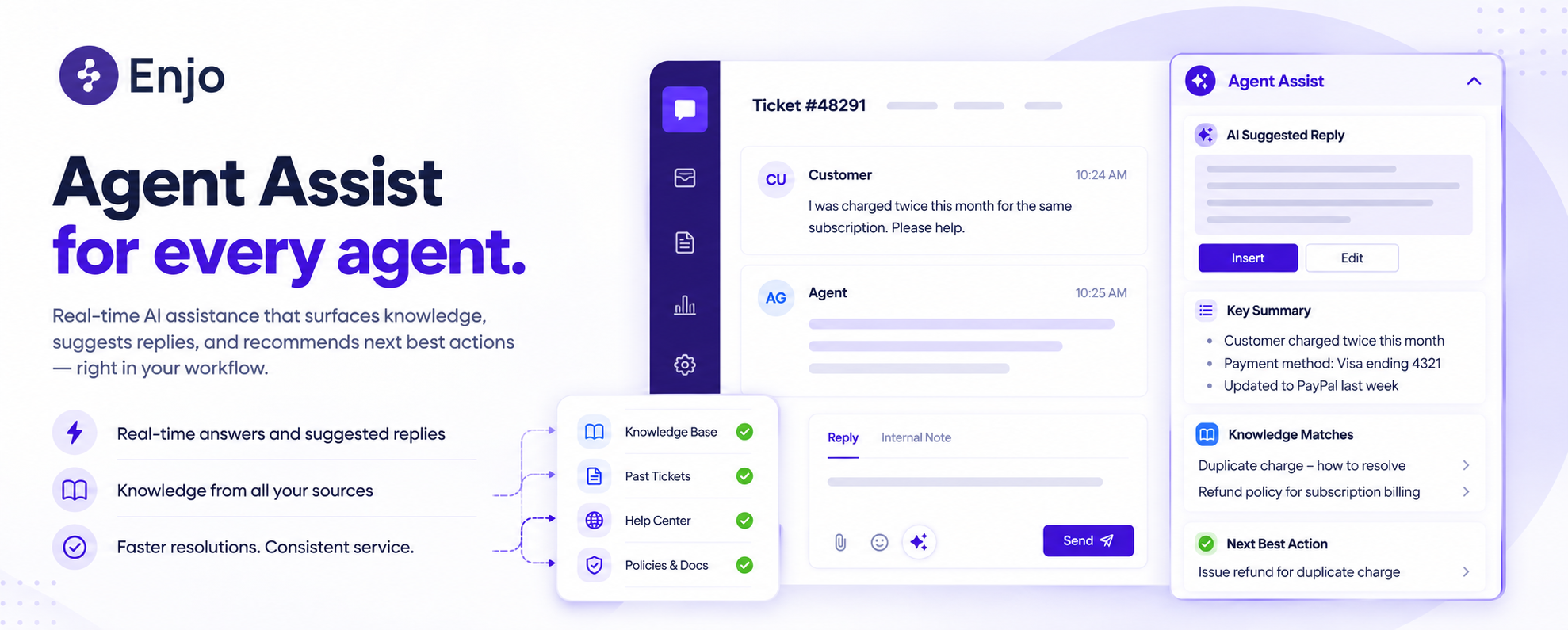
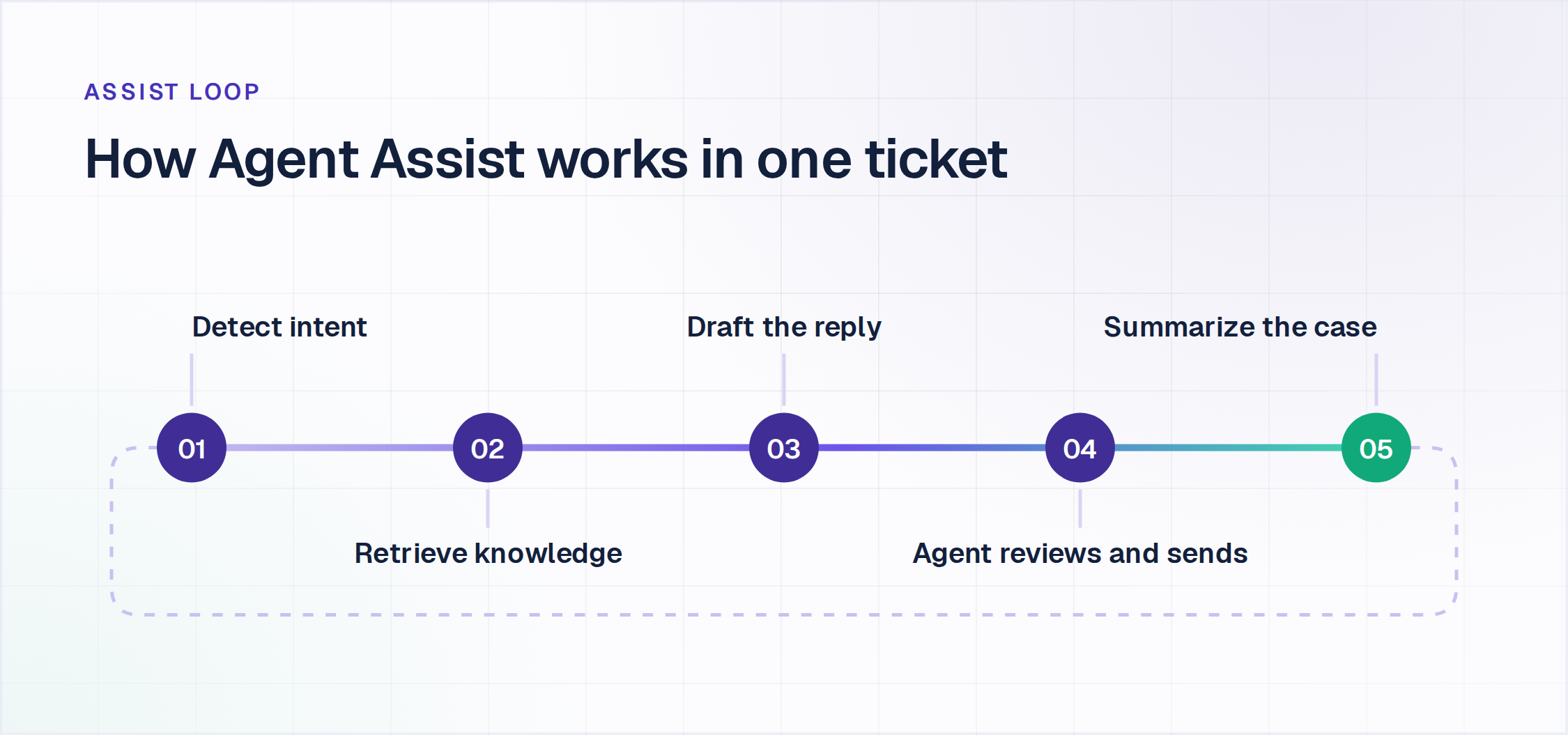
Most AI agent assist tools follow the same loop. The system detects intent from the live conversation, retrieves relevant content from connected knowledge sources, and surfaces it in the agent's workspace without the agent having to stop to search. Good tools ground their suggestions in the company's own data rather than a generic model.
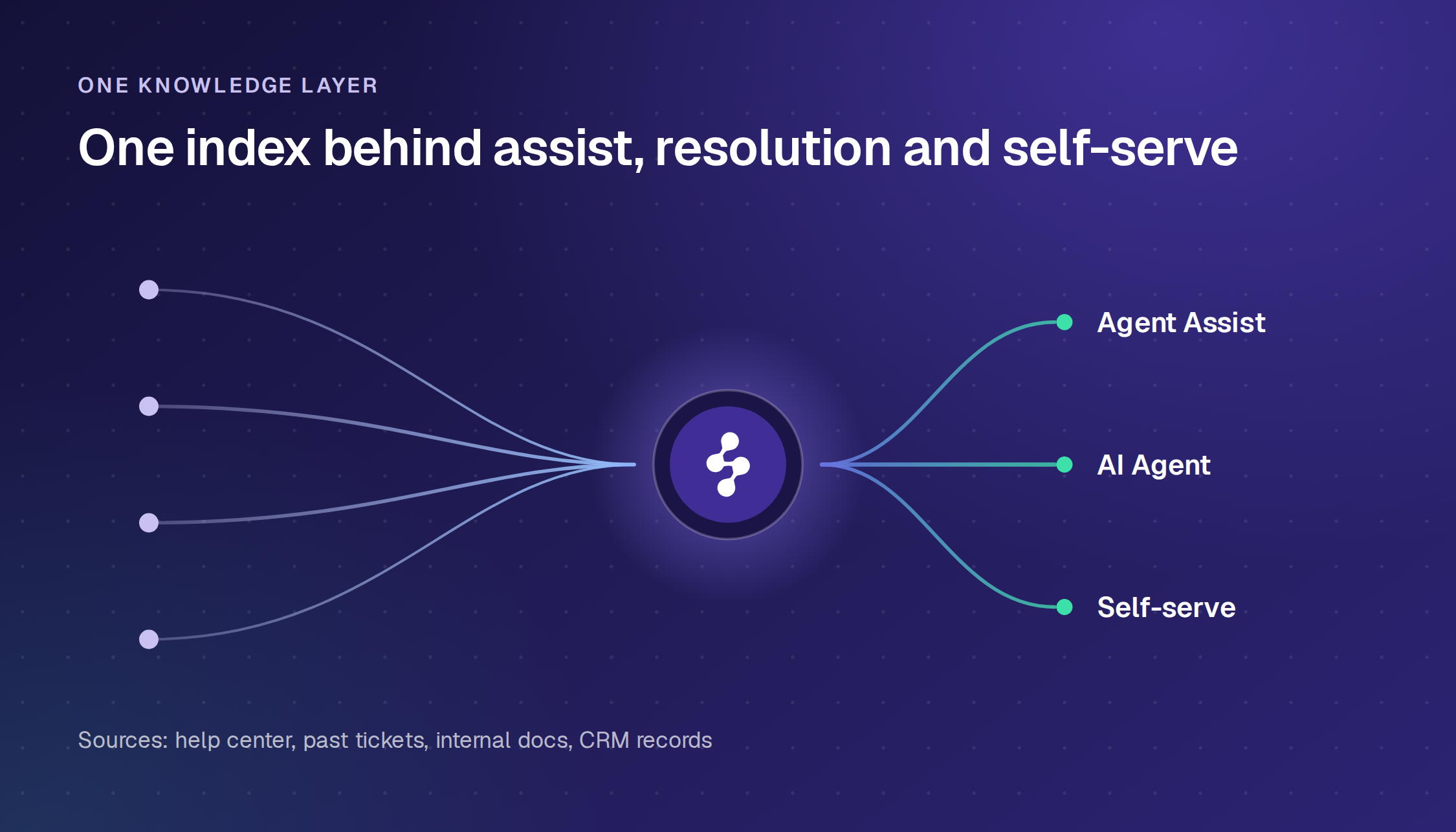
The knowledge those tools read from matters more than the interface. Strong systems pull from the help center, past resolved tickets, internal documents, and the CRM record. Weak ones read one public FAQ and miss the context that actually resolves the ticket.
In addition to retrieval, the assist layer maintains a running summary of the thread, drafts a reply in the company's tone, and proposes next steps to take or confirm. Once the interaction closes, it can summarize the case for the record. The agent reviews and sends; the AI prepares and recommends.
Real-Time vs Post-Call Agent Assist
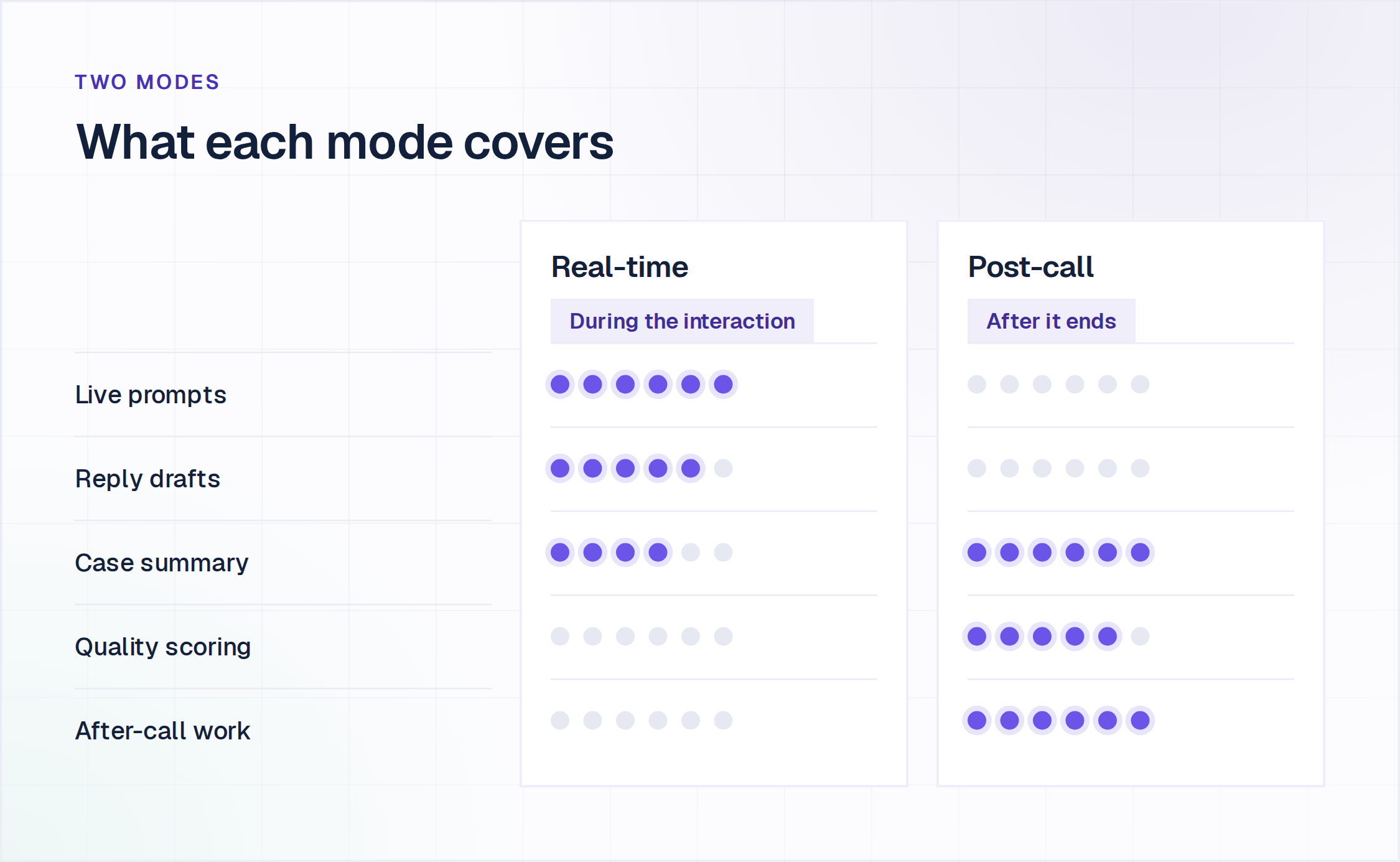
The category splits into two modes, and mature deployments often run both. Real-time assist activates during the interaction, surfacing prompts, answers, and knowledge as the conversation unfolds. Post-call assist activates after it ends, handling summarization, quality scoring, and after-call work.
The split also tracks a channel divide worth knowing before you shop. A large part of the market is built for voice contact centers, with live call transcription, real-time compliance monitoring, and script-adherence prompts. Google Cloud Agent Assist, Genesys, and Balto all sell into that voice-first space, built around the call rather than the ticket.
Text and ticket-based support is a different shape. Here, the assist layer works within the helpdesk for chats, email, and messaging threads rather than during a live phone call. The distinction decides which tools even belong on your shortlist, so settle it early.
The Benefits of Agent Assist
The value shows up in a few consistent places. Handle time drops because agents stop hunting for information and rewriting the same replies. First-contact resolution and consistency improve because every agent works from the same grounded knowledge instead of personal memory.
Onboarding gets faster, which is often the quiet win. New hires ramp on live tickets with guided context and suggested answers rather than weeks of shadowing. Experienced agents spend less effort on writing and searching, which lowers the cognitive load that drives burnout.
In regulated work, AI Agent Assist can maintain quality across shifts, regions, and languages by keeping approved answers and policies in front of the agent. The gains depend entirely on the quality of knowledge. Point one of these tools at stale content, and it will surface stale answers faster.
There is a reason to be conservative about scope. Forrester's 2026 assessment of the category found roughly three-quarters of enterprise leaders reporting agentic AI adoption while only a small minority ran it in meaningful production beyond chatbot-like use. The downside risk is what makes that control valuable. Gartner's September 2026 survey of 3,566 customers found that only 27% would try a chatbot again after a negative experience, so a suggestion that an agent review before sending carries a lower cost of being wrong than an answer sent autonomously.
How to Evaluate Agent Assist Software
Once you have decided text or voice, the differences between Agent Assist software come down to a short list of questions. Work through these before you sit through a demo.
- Knowledge breadth: Does it read past tickets, internal docs, and connected sources, or only one platform's knowledge base?
- Where it embeds: Does it work inside the helpdesk your agents already use, or does it require a separate platform and a migration?
- Grounding and control: Are replies grounded in your approved knowledge and past resolutions, with guardrails on what the AI can say?
- Real-time vs post-call scope: Does it assist live, summarize afterward, or both, and does that align with how your team works?
- Channel fit: Is it built for voice calls, or for text and ticket-based support in a helpdesk?
- Multilingual support: Can it help agents serve customers across languages without changing their workflow?
- Agent in control: Does the agent review and approve every reply and action, or does the tool act on its own?
- Security posture: Does it include the compliance evidence your security team will request, such as SOC 2 Type II and ISO 27001?
- Deployment speed: Can you turn it on and see value in the next ticket, or does it need a long implementation?
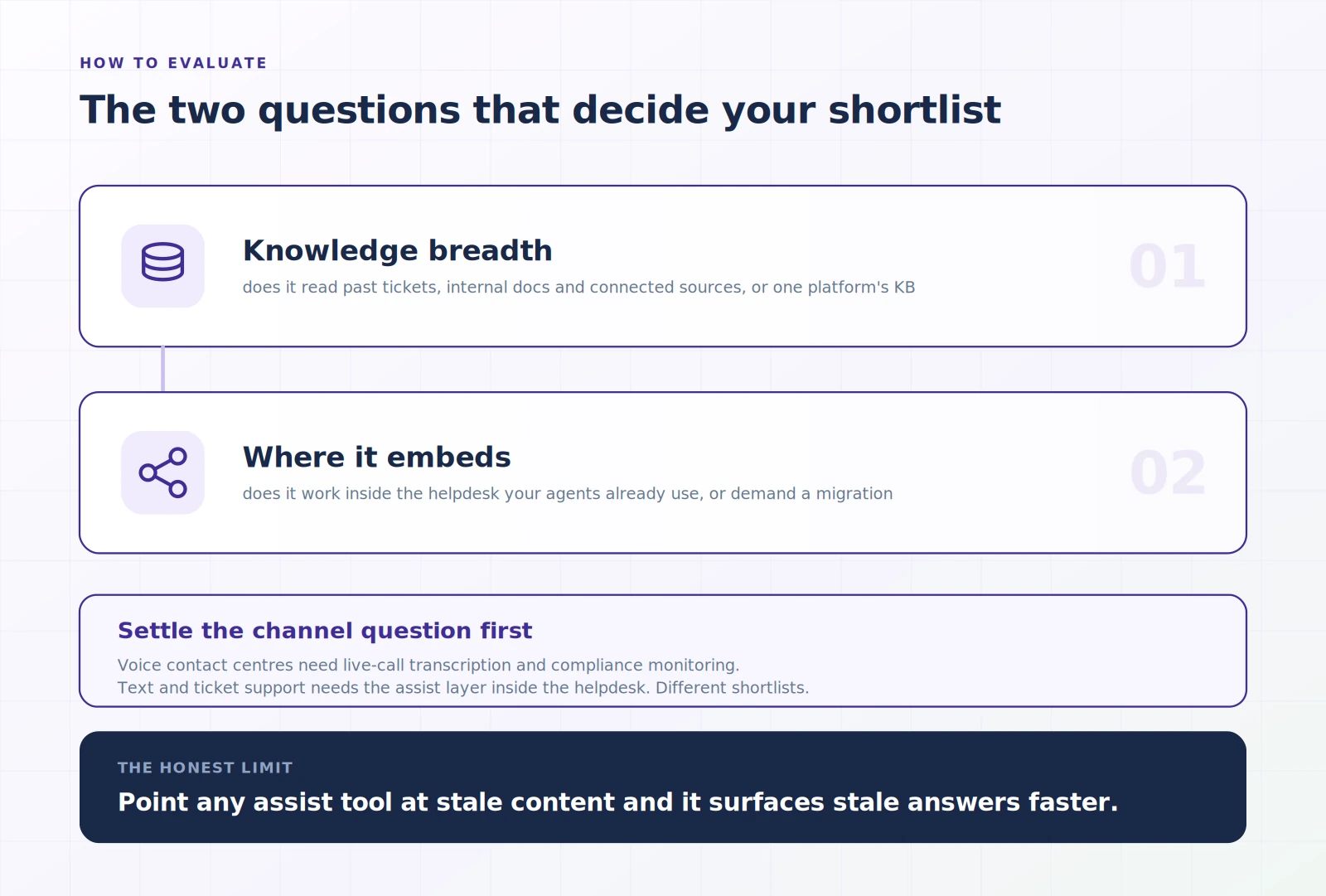
The two questions that separate most tools are the breadth of knowledge and where the software is embedded. A tool locked to one platform's knowledge base surfaces less useful suggestions, and a tool that demands its own workspace adds change management your agents will resist. Enjo Agent Assist is built for both. It reads across your stack on a single knowledge layer and embeds in the helpdesk your agents already use, rather than adding a separate platform.
Book a demo to see Enjo Agent Assist mapped against this checklist.
How Enjo Approaches Agent Assist
Enjo built Agent Assist around those two questions. It runs inside Enjo Inbox or plugs into the helpdesk your team already uses, so agents get help without leaving their workflow. The embed surface covers Enjo for Salesforce case views, as well as Enjo for Zendesk, ServiceNow, and Jira Service Management.
Inside the ticket, the assist panel keeps a running Case Summary that updates as the thread evolves. It drafts Reply Suggestions grounded in past tickets, connected docs, and your brand voice, and Reply Refinement lets the agent rephrase, expand, or adjust tone before sending. It surfaces the right knowledge and SOP steps and recommends the next action, so the agent stops searching mid-conversation.
A few capabilities target the smaller frictions. Ask AI answers an agent's question using the case context. Sentiment flags a frustrated customer so the agent can de-escalate, and Ticket Autofill pulls key fields off the conversation to cut copy-pasting. Quick actions and macros run from the panel, and translation lets agents serve customers in other languages while working in their own.
The differentiator is what sits underneath. Enjo grounds the assist panel in a single knowledge layer that also powers the autonomous AI Agent and customer self-serve. A single-platform tool reads one product's knowledge base. Enjo reads across your stack, so what the assist suggests, what the AI resolves, and what customers find stay the same, with no drift. When an agent closes a ticket, Knowledge Gen can turn that resolution into a Help Center article in one click.
Enjo Agent Assist is scoped to where support tickets actually live. It works on chat, email, and messaging threads inside the helpdesk, which is the surface a text-based support operation runs on, and that focus is the point rather than a limit. Live-call transcription and real-time script monitoring belong to the voice contact center stack, which has a different architecture and different requirements.
The Short Version
Agent Assist earns its place when support runs on complex cases that still need a person. Match the tool to your channel first, then weigh knowledge breadth and where the software is embedded, because those factors determine how useful the suggestions are day-to-day.
For text and ticket-based teams already on Salesforce, Zendesk, ServiceNow, or Jira, Enjo adds the assist layer without a migration. If you are weighing full autonomous resolution alongside it, our customer service automation guide covers how teams sequence the two.

Frequently Asked Questions
Is Agent Assist the same as a chatbot?
No. A chatbot talks to the customer and tries to resolve or deflect the request on its own. Agent Assist works alongside the human agent, surfacing suggestions and knowledge so the person responds faster. Different audience, different goal.
Does Agent Assist replace human agents?
No. It augments them and keeps the human in control of the conversation. Autonomous AI agents resolve tickets end-to-end; AI Agent Assist makes the agents who handle the harder cases work faster and be more consistent.
What should Agent Assist connect to?
The strongest Agent Assist software goes beyond a single platform's knowledge base. They pull from past tickets, internal documents, and connected sources so suggestions reflect the full context rather than a single silo. Knowledge breadth is the biggest driver of suggestion quality.
What is the difference between real-time and post-call Agent Assist?
Real-time assist works during the interaction, surfacing prompts, answers, and knowledge as it happens. Post-call assist works after, handling summaries, quality scoring, and after-call tasks. Many teams run both.
Does Agent Assist work inside Salesforce or Zendesk?
Some tools require their own platform. Enjo Agent Assist runs within Enjo Inbox or integrates with Salesforce, Zendesk, ServiceNow, and Jira Service Management, so agents get help without leaving their existing workflow.