.fs-cmsfilter_active span { color: black; }
table of contents

Transform complex support workflows

Deploy AI inside your existing support stack and prove business impact quickly.
Request a Demo

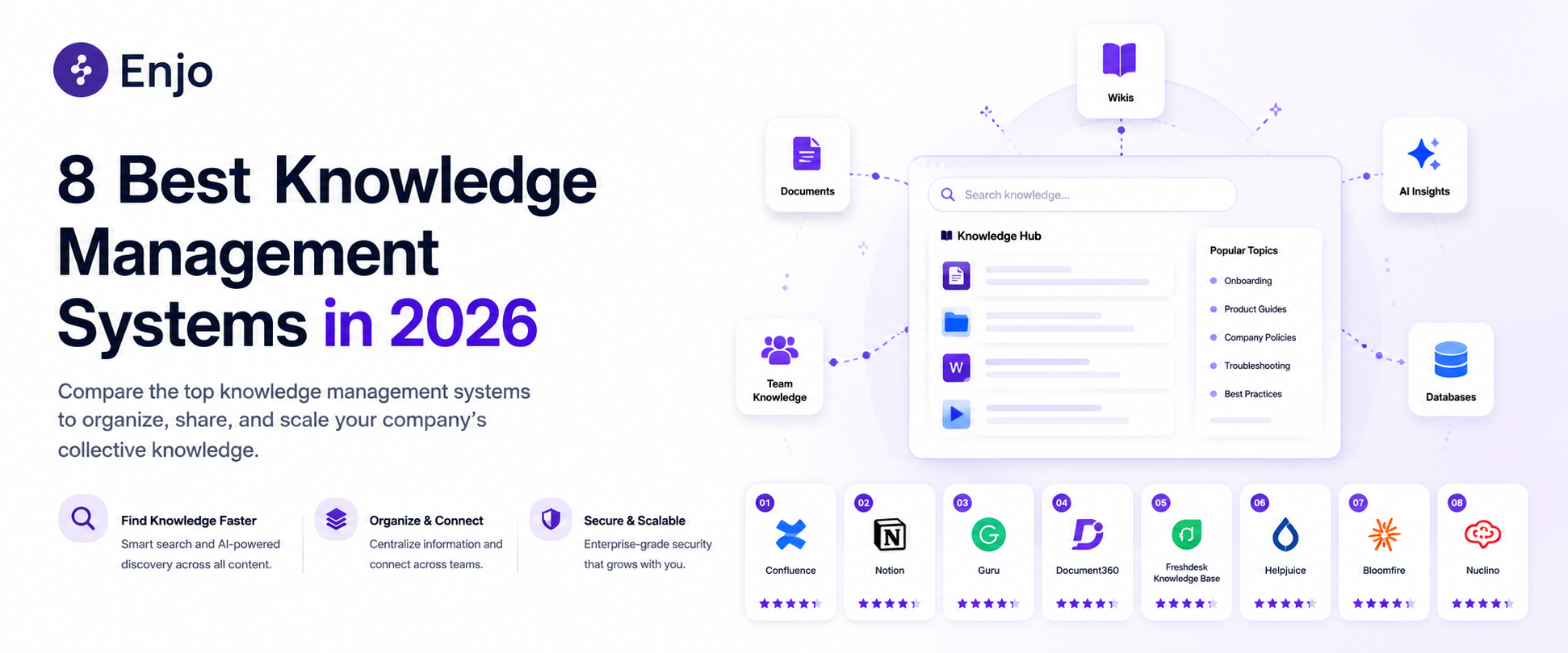
8 Best Knowledge Management Systems in 2026

Most write-ups on knowledge management systems still treat the knowledge base as a place to publish and search, nothing more. That framing misses something that changed recently: the same articles that answer a customer's question now also train the AI that answers on a company's behalf, so a stale article is two failures stacked on top of each other: a bad customer answer and a bad AI answer.

The eight systems below span three different categories of knowledge management software: dedicated documentation platforms built by writers, developer-first docs tools built by engineers, and knowledge bases bundled inside a full customer support helpdesk.

See how 8 knowledge management systems compare in AI depth, pricing, and maintenance, so your support docs stay accurate and up to date.
AI Support Agents
table of contents

Quick verdict

If the docs also need to train an AI agent, not just answer human searches, Enjo is the only entry here built for both from day one, at no cost on the free tier. If the job is purely documentation depth for a team that already has dedicated technical writers, Document360 or Helpjuice goes further in the authoring workflow at a real price.

Evaluation criteria

Eight things worth checking before picking a knowledge management system for a support team:

  • AI maintenance depth. Does it just store and search content, or does it flag stale articles, draft new ones from tickets, and close the loop on its own? Most tools on this list stop at AI-assisted writing and search. Far fewer connect resolved tickets or unanswered questions back into the content itself, which is the difference between an AI knowledge base that stays current and one that quietly rots.
  • Pricing model. Per agent, per author, per site, plus per user, or usage-based? Each punishes a different kind of growth. Per-agent pricing gets expensive as a support team scales; per-author pricing gets expensive as more people need to contribute; per-site-plus-per-user stacks two costs at once. Usage-based pricing scales with actual reply volume instead of headcount.
  • Free tier. Is there a real, permanent free option, or a time-limited trial dressed up as one? A "free" program capped at six months or two agents is a trial with a different name, and it changes the math on how much time a team has to prove the tool works before paying.
  • Integration breadth. Which existing docs, tickets, and chat tools can it actually read from? A tool that only trains on its own published articles has a much narrower knowledge base than one that pulls from Confluence, Notion, SharePoint, and past ticket history on day one.
  • Security and compliance. SOC 2, ISO 27001, GDPR, and who can see what. This matters more once the knowledge base holds internal SOPs or account-specific details, not just public FAQs.
  • Deployment speed. Hours, days, or a sales-assisted onboarding project? Some tools here are self-serve from signup to a live help center; others require a quote and an onboarding call before anything is usable.
  • Internal vs. customer-facing flexibility. One system for both audiences, or two separate purchases? Some platforms split internal wikis and public help centers into separate products, which adds a second bill and a second place for content to drift out of sync.
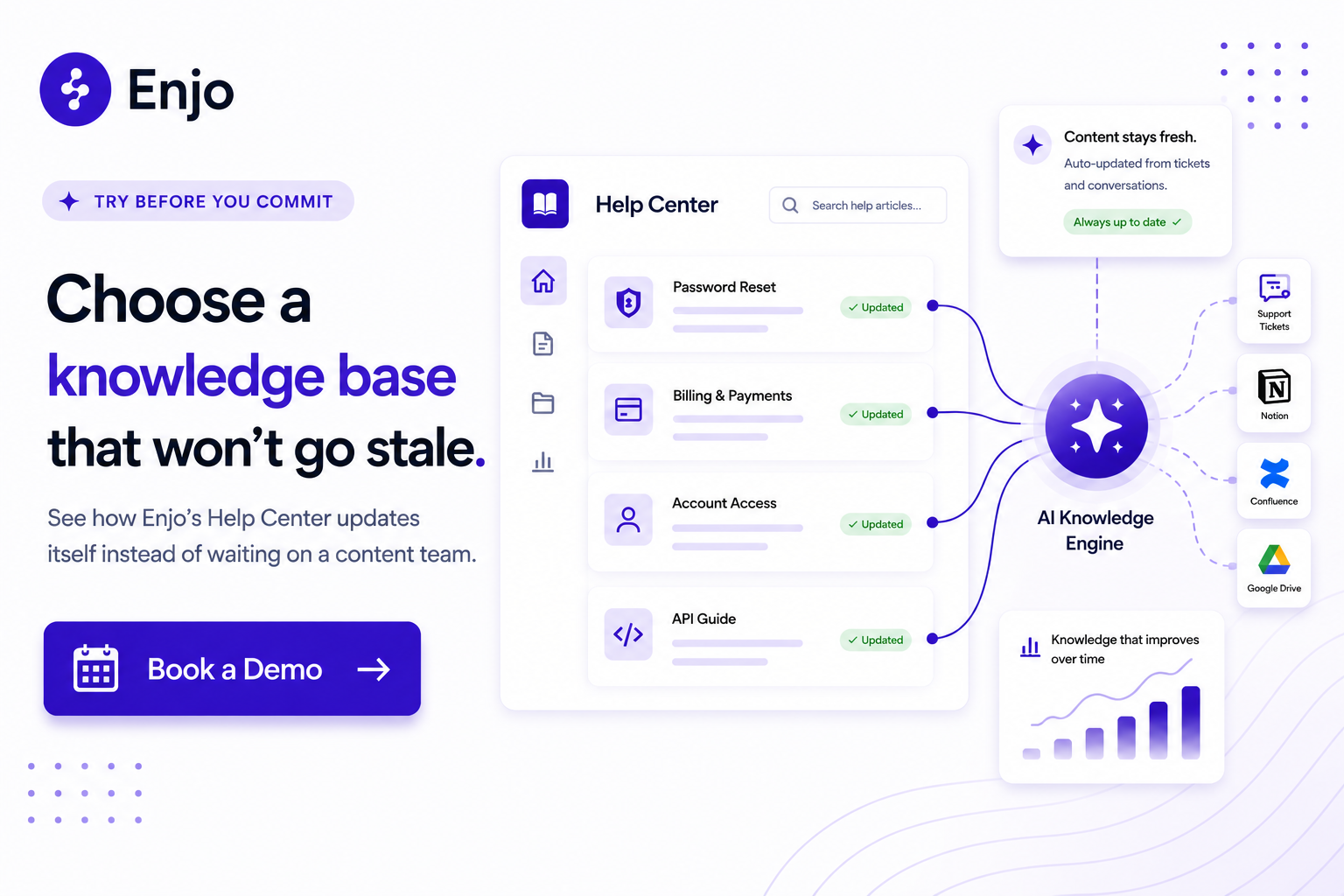
CTA banner showcasing Enjo AI Help Center that updates knowledge base articles from support conversations.

The 8 knowledge management systems reviewed

Tool G2 Rating Best For AI Maintenance Depth Starting Paid Price Free Tier
Enjo 4.8/5 Support docs that also train an AI agent Self-improving loop from tickets and unanswered questions $95/mo (1,000 AI replies) Yes, permanent
Document360 4.7/5 Large teams with dedicated technical writers AI writing and search; no ticket-based auto-maintenance Custom quote No
GitBook 4.8/5 Engineering-led product and API docs AI Assistant answers questions; no ticket-based auto-maintenance $65/site/mo + $12/user/mo Yes (1 user)
Helpjuice 4.7/5 Search-first knowledge base with extensive customization AI Suite drafts and searches; no ticket-based auto-maintenance $249/mo (30 users, AI add-on extra) No
Freshdesk 4.4/5 Affordable helpdesk with a built-in knowledge base Freddy suggests articles; the knowledge base does not self-update $19/agent/mo Free trial (6 months)
Zoho Desk 4.4/5 Teams already using the Zoho ecosystem Answer Bot uses published knowledge base articles only Custom / varies by plan* Yes (up to 3 agents)
Help Scout 4.4/5 Small teams wanting a shared inbox and knowledge base AI Answers resolves chats; knowledge base authoring remains manual $25/user/mo Yes (up to 5 users)
ProProfs 4.6/5 Solo authors needing a simple knowledge base AI Writer drafts content; ticket-based auto-updates require the AI Suite $49/author/mo Yes (25 pages)

*Zoho Desk's official pricing page rendered only in INR this session; USD figure unconfirmed until reverified.

Enjo

Enjo is an AI-native service automation platform whose Help Center is the customer-facing half of a knowledge layer that also powers AI Agents and Inbox. It functions as help center software and an AI knowledge base at the same time.

Best for: support teams whose knowledge base needs to answer customer questions and ground an AI agent in the same content, without a second system.

Key capabilities:

  • Article Generation: builds Help Center articles from a website URL, connected docs (Notion, Confluence, SharePoint, Google Drive), or existing helpdesk ticket patterns.
  • Self-Improving Loop: unanswered portal questions escalate to the team, and resolved conversations auto-draft new articles for review.
  • AI Command Center: rewrites, reorganizes, or bulk-updates articles through natural language prompts instead of one-by-one edits.
  • AI Search: semantic search across help content that returns source-cited answers, not just a list of links.
  • Embeddable AI Assistant: a conversational assistant on the portal itself, not a separate chat widget.
  • 100+ language support across the Help Center and the AI Agent that reads it.
  • Free tier: 200 AI Replies/month, unlimited human seats, no credit card required, and the Help Center stays live and fully functional even after the AI reply cap is reached.

Pricing: Enjo's free tier includes 200 AI Replies per month, unlimited human seats, and no credit card required. The Starter plan costs $95 per month and includes 1,000 AI Replies. For the most up-to-date plans, visit Enjo's pricing page.

Where it falls short: Enjo's customer service vertical launched in 2026, making it newer than its IT and HR deployments, so it has less production history and no dedicated case study yet, compared to a platform like Document360 that has spent years on authoring depth alone.
CTA banner showcasing Enjo AI Help Center that automatically keeps knowledge base content accurate.

Document360

Document360 is a documentation platform for building public, private, or mixed knowledge bases with a full authoring and versioning workflow.

Best for: teams with dedicated technical writers who need deep versioning, glossary management, and approval workflows across a large article library.

Key capabilities:

  • Eddy AI Writing Agent: drafts and restructures content from prompts, videos, or existing files.
  • Category management and reusable content blocks: keep large libraries organized and consistent.
  • Support Ticket Deflector: surfaces relevant articles inside Zendesk or Freshdesk before a ticket is filed.
  • SOC 2 Type II, ISO 27001, and GDPR compliance across every plan.

Pricing: Document360 does not publish fixed pricing. The company moved to a fully custom, quote-based model in late 2024 and no longer offers a free plan. For the most current plans, visit document360.com/pricing.

Where it falls short: with no published price, a small team cannot self-serve the trial-to-paid path the way a free-tier tool allows, and every deal starts with a sales conversation rather than a signup form.

GitBook

GitBook is a documentation platform built around a block-based editor with two-way Git sync, aimed at engineering and product teams.

Best for: developer-facing product docs and API references that live alongside a codebase.

Key capabilities:

  • Git Sync: changes flow both ways between GitBook and a Git repository.
  • Interactive API playgrounds and OpenAPI rendering for technical reference docs.
  • GitBook Agent (beta): connects to GitHub issues, Intercom, and Slack to propose documentation updates.
  • AI Assistant: answers reader questions from the published content on Ultimate plans.

Pricing: GitBook offers a permanently free plan for a single user. The lowest-paid tier, Premium, costs $65 per site per month plus $12 per user per month, and the AI-enabled Ultimate tier costs $249 per site per month plus $12 per user per month. For the most current plans, visit gitbook.com/pricing.

Where it falls short: the per-site-plus-per-user structure means that a five-person team on the AI-enabled Ultimate tier costs $309 or more per month per site, and the AI Assistant analyzes individual conversations rather than patterns across a support team's full ticket history.

Helpjuice

Helpjuice is a search-first knowledge base built for heavy customization and has been on the market since 2011.

Best for: established teams that want a fully hand-customized design and don't mind paying for it.

Key capabilities:

  • AI Writer and AI Chatbot are included only on the AI-Knowledge Base plan and above.
  • Free, hands-on design customization for every knowledge base, done by Helpjuice's own team.
  • Search that indexes inside PDFs and other file attachments, not just article text.
  • Auto-Updating KB Chrome Extension on AI-enabled plans.

Pricing: Helpjuice has no free plan. Its entry-level Knowledge Base plan costs $249 per month for up to 30 users with no AI features; the AI Suite starts at $449 per month for up to 100 users; and the Unlimited AI-Knowledge Base plan costs $799 per month. For the most current plans, visit helpjuice.com/pricing.

Where it falls short: reaching the AI Suite means an 80% jump from the entry plan, with no free tier at any point along the way.

Zoho Desk

Zoho Desk is a full customer service helpdesk with a bundled knowledge base and Zia, Zoho's built-in AI layer.

Best for: teams already standardized on Zoho's ecosystem who want ticketing and a knowledge base from one vendor.

Key capabilities:

  • Zia Answer Bot: replies to agents and customers using existing knowledge base articles.
  • Ticket-to-article conversion and a 6-level category hierarchy for organizing content.
  • Multilingual help center publishing in 40+ languages on higher tiers.
  • Generative AI reply suggestions are included on every paid plan rather than billed as a separate add-on.

Pricing: Zoho Desk offers a free plan for up to 3 agents. Paid tiers were unconfirmed in USD this session because Zoho's own pricing page rendered only in Indian rupees, so these should be reverified in dollars before publishing. For the most current plans, visit zoho.com/desk/pricing.html.

Where it falls short: the Answer Bot trains only on published Zoho Desk articles and needs roughly 30 articles per department before it works well, with a sync that can take up to an hour; it does not read Confluence, Notion, or Google Drive. Zia's deeper AI Support Assistant is gated to the Enterprise plan.

Freshdesk

Freshdesk is a helpdesk platform from Freshworks with a built-in knowledge base called Solutions and an AI layer called Freddy.

Best for: small to mid-sized support teams that want an affordable, full ticketing system with a knowledge base included.

Key capabilities:

  • Solutions knowledge base: categories, folders, and articles up to five levels deep, with multilingual support on Pro and above.
  • Freddy AI Copilot: suggests relevant articles to agents while they reply to a ticket.
  • Ticket-to-article conversion for turning a strong reply into a permanent article.
  • Built-in SEO fields on every article for organic discovery.

Pricing: Freshdesk offers a free plan for 1 to 2 agents that runs for 6 months, not indefinitely. Its lowest-paid tier, Growth, costs $19 per agent per month, and the Freddy AI Copilot is billed separately as a $ 29-per-agent-per-month add-on. For the most current plans, visit freshworks.com/freshdesk/pricing.

Where it falls short: the knowledge base itself does not analyze ticket data or flag content gaps on its own, and the "free" option is time-limited rather than a permanent tier.

Help Scout

Help Scout is an email-first support platform with a shared inbox, a Docs knowledge base, and an embeddable Beacon widget.

Best for: small teams that want a shared inbox and a knowledge base in one simple tool without a large agent count.

Key capabilities:

  • Docs sites: a searchable, branded knowledge base included on every plan, including Free.
  • Beacon: an embeddable widget that surfaces help articles, live chat, and a contact form on one page.
  • AI Drafts and AI Summarize: help agents write replies and catch up on long threads.
  • AI Answers: a chatbot that resolves customer questions from the knowledge base, billed separately per resolution.

Pricing: Help Scout offers a permanently free plan for up to 5 users with 1 inbox and 1 Docs site. Its lowest paid tier, Standard, costs $25 per user per month, and the AI Answers add-on is billed separately at $0.75 per resolution. For the most current plans, visit helpscout.com/pricing.

Where it falls short: authoring remains entirely manual, with no auto-drafting from resolved conversations, and AI Answers costs can add hundreds of dollars per month as resolution volume climbs.

ProProfs

ProProfs Knowledge Base is a knowledge base platform for building public help centers, internal wikis, and product documentation.

Best for: a solo author or very small team that needs a knowledge base to live quickly without a large budget.

Key capabilities:

  • AI Writer, AI Search, and AI Translation: draft, search, and translate content into 60+ languages on the Essentials plan.
  • HR system integrations, including Oracle HRMS and BambooHR, are uncommon among knowledge base tools.
  • Workflow approvals and version history for content review before publishing.
  • Free plan: 1 author and 25 pages, permanently free.

Pricing: ProProfs offers a permanently free plan for 1 author and up to 25 pages. Its lowest-paid tier, Essentials, costs $49 per author per month, and the ticket-based, auto-updating knowledge base is only available in the $ 499-per-month Customer Delight Suite bundle. For the most current plans, visit proprofskb.com/pricing.

Where it falls short: the AI on the standalone Essentials and Business plans handles content creation, not maintenance, and ProProfs' own roadmap lists its self-healing knowledge base features as "coming soon," not live yet, even in the bundle.

How to choose

Match the team profile to the tool, not the feature list. This applies whether the shortlist is enterprise knowledge management software or a lighter-weight help center software option:

  • Docs need to train an AI agent, not just answer human searches: Enjo is the only entry built around that from the start.
  • Large team, dedicated writers, deep versioning needs: Document360 or Helpjuice, budget permitting.
  • Engineering-led product or API docs: GitBook.
  • Already on Zoho or Freshworks and want one vendor for ticketing and KB: Zoho Desk or Freshdesk.
  • Small team, simple shared inbox plus KB: Help Scout.
  • Solo author, tight budget, simple needs: ProProfs.

For a deeper walkthrough of what to include when creating a knowledge base from scratch, see the linked guide.

Conclusion

The right choice comes down to one question: Does the knowledge base only need to answer people, or does it also need to train an AI agent? Enjo is the only entry built as an AI knowledge base and help center software for that second job from day one; everything else on this list is knowledge management software built to be searched, not maintained.

CTA banner showing Enjo AI platform that reduces manual knowledge base upkeep with automated documentation updates.

Frequently Asked Questions

What's the difference between a knowledge management system and a help center? 

A knowledge management system is the broader category that covers internal wikis, SOP libraries, and customer-facing help centers alike. A help center is the customer-facing subset built for self-service support, which is the focus of this guide.

Do knowledge management systems use AI, and does that mean the same thing everywhere? 

Most now include some AI, but it varies widely. Some tools use AI only to help write or search content; fewer use it to notice when an article has gone stale and draft a replacement on their own.

How much does a knowledge management system typically cost? 

Costs range from free (Enjo, Help Scout, ProProfs at entry level) to $249 to $799 a month for dedicated platforms like Helpjuice, plus per-agent helpdesk-bundled options between $19 and $75 a month per person.

Can a knowledge management system train an AI support agent directly? 

Only if it exposes structured, current content to that agent and stays in sync as articles change. A knowledge base that only stores content for human readers can still ground an AI agent, but someone has to keep both in sync manually unless the platform does it automatically.

What should a small support team prioritize first? 

Maintenance overhead and a genuine free tier matter more early on than feature breadth. A knowledge base that requires a content ops team to keep current will fall behind fast on a small team.
Quick verdict

If the docs also need to train an AI agent, not just answer human searches, Enjo is the only entry here built for both from day one, at no cost on the free tier. If the job is purely documentation depth for a team that already has dedicated technical writers, Document360 or Helpjuice goes further in the authoring workflow at a real price.

Evaluation criteria

Eight things worth checking before picking a knowledge management system for a support team:

  • AI maintenance depth. Does it just store and search content, or does it flag stale articles, draft new ones from tickets, and close the loop on its own? Most tools on this list stop at AI-assisted writing and search. Far fewer connect resolved tickets or unanswered questions back into the content itself, which is the difference between an AI knowledge base that stays current and one that quietly rots.
  • Pricing model. Per agent, per author, per site, plus per user, or usage-based? Each punishes a different kind of growth. Per-agent pricing gets expensive as a support team scales; per-author pricing gets expensive as more people need to contribute; per-site-plus-per-user stacks two costs at once. Usage-based pricing scales with actual reply volume instead of headcount.
  • Free tier. Is there a real, permanent free option, or a time-limited trial dressed up as one? A "free" program capped at six months or two agents is a trial with a different name, and it changes the math on how much time a team has to prove the tool works before paying.
  • Integration breadth. Which existing docs, tickets, and chat tools can it actually read from? A tool that only trains on its own published articles has a much narrower knowledge base than one that pulls from Confluence, Notion, SharePoint, and past ticket history on day one.
  • Security and compliance. SOC 2, ISO 27001, GDPR, and who can see what. This matters more once the knowledge base holds internal SOPs or account-specific details, not just public FAQs.
  • Deployment speed. Hours, days, or a sales-assisted onboarding project? Some tools here are self-serve from signup to a live help center; others require a quote and an onboarding call before anything is usable.
  • Internal vs. customer-facing flexibility. One system for both audiences, or two separate purchases? Some platforms split internal wikis and public help centers into separate products, which adds a second bill and a second place for content to drift out of sync.
CTA banner showcasing Enjo AI Help Center that updates knowledge base articles from support conversations.

The 8 knowledge management systems reviewed

Tool G2 Rating Best For AI Maintenance Depth Starting Paid Price Free Tier
Enjo 4.8/5 Support docs that also train an AI agent Self-improving loop from tickets and unanswered questions $95/mo (1,000 AI replies) Yes, permanent
Document360 4.7/5 Large teams with dedicated technical writers AI writing and search; no ticket-based auto-maintenance Custom quote No
GitBook 4.8/5 Engineering-led product and API docs AI Assistant answers questions; no ticket-based auto-maintenance $65/site/mo + $12/user/mo Yes (1 user)
Helpjuice 4.7/5 Search-first knowledge base with extensive customization AI Suite drafts and searches; no ticket-based auto-maintenance $249/mo (30 users, AI add-on extra) No
Freshdesk 4.4/5 Affordable helpdesk with a built-in knowledge base Freddy suggests articles; the knowledge base does not self-update $19/agent/mo Free trial (6 months)
Zoho Desk 4.4/5 Teams already using the Zoho ecosystem Answer Bot uses published knowledge base articles only Custom / varies by plan* Yes (up to 3 agents)
Help Scout 4.4/5 Small teams wanting a shared inbox and knowledge base AI Answers resolves chats; knowledge base authoring remains manual $25/user/mo Yes (up to 5 users)
ProProfs 4.6/5 Solo authors needing a simple knowledge base AI Writer drafts content; ticket-based auto-updates require the AI Suite $49/author/mo Yes (25 pages)

*Zoho Desk's official pricing page rendered only in INR this session; USD figure unconfirmed until reverified.

Enjo

Enjo is an AI-native service automation platform whose Help Center is the customer-facing half of a knowledge layer that also powers AI Agents and Inbox. It functions as help center software and an AI knowledge base at the same time.

Best for: support teams whose knowledge base needs to answer customer questions and ground an AI agent in the same content, without a second system.

Key capabilities:

  • Article Generation: builds Help Center articles from a website URL, connected docs (Notion, Confluence, SharePoint, Google Drive), or existing helpdesk ticket patterns.
  • Self-Improving Loop: unanswered portal questions escalate to the team, and resolved conversations auto-draft new articles for review.
  • AI Command Center: rewrites, reorganizes, or bulk-updates articles through natural language prompts instead of one-by-one edits.
  • AI Search: semantic search across help content that returns source-cited answers, not just a list of links.
  • Embeddable AI Assistant: a conversational assistant on the portal itself, not a separate chat widget.
  • 100+ language support across the Help Center and the AI Agent that reads it.
  • Free tier: 200 AI Replies/month, unlimited human seats, no credit card required, and the Help Center stays live and fully functional even after the AI reply cap is reached.

Pricing: Enjo's free tier includes 200 AI Replies per month, unlimited human seats, and no credit card required. The Starter plan costs $95 per month and includes 1,000 AI Replies. For the most up-to-date plans, visit Enjo's pricing page.

Where it falls short: Enjo's customer service vertical launched in 2026, making it newer than its IT and HR deployments, so it has less production history and no dedicated case study yet, compared to a platform like Document360 that has spent years on authoring depth alone.

CTA banner showcasing Enjo AI Help Center that automatically keeps knowledge base content accurate.

Document360

Document360 is a documentation platform for building public, private, or mixed knowledge bases with a full authoring and versioning workflow.

Best for: teams with dedicated technical writers who need deep versioning, glossary management, and approval workflows across a large article library.

Key capabilities:

  • Eddy AI Writing Agent: drafts and restructures content from prompts, videos, or existing files.
  • Category management and reusable content blocks: keep large libraries organized and consistent.
  • Support Ticket Deflector: surfaces relevant articles inside Zendesk or Freshdesk before a ticket is filed.
  • SOC 2 Type II, ISO 27001, and GDPR compliance across every plan.

Pricing: Document360 does not publish fixed pricing. The company moved to a fully custom, quote-based model in late 2024 and no longer offers a free plan. For the most current plans, visit document360.com/pricing.

Where it falls short: with no published price, a small team cannot self-serve the trial-to-paid path the way a free-tier tool allows, and every deal starts with a sales conversation rather than a signup form.

GitBook

GitBook is a documentation platform built around a block-based editor with two-way Git sync, aimed at engineering and product teams.

Best for: developer-facing product docs and API references that live alongside a codebase.

Key capabilities:

  • Git Sync: changes flow both ways between GitBook and a Git repository.
  • Interactive API playgrounds and OpenAPI rendering for technical reference docs.
  • GitBook Agent (beta): connects to GitHub issues, Intercom, and Slack to propose documentation updates.
  • AI Assistant: answers reader questions from the published content on Ultimate plans.

Pricing: GitBook offers a permanently free plan for a single user. The lowest-paid tier, Premium, costs $65 per site per month plus $12 per user per month, and the AI-enabled Ultimate tier costs $249 per site per month plus $12 per user per month. For the most current plans, visit gitbook.com/pricing.

Where it falls short: the per-site-plus-per-user structure means that a five-person team on the AI-enabled Ultimate tier costs $309 or more per month per site, and the AI Assistant analyzes individual conversations rather than patterns across a support team's full ticket history.

Helpjuice

Helpjuice is a search-first knowledge base built for heavy customization and has been on the market since 2011.

Best for: established teams that want a fully hand-customized design and don't mind paying for it.

Key capabilities:

  • AI Writer and AI Chatbot are included only on the AI-Knowledge Base plan and above.
  • Free, hands-on design customization for every knowledge base, done by Helpjuice's own team.
  • Search that indexes inside PDFs and other file attachments, not just article text.
  • Auto-Updating KB Chrome Extension on AI-enabled plans.

Pricing: Helpjuice has no free plan. Its entry-level Knowledge Base plan costs $249 per month for up to 30 users with no AI features; the AI Suite starts at $449 per month for up to 100 users; and the Unlimited AI-Knowledge Base plan costs $799 per month. For the most current plans, visit helpjuice.com/pricing.

Where it falls short: reaching the AI Suite means an 80% jump from the entry plan, with no free tier at any point along the way.

Zoho Desk

Zoho Desk is a full customer service helpdesk with a bundled knowledge base and Zia, Zoho's built-in AI layer.

Best for: teams already standardized on Zoho's ecosystem who want ticketing and a knowledge base from one vendor.

Key capabilities:

  • Zia Answer Bot: replies to agents and customers using existing knowledge base articles.
  • Ticket-to-article conversion and a 6-level category hierarchy for organizing content.
  • Multilingual help center publishing in 40+ languages on higher tiers.
  • Generative AI reply suggestions are included on every paid plan rather than billed as a separate add-on.

Pricing: Zoho Desk offers a free plan for up to 3 agents. Paid tiers were unconfirmed in USD this session because Zoho's own pricing page rendered only in Indian rupees, so these should be reverified in dollars before publishing. For the most current plans, visit zoho.com/desk/pricing.html.

Where it falls short: the Answer Bot trains only on published Zoho Desk articles and needs roughly 30 articles per department before it works well, with a sync that can take up to an hour; it does not read Confluence, Notion, or Google Drive. Zia's deeper AI Support Assistant is gated to the Enterprise plan.

Freshdesk

Freshdesk is a helpdesk platform from Freshworks with a built-in knowledge base called Solutions and an AI layer called Freddy.

Best for: small to mid-sized support teams that want an affordable, full ticketing system with a knowledge base included.

Key capabilities:

  • Solutions knowledge base: categories, folders, and articles up to five levels deep, with multilingual support on Pro and above.
  • Freddy AI Copilot: suggests relevant articles to agents while they reply to a ticket.
  • Ticket-to-article conversion for turning a strong reply into a permanent article.
  • Built-in SEO fields on every article for organic discovery.

Pricing: Freshdesk offers a free plan for 1 to 2 agents that runs for 6 months, not indefinitely. Its lowest-paid tier, Growth, costs $19 per agent per month, and the Freddy AI Copilot is billed separately as a $ 29-per-agent-per-month add-on. For the most current plans, visit freshworks.com/freshdesk/pricing.

Where it falls short: the knowledge base itself does not analyze ticket data or flag content gaps on its own, and the "free" option is time-limited rather than a permanent tier.

Help Scout

Help Scout is an email-first support platform with a shared inbox, a Docs knowledge base, and an embeddable Beacon widget.

Best for: small teams that want a shared inbox and a knowledge base in one simple tool without a large agent count.

Key capabilities:

  • Docs sites: a searchable, branded knowledge base included on every plan, including Free.
  • Beacon: an embeddable widget that surfaces help articles, live chat, and a contact form on one page.
  • AI Drafts and AI Summarize: help agents write replies and catch up on long threads.
  • AI Answers: a chatbot that resolves customer questions from the knowledge base, billed separately per resolution.

Pricing: Help Scout offers a permanently free plan for up to 5 users with 1 inbox and 1 Docs site. Its lowest paid tier, Standard, costs $25 per user per month, and the AI Answers add-on is billed separately at $0.75 per resolution. For the most current plans, visit helpscout.com/pricing.

Where it falls short: authoring remains entirely manual, with no auto-drafting from resolved conversations, and AI Answers costs can add hundreds of dollars per month as resolution volume climbs.

ProProfs

ProProfs Knowledge Base is a knowledge base platform for building public help centers, internal wikis, and product documentation.

Best for: a solo author or very small team that needs a knowledge base to live quickly without a large budget.

Key capabilities:

  • AI Writer, AI Search, and AI Translation: draft, search, and translate content into 60+ languages on the Essentials plan.
  • HR system integrations, including Oracle HRMS and BambooHR, are uncommon among knowledge base tools.
  • Workflow approvals and version history for content review before publishing.
  • Free plan: 1 author and 25 pages, permanently free.

Pricing: ProProfs offers a permanently free plan for 1 author and up to 25 pages. Its lowest-paid tier, Essentials, costs $49 per author per month, and the ticket-based, auto-updating knowledge base is only available in the $ 499-per-month Customer Delight Suite bundle. For the most current plans, visit proprofskb.com/pricing.

Where it falls short: the AI on the standalone Essentials and Business plans handles content creation, not maintenance, and ProProfs' own roadmap lists its self-healing knowledge base features as "coming soon," not live yet, even in the bundle.

How to choose

Match the team profile to the tool, not the feature list. This applies whether the shortlist is enterprise knowledge management software or a lighter-weight help center software option:

  • Docs need to train an AI agent, not just answer human searches: Enjo is the only entry built around that from the start.
  • Large team, dedicated writers, deep versioning needs: Document360 or Helpjuice, budget permitting.
  • Engineering-led product or API docs: GitBook.
  • Already on Zoho or Freshworks and want one vendor for ticketing and KB: Zoho Desk or Freshdesk.
  • Small team, simple shared inbox plus KB: Help Scout.
  • Solo author, tight budget, simple needs: ProProfs.

For a deeper walkthrough of what to include when creating a knowledge base from scratch, see the linked guide.

Conclusion

The right choice comes down to one question: Does the knowledge base only need to answer people, or does it also need to train an AI agent? Enjo is the only entry built as an AI knowledge base and help center software for that second job from day one; everything else on this list is knowledge management software built to be searched, not maintained.

CTA banner showing Enjo AI platform that reduces manual knowledge base upkeep with automated documentation updates.

Frequently Asked Questions

What's the difference between a knowledge management system and a help center? 

A knowledge management system is the broader category that covers internal wikis, SOP libraries, and customer-facing help centers alike. A help center is the customer-facing subset built for self-service support, which is the focus of this guide.

Do knowledge management systems use AI, and does that mean the same thing everywhere? 

Most now include some AI, but it varies widely. Some tools use AI only to help write or search content; fewer use it to notice when an article has gone stale and draft a replacement on their own.

How much does a knowledge management system typically cost? 

Costs range from free (Enjo, Help Scout, ProProfs at entry level) to $249 to $799 a month for dedicated platforms like Helpjuice, plus per-agent helpdesk-bundled options between $19 and $75 a month per person.

Can a knowledge management system train an AI support agent directly? 

Only if it exposes structured, current content to that agent and stays in sync as articles change. A knowledge base that only stores content for human readers can still ground an AI agent, but someone has to keep both in sync manually unless the platform does it automatically.

What should a small support team prioritize first? 

Maintenance overhead and a genuine free tier matter more early on than feature breadth. A knowledge base that requires a content ops team to keep current will fall behind fast on a small team.
Transform complex support workflows

Deploy AI inside your existing support stack and prove business impact quickly.
Request a Demo