Transform complex support workflows
AI Knowledge Base Software: 9 Tools Tested
If you're comparing AI knowledge base software in 2026, you're choosing between dozens of tools that all claim "AI-powered search" — but only a handful actually deliver retrieval-grade accuracy, real ticket deflection, and the integrations your support stack needs.
This guide compares the 9 best AI knowledge base platforms in 2026 — including Enjo, Intercom, Zendesk, Guru, Document360, eesel, Slite, Ada, and Forethought — across the things that actually matter when you're shortlisting:
- AI capabilities that move the needle: retrieval quality, source citations, and hallucination control
- Integrations with the helpdesks and chat tools you already use (Zendesk, Salesforce, Slack, Teams, Jira)
- Pricing transparency — what you'll actually pay per user, per resolution, or per seat
- G2 ratings and real-world fit for support teams.
By the end, you'll know which AI knowledge base software best matches your team size, budget, and use case — without sitting through eight separate demos.
Ask a vendor what their AI does when it cannot answer a question. The answer separates this category better than any feature matrix.
A tool that escalates cleanly takes work off your team. A tool that invents something plausible turns a routine ticket into a complaint, and teaches customers that self-service lies to them. Both demo beautifully, because demos are run on questions the content covers.
Below are 9 AI knowledge base software tools, judged on behaviour rather than feature lists. First, 7 checks you can run inside any vendor demo, each with the failure signal to watch for. Then the tools, priced from each vendor's own page, with one honest weakness on every entry including ours.
The Verdict
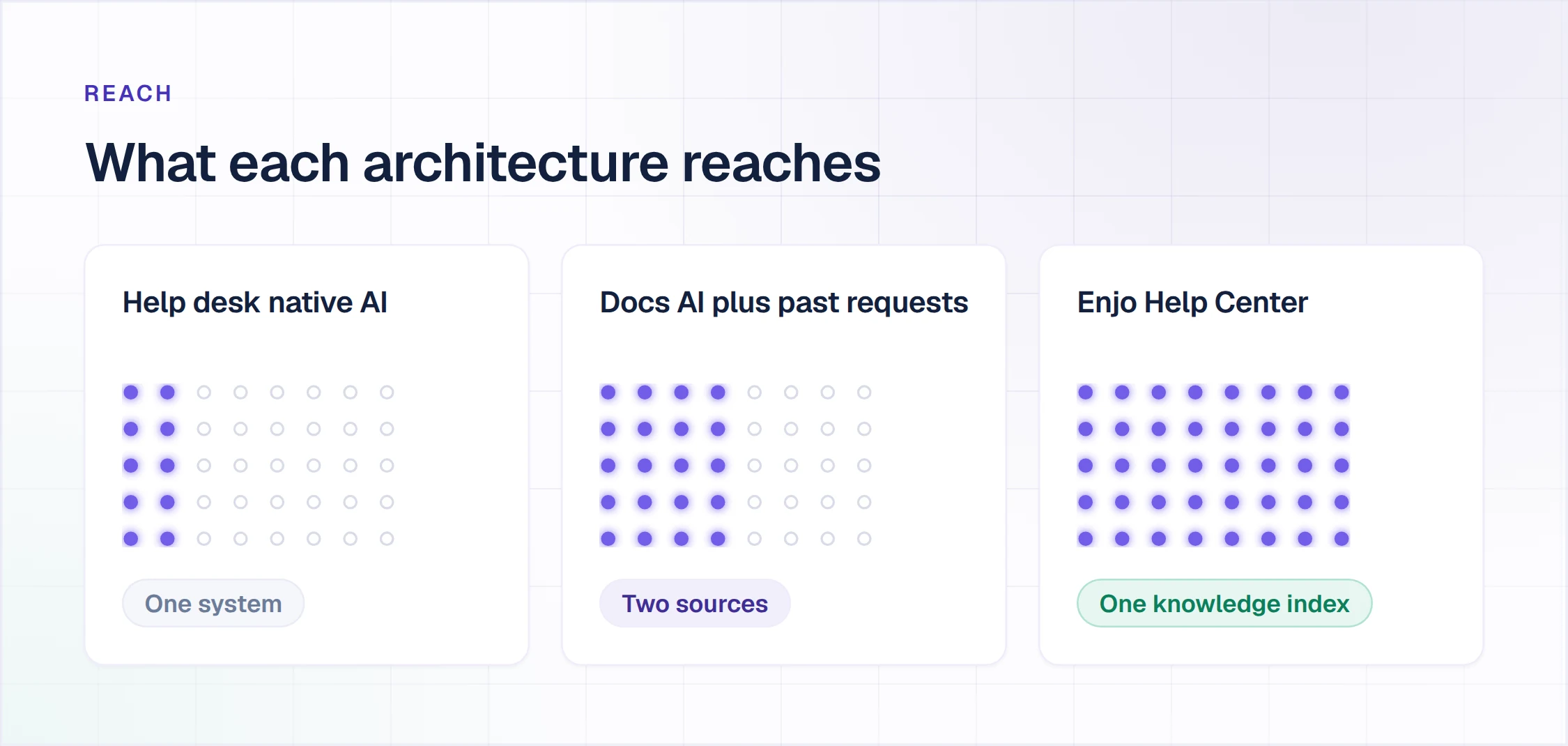
The deciding factor is where your knowledge actually lives. If it sits inside one helpdesk, that helpdesk's native AI is the shortest path. If it is spread across Confluence, SharePoint, Google Drive and years of resolved tickets, native helpdesk AI will only ever read a fraction of it. A dedicated layer is the better buy. Enjo is our pick for the second case. Zendesk AI is the sensible pick for the first, if you are a Zendesk-only shop.
What Are the Best AI Knowledge Base Platforms?
Buyers type this three ways, swapping platform for system or tool. It is one question. Here is the short answer, then what sits behind it.
What are the best AI knowledge base platforms?
Judge platforms on retrieval quality rather than model name. The best AI knowledge base platforms read from every system where your knowledge already lives, cite the article behind each answer, and escalate instead of guessing. On this list that is Enjo for multi-system knowledge, and the native options for single-system shops.
What is best AI knowledge base system?
The best AI knowledge base system for you is the one that passes the seven demo tests below on your own content, not on the vendor's demo data. Insist on testing with your documents. Vendors who decline that request are telling you something.
What are the best AI knowledge base tools?
An AI knowledge base tool is worth buying when it changes what happens after a resolution. Tools that log an unanswered question and stop are search boxes with a chat interface. Tools that turn that question into a drafted article are compounding assets.
What makes a knowledge base "AI" rather than just searchable?
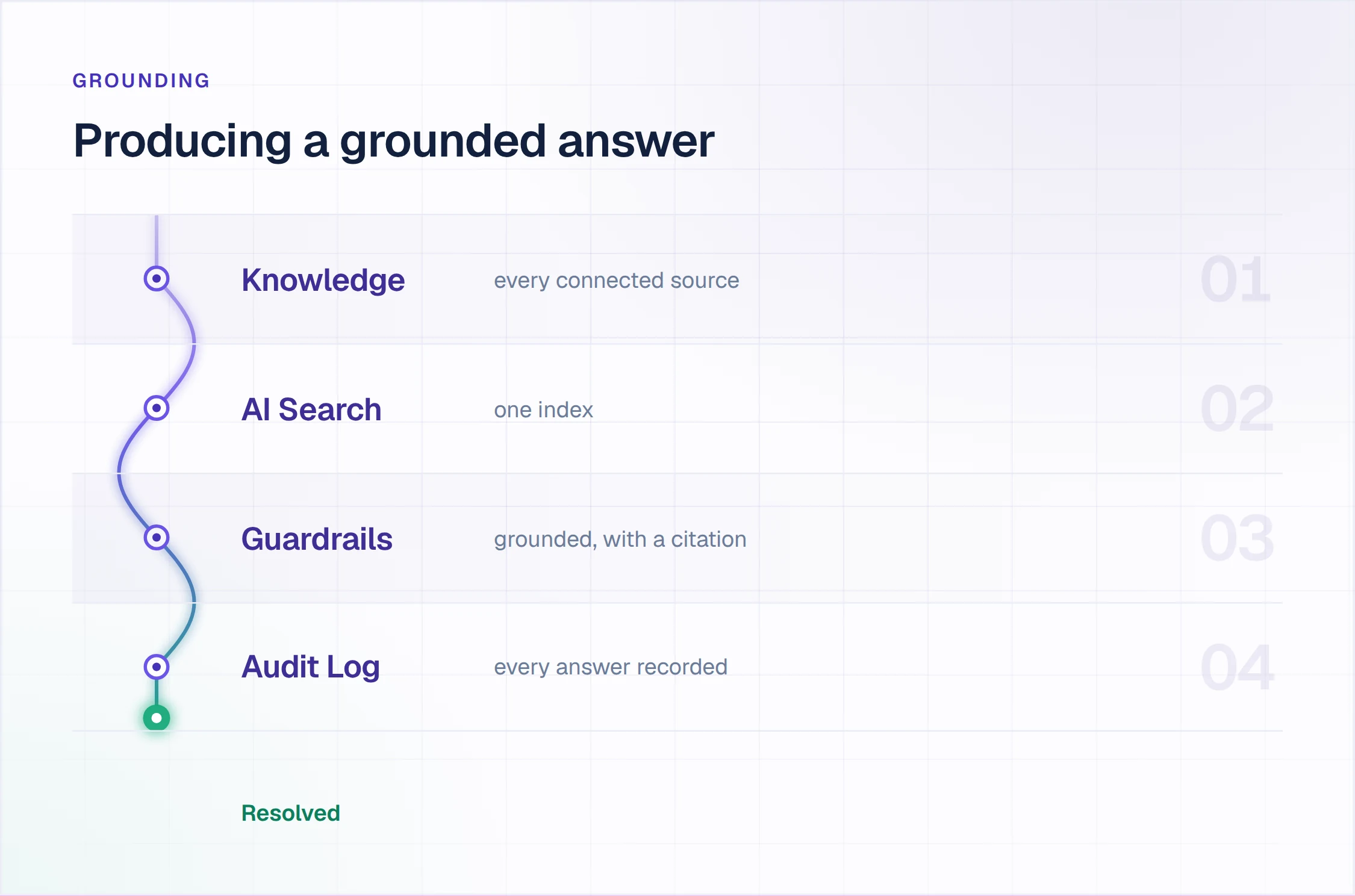
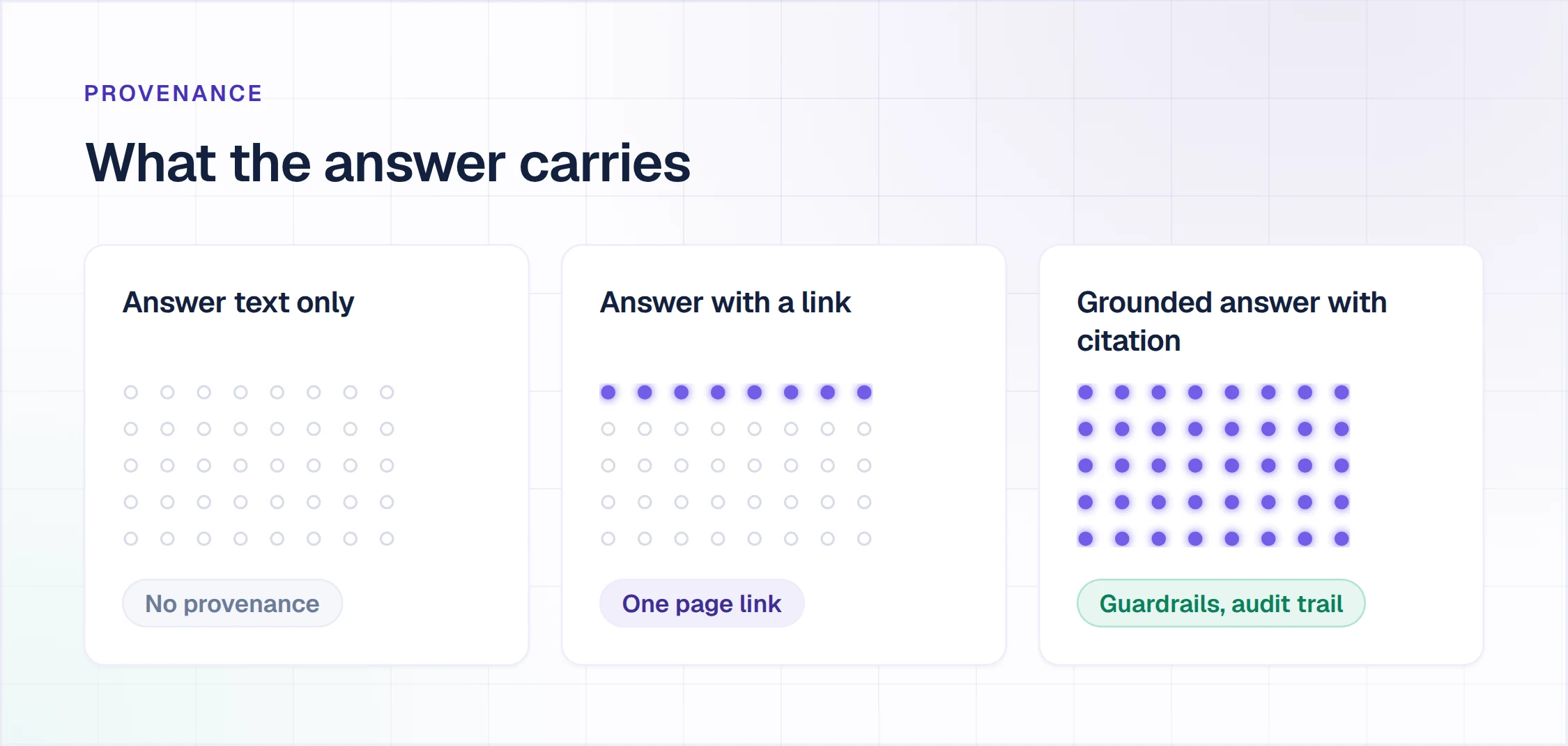
Grounded generation with citation. Keyword search returns documents and leaves interpretation to the reader. An AI knowledge base retrieves the relevant passages, composes an answer in natural language, and names the source. Without the citation step, you cannot audit a wrong answer.
What Are the Three Architectures Sold as AI Knowledge Base Software?
Three genuinely different products get sold under this label. Working out which one is in front of you shortens the demo by about half an hour. The three names below are ours rather than an industry standard, so no vendor will use them back at you.
Search with a chat wrapper. Keyword or vector search with a conversational wrapper. It surfaces documents faster. It does not compose grounded answers or cite passages. Cheap, quick to deploy, and often enough for a small internal library.
Retrieval with citation. The system indexes your knowledge, retrieves relevant passages for each question, generates an answer, and names the source article. This is what most buyers mean by AI knowledge base software.
Retrieval that can also act. Everything in the second kind, plus the ability to execute in connected systems. Resetting an account, checking an order, opening a ticket with full context. This is where deflection stops being a content problem and becomes a workflow one.
An AI feature added to an existing product behaves differently from one designed in from the start. Our deeper treatment of that distinction is in AI-native vs AI-assisted knowledge bases.
How Do You Test AI Knowledge Base Software in a Demo?
The question that separates the category
It escalates
Says it does not know, hands the conversation to a human with the full context attached, and logs the gap.
It guesses
Composes a confident answer from the nearest-looking article. The customer believes it. You find out from the complaint.
It stalls
Returns a list of links and calls that self-service. No worse than search, and no better.
Every vendor demos well on questions their content covers. Ask one it does not, and watch which of these three you get.
Vendors control the demo, so control the questions. Each check below has a failure signal that is difficult to talk around, and all seven work on your own documents rather than the sample data.
| Test | What To Ask For | Failure Signal |
|---|---|---|
| 1. Source citation | Ask a question, then ask which article the answer came from | No article named, or a link that does not contain the claim |
| 2. Stale content | Ask about something your docs cover incorrectly | A confident answer repeating the wrong doc, with no flag |
| 3. Out of scope | Ask something your knowledge base does not cover | An invented answer instead of an escalation |
| 4. Multi-source | Ask a question whose answer spans two documents | Answers from one, silently ignores the other |
| 5. Permission respect | Ask as a user without access to a restricted article | Restricted content appears in the answer |
| 6. Post-resolution loop | Ask what happens to a question it could not answer | Nothing. It is logged and forgotten |
| 7. Language | Ask the same question in a second language | Falls back to English, or quality drops sharply |
Test three is the one most vendors fail. An AI knowledge base that invents an answer rather than escalating does not reduce ticket volume. It converts a simple ticket into a complaint, and it teaches customers not to trust self-service.
Test five is the one buyers forget to run. Retrieval that ignores access rules will happily quote a restricted article to whoever asks, and you will not discover it in a scripted demo. Insist on asking as a user who should not see that document.
How Did We Evaluate These AI Knowledge Base Tools?
Nine tools, the same six checks on each. We weighted behaviour over feature counts, because features are easy to list and behaviour is what you live with.
- Grounding and citation. Does every answer name its source article?
- Escalation behaviour. What happens on a question the content does not cover?
- Post-resolution behaviour. Does an unanswered question become anything?
- Action capability. Can it execute in connected systems, or only answer?
- Language coverage. How many, and does quality hold outside English?
- AI pricing shape. Per seat, per resolution, or per reply.
Pricing was checked on each vendor's own pricing page in 2026. Per-resolution and per-reply models are noted separately, because they diverge sharply once volume grows.
Read more: B2B knowledge base creation guide
Which AI Knowledge Base Software Tools Made the Shortlist?
| Tool | G2 | What It Does | AI Pricing |
|---|---|---|---|
| EnjoOUR PICK | 4.9/5 | Retrieval that can also act | Per AI reply |
| Zendesk AI | 4.3/5 | Retrieval inside Zendesk | Per agent, plus metered resolutions |
| Fin by Intercom | 4.5/5 | Retrieval that can also act | Per resolution |
| Forethought | 4.5/5 | Retrieval and triage | Quote only |
| Freshworks Freddy | 4.4/5 | Retrieval inside Freshworks | Per agent, plus session packs |
| Atlassian Intelligence | 4.1/5 | Retrieval inside Confluence | Premium and above |
| Stonly | 4.6/5 | Guided flows with AI | Quote only |
| eesel AI | Unrated | Retrieval over existing docs | Not published |
| Agentforce | 4.3/5 | Retrieval that can also act | Consumption based |
Which AI Knowledge Base Software Is Best for Each Team?
1. Enjo, Best When Knowledge Lives Outside the Help Desk
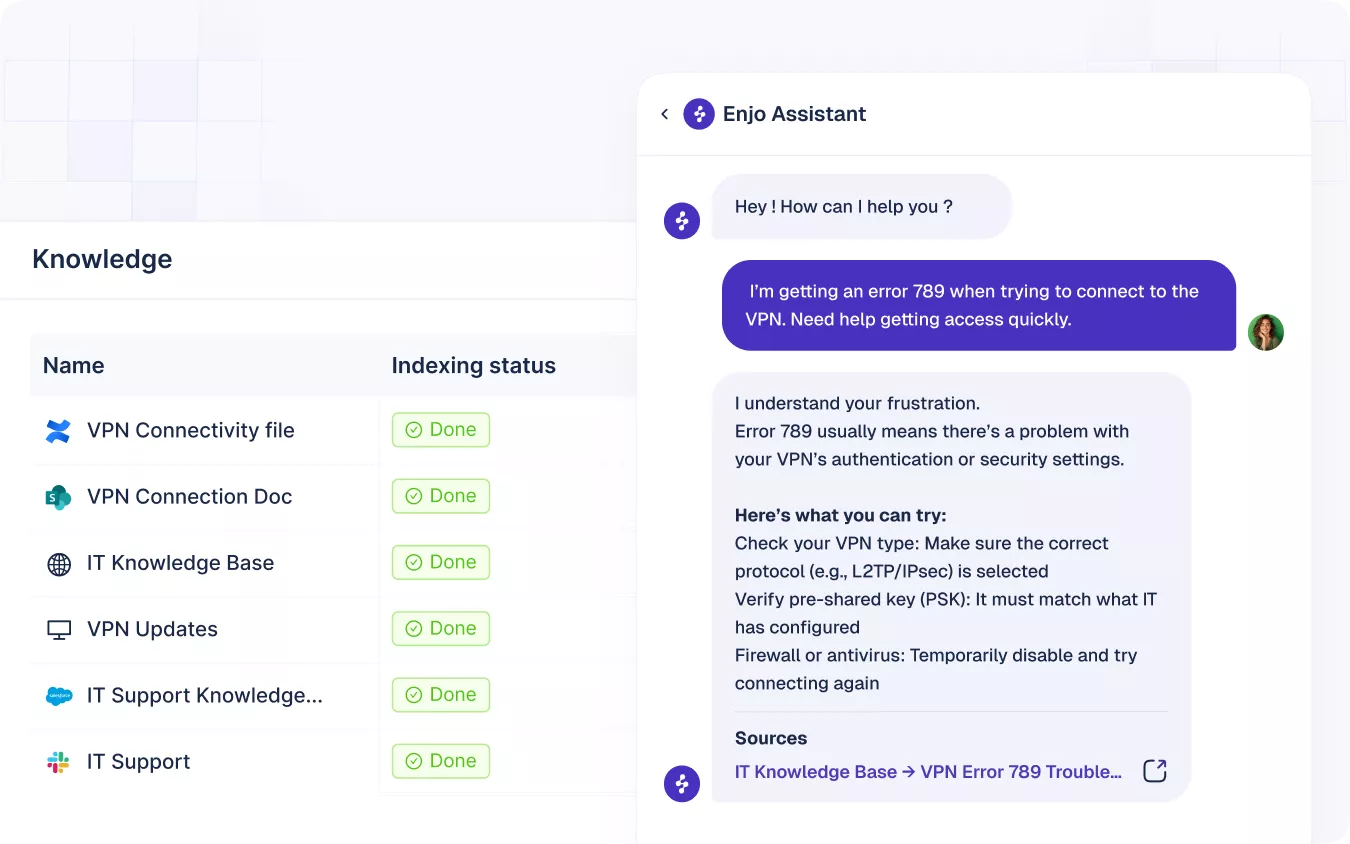
Enjo is a help center with an AI layer that reads the systems your knowledge already sits in. It answers from that content and can act in the connected systems. Questions it cannot answer escalate to your team, and once a person resolves one, that conversation auto-drafts an article for review. You can stand up more than one help center on it, some pointed at customers and some at employees, and the same AI runs behind all of them.
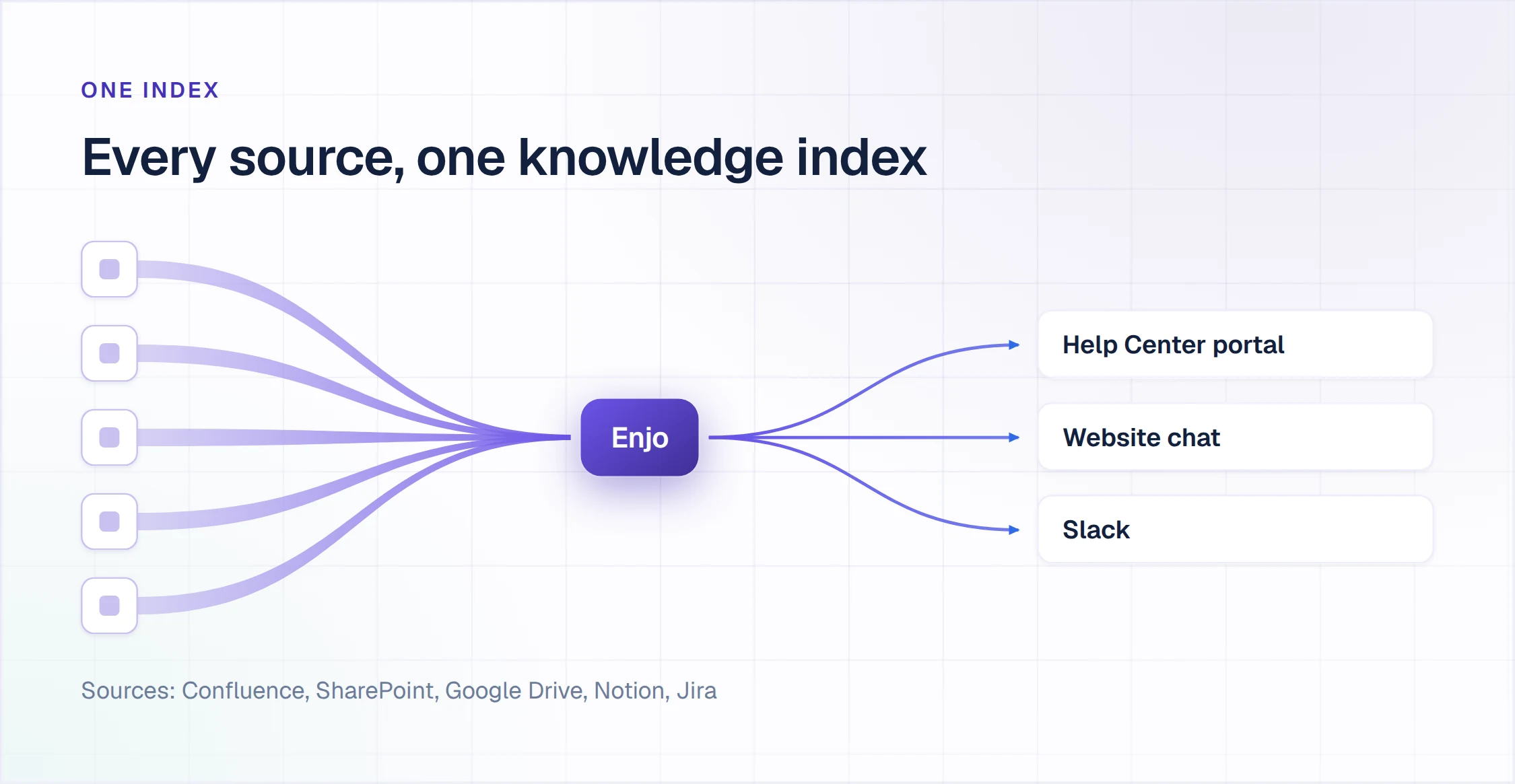
Best for: customer service and IT teams whose training content is spread across Confluence, SharePoint, Google Drive and years of resolved tickets in more than one system.
Key capabilities
- Knowledge (under AI Agents) indexes Confluence, SharePoint, Google Drive, past tickets and web content, so the AI is not limited to one helpdesk's article store.
- Every answer cites the source article, which makes a wrong answer traceable to a wrong document rather than to the model.
- Escalation carries full context to the human agent, so the customer does not repeat themselves after a failed self-service attempt.
- The self-improving loop drafts new articles from questions the AI could not answer, and queues them for human review.
- AI Actions execute in Okta, Jira, ServiceNow, Salesforce and custom APIs, which moves the tool from answering to resolving.
- AI Flows orchestrate multi-step work with logic, fallbacks and an audit trail.
- Account intelligence lets the same question return a different answer for a different customer, drawn from what the AI knows about that account rather than from a single generic article.
- 100+ languages across AI Agents, Help Center, Agent Assist and Inbox.
Pricing: Free at $0 per month with 200 AI replies. Starter at $95 per month with 1,000 AI replies. Standard at $295 per month with 3,000. Additional AI replies $0.05 each, and that price applies to every AI interaction including article generation. Unlimited human agent seats on every plan.
What counts as one AI reply? One interaction with Enjo AI: understanding the request, responding using approved knowledge, taking actions in connected systems if needed, and escalating with full context when appropriate. A multi-turn conversation is not one reply, so model your monthly volume on interactions rather than on tickets.
Proof: Aptean is an ERP software company with 3,500+ employees. It deployed Enjo in a single day and indexed 2M+ documents. Enjo now accelerates 200K+ requests a year there.
Where it falls short: two things. Pricing meters every AI interaction, including article generation, so a month spent bulk-drafting articles competes with the same allowance that answers customers, and that is worth modelling before you pick a tier. And Enjo's customer service vertical launched in 2026, so if your evaluation weights vendor tenure in customer service specifically, Forethought and Intercom have longer records.
2. Zendesk AI, Best for Zendesk-Only Shops
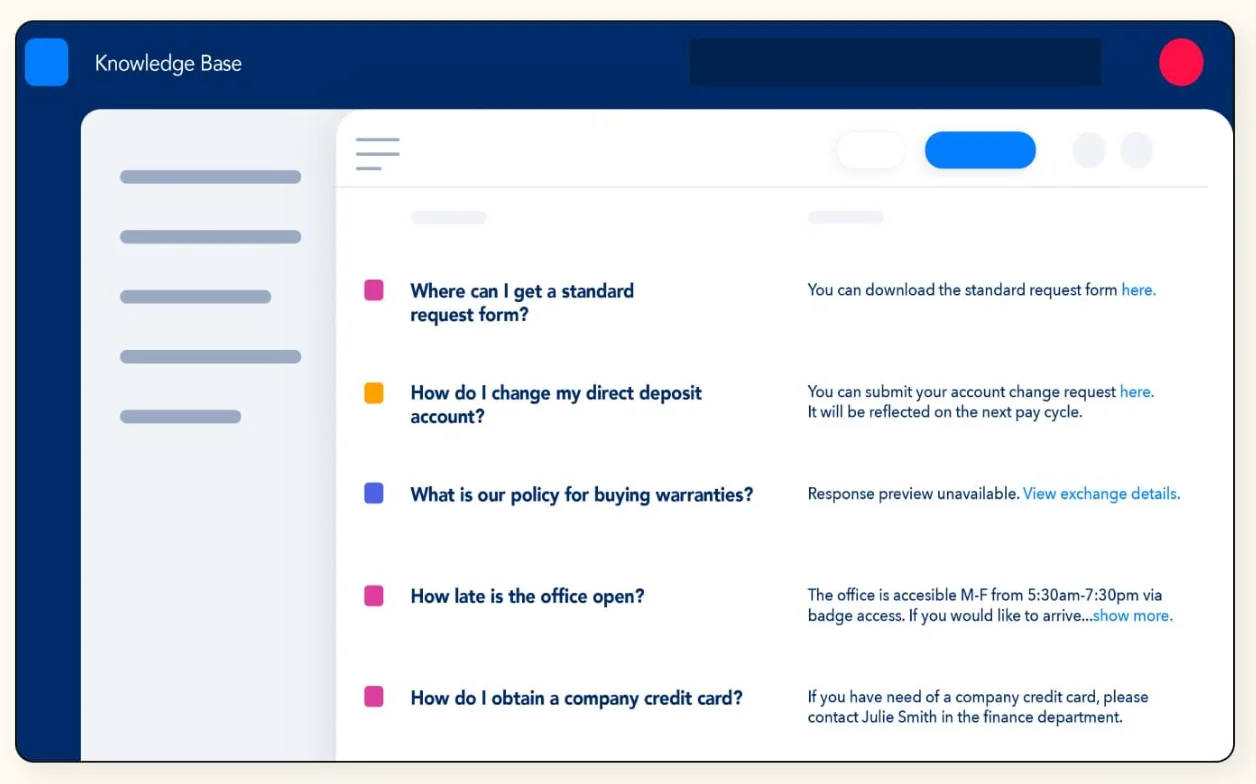
Zendesk AI is the answer layer built into the Zendesk Suite, reading the Guide knowledge base you already maintain.
Best for: support teams whose tickets, agents, reporting and articles all already sit inside Zendesk.
Key capabilities
- Answers customers from published Guide articles, with the source article shown alongside the reply.
- Copilot drafts agent responses inside the ticket, grounded in those same articles.
- Intelligent triage tags intent, language and sentiment on arrival, then routes accordingly.
- Content Cues flag ticket topics that have no article behind them yet.
- Macros fire from AI-detected intent without custom development.
Pricing: Suite Team runs $550/mo for 10 agents. Copilot adds $50 per agent per month.
Where it falls short: it reads Zendesk's knowledge base and acts on Zendesk objects. Content in Confluence, SharePoint or Drive stays out of reach, and the AI work does not travel if you change helpdesk. For a committed Zendesk shop that is a fair trade, and integration effort is nil.
3. Fin by Intercom, Best for High-Volume Consumer Messaging
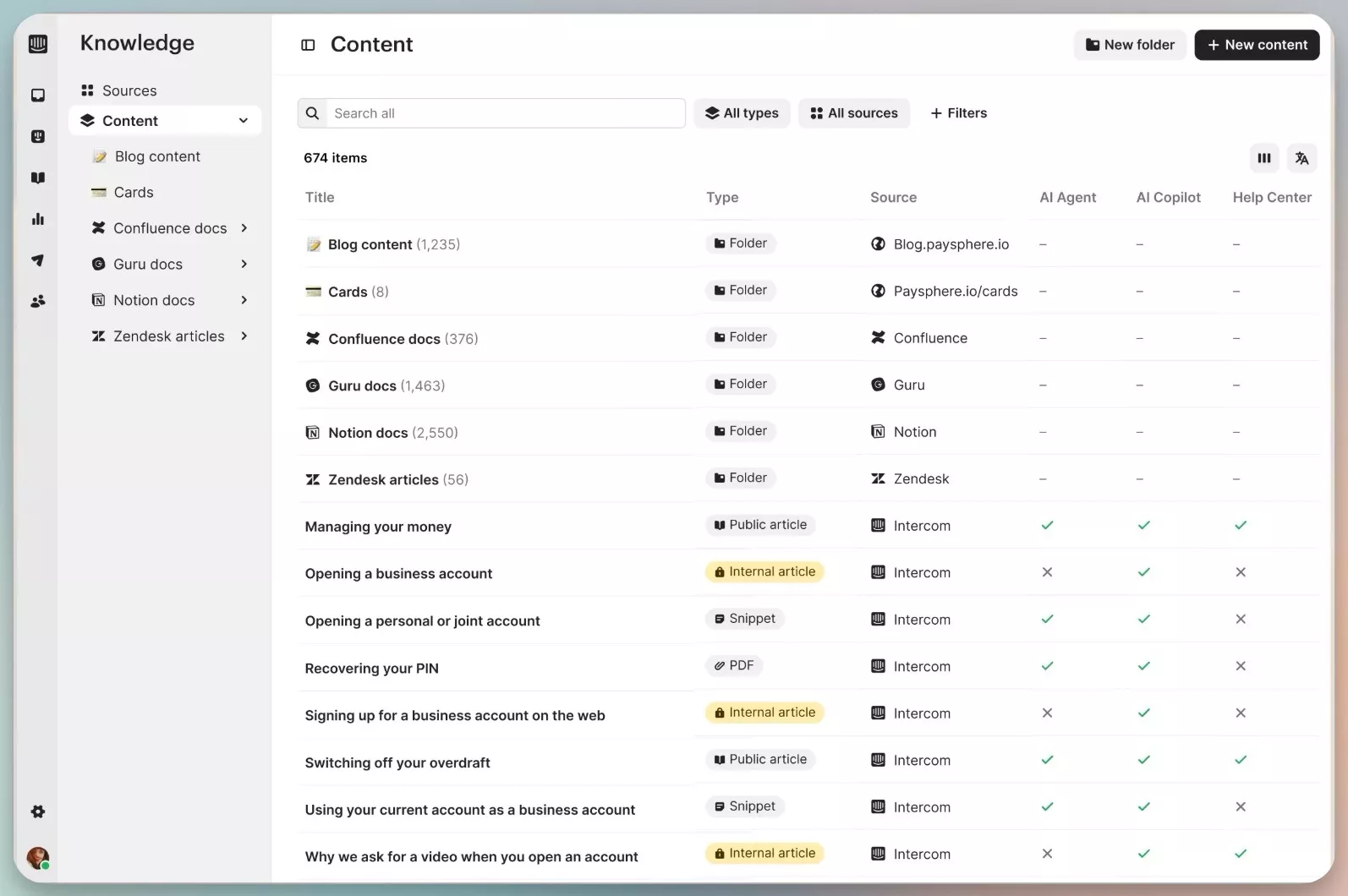
Fin is Intercom's AI agent, and it no longer requires Intercom underneath it.
Best for: teams handling large volumes of consumer conversations who want a polished agent out of the box.
Key capabilities
- Answers from your help center, uploaded content and past conversations, with sources shown.
- Fin for Platforms runs standalone on a non-Intercom helpdesk, removing the old migration blocker.
- Hands off to a human with the conversation intact when confidence drops.
- Custom answers let you script exact wording for questions where phrasing matters.
- Reporting separates resolved conversations from merely deflected ones.
Pricing: $0.99 per resolution. The standalone Fin for Platforms deployment carries a $49/mo base including 50 resolutions, then $0.99 per outcome. Lead qualification bills at $9.99.
Where it falls short: outcome pricing is predictable at low volume and much less so at scale. A billable outcome also covers more than most buyers assume, including procedure handoffs and disqualifications. Model your real monthly volume before signing, and ask exactly which events bill.
4. Forethought, Best for CS-Focused Triage and Drafting
Forethought builds AI agents for support, spanning resolution, triage, agent assist, discovery and QA.
Best for: larger support organisations with the ticket volume and the runway to justify a dedicated deployment.
Key capabilities
- Solve answers common tickets from existing content.
- Triage classifies and routes on intent before a human opens the ticket.
- Assist drafts replies for agents inside the helpdesk.
- Discover surfaces recurring themes that have no documentation behind them.
- A QA agent scores handled conversations against your own criteria.
Pricing: not published. Forethought quotes per deployment.
Where it falls short: two things need weighing. It expects volume, with 20,000+ tickets cited as the practical floor, and setup runs 30 to 90 days rather than a week. Forethought is also now part of Zendesk, so confirm the support and pricing arrangement that applies if you run a different helpdesk.
5. Freshworks Freddy, Best for Single-Vendor Consolidation
Freddy is Freshworks' AI layer, and it earns its place mainly when you are consolidating onto their suite.
Best for: teams cutting vendor count by standardising on one platform.
Key capabilities
- Freddy AI Agent answers customer questions from your Freshdesk knowledge base.
- Freddy Copilot drafts and rewrites agent replies inside the ticket.
- Session-based billing meters AI conversations rather than charging per seat for the agent.
- Intent detection routes tickets without hand-written rules.
- Insights summarise what drove ticket volume over a period.
Pricing: base Freshdesk runs $19, $55 and $89 per agent per month on annual billing. Freddy AI starts at Pro, $49 per agent per month annual, with Enterprise at $79. Copilot adds $29 per agent per month and is Pro and Enterprise only. AI Agent sessions cost $49 per 100 once the allowance runs out, and unused sessions expire each cycle with no rollover.
Where it falls short: the stacking is the problem. A Pro seat plus Copilot reaches $78 per agent per month before a single AI session is metered, and expiring sessions penalise uneven months. Like any helpdesk-native AI it also works inside Freshworks and nowhere else.
6. Atlassian Intelligence in Confluence, Best for Atlassian-Native Internal Search
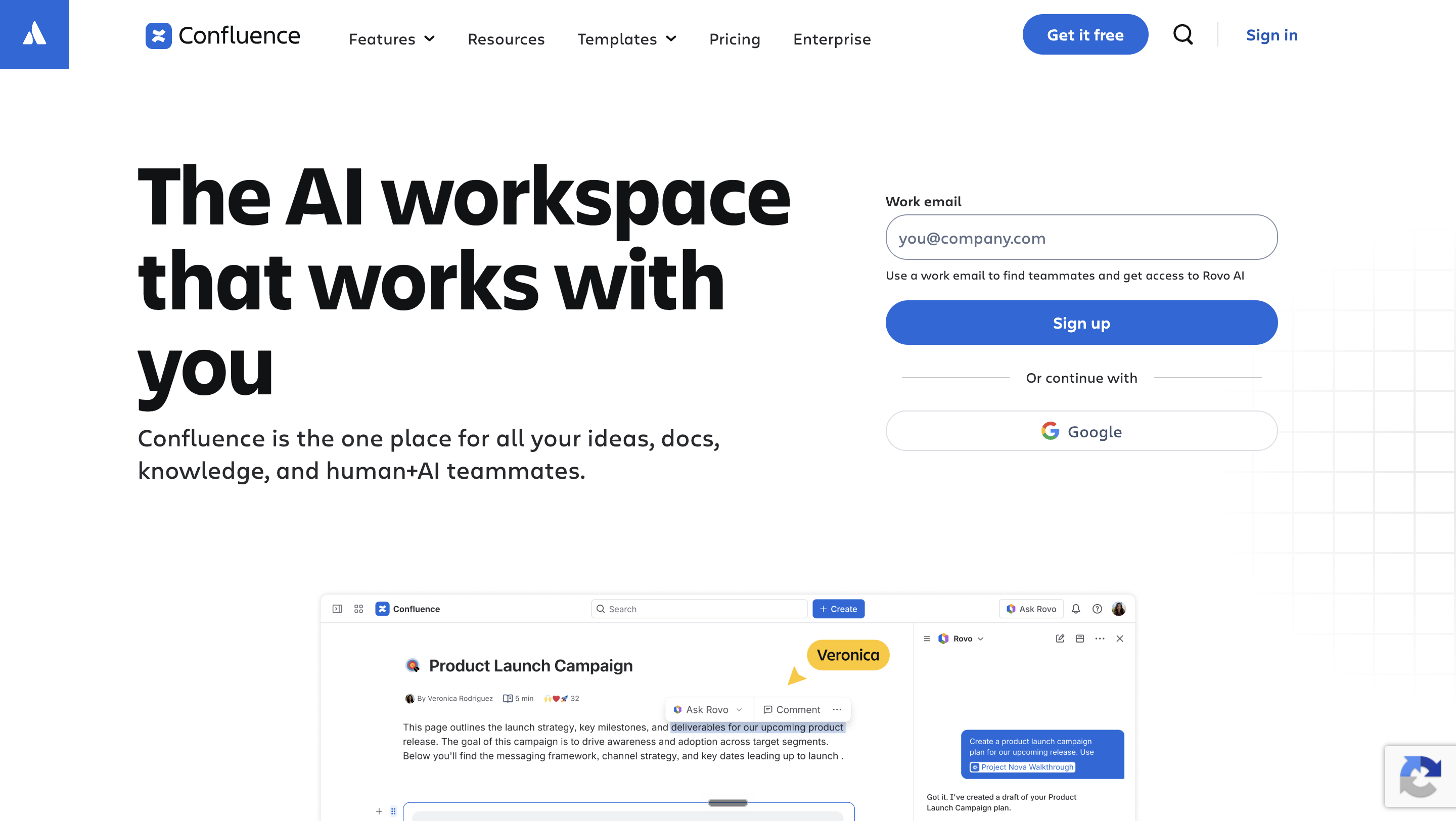
Atlassian Intelligence answers from Confluence content, which suits companies whose knowledge already lives there.
Best for: organisations deep in the Atlassian estate wanting existing Confluence pages to become answerable.
Key capabilities
- Natural-language search across spaces, returning an answer rather than a list of pages.
- Automatic summaries at the top of long documents.
- Draft and rewrite assistance inside the editor.
- Answers respect existing space and page permissions.
- Linked Jira issues can be referenced in an answer.
Pricing: Confluence is free for up to 10 users. AI is confirmed on Premium.
Where it falls short: strong inside Atlassian, blind outside it. Knowledge in Zendesk, Drive or SharePoint stays invisible, and it does not publish a published help center at all. This is an internal-search answer.
7. Stonly, Best for Guided Interactive Troubleshooting
Stonly replaces static articles with step-by-step guides that branch on what the reader answers.
Best for: teams whose answers are procedures rather than reference text, where prose fails.
Key capabilities
- Interactive decision-tree guides revealing one step at a time.
- Embedded widgets place a guide inside the product at the point of confusion.
- Agent-facing versions walk a support rep through the same procedure.
- Completion analytics show the exact step where readers give up.
- AI answers layered over the guide library.
Pricing: not published. Stonly quotes per deployment.
Where it falls short: branched guides cost far more authoring effort than an article, so libraries grow slowly. For reference documentation, where people want to scan, the format gets in the way.
8. eesel AI, Best for Adding AI to Existing Docs Quickly
eesel AI layers an answer engine over documentation wherever it currently lives.
Best for: teams who want AI answers without running a migration project first.
Key capabilities
- Connects to existing sources including help centers, Confluence, Notion and Google Docs.
- Deploys as a chat widget, a Slack bot, or inside the helpdesk.
- Answers cite the source document.
- Simulation mode replays historic tickets to estimate deflection before go-live.
- Escalates to a human when confidence is low.
Pricing: not published in a form we could verify.
Where it falls short: it is an answer layer, not a knowledge base, so it neither publishes nor maintains articles. If your documentation is thin or wrong, eesel exposes that faster rather than fixing it.
9. Agentforce, Best for Teams Committed to the Salesforce Data Model
Agentforce is Salesforce's agent platform, bound tightly to Service Cloud objects and flows.
Best for: organisations whose service operation runs entirely on Salesforce and intends to keep it there.
Key capabilities
- Agents read and write Service Cloud records natively, with no integration layer.
- Grounding in Salesforce Knowledge articles and Data Cloud.
- Flow integration lets an agent trigger automation you already built.
- Guardrails and topic scoping configured in the Salesforce admin surface.
- Handoff to a human inside the same console.
Pricing: consumption-based, quoted per org.
Where it falls short: the deep native binding is also the ceiling. Knowledge and actions outside Salesforce are hard to reach, and configuration expects Salesforce admin skills rather than support-team skills.
How Do You Choose Between These AI Knowledge Base Tools?
Three questions settle this, and the order matters more than the answers.
Where does your knowledge actually live? If the honest answer is more than one system, a native helpdesk AI reads only a fraction of your content. Model quality does not change that. It is an architecture limit.
Do you need answers, or resolutions? Answering is the second kind above. Resolving needs the third, with actions in connected systems. Teams that buy answering when they needed resolving usually discover it three months in.
What does the tool do with a question it cannot answer? A tool that drafts an article from that gap improves every month. A tool that logs it does not. Over a year, that difference compounds more than any model benchmark.
For category-level selection before you get to AI specifics, start with our general knowledge base software comparison.
For the definitional groundwork behind these three questions, including how retrieval, grounding and citation actually work, start with our AI knowledge base guide.
Frequently Asked Questions About AI Knowledge Base Software
How do you stop an AI knowledge base from inventing answers?
Grounding plus guardrails plus escalation. The system must retrieve from approved content only, refuse to answer outside it, and hand off cleanly. Ask every vendor to demonstrate test three above on your own content.
What deflection rate is realistic in the first 90 days?
We do not publish a 90-day figure, because the honest answer depends on how much of your content is accurate on day one. For what a mature deployment reaches, Delivery Hero runs 30% deflection with 80% faster response across 95,000 employees in 70+ countries. Ask any vendor who quotes you a 90-day number exactly what they count as a deflection, because higher figures usually reflect narrow scope or generous counting.
Does an AI knowledge base need clean documentation before it works?
It needs accurate documentation, not complete documentation. Wrong articles are worse than missing ones, because the AI will repeat them with confidence. Fix what is wrong first, then let the self-improving loop fill the gaps.
What happens to questions the AI cannot answer?
This is the question that separates the list. The good answer is escalation with full context, plus a drafted article queued for review. The common answer is a log file nobody reads.
Is per-resolution AI pricing cheaper than per-reply pricing?
It depends entirely on your volume and on what each vendor counts as a resolution. Model both against your actual monthly ticket count before signing. Ask specifically whether a failed deflection still counts as a billable event.
See It Running on Your Own Content
The fastest way to answer the seven tests above is to run them yourself. A demo with your documents, your restricted articles and your second language will tell you more in thirty minutes than a feature matrix will in a week.
Book a demo at enjo.ai/demo
30 minutes, your documents
Run the 7 checks on your own content
Bring your worst question. The one your docs do not cover is the one worth watching.
Book a demo