Transform complex support workflows
Self Service Customer Service: What It Is and How to Do It Well
Self service customer service is any way a customer resolves their own question without contacting an agent: a help center article, an AI assistant, a knowledge base search, a logged-in account portal, or a community answer. The customer does the resolving. The company's job is to make the answer findable and correct.
Almost every customer tries it. Gartner surveyed 5,728 customers and found that 73% use self-service at some point in their journey, while only 14% of issues fully resolve there. Even for issues customers described as very simple, only 36% resolved without an agent.
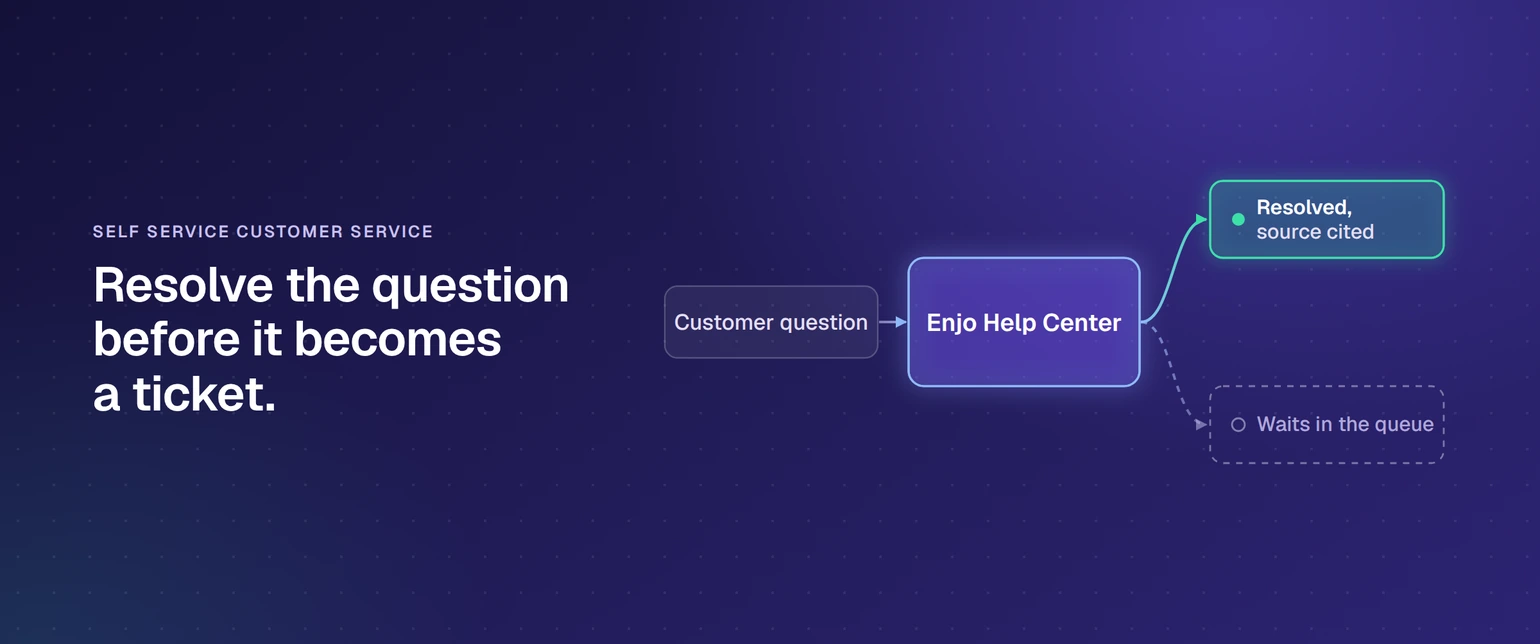
That gap is the whole subject. This page defines the term, sorts the channels, answers the questions customers actually ask, names the metrics worth tracking, and works through what closes the gap in practice.
If you would rather start than read, Launch your free Help Center. 200 AI replies a month, unlimited human agent seats, no credit card.
What is self service customer service?
Self service customer service lets a customer find an answer or complete a task on their own, with no agent involved. It covers help centers, AI chat, searchable knowledge bases, account portals and community forums. It works when the content is current and the search understands what was meant rather than what was typed.
Two variables decide whether it resolves anything. The first is whether the content matches the question. The second is whether the system understands intent, so that "how do I cancel" and "how do I stop being charged" reach the same article. Gartner's survey puts numbers on both failure modes, and they are covered further down.
What is self-service service?
The phrase usually means the same thing as self-service support: a service a customer completes themselves, without staff. It appears in two contexts. In retail and hospitality it means a self-checkout, a kiosk or an unattended pickup point. In software and support it means a help center, an AI assistant or an account portal that resolves the request without an agent.
What is a self-service account?
A self-service account is a logged-in area where a customer manages their own subscription, billing and profile. Typical actions include updating a payment method, downloading an invoice, changing a plan, adding or removing users, and closing the account. It differs from a help center in one respect: a help center gives information, while a self-service account performs the transaction.
What are examples of self service?
Outside support, the familiar examples are ATMs, supermarket self-checkouts, airline check-in kiosks and petrol pumps. In customer service the equivalents are software surfaces, and they split into two groups: getting an answer, and getting something done.
Answer-shaped examples
- Searching a help center for the steps to configure a feature
- Asking an AI assistant on a website how a refund window works and receiving a cited answer
- Reading a status page during an outage rather than opening a ticket
- Finding a workaround in a community thread another customer posted
Action-shaped examples
- Resetting a password without contacting support
- Tracking an order or starting a return in an account portal
- Downloading an invoice or updating a card
- Cancelling or upgrading a subscription
- Adding a teammate to a workspace, or rotating an API key
The second group matters more than most teams plan for. Answer-shaped self-service caps out quickly. A large share of contacts are requests to change something, not questions about how something works. If the portal can only explain how to do the thing, the customer still writes in.
Self service customer service channels, and what each handles
Most support organizations run three or four of these at once. They fail in different ways, which is why treating self service customer support as one project produces uneven results.
| Channel | What it handles | Where it breaks |
|---|---|---|
| Help center or knowledge base | Documented how-to, policy and troubleshooting content, indexed for search | Goes stale after a release. Keyword search misses paraphrased questions |
| AI assistant on the site or in the product | Conversational answers drawn from your content, plus follow-up questions | Only as accurate as the content it is grounded in. Confident wrong answers erode trust fast |
| Logged-in customer portal | Account, billing, order and ticket-status actions the customer performs themselves | Each action needs a real integration. Scope creeps and stalls |
| Community forum | Edge cases, workarounds and peer answers at scale | Needs volume to work at all, and unanswered threads read worse than no forum |
| Voice and IVR self-service | High-volume repeat requests such as balance or delivery status | Poor menu design pushes callers straight to the queue |
| Status page and proactive notice | Incidents and known issues, ahead of the contact | Only helps if it is updated during the incident, not after |
The pattern across all six is the same. Every self service portal, assistant and forum is a delivery surface for content and actions, so the health of the underlying knowledge decides the outcome. Adding a channel on top of stale content multiplies the problem rather than dividing it.
Why self service fails, according to the customers who tried it
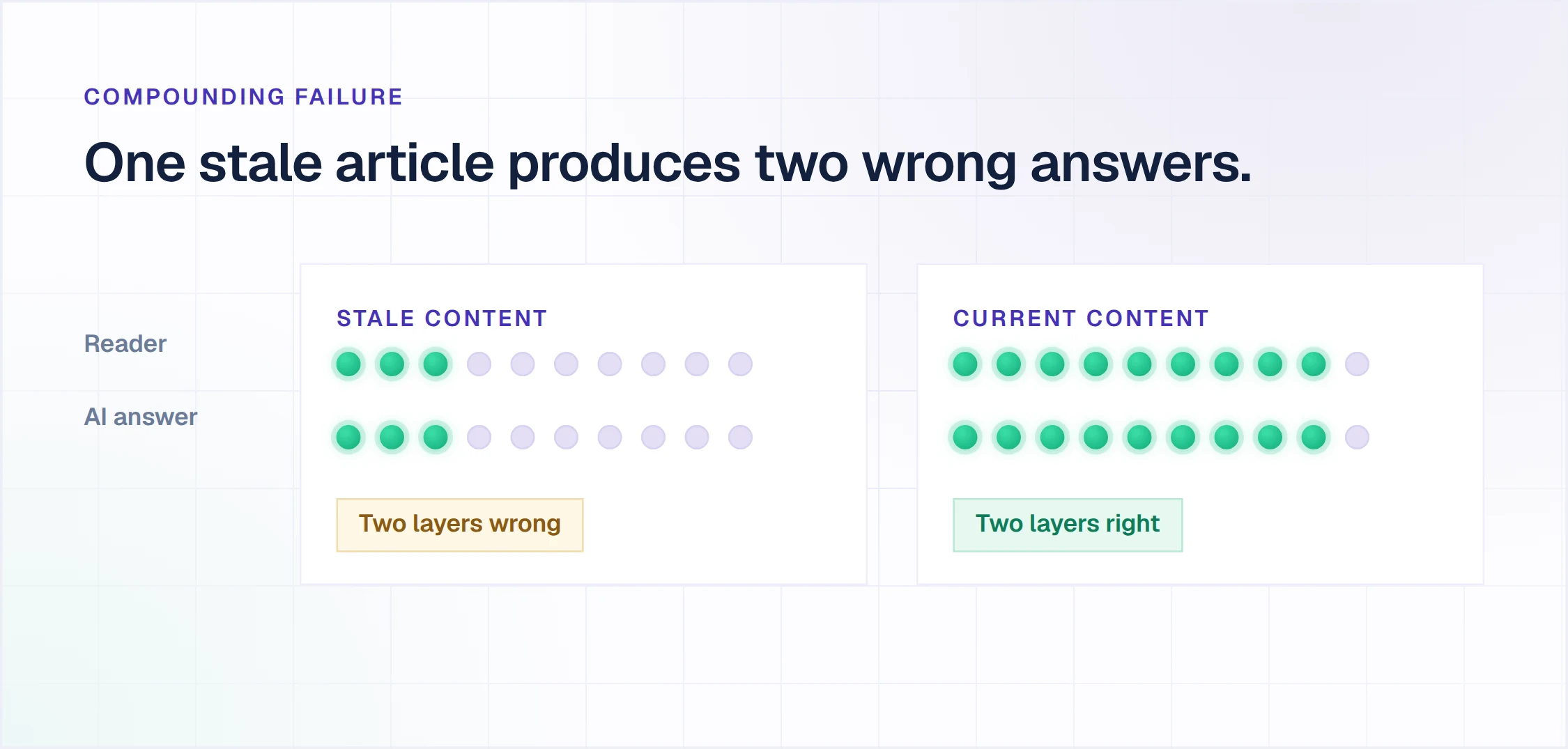
Gartner asked customers who started in self-service why it did not work. Two causes dominated: 43% could not find content relevant to their issue, and 45% said the company did not understand what they were trying to do.
Neither is a channel problem. The first is a content coverage and currency problem, and the second is a retrieval and intent problem. Buying another self service portal solves neither, which is why investment in self service customer service and resolution from it correlate so weakly.
There is a compounding failure most teams miss. The same articles that answer a customer directly also ground the AI answering them, so out-of-date content produces two layers of wrong answers. A self-service portal used to be a customer experience question. It is now an AI accuracy question as well.
The cost of getting it wrong went up when AI entered the picture. Gartner reported in September 2026 that only 27% of customers would try a chatbot again after a negative experience. One bad answer does not just fail that contact. It removes the channel for that customer.
What good self service actually returns
Stated plainly, without the deflection-rate optimism.
Resolution at hours nobody staffs. A portal answers at 3am in every timezone you sell into, at the same quality as noon. This is the benefit that survives scrutiny, because it needs no headcount assumption.
Capacity shifted, not removed. Repetitive volume moves to the AI layer, and human agents spend their time on the cases that need judgment. The right frame is where the volume goes, not how many people it replaces.
Faster answers on the requests that dominate the queue. Password resets, billing questions and order status resolve in seconds rather than after a queue wait.
A record of what customers cannot find. Every failed search and unanswered question is a content gap you can see. Most teams do not have this data because nothing is counting.
Consistency. One indexed answer, delivered the same way every time, beats twelve agents phrasing a policy twelve ways. This is the quiet argument for self service customer support that rarely makes the business case.
The benefit that does not hold up is cost per contact in isolation. Gartner reported in August 2026 that AI spending by customer service leaders rose 38% while overall function budgets rose 2%. Self-service that does not resolve simply moves cost from the queue to the software line.
Self service customer service best practices
Gartner's own guidance to service leaders, from the same survey, is a good spine. Four of the five below are drawn from it.
1. Make knowledge creation part of resolving the request. Gartner's first recommendation is to expand content creation to the reps handling issues, so knowledge is written inside the resolution workflow. Content ops as a separate function is what teams cannot staff, so the work has to sit inside work that already happens.
2. Put one entry point in front of the journey. Gartner recommends simplifying the resolution path with a single prominent digital concierge. The alternative is making the customer choose between a search box, a chat widget, a contact form and a phone number.
3. Deliver answers proactively. Use account, interaction and usage data to surface the relevant article before the customer goes looking. A stalled onboarding step is a support contact you can see coming.
4. Measure content continuously and let people flag what fails. Both customers and agents should be able to mark an article as unhelpful. That feeds a standing improvement process rather than an annual content audit.
5. Keep the human path visible. Gartner found in August 2026 that 87% of customers say a company using generative AI for customer service must provide access to a human agent. Hiding the escalation route does not raise your resolution rate. It raises your complaint rate.
To that list, one practice the research implies but does not state: treat every unanswered question as a content commission. The questions customers ask and fail to resolve make a better editorial plan than anything predicted in a planning session.
The metrics that tell you whether it is working
Six numbers, in the order they diagnose a problem. If you are building a wider measurement framework, our breakdown of customer service metrics covers the full set including CSAT and MTTR.
| Metric | What it tells you |
|---|---|
| Self-service resolution rate | The share of sessions that ended without a contact. The headline number, and the one Gartner puts at 14% across the market |
| Search with no result | Queries that returned nothing usable. The cheapest content plan you will ever get |
| Unanswered question rate | Questions the AI layer could not answer confidently. A coverage gap, not a search bug |
| Escalation rate with reason | How often self-service hands off, and why. The reason code matters more than the rate |
| Article helpfulness | Per-article thumbs up and down. Identifies the specific pages that are wrong, not just that something is |
| Time to first answer | Seconds in self-service against hours in the queue. The comparison that justifies the investment internally |
Track resolution rate and search-with-no-result from week one. The other four are refinements once there is enough traffic to read.
How to speak with customer service directly
Customers search this constantly, and it is worth answering plainly from both sides.
If you are the customer: look for a contact or chat option in the help center footer, and state that you want a human. Most AI assistants escalate on an explicit request. If the interface offers only a search box, the account portal usually carries a support link, and the billing email on your invoice is a reliable route.
If you are building the experience: this query existing in volume is the signal. Customers search for the escape hatch because it is hidden. Given that 87% of them expect access to a human when AI is involved, the escalation route belongs in plain sight rather than buried. The handoff should carry the conversation, so the customer does not start over.
When to route to a human instead
Self-service has a boundary, and pretending it does not is how teams end up with the 27% problem above. Five request types belong with a person from the first message.
Anything with money in dispute. A billing correction, a refund argument or a duplicate charge carries an emotional load that a correct answer does not resolve. The customer wants a decision, not documentation.
Security-sensitive changes. Account recovery, ownership transfer and permission escalation need identity verification that a public portal should not attempt.
Complaint-shaped contacts. When the message is about how something went rather than how something works, routing it to an article reads as a brush-off and usually escalates.
Anything spanning several systems. A problem that touches billing, provisioning and a third-party integration at once needs someone who can see all three.
Contract and commercial questions. Renewal terms, custom pricing and legal language are conversations, and publishing an answer to them creates a commitment you did not intend.
Everything outside those five is a candidate. That is usually the large majority of an inbound queue, which is why the ceiling on self-service is set by content quality rather than by request mix.
How Enjo Help Center closes the maintenance gap
Everything above describes the same constraint: self-service resolves at 14% because keeping content correct requires capacity most teams do not have. Enjo Help Center is built around that maintenance loop rather than around the authoring editor.
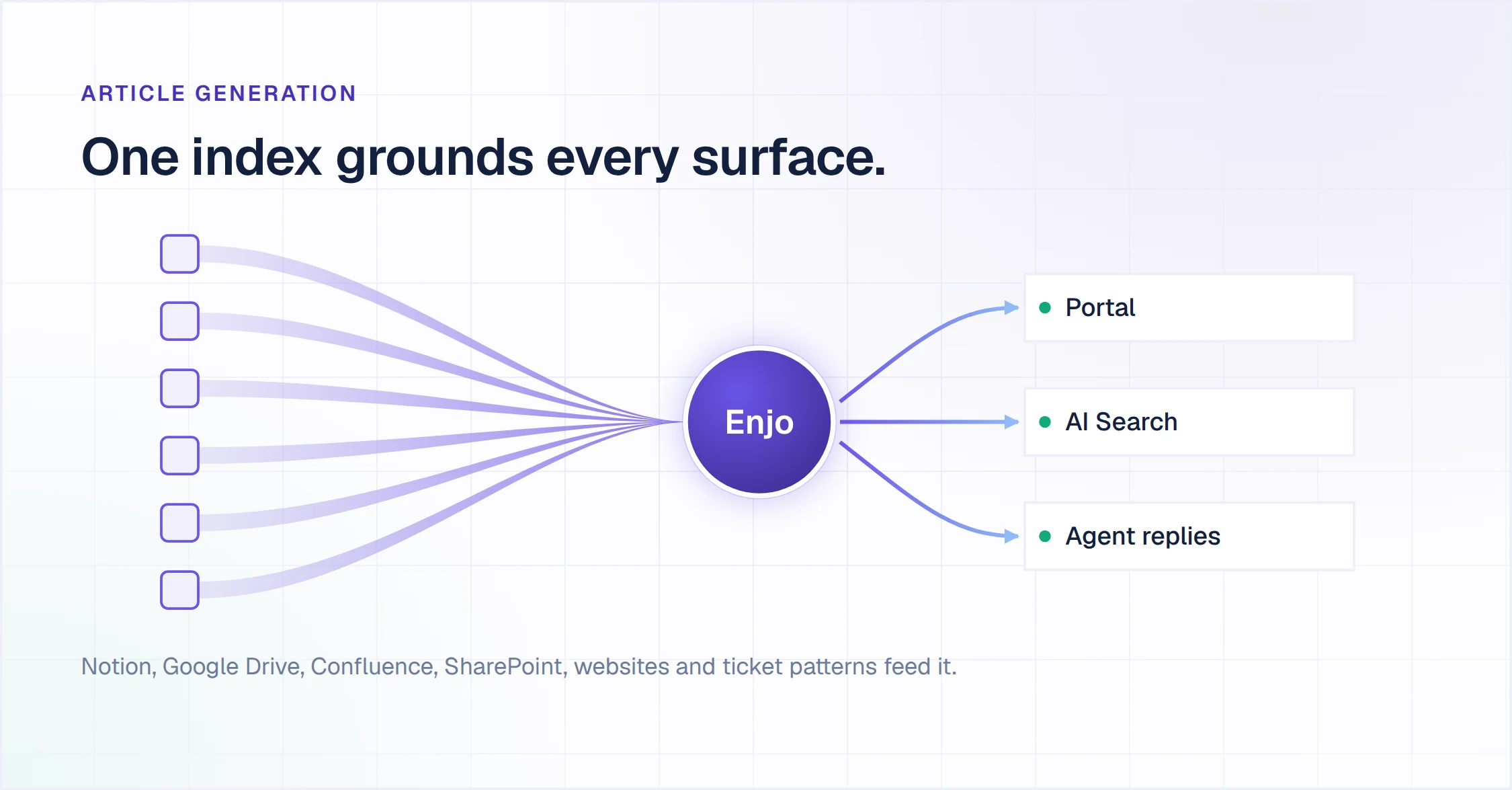
Article Generation drafts the initial set. Point it at a website URL, or connect Notion, Google Drive, Confluence or SharePoint, or import ticket patterns from Zendesk, Intercom or Freshdesk. It indexes the source material and produces drafts for review, so nobody starts from a blank editor.
AI Search answers in plain language with the source cited, rather than returning a list of links. It reads intent, so "how do I cancel" and "how do I stop being charged" reach the same answer.
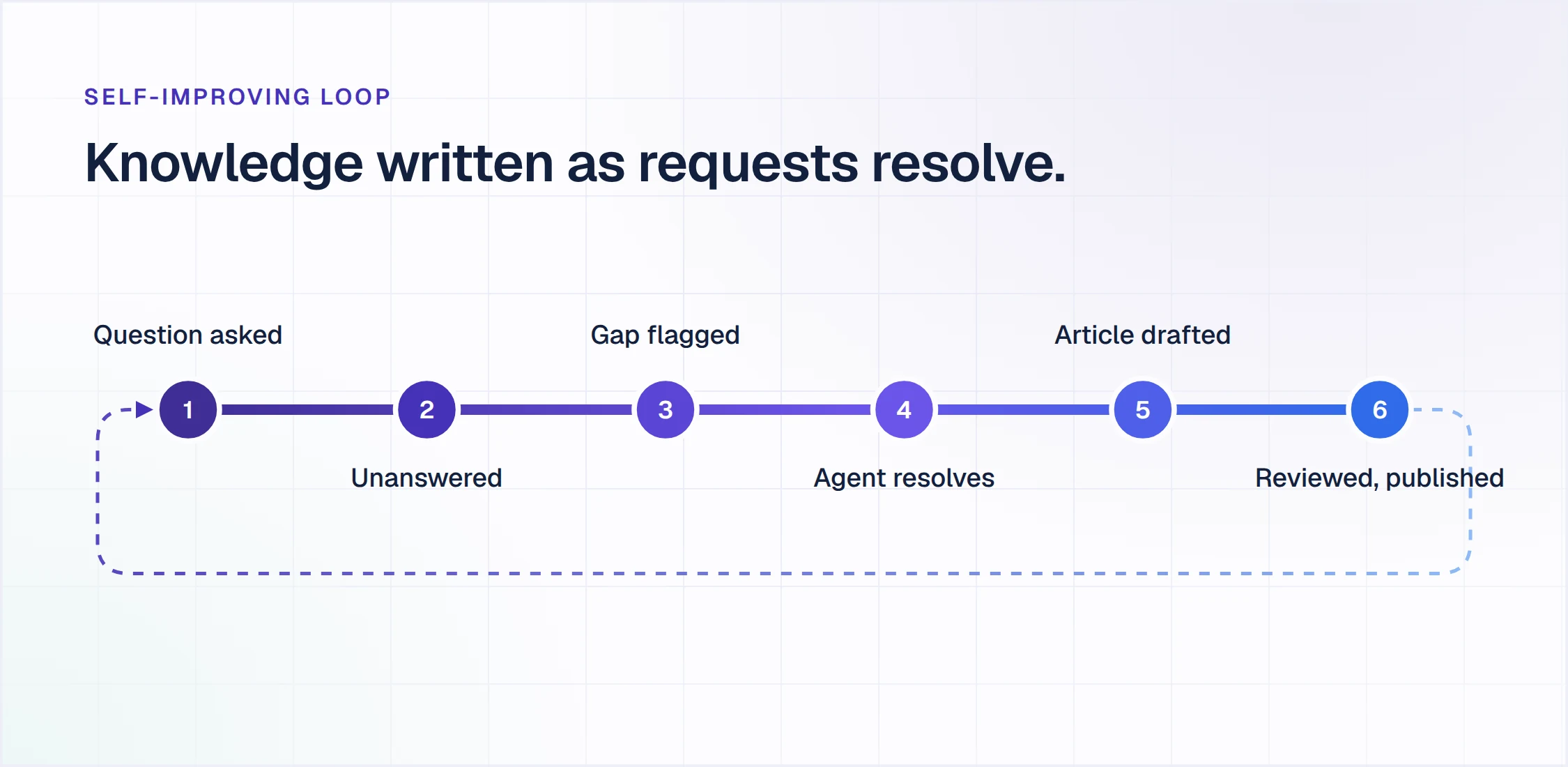
The Self-Improving Loop handles the two Gartner failure modes directly. When a customer asks something the content does not cover, the question is flagged as a gap and routed to the team. When an agent resolves it, that resolution auto-drafts a new article for review. Knowledge gets written as part of resolving the request, which is Gartner's first recommendation, running as a product mechanism rather than a process change.
Source sync keeps drafts tied to their origin. When a connected document changes, the affected article is flagged for review. A person still approves the change, so nothing publishes unread.
AI Command Center takes bulk content operations in natural language. Renaming a concept across a whole collection after a product change is one instruction rather than an editing queue.
One knowledge index grounds the portal, the AI answers and the replies human agents send, so there is nothing to reconcile between the three. Every answer is grounded in your own connected knowledge with a citation, with Guardrails on inputs and outputs and a full audit log behind them. Escalation carries the full conversation, the account context and suggested next steps to the human picking it up.
Insights reports resolution rate, deflection and the questions AI Search could not answer, from the first day live. That covers the first two metrics in the table above without a separate analytics project.
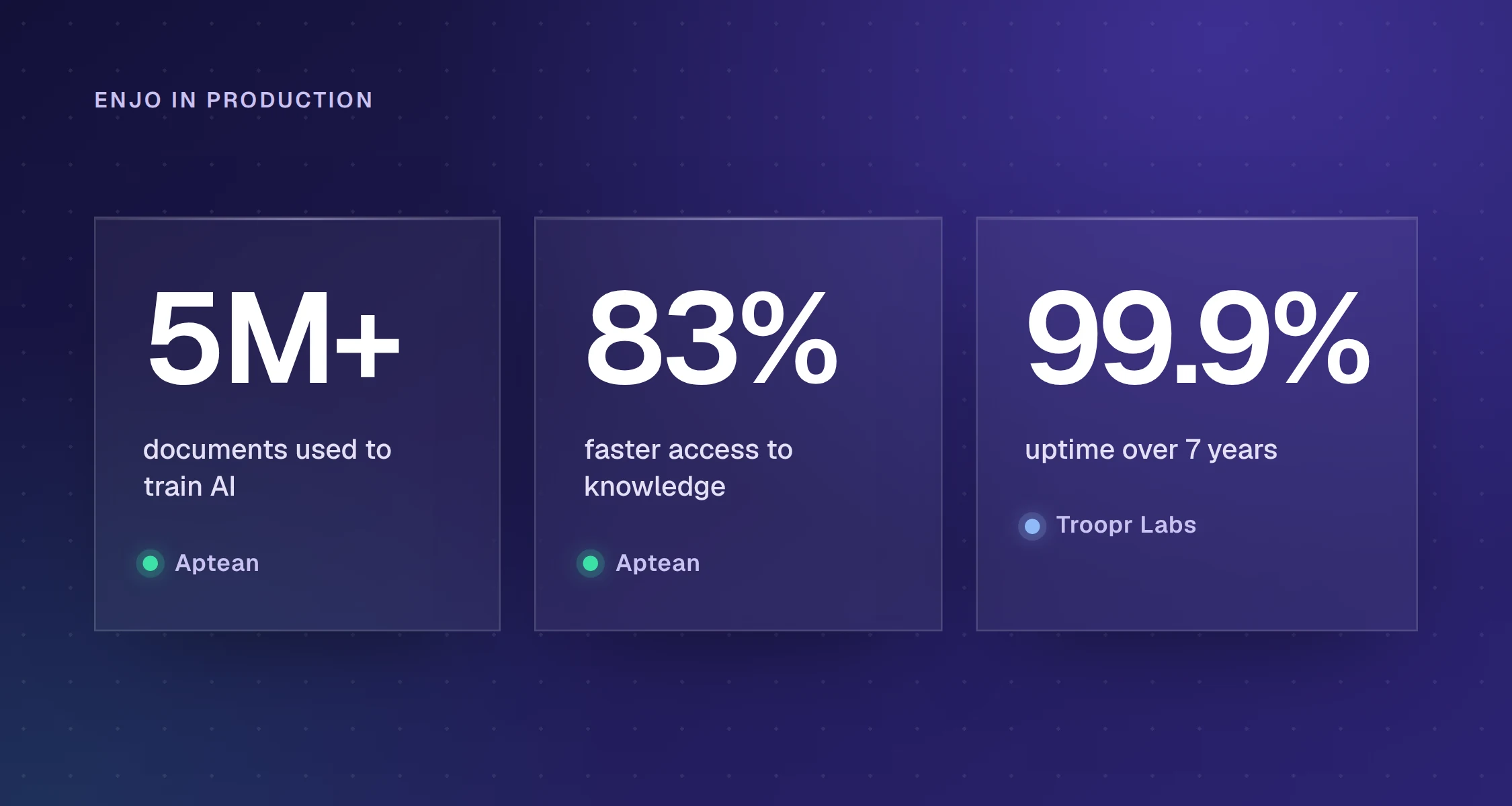
Aptean, an enterprise ERP provider, grounds Enjo on more than 5 million documents across Salesforce, its knowledge bases and SharePoint, and reports 83% faster access to that knowledge. Enjo is SOC 2 Type II compliant, ISO 27001 certified and GDPR compliant. Troopr Labs, the company behind Enjo, has 600+ enterprise deployments and 99.9% uptime over 7 years.
What it costs to start
The free plan of Enjo is permanent, not a trial, and needs no credit card. It includes 200 AI replies a month, unlimited human agent seats, unlimited AI agents, Inbox, Help Center and Insights.
At the reply cap, new requests auto-escalate to your own agents in Inbox where seats are unlimited. Articles stay published, the custom domain and branding stay active, and the SEO settings stay in place. The portal does not go dark.
Paid plans start at $95 a month for 1,000 AI replies and $295 for 3,000, with additional replies at $0.05 each. Current tiers are on the pricing page. Pricing scales with AI usage rather than with headcount, so adding a colleague to the portal does not change the bill.
If you are shortlisting tools rather than deciding how to run the channel, our comparison of customer self service software prices nine options on what each one costs before its AI answers a customer.
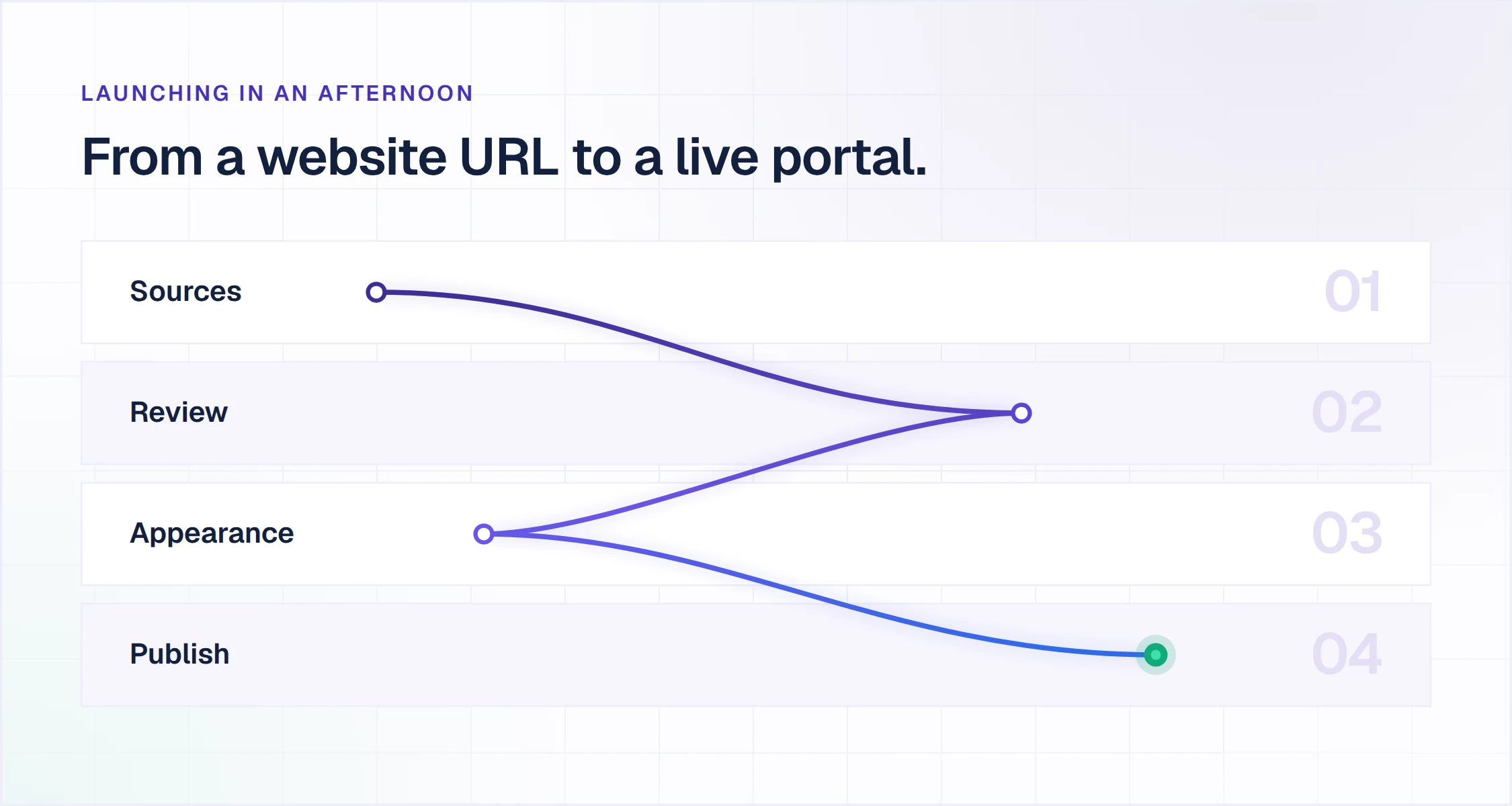
Launching in an afternoon
- Point Article Generation at your sources. A website URL is enough. Connect Google Drive, Confluence, Notion or SharePoint if you have them, or import ticket patterns from an existing helpdesk.
- Review and publish. The Publish Workflow routes drafts through your review before anything goes live. Review is where the time goes, not writing.
- Set Appearance and the custom domain. Branding, layout and domain configuration, with no code.
- Publish the portal or embed the assistant. Run it as a standalone portal on your domain, or drop the assistant onto your existing site and product.
The Self-Improving Loop is active from the first published article. Every unanswered question becomes a gap signal, and every resolved conversation becomes a candidate article.
Frequently asked questions
Is self service customer support the same as a chatbot?
No. A chatbot is one delivery surface for self-service, alongside the help center, the account portal, the community and the status page. The distinction that matters is not chat against search. It is whether the layer resolves the request or only routes it, since a bot that collects details and hands off has deflected nothing.
Does self service reduce support headcount?
It changes what the team spends its time on rather than how many people you need. Repetitive volume moves to the AI layer and human agents work the cases that need judgment. The useful measure is where volume lands, not a headcount target. Teams that plan for a headcount cut usually find the complex contacts absorb the freed capacity.
How do you keep self-service content current without a content team?
Tie content creation to request resolution instead of running it as a separate project. In practice that means articles generated from sources you already maintain, unanswered questions captured as gaps, and resolved conversations drafting new articles for review. Gartner's guidance to service leaders points the same way: make knowledge creation part of the resolution workflow.
How much does self service customer service software cost?
The range runs from free to quote-only. Entry seat rates for helpdesk suites with a bundled help center sit in the low tens of dollars per agent per month. Standalone knowledge base platforms are often quote-based, and AI answering is frequently metered per resolution on top. Model the total at the tier where the AI actually answers a customer, not the entry price.
How long does it take to launch a self service portal?
Publishing from an existing website URL or connected docs takes under an hour, and the time goes into reviewing drafts rather than writing them. Building a self service portal article by article takes weeks, because the constraint is writing capacity. Either way, plan for the review step rather than the setup step.
Stop maintaining a help center. Launch one that maintains itself.
Point Enjo at your docs or a website URL and it drafts your article set for review. 200 AI replies a month on the free plan, unlimited human agent seats, no credit card, no code.