Transform complex support workflows
Internal Knowledge Base Software: 10 Tools Compared for 2026
By Yoshi Bansal, Product Manager at Enjo.
Internal knowledge base software is a private, login-gated library of policies, runbooks and how-tos that employees search or ask, with permissions deciding who sees each article. The tools split three ways: wikis built for writing, search layers built for finding, and login-gated help centers built for reading and upkeep. Enjo Help Center is the third: Article Generation builds it from your Confluence, SharePoint, Notion and Google Drive pages, and Audience Targeting sets who sees each article.
- Enjo Help Center: login-gated articles generated from your existing docs, restricted by Audience Targeting and answered from the same index in Slack and Microsoft Teams.
- Confluence: Atlassian's wiki, with space permissions and page restrictions from the Standard plan.
- Notion: a flexible workspace with page-level sharing, where SAML SSO starts on the Business plan.
- Guru: cited answers in Slack, Microsoft Teams and a browser extension, drawn from 100+ connected sources.
- Slite: a verified doc library with channel permissions, plus AI answers in Slack on every plan.
- Tettra: curated pages with invite-only categories and AI answers in Slack channels.
- Slab: topic-based docs with SAML SSO and SCIM on the Business plan.
- SharePoint: team sites inside Microsoft 365, with permissions down to a single file.
- Nuclino: a lightweight linked wiki with workspace roles and private workspaces.
- Glean: enterprise search across 275+ connectors that mirrors each source's permissions.
Each competitor entry names one limitation verified on the vendor's own pages, and the Enjo Help Center entry states its scope in the same slot. Below, all 10 are compared on article permissions, SSO tier and cost per reader, followed by the steps to launch your free Help Center on the docs you have.
Internal Knowledge Base Tools Compared
The columns are the facts that decide an internal rollout. SSO and SCIM tiers sit in each entry and in the cost section, and every cell reflects vendor pages re-checked on 30 October 2026, except Microsoft's, which blocked the check, so SharePoint's prices are as checked on 30 September 2026.
| Tool | Where Employees Look | Article Permissions | Builds From Existing Docs | Starting Price |
|---|---|---|---|---|
| 1. Enjo Help Center | Portal; Slack and Teams via Enjo | Plan, role, segment, login state | Generates from a URL or docs | Included on Free, $0 |
| 2. Confluence | Web; Slack and Teams apps | Space permissions, page restrictions | Imports Notion, Word, Google Docs | Per user, from Standard |
| 3. Notion | Notion web and apps | Page sharing, private teamspaces | Imports Confluence, Google Docs, Word | $10 per member/month, yearly (Plus) |
| 4. Guru | Slack, Teams, browser extension | Collections and folders, by group | Connects Confluence, SharePoint, 100+ tools | Not published |
| 5. Slite | Web app; Slack (AI on every plan) | Channels, with per-doc overrides | Imports Notion, Confluence, Google Drive | $10/user/month, billed yearly |
| 6. Tettra | Web app; AI answers in Slack | Invite-only categories, page locking | Google Docs, PDFs, Notion content | $8/user/month yearly, 10-user minimum |
| 7. Slab | Web; Slack; Teams on Business | Topics; private topics from Startup | Imports Confluence, Notion, Google Drive | $6.67/user/month, billed annually |
| 8. SharePoint | Sites; files inside Teams channels | Site, library, folder, file | Stores Office files as they are | $7.00/user/month (Business Basic) |
| 9. Nuclino | Nuclino workspace | Workspace roles, private workspaces | Imports Confluence, Google Docs, Word | Per user, from Starter |
| 10. Glean | Web, extension, Slack, Teams | Mirrors each source's permissions | Answers from 275+ connectors | Not published |
What Is Internal Knowledge Base Software?
Internal knowledge base software gives employees one private place to learn how the company works, behind the login they already use. Buyers also call it company knowledge base software or employee knowledge base software. Most of what it holds is process content: policies, approvals, runbooks and onboarding steps that change whenever the business changes, which sets a different upkeep rhythm from product docs.
Features to Look For in Internal Knowledge Base Software
Six features separate it from a public knowledge base or a shared drive. The first three decide whether a tool can hold internal content at all; the last three decide whether that content stays right and what reading it costs.
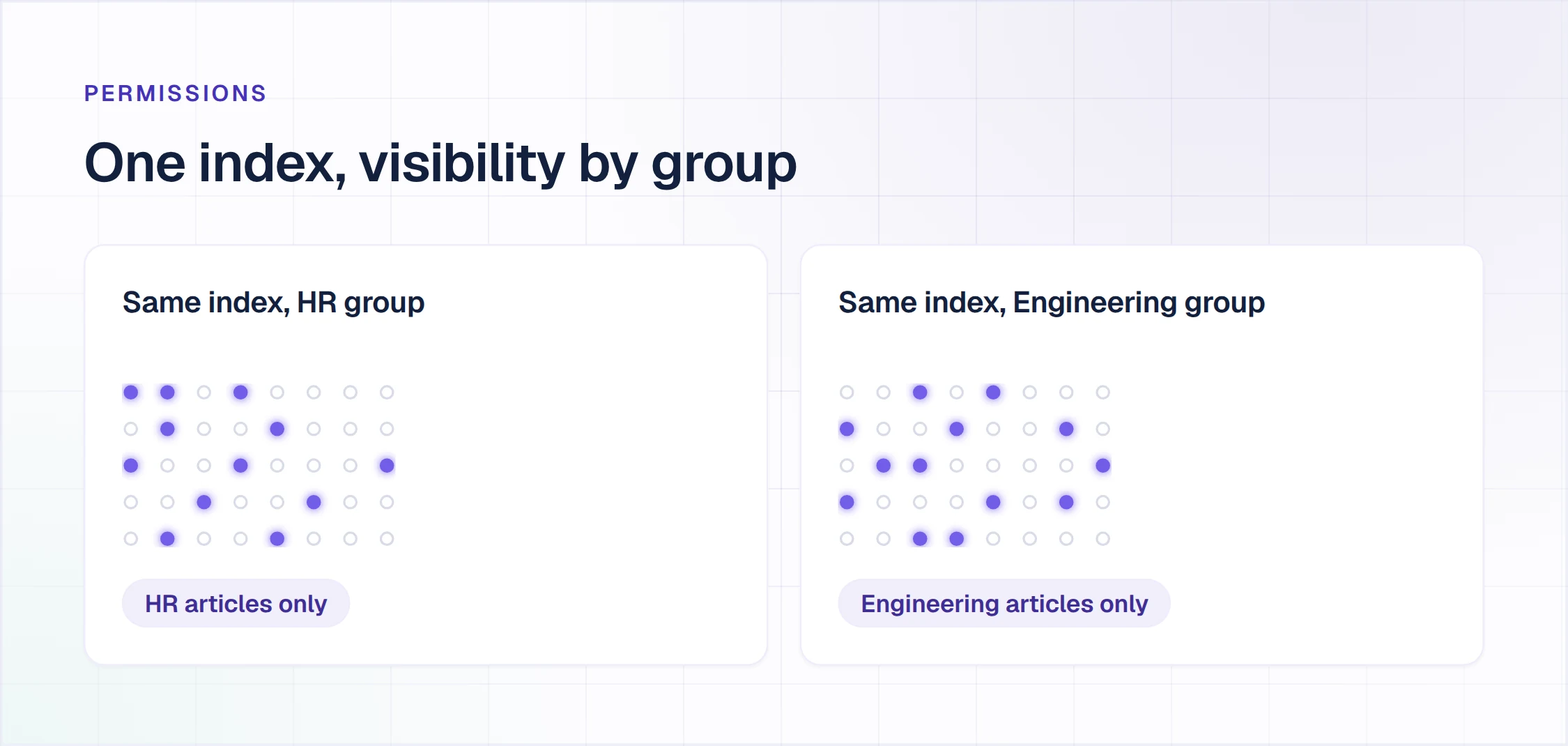
- Article permissions: one article visible to HR and hidden from Engineering, inside the same library, without standing up a second site.
- Identity provisioning: single sign-on so employees use the login they already have, and SCIM so a leaver loses access when the directory says so.
- Where employees look: the portal, Slack, Microsoft Teams or a browser tab, and the answer has to reach the place where the question was asked.
- Owners and verification: an owner on every article, review before changes go live, and a flag when the source changes.
- Gap reports: the questions and searches that found no article, so demand picks the next one.
- Reader accounts: read access for everyone, contractors included, without a paid editing seat each.
Examples of Internal Knowledge Bases
Four kinds cover most internal deployments, and each needs a different audience rule.
- IT runbooks and access how-tos: requesting VPN or software access, resetting MFA and replacing a laptop, with incident runbooks visible to IT only.
- HR policies and leave rules: parental leave, expenses and holiday calendars by country, with salary bands restricted to HR.
- Onboarding checklists: first-week setup by role and team, visible to new hires and their managers.
- Security policies: acceptable use, data classification and incident reporting, visible to every signed-in employee and kept off the public web.
Internal vs External Knowledge Base vs Company Wiki
A company wiki is built for many writers, so quality varies with whoever edited a page last. An internal knowledge base is built for many readers: a smaller set of published articles, each with an owner and an audience. An external knowledge base, usually a public help center, answers customers without a login.
A wiki can hold the drafts while an internal knowledge base holds the answers employees act on. Enjo Help Center's Multi-brand runs separate help centers by audience, so an internal one and a public one sit on the same platform with their own articles. For the wider category, including customer-facing tools, see our comparison of knowledge base software. The public side is covered in our guide to help center software.
Benefits of an Internal Knowledge Base That Stays Current
Employees get answers where they ask, from the article that owns each one. Repetitive questions stop landing on IT and HR, and those teams spend their time on requests that need a person.
Upkeep matters twice once an AI agent answers from the same content. In Enjo Help Center, the index behind the portal also grounds Enjo, the AI Support Agent, when employees ask in Slack or Microsoft Teams. So one stale article gives two wrong answers: the page an employee reads and the reply they get in chat.
Every AI answer is grounded in your published articles and cites its source, with Guardrails on AI inputs and outputs and full audit logs behind it. Our AI knowledge base guide explains how that retrieval and citation work.
Keeping one index current takes an owner and a mechanism, and Enjo Help Center supplies the mechanism.
- Refresh an outdated article: a Help Center Agent template that compares an article against your current product and knowledge sources, and flags content that no longer matches.
- Self-Improving Loop: a question the portal cannot answer escalates to your team in Enjo Inbox with the full conversation, account context and suggested next steps. Once resolved, the conversation drafts a new article for review.
- Publish Workflow: review before anything goes live, whether Article Generation, the Help Center Agent or a person wrote the draft.
- Daily source sync: connected Notion, Google Drive, Confluence and SharePoint sources sync into the same index every day, so answers and article refreshes work from the current version.
How We Evaluated These Internal Knowledge Base Tools
Each tool was judged on the five facts that decide an internal rollout.
- Article permissions: whether access stops at the space or site or reaches a single article, and whether it follows role or group.
- Identity provisioning: the plan or add-on where SSO and SCIM start, as the vendor states it.
- Where employees look: the portal, Slack, Microsoft Teams, a browser extension, or only the tool itself.
- Existing docs: what the tool imports, connects to or generates articles from.
- Cost per reader: billing unit, seat minimum and free plan, priced at 400 readers and 8 writers.
Pricing and documentation were checked on each vendor's own site on 30 September 2026 and re-checked on 30 October 2026, when Microsoft's pages blocked the check. Where a vendor publishes no price, or its page did not render one, the entry says so and states no figure.
The list covers wikis, search layers and login-gated help centers that employees read. Developer documentation is a separate job, covered in our roundup of GitBook alternatives. Our list of AI knowledge base software compares AI answer layers on what happens to an unanswered question.
The 10 Best Internal Knowledge Base Software Tools
1. Enjo Help Center
Best for: login-gated policies, runbooks and how-tos built from the docs you already have.
Enjo Help Center is Enjo's knowledge base software: a self-serve portal that publishes articles to employees behind their login, with an AI Assistant that answers from those articles.
How it goes to market: self-serve signup on a permanent Free plan with no credit card, priced per AI reply rather than per seat.
- Article Generation: drafts the first articles from a website URL or from connected docs in Confluence, SharePoint, Notion and Google Drive.
- Audience Targeting: sets each article's visibility by plan, role, segment or login state, so the leave policy stays behind the login and salary bands stay with HR.
- AI Assistant: employees ask in plain language in the portal's search and get a direct answer from published articles, with the source cited.
- One index in Slack and Microsoft Teams: the index behind the portal grounds Enjo, the AI Support Agent, so the chat answer and the article say the same thing.
- Self-Improving Loop: an unanswered question escalates to your team in Enjo Inbox with the full conversation, account context and suggested next steps. Once resolved, the conversation drafts an article for review.
- Help Center Agent: creates and updates articles from templates, prompts and your connected sources, shows each edit in a Review changes panel, and logs every run in Agent Activity.
- Security: Guardrails on AI inputs and outputs, full audit logs and RBAC. Enjo is SOC 2 Type II, ISO 27001 and GDPR compliant, with TLS 1.2+ in transit and AES-256 at rest.
Permissions and identity: Audience Targeting restricts each article by plan, role, segment or login state inside one Help Center. RBAC sets granular roles and permissions across modules, data and actions.
Pricing: Help Center is included on every Enjo plan. Free is $0 a month with 200 AI replies and no credit card, Starter is $95 with 1,000, and Standard is $295 with 3,000; Enterprise is custom, billed yearly. Standard adds custom role-based access, advanced Guardrails and the audit trail with QA review flows. Every plan is priced per AI reply, with unlimited human agent seats (pricing on enjo.ai/pricing, checked 30 October 2026).
Scope: Enjo Help Center is built around the maintenance loop rather than the authoring editor. Articles are generated from a URL or connected docs. Unanswered questions draft new articles for review, and the same index that answers requests keeps the portal current, which is the point rather than a limit.

2. Confluence
Best for: Atlassian teams co-authoring internal pages in shared spaces.
Confluence is Atlassian's wiki, where teams write pages inside spaces governed by global, space and page-level permissions.
How it goes to market: sold per user on Free, Standard, Premium and Enterprise plans, with AI features including Rovo from Standard.
- Page restrictions: viewing or editing of a page can be limited to certain users or groups, on top of the space's permissions.
- Rovo: AI features including Rovo come with Standard, with higher usage quotas on Premium and Enterprise.
- Importers: a Notion workspace imports into a new space, and Word .docx files and Google Docs import as pages.
- Microsoft Teams app: employees search previously shared pages inside Teams, preview them and add a page as a tab.
- Slack app: Confluence notifications, link previews and channel subscriptions to spaces arrive in Slack.
Permissions and identity: global, space and page-level controls, with view and edit restrictions by user or group from Standard. SSO and SCIM come from Atlassian Guard Standard, a separate subscription below Enterprise and included on Enterprise.
Pricing: free for up to 10 users. Standard, Premium and Enterprise are billed per user, and Atlassian Guard Standard is listed at $4.35 per user per month on Atlassian's default monthly view, with the rate set by team size (pricing on atlassian.com, checked 30 October 2026).
Where it falls short: permissions and restrictions aren't customizable on the Free plan, so a 10-user pilot cannot hide an HR page from the rest of the pilot group.
3. Notion
Best for: teams keeping docs, projects and a wiki in one workspace.
Notion is a connected workspace of pages and databases, organized into teamspaces that each carry their own members and permissions.
How it goes to market: sold per member on Free, Plus, Business and Enterprise plans, with the full Notion AI, including Notion Agent and Enterprise Search, starting on Business.
- Sharing levels: each page can grant full access, can edit, can comment or can view, and a subpage takes on its parent's permissions.
- Private teamspaces: on Business, a teamspace can be created that others cannot see or discover.
- Enterprise Search: on Business, answers draw on the workspace plus connected tools such as Slack, Microsoft Teams and GitHub.
- Importers: Confluence, Google Docs, Evernote, Asana and Trello content imports, along with Word, PDF, Markdown, HTML and CSV files.
Permissions and identity: page-level sharing and teamspace permissions, with private teamspaces and SAML SSO on Business. SCIM provisioning and the audit log are on Enterprise.
Pricing: Free is $0, Plus is $10 and Business $20 per member per month billed yearly ($12 and $24 billed monthly), and Enterprise is custom. Guests are free (pricing on notion.com, checked 30 October 2026).
Where it falls short: free guests can open only the pages they are invited to. A contractor who needs to browse the teamspaces becomes a member, billed per member on paid plans.
4. Guru
Best for: verified answers delivered inside Slack, Teams and the browser.
Guru is an AI knowledge platform that connects scattered company sources into one retrieval index and delivers cited answers where employees work.
How it goes to market: sold as a package Guru describes as "tailored to your organization's scale, knowledge complexity, and AI maturity," with no public price.
- Answers in Slack and Microsoft Teams: search and cited AI answers in both, plus announcements in Teams.
- Browser extension: surfaces answers based on the page an employee is viewing, next to a web app for search and administration.
- Folder permissions: a group can get read-only access to specific folders without access to the whole collection.
- Connectors: 100+ source connectors, including Confluence and SharePoint, feed one index behind permission-aware answers.
- Verification: expert review workflows run on scheduled review cycles, alongside automatic checks on usage signals and content age.
Permissions and identity: admins control group and user access to sources, collections and folders, and a user in several groups gets the highest role. SSO and SCIM work with Okta, Microsoft Entra, OneLogin and any SCIM 2.0 identity provider; no plan tier is published.
Pricing: not published; the pricing page leads to a call with Guru's team (pricing on getguru.com, checked 30 October 2026).
Where it falls short: with no published price, the cost of hundreds of occasional readers cannot be modeled before a sales conversation.
5. Slite
Best for: verified team docs with AI answers in Slack.
Slite is a knowledge base for team docs, organized into channels, with Ask for AI search and answers and a doc verification workflow.
How it goes to market: sold per user on Basic and Pro, billed yearly, plus a custom-priced Enterprise plan, after a 14-day free trial.
- Ask: AI search and answers across your Slite docs on every plan, with Pro adding search across connected tools.
- Slack: employees mention @Slite to ask the knowledge base, search and share docs, and get doc-update notifications.
- Verification: a doc verification workflow on Basic, plus doc fact-checking with suggested fixes on Pro.
- Importers: content imports from Notion, Google Drive and Confluence, or as files in bulk.
Permissions and identity: access to a channel cascades to its docs, individual docs can override it, and roles run from Reader to Writer to Channel Admin. OpenID SSO starts on Pro; SCIM is on Enterprise.
Pricing: Basic is $10 and Pro $20 per user per month, billed yearly; Enterprise is custom, and there is no free plan (pricing on slite.com, checked 30 October 2026).
Where it falls short: reader-only seats appear only on Enterprise, and free guests are capped at 5 per paying member.
6. Tettra
Best for: Slack-centered teams with curated, verified pages.
Tettra is a knowledge base of curated pages that answers repeat questions in Tettra and Slack, with subject matter experts verifying important pages.
How it goes to market: one Scaling plan priced per user with a 10-user minimum, plus a custom Enterprise plan, after a 30-day free trial.
- AI answers in Slack: answers questions in Slack direct messages and channels, where a thread question ending in a question mark cues Kai, Tettra's AI.
- Invite-only categories and page locking: on Scaling, a category can be limited to invited people and a page locked against edits.
- Read-only and guest users: both account types are listed on the Scaling plan.
- AI page tagging and FAQ generation: Tettra tags pages and generates FAQs with AI on both plans.
- Existing content: Google Docs and PDFs can be used as they are, and the Notion integration puts Notion content to work answering questions.
Permissions and identity: invite-only categories, page locking, and read-only or guest users on Scaling. SAML SSO and SCIM are paid add-ons on Scaling and included on Enterprise.
Pricing: Scaling is $8 per user per month billed yearly, or $10 billed monthly, with a 10-user minimum, and the SSO and SCIM add-on prices are not shown. Enterprise is custom (pricing on tettra.com, checked 30 October 2026).
Where it falls short: group permissions require the paid SCIM add-on on Scaling, so restricting a category to a department group costs extra below Enterprise.
7. Slab
Best for: internal docs organized by topic.
Slab is a knowledge base where posts are organized into topics, with Unified Search that reaches into connected tools such as Slack.
How it goes to market: sold per user on Free, Startup, Business and Enterprise plans, with Startup and Business billed annually and Enterprise requiring at least 100 users.
- Private topics: from Startup, a topic can be private instead of open to the whole workspace.
- Slack and Microsoft Teams: /slab search finds and shares posts in Slack, and on Business, Teams can search all of Slab and unfurl post links.
- AI Ask: answers from Slab content on Business, with Advanced AI Ask on Enterprise.
- Unified Search: teammates search their Slack channels from inside Slab, alongside Slab posts.
- Importers: Confluence, Notion, Google Drive, Guru, Slite, Dropbox Paper and GitBook, plus Markdown, HTML and DOCX files.
Permissions and identity: access follows topics, with private topics from Startup. SAML SSO and SCIM provisioning start on Business, and audit logs are on Enterprise.
Pricing: free for up to 10 users, and Startup is $6.67 and Business $12.50 per user per month, billed annually. Enterprise is custom, with at least 100 users (pricing on slab.com, checked 30 October 2026).
Where it falls short: Slab bills "the number of users who can log into Slab" and has no account type that cannot edit, so every reader is a paid user.
8. SharePoint
Best for: Microsoft 365 organizations keeping policies beside Office files.
SharePoint is Microsoft's platform for team sites and document libraries, included in Microsoft 365 plans and connected to Microsoft Teams.
How it goes to market: Microsoft's SharePoint pricing page presents it inside Microsoft 365 plans rather than as a separate knowledge base product.
- Team sites: sites share information, files and resources, and every Teams channel has a SharePoint team site behind it.
- Files in Teams: documents shared in Microsoft Teams are stored in SharePoint, so employees open them from the channel.
- Unique permissions: a file or folder can stop inheriting from its library and carry its own permissions.
- Copilot: the Business Standard and Business Premium plans "with Copilot" include Microsoft Copilot in apps such as Word, Outlook and Microsoft Teams.
Permissions and identity: site, library, folder and file permissions, with a recommended general limit of 5,000 unique permissions per list or library. Identity runs through Microsoft 365, listed as Microsoft Entra ID on the E3 and E5 plans.
Pricing: Microsoft 365 Business Basic is $7.00, Business Standard with Copilot $23.50 and Business Premium with Copilot $32.00 per user per month, paid yearly. Microsoft 365 E3 is $39.00 (pricing on microsoft.com, checked 30 September 2026).
Where it falls short: Microsoft lists its Business plans for up to 300 users, so a 408-person company prices SharePoint on an enterprise plan such as E3.
9. Nuclino
Best for: linked team docs and visual canvases in one workspace.
Nuclino is a collaborative wiki of linked items and canvases, organized into workspaces with their own roles.
How it goes to market: sold per user on Free, Starter and Business plans, with a 14-day free trial of Starter and no credit card required.
- Workspace roles: full access, comment-only and read-only roles on paid plans.
- Access controls: access and editing restrictions, groups and private workspaces start on Starter.
- Sidekick: the AI on Business answers questions, drafts and edits, and generates images.
- Importers: Confluence, Google Docs and Quip, plus Word, Markdown, HTML and text files.
- Publishing: pages publish from Starter, with a custom publishing domain on Business.
Permissions and identity: workspace roles, groups, private workspaces and access restrictions from Starter. SAML SSO and the audit log are on Business.
Pricing: free up to 50 items, 3 canvases and 2GB of storage. Starter and Business are billed per user (pricing on nuclino.com, checked 30 October 2026).
Where it falls short: the plan comparison lists SAML SSO on Business and no SCIM provisioning on any plan.
10. Glean
Best for: enterprise search across many connected systems.
Glean is an enterprise search and AI assistant platform that answers from content across connected apps while respecting each source's permissions.
How it goes to market: sold through sales with no public price, as a platform of search, Glean Assistant and Glean Agents.
- Connectors: 275+ connectors bring existing content into search and answers.
- Browser extension: search and in-context answers in a sidebar and on the new tab page, for Chrome, Safari, Firefox and Edge.
- Slack: employees tag @Glean for answers from permissions-aware company data.
- Microsoft Teams: employees message Glean privately or tag it in channels, then open "Show sources" to see where the answer came from.
Permissions and identity: answers respect each source's permissions, so users see only what they are allowed to see. SSO is mandatory, over OIDC or SAML, with identity providers such as Okta, Entra ID, OneLogin or Google.
Pricing: not published; glean.com's pricing address now leads to its homepage, where buyers book a demo (checked 30 October 2026).
Where it falls short: with SAML instead of OIDC, directory information does not arrive with sign-in, and Glean's documentation says it must be pushed separately by CSV or the Indexing API.
Internal Knowledge Base Software Pricing: Cost Per Reader
An internal knowledge base is written by a few people and read by everyone, and per-user pricing bills every reader. Count the 400 people who open an article now and then alongside the 8 who maintain them.
| Tool | Billing Unit | Seat Minimum | Free Plan |
|---|---|---|---|
| 1. Enjo Help Center | Per AI reply | None; priced per AI reply | Help Center and 200 AI replies |
| 2. Confluence | Per user | Not stated | Up to 10 users |
| 3. Notion | Per member; guests free | Not stated | Yes, with 10 guests |
| 4. Guru | Not published | Not published | Not listed |
| 5. Slite | Per user; guests free | Not stated | 14-day trial only |
| 6. Tettra | Per user | 10 users | 30-day trial only |
| 7. Slab | Each user who can log in | 100 on Enterprise | Up to 10 users |
| 8. SharePoint | Per user, inside Microsoft 365 | None stated; Business caps at 300 | Not listed |
| 9. Nuclino | Per user, readers and guests included | Not stated | Up to 50 items |
| 10. Glean | Not published | Not published | Not listed |
Identity is the second line item: SSO and SCIM often sit one tier or add-on above the plan your content needs.
- Confluence: SSO and SCIM come from Atlassian Guard Standard, listed at $4.35 per user per month below Enterprise and included on Enterprise.
- Notion: SAML SSO on Business; SCIM provisioning and the audit log on Enterprise.
- Guru: SSO and SCIM are documented for Okta, Microsoft Entra, OneLogin and SCIM 2.0 providers, with no tier published.
- Slite: OpenID SSO from Pro at $20 per user per month; SCIM, the audit log and reader-only seats on Enterprise.
- Tettra: SAML SSO and SCIM are paid add-ons on Scaling, with no add-on price shown, and included on Enterprise.
- Slab: SAML SSO and SCIM from Business at $12.50 per user per month, billed annually; audit logs on Enterprise.
- SharePoint: identity runs through Microsoft 365, whose Business plans list identity and access management for up to 300 users.
- Nuclino: SAML SSO on Business, and no SCIM on the plan comparison.
- Glean: SSO is mandatory over OIDC or SAML, and only OIDC syncs directory information.
Now price 400 readers and 8 writers, 408 accounts in total, at each tool's listed per-user rate.
- Slab: $2,721.36 a month on Startup, or $5,100 on Business once SAML SSO and SCIM are required, both billed annually.
- Tettra: $3,264 a month on Scaling billed yearly, before the SSO and SCIM add-ons.
- Notion: $4,080 a month on Plus, or $8,160 on Business, the first plan with SAML SSO, both billed yearly.
- Slite: $4,080 a month on Basic, or $8,160 on Pro, the first plan with SSO, both billed yearly.
- SharePoint: 408 users sits above the 300-user Business listing, so Microsoft 365 E3 at $39.00 comes to $15,912 a month, a price that also covers Microsoft Teams.
- Confluence: seat rates did not render on atlassian.com, and Atlassian Guard Standard's rate changes with team size, so neither is priced here at 408 users.
- Guru and Glean: no published price, so neither can be modeled before a sales call.
- Nuclino: per-user rates did not render on nuclino.com, so it is not priced here.
Enjo prices per AI reply, so neither the 400 readers nor the 8 writers are billed by headcount. An AI reply is one response Enjo's AI agent sends to a requester. Free covers 200 AI replies a month, Starter covers 1,000 for $95, and Standard covers 3,000 for $295.
At 2 AI replies per reader a month, 800 replies fit Starter at $95. At 7 per reader, 2,800 replies still fit Standard at $295. At the Free limit, requests auto-escalate to your team in Inbox, so no request is dropped.
If the budget line is zero, our comparison of free knowledge base software separates permanent free plans from trials.
Internal Knowledge Base Software for Small Businesses vs Enterprises
Small teams hit the free plan and the seat minimum first. Confluence and Slab are free for up to 10 users, Notion's free plan includes 10 guests, and Nuclino's free plan stops at 50 items. Tettra starts with a 10-user minimum after a 30-day trial.
Enterprises hit identity and reader count first. SSO and SCIM often sit one tier or add-on above the plan the content needs, and every per-user plan bills each occasional reader. Glean and Guru publish no price, so the figure comes from a sales quote. Enjo Help Center is priced per AI reply rather than per reader, so the bill follows AI replies, not the number of employees who can read an article.
Should You Build an Internal Knowledge Base In-House?
Someone on the data or platform team will ask, usually once a retrieval prototype works on a laptop. The prototype is the easy part: retrieval over your own documents is a short project for a capable engineer.
The production system is everything after the demo. Permission-aware retrieval that respects who may see each article. Sync across sources whose APIs change. Hallucination control, escalation logic, audit trails, RBAC and SOC 2 evidence, then permanent model and prompt maintenance as foundation models change.
Building holds up only when four conditions hold at once. The workflow logic is core intellectual property, and an in-house machine learning team already exists. The runway is 12 months or more, and no compliance deadline is near. Most teams miss at least one.
Enjo Help Center arrives with Guardrails, full audit logs, RBAC, SOC 2 Type II and ISO 27001 already in place. Troopr Labs, the company behind Enjo, counts 600+ enterprise deployments and 99.9% uptime over 7 years.
How to Choose Internal Knowledge Base Software
Run these four checks on your own content and accounts before you commit to any tool on this list.
- Restrict one article by role. Open it from an account in another group, then while logged out. The failure signal is any view of the article outside its audience.
- Ask a policy question. Check that the answer cites the article it came from and that the article is current. The failure signal is an uncited answer or a stale source.
- Ask something your content does not cover. See whether the question reaches a person and whether a draft article reaches review. The failure signal is a dead end.
- Count who is billed at 400 readers and 8 writers. Include contractors and the tier your SSO and SCIM require. The failure signal is a quote that prices only the writers.
How Enjo Help Center Answers the Four Checks
- Role restriction: Audience Targeting hides the article from other roles and segments, and from anyone signed out.
- Cited policy answer: the AI Assistant answers from published articles and cites the source, with Guardrails on AI inputs and outputs.
- Uncovered question: the Self-Improving Loop escalates it to your team in Enjo Inbox with the full conversation, account context and suggested next steps. The resolved conversation then drafts an article for review.
- Billing at 400 readers: Enjo bills per AI reply, so the plan follows answer volume: 200 on Free, 1,000 on Starter at $95 and 3,000 on Standard at $295.
How to Launch an Internal Help Center Employees Use
Five steps take an internal Help Center from existing docs to daily use, and same-day go-live is feasible.
Step 1: Generate Articles From the Docs You Already Have
Connect Confluence, SharePoint, Notion or Google Drive and let Article Generation draft the first articles from those pages. Existing help articles import from Intercom, Notion, Confluence and Zendesk Help Center.
Step 2: Set Audience Targeting by Login State and Role
Mark internal articles as visible to signed-in employees only, then narrow sensitive ones by role or segment. Test it with one HR article opened from an Engineering account.
Step 3: Name an Owner and Review Before Anything Goes Live
Give every article an owner who reviews each draft, whoever or whatever wrote it. Publish Workflow keeps unreviewed drafts off the portal, including drafts from Article Generation, the Help Center Agent and the Self-Improving Loop.
Step 4: Point Slack and Teams Questions at the Same Index
Add Enjo to the Slack channels and Microsoft Teams chats where employees already ask. Its answers come from the articles you just published, so the channel and the portal agree. Our Slack wiki guide covers the Slack side. For Teams, our guide shows how to use Microsoft Teams as a knowledge base.
Step 5: Read Unanswered Questions and Performance Insights Weekly
Unanswered questions show which articles are missing. Performance Insights shows accuracy, feedback and resolution gaps, and Global Insights shows the topics employees raise. Together they name next week's articles.
Frequently Asked Questions About Internal Knowledge Base Software
What is the best internal knowledge base software?
Enjo Help Center ranks first on this list because Article Generation builds it from existing docs and Audience Targeting restricts each article by role or login state. Its index also grounds Enjo's answers in Slack and Microsoft Teams. Confluence and Notion are built around writing pages, while Guru and Glean are built around finding answers across tools.
What are some examples of internal knowledge bases?
Common examples are IT runbooks and access how-tos, HR policies and leave rules, onboarding checklists and security policies. Each needs its own audience rule: incident runbooks for IT, salary bands for HR, and security policies for every signed-in employee.
Is there free internal knowledge base software?
Yes. Confluence and Slab are free for up to 10 users, Notion's free plan includes 10 guests, and Nuclino's is free up to 50 items. Enjo Help Center's Free plan includes the Help Center and 200 AI replies a month. For open-source wikis you host yourself, see our comparison of free knowledge base software.
Can an internal knowledge base be restricted to logged-in employees?
Yes. Enjo Help Center's Audience Targeting sets visibility by login state, so an article can be visible only to signed-in employees, and by role or segment for tighter control. On Confluence's Free plan, permissions and restrictions cannot be customized.
How do you restrict an internal article to one department?
Restrict it by role or group inside the same knowledge base instead of building a second site. Enjo Help Center does it with Audience Targeting by role or segment, Confluence with page restrictions for groups, and Guru with folder permissions for groups. Test it by opening the article from an account in another department.
Can internal knowledge base software read Confluence and SharePoint?
Some can. Ask which sources the tool builds articles from and how often it syncs them. Enjo Help Center generates articles from connected Confluence, SharePoint, Notion and Google Drive docs. Those sources sync daily, so the portal starts from existing pages while the content work continues.
Do contractors and read-only employees need paid seats?
On most per-user plans, yes: Slab bills every user who can log in, Nuclino counts guests and read-only members as users, and Notion's free guests see only the pages they are invited to. Slite's free guests are capped at 5 per paying member, and its reader-only seats are on Enterprise. Enjo Help Center is included on every Enjo plan with unlimited human agent seats, and Enjo prices AI replies rather than headcount.
How do you keep an internal knowledge base from going stale?
Give each article an owner, review every change before it goes live, and run a loop that surfaces gaps. In Enjo Help Center, the Help Center Agent's Refresh an outdated article template flags content that no longer matches your sources. The Self-Improving Loop escalates each unanswered question to your team with the full conversation, account context and suggested next steps, then drafts an article once it is resolved.
How do you measure whether employees use an internal knowledge base?
Track three signals: the questions and searches that found no article, which articles get read and rated, and how many repeat questions still reach IT and HR. In Enjo, Help Center Feedback shows which articles help, unanswered questions show which are missing, and Performance Insights shows accuracy and resolution gaps.
How long does an internal knowledge base take to deploy?
Same-day go-live is feasible when the tool drafts articles from sources you already have. Enjo Help Center generates its first articles from a website URL or connected docs, so the timeline depends on review rather than writing. At signup, Enjo identifies your company from your work domain and scans your website to pre-fill the agent.
Start With One Department's Docs
Pick the team that answers the most repeat questions, connect its docs and review the first drafts. Audience Targeting keeps each article with the group that should see it.