Transform complex support workflows
8 Best GitBook Alternatives in 2026
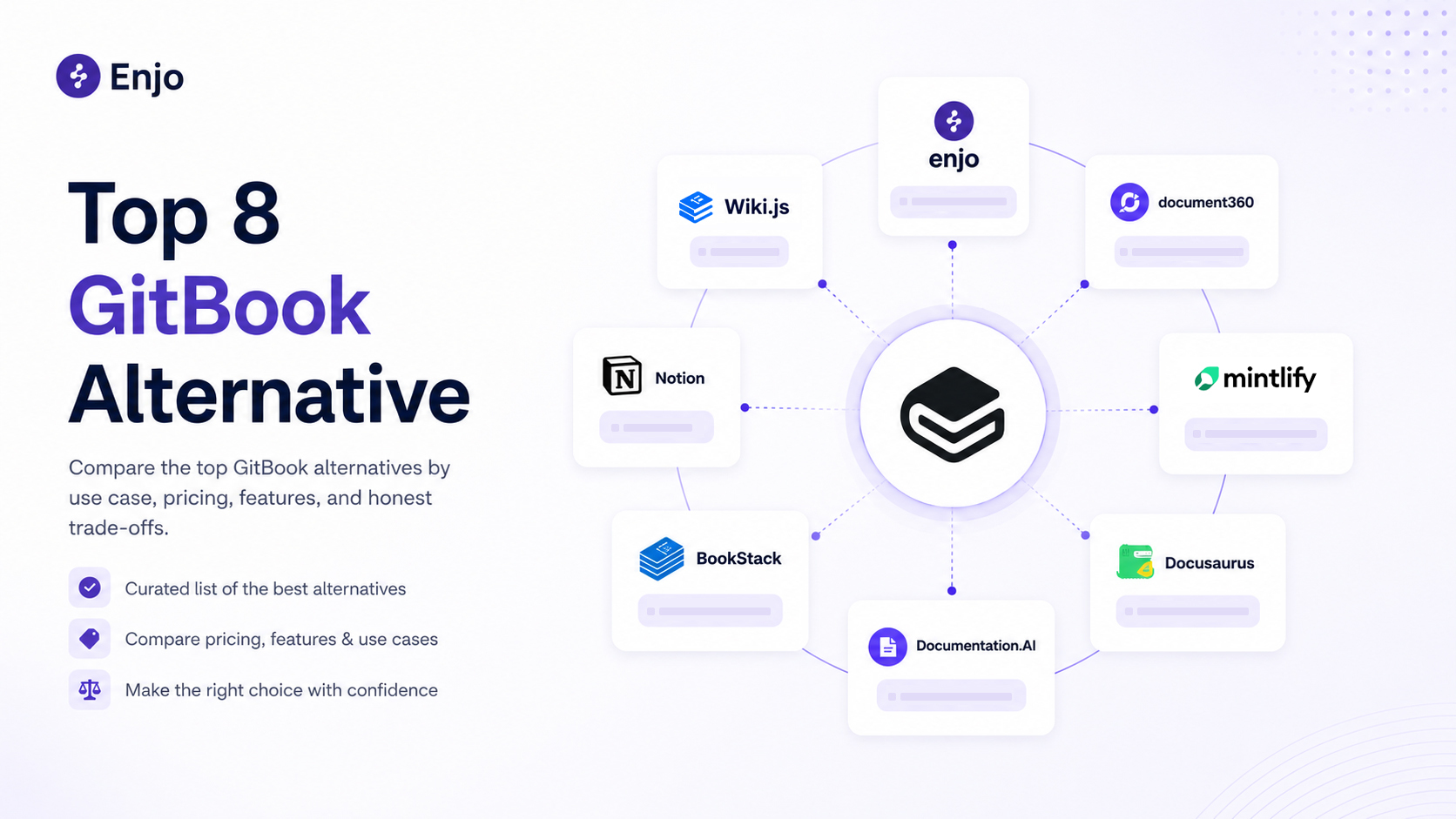
This guide compares eight GitBook alternatives across help centers, internal wikis, self-hosted wikis and developer docs. Each entry covers what the tool is built for, which plan its AI starts on and its price, checked on the vendor's own site in September 2026. The guide closes with four checks to run on your own docs before you switch.
GitBook bills per site plus per user, and the AI Assistant chat that answers your readers sits on its $249-per-site Ultimate plan, metered in monthly AI credits. If you are searching for a GitBook alternative, you have probably noticed that most answers are single-vendor pitches pretending one tool fits every team. It doesn't. Teams leave GitBook for four different reasons, and each one puts a different question to every tool below.
Compare GitBook alternatives by use case: help centers for employees or customers, self-hosted wikis, developer docs. Launch your free Help Center.
First: which kind of GitBook user are you?
Teams replacing GitBook fall into four groups. Find yours first; it cuts eight candidates down to two or three.
- You used GitBook as a help center, and keeping it current is the part that hurts. Whether the readers are customers or your own employees barely changes the problem; the maintenance burden is identical either way. The help-center entries below compare where each tool's articles come from and what happens to a question the docs did not answer. (Our help center software guide covers the criteria for this category, and our comparison of knowledge management systems covers the governance side.)
- You used GitBook as an internal wiki. Two different jobs live inside it: answering the same employee questions over and over (IT access requests, HR policy, onboarding steps), and holding meeting notes, project pages and databases. The internal-wiki entries describe which of those jobs each tool is built around. Enjo Help Center takes an internal audience through Audience Targeting, and the AI Support Agent answers the same questions in Slack and Microsoft Teams from the same knowledge index.
- You need self-hosting or open source. Compliance, air-gapped environments, or a hard rule against SaaS. The self-hosted entries below cover the open-source tools on this list and what running them involves.
- You publish API or SDK reference docs. Your writers are engineers, your docs live next to code, and OpenAPI support matters. The developer-docs entries compare Git workflow, MDX support and the plan each tool's AI features start on.
Still comparing categories rather than GitBook replacements? Our comparison of knowledge base software covers internal wikis, help centers bundled with helpdesks and standalone knowledge bases, with pricing checked on each vendor's own page.
Why teams leave GitBook
GitBook is a good product, and the complaints about it are specific rather than vague. Four reasons come up consistently across reviews and community threads, and each points to a different class of replacement.
The pricing model punishes teams. GitBook's Free plan includes 1 user. Paid plans charge per site and per user, billed annually: Essential is $65 per site/month plus $12 per user/month. Every new docs site and every new editor adds to the bill.
The reader-facing AI chat sits on the $249 tier. Essential includes GitBook Agent for writing and editing, and AI search (AI Assistant Ask) at 20 credits per relevant question from 2,000 included credits a month. The AI Assistant chat that answers readers, and AI insights, are Ultimate features at $249 per site/month plus $12 per user/month, with 10,000 credits a month included; usage pauses when credits run out, and extra packs start at $47.50 a month. On the Free plan, GitBook Agent is capped at 10 messages per week.
The editor frustrates both audiences. Third-party reviews describe the same paradox from opposite sides. The Markdown-centric workflow is a barrier for non-technical contributors, while code-first engineers find the WYSIWYG-first editing an obstacle to true docs-as-code.
GitBook's upkeep runs on engineering signals. GitBook Agent channels bring the Agent into Slack, GitHub and Linear, where a mention can answer a question or open a change request, and GitBook's own comparison content says the Agent flags where docs have fallen behind using tools such as GitHub and Linear. For engineering docs synced to a Git repo, drift shows up in diffs and pull requests. For a customer help center, the first sign an article is wrong is usually a support question, and GitBook's help center page describes that side as readers flagging pages and analytics on what people ask GitBook Assistant. Turning each gap into an edit is still a task someone on the team picks up.
A fifth reason is binary: GitBook's editor is a hosted service. Only the code that renders published GitBook sites is open source under GPLv3, and the self-hosted entries below cover the open-source tools on this list.
GitBook Pricing in 2026: Is GitBook Free?
| Team | Plan | Monthly Math | Total |
|---|---|---|---|
| 5 people, 1 docs site | Essential | $65 + (5 × $12) | $125/mo |
| 10 people, 2 sites (product + API) | Essential | (2 × $65) + (10 × $12) | $250/mo |
| 20 people, 2 sites, AI Assistant | Ultimate | (2 × $249) + (20 × $12) | $738/mo |
Prices from GitBook's published pricing page, billed annually, checked October 12, 2026. Reported figures vary across the web because the plans have changed more than once; treat older numbers with caution.
Every new site is a fixed cost, so a second product line moves the bill more than a new teammate does. And the jump to the reader-facing AI Assistant chat is $65 to $249 per site.
GitBook Alternatives Compared
| Tool | Best For | Free Tier | Starting Price | Scope Boundary |
|---|---|---|---|---|
| Enjo Help Center | Help center upkeep | Yes | $95/mo | Built around upkeep, not the authoring editor |
| Document360 | Enterprise KB teams | Trial only | Quote only | Can't budget from the website |
| Documentation.AI | AI-assisted dev docs | Yes | $55/mo, yearly | No support-loop learning |
| Notion | Freeform wikis | Yes | $10/member/mo | Weak public help center |
| BookStack | Self-hosted wiki, MIT | Open source | Free | You operate everything |
| Wiki.js | Self-hosted, Git sync | Open source | Free | No stable release since May 2024 |
| Mintlify | API and dev docs | Yes, no AI | $450/mo, yearly | AI features start on Pro |
| Docusaurus | Full-control docs | Open source | Free | You build and run it all |
Starting price is the lowest paid tier, checked on each vendor's own site on September 29, 2026. Open-source tools carry no license fee; hosting and upkeep are your cost.
The 8 best GitBook alternatives
GitBook Alternatives for Help Centers
1. Enjo Help Center, best for help centers that draft their own updates
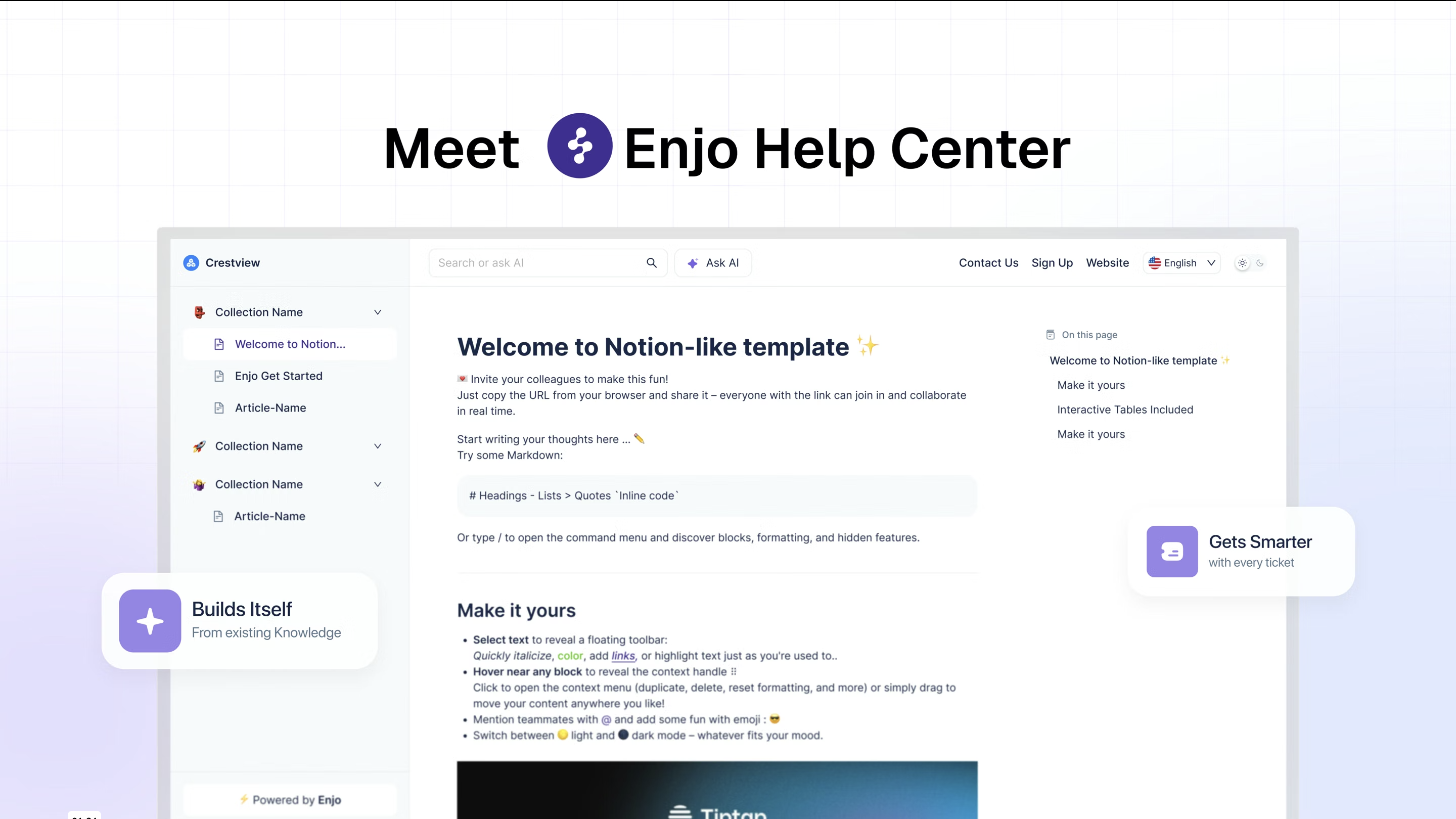
What it is: A requester-facing help center that support, IT and HR teams run with no code. The AI Support Agent is configured first and resolves what it can; the portal is the self-serve surface in front of it, and one knowledge index grounds both. In GitBook, articles are written in the editor or synced from a Git repository, and GitBook Agent drafts changes when someone asks it to. Enjo Help Center generates articles from a URL or connected docs, and drafts new ones from the questions requesters ask.
Best for: Help centers for customers or employees where keeping articles current is the bottleneck.
Key capabilities:
- Article Generation: drafts articles from a website URL, connected docs (Notion, Google Drive, Confluence, SharePoint), or helpdesk ticket patterns (Zendesk, Intercom, Freshdesk).
- Self-Improving Loop: unanswered portal questions escalate to your team; resolved conversations auto-draft new articles for review.
- AI Command Center: bulk content operations (generate, update, rewrite, reorganize) through natural-language prompts.
- AI Search: source-cited answers from the same articles requesters browse; humans and AI read one knowledge layer.
- Multilingual: localized help centers with translation.
- AI Agent Training: help content grounds the AI Support Agent's answers in the portal, website chat, Slack and Microsoft Teams.
- Audience Targeting: article visibility by plan, role, segment, or login state, so one help center serves customers and staff without running two instances.
- Multi-brand: separate help centers by product, region, or audience.
- Publish Workflow: review and approval before any drafted or edited article goes live.
The stakes are double: the same content that answers requesters also grounds the AI that answers them. Stale content behind an AI assistant means confidently wrong answers at scale; a help center whose unanswered questions turn into draft articles attacks the root cause.
This holds on both sides of the company. Employee requests arrive in Slack and Microsoft Teams rather than a portal. Customer questions arrive through website chat, the Help Center portal and Slack Connect shared channels. One knowledge layer feeds all of them, so an answer your team approves once stays consistent wherever it is asked.
Pricing: The Free plan includes 200 AI replies a month, unlimited human agent seats, unlimited AI agents and channels, Inbox, Help Center and Insights, with no credit card. At the Free limit, requests auto-escalate to human agents and support keeps running in Inbox. Starter is $95/month with 1,000 AI replies and adds AI Actions and core Guardrails; Standard is $295/month with 3,000 AI replies. Additional replies are $0.05 each on Starter and Standard. GitBook bills per site and per user; Enjo bills per AI reply, so the cost follows the questions answered rather than the number of editors.
Security and track record: Enjo is SOC 2 Type II compliant, ISO 27001 certified and GDPR compliant, with TLS 1.2+ in transit, AES-256 at rest, Guardrails on AI inputs and outputs, and full audit logs. Troopr Labs, the company behind Enjo, has 600+ enterprise deployments and 99.9% uptime over 7 years.
Scope: Enjo Help Center is built around the maintenance loop rather than the authoring editor. Articles are generated from a URL or connected docs, unanswered questions draft new articles for review, and the same index that answers requests keeps the portal current, which is the point rather than a limit.

2. Document360, best for a publication-grade enterprise knowledge base

What it is: An enterprise knowledge-base platform for public and private documentation at publication scale.
Best for: Larger organizations with dedicated docs teams that need workflows, granular permissions, and multi-language publishing depth.
Key capabilities:
- Authoring workflows: mature drafting, review, and approval flows built for docs teams.
- Workspaces and access control: granular permissions across public and private knowledge bases.
- Eddy AI: included with plans for AI-assisted search and answers.
- AI Premium Suite (optional add-on): screen capture, step-by-step guides, interactive demos, video recording.
Pricing: No published prices. The pricing page asks a few questions and returns a quote tailored to documentation goals, workflows and AI requirements. A 14-day free trial is available, and the AI Premium Suite is an optional add-on.
Where it falls short: Quote-based pricing means you can't budget it from the website, and the platform assumes a content ops team exists to run it; if maintenance headcount is your problem, this is more platform than answer.
GitBook Alternatives for AI-Assisted Developer Docs
3. Documentation.AI, best for AI-assisted developer docs
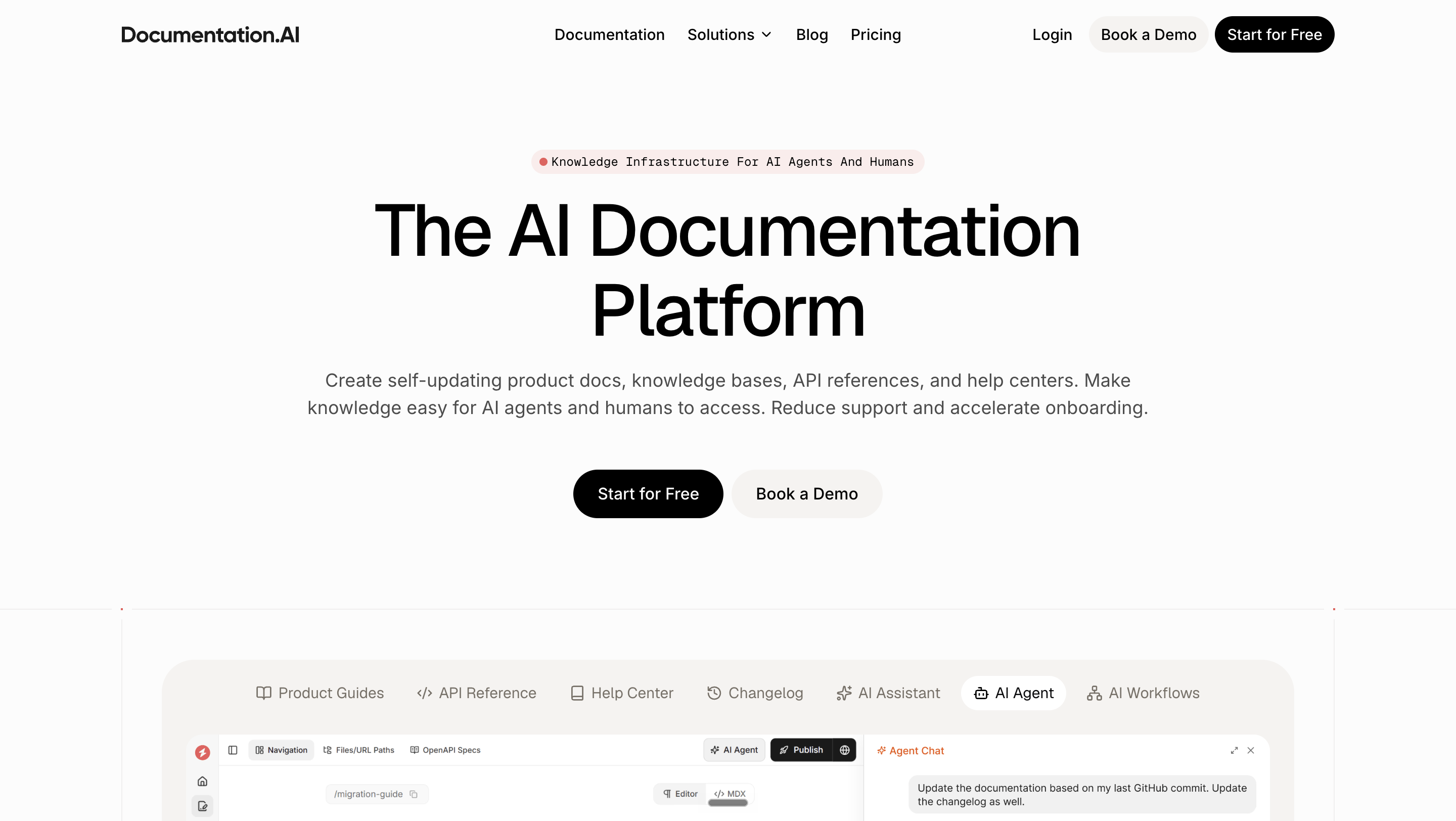
What it is: An AI-first documentation platform where agents help generate and update doc sites.
Best for: Product and platform teams that want AI-assisted docs authoring with developer-docs features, at a lower entry price than GitBook's Ultimate tier.
Key capabilities:
- AI Agent for writing: available from the free plan up.
- AI Assistant: reader-facing Ask AI on every plan from Starter up; each reader question costs 10 AI credits.
- Private docs: user login (JWT/OAuth) with role-based permissions (Pro plan).
Pricing: The free Starter plan includes 10,000 one-time AI credits. Standard is $55/month billed yearly (10,000 AI credits/month). Pro is $159/month billed yearly (30,000 credits/month). Enterprise is custom. No credit card to start.
Where it falls short: The AI works on the writing side: an agent that drafts and edits docs, and an Assistant that answers readers. The pricing page describes no path from resolved support conversations or unanswered reader questions into draft articles, and private docs with user login start on Pro at $159/month billed yearly.
GitBook Alternatives for Internal Wikis
4. Notion, best for an all-in-one internal wiki

What it is: The all-in-one workspace for docs, wikis, projects, and databases that many teams already pay for.
Best for: Teams whose GitBook space was really "a wiki with a nicer theme" and whose working notes already live in Notion. Notion also appears in our comparison of internal knowledge base software, where permissions depth decides more than the editing experience.
Key capabilities:
- One workspace: docs, wikis, projects, and databases in a single tool.
- Web publishing: unlimited published pages on paid plans.
- Notion AI: trial on Free and Plus, fuller access in upper tiers.
- Custom agents: $10 per 1,000 monthly credits.
Pricing: Free for individuals; Plus is $10 per member/month; Business is $20 per member/month (up to 20% off billed yearly). A custom domain for published pages runs $8 to $10 per month extra.
Where it falls short: Published Notion pages are functional, not a product help center: limited information architecture, weak SEO control, and search built for members rather than visiting customers. Per-member pricing re-creates GitBook's seat problem as the team grows.
Free and Open-Source GitBook Alternatives (Self-Hosted)
5. BookStack, best for self-hosted wikis on an MIT license
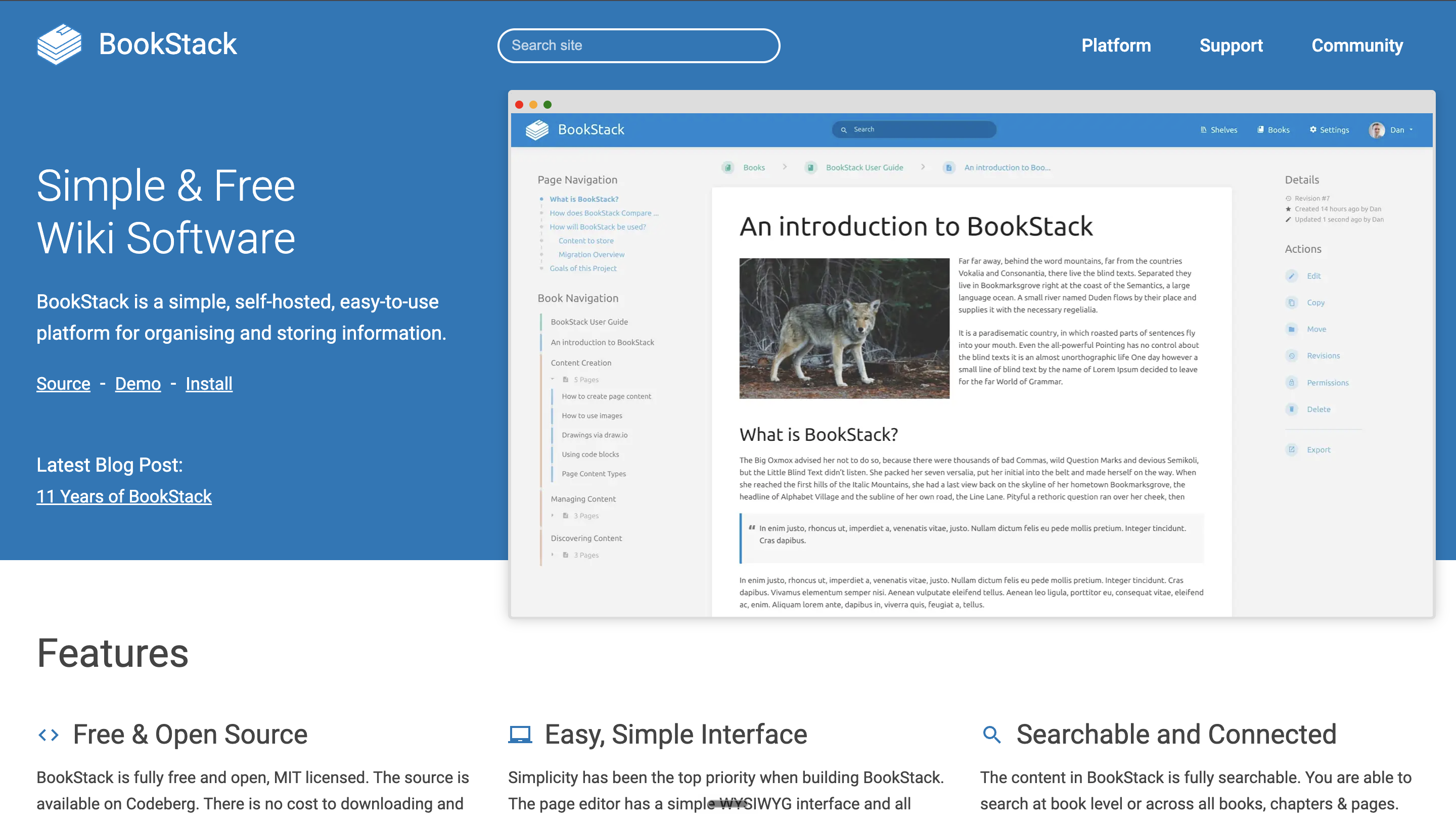
What it is: A self-hosted, MIT-licensed wiki platform built on PHP/Laravel with MySQL, organizing content as Books, Chapters, and Pages.
Best for: Teams with a self-hosting requirement and an internal wiki organized as Books, Chapters and Pages.
Key capabilities:
- Fully free: MIT-licensed with no usage tiers.
- Simple structure: real-world Books, Chapters, and Pages organization.
- Active releases: a steady, long-running release cadence.
- Optional paid support: support plans available if you want backup.
Pricing: Free. Monetization is through optional support plans only.
Where it falls short: You run it: server, updates, backups, auth. The structure is opinionated (deep nesting fights the Books model), and there's no AI, no help-center features, and no hosted option.
6. Wiki.js, best for self-hosted wikis with Git sync

What it is: An open-source (AGPL-v3) Node.js wiki with flexible storage, from PostgreSQL to SQLite, plus Git and cloud-storage sync.
Best for: Self-hosters who specifically want two-way Git sync for their wiki content; the closest self-hosted analogue to GitBook's Git workflow.
Key capabilities:
- Flexible database backends: PostgreSQL, MySQL, MariaDB, MS SQL Server, or SQLite.
- Git and cloud sync: back up and sync content to GitHub, GitLab, Bitbucket, Azure DevOps, or cloud storage.
- Your infrastructure: runs entirely self-hosted.
Pricing: Free and open source; no paid tiers.
Where it falls short: The current stable line is 2.5.x, and the project's site lists no newer major release. Evaluate the release cadence before making it a load-bearing dependency. Like BookStack, it's an internal tool at heart, not a customer help center.
GitBook Alternatives for API and Developer Docs
7. Mintlify, best for API and developer documentation

What it is: A hosted documentation platform built for developer-facing docs; the competitor GitBook measures itself against in its own comparison content.
Best for: Startups and API-first companies whose docs are written by engineers and read by engineers.
Key capabilities:
- API playground and MCP server: included on the free plan.
- Web editor and custom domains: included from the free plan up.
- Agent, Assistant, and Automations: Pro plan and up.
- Usage credits: 10,000 per month on Pro; $0.01 per credit beyond. Starter includes no AI features and no usage credits.
Pricing: Starter is free and includes the full platform without AI features. Pro is $450/month billed annually ($540 billed monthly). Enterprise is quote-based.
Where it falls short: It's a developer tool. Support managers and PMs who don't live in Markdown and Git will be editing an engineering-owned system, and every AI feature (Agent, Assistant, Automations) starts on the Pro plan.
8. Docusaurus, best for docs-as-code you build and host yourself
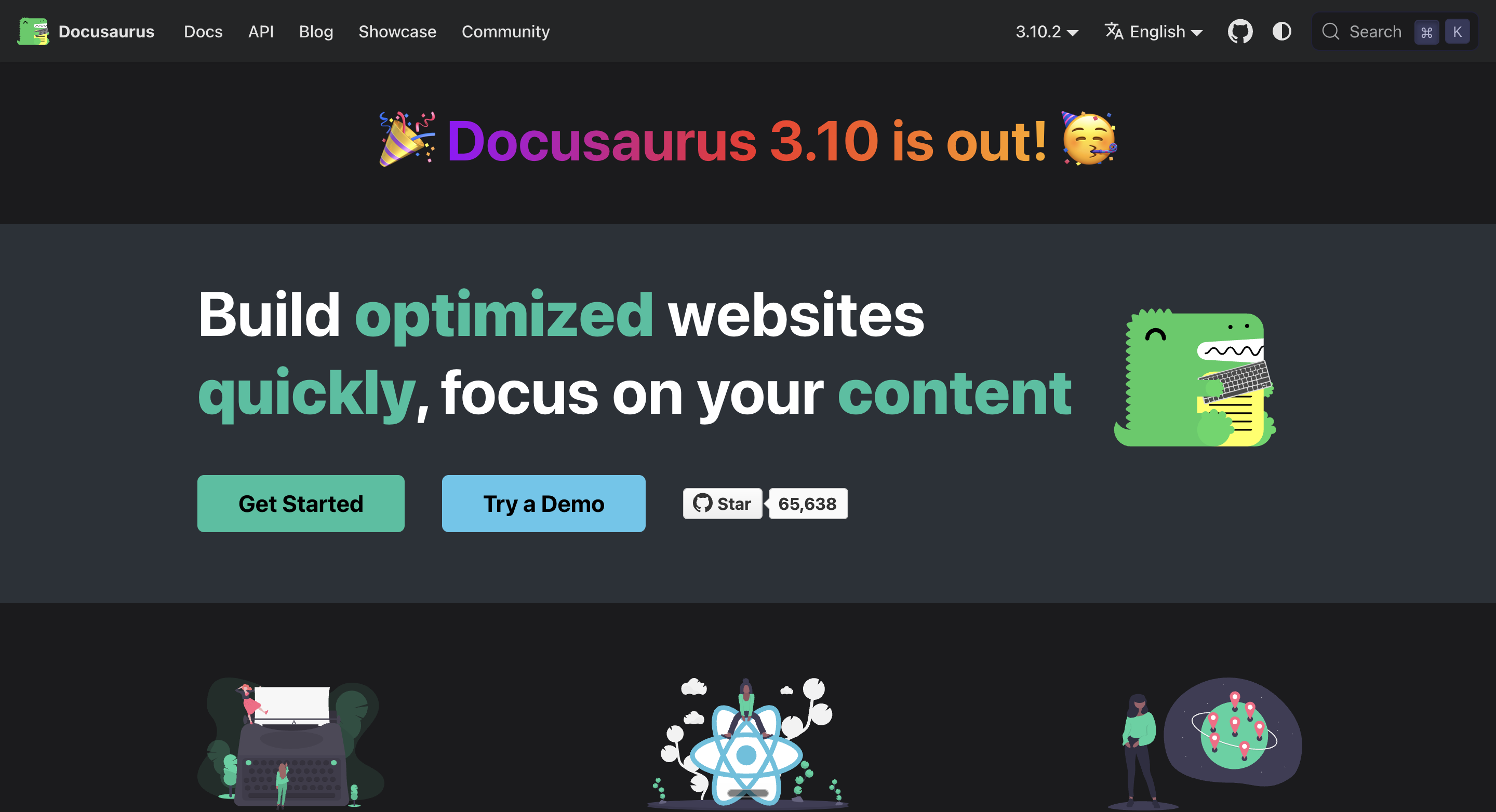
What it is: Meta's open-source static site generator for documentation, built on React and MDX, currently at v3.10.
Best for: Engineering teams that want full control of their docs site and are comfortable owning a build-and-deploy pipeline.
Key capabilities:
- Versioned docs: maintain docs across product versions.
- Full theme control: every layout and component is customizable React.
- MDX: interactive content inside Markdown.
- Deploy anywhere: static output runs on any host.
Pricing: Free, with no usage tiers of any kind.
Where it falls short: Everything is your job: hosting, search, analytics, and every visual change is a code change. There is no editor for non-technical contributors and no AI anything. It's the maximum-control, maximum-effort option.
What GitBook is built for
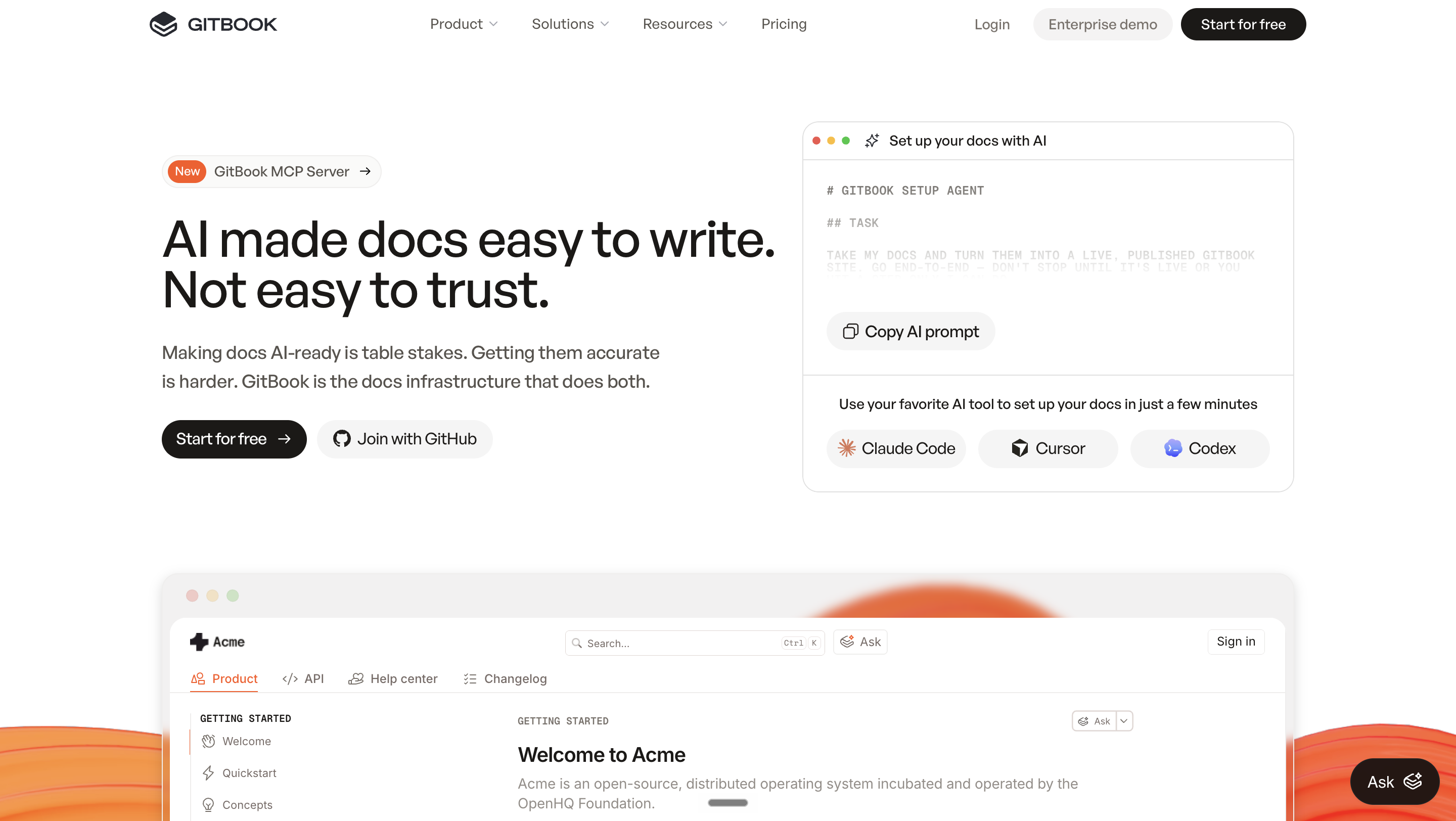
GitBook is sold to engineering-led teams whose product documentation lives in version control: Git and MDX workflows, API reference content and technical docs with code samples, priced per site plus per user. Its Git Sync runs in both directions, so a change made in the visual editor writes back to the connected repository while engineers keep working in Markdown files. Changes proposed by GitBook Agent arrive as change requests that a person on the team reviews. That scope sets the boundary: GitBook keeps docs in step with the repository and with the requests your team routes to it, while a help center whose content changes with support conversations still depends on someone turning each unanswered question into an edit.
How to run the evaluation: four checks on your own docs
Run the same four checks on every tool on this list, on your own content rather than in a vendor demo.
- Where does the first draft come from? Point the tool at your current GitBook site URL or your connected docs, and see whether it produces articles or whether every article starts empty in its editor.
- What happens to a question the docs did not answer? Ask a question your help center cannot answer today, then follow it: does it reach a person, and does it come back as a draft article for review?
- Where do readers get the answer? List the places your requesters actually ask (the portal, website chat, Slack, Microsoft Teams) and check which of them read the same content.
- What does the bill do at your next step? Price your team today, then add a second docs site and ten more editors, in the tool's own unit: per site, per user, per member or per credit.
Enjo Help Center answers all four on the content you already have. Article Generation drafts from a URL or connected docs, the Self-Improving Loop sends unanswered questions to your team and drafts articles from resolved conversations for review, one knowledge index answers in the portal, website chat, Slack and Microsoft Teams, and pricing is per AI reply with unlimited human agent seats, so ten more editors do not change the bill. For the two-product view, the Enjo vs GitBook comparison puts them side by side on seats, AI access and what a five-person team pays on each.

Frequently Asked Questions
What's the best free GitBook alternative?
Several tools on this list have a permanent free option. BookStack (MIT), Wiki.js (AGPL-v3) and Docusaurus are free open-source software that you host and run yourself. Mintlify and Documentation.AI each have a free Starter plan, and Enjo Help Center is included on Enjo's Free plan with 200 AI replies a month, unlimited human agent seats and no credit card. GitBook's own Free plan includes 1 user, with GitBook Agent capped at 10 messages a week. Our roundup of free knowledge base software compares the free tiers in depth.
Can GitBook's AI keep documentation up to date automatically?
Partly, and on request. GitBook Agent drafts edits when someone asks: it is capped at 10 messages a week on Free, with no limit stated on Essential and Ultimate, and GitBook's comparison content says it flags where docs have fallen behind using tools such as GitHub and Linear. The reader-facing AI Assistant chat and AI insights are on Ultimate, and AI search starts on Essential, both drawing on monthly AI credits. GitBook's help center page describes reader feedback and Assistant analytics for finding gaps; Enjo Help Center's Self-Improving Loop turns unanswered questions into draft articles for review. Our AI knowledge base guide explains the grounding mechanism behind it.
Is there an open-source GitBook alternative?
Several. BookStack (MIT) and Wiki.js (AGPL-v3) are the established self-hosted wikis, and Docusaurus is Meta's open-source docs generator. GitBook's own published-site frontend is open source, but the platform (editing, collaboration, AI) is SaaS-only.
How much does GitBook actually cost in 2026?
Per GitBook's published pricing, checked October 12, 2026, on annual billing: Free includes 1 user; Essential is $65/site/month plus $12/user/month; Ultimate, the tier with the reader-facing AI Assistant chat, is $249/site/month plus $12/user/month. AI usage draws on monthly credits, 2,000 on Essential and 10,000 on Ultimate. Ten people on two Essential sites pay $250/month before the AI Assistant chat.
Can I move off GitBook without rewriting everything?
You do not have to start from a blank page. Enjo Help Center generates articles from a website URL, such as your published GitBook site, from connected docs, or from helpdesk ticket patterns. If you used GitBook's Git sync, your content already lives in Markdown files that Docusaurus and Mintlify can build from.
Can Enjo run an internal help center as well as a customer-facing one?
Yes. The Help Center portal is requester-facing rather than customer-only, and Audience Targeting controls visibility by plan, role, segment or login state, so one instance can serve employees and customers without running two. For employee support, the AI Support Agent also answers in Slack and Microsoft Teams, where most internal questions get asked, from the same knowledge index as the portal.
Which is better, Docusaurus or GitBook?
They are built for different teams. Docusaurus is Meta's free, open-source static site generator: engineers build, host and maintain the docs site in code, with no editor for non-technical contributors. GitBook is a hosted platform with a visual editor and two-way Git Sync, priced per site plus per user. If support conversations drive most of your doc changes, Enjo Help Center turns each resolved question into a draft article for review.
GitBook vs Mintlify: which fits developer docs?
Both are hosted platforms for developer-facing docs. Mintlify is built for API-first teams, with an API playground on its free Starter plan and its AI features from the Pro plan. GitBook prices per site plus per user and syncs both ways with Git, so a change in the visual editor writes back to the repository. Both keep docs in step with the repository; neither turns support questions into new articles.
Move Your GitBook Content to a Help Center That Drafts Its Own Updates
For the wider category, our comparison of customer self-service portals covers seven tools on where the AI answers, what it costs to switch on and what happens to an unanswered question.
Enjo Help Center generates articles from your existing docs or help site URL, drafts new articles from resolved conversations for your review, and answers requesters from the content your team approves. The Free plan includes 200 AI replies a month and unlimited human agent seats with no credit card; at the limit, requests auto-escalate to your team in Inbox.
Launch your free Help Center → and generate your first articles from the GitBook site you already have.