.fs-cmsfilter_active span { color: black; }
table of contents

Transform complex support workflows

Deploy AI inside your existing support stack and prove business impact quickly.
Request a Demo

10 Best Customer Support Platforms for B2B Teams in 2026

According to Gartner, 91% of customer service leaders are under pressure from executive leadership to implement AI in 2026, and for good reason. Customer support platforms have come a long way from just managing tickets. Nowadays, teams are looking for omnichannel support, automated workflows, seamless integrations, and AI that can actually handle requests from start to finish.

The challenge is that most platforms claim to deliver all that while running their AI exclusively on their own data. For B2B teams whose knowledge lives outside the helpdesk, this gap only becomes apparent after you have already signed on the dotted line.

Here's the complete breakdown of customer support platforms in 2026, compared on AI depth, knowledge portability & real-team pricing. Choose the right one.

AI Support Agents
table of contents

How did we evaluate these platforms?

Every platform below was assessed on six dimensions. These are the criteria that determine whether a tool actually works in production, not just in a demo.

  • AI depth. Does the platform resolve requests autonomously end-to-end, or does it only assist human agents? We have distinguished between full autonomous resolution, agent assist, and basic automation.
  • Stack fit. Can the platform work alongside your existing helpdesk, or does it require you to migrate to it? Overlay-capable platforms protect your existing investment and enable customer service automation without requiring a migration; standalone-only platforms require a greater commitment.
  • Knowledge portability. Does the AI read knowledge only from the vendor's own knowledge base, or can it index Confluence, SharePoint, Google Drive, past tickets in other systems, and the open web? This determines how much rework you face if you ever switch help desks.
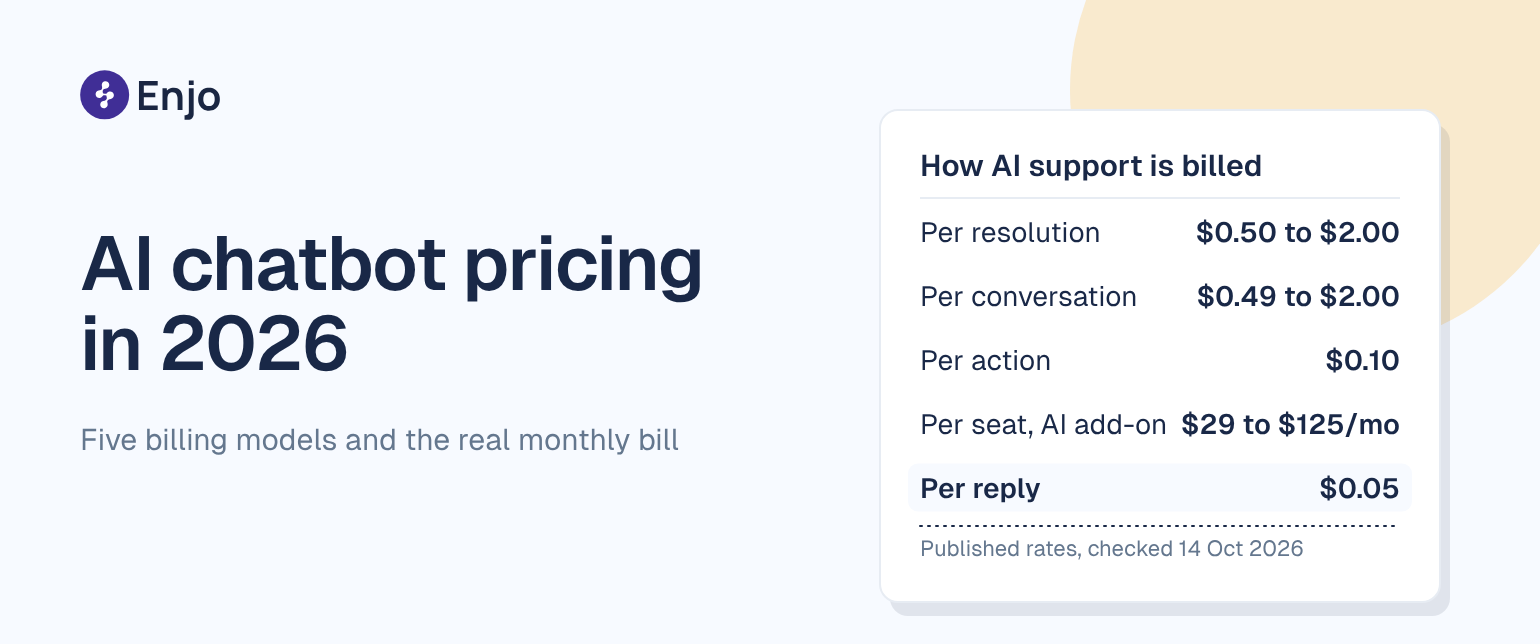
  • Pricing model. Per-seat, per-resolution, per-AI-reply, and ticket-volume models produce very different bills at scale. We show the starting price and flag where costs compound. Most customer support software hides the real cost until renewal.
  • Deployment speed. Weeks to production, not months, matter when your team is being held to an AI ROI deadline by leadership. For a practical look at how teams approach customer service automation, see our full guide.
  • Security and compliance. SOC 2 Type II, ISO 27001, and GDPR are baseline requirements for enterprise security reviews. We note where platforms meet them.

The 10 best customer support platforms for B2B teams in 2026

Customer Service Software Comparison
Tool G2 Rating Best For Starting Price Free Tier AI Resolution
Enjo 4.8/5 Cross-system knowledge + AI resolution before tickets are created $0 (200 AI Replies/mo) Yes Yes, resolves before ticket creation
Zendesk 4.3/5 Enterprise ticketing depth + marketplace $55/agent/month No (14-day trial) Paid add-on + usage fees
Freshdesk 4.4/5 Multichannel support at mid-market pricing Free (10 agents, email only) Yes (email only) Yes (usage caps apply)
Intercom 4.5/5 Messaging-first support for B2C $29/seat/month No (14-day trial) Yes ($0.99/resolution)
Salesforce Service Cloud 4.4/5 Native AI for Salesforce-heavy orgs $25/user/month No Autonomous (Agentforce, extra cost)
Help Scout 4.4/5 Human-first CS teams, simple inbox + KB $25/user/month Yes (limited) Assist only
Kustomer 4.4/5 Unified customer timeline for high-volume CS Contact sales No Assist (Kustomer IQ)
Gorgias 4.6/5 eCommerce support (Shopify, Magento) $10/month No (free trial) Autonomous ($0.90/resolution)
HubSpot Service Hub 4.4/5 CRM-connected support for HubSpot shops $15/seat/month Yes (limited) Assist (Breeze Copilot)
Zoho Desk 4.4/5 Budget-friendly helpdesk with broad feature set $7/agent/month Yes (up to 3 agents) Assist (Zia AI)

1. Enjo

Enjo is a customer support platform that resolves requests end-to-end across your existing tools, Salesforce, Zendesk, Jira, ServiceNow, or runs standalone with its own Inbox and Help Center, without locking your knowledge investment to any one vendor.

Best for: B2B CS teams whose knowledge lives outside their helpdesk, Confluence, SharePoint, Google Drive, past tickets across systems, and who need AI that works across whatever helpdesk combination they run, not just one vendor's data.

Key capabilities:

  • AI Agents resolve requests autonomously across email, web, Slack, and Teams. When a request needs a human, the AI Agent escalates to your existing helpdesk, Salesforce, Zendesk, Jira, or ServiceNow, with the full conversation attached. Hence, agents start where AI left off rather than re-reading the thread.
  • AI Actions connect to Okta, Jira, Salesforce, ServiceNow, and custom APIs. The agent doesn't just answer questions; it takes actions in the systems the answer requires.
  • Agent Assist embeds inside Salesforce, Zendesk, Jira, and ServiceNow for human agents. Summaries, reply suggestions, and relevant knowledge surface in context during live tickets, without agents switching tabs.
  • Help Center generates articles from connected docs, Confluence, Google Drive, SharePoint, and runs a self-improving loop: unanswered customer questions escalate to the team, and resolved conversations auto-draft new articles for review.
  • One knowledge layer powers AI resolution, human agent workflows, and customer self-serve simultaneously. What the AI says is what agents see is what customers find. No duplication when you change helpdesks.

That capability set works in production at enterprise scale. Aptean, an enterprise ERP company supporting 80+ products and 15,000+ customers, deployed Enjo in a single day, indexed 2M+ documents, and now handles 200K+ customer requests per year with AI. Enjo is SOC 2 Type II compliant, ISO 27001-certified, and GDPR-compliant. 600+ enterprise deployments. 6 years of 99.9% uptime.

Pricing: Usage-based per AI Reply (one AI interaction, including resolution or escalation). Free: 200 AI Replies/month, unlimited human agent seats, no credit card required. Starter: $95/month. Standard: $295/month. Enterprise: custom pricing. Additional AI Replies on Starter and Standard: $0.05 each.  See full plan details at enjo.ai/pricing.

Where it falls short: Enjo's CS vertical launched in 2026. IT and HR deployments offer greater depth in case study coverage and feature maturity. Teams looking for a native voice channel built into the same platform should evaluate other options in this list.

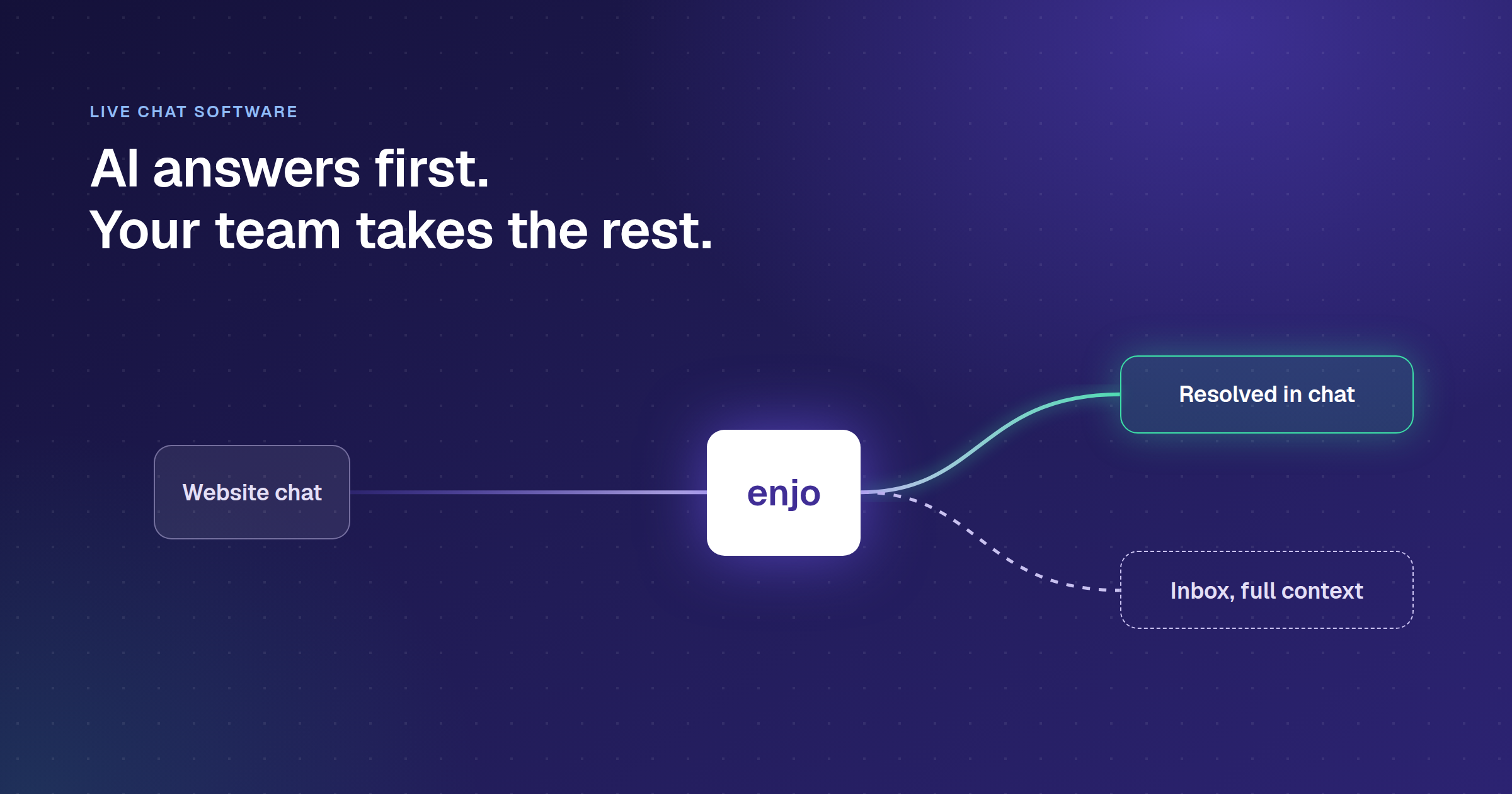
Banner positioning Enjo as an AI service desk that works with existing tools, no migration or rip-and-replace needed

2. Zendesk

Zendesk is a customer support platform built for enterprise CS operations, the deepest ticketing workflow engine on this list. It is a 1,500+ app marketplace, and mature SLA, WFM, and QA tooling for teams with 50+ agents and complex compliance requirements.

Best for: Enterprise CS teams with existing Zendesk workflows they are not changing, complex SLA obligations, and a reliance on the Zendesk marketplace ecosystem. Not the right fit for teams whose AI needs to reach knowledge outside Zendesk Guide.

Key capabilities:

  • Omnichannel ticketing across email, chat, voice, SMS, and social
  • AI Agents (basic tier included on Suite plans; advanced autonomous resolution custom-priced); Copilot for agent productivity at $50/agent/month as a separate add-on
  • 1,500+ marketplace integrations
  • Mature workforce management (WFM) and quality assurance (QA) add-ons for large teams
  • Outcome-based AI Agent billing: you pay per automated resolution, not per seat, for AI

Note: Zendesk acquired Forethought AI in March 2026 in an all-cash deal described as Zendesk's largest acquisition in nearly 20 years. Forethought continues under the label "Forethought AI Agents by Zendesk" and remains available to non-Zendesk customers for now. Teams currently using or evaluating Forethought should factor this into their vendor assessment.

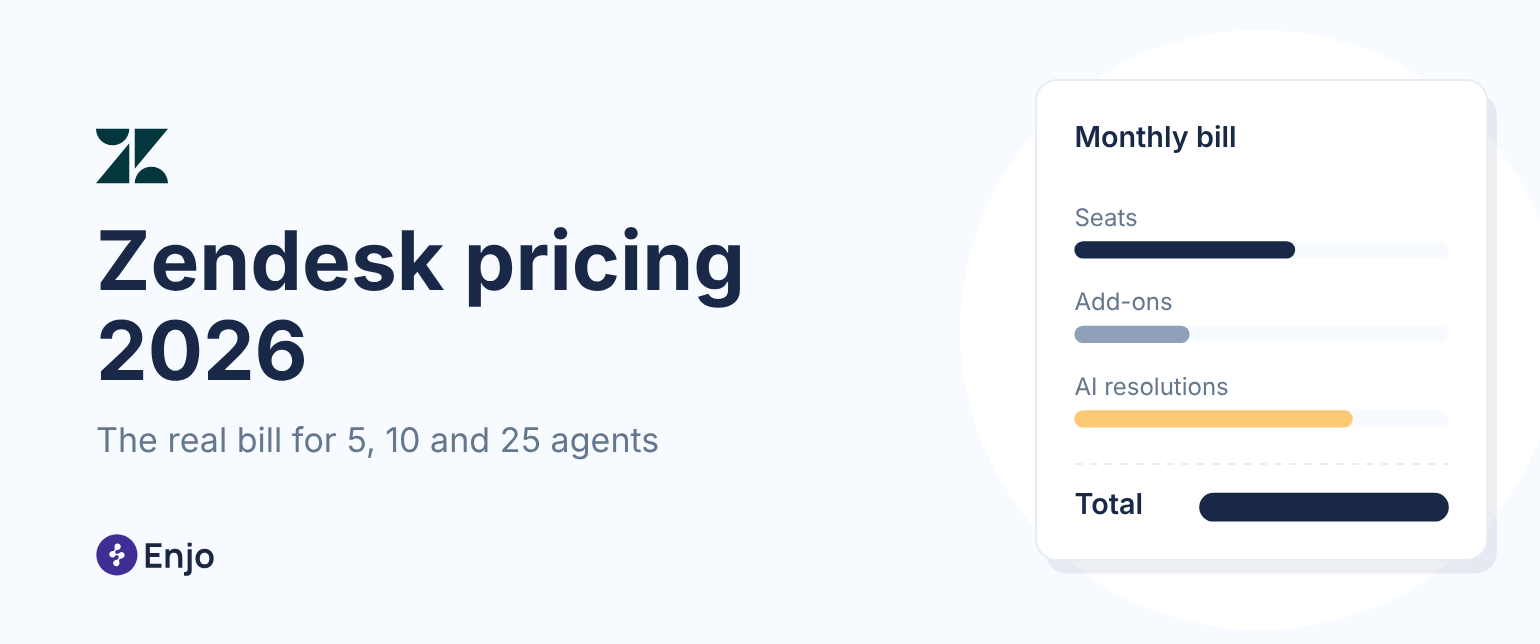
Pricing: Support Team $19/agent/month, Suite Team $55/agent/month, Suite Professional $115/agent/month, Suite Enterprise + Copilot contact sales (all annual). Copilot add-on $50/agent/month. Workforce Engagement Bundle $50/agent/month. Contact Center add-on $50/agent/month. See full plan details at zendesk.com/pricing.

Where it falls short: AI features are paid add-ons rather than included at the base level. The per-resolution AI billing stacks on top of per-seat costs; at scale, the two meters compound in ways that are difficult to forecast before renewal. Zendesk's knowledge base (Guide) is a Zendesk-native system; cross-system AI resolution across Confluence or SharePoint requires additional configuration or a third-party overlay. Teams on Zendesk looking to add cross-system AI can evaluate Enjo for Zendesk.

3. Intercom (Fin)

Intercom is a customer support platform built around messaging, with Fin as its AI agent. You pay $0.99 per resolved conversation rather than per seat for AI, making it the strongest fit for high-volume direct-to-consumer teams already standardized on Intercom.

Best for: Consumer-facing teams already on Intercom with high-volume messaging support and B2C self-serve workflows where $0.99 per resolution stays predictable at current volume. Not a fit for B2B teams needing cross-system AI actions or Slack Connect support.

Key capabilities:

  • Fin AI Agent resolves conversations autonomously; you pay $0.99 per resolved conversation, not per seat for the AI
  • Mature live chat, messaging, and email support in a single inbox
  • Voice channel support
  • Copilot for human agent assist: AI-drafted replies, summarization, and knowledge suggestions
  • Strong B2C onboarding UX and multi-channel messenger

Pricing: Seat plans: Essential at $29/seat/month (annual), Advanced at $85/seat/month, Expert at $132/seat/month. Fin AI: $0.99 per resolved conversation on all plans, on top of seat fees. Copilot: $29/agent/month extra. A team of 8 agents on Advanced with 2,100 Fin resolutions per month totals roughly $2,960/month before add-ons like WhatsApp. See full plan details at intercom.com/pricing.

Where it falls short: Per-resolution billing becomes unpredictable at scale; teams with high deflection rates face rapidly compounding AI costs. B2B-specific workflows, Slack Connect support, complex multi-team routing, approval chains, and cross-system actions into Okta or Jira are more limited than on platforms built for B2B enterprise use cases. Real-world Fin resolution rates run 42-50% by Intercom's own published case study data, which is the right number to use for forecasting, not the claimed higher figures.

4. Freshdesk

Freshdesk is a customer support platform built for mid-market teams that want a full helpdesk suite, ticketing, automation, and basic AI at a lower per-agent cost than Zendesk. It includes a real free program and is a natural fit for teams already in the Freshworks ecosystem.

Best for: Small to mid-market CS teams wanting a single-vendor suite at an affordable per-agent rate, particularly those already using Freshworks CRM, ITSM, or sales tools. Teams that need AI to access data outside Freshworks will need additional tooling.

Key capabilities:

  • Email, chat, phone, and social ticketing in a unified inbox
  • Freddy AI Copilot for agent assist on Pro and Enterprise tiers; Freddy AI Agent for autonomous resolution as a session-based add-on
  • Automation, SLA management, and custom reporting on mid and upper tiers
  • Freshdesk Omni for multichannel support across web, SMS, messaging, and email ($29/agent/month and up)
  • Free tier for up to 1-2 agents for 6 months, with core ticketing included

Pricing: Free program: up to 2 agents, 6 months. Growth: $19/agent/month (annual). Pro: $55/agent/month. Enterprise: $89/agent/month. Freddy AI Agent (Email): first 500 sessions included on Pro and Enterprise; $49 per 100 sessions beyond that. Freddy AI Copilot (agent assist): separate add-on, price on request. Omni (multichannel) starts at $29/agent/month. 

Where it falls short: Freddy AI reads Freshworks data; it cannot index Confluence, Salesforce cases, or past tickets from other systems. Session-based AI billing with no rollover creates waste for teams with variable monthly volume. Teams wanting cross-system AI actions (Okta, Jira, Salesforce) will need additional tooling.  

If the free tier is your starting point, this breakdown of the best free customer service software in 2026 covers which free tiers are genuinely usable versus which are effectively trial-only.

5. Salesforce Service Cloud (Agentforce)

Salesforce Service Cloud is a customer support platform built for enterprises fully committed to the Salesforce ecosystem. It offers the deepest native binding between CRM data and support workflows available for teams whose cases, contacts, entitlements, and AI all live inside Service Cloud and are not moving.

Best for: Large enterprises already standardized on Salesforce, where the support strategy, AI investment, and knowledge base are all intended to stay inside Service Cloud long-term. The highest entry price for full AI capability of any platform on this list.

Key capabilities:

  • Native CRM integration: cases, contacts, entitlements, and order history in one platform
  • Agentforce for autonomous agent workflows; Einstein AI for case classification, recommended replies, and next-best action
  • Omnichannel routing and Service Intelligence dashboards
  • Strong compliance and governance tooling for regulated industries
  • Multiple Agentforce pricing structures: per-conversation, Flex Credits, and bundled in the Agentforce 1 Service edition

Pricing: Starter Suite: $25/user/month. Pro: $100/user/month. Enterprise: $175/user/month. Unlimited: $350/user/month. Agentforce 1 Service (full AI suite, unmetered Agentforce for employees): $550/user/month. Agentforce add-on on Enterprise/Unlimited: $125/user/month. Flex Credits: $500 per 100,000 credits. See full plan details at salesforce.com/service/pricing.

Where it falls short: Agentforce AI reads Salesforce data and acts on Salesforce objects. Knowledge outside Service Cloud, Confluence, SharePoint, Google Drive, and past tickets in Jira requires additional configuration or a third-party tool. Three simultaneous Agentforce pricing models make the total cost difficult to forecast without a direct sales conversation. The entry point for full AI capability ($550/user/month) is the highest on this list. Teams on Salesforce whose knowledge lives outside Service Cloud can evaluate Enjo for Salesforce.

6. Help Scout

Help Scout is a customer support platform built for small CS teams, offering a shared inbox, knowledge base, and live chat in one place, without the admin overhead of enterprise help desks. It starts at $25 per agent per month.

Best for: Small CS teams, typically under 25 agents, with straightforward email and chat workflows who prioritize ease of use and team adoption over feature breadth. The tier jump at 26 agents is steep, so model that before committing.

Key capabilities:

  • Shared inbox with collision detection (prevents two agents from working on the same conversation)
  • Docs: a knowledge base for customer self-serve articles
  • Beacon: an embeddable help widget for your website or product
  • AI Drafts for reply suggestions and AI Answers for automated customer responses on upper tiers
  • Native integrations for Salesforce, Jira, and HubSpot on Plus and above

Pricing: Free: up to 5 users, 1 inbox, 1 Docs site. Standard: $25/user/month (annual). Plus: $45/user/month (annual). Pro: $75/user/month (annual), includes HIPAA compliance, SSO/SAML, and dedicated onboarding. AI Answers add-on: $0.75/resolution, 3-month free trial included. See full plan details at helpscout.com/pricing.

Where it falls short: Per-seat pricing scales linearly; the more agents you add, the higher the bill, with no volume discount at Standard. AI Answers is billed per resolution, in addition to per-seat costs, and is not included in the base price. Help Scout is not designed for cross-system AI actions, multi-helpdesk environments, or teams whose knowledge lives outside Docs.

7. Kustomer

Kustomer is a customer support platform built around complete customer timelines rather than individual tickets. It brings together every email, chat, order, and interaction across all channels into a single chronological view per customer, making it a strong fit for B2C brands managing ongoing relationships.

Best for: Mid-market to enterprise B2C brands in retail, e-commerce, and subscription businesses that need full relationship context per customer, not just ticket-by-ticket resolution. Weaker fit for B2B account-based support where the unit is the company, not the individual.

Key capabilities:

  • Customer timeline: every email, chat, order, and interaction from every channel in one chronological view per customer
  • Omnichannel inbox covering email, chat, SMS, social, and voice through integration
  • Kustomer IQ for AI-assisted replies, conversation summarization, and intent classification
  • Workflow automation for routing, tagging, and SLA management
  • Native integrations for Shopify, Magento, and major e-commerce and subscription platforms

Pricing: No published pricing. Kustomer's pricing page directs all prospects to "Talk to Sales." Expect enterprise-level contract pricing, no free tier. Contact sales at kustomer.com/pricing.

Where it falls short: The customer timeline model works best for consumer support, where one person's full history matters most. B2B account-based support, where the unit is the company rather than the individual, is a weaker fit. Limited capability for cross-system AI actions into ITSM tools, identity providers, or custom APIs. Pricing is not published, so the total cost requires a direct sales conversation to accurately compare it with other platforms on this list.

8. Gorgias

Gorgias is a customer support platform built exclusively for e-commerce brands. Agents read order details, process refunds, and update orders directly from the support thread without switching tabs, on a ticket-volume pricing model with unlimited agent seats.

Best for: DTC e-commerce brands on Shopify or BigCommerce, where order status, returns, and product questions account for the majority of support volume. Not a fit for B2B SaaS, IT, or HR support, the AI and customer service automation surface is optimized for order queries only.

Key capabilities:

  • Deep Shopify integration: agents read order details, process refunds, and update orders directly from the ticket view
  • AI Agent for automated order-related responses; ticket-based billing includes unlimited agent seats
  • Multi-channel inbox: email, chat, SMS, social, and WhatsApp
  • Revenue attribution: tracks support interactions that lead to purchases
  • Automation rules for high-frequency, high-repetition e-commerce queries

Pricing: Ticket-volume model, unlimited agent seats on all plans. Starter: from $10/month (50 tickets). Basic: from $50/month (300 tickets). Pro: from $300/month (2,000 tickets, $36/100 overage tickets). Advanced: from $750/month (5,000 tickets). Enterprise: custom. All prices shown are annual (billed yearly, up to 16% off monthly rates). AI Agent: $0.90/resolved conversation, available on email and chat, paid only for fully automated interactions. See full plan details at gorgias.com/pricing.

Where it falls short: Purpose-built for e-commerce. The AI and automation surface is optimized for order queries, not complex multi-step B2B workflows. Volume spikes during peak seasons (Black Friday, Cyber Monday) can 2-3x the monthly bill through overage fees. AI Agent pricing is separate from the helpdesk plan; model both costs together before committing.

9. HubSpot Service Hub

HubSpot Service Hub is a customer support platform built into HubSpot's CRM suite. It's the lowest-friction path for teams already running HubSpot for sales and marketing who want to add support on the same platform without introducing a new vendor.

Best for: SMB and mid-market teams already on HubSpot CRM, where consolidating sales, marketing, and support on one platform matters more than AI depth. Teams that need cross-system AI resolution, reading Confluence, acting in Okta will hit the ceiling quickly.

Key capabilities:

  • Shared inbox and ticketing pipeline with full HubSpot CRM contact history in context
  • Help desk automation: routing, SLA management, and workflow triggers
  • Knowledge base for customer self-serve articles
  • AI-assisted replies and conversation summarization (Breeze Copilot) on Professional and above
  • Customer feedback tools: NPS, CSAT, and CES surveys built in

Pricing: Free: up to 2 users, no credit card required, includes free tools across marketing, sales, service, content, and data. Starter: starts at $15/seat/month (annual). Professional: starts at $90/seat/month (annual), with a required one-time Professional Onboarding fee. Enterprise: starts at $130/seat/month and requires a one-time Enterprise Onboarding fee. Breeze Customer Agent is included free for 28 days on Professional and Enterprise seats. Verify current USD pricing at hubspot.com/pricing/service.

Where it falls short: Service Hub's AI capabilities are at an earlier stage than dedicated support AI platforms. The jump from Starter to Professional is steep, and the mandatory onboarding fees on Professional and Enterprise add to the total cost. Cross-system AI resolution, indexing Confluence, reading past tickets from Zendesk, acting in Okta are not part of the product.

10. Zoho Desk

Zoho Desk is a feature-complete help desk at a lower per-seat price than most of its direct competitors, and the natural choice for teams already in the Zoho ecosystem (CRM, ITSM, or finance).

Best for: Mid-market teams already using Zoho CRM, Zoho Books, or other Zoho products who need ticketing and basic AI without paying enterprise rates. Teams evaluating Zoho primarily on price should model the full TCO, including Zoho Marketplace add-ons, before making a comparison.

Key capabilities:

  • Multichannel ticketing: email, chat, social, phone, and web form in a unified inbox
  • AI Agents on Express and above; Generative AI on Standard and above; Answer bot and AI support assistant on Enterprise, AI depth scales with tier.
  • Blueprint: a visual workflow builder for multi-step ticket automation and approval routing
  • Built-in knowledge base with article suggestions during ticket resolution
  • Native Zoho CRM integration for full customer context in every ticket

Pricing: Free Edition: 3 user licenses, free forever, includes email ticketing, social media, web forms, AI Agents, workflows, and direct assignment. Express, Standard, Professional, and Enterprise paid tiers are available. USD pricing is geo-locked on the India page. Verify the current USD pricing at zoho.com/desk/pricing.html.

Where it falls short: Zia AI operates only on Zoho Desk data; it cannot read Confluence, index external knowledge sources, or take cross-system actions in Salesforce or Okta. The lower price reflects a narrower AI surface. Teams evaluating Zoho primarily for its price advantage should model the full TCO, including Zoho Marketplace add-ons, before comparing against Freshdesk or Help Scout.

CTA banner encouraging teams to start Enjo free and see how AI resolves tickets using their existing tools and workflows

How to choose the right customer support platform

Choosing the right customer support platform can feel overwhelming, but it really boils down to five different team profiles. Let’s see which one matches yours:

1. "We run Salesforce, and everything stays there." If this sounds like you, Agentforce or Salesforce Service Cloud is probably your best bet. It keeps all your customer data, case history, and AI in one neat package. Just keep in mind, it comes with a price tag: full AI capabilities start at $550 per user per month on the Agentforce 1 Service edition, and the platform's AI is limited to the Salesforce data model.

2. "We're mid-market B2B, knowledge is spread across Confluence and Google Drive, and our helpdesk might change in the next 18 months." In that case, Enjo is a great fit. The strongest AI customer support option for teams whose knowledge lives across multiple systems, indexes wherever knowledge lives. It escalates to your existing helpdesk with all the context, and you won’t need to migrate anything to get started. Plus, one knowledge layer will follow you if you decide to switch helpdesks. 

3. "We're a DTC e-commerce brand on Shopify, and most of our tickets are about orders." Gorgias is your go-to here. No other platform offers the same depth for Shopify. Just be sure to model the ticket volume carefully before you dive in, and don’t forget to budget for overage fees during busy seasons.

4. "We have a small CS team, support is mostly email, and I want something my team will actually adopt." You might want to consider Help Scout or HubSpot Service Hub. Help Scout is straightforward and has a lower entry price, while HubSpot is a solid choice if your team is already using HubSpot CRM. Both platforms have additional AI costs per resolution, so make sure to factor that in before you sign up.

5. "We're already on Intercom, and our support is high-volume, direct-to-consumer messaging." If this resonates with you, sticking with Fin is wise. The cost of switching from Intercom can be high, and Fin has strong resolution rates for consumer messaging. If you find that Fin's per-resolution billing is becoming unpredictable at your current volume, it's time to evaluate Intercom alternatives.

The bottom line

Most of the customer support software on this list is strong within its lane. Zendesk owns enterprise ticketing complexity. Intercom Fin leads B2C messaging. Gorgias dominates Shopify e-commerce. Help Scout wins on simplicity for small teams. The gap they all share is the same: AI that reads only the vendor's own knowledge, acts only on the vendor's own objects, and leaves you starting over if your helpdesk ever changes.

For B2B CS teams running Salesforce, Zendesk, Jira, or ServiceNow, or any combination where knowledge lives outside the helpdesk, Enjo resolves that problem without requiring you to migrate anything to get started.

Alt text: CTA banner encouraging readers to book a demo and watch Enjo resolve real support tickets using connected knowledge sources.

Customer Support Platforms FAQs

Q: What is a customer support platform? 

A: A customer support platform is the software layer that handles inbound customer requests across email, chat, phone, and messaging, routes them to the right human or AI, and tracks resolution through to close. It is distinct from a CRM, which manages customer relationships and sales data, and from a customer success platform, which manages proactive account health, renewals, and churn risk. The support platform handles reactive inbound; the success platform manages proactive outbound.

Q: What is the difference between customer support and customer success software? 

A: Customer support software handles reactive requests, a customer emails, chats, or calls with a problem, and the platform routes it to an agent or AI for resolution. Customer success software manages proactive account health, health scores, churn prediction, renewal workflows, and expansion tracking. They serve different teams, measure different metrics (CSAT and resolution time versus NRR and GRR), and are not interchangeable. Most of the platforms in this list are support tools, not success tools.

Q: How much does a customer support platform cost in 2026? 

A: It varies significantly by model. Per-seat platforms range from under $10/agent/month (Zoho Desk, depending on tier) up to $550/user/month (Salesforce Agentforce 1 Service). Per-resolution AI customer support billing on Zendesk, Intercom Fin ($0.99/resolution), and Gorgias ($0.90/resolution) compounds with seat costs in ways that are hard to forecast before you know your deflection rate. Enjo's usage-based model starts free (200 AI Replies/month, unlimited human seats, no credit card required) and scales at $0.05 per AI reply beyond plan limits.

Q: What should B2B CS teams prioritize when evaluating a customer support platform in 2026? 

A: Four things distinguish platforms that hold up in production from those that look good in demos. First: whether the AI can read knowledge from wherever it lives, Confluence, SharePoint, Google Drive, past tickets in other systems, not just the vendor's own knowledge base. Second: whether the platform works alongside your existing helpdesk or requires you to replace it. Third: whether pricing is predictable at your expected AI resolution volume. Fourth: whether the platform is SOC 2 Type II compliant and ISO 27001 certified, requirements that will come up in your security review, regardless of company size.

Q: Can AI fully replace human customer support agents? 

A: Not entirely, and the best platforms do not claim otherwise. Current best-in-class deployments achieve 30-63% autonomous resolution on L1 and routine requests. Complex cases, high-stakes escalations, and relationship-sensitive conversations still require humans. The practical goal is for AI to handle the repeatable volume, order status, password resets, billing questions, and known product issues so human agents can spend their time on the cases that actually require judgment. The right metric is not "can AI do everything," but "what percentage of my volume is AI-resolvable through customer service automation, and what does that free my team to do?" For a deeper look at how AI support agents handle this in production, see our full guide.

How did we evaluate these platforms?

Every platform below was assessed on six dimensions. These are the criteria that determine whether a tool actually works in production, not just in a demo.

  • AI depth. Does the platform resolve requests autonomously end-to-end, or does it only assist human agents? We have distinguished between full autonomous resolution, agent assist, and basic automation.
  • Stack fit. Can the platform work alongside your existing helpdesk, or does it require you to migrate to it? Overlay-capable platforms protect your existing investment and enable customer service automation without requiring a migration; standalone-only platforms require a greater commitment.
  • Knowledge portability. Does the AI read knowledge only from the vendor's own knowledge base, or can it index Confluence, SharePoint, Google Drive, past tickets in other systems, and the open web? This determines how much rework you face if you ever switch help desks.
  • Pricing model. Per-seat, per-resolution, per-AI-reply, and ticket-volume models produce very different bills at scale. We show the starting price and flag where costs compound. Most customer support software hides the real cost until renewal.
  • Deployment speed. Weeks to production, not months, matter when your team is being held to an AI ROI deadline by leadership. For a practical look at how teams approach customer service automation, see our full guide.
  • Security and compliance. SOC 2 Type II, ISO 27001, and GDPR are baseline requirements for enterprise security reviews. We note where platforms meet them.

The 10 best customer support platforms for B2B teams in 2026

Customer Service Software Comparison
Tool G2 Rating Best For Starting Price Free Tier AI Resolution
Enjo 4.8/5 Cross-system knowledge + AI resolution before tickets are created $0 (200 AI Replies/mo) Yes Yes, resolves before ticket creation
Zendesk 4.3/5 Enterprise ticketing depth + marketplace $55/agent/month No (14-day trial) Paid add-on + usage fees
Freshdesk 4.4/5 Multichannel support at mid-market pricing Free (10 agents, email only) Yes (email only) Yes (usage caps apply)
Intercom 4.5/5 Messaging-first support for B2C $29/seat/month No (14-day trial) Yes ($0.99/resolution)
Salesforce Service Cloud 4.4/5 Native AI for Salesforce-heavy orgs $25/user/month No Autonomous (Agentforce, extra cost)
Help Scout 4.4/5 Human-first CS teams, simple inbox + KB $25/user/month Yes (limited) Assist only
Kustomer 4.4/5 Unified customer timeline for high-volume CS Contact sales No Assist (Kustomer IQ)
Gorgias 4.6/5 eCommerce support (Shopify, Magento) $10/month No (free trial) Autonomous ($0.90/resolution)
HubSpot Service Hub 4.4/5 CRM-connected support for HubSpot shops $15/seat/month Yes (limited) Assist (Breeze Copilot)
Zoho Desk 4.4/5 Budget-friendly helpdesk with broad feature set $7/agent/month Yes (up to 3 agents) Assist (Zia AI)

1. Enjo

Enjo is a customer support platform that resolves requests end-to-end across your existing tools, Salesforce, Zendesk, Jira, ServiceNow, or runs standalone with its own Inbox and Help Center, without locking your knowledge investment to any one vendor.

Best for: B2B CS teams whose knowledge lives outside their helpdesk, Confluence, SharePoint, Google Drive, past tickets across systems, and who need AI that works across whatever helpdesk combination they run, not just one vendor's data.

Key capabilities:

  • AI Agents resolve requests autonomously across email, web, Slack, and Teams. When a request needs a human, the AI Agent escalates to your existing helpdesk, Salesforce, Zendesk, Jira, or ServiceNow, with the full conversation attached. Hence, agents start where AI left off rather than re-reading the thread.
  • AI Actions connect to Okta, Jira, Salesforce, ServiceNow, and custom APIs. The agent doesn't just answer questions; it takes actions in the systems the answer requires.
  • Agent Assist embeds inside Salesforce, Zendesk, Jira, and ServiceNow for human agents. Summaries, reply suggestions, and relevant knowledge surface in context during live tickets, without agents switching tabs.
  • Help Center generates articles from connected docs, Confluence, Google Drive, SharePoint, and runs a self-improving loop: unanswered customer questions escalate to the team, and resolved conversations auto-draft new articles for review.
  • One knowledge layer powers AI resolution, human agent workflows, and customer self-serve simultaneously. What the AI says is what agents see is what customers find. No duplication when you change helpdesks.

That capability set works in production at enterprise scale. Aptean, an enterprise ERP company supporting 80+ products and 15,000+ customers, deployed Enjo in a single day, indexed 2M+ documents, and now handles 200K+ customer requests per year with AI. Enjo is SOC 2 Type II compliant, ISO 27001-certified, and GDPR-compliant. 600+ enterprise deployments. 6 years of 99.9% uptime.

Pricing: Usage-based per AI Reply (one AI interaction, including resolution or escalation). Free: 200 AI Replies/month, unlimited human agent seats, no credit card required. Starter: $95/month. Standard: $295/month. Enterprise: custom pricing. Additional AI Replies on Starter and Standard: $0.05 each.  See full plan details at enjo.ai/pricing.

Where it falls short: Enjo's CS vertical launched in 2026. IT and HR deployments offer greater depth in case study coverage and feature maturity. Teams looking for a native voice channel built into the same platform should evaluate other options in this list.

Banner positioning Enjo as an AI service desk that works with existing tools, no migration or rip-and-replace needed

2. Zendesk

Zendesk is a customer support platform built for enterprise CS operations, the deepest ticketing workflow engine on this list. It is a 1,500+ app marketplace, and mature SLA, WFM, and QA tooling for teams with 50+ agents and complex compliance requirements.

Best for: Enterprise CS teams with existing Zendesk workflows they are not changing, complex SLA obligations, and a reliance on the Zendesk marketplace ecosystem. Not the right fit for teams whose AI needs to reach knowledge outside Zendesk Guide.

Key capabilities:

  • Omnichannel ticketing across email, chat, voice, SMS, and social
  • AI Agents (basic tier included on Suite plans; advanced autonomous resolution custom-priced); Copilot for agent productivity at $50/agent/month as a separate add-on
  • 1,500+ marketplace integrations
  • Mature workforce management (WFM) and quality assurance (QA) add-ons for large teams
  • Outcome-based AI Agent billing: you pay per automated resolution, not per seat, for AI

Note: Zendesk acquired Forethought AI in March 2026 in an all-cash deal described as Zendesk's largest acquisition in nearly 20 years. Forethought continues under the label "Forethought AI Agents by Zendesk" and remains available to non-Zendesk customers for now. Teams currently using or evaluating Forethought should factor this into their vendor assessment.

Pricing: Support Team $19/agent/month, Suite Team $55/agent/month, Suite Professional $115/agent/month, Suite Enterprise + Copilot contact sales (all annual). Copilot add-on $50/agent/month. Workforce Engagement Bundle $50/agent/month. Contact Center add-on $50/agent/month. See full plan details at zendesk.com/pricing.

Where it falls short: AI features are paid add-ons rather than included at the base level. The per-resolution AI billing stacks on top of per-seat costs; at scale, the two meters compound in ways that are difficult to forecast before renewal. Zendesk's knowledge base (Guide) is a Zendesk-native system; cross-system AI resolution across Confluence or SharePoint requires additional configuration or a third-party overlay. Teams on Zendesk looking to add cross-system AI can evaluate Enjo for Zendesk.

3. Intercom (Fin)

Intercom is a customer support platform built around messaging, with Fin as its AI agent. You pay $0.99 per resolved conversation rather than per seat for AI, making it the strongest fit for high-volume direct-to-consumer teams already standardized on Intercom.

Best for: Consumer-facing teams already on Intercom with high-volume messaging support and B2C self-serve workflows where $0.99 per resolution stays predictable at current volume. Not a fit for B2B teams needing cross-system AI actions or Slack Connect support.

Key capabilities:

  • Fin AI Agent resolves conversations autonomously; you pay $0.99 per resolved conversation, not per seat for the AI
  • Mature live chat, messaging, and email support in a single inbox
  • Voice channel support
  • Copilot for human agent assist: AI-drafted replies, summarization, and knowledge suggestions
  • Strong B2C onboarding UX and multi-channel messenger

Pricing: Seat plans: Essential at $29/seat/month (annual), Advanced at $85/seat/month, Expert at $132/seat/month. Fin AI: $0.99 per resolved conversation on all plans, on top of seat fees. Copilot: $29/agent/month extra. A team of 8 agents on Advanced with 2,100 Fin resolutions per month totals roughly $2,960/month before add-ons like WhatsApp. See full plan details at intercom.com/pricing.

Where it falls short: Per-resolution billing becomes unpredictable at scale; teams with high deflection rates face rapidly compounding AI costs. B2B-specific workflows, Slack Connect support, complex multi-team routing, approval chains, and cross-system actions into Okta or Jira are more limited than on platforms built for B2B enterprise use cases. Real-world Fin resolution rates run 42-50% by Intercom's own published case study data, which is the right number to use for forecasting, not the claimed higher figures.

4. Freshdesk

Freshdesk is a customer support platform built for mid-market teams that want a full helpdesk suite, ticketing, automation, and basic AI at a lower per-agent cost than Zendesk. It includes a real free program and is a natural fit for teams already in the Freshworks ecosystem.

Best for: Small to mid-market CS teams wanting a single-vendor suite at an affordable per-agent rate, particularly those already using Freshworks CRM, ITSM, or sales tools. Teams that need AI to access data outside Freshworks will need additional tooling.

Key capabilities:

  • Email, chat, phone, and social ticketing in a unified inbox
  • Freddy AI Copilot for agent assist on Pro and Enterprise tiers; Freddy AI Agent for autonomous resolution as a session-based add-on
  • Automation, SLA management, and custom reporting on mid and upper tiers
  • Freshdesk Omni for multichannel support across web, SMS, messaging, and email ($29/agent/month and up)
  • Free tier for up to 1-2 agents for 6 months, with core ticketing included

Pricing: Free program: up to 2 agents, 6 months. Growth: $19/agent/month (annual). Pro: $55/agent/month. Enterprise: $89/agent/month. Freddy AI Agent (Email): first 500 sessions included on Pro and Enterprise; $49 per 100 sessions beyond that. Freddy AI Copilot (agent assist): separate add-on, price on request. Omni (multichannel) starts at $29/agent/month. 

Where it falls short: Freddy AI reads Freshworks data; it cannot index Confluence, Salesforce cases, or past tickets from other systems. Session-based AI billing with no rollover creates waste for teams with variable monthly volume. Teams wanting cross-system AI actions (Okta, Jira, Salesforce) will need additional tooling.  

If the free tier is your starting point, this breakdown of the best free customer service software in 2026 covers which free tiers are genuinely usable versus which are effectively trial-only.

5. Salesforce Service Cloud (Agentforce)

Salesforce Service Cloud is a customer support platform built for enterprises fully committed to the Salesforce ecosystem. It offers the deepest native binding between CRM data and support workflows available for teams whose cases, contacts, entitlements, and AI all live inside Service Cloud and are not moving.

Best for: Large enterprises already standardized on Salesforce, where the support strategy, AI investment, and knowledge base are all intended to stay inside Service Cloud long-term. The highest entry price for full AI capability of any platform on this list.

Key capabilities:

  • Native CRM integration: cases, contacts, entitlements, and order history in one platform
  • Agentforce for autonomous agent workflows; Einstein AI for case classification, recommended replies, and next-best action
  • Omnichannel routing and Service Intelligence dashboards
  • Strong compliance and governance tooling for regulated industries
  • Multiple Agentforce pricing structures: per-conversation, Flex Credits, and bundled in the Agentforce 1 Service edition

Pricing: Starter Suite: $25/user/month. Pro: $100/user/month. Enterprise: $175/user/month. Unlimited: $350/user/month. Agentforce 1 Service (full AI suite, unmetered Agentforce for employees): $550/user/month. Agentforce add-on on Enterprise/Unlimited: $125/user/month. Flex Credits: $500 per 100,000 credits. See full plan details at salesforce.com/service/pricing.

Where it falls short: Agentforce AI reads Salesforce data and acts on Salesforce objects. Knowledge outside Service Cloud, Confluence, SharePoint, Google Drive, and past tickets in Jira requires additional configuration or a third-party tool. Three simultaneous Agentforce pricing models make the total cost difficult to forecast without a direct sales conversation. The entry point for full AI capability ($550/user/month) is the highest on this list. Teams on Salesforce whose knowledge lives outside Service Cloud can evaluate Enjo for Salesforce.

6. Help Scout

Help Scout is a customer support platform built for small CS teams, offering a shared inbox, knowledge base, and live chat in one place, without the admin overhead of enterprise help desks. It starts at $25 per agent per month.

Best for: Small CS teams, typically under 25 agents, with straightforward email and chat workflows who prioritize ease of use and team adoption over feature breadth. The tier jump at 26 agents is steep, so model that before committing.

Key capabilities:

  • Shared inbox with collision detection (prevents two agents from working on the same conversation)
  • Docs: a knowledge base for customer self-serve articles
  • Beacon: an embeddable help widget for your website or product
  • AI Drafts for reply suggestions and AI Answers for automated customer responses on upper tiers
  • Native integrations for Salesforce, Jira, and HubSpot on Plus and above

Pricing: Free: up to 5 users, 1 inbox, 1 Docs site. Standard: $25/user/month (annual). Plus: $45/user/month (annual). Pro: $75/user/month (annual), includes HIPAA compliance, SSO/SAML, and dedicated onboarding. AI Answers add-on: $0.75/resolution, 3-month free trial included. See full plan details at helpscout.com/pricing.

Where it falls short: Per-seat pricing scales linearly; the more agents you add, the higher the bill, with no volume discount at Standard. AI Answers is billed per resolution, in addition to per-seat costs, and is not included in the base price. Help Scout is not designed for cross-system AI actions, multi-helpdesk environments, or teams whose knowledge lives outside Docs.

7. Kustomer

Kustomer is a customer support platform built around complete customer timelines rather than individual tickets. It brings together every email, chat, order, and interaction across all channels into a single chronological view per customer, making it a strong fit for B2C brands managing ongoing relationships.

Best for: Mid-market to enterprise B2C brands in retail, e-commerce, and subscription businesses that need full relationship context per customer, not just ticket-by-ticket resolution. Weaker fit for B2B account-based support where the unit is the company, not the individual.

Key capabilities:

  • Customer timeline: every email, chat, order, and interaction from every channel in one chronological view per customer
  • Omnichannel inbox covering email, chat, SMS, social, and voice through integration
  • Kustomer IQ for AI-assisted replies, conversation summarization, and intent classification
  • Workflow automation for routing, tagging, and SLA management
  • Native integrations for Shopify, Magento, and major e-commerce and subscription platforms

Pricing: No published pricing. Kustomer's pricing page directs all prospects to "Talk to Sales." Expect enterprise-level contract pricing, no free tier. Contact sales at kustomer.com/pricing.

Where it falls short: The customer timeline model works best for consumer support, where one person's full history matters most. B2B account-based support, where the unit is the company rather than the individual, is a weaker fit. Limited capability for cross-system AI actions into ITSM tools, identity providers, or custom APIs. Pricing is not published, so the total cost requires a direct sales conversation to accurately compare it with other platforms on this list.

8. Gorgias

Gorgias is a customer support platform built exclusively for e-commerce brands. Agents read order details, process refunds, and update orders directly from the support thread without switching tabs, on a ticket-volume pricing model with unlimited agent seats.

Best for: DTC e-commerce brands on Shopify or BigCommerce, where order status, returns, and product questions account for the majority of support volume. Not a fit for B2B SaaS, IT, or HR support, the AI and customer service automation surface is optimized for order queries only.

Key capabilities:

  • Deep Shopify integration: agents read order details, process refunds, and update orders directly from the ticket view
  • AI Agent for automated order-related responses; ticket-based billing includes unlimited agent seats
  • Multi-channel inbox: email, chat, SMS, social, and WhatsApp
  • Revenue attribution: tracks support interactions that lead to purchases
  • Automation rules for high-frequency, high-repetition e-commerce queries

Pricing: Ticket-volume model, unlimited agent seats on all plans. Starter: from $10/month (50 tickets). Basic: from $50/month (300 tickets). Pro: from $300/month (2,000 tickets, $36/100 overage tickets). Advanced: from $750/month (5,000 tickets). Enterprise: custom. All prices shown are annual (billed yearly, up to 16% off monthly rates). AI Agent: $0.90/resolved conversation, available on email and chat, paid only for fully automated interactions. See full plan details at gorgias.com/pricing.

Where it falls short: Purpose-built for e-commerce. The AI and automation surface is optimized for order queries, not complex multi-step B2B workflows. Volume spikes during peak seasons (Black Friday, Cyber Monday) can 2-3x the monthly bill through overage fees. AI Agent pricing is separate from the helpdesk plan; model both costs together before committing.

9. HubSpot Service Hub

HubSpot Service Hub is a customer support platform built into HubSpot's CRM suite. It's the lowest-friction path for teams already running HubSpot for sales and marketing who want to add support on the same platform without introducing a new vendor.

Best for: SMB and mid-market teams already on HubSpot CRM, where consolidating sales, marketing, and support on one platform matters more than AI depth. Teams that need cross-system AI resolution, reading Confluence, acting in Okta will hit the ceiling quickly.

Key capabilities:

  • Shared inbox and ticketing pipeline with full HubSpot CRM contact history in context
  • Help desk automation: routing, SLA management, and workflow triggers
  • Knowledge base for customer self-serve articles
  • AI-assisted replies and conversation summarization (Breeze Copilot) on Professional and above
  • Customer feedback tools: NPS, CSAT, and CES surveys built in

Pricing: Free: up to 2 users, no credit card required, includes free tools across marketing, sales, service, content, and data. Starter: starts at $15/seat/month (annual). Professional: starts at $90/seat/month (annual), with a required one-time Professional Onboarding fee. Enterprise: starts at $130/seat/month and requires a one-time Enterprise Onboarding fee. Breeze Customer Agent is included free for 28 days on Professional and Enterprise seats. Verify current USD pricing at hubspot.com/pricing/service.

Where it falls short: Service Hub's AI capabilities are at an earlier stage than dedicated support AI platforms. The jump from Starter to Professional is steep, and the mandatory onboarding fees on Professional and Enterprise add to the total cost. Cross-system AI resolution, indexing Confluence, reading past tickets from Zendesk, acting in Okta are not part of the product.

10. Zoho Desk

Zoho Desk is a feature-complete help desk at a lower per-seat price than most of its direct competitors, and the natural choice for teams already in the Zoho ecosystem (CRM, ITSM, or finance).

Best for: Mid-market teams already using Zoho CRM, Zoho Books, or other Zoho products who need ticketing and basic AI without paying enterprise rates. Teams evaluating Zoho primarily on price should model the full TCO, including Zoho Marketplace add-ons, before making a comparison.

Key capabilities:

  • Multichannel ticketing: email, chat, social, phone, and web form in a unified inbox
  • AI Agents on Express and above; Generative AI on Standard and above; Answer bot and AI support assistant on Enterprise, AI depth scales with tier.
  • Blueprint: a visual workflow builder for multi-step ticket automation and approval routing
  • Built-in knowledge base with article suggestions during ticket resolution
  • Native Zoho CRM integration for full customer context in every ticket

Pricing: Free Edition: 3 user licenses, free forever, includes email ticketing, social media, web forms, AI Agents, workflows, and direct assignment. Express, Standard, Professional, and Enterprise paid tiers are available. USD pricing is geo-locked on the India page. Verify the current USD pricing at zoho.com/desk/pricing.html.

Where it falls short: Zia AI operates only on Zoho Desk data; it cannot read Confluence, index external knowledge sources, or take cross-system actions in Salesforce or Okta. The lower price reflects a narrower AI surface. Teams evaluating Zoho primarily for its price advantage should model the full TCO, including Zoho Marketplace add-ons, before comparing against Freshdesk or Help Scout.

CTA banner encouraging teams to start Enjo free and see how AI resolves tickets using their existing tools and workflows

How to choose the right customer support platform

Choosing the right customer support platform can feel overwhelming, but it really boils down to five different team profiles. Let’s see which one matches yours:

1. "We run Salesforce, and everything stays there." If this sounds like you, Agentforce or Salesforce Service Cloud is probably your best bet. It keeps all your customer data, case history, and AI in one neat package. Just keep in mind, it comes with a price tag: full AI capabilities start at $550 per user per month on the Agentforce 1 Service edition, and the platform's AI is limited to the Salesforce data model.

2. "We're mid-market B2B, knowledge is spread across Confluence and Google Drive, and our helpdesk might change in the next 18 months." In that case, Enjo is a great fit. The strongest AI customer support option for teams whose knowledge lives across multiple systems, indexes wherever knowledge lives. It escalates to your existing helpdesk with all the context, and you won’t need to migrate anything to get started. Plus, one knowledge layer will follow you if you decide to switch helpdesks. 

3. "We're a DTC e-commerce brand on Shopify, and most of our tickets are about orders." Gorgias is your go-to here. No other platform offers the same depth for Shopify. Just be sure to model the ticket volume carefully before you dive in, and don’t forget to budget for overage fees during busy seasons.

4. "We have a small CS team, support is mostly email, and I want something my team will actually adopt." You might want to consider Help Scout or HubSpot Service Hub. Help Scout is straightforward and has a lower entry price, while HubSpot is a solid choice if your team is already using HubSpot CRM. Both platforms have additional AI costs per resolution, so make sure to factor that in before you sign up.

5. "We're already on Intercom, and our support is high-volume, direct-to-consumer messaging." If this resonates with you, sticking with Fin is wise. The cost of switching from Intercom can be high, and Fin has strong resolution rates for consumer messaging. If you find that Fin's per-resolution billing is becoming unpredictable at your current volume, it's time to evaluate Intercom alternatives.

The bottom line

Most of the customer support software on this list is strong within its lane. Zendesk owns enterprise ticketing complexity. Intercom Fin leads B2C messaging. Gorgias dominates Shopify e-commerce. Help Scout wins on simplicity for small teams. The gap they all share is the same: AI that reads only the vendor's own knowledge, acts only on the vendor's own objects, and leaves you starting over if your helpdesk ever changes.

For B2B CS teams running Salesforce, Zendesk, Jira, or ServiceNow, or any combination where knowledge lives outside the helpdesk, Enjo resolves that problem without requiring you to migrate anything to get started.

Alt text: CTA banner encouraging readers to book a demo and watch Enjo resolve real support tickets using connected knowledge sources.

Customer Support Platforms FAQs

Q: What is a customer support platform? 

A: A customer support platform is the software layer that handles inbound customer requests across email, chat, phone, and messaging, routes them to the right human or AI, and tracks resolution through to close. It is distinct from a CRM, which manages customer relationships and sales data, and from a customer success platform, which manages proactive account health, renewals, and churn risk. The support platform handles reactive inbound; the success platform manages proactive outbound.

Q: What is the difference between customer support and customer success software? 

A: Customer support software handles reactive requests, a customer emails, chats, or calls with a problem, and the platform routes it to an agent or AI for resolution. Customer success software manages proactive account health, health scores, churn prediction, renewal workflows, and expansion tracking. They serve different teams, measure different metrics (CSAT and resolution time versus NRR and GRR), and are not interchangeable. Most of the platforms in this list are support tools, not success tools.

Q: How much does a customer support platform cost in 2026? 

A: It varies significantly by model. Per-seat platforms range from under $10/agent/month (Zoho Desk, depending on tier) up to $550/user/month (Salesforce Agentforce 1 Service). Per-resolution AI customer support billing on Zendesk, Intercom Fin ($0.99/resolution), and Gorgias ($0.90/resolution) compounds with seat costs in ways that are hard to forecast before you know your deflection rate. Enjo's usage-based model starts free (200 AI Replies/month, unlimited human seats, no credit card required) and scales at $0.05 per AI reply beyond plan limits.

Q: What should B2B CS teams prioritize when evaluating a customer support platform in 2026? 

A: Four things distinguish platforms that hold up in production from those that look good in demos. First: whether the AI can read knowledge from wherever it lives, Confluence, SharePoint, Google Drive, past tickets in other systems, not just the vendor's own knowledge base. Second: whether the platform works alongside your existing helpdesk or requires you to replace it. Third: whether pricing is predictable at your expected AI resolution volume. Fourth: whether the platform is SOC 2 Type II compliant and ISO 27001 certified, requirements that will come up in your security review, regardless of company size.

Q: Can AI fully replace human customer support agents? 

A: Not entirely, and the best platforms do not claim otherwise. Current best-in-class deployments achieve 30-63% autonomous resolution on L1 and routine requests. Complex cases, high-stakes escalations, and relationship-sensitive conversations still require humans. The practical goal is for AI to handle the repeatable volume, order status, password resets, billing questions, and known product issues so human agents can spend their time on the cases that actually require judgment. The right metric is not "can AI do everything," but "what percentage of my volume is AI-resolvable through customer service automation, and what does that free my team to do?" For a deeper look at how AI support agents handle this in production, see our full guide.

Transform complex support workflows

Deploy AI inside your existing support stack and prove business impact quickly.
Request a Demo