Transform complex support workflows
AI Help Desk Software: 12 Best Tools for Support and IT Teams in 2026
AI help desk software, also written AI helpdesk software, puts an AI agent on incoming support requests, and Enjo is built for the deepest version of that job: it resolves requests end to end, including actions in connected systems, in Slack, Microsoft Teams and website chat. The category now covers two jobs that used to live in separate tools: customer support teams answering buyers in chat and email, and IT teams resolving employee requests in Slack and Microsoft Teams. The split that matters is what the AI does once a request arrives. Some tools assist the human agent with drafts and summaries, some answer the requester from a knowledge base, and a few resolve the request by acting in another system, such as unlocking an account or updating a record.
Prices and plan details below come from each vendor's published pricing page, checked on the date noted under the comparison table. Enjo is built by Troopr Labs, which runs 600+ enterprise deployments with 99.9% uptime over 7 years. This guide compares 12 AI help desk software tools for customer support and IT teams on what the AI actually does, where requesters reach it, and what it costs in 2026.
Quick Verdict
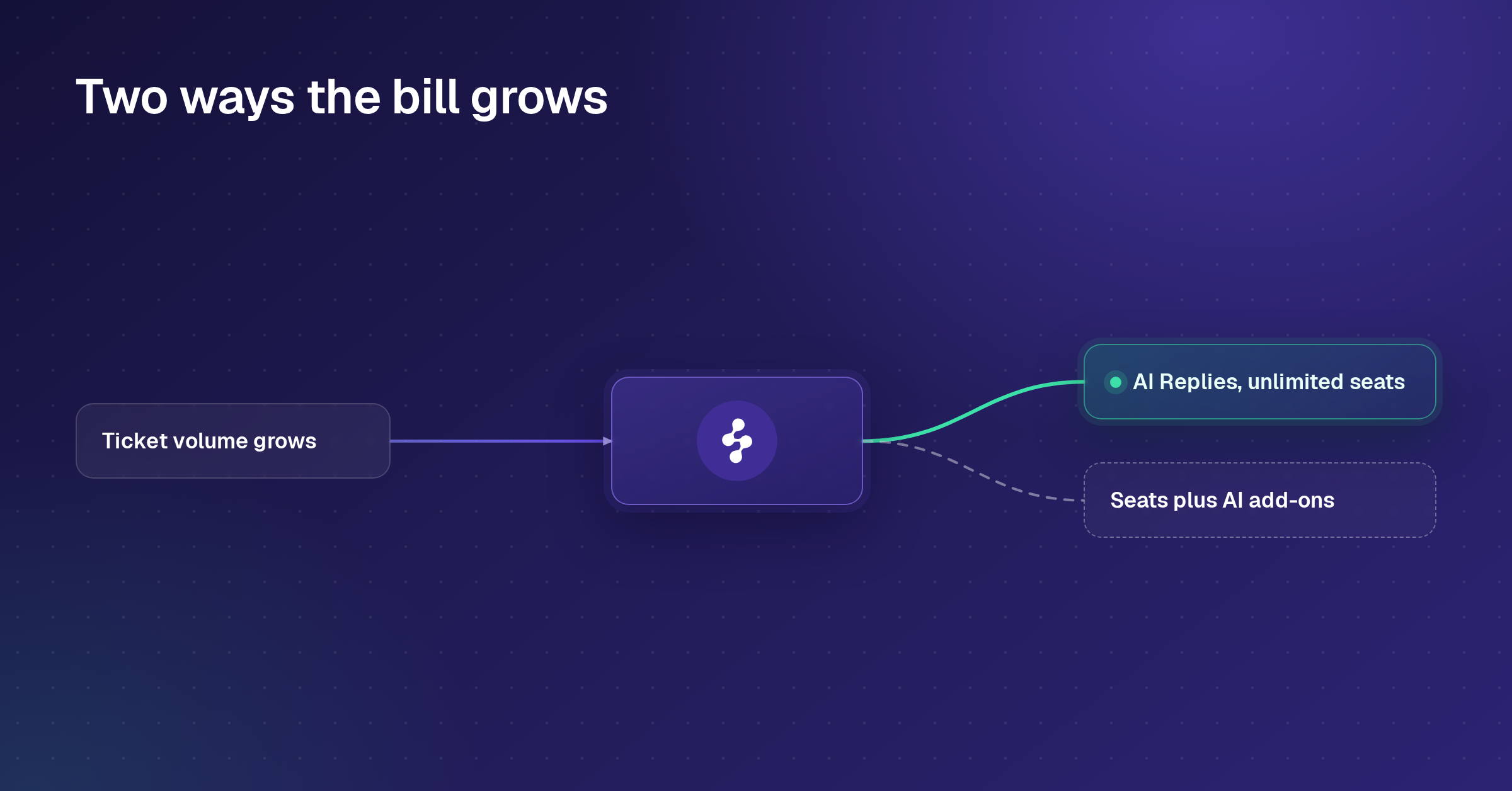
Enjo is our pick for teams that want the AI to resolve requests rather than draft replies: it acts in connected systems from Slack, Microsoft Teams and website chat, and bills per AI reply with unlimited human agent seats. The other eleven add AI on top of seats, technicians, sessions or resolutions, or price it through sales, as the table below shows.
AI Helpdesk Software Shortlist
- Enjo: resolves requests end to end in Slack, Microsoft Teams and website chat, billed per AI reply with unlimited human agent seats
- Fini: AI resolution layered on an existing helpdesk, priced per resolved ticket with no seat fees, built for regulated industries
- Zendesk: omnichannel suite with AI agents from Suite Team and a $50/agent Copilot add-on
- Freshdesk: customer support ticketing with Freddy AI Agent sessions on every plan
- Freshservice: ITSM platform with Freddy AI Agent bundled on Enterprise
- Fin by Intercom: customer service AI agent at $0.99 per outcome, sold with Intercom or on other helpdesks
- Atera Robin: autonomous IT agent that fixes device and cloud issues, bought separately from the Atera plan
- SysAid: ITSM service desk with Copilot and AI agents included in an $89 agent seat
- Help Scout: email-style shared inbox with AI Answers at $0.75 per resolution
- SparrowDesk: AI-first customer support helpdesk with a Free plan and an AI agent at $0.49 per resolution
- Jira Service Management: Atlassian's service desk with Rovo AI from Standard and a virtual service agent on Premium
- ServiceNow: enterprise ITSM with Now Assist in every package and AI specialists on Prime, priced by quote
What Is AI Helpdesk Software?
AI helpdesk software is a support system where an AI agent handles part of the work on incoming requests: classifying and routing them, drafting replies for human agents, answering requesters from a knowledge base, or resolving the request by taking an action in another system. The category covers customer support desks, where requests arrive by chat and email, and IT or employee service desks, where they arrive in Slack, Microsoft Teams or a portal. For tools focused on customer-facing teams, see our comparison of AI customer service software. For helpdesk ticketing systems with or without AI, including free and open source ones, see our helpdesk ticketing system roundup.
Three levels of AI show up across the tools below.
Assist. The AI drafts, summarizes and translates for a human agent, who still sends the reply.
Answer. The AI replies to the requester from approved knowledge and hands off when it cannot.
Resolve. The AI completes the request, including write actions such as an account unlock, an access change or a record update, and escalates with context when it cannot.
How We Evaluated This AI Helpdesk Software
We scored every tool on this list against the same six criteria, taken from the questions that decide a purchase rather than a feature checklist:
What the AI does. Assist, answer or resolve, and which write actions it can take in other systems.
Where requesters reach it. Slack, Microsoft Teams, website chat, email or a portal.
AI pricing model. A per-seat add-on, per session, per resolution, per outcome or per reply, and how the bill moves as automation grows.
Escalation. What reaches the human when the AI hands off.
Free tier. A permanent plan, a time-limited program or a trial.
Security and compliance. Certifications such as SOC 2 Type II and ISO 27001, GDPR compliance, an audit trail of what the AI said and did, and controls on what it can answer or change. Enjo is SOC 2 Type II, ISO 27001 and GDPR compliant, with Guardrails on AI inputs and outputs and full audit logs.
The 12 Best AI Helpdesk Software
These are the twelve AI helpdesk software tools worth shortlisting in 2026 across customer support and IT, scored against the criteria above.
| Tool | G2 | What the AI Does | Where Requesters Reach It | Starting Price | AI Pricing |
|---|---|---|---|---|---|
| Enjo | 4.8/5 | Resolves, including actions in connected systems | Slack, Teams, website chat, Help Center | Free, then $95/mo | Per AI reply, unlimited seats |
| Fini | 4.9/5 | Resolves, including refunds and account actions | Chat, email, voice, on your existing helpdesk | No standalone plan | $0.49 to $0.89 per ticket |
| Zendesk | 4.3/5 | Answers requesters, assists agents | Email, messaging, phone, social | $19/agent/mo | $1.50 per resolution; Copilot $50/agent |
| Freshdesk | 4.4/5 | Answers requesters, assists agents (add-on) | Email, customer portal | $19/agent/mo | $49 per 100 sessions |
| Freshservice | 4.6/5 | Answers (Enterprise), assists (add-on) | Portal, email, Slack, Teams | $19/agent/mo | Copilot $29/agent add-on |
| Fin by Intercom | 4.5/5 | Answers requesters, runs workflows | Chat, email, Slack, WhatsApp, voice | $19/seat/mo for new customers | $0.99 per outcome |
| Atera Robin | 4.6/5 | Fixes device and cloud issues autonomously | Teams, Slack, email, portal | $149/tech/mo | Robin bought separately, price unpublished |
| SysAid | 4.5/5 | Answers end users, assists agents | Teams, email, self-service portal | $89/agent/mo | Included in the seat price |
| Help Scout | 4.4/5 | Answers requesters, assists agents | Email, chat widget | Free, then $25/user/mo | $0.75 per resolution |
| SparrowDesk | 4.6/5 | Answers requesters, assists agents | Email, live chat, Slack, WhatsApp | Free, then $16/agent/mo | $0.49 per resolution |
| Jira Service Management | 4.3/5 | Answers requesters, assists agents | Portal, email, Slack, Teams, widget | Free (3 agents); $2,700/yr at 10 | Virtual agent on Premium, 1,000 conversations/mo |
| ServiceNow | 4.5/5 | Answers, runs workflows; AI specialists on Prime | Portal, Slack, Teams, phone | Custom quote | Now Assist in every package |
Starting prices are the lowest paid tier on annual billing where the vendor publishes one, checked on October 26, 2026 (Jira Service Management and ServiceNow on October 27, 2026; Atera's on September 29, 2026). Vendors revise pricing periodically; confirm current figures before budgeting.
1. Enjo
Enjo Platform is AI helpdesk software built agent-first: the AI Support Agent is configured before any queue exists, resolves requests end to end for customer support and IT, and Inbox is the helpdesk where human agents pick up escalations.
Best for: Request resolution in Slack, Microsoft Teams and website chat
Key capabilities:
- Resolution where requesters already are: Slack, Microsoft Teams, website chat, the Help Center portal and Slack Connect shared channels
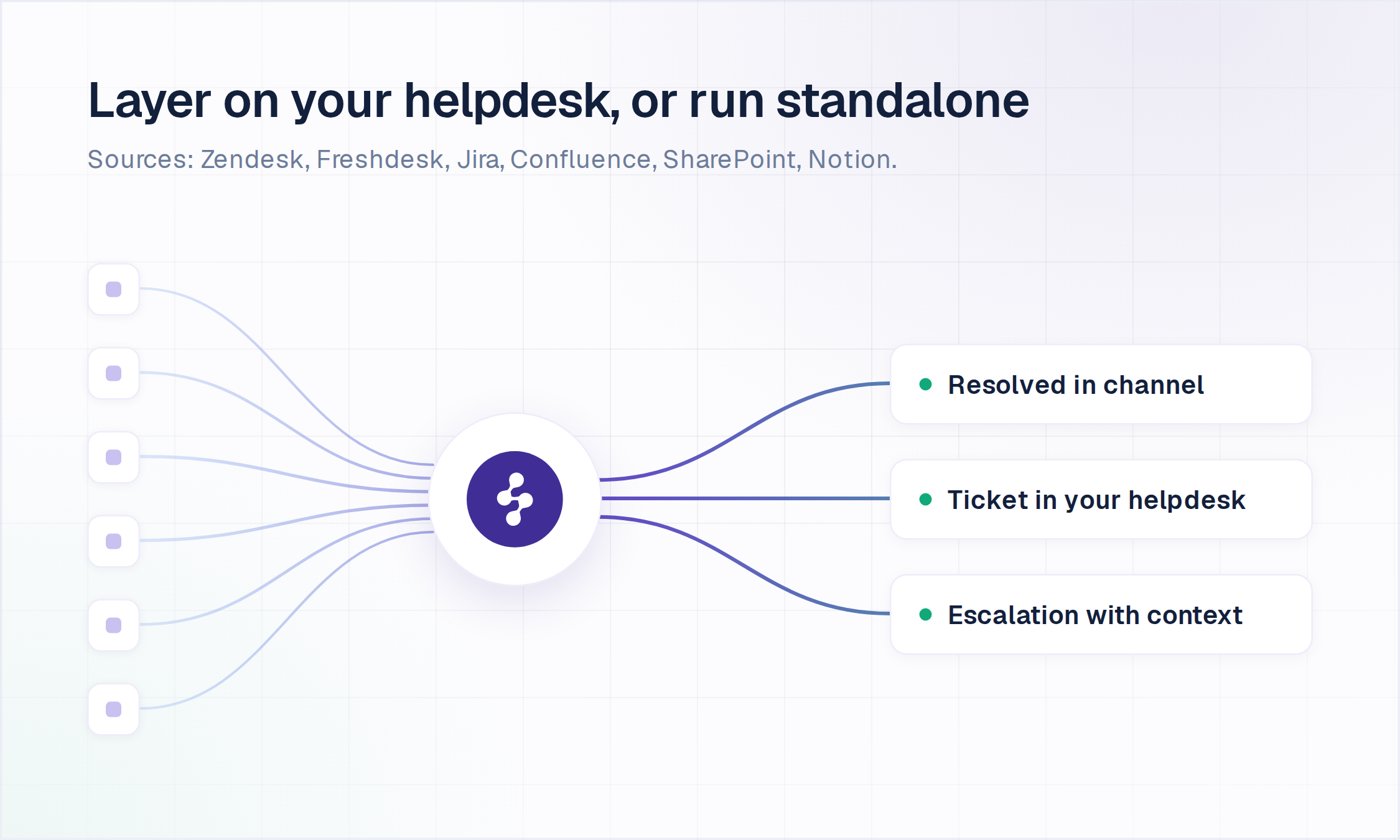
- AI Actions in connected systems: Okta account unlocks, access provisioning in Entra ID and Google Workspace, and record updates in Jira, ServiceNow and Salesforce, each explicitly configured, authorized and written to the audit log
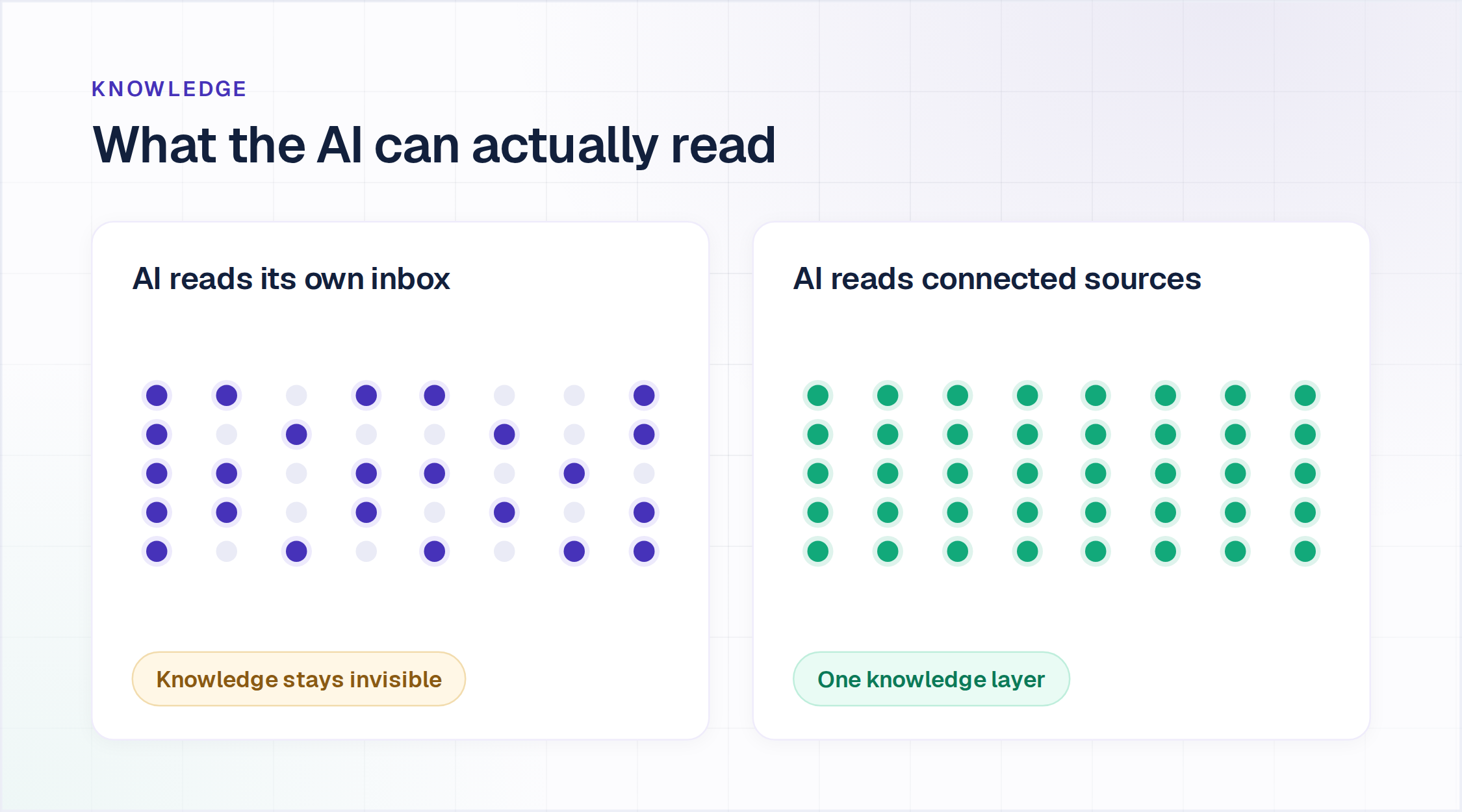
- One knowledge index: Confluence, SharePoint, Google Drive, Notion, Guru and past tickets power the agent, Inbox and Help Center, with a citation on every answer
- Tested before launch: Bulk Testing validates accuracy and coverage at scale, and Guardrails bound what goes in and what comes out
- Escalation with full context: the human in Inbox receives the full conversation, account context and suggested next steps, with Agent Assist drafting and summarizing inside Inbox
- Continuous learning: Enjo learns from how your team resolves escalations, with nothing extra to configure
- Unlimited human agent seats on every published plan: billing follows AI replies, so adding an agent never adds a line item
Proof: Aurora, a $14B autonomous vehicle company with 2,500 employees, resolves 63% of requests autonomously with Enjo, with 45% faster resolution.
Pricing: Free (200 AI Replies/mo, unlimited seats), Starter $95/mo (1,000 AI Replies), Standard $295/mo (3,000 AI Replies). Additional replies are $0.05 each. To verify current prices, visit enjo.ai/pricing.
Scope: Enjo Platform is built agent-first. The AI Support Agent is configured before any queue exists, and Inbox is the helpdesk for escalations and human collaboration rather than the primary work surface. Teams that want a ticket queue first with AI attached later are describing the legacy model, which is the point rather than a limit.

2. Fini
Fini is an AI support agent built for regulated industries like fintech, banking, insurance and healthcare. It runs on top of an existing helpdesk rather than replacing it.
Best for: High-volume B2C support in regulated industries
Key capabilities:
- End-to-end resolution with actions: resolves chat, email and voice conversations and takes actions like refunds and account updates through custom API actions, escalating to humans with full context when it can't
- Works inside your current helpdesk: native connections to Zendesk, Intercom, Salesforce, HubSpot, Freshdesk, Front, Gorgias and LiveChat, so there's no inbox migration
- Compliance on every plan: SOC 2 Type II, ISO 27001, HIPAA with BAA eligibility, and GDPR, plus audit trails and compliance guardrails at no extra charge
- No per-seat fees: the human team is never billed, and the full platform is available on every tier with no feature gate
Pricing: Growth is $0.89 per resolved ticket up to 3,000 a month, Scale is $0.69 up to 10,000, and Enterprise is $0.49 unlimited. Escalations to humans aren't billed. Voice AI is priced separately per answered call, from $0.89 down to $0.35 at volume. Multi-year terms cut 15% to 25%. To verify current prices, visit fini's pricing page directly.
Where it falls short: There's no permanent free tier or self-serve signup, and the 90-day free pilot is limited to Enterprise. Fini is also an AI layer rather than a standalone ticketing system, so teams without a helpdesk need one alongside it.
3. Zendesk
Zendesk is a widely used AI helpdesk platform built as a cloud-based ticketing system, with AI features sold as add-ons across its Support and Suite product lines.
Best for: Omnichannel customer support at scale
Key capabilities:
- Suite omnichannel ticketing: email, chat, voice through partners, and messaging in one workspace
- Copilot AI add-on: suggested replies and ticket summarization, billed separately per agent
- Automated resolutions: AI agents are included on every Suite and Support plan, billed per successful automated resolution
- Mature reporting and analytics: detailed dashboards across ticket volume, SLA compliance, and agent performance
Pricing: Support Team starts at $19/agent/month; Suite Team starts at $55/agent/month, Suite Professional at $115/agent/month, all billed annually. Support Team and Suite Team include 5 automated resolutions per agent a month and Suite Professional 10; more cost $1.50 each on a commitment or $2.00 pay as you go. Copilot is a $50/agent/month add-on on Suite Professional, and Suite Enterprise + Copilot is priced through sales. To verify current prices, visit zendesk's pricing page directly.
Where it falls short: There's no permanent free plan. The advertised entry price also rarely reflects the actual bill once Copilot, QA, and per-resolution AI charges add up on a Suite Professional seat.
However, if Zendesk and Freshservice are the two names on your actual shortlist, our Zendesk vs Freshservice comparison breaks down the pricing and feature gap in more depth.
4. Freshdesk
Freshdesk is Freshworks' cloud-based ticketing and knowledge base product for customer support teams, with Freddy AI sold as separate add-ons.
Best for: Customer support teams standardized on Freshworks
Key capabilities:
- Multichannel ticketing: email, chat, phone, and social in a single ticket view
- Freddy AI Copilot: agent-facing suggested replies and summarization, sold as a flexi add-on
- Freddy AI Agent: customer-facing conversational AI, billed per session in blocks of 100
- Workflow automation: rule-based routing, SLAs, and assignment logic
Pricing: Growth is $19/agent/month, Pro is $55/agent/month, and Enterprise is $89/agent/month, all billed annually. Freddy AI Copilot is $29/agent/month billed annually and is available on Pro and Enterprise only. Freddy AI Agent includes the first 500 sessions, then bills $49 per 100 sessions. A separate Free Program covers up to 2 agents for six months. To verify current prices, visit Freshworks' official pricing page directly.
Where it falls short: The Free Program ends after six months and stops at 2 agents, so it works as an extended trial rather than a permanent plan. Both Freddy AI products bill on top of the seat price.
5. Freshservice
Freshservice is Freshworks' IT service management platform for internal IT teams, with Freddy AI bundled on Enterprise and sold as a per-agent add-on below it.
Best for: ITSM and AI from a single vendor
Key capabilities:
- Multichannel ticketing: email, chat, phone, and social in a single ticket view
- Freddy AI Agent (Classic): employee-facing virtual agent, included on Enterprise with 1,200 sessions per license a year
- Freddy AI Copilot: agent-side drafting and summaries, a $29/agent/month add-on on Pro and Enterprise
- ITSM workflows: incident management on every plan, service catalog and SLAs from Growth, change and problem management from Pro
- Integrations: Slack, Microsoft Teams, Jira, Google Workspace and Azure AD
Pricing: Starter is $19/agent/month, Growth $49/agent/month and Pro $99/agent/month, all billed annually; Enterprise is quote-based. A 14-day free trial is available. To verify current prices, visit Freshworks' official pricing page directly.
Where it falls short: The Freddy AI Agent is bundled only on the quote-priced Enterprise plan, and Copilot is a paid add-on from Pro, so the AI line on the bill depends on the tier rather than on usage.
6. Fin by Intercom
Fin, which rebranded from Intercom in May 2026 and took the name of its AI agent, is one of the more recognizable AI helpdesk software products. It's built around the Fin AI agent, sold standalone or layered on top of other helpdesks. If Zendesk is the other name on your shortlist, our Zendesk vs Intercom comparison weighs the two on pricing, AI, and channel fit.
Best for: High-volume conversational customer support
Key capabilities:
- Fin AI agent: resolves conversations autonomously using connected knowledge sources
- In-app messaging: onboarding flows and proactive messages inside the product, not just a support inbox
- Unified inbox: chat, email, and in-app messages with segmentation
- Workflow automation: multi-step routing for common request types
Pricing: Essential is $29/seat/month ($19 for new customers), Advanced $85/seat/month and Expert $132/seat/month, all billed annually. Fin bills from $0.99 per outcome on top of seats, charged at most once per conversation, with no permanent free tier. To verify current prices, visit fin's official pricing page directly.
Where it falls short: Outcome-based billing has no published volume discount, so the AI line grows with every conversation Fin resolves. A real support-heavy team's monthly bill can run several times the advertised seat price once Fin resolution volume is included. Note also that Salesforce completed its acquisition of Fin on September 10, 2026, so plans and pricing may shift as Fin moves into Salesforce.
7. Atera Robin
Robin is Atera's autonomous AI agent for IT support, renamed from IT Autopilot in March 2026 and sold as an add-on to Atera's remote monitoring, management and helpdesk platform.
Best for: IT teams and MSPs managing devices in Atera
Key capabilities:
- Device and cloud fixes: investigates the ticket, then runs the fix on the endpoint or in the cloud, such as an app install, a network adapter reset or a password reset
- Multi-channel intake: accepts requests through Microsoft Teams, Slack, email and the Atera Customer Portal
- Identity checks: verifies the requester against Okta, Azure AD or Google Workspace before sensitive actions
- Audit logging: records every request, action, approval and outcome
Pricing: Atera's IT department plans start at $149 per technician per month billed annually (Professional), with a 30-day free trial. Robin is a separate add-on priced through sales. To verify current prices, visit atera's pricing page directly.
Where it falls short: Robin is purchased separately from the Atera plan and its price is not published, so the AI cost cannot be sized before a sales call.
8. SysAid
SysAid is an IT service management platform with SysAid Copilot and a no-code AI agent builder included on both of its plans.
Best for: IT service desks running ITIL processes
Key capabilities:
- Copilot intake: turns requests from Microsoft Teams, email and the self-service portal into structured service requests
- Automated triage: categorizes, prioritizes and assigns tickets against configured rules
- Agentic AI: 100+ prebuilt AI agents and an AI agent builder for tailor-made agents
- Agent-side summaries: condenses ticket history and surfaces context from past cases
Pricing: Professional is listed at $89/agent/month with Copilot, prebuilt AI agents and the AI agent builder included; Enterprise is custom-priced from 20 agents. A free trial is available. To verify current prices, visit sysaid's official pricing page directly.
Where it falls short: Tailor-made AI agents and a sandbox for testing changes are Enterprise-only, and Professional keeps service data for 2 years against 7 on Enterprise.
9. Help Scout
Help Scout is customer support software with a lighter AI helpdesk platform footprint than most of this list, focused on simple, email-style shared inboxes for small teams.
Best for: Email-style support for small teams
Key capabilities:
- Simple shared inbox: email-style conversation threading with internal notes
- AI Answers: customer-facing AI that resolves common questions, billed per resolution
- Built-in knowledge base: self-service docs included on core plans
- Straightforward reporting: conversation-level analytics without a steep setup curve
Pricing: Free (up to 5 users and 100 contacts a month), then Standard $25/user/month, Plus $45/user/month and Pro $75/user/month, with AI Answers at $0.75 per resolution, charged at most once per conversation. To verify current prices, visit Help Scout's official pricing page directly.
Where it falls short: AI Answers is a bolt-on resolution engine rather than a full agent that takes actions across systems. The free plan also caps out at 5 users, so it stops working for any team past a handful of agents.
10. SparrowDesk
SparrowDesk is an AI-first customer support helpdesk from SurveySparrow, combining an email and live chat inbox with an AI agent and an agent-side copilot.
Best for: Small and mid-sized customer support teams on email and chat
Key capabilities:
- Zoona AI agent: resolves common questions around the clock with multilingual replies and human handoff, as a paid add-on from Starter
- AI Copilot: conversation summaries and context-aware reply suggestions inside the inbox
- SLA management: rules by priority, channel or customer type, with breach alerts
- Multilingual replies: detects the customer's language and responds in it
Pricing: A Free plan covers up to 3 users and 500 conversations a month. Starter is $16/agent/month, Professional $49/agent/month and Enterprise $89/agent/month, with 20% off on annual billing. The Zoona AI Agent bills $0.49 per resolution and AI Copilot from $8/agent/month for 1,000 credits on top, and both add-ons require a paid plan. A 14-day free trial is available. To verify current prices, visit sparrowdesk's pricing page directly.
Where it falls short: Both AI add-ons are billed on top of seats, and SSO, custom roles and the audit log sit on Enterprise only.
11. Jira Service Management
Jira Service Management is Atlassian's service desk for IT and other service teams, with Rovo AI for agents from Standard and a virtual service agent that answers requesters on Premium and Enterprise.
Best for: IT and service teams already on Jira
Key capabilities:
- Virtual service agent: answers requesters and collects the details for a request, included on Premium and Enterprise with 1,000 assisted conversations a month (12,000 a year), with more sold as an add-on
- Rovo agents, search and chat: AI for service agents from the Standard plan
- Multichannel intake: requests arrive by email, Microsoft Teams, Slack, an embedded widget or a customer portal
- ITSM on the Jira platform: incidents link to the Jira work items and code changes behind them
Pricing: Free for up to 3 agents. At 10 agents, Standard is $2,700 a year and Premium $6,200 a year on annual billing, or $26.90 and $61.60 per agent per month on monthly billing; Enterprise is quoted (Atlassian's pricing calculator, checked October 27, 2026).
Where it falls short: The requester-facing virtual service agent starts on Premium, and its allowance counts assisted conversations, so a busy desk buys more as an add-on once it passes 1,000 a month.
12. ServiceNow
ServiceNow is the enterprise ITSM platform on the Now Platform, sold in three ITSM packages, Foundation, Advanced and Prime, each with Now Assist and Moveworks built in.
Best for: Enterprise IT standardized on the Now Platform
Key capabilities:
- Virtual Agent and AI agents: conversational support in Slack, Microsoft Teams and portals that can trigger automated workflows performed by AI agents, and hands live chats to agents with their history
- Now Assist in every package: Platform AI at the Foundation, Advanced or Prime level, with Moveworks for ITSM included at each level
- AI specialists on Prime: an L1 Service Desk AI Specialist and AI Agents for ITSM come with the top package
- Otto: introduced at Knowledge 2026 in May, it brings Now Assist, Moveworks and AI Experience into one conversational front door
Pricing: Custom quote only; ServiceNow publishes no prices for Foundation, Advanced or Prime (servicenow.com/products/itsm/pricing.html, checked October 27, 2026).
Where it falls short: Every package is quote-only, and the AI specialists that work requests on their own, such as the L1 Service Desk AI Specialist, sit only in Prime. Our ServiceNow alternatives guide compares starting prices and annual cost across the options.
How to Choose AI Helpdesk Software
Most comparisons of AI helpdesk software stop at the feature list. The decision that holds up six months in comes from four checks, run on your own requests rather than in a demo:
Ask what the AI does after it answers. Reading a ticket is not resolving a request. Ask which systems it can write to (account unlocks, access changes, refunds, record updates) and who authorizes each action.
Price the AI at your real volume. Take last month's request count, apply the resolution rate the vendor quotes, and add seats plus every AI add-on.
Check where requesters reach it. IT requests arrive in Slack and Microsoft Teams; customer requests arrive in website chat and email. An AI that lives only in a portal misses the requests that never go there.
Watch one escalation land. The human should receive the full conversation, account context and suggested next steps, in the queue your team works.
What 1,000 AI resolutions a month costs a 10-agent team
Annual billing, on each vendor's lowest tier that sells requester-facing AI, at published rates:
Freshdesk Growth: $190 in seats plus $490 for 1,000 Freddy AI Agent sessions after the one-time 500, so $680 a month. A session counts per interaction, so one resolution can use more than one.
SparrowDesk Starter: $160 in seats plus $490 for the Zoona AI Agent, so $650 a month.
Help Scout Standard: $250 in seats plus $750 for AI Answers, so $1,000 a month.
SysAid Professional: $890 in seats at the listed $89 per agent, with Copilot and prebuilt AI agents included, so $890 a month.
Fin with Intercom: $190 in seats at the $19 Essential rate for new customers plus $990 in outcomes, so $1,180 a month, or $1,280 at the $29 list rate.
Zendesk Support Team: $190 in seats, 50 automated resolutions included and 950 more at the $1.50 committed rate, so $1,615 a month. Its AI agents answer email on this plan; messaging and live chat start on Suite Team at $55 a seat.
Jira Service Management Premium: $6,200 a year for 10 agents, with the virtual service agent's 1,000 assisted conversations a month included, so about $517 a month. The allowance counts assisted conversations rather than resolutions.
Enjo: $0 in seats. Starter at $95 a month covers 1,000 AI replies and Standard at $295 covers 3,000, so the bill runs $95 to $295 depending on how many replies each resolution takes.
Freshservice, Atera Robin and ServiceNow price their AI through sales or on quote-based tiers, so they cannot be sized from public pages.
Enjo answers all four checks: AI Actions in Okta, Entra ID, Google Workspace, Jira, ServiceNow, Salesforce and custom APIs on Starter and above; resolution in Slack, Microsoft Teams, website chat and the Help Center portal; escalations into Inbox with the full conversation, account context and suggested next steps; and one usage-based bill with unlimited human agent seats.
Looking beyond AI resolution specifically, our guide to the best help desk software compares a broader field, including non-AI-first options.
Conclusion
These twelve tools split on how the AI is billed. Zendesk, Freshdesk, Freshservice, Help Scout, SparrowDesk and Fin by Intercom meter AI on top of seats, Jira Service Management includes its virtual service agent on Premium up to 1,000 assisted conversations a month, Atera Robin and ServiceNow price it through sales, SysAid includes it in an $89 seat, Fini bills per resolved ticket with no seats, and Enjo bills per AI reply with unlimited seats. Run last month's request volume through each billing model before comparing sticker prices.
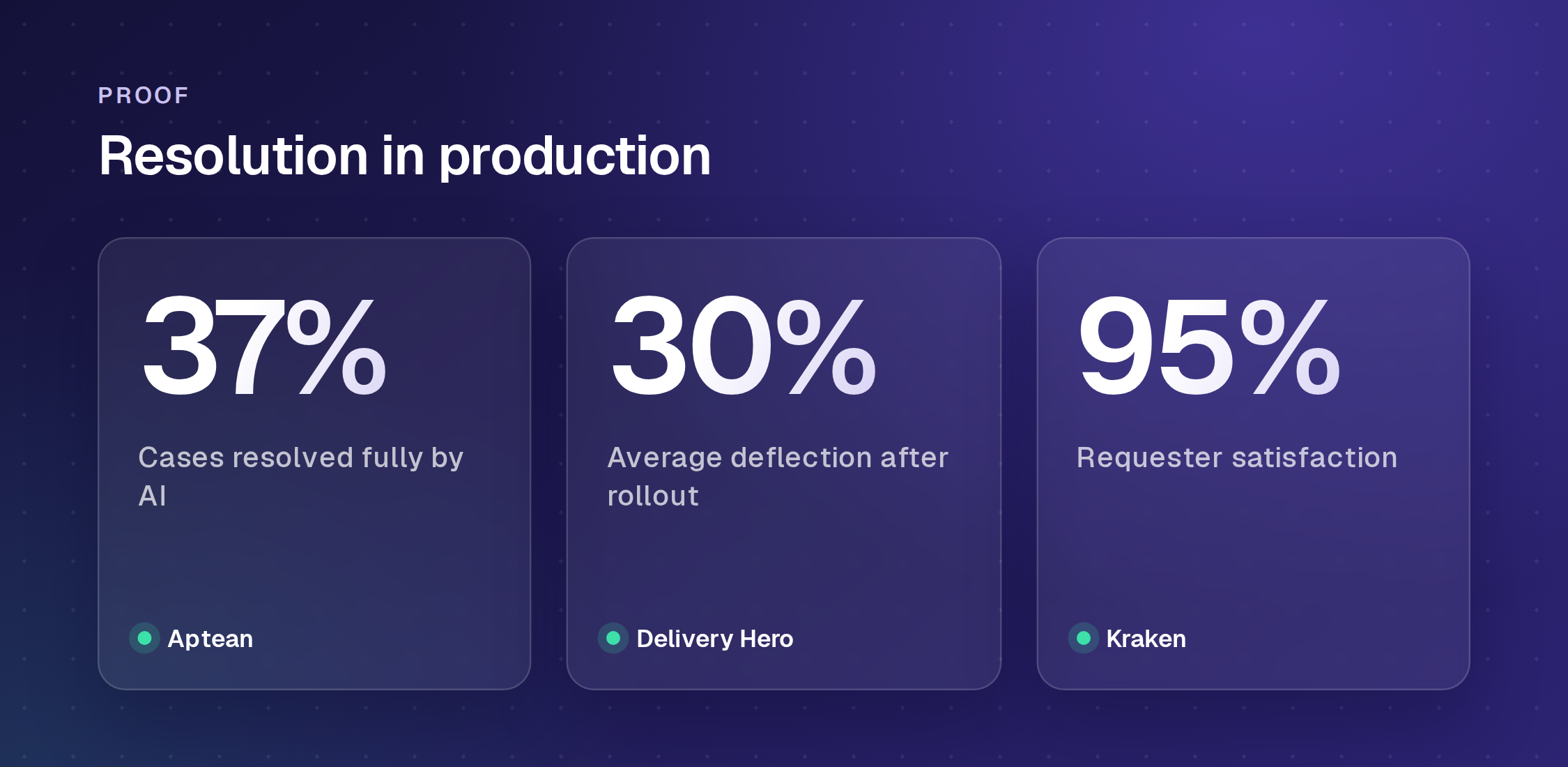
Figures from individual Enjo deployments: Aptean (37% of cases resolved fully by AI, across 300K+ cases a year), Delivery Hero (30% average deflection) and Kraken (95% satisfaction).
For teams leaving a per-seat helpdesk, Enjo Platform removes the seat line entirely: AI replies on every plan, unlimited human agent seats, and a free plan that does not expire. Launch Inbox on the free plan, connect a channel, and measure resolution on your own requests before anything is billed.
Frequently Asked Questions
What is helpdesk software?
Helpdesk software is the system a support team uses to capture, track and resolve requests from customers or employees in one queue, usually with ticketing, automation and a knowledge base. AI helpdesk software adds an AI agent that assists human agents, answers requesters from approved knowledge, or resolves requests by acting in connected systems.
What is an AI help desk?
An AI help desk is a support system where an AI agent works on incoming requests alongside human agents. Depending on the tool, the AI drafts replies for agents, answers requesters from a knowledge base, or resolves the request by acting in another system, then escalates what it cannot finish.
What is the best AI help desk software?
Enjo is our pick: it resolves requests end to end, including actions in connected systems, from Slack, Microsoft Teams and website chat, and bills per AI reply with unlimited human agent seats. Build the rest of the shortlist around what the AI must do: assist agents, answer requesters, or resolve requests with write actions.
What's the difference between an AI help desk and an AI service desk?
A help desk usually handles customer support. A service desk handles internal IT and employee requests, adding ITSM processes such as change and asset management. AI helpdesk software increasingly covers both, and Freshservice, SysAid, Atera Robin, Jira Service Management and ServiceNow on this list are service desk products. For an AI-first view of the IT service desk, see our AI ITSM guide and our AI service desk guide.
What's the difference between AI chatbots and AI agents?
A chatbot answers questions using scripted or narrow logic and usually cannot act beyond replying. An AI agent understands the full request, takes actions like resetting a password or updating a record, and resolves the request without a human step in between.
Do AI agents replace human agents?
No. Every tool on this list, including Enjo, is built around AI handling the repetitive, high-volume requests and escalating the rest to a human with context, so people spend their time on the cases that need judgment.
Will IT help desk be replaced by AI?
No. AI takes the repetitive volume, such as password resets, access requests and how-to questions, so the IT team spends its time on requests that need judgment, physical work or an approval. When Enjo cannot finish a request in Slack, Microsoft Teams or the Help Center portal, it escalates with the full conversation, account context and suggested next steps, and it learns from how your team resolves those escalations.
How much does AI helpdesk software cost?
Most vendors charge per seat, then meter AI on top: $0.49 to $2.00 per resolution or outcome among the tools here with published rates, or an $8 to $50 per agent copilot add-on. A 10-agent team running 1,000 AI resolutions a month pays $650 to $1,615 on those tools, SysAid includes its AI in an $89 seat, and Jira Service Management Premium includes 1,000 assisted conversations a month for about $517 at 10 agents. Fini prices per resolved ticket alone, from $0.49 to $0.89 depending on volume, with no seat cost at all. Enjo bills per AI reply with unlimited seats, from $95 a month for 1,000 replies.
Is there free AI helpdesk software?
Enjo's Free plan is permanent: 200 AI replies a month, unlimited human agent seats, Inbox, Help Center and Insights, and no credit card. Once the replies are used, requests auto-escalate to human agents in Inbox. SparrowDesk's Free plan covers 3 users and 500 conversations a month without its AI agent, Help Scout's Free plan covers 5 users and 100 contacts a month, Freshdesk's Free Program covers 2 agents for six months, and Jira Service Management is free for up to 3 agents, with its virtual service agent on Premium. Fini has no self-serve trial, offering a 90-day pilot on Enterprise only, and ServiceNow is sold by quote. The other tools list free trials.
How long does it take to set up AI helpdesk software?
Same-day go-live is feasible with Enjo: connect a channel and your knowledge sources, validate answers with Bulk Testing, then turn the agent on. Amber Group went from proof of concept to full production in five weeks. Seat-based helpdesks with add-on AI usually configure the AI layer as a separate project after the helpdesk itself.