Transform complex support workflows
AI in ITSM 2026: What It Actually Resolves
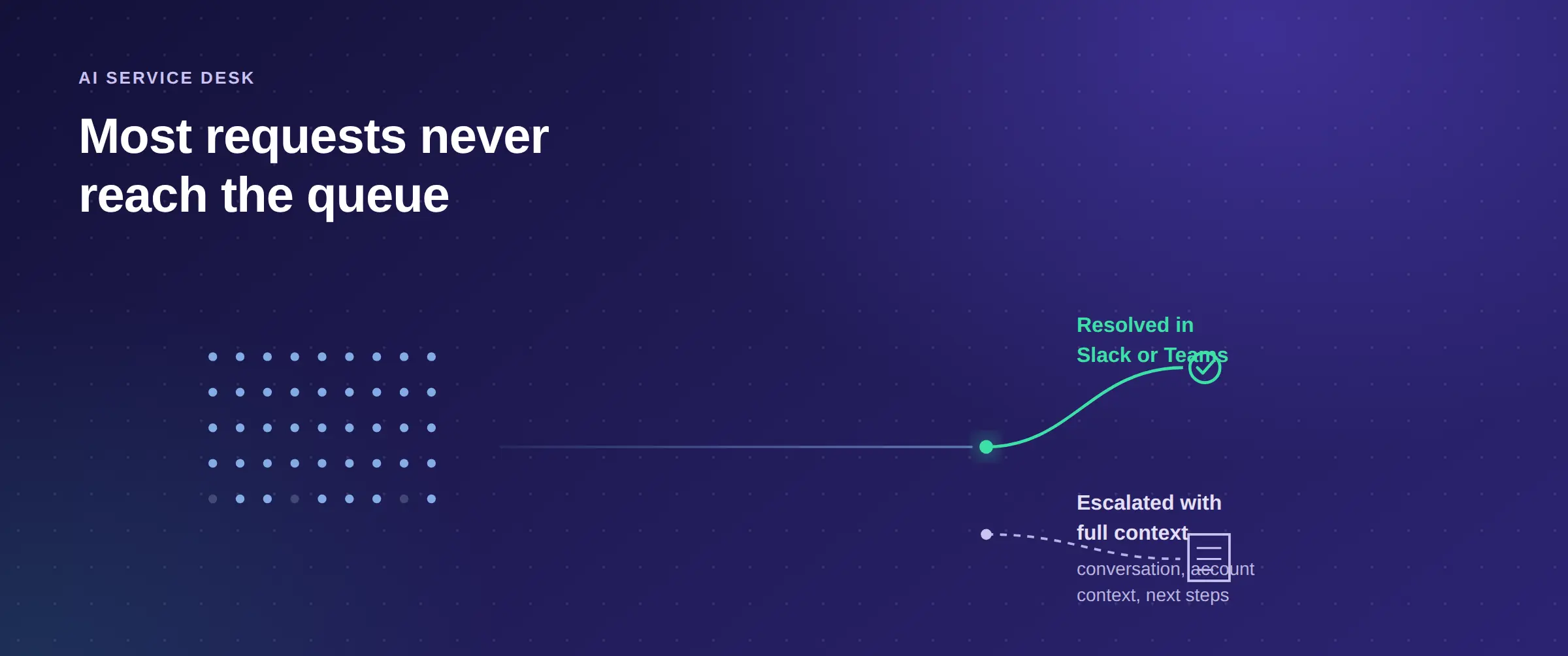
Every major ITSM platform shipped an AI tier in the last two years, and most IT teams are working the same L1 queue as before. The gap is rarely model quality. A summarizer inside your ticket form was never going to unlock an account at 11pm, and the AI most teams inherited answers questions about the work instead of doing it.
This page covers what AI for ITSM does at the mechanism level, where the AI already inside your platform hits its ceiling, how Enjo approaches the category, and a nine-point checklist for testing any vendor. BookMyShow, India's largest entertainment ticketing platform, captures 100% of its internal support tickets through Slack automation with zero manual ticket creation, so the ceiling is not the technology. Enjo is built by Troopr Labs, which has 600+ enterprise deployments and 99.9% uptime over 7 years, and this is our category, so weigh the argument accordingly.
The through line is simple: AI ITSM earns its place when it resolves the request in Slack or Teams, not when it answers a question about it.

What AI in ITSM means, and what it does not
AI ITSM is the use of AI agents to resolve IT service requests end to end: reading the request in the requester's own words, answering from your governed knowledge with a citation, taking the action the request needs in a connected system, and escalating with full context when it cannot finish the job. The distinguishing test is the third step: software that classifies, summarizes or routes faster is assistive tooling, and software that completes the request is not.
The category travels under several names. AI service management, AI for ITSM and AI in ITSM all describe the same thing, and agentic ITSM is the newer label for its autonomy-forward end, where agents plan and execute multi-step work rather than answering one question at a time. Generative AI in ITSM is a narrower slice: drafting and summarizing inside the ticket, useful for agents and invisible to requesters.
PeopleCert's AI in ITSM Tools report gives that autonomy three levels. Low-agency agents make narrow decisions, such as categorizing a ticket, proposing a resolution or running an approved script. Mid-agency agents handle multi-step reasoning, such as diagnosing a recurring issue. High-agency agents plan and adapt toward an outcome, up to proactive problem detection and incident resolution with minimal human oversight. It is a useful lens for any demo: ask which level each action sits at, and who approves the step above it.
One boundary matters for scoping. This is a resolution layer, not a replacement for ITIL practice: change management, asset management and the CMDB stay in your system of record, and the agent works the request traffic in front of them.
The problem AI in ITSM is supposed to solve
SysAid's State of Service Management 2026 survey of 718 IT professionals shows how far most teams are from resolution: 61% of IT organizations now use AI in service management, but 42% use it only for guidance and answering questions, and just 3.3% have reached autonomous execution, where AI resolves the issue end to end without human involvement. Three failures keep most teams at the guidance stage.
The first failure most teams have already lived through is the virtual agent that holds up for one exchange. It matches an intent, offers an article, and hands off the moment the requester phrases the follow-up differently, which teaches employees to type "agent" and skip it. Half-built workflows accumulate behind it, and a service catalog nobody has pruned since the last migration makes each quarter's numbers look worse.
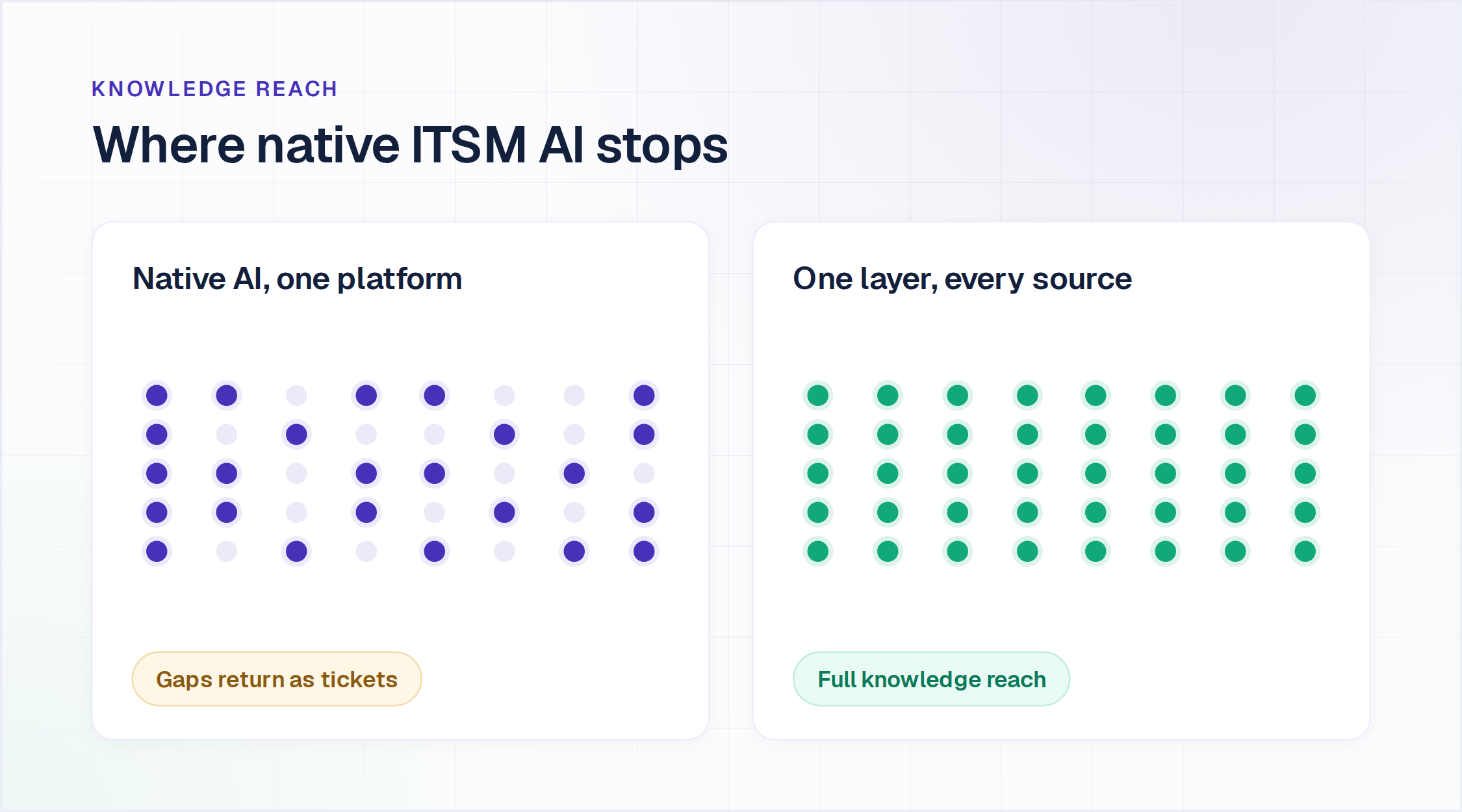
The second is knowledge reach. Answers live in Confluence, SharePoint, Google Drive, Notion and thousands of past tickets, while the AI is connected to one knowledge base inside one platform. It answers only what it can see, so resolution plateaus however good the model is, and every gap lands back in the queue as an incident. In Ivanti's 2025 research across more than 3,000 IT professionals, 89% said siloed data hurts their IT operations.
The third is where requests start. Employees ask in Slack and Microsoft Teams while the AI sits in a self-service portal they do not open, so the automation never touches the volume it was bought to handle. Our IT service desk automation use cases cover which request types to automate first. The AI service desk explainer covers the same failure from the requester's side, with what it resolves and what it costs.
How AI ITSM actually works
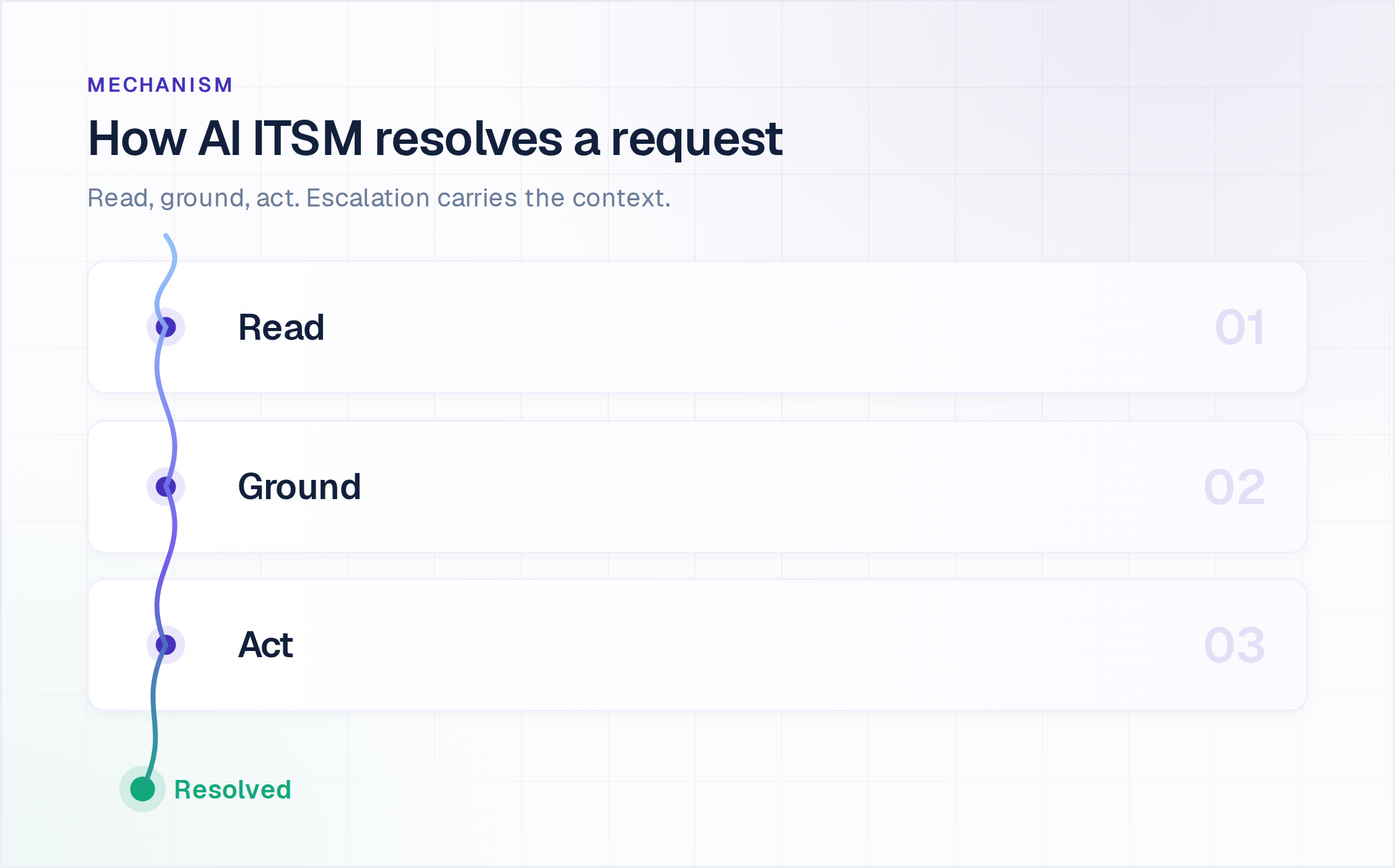
Underneath the naming, the mechanism is consistent across serious implementations of AI for ITSM, and it runs in four steps.
- Read the request. The agent interprets natural language in the channel where it arrived, including the messy phrasing of a real employee rather than a catalog item.
- Ground the answer. It retrieves from your indexed sources and answers with a citation, so the requester and your auditors can both see where the answer came from.
- Take the action. For transactional requests it queries or updates a connected system, which is the difference between an answer and a resolution.
- Escalate with context. Where confidence is low or policy requires a human, it hands over the conversation, the account context and suggested next steps.
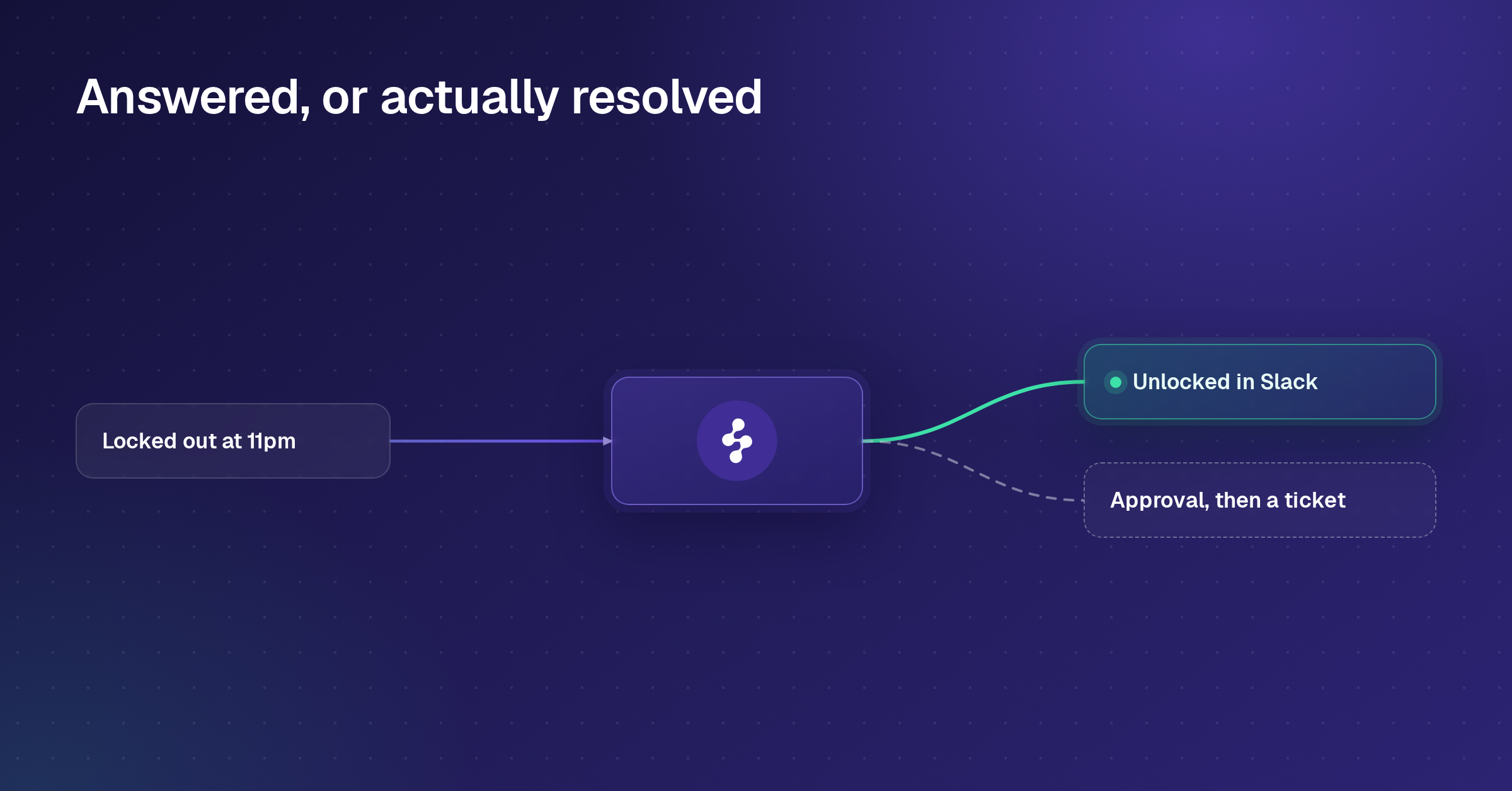
A locked account at 11pm shows the loop. The employee messages in Slack, the agent verifies identity against your directory, unlocks the account in Okta, confirms in the thread and logs the action, with no ticket created and no one paged. Where policy reserves the request for a human approver, the agent collects the approval in chat and creates the ticket in your service desk instead.
Continuous learning is where these systems improve or decay. When your team answers an escalation, that response becomes a training signal, so coverage widens from real work rather than from a configuration project. That is how agentic AI in ITSM differs from the virtual-agent generation before it, where every new intent was a ticket for an admin.
AI in ITSM use cases, practice by practice
AI does different work in each ITSM practice, and adoption is uneven across them. PeopleCert's AI in ITSM Tools report maps 66 AI use cases across 20 ITIL practices. Here is what AI does in the five practices closest to the service desk.
- Service request management. The agent completes the request instead of logging it: a password reset, an account unlock, an access grant with its approval collected in chat. This is where resolution is easiest to measure, because the request is either done or it is not.
- Incident management. AI classifies and routes new incidents, summarizes long threads for the next engineer, and answers known errors from your runbooks before anyone is paged. Routing is already common: Ivanti's 2025 research found 67% of IT teams have automated it.
- Problem management. AI analyzes incident history to find the root cause of recurring issues and reads trends in logs to catch a problem before it spreads. Adoption is thinner here: in the same research, 42% of IT professionals use automation for predictive maintenance and only 28% use AI root-cause analysis.
- Knowledge management. AI suggests new articles from recent incidents and flags gaps where new requests have no matching article, so the knowledge base keeps pace with what people actually ask.
- Change enablement. AI assesses the likely impact and risk of a proposed change from the history of similar ones and collects approvals, while the decision stays with your change authority.
The practices closest to the requester are where an agent can finish the work today; the ones further back are where AI informs a human decision. In Enjo, AI Actions complete requests inside Slack and Microsoft Teams, Approval Flow collects approvals in Slack, Knowledge Gen turns resolved cases into draft articles, and Alerts flag a spike in requests while Insights shows which topic is driving it, so the problem manager hears about an outage from the pattern rather than from the tenth person to report it.
Why the AI already inside your ITSM platform underperforms
Native AI is the path of least resistance, because it ships inside a platform the team already licenses. Three limits show up at scale.
Its knowledge stops at the platform boundary. The AI reads its own knowledge base and records, so the Confluence space holding your network runbooks, the SharePoint folder with HR policy, and the ticket history in a system you migrated off are all invisible to it.
It answers without acting. Native assistants summarize a case and draft a reply well, and stop short of unlocking an Okta account, provisioning a group in Entra ID or calling your internal API, because those actions sit outside the platform's object model.
Deflection is reported as resolution. A dashboard can show a healthy deflection rate while the same requesters return through another channel, so ask what happened to the deflected requests, not how many there were.
Then there is the cost on top of the seat you already pay for. On current published pricing, Freshservice's Freddy AI Copilot is a $29 per agent per month add-on available only on the Pro and Enterprise tiers, Jira Service Management bundles its virtual service agent at Premium with 1,000 assisted conversations a month and charges from $0.30 each after that, with volume discounts, and SolarWinds Service Desk puts its fuller AI set at the $124 per technician Premier tier. Our ServiceNow AI Agents buyer's guide runs the same analysis for the Now Platform.
| Approach | Where its knowledge stops | What it can act on | What it costs on top |
|---|---|---|---|
| Helpdesk-native AI tier | The platform's own knowledge base and records | Objects inside that platform | A tier upgrade or per-agent add-on, metered per conversation on some vendors |
| Dedicated AI layer | Every source you connect, across systems | Connected systems across the stack, including identity and custom APIs | A separate subscription, usually priced by usage rather than seats |
| In-house build | Whatever you index and keep in sync yourself | Whatever you integrate and maintain | Engineering time, plus permanent ownership of access control, compliance logging and multi-source sync |
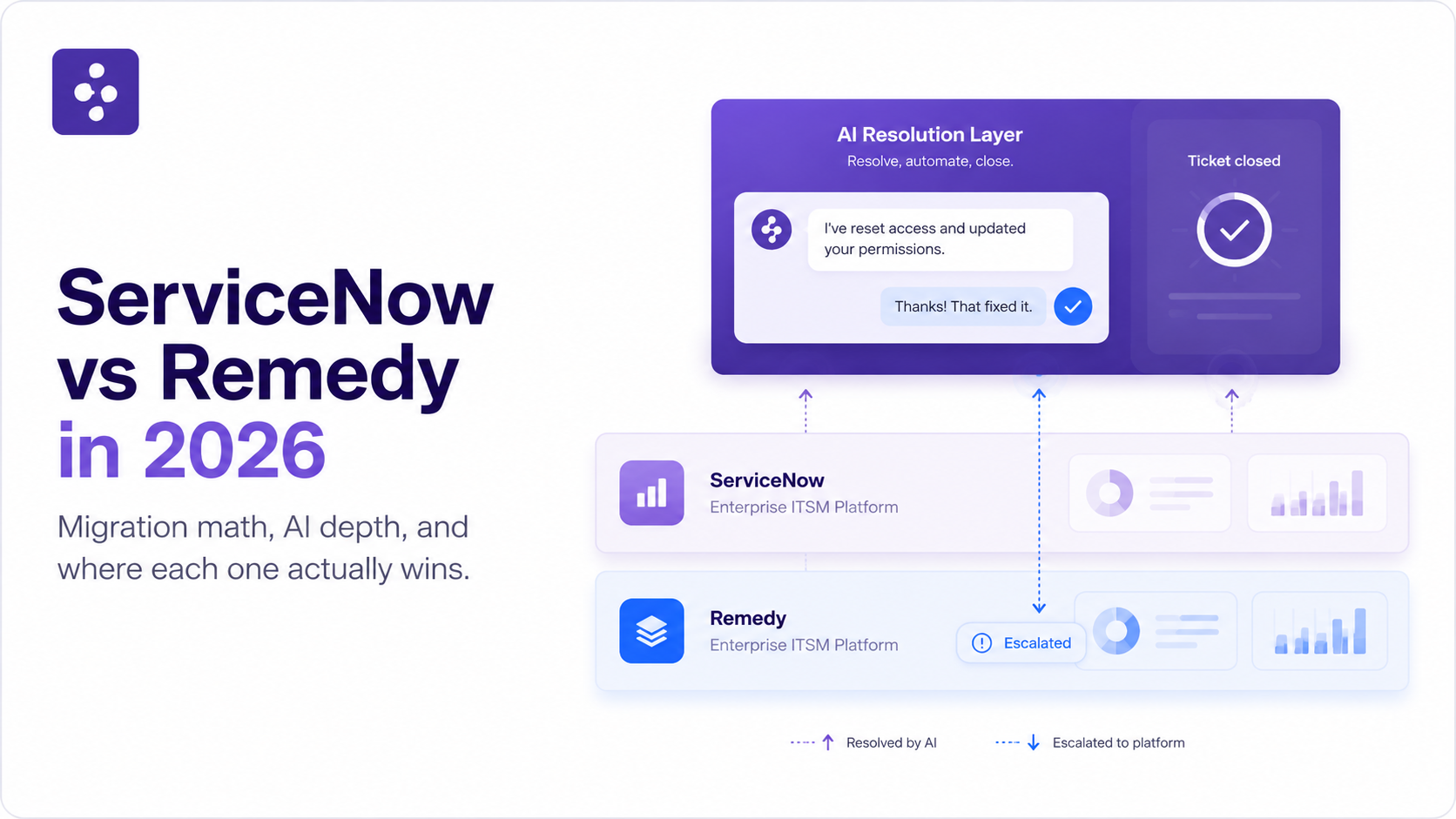
The second row carries the portability argument: knowledge, flows and training built in a dedicated layer survive a helpdesk migration, where the same investment inside a vendor's AI tier does not.
The AI ITSM tools worth knowing in 2026
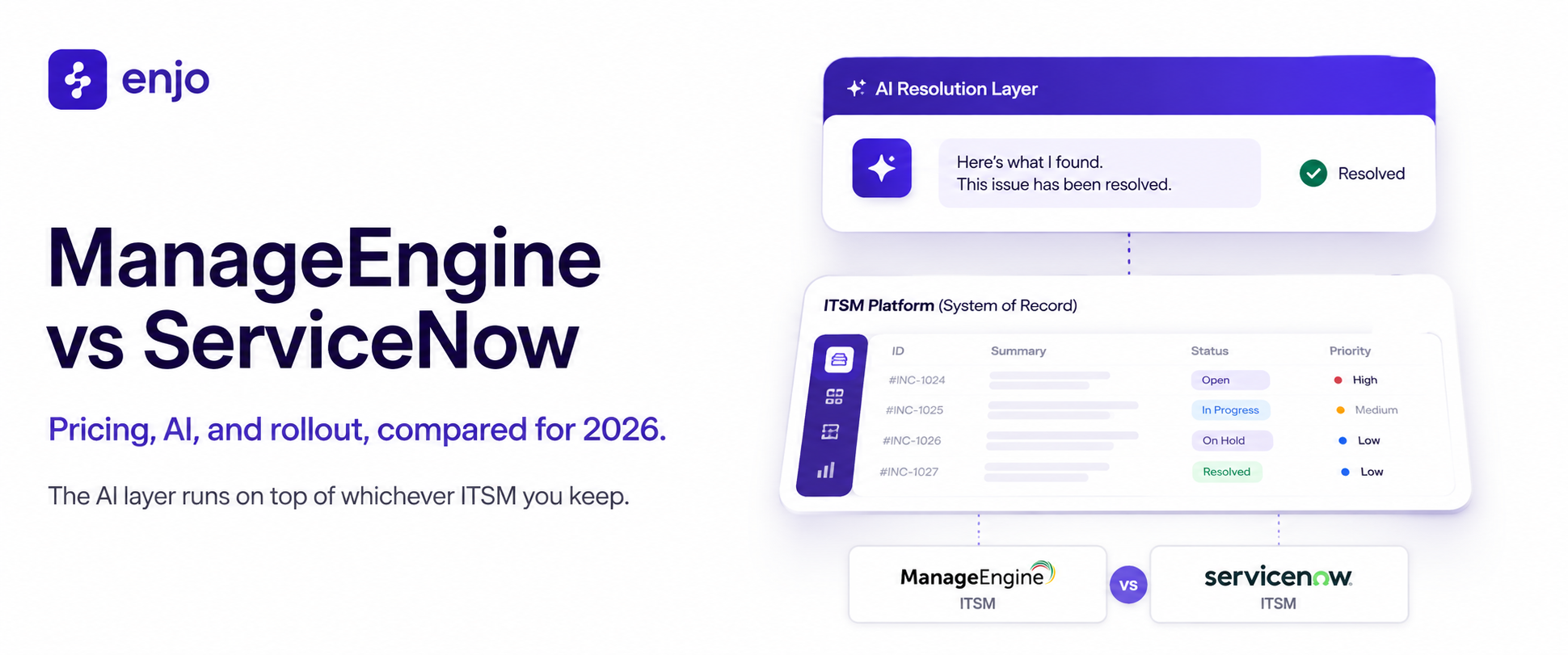
The category splits three ways, and the split decides more than any feature grid. Dedicated resolution layers run on top of whatever service desk you already have. AI-first platforms replace the platform and the AI together. Native AI tiers are sold by your incumbent vendor as an upgrade. If you are still choosing the platform underneath, our comparison of help desk software ranks twelve tools on AI resolution and real cost.
Enjo. A dedicated resolution layer that deploys into ServiceNow, Jira Service Management, Zendesk or Freshservice and leaves the system of record where it is. One index across Confluence, SharePoint, Google Drive, Notion, Guru and past tickets, AI Actions into Okta, Entra ID, Google Workspace, Jira and ServiceNow, resolution inside Slack and Microsoft Teams, and pricing per AI reply with unlimited human agent seats. Scope: Enjo is an AI layer, not a ticketing platform. It does not replace the helpdesk as the system of record, which is the point rather than a limit.
Moveworks. A dedicated layer for enterprise IT and employee experience, sold to large organizations with mature ITSM on multi-quarter rollouts, with custom sales-led pricing. ServiceNow completed its acquisition in December 2025, launched EmployeeWorks in February 2026 combining Moveworks conversational AI with ServiceNow workflow automation, and introduced Otto at Knowledge 2026 as a single front door above Now Assist, Moveworks and its AI Experience layer. Limitation: a product that was helpdesk-agnostic is now inside one helpdesk vendor's portfolio and roadmap, which is a portability question for anyone who bought it to stay independent of their ITSM.
Aisera. An AI service experience platform covering IT, HR and customer service, sold to large enterprises on multi-year contracts with a broad ITSM workflow surface. Automation Anywhere completed its acquisition on 4 November 2025, folding Aisera's self-service agents into its Agentic Process Automation stack; terms were not disclosed. Limitation: built before generative models and extended onto that architecture rather than designed around it, which shows up as longer deployments and more rigid configuration than the newer layers. Aisera's public pricing page has also been withdrawn, so there is no self-serve figure to budget against.
Atomicwork. An AI-first service management platform that also sells its AI Coworkers on top of an existing ServiceNow or Jira Service Management instance, with no platform fee on that route. It publishes pricing: the Professional plan starts from $25,000 a year billed annually, and outcome pricing runs $1 per resolved knowledge query, $2 per access request and from $3 per service resolution. Limitation: every outcome tier carries an annual minimum (25,000 knowledge outcomes, 12,000 access outcomes or 8,000 service outcomes a year), and the run-on-top route covers ServiceNow and Jira Service Management only, so teams on any other service desk adopt the full platform to use it.
ServiceNow Now Assist and Otto. Native AI for the Now Platform, priced inside ServiceNow licensing tiers, with Otto as the conversational front door introduced in May 2026. Limitation: knowledge, runtime and licensing are all ServiceNow's, so the Confluence space and the Okta action sit outside what it reaches. Teams weighing whether to stay on the platform at all should see our comparison of ServiceNow alternatives.
Jira Service Management. Atlassian's virtual service agent, bundled at the Premium tier and metered above an included allowance of assisted conversations. Limitation: the agent sits at Premium rather than Standard, and usage meters above the allowance, so the tier and the volume are two separate budget decisions.
Freshservice Freddy AI. Freshworks' native AI, split into Freddy AI Agent for requesters and Freddy AI Copilot for agents. Copilot is a per-agent add-on at $29 per agent per month on annual billing, available only on the Pro and Enterprise tiers. Limitation: a per-agent AI add-on scales with headcount rather than with resolved volume, which is the opposite of the curve you want once automation starts working, and the entry tiers cannot buy it at all.
The pattern across the last four is the same boundary the table above describes. Native AI reads its own platform and acts on its own objects. Whether that is a ceiling depends entirely on where your answers live and which system holds the data the request needs changed.
How Enjo does AI ITSM
Enjo is an AI Support Agent that deploys into the service desk you already run, so ServiceNow, Jira Service Management, Zendesk or Freshservice stays the system of record. Enjo IT Service is that agent deployed for IT. Five mechanics carry the work.
One knowledge layer across the sources you already have
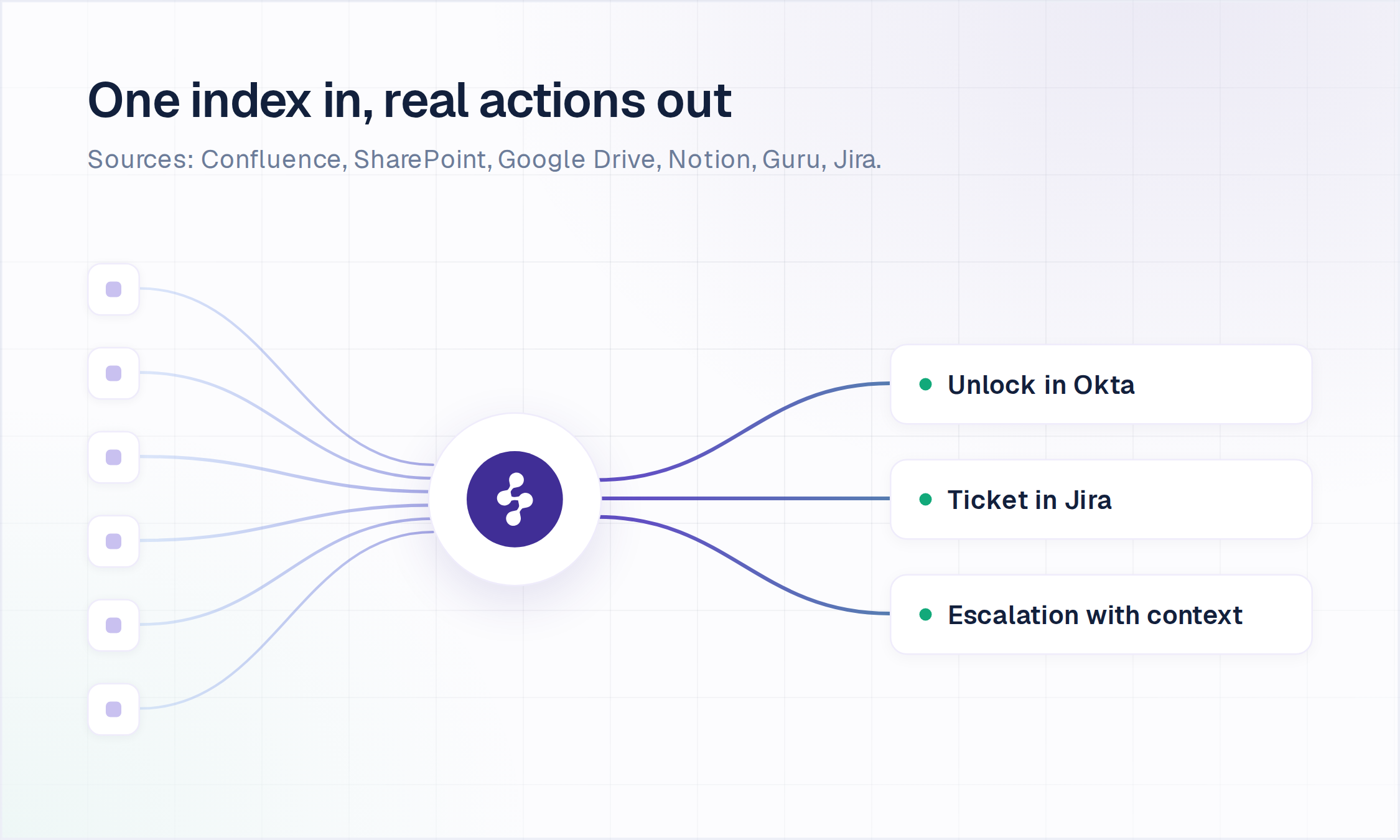
Knowledge connects Confluence, SharePoint, Google Drive, Notion and Guru on a daily sync, alongside past tickets from Jira, ServiceNow, Zendesk and Salesforce, and Answers holds the responses your team wants stated exactly one way. One index grounds the agent, the suggestions your human agents see and requester self-service, so the three never drift apart, and every answer carries a citation to its source.
Actions in your systems, not just answers
AI Actions is the catalog of operations the agent performs mid-conversation: unlocking accounts and provisioning access in Okta, identity lookups in Entra ID, group management in Google Workspace, ticket creation, lookup and updates in Jira and ServiceNow, approvals in Jira, plus custom API and webhook actions. AI Flows chains those into the multi-step automations that make agentic ITSM more than answering, with explicit fallbacks when the agent is not confident. Every action is configured, authorized, bounded by Guardrails and recorded in the Audit Log.
Resolution where employees already ask
Enjo runs in Slack and Microsoft Teams as a native app. In Slack it adds slash commands, emoji actions that create or update tickets, in-chat approval flows and swarm rooms for complex cases. There is no new portal to launch and no change management to run, which is why deployments here are measured in days and weeks.
Jira Service Management with Slack is where this goes deepest. Anything the agent cannot resolve becomes a fully operable Jira work item without the requester leaving Slack, created from any of nine entry points, from the conversation itself to a message shortcut, a slash command, an emoji reaction or a timer on messages nobody answered. Every custom field is covered, the Slack thread and the Jira comments stay in two-way sync, approvals happen in Slack, and the requester's satisfaction rating lands in Jira's own CSAT reporting.
Escalation your service desk can act on
When Enjo hands over, the ticket lands in your existing service desk carrying the full conversation, the account context and suggested next steps, so the human starts where the agent stopped rather than asking the requester to repeat themselves. Agent Assist then works inside that agent view, in Jira Service Management, ServiceNow or Zendesk, with case summaries, reply suggestions and one-click translation. The pattern is shown on Enjo for ServiceNow.
Tested before launch, governed afterwards
Bulk Testing validates responses against large sets of your real historical requests before anything reaches an employee, and the failures map your knowledge gaps. Guardrails restrict what the agent can say and do, RBAC scopes access by role, and the Audit Log keeps a searchable record of every response and action. Enjo is SOC 2 Type II compliant, ISO 27001 certified and GDPR compliant, with data encrypted in transit and at rest, which is what the security review will ask for.
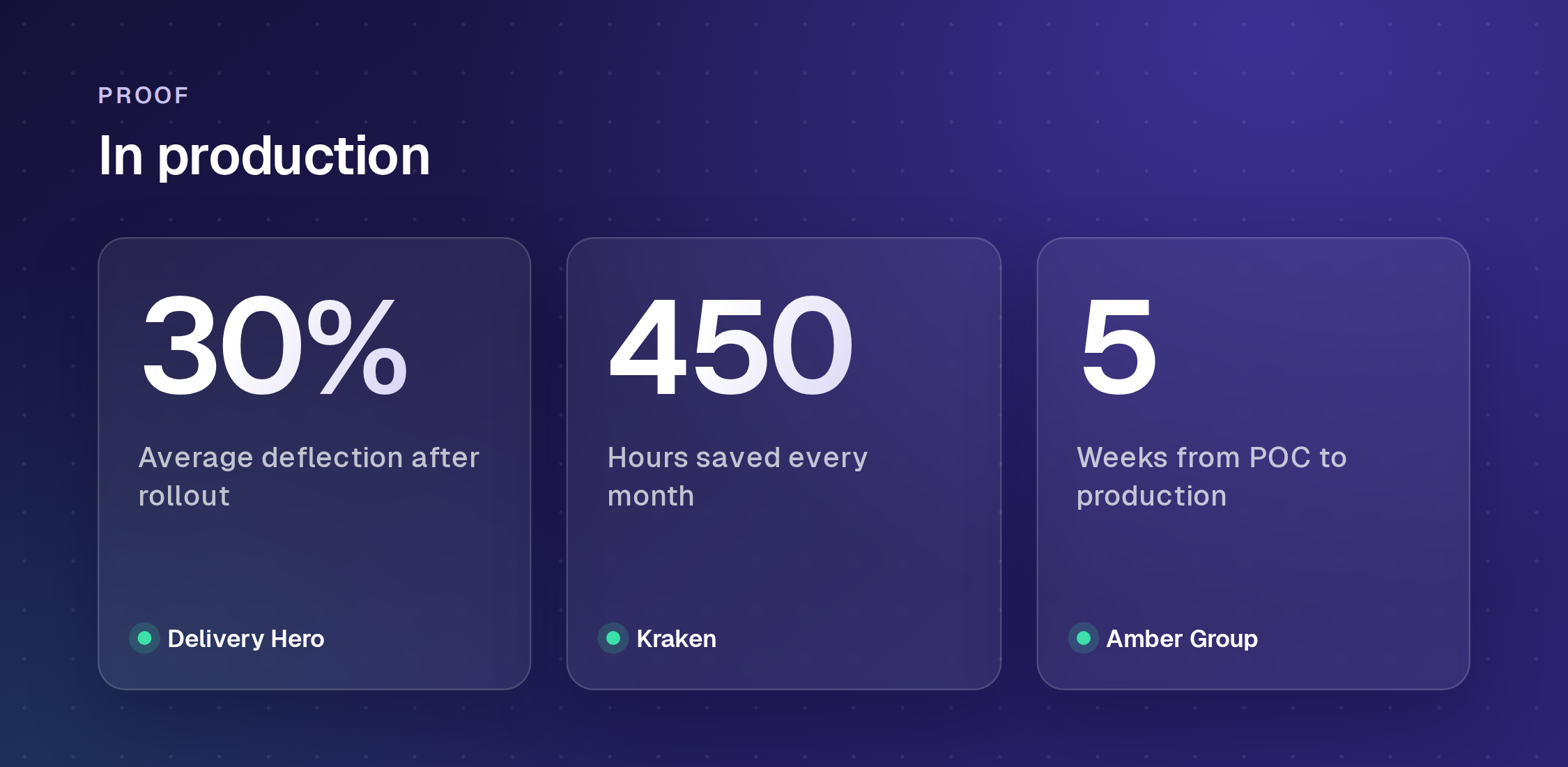
In production. Kraken automates approval workflows with in-chat nudges and reminders, saving 450 hours a month and cutting response times from two or three days to minutes. Delivery Hero runs a dedicated agent across 30+ Jira service desks in 70+ countries, at 30% average deflection and 80% faster response.
How to evaluate AI ITSM tools
Vendor demos are rehearsed on clean data. These nine criteria separate an AI for ITSM pilot that ships from one that stalls, each with the question to put to the vendor.
- Grounding and citations. Does every answer name its source? An answer you cannot trace is one you cannot trust at volume.
- Action breadth. Which systems can it write to, not just read from? Ask for the list, including your identity provider and one custom internal system.
- Knowledge reach. How many sources can it index, and how often do they sync? A single-source agent has a resolution ceiling no model upgrade will lift.
- Escalation quality. Ask to see what the human receives on handoff: the full conversation and account context, or a one-line ticket.
- Pre-launch testing. Can it be validated in bulk against your own historical requests, rather than demoed on vendor sample data?
- Guardrails, audit and access control. What can the agent be prevented from saying and doing, who can change that, and is every action logged for review?
- Channel fit. Does it resolve natively inside Slack and Microsoft Teams, or require employees to visit a portal they currently ignore?
- Pricing model. Per-seat licences plus per-resolution fees compound as you grow, where usage-based pricing tracks the work done; run the math at twice your current volume, and our ROI of AI service desks breakdown shows how the curves diverge. Enjo prices per AI reply with unlimited human agent seats on its published plans.
- Time to launch. Days versus quarters is a property of the architecture, not of project management. Ask for a reference who went live inside a month; Amber Group reached full production with Enjo in five weeks.
A Desk Assessment sizes this before you commit to anything: Enjo analyses your ticket history and quantifies which request types are automatable, and at what volume.
The bottom line
AI for ITSM earns its budget at the point where an agent can act in your systems, read across every source your answers live in, and hand over cleanly when it should not proceed. Judge candidates on those three mechanics plus the nine questions above, and treat any demo that only answers questions as assistive tooling priced like a resolution layer. If your service desk stays exactly where it is and your L1 queue does not, that is the case a dedicated layer is built for.
Frequently Asked Questions
What is AI in ITSM?
AI ITSM is the use of AI agents to resolve IT service requests end to end, grounding answers in your knowledge with citations and taking action in connected systems such as Okta, Jira and ServiceNow, rather than only classifying or routing tickets faster. It runs as a layer on the system of record you already have.
How is AI used in ITSM?
AI is used to resolve service requests such as password resets and access grants in chat, classify and route incidents, summarize tickets for the next engineer, draft knowledge articles from resolved cases, and analyze incident history to find the root cause of recurring problems. Request resolution changes the queue most, because a completed request never becomes a ticket to route.
What are the benefits of AI in ITSM?
The main benefits are faster resolution, less repetitive volume reaching your service desk, and answers in Slack or Microsoft Teams, where employees already ask. In production, Delivery Hero averages 30% deflection across 30+ Jira service desks with 80% faster response, and Kraken cut response times from two or three days to minutes.
What is the difference between AI ITSM and a service desk chatbot?
A chatbot matches intents and serves articles from a script or a single knowledge base. An AI agent reads the request in natural language, answers from every connected source with a citation, completes the transaction in the systems holding the data, and escalates with the full conversation attached when it cannot resolve.
What are the best AI ITSM tools?
The dedicated resolution layers are Enjo, Moveworks and Aisera, with Atomicwork as an AI-first platform, while ServiceNow, Jira Service Management and Freshservice offer native AI tiers on their own platforms. Our comparison of the best ITSM tools covers all ten with live pricing and an honest limitation for each.
How long does it take to deploy AI in ITSM?
It depends on the state of your knowledge, not the vendor's project plan. Where content already lives in connected sources, a resolution layer goes live in days to weeks; Amber Group went from proof of concept to full production with Enjo in five weeks. Platform AI rollouts needing workflow rebuilds commonly run months.
Does AI ITSM replace service desk agents?
No. It absorbs the repetitive volume so your team works the cases that need judgment, which is how Kraken freed 70% of its HR team's time. The measurable change is how much volume resolves without a human, not how many humans you employ.