Transform complex support workflows
8 Best Zendesk Alternatives and Competitors in 2026
Zendesk works until the bill or the ceiling shows up first. A Zendesk alternative usually solves one of two problems: seat pricing with AI add-ons that push $19 plans past $115, or built-in AI that only reads Zendesk's own knowledge base. This guide compares eight tools shortlisted against Zendesk in 2026, priced from each vendor's page. If you're looking for software like Zendesk without per-seat pricing, or AI that only reads Zendesk's own knowledge, these eight are the ones worth comparing.
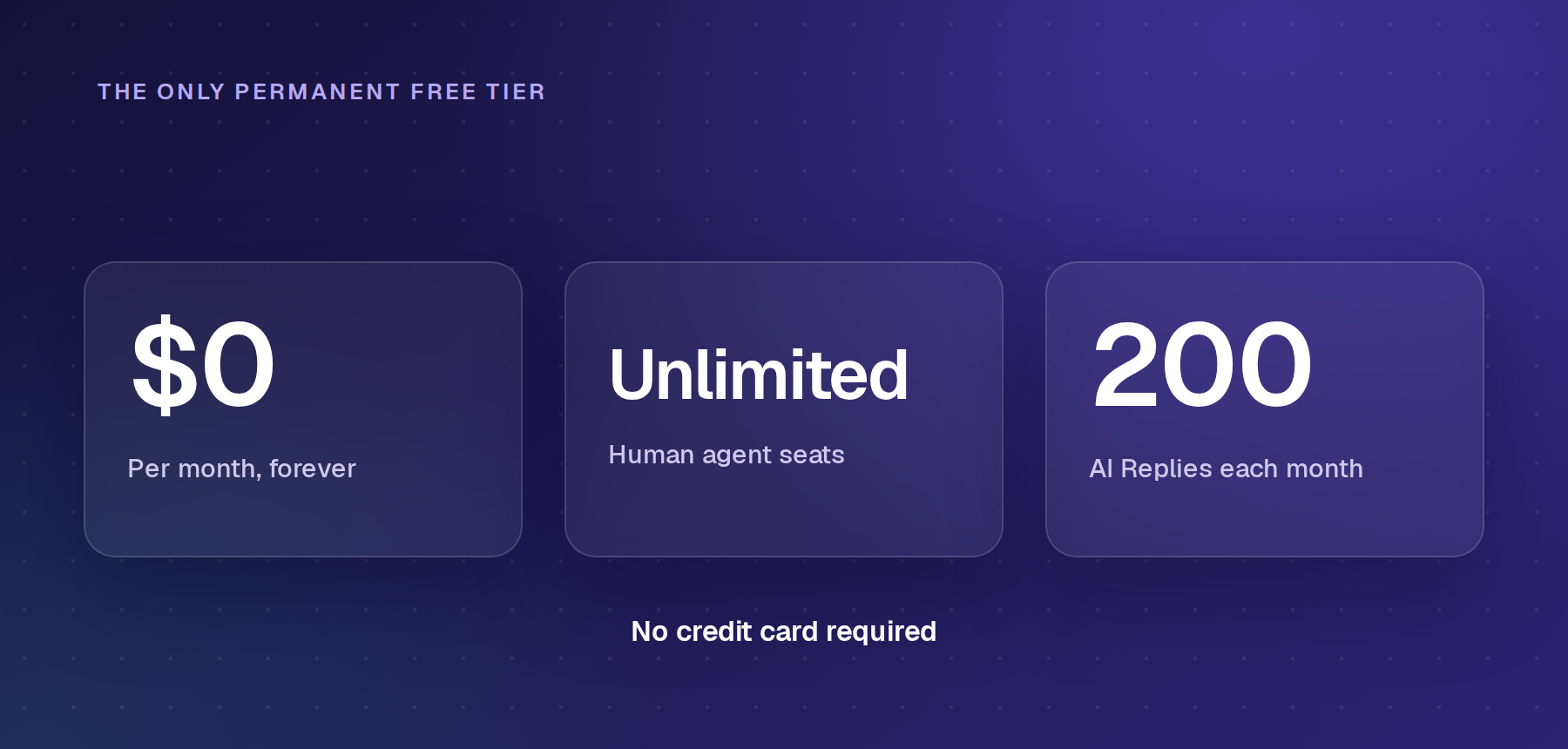
Note: Enjo is one of the eight, and full disclosure: we're the company behind it, so weigh our own entry accordingly. It's the only free plan here with unlimited seats and AI replies included: 200 AI Replies a month, no credit card required. Troopr Labs, the company behind Enjo, is SOC 2 Type II, ISO 27001 and GDPR compliant across 600+ enterprise deployments.
Why People Leave Zendesk?
Zendesk's own pricing page is straightforward about the base numbers: the tiers, the seat cost, and the trial length. What it doesn't put front and center is what actually drives most teams to start comparing alternatives. Three things come up most often:
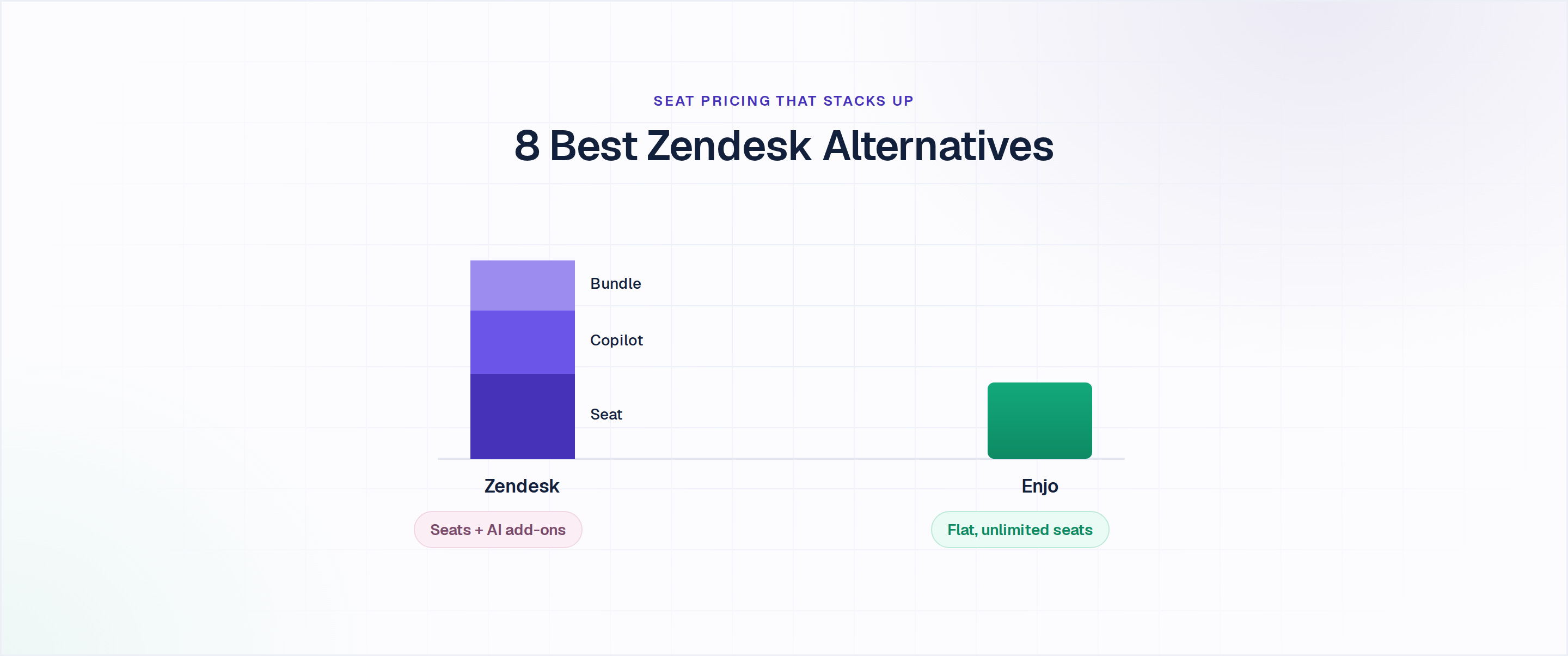
- AI costs stack on top of seats. Support Team starts at $19/agent/month; Suite Team at $55/agent/month; Suite Professional at $115/agent/month, all billed annually. Copilot, the AI assistant, is a separate $50/agent/month add-on on any tier, and adding the Workforce Engagement Bundle pushes a Suite Professional seat past $200/agent before a single resolution is billed.
- Built-in AI has a ceiling. Zendesk's AI Agents read Zendesk's knowledge base and act only on Zendesk objects. The moment a request requires Confluence data or an Okta action, the built-in bot can't access them without a third-party layer bolted on.
- There's no permanent free plan. Zendesk offers a 14-day trial and a startup program with a temporary discount, but every path ultimately leads to a seat-based billing model.

How to Choose a Zendesk Alternative?
Picking a Zendesk alternative isn't really a feature-checklist exercise. Most of the tools below cover similar ground on the surface, so the real decision comes down to where support happens, how much of it AI can genuinely resolve, and what the bill looks like once add-ons are counted. Four things narrow the field fast:
- Where support happens decides the shortlist. A team fielding requests in Slack or Teams needs a tool built for that channel, not an email widget. Pure email support has different priorities than a team juggling chat, social, and a help center. Pure email teams have their own shortlist in our comparison of email ticketing systems. Teams selling software to other businesses have a further filter, covered in our roundup of SaaS customer support software.
- AI can deflect or resolve, and those are not the same thing. Deflection tools summarize, route, and draft. Resolution tools create tickets, unlock accounts, and resolve the request without human intervention.
- The real cost of AI rarely matches the sticker price. Most tools below sell their strongest AI as a metered add-on rather than a seat-price inclusion, and the help desk software comparison shows the same pattern across the broader category.
- A full switch isn't always necessary. If Zendesk's ticketing works but the built-in AI doesn't, adding an AI layer on top of Zendesk instead is the lower-friction move, covered later in the FAQ.
The 8 Best Zendesk Alternatives and Competitors
Enjo
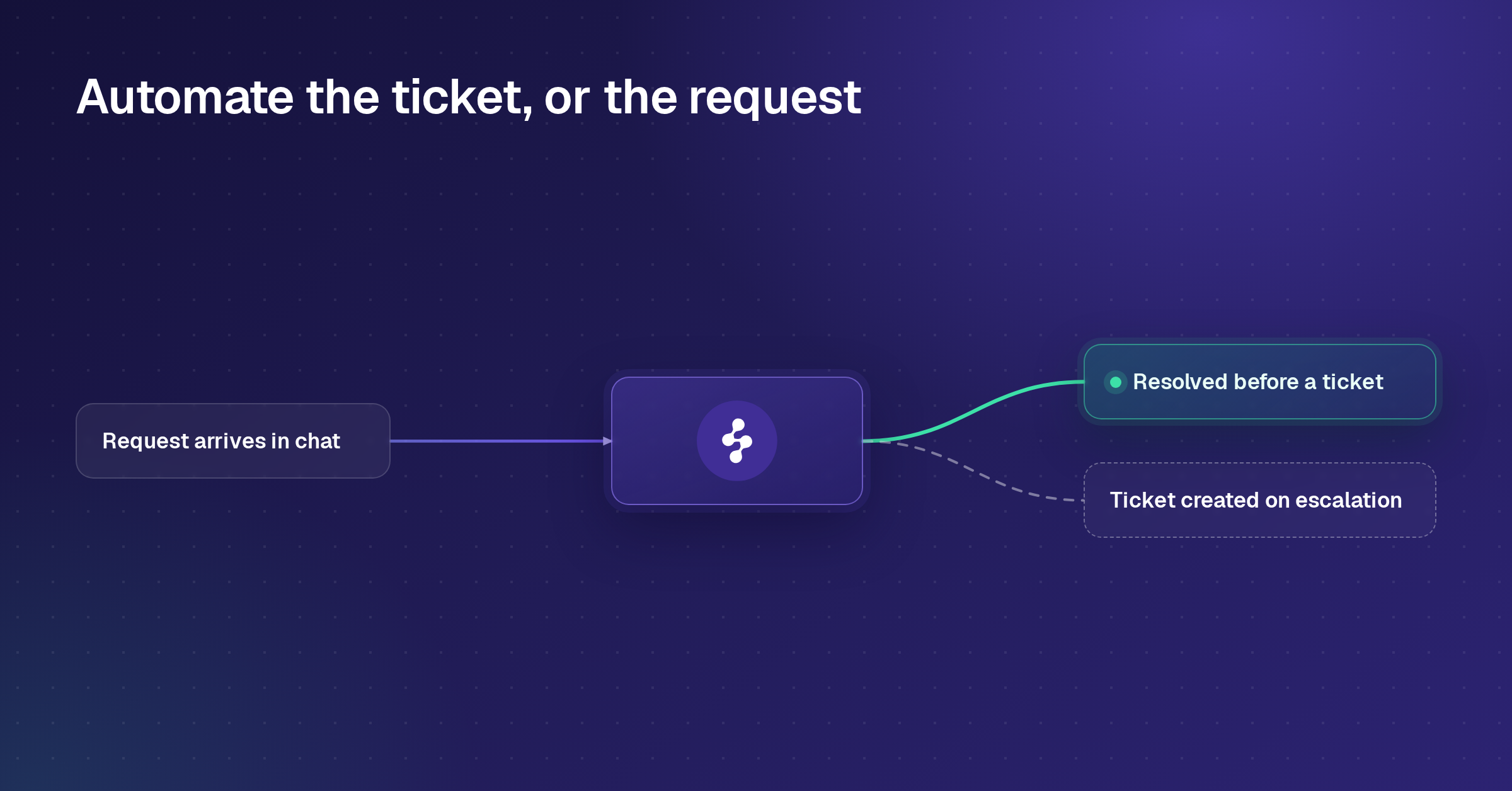
Enjo is an AI Support Agent that resolves support requests directly inside Slack and Teams, then escalates to a human helpdesk or its own Inbox with full context when it can't finish the job.
Best for: Teams whose support already happens in Slack or Teams and want AI that acts on tickets, not just replies to them.

Key capabilities:
- AI Actions: Executes real operations in Okta, Jira, ServiceNow, Salesforce, and custom APIs, so the agent can unlock an account or file a ticket instead of describing how to do so.
- AI Flows: Orchestrates multi-step resolutions with explicit fallbacks, so a request touching three systems still resolves without a human in the loop.
- One knowledge layer: Indexes Confluence, SharePoint, Google Drive, and past tickets across systems, ensuring the AI Agent, Inbox, and Help Center never drift out of sync.
- Inbox workload management: Round-robin, load-based, or manual assignment with SLA timers, so anything escalated lands with the right person automatically.
- Guardrails: Agent-level compliance controls on top of platform-wide SOC 2 Type II, ISO 27001, and GDPR compliance.
- Helpdesk-agnostic escalation: Creates tickets in Zendesk, Jira, ServiceNow, or Salesforce Service Cloud with full context, so a team easing off Zendesk doesn't lose existing workflows overnight.
- Permanent free Inbox: A standalone helpdesk with unlimited human seats, separate from the free AI Agent allowance.
Pricing: Free at $0/month (200 AI Replies, unlimited seats, no credit card). Starter at $95/month (1,000 AI Replies). Standard at $295/month (3,000 AI Replies). Additional replies beyond plan allowance are $0.05 each. See current plans on Enjo's pricing page.
Scope: Enjo Platform is built agent-first. The AI Support Agent is configured before any queue exists, and Inbox is the helpdesk for escalations and human collaboration rather than the primary work surface. Teams that want a ticket queue first with AI attached later are describing the legacy model, which is the point rather than a limit.

Freshdesk
Freshdesk is Freshworks' ticketing product, sold separately from Freshdesk Omni, its higher-priced omnichannel bundle. Teams already on Freshdesk and weighing a move can compare 13 Freshdesk alternatives and competitors on seat price and AI cost.
Best for: Teams that want the closest feature-for-feature match to Zendesk's ticketing model at a lower seat price.
Key capabilities:
- Growth plan ticketing: Automation, a knowledge base, and reporting starting at $19/agent/month, matching Zendesk's entry price without a separate AI add-on stacked on top by default.
- Freddy AI Copilot: Agent-facing AI assist, sold per agent as a separate line item.
- Freddy AI Agent: Customer-facing bot billed in session packs after the first 500 free sessions (Pro and Enterprise only).
- Freshdesk Omni: A separate, more expensive product line for teams that need chat, SMS, and social alongside email.
Pricing: Growth $19/agent/month, Pro $55/agent/month, Enterprise $89/agent/month (billed annually). A $0 free program covers 1-2 agents for 6 months, not a permanent tier. See current plans at freshworks.com/freshdesk/pricing.
Where it falls short: The free program caps at two agents for six months rather than remaining free indefinitely, and Freddy AI Agent's session-based billing becomes harder to forecast as automation volume grows.
Help Scout
Help Scout is a shared-inbox and knowledge base platform built around email-first support.
Best for: Small teams that want a simple, warm inbox without adopting a full ticketing system.
Key capabilities:
- Free plan: 5 users, 1 inbox, and 1 Docs site, no credit card required.
- AI Drafts and Summarize: Reply suggestions and conversation summaries from past tickets, included from the Plus plan.
- AI Answers: A customer-facing resolution bot billed per resolution rather than bundled into the seat price.
- Docs knowledge base: A branded help center included from the Free plan, with extra sites available as a paid add-on.
Pricing: Free (5 users, 1 inbox, 1 Docs site). Standard $25/user/month. Plus $45/user/month. Pro $75/user/month, 10-user minimum. AI Answers add-on runs $0.75 per resolution. See current plans at helpscout.com/pricing.
Where it falls short: Help Scout's automation is built around email volume, not around resolving requests in Slack or Teams, and AI Answers billing scales with resolution count rather than being tied to the seat price.
Zoho Desk
Zoho Desk is Zoho's ticketing product, priced separately from the broader Zoho One suite.
Best for: Teams already standardized on other Zoho apps who want ticketing at a lower per-agent cost.
Key capabilities:
- Free plan: 3 agent licenses, email ticketing, and a private knowledge base.
- Zia AI: Generative AI, sentiment analysis, and an answer bot are included at the Enterprise tier without a separate AI line item.
- Blueprints: A drag-and-drop workflow builder for multi-step ticket automation, available from Professional.
- Multi-department routing: Separate queues and rules per department or product line.
Pricing: Free plan confirmed at $0/month for 3 agents. Paid tiers: Express around $7/agent/month, Standard around $14, Professional around $23, Enterprise around $40, all billed annually. Visit zoho.com directly to verify current pricing.
Where it falls short: Zoho Desk's most advanced AI features are reserved for the Enterprise tier, and it's best suited to the Zoho ecosystem rather than to Slack- or Teams-based support.
Intercom (Fin)
Intercom, now sold alongside the Fin brand name, is a messaging-first customer service platform built around live chat and its Fin AI Agent. If it is down to Intercom and Zendesk on your shortlist, our Zendesk vs Intercom comparison prices both and weighs their AI side by side.
Best for: Consumer-facing teams with high chat volume who are comfortable with usage-based AI billing.
Key capabilities:
- Fin AI Agent: Resolves conversations across channels, billed at $0.99 per outcome regardless of seat plan.
- Copilot: Real-time AI assist for human agents, an add-on at $29/agent/month.
- Messenger: Live chat and in-app messaging on every plan, with proactive outbound campaigns sold as an add-on.
- Multibrand support: Multiple help centers and brands, available on the Expert plan.
Pricing: Essential $29/seat/month (annual), Advanced $85/seat/month, Expert $132/seat/month. Fin AI runs $0.99 per outcome on top of any plan. No permanent free plan. See current plans at intercom.com/pricing.
Where it falls short: Every Fin resolution bills separately from the seat price, so a team automating heavily can end up paying more for AI outcomes than for seats. Fin is now part of Salesforce, which completed its roughly $3.6 billion acquisition in September 2026, so its pricing and roadmap now sit inside Salesforce's.
Front
Front is a shared inbox and customer communication platform that retains the feel of email while adding team collaboration.
Best for: Operations or customer success teams that want a Gmail-like shared inbox with light automation.
Key capabilities:
- Shared inbox and ticketing: Assignments, tags, and internal comments, included even on the single-channel Starter plan.
- Omnichannel from Professional: Email, SMS, and social channels together, for up to 50 seats.
- Front AI add-ons: Copilot, Smart QA, and Smart CSAT are priced at $20, $20, and $10 per seat per month, respectively, and are included by default only on Enterprise.
- Autopilot: An omnichannel AI agent billed per conversation, starting around $0.05, separate from the seat plans.
Pricing: Starter $25/seat/month (up to 10 seats). Professional $65/seat/month (up to 50 seats). Enterprise $105/seat/month. No permanent free plan; 14-day trial. See current plans at front.com/pricing.
Where it falls short: Front's strongest AI features are add-ons on the two lower tiers, so a team wanting Copilot and Smart QA on Starter or Professional pays meaningfully more than the sticker seat price suggests.
HubSpot Service Hub
HubSpot Service Hub is the support module inside HubSpot's broader CRM platform.
Best for: Teams already running HubSpot for marketing or sales who want ticketing in the same system.
Key capabilities:
- Free tools: Basic ticketing, live chat, and a shared inbox for up to 2 users at no cost.
- CRM-native tickets: Ticket history attached directly to the same contact record that sales and marketing already use.
- Professional automation: SLA-style tracking, a knowledge base, and customer feedback surveys from the Professional tier.
- Breeze AI agents: Autonomous resolution capabilities included at the Enterprise tier.
Pricing: Free tools $0 (up to 2 users). Starter $7/seat/month (annual). Professional $90/seat/month (annual), historically paired with a one-time onboarding fee. Enterprise $150/seat/month, 10-seat minimum (annual), also historically paired with a larger one-time onboarding fee. See current plans at hubspot.com/pricing/service.
Where it falls short: The jump from Starter to Professional is steep, and both Professional and Enterprise have historically charged mandatory one-time onboarding fees in addition to the seat price.
Gorgias
Gorgias is a customer support platform built specifically for Shopify and other e-commerce storefronts.
Best for: E-commerce brands that want order data and support tickets in the same view.
Key capabilities:
- Ticket-based pricing: Bills based on monthly ticket volume rather than per-agent seat, so adding teammates doesn't raise the bill for Basic and above.
- Shopify-native context: Order history, shipping status, and refund actions surface directly next to the customer's message.
- AI Agent: Resolves repetitive order status and return questions; billed per resolution on top of the ticket plan.
- Automation Rules: Rule-based responses and tagging are included from the Basic plan.
Pricing: Starter $10/month (50 tickets, 3 seats). Basic: $60/month or $50 annually (300 tickets). Pro: $360/month or $300 annually (2,000 tickets). Advanced: $900/month or $750 annually (5,000 tickets). Enterprise custom. AI Agent runs $0.90 to $1.00 per resolution, depending on billing term. No permanent free plan; 7-day trial. See current plans at gorgias.com/pricing.
Where it falls short: Gorgias is built around e-commerce order data, so it has little to offer a team whose support has nothing to do with Shopify orders, and AI resolutions bill on top of the ticket allotment rather than inside it.
Free and Open-Source Zendesk Alternatives
Zendesk has no permanent free plan, which is why "free Zendesk alternatives" is one of the most common searches around it. Free plans on this list differ mainly in how many people they let in:
- Enjo: free for unlimited human agent seats, with 200 AI replies a month and no credit card. At the limit, requests escalate to your team in Inbox, so nothing drops.
- Help Scout: free for 5 users, 1 inbox and 1 Docs site.
- Zoho Desk: free for 3 agents, with email ticketing and a private knowledge base.
- HubSpot Service Hub: free tools for up to 2 users.
- Freshdesk: a free program for 1 to 2 agents that ends after 6 months.
Open-source help desks such as Chatwoot and FreeScout are free to download, but you host them yourself. The licence costs nothing; the servers, security reviews and upgrades become your team's job. For more options at $0, see our comparison of free ticketing systems.
Best Zendesk Alternatives for Small Businesses
For a small team, the deciding factor is usually who can use the tool for free. Enjo is free for unlimited human agent seats, Help Scout for 5 users, Zoho Desk for 3 agents, and HubSpot Service Hub for 2 users. Zendesk itself has no free plan, so a 5-person team pays from $95 a month on Support Team before any AI.
Run the same four checks on every Zendesk alternative you shortlist, on your own systems rather than in a demo.
- Ask what the AI does without a human. Drafting and routing are not resolving. Ask each vendor to resolve a real request from your ticket history end to end.
- Ask where the AI reads from. If your answers live in Confluence, SharePoint, Google Drive or past tickets in another tool, check the AI can reach them.
- Price your real team, AI included. Run your agent count and monthly volume through each pricing page, including AI add-ons, per-resolution fees and onboarding fees.
- Watch one escalation land. Your agent should receive the full conversation, account context and suggested next steps, not a transcript to reread.
Enjo answers all four. It resolves requests in Slack, Teams and website chat, reads Confluence, SharePoint, Google Drive and past tickets on a daily sync, prices per AI reply with unlimited human agent seats, and escalates with full context into Inbox or the helpdesk you already run.
Frequently Asked Questions
A few questions come up in almost every search for Zendesk alternatives. The answers below cover the ones with real decision weight, not the generic ones every listicle repeats:
Is Zendesk a CRM?
Zendesk is a customer service platform, not a CRM or a CMS. It manages support tickets, messaging and a help center, and connects to CRMs such as Salesforce and HubSpot for customer records.
Is there a free version of Zendesk?
Zendesk does not have a free version. It offers a 14-day free trial, after which every plan is paid, starting at $19 per agent per month for Support Team and $55 for Suite Team, which adds live chat and messaging. For tools with a permanent free plan, see the free alternatives above.
What's the best free alternative to Zendesk?
Enjo is the only free plan in this comparison with unlimited human seats and AI replies included: 200 AI replies a month, with no credit card and no expiration date. Help Scout (5 users), Zoho Desk (3 agents) and HubSpot Service Hub (2 users) also have permanent free plans with seat caps, and Freshdesk's free program covers 1 to 2 agents for 6 months.
Is there a help desk software with a permanent free plan, not just a trial?
Enjo, Help Scout, Zoho Desk, and HubSpot Service Hub all offer a permanent free tier, though the seat and feature limits differ meaningfully among them. Zendesk, Intercom, Front, and Gorgias offer only time-limited trials, not a lasting free option.
Is Zoho Desk similar to Zendesk?
Zoho Desk is similar to Zendesk: both are ticketing help desks with multichannel support, automation and a knowledge base. Zoho Desk costs less, from $7 per agent per month with a free plan for 3 agents, and fits teams already using Zoho CRM.
Which is better, Zendesk or Freshdesk?
Zendesk and Freshdesk cover the same core ticketing, so the difference is depth and price. Zendesk offers deeper configuration for large, complex operations, while Freshdesk starts at $19 per agent per month and is simpler to run. Both keep their AI inside their own helpdesk.
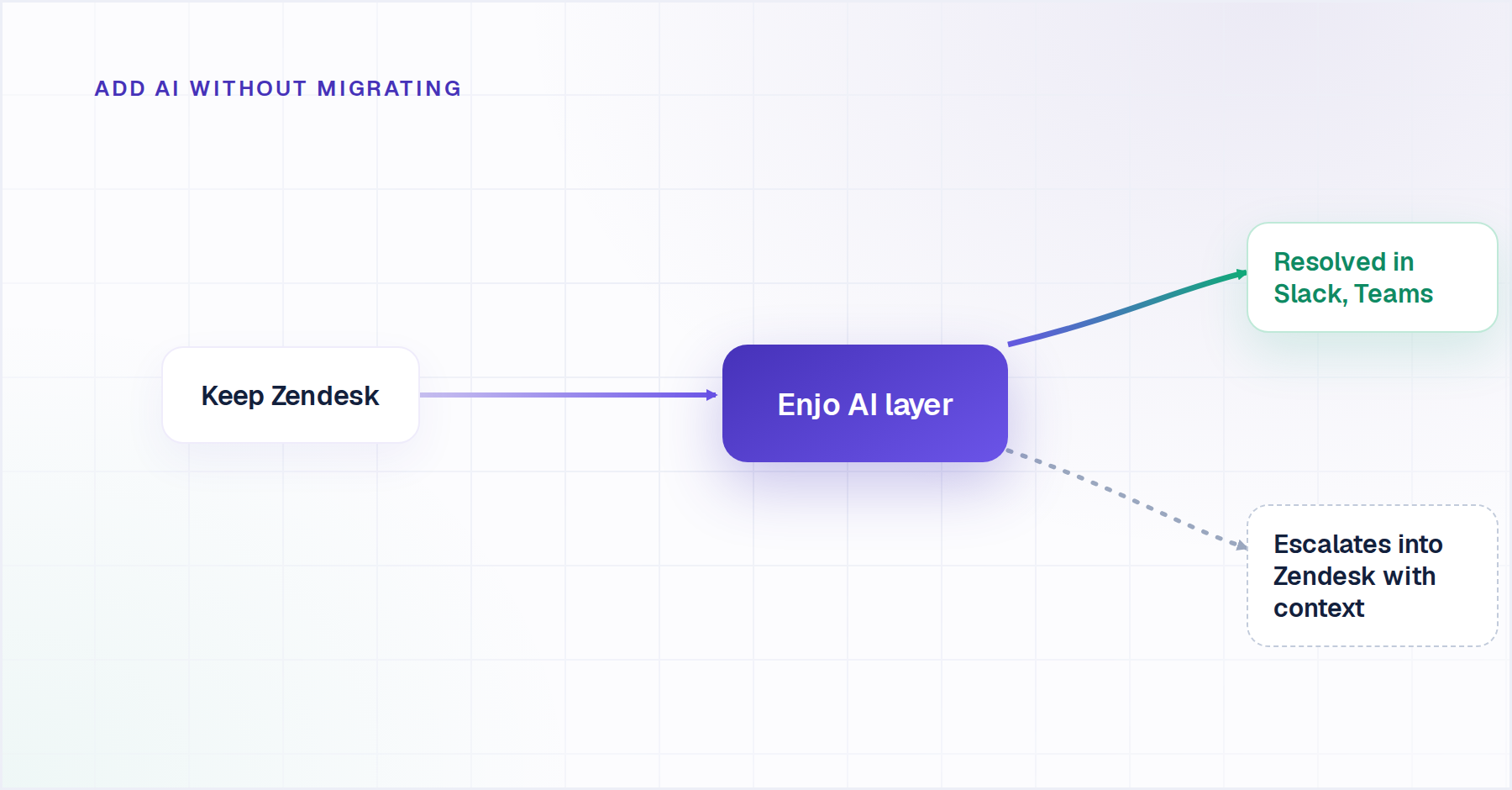
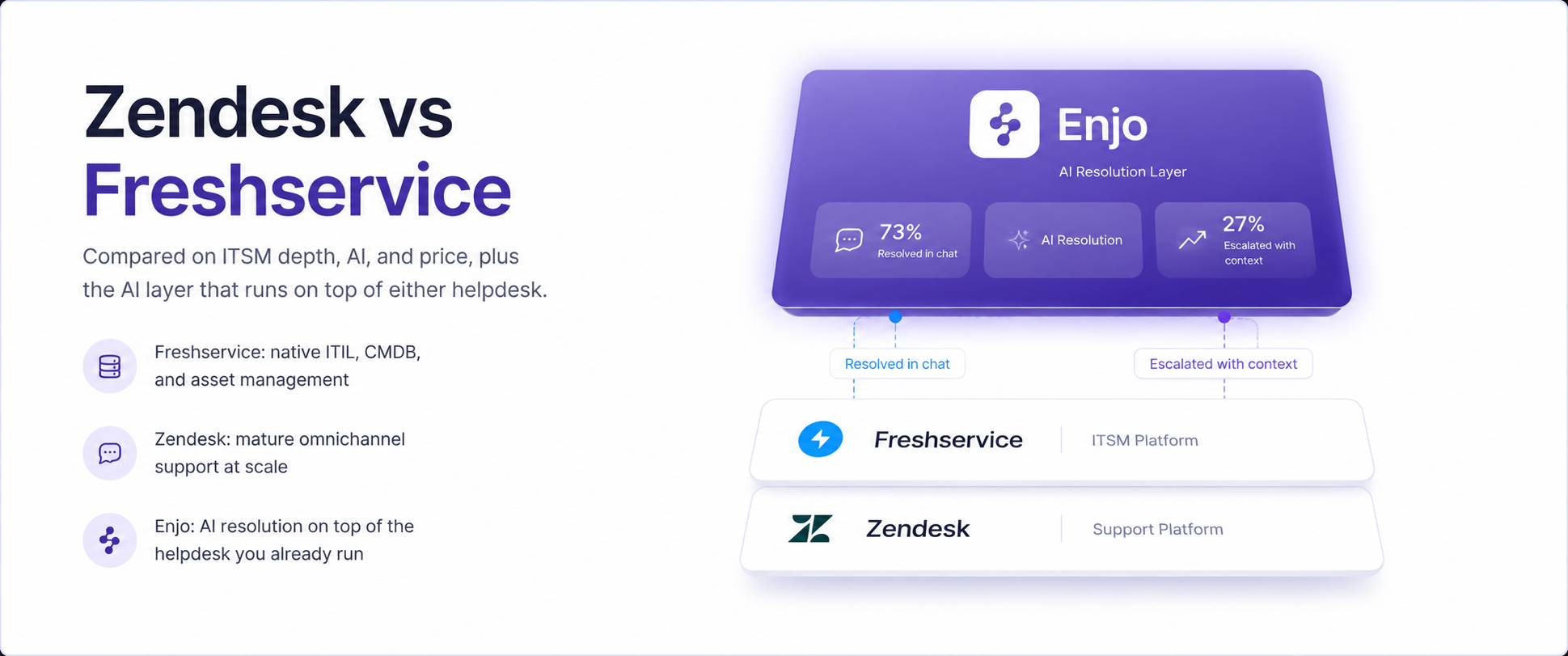
How does Zendesk's built-in AI compare to a standalone AI layer? Zendesk's AI Agents read Zendesk's own knowledge base and act on Zendesk objects, which works well for teams that never need to reach outside Zendesk. A standalone AI layer like Enjo's reads knowledge from Confluence, SharePoint, and past tickets across systems, and can take action in Okta, Jira, and other tools Zendesk's built-in bot can't touch.
Do I have to fully switch away from Zendesk to get better AI? You do not have to leave Zendesk to get better AI. Enjo also runs as an AI layer on top of Zendesk itself, resolving requests and escalating with full context inside the helpdesk you already have, without a migration. That path is worth considering if Zendesk's ticketing works fine and the built-in AI is the only pain point.
Can I migrate from Zendesk without losing ticket history? Most tools on this list, including Enjo, support ticket and conversation history imports from Zendesk, though the depth of migration tooling varies by vendor. Confirm the specific import path with each vendor's support team before committing to a switch.
Which Zendesk alternative works best for a team that already lives in Slack? Enjo is built around Slack and Teams as primary channels, with slash commands, emoji actions in Slack, and full AI Agent resolution happening in the thread itself.