10 Best Omnichannel Customer Support Software Tools in 2026
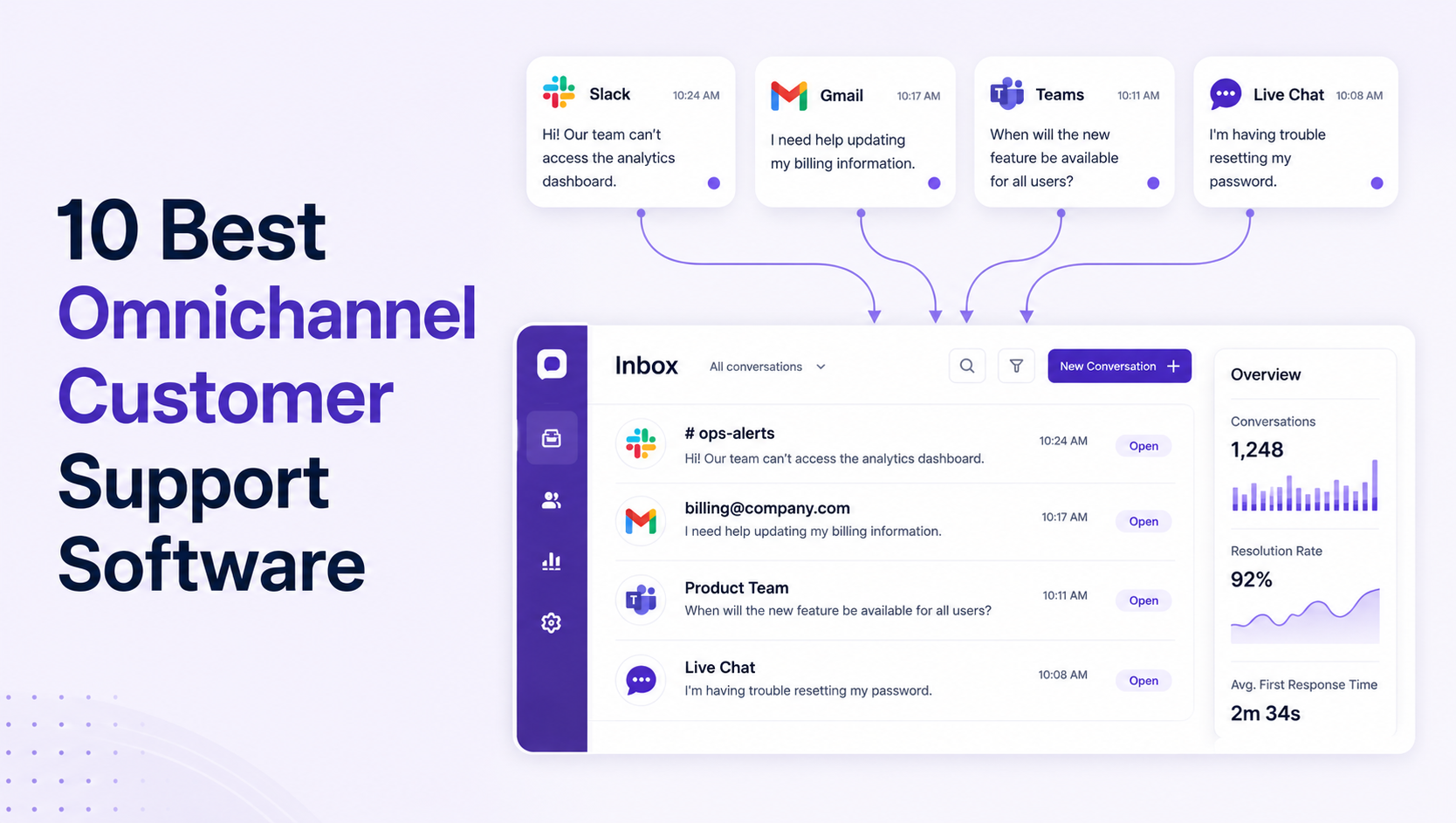
If you run a support team, you already know why omnichannel customer support software exists. Email in one place, a Slack channel in another, a live chat widget on the site. And a customer who expects whoever answers to already know what they said an hour ago somewhere else. Bringing all of that into one queue pays off. A Gartner survey of nearly 1,500 customers found 93% reported high CSAT when channel transitions were smooth.
The catch is the bill. Per-seat pricing punishes growth. Most tools charge per seat, then charge again for AI. A 10-agent team on Zendesk Suite Professional pays $1,150 a month for seats alone, before a single AI feature is switched on. Turn on Copilot and it climbs to $1,650, with every automated resolution billed $1.50 to $2.00 on top. So I priced all 10 tools myself, using each vendor's own page, and flagged one honest weakness in every entry. Compare the 10 best omnichannel customer support software tools of 2026: how each handles email, chat, Slack, and social, and what it really costs.
Omnichannel vs multichannel: the one-line test
Multichannel means you offer several channels. Omnichannel means context travels between them. The test: move a conversation from chat to email and see whether the next agent asks you to repeat yourself. If yes, it's multichannel with a better logo. A true omnichannel customer service platform like Enjo Inbox carries the full history automatically. Most tools on this list pass the test for their core channels but fail on bolt-ons, where context stitching is shallow or absent.
How we evaluated these omnichannel support tools
I ranked all 10 tools against the five things that actually decide a support-software purchase, then pulled every pricing figure from the vendor's own page in July 2026. Every tool on this list supports at least four channels natively, has published pricing, and was actively maintained at the time of writing. Here is each criterion, and the number that tips the decision.
Omnichannel customer support software compared
The 10 best omnichannel customer support software tools
1. Enjo
Enjo is an AI-native support platform whose omnichannel shared inbox unifies Slack, Microsoft Teams, email, and web chat, with AI resolution included on every plan rather than sold as an add-on.
Best for: B2B teams whose customers live in Slack and email, and any team that wants AI included instead of metered on top of per-seat fees.
Key capabilities:
- AI Agents resolve requests before they reach your team: reads the inbound Slack message, Teams thread, or email and answers from connected knowledge sources (Confluence, Notion, Google Drive, past tickets). When it cannot resolve, it escalates to Inbox with the full conversation attached so the agent starts with full context.
- Your team handles every escalation inside Slack or Teams, not a separate tool: email, web chat, and Slack Connect conversations all route into one queue. Agents work the queue directly from their existing Slack or Teams workspace without switching interfaces.
- Agent Assist gives every agent the full picture before they reply: conversation history, prior ticket summaries, contact details, and AI-suggested replies surface in one panel. When a resolved escalation involves something the AI had no knowledge of, the answer saves back into the knowledge base so the same gap does not repeat.
- One knowledge layer means no drift between AI and human answers: the same source of truth powers AI Agents, Agent Assist suggestions, and the customer-facing help center. What the AI says is what agents see is what customers find.
- Unlimited human agent seats on every plan, including Free: adding an agent never changes the bill.
Pricing snapshot: Free plan includes 200 AI Replies per month, unlimited seats, no credit card. Starter is $95/month (1,000 AI Replies), Standard is $295/month (3,000). Extra replies cost $0.05 each; full details at Enjo pricing. Backed by 600+ enterprise deployments, six years of 99.9% uptime, and SOC 2 Type II, ISO 27001, and GDPR compliance.
Where it falls short: No native voice, SMS, WhatsApp, or social channels. A B2C brand fielding phone calls and Instagram DMs should pick Zendesk or Freshdesk instead.

2. Zendesk
Zendesk is the incumbent omnichannel helpdesk with the widest native channel coverage in the category.
Best for: B2C operations that genuinely need voice, WhatsApp, SMS, and social in one queue.
Key capabilities:
- Native channel breadth: voice, WhatsApp, SMS, Facebook, Instagram, X, email, and web chat all route into one agent workspace without third-party connectors.
- AI agents metered per outcome: automated resolutions bill at $1.50 each on a committed plan or $2.00 pay-as-you-go, on top of the suite subscription.
- Copilot for human agents: drafts replies and summarizes tickets, sold separately at $50 per agent per month.
- Marketplace depth: 1,000+ apps, including the Slack and Teams connectors the platform lacks natively.
Pricing snapshot: Support Team starts at $19/agent/month (annual), but real omnichannel coverage starts at Suite Team, $55/agent/month; Suite Professional is $115. Visit zendesk.com directly to verify.
Where it falls short: Costs stack fast. That 10-agent Suite Professional team paying $1,650/month with Copilot still hasn't paid for a single automated resolution, and Slack support remains a marketplace bolt-on where context does not reliably travel. One G2 reviewer put it directly: "The AI features are decent but you're paying a lot for what you get, and every add-on feels like a separate negotiation."
3. Intercom
Intercom is a messaging-first support platform whose Fin AI agent has become the reference point for per-resolution AI pricing.
Best for: B2C companies with heavy in-app and chat volume already committed to the Intercom Messenger.
Key capabilities:
- Fin AI agent: resolves conversations autonomously and bills $0.99 per resolution; it also runs standalone on Zendesk, Salesforce, and other helpdesks.
- In-app Messenger: the most polished embedded chat experience in the category, with product tours and outbound messages on the same surface.
- Omnichannel routing: email, chat, WhatsApp, and phone (paid add-ons) flow into one inbox with assignment rules.
- Free lite seats: 20 on Advanced and 50 on Expert for collaborators who only need visibility.
Pricing snapshot: Essential $29/seat/month, Advanced $85, Expert $132 (annual billing). Fin resolutions bill on top. Visit intercom.com directly to verify.
Where it falls short: Two meters run at once, seats and resolutions, which makes the bill hard to forecast at scale. Teams routinely find the advertised seat price covers less than half of what they actually pay. One G2 reviewer put it plainly: "Your bill ends up 2-3x the seat price once Fin kicks in." If the double billing is the issue, see our Intercom alternatives comparison.
4. Freshdesk
Freshdesk is the budget omnichannel helpdesk in the Freshworks suite, with a separate Omni tier for true multi-channel routing.
Best for: Price-sensitive SMBs that want voice and social coverage without Zendesk's invoice.
Key capabilities:
- Omni suite routing: email, chat, voice (via Freshcaller), WhatsApp, and social unify under the Omni plans rather than base ticketing.
- Freddy AI Copilot: summarizes tickets and drafts replies for human agents at $29/agent/month.
- Freddy AI Agent: deflects conversations autonomously, billed at $49 per 100 sessions after a one-time 500-session allowance.
- Free entry point: up to 2 agents free for six months, useful for a genuine trial.
Pricing snapshot: Base ticketing from $19/agent/month (Growth, annual); the omnichannel Omni tiers run $29, $79, and $119 per agent/month. Visit freshworks.com directly to verify.
Where it falls short: The product splits confusingly between base Freshdesk and Freshdesk Omni. Switching AI on turns a $6,600/year plan into roughly $16,000 once Copilot and sessions are counted. One G2 reviewer described it as "a pricing maze, every feature you actually want is a separate add-on."
5. HubSpot Service Hub
HubSpot Service Hub is the support arm of the HubSpot CRM, strongest when the rest of the company already runs on HubSpot.
Best for: Teams that want every support conversation attached to the CRM record sales and marketing already use.
Key capabilities:
- CRM-native context: every ticket sits on the contact and company timeline, so agents see deal stage and lifecycle data without switching tools.
- Breeze customer agent: resolves conversations at $0.50 per resolved conversation, an outcome-based meter cut from $1.00 in April 2026.
- Shared inbox and help desk workspace: email, chat, WhatsApp, and in-app messages route into one queue with SLAs on Professional.
- Free starting tier: two users free, with Starter at $15/seat/month.
Pricing snapshot: Starter $15/seat/month; Professional $90/seat/month plus a mandatory $1,500 onboarding fee; Enterprise $150/seat/month (10-seat minimum) plus $3,500 onboarding. Visit hubspot.com directly to verify.
Where it falls short: The value case collapses if you are not committed to HubSpot CRM, and the onboarding fees plus seat minimums make mid-tier entry more expensive than the per-seat rate suggests.
6. Help Scout
Help Scout is an email-first support tool that moved to contact-based pricing with unlimited user seats in 2025.
Best for: Small teams that live in email, want a gentle learning curve, and like paying by volume instead of by seat.
Key capabilities:
- Contacts-based pricing: plans meter on customers helped per month, not agents, so the whole company can work in the queue at no extra seat cost.
- Beacon widget: embeds docs search and live chat on your site, deflecting simple questions before they hit the inbox.
- AI Answers: resolves customer questions from your docs at $0.75 per resolution.
- Docs knowledge base: a clean, bundled self-serve site tied to the same content AI Answers uses.
Pricing snapshot: Free plan covers about 50 contacts/month; Standard from $50/month; Pro from $90/month. Visit helpscout.com directly to verify.
Where it falls short: No native Slack or Teams channel, and the contacts meter punishes high-volume, low-complexity support in the same way per-seat pricing punishes headcount.
7. Front
Front is a collaborative shared inbox that layers assignments, comments, and analytics on top of email.
Best for: Teams coordinating on shared email addresses who want inbox collaboration more than a formal ticketing system.
Key capabilities:
- Internal comments on threads: teammates discuss a customer email in the margin and draft together before one reply goes out.
- Multi-channel routing: email, chat, SMS, and social route into one workspace on Growth and above.
- AI add-ons a la carte: Copilot and Smart QA at $20/seat each, Smart CSAT at $10/seat, and Autopilot resolutions around $0.89 each.
- Load-balanced assignment: rules distribute conversations by workload and skill.
Pricing snapshot: Starter $25/seat/month (one channel type, 10-seat cap); Professional $65/seat/month for true omnichannel, capped at 50 seats. Visit front.com directly to verify.
Where it falls short: Seat cliffs at 10 and 50 force plan jumps as you grow, and the meaningful AI capabilities all cost extra on the tiers most teams buy.
8. Zoho Desk
Zoho Desk is the low-cost helpdesk in the sprawling Zoho suite, strongest for teams already inside the ecosystem.
Best for: Cost-driven teams already inside the Zoho ecosystem.
Key capabilities:
- Multi-channel intake: email, chat, telephony (Professional and up), and social (including Telegram, WeChat, and Line) feed one ticket queue.
- Generative AI on Standard: connect your own OpenAI key for sentiment analysis, conversation summaries, and reply suggestions from the Standard tier up.
- ASAP in-app widget: embeds knowledge base, community, and chat into your product.
- Enterprise AI assistant: Zoho's own Answer Bot and AI support assistant, plus skill-based assignment and guided conversations, arrive on the top Enterprise tier.
Pricing snapshot: Four paid tiers, Express, Standard, Professional, and Enterprise, plus a free plan for up to 3 agents. Zoho's pricing page renders in local currency by default (INR at the time of our check), so USD per-agent figures are unconfirmed. Visit zoho.com/desk/pricing directly with the currency toggle set to USD to verify.
Where it falls short: Zoho's own AI support assistant is gated to the top Enterprise tier, so getting the full AI feature set means paying the most expensive plan, which erases much of the price advantage that brought you to Zoho in the first place.
9. Tidio
Tidio is a chat-first support tool for small e-commerce stores, with the Lyro AI agent as its flagship feature.
Best for: Small online stores that want website chat plus basic AI deflection on a small budget.
Key capabilities:
- Lyro AI agent: answers customer questions from your support content, sold as an add-on for $39/month for 50 conversations.
- Website chat plus socials: live chat, email, WhatsApp, Facebook, and Instagram in one panel.
- E-commerce integrations: Shopify order context surfaces inside the conversation view.
- Visitor tracking: see who is on the site and proactively open a chat.
Pricing snapshot: Free plan covers 50 conversations; Starter $29/month; Growth $59/month; the Plus plan jumps to $749/month. Visit tidio.com directly to verify.
Where it falls short: Self-serve plans cap at 10 agent seats, so the eleventh hire forces the $749 Plus tier, and Lyro's conversation packs run out fast at real volume.
10. Pylon
Pylon is a B2B omnichannel support platform built around native Slack Connect shared channels.
Best for: B2B SaaS teams whose support runs almost entirely through Slack Connect and who want that experience above everything else.
Key capabilities:
- Native Slack Connect: customer Slack channels become tracked, assignable conversations without a sync bot in the middle; the pure Slack-Connect workflow is the best in the category.
- Teams and in-app coverage: Microsoft Teams support on Enterprise, plus a web widget and email.
- AI assistants and agents: Copilot features at $50/seat/month, autonomous agents at $100 to $500/month usage-based.
- Account intelligence: account-level views tie conversations to customers, priced per account.
Pricing snapshot: Third-party breakdowns list Starter at $59/seat/month (3-seat minimum), Professional $89, Enterprise $139 (7-seat minimum); Pylon does not publish clean figures, so treat these as unconfirmed. Visit usepylon.com directly to verify.
Where it falls short: Per-seat pricing plus separate AI fees stack the same way the incumbents' do, and Slack Connect itself is gated to the Professional tier and above.
Frequently asked questions
What is omnichannel customer support software?
Omnichannel customer support software gives your team a unified inbox: every channel feeds into one workspace and conversation history follows the customer automatically. Email, chat, Slack, social, voice. Agents see one thread per customer instead of fragments scattered across tools. If you're also evaluating dedicated AI options, see our guide to AI chatbots for customer service.
What is the difference between omnichannel and multichannel support?
Multichannel means you answer on several channels; omnichannel means context travels between them. The test: a customer starts in chat and follows up by email. If the next agent can automatically see the chat transcript, the omnichannel support platform is real. If the customer repeats their issue, it is multichannel with better marketing.
Is there free omnichannel customer support software?
Yes. Enjo's free plan includes the full Inbox with unlimited human agent seats and 200 AI Replies per month, permanently and without a credit card. HubSpot and Zoho Desk offer free tiers capped at 2 and 3 users. For a wider tour of no-cost options, see our guide to free customer service software.
Which channels matter most for B2B support teams?
B2B customers reach support through Slack Connect channels, Microsoft Teams, email, and in-app chat. Voice, WhatsApp, and social DMs, the channels' legacy tools lead with, are mostly B2C surfaces. Match the tool's native channels to your actual inbound mix before comparing anything else.
How much does omnichannel support software really cost?
Take the per-seat price, multiply by your agent count, then add the AI line: $50/agent for Zendesk Copilot, $0.99 per Fin resolution, $29/agent for Freddy Copilot, $0.50 per Breeze resolution. A 10-agent Zendesk Suite Professional team lands at $1,650/month before a single automated resolution. Flat-priced platforms that include AI avoid both meters.
What is the best omnichannel customer support software for small teams?
For small B2B teams, Enjo: the free tier has no seat limit, so a five-person team pays nothing until AI volume passes 200 replies a month. For small e-commerce stores that need social channels, Tidio's $29 Starter is the honest budget pick.
Omnichannel vs multichannel: the one-line test
Multichannel means you offer several channels. Omnichannel means context travels between them. The test: move a conversation from chat to email and see whether the next agent asks you to repeat yourself. If yes, it's multichannel with a better logo. A true omnichannel customer service platform like Enjo Inbox carries the full history automatically. Most tools on this list pass the test for their core channels but fail on bolt-ons, where context stitching is shallow or absent.
How we evaluated these omnichannel support tools
I ranked all 10 tools against the five things that actually decide a support-software purchase, then pulled every pricing figure from the vendor's own page in July 2026. Every tool on this list supports at least four channels natively, has published pricing, and was actively maintained at the time of writing. Here is each criterion, and the number that tips the decision.
Omnichannel customer support software compared
The 10 best omnichannel customer support software tools
1. Enjo
Enjo is an AI-native support platform whose omnichannel shared inbox unifies Slack, Microsoft Teams, email, and web chat, with AI resolution included on every plan rather than sold as an add-on.
Best for: B2B teams whose customers live in Slack and email, and any team that wants AI included instead of metered on top of per-seat fees.
Key capabilities:
- AI Agents resolve requests before they reach your team: reads the inbound Slack message, Teams thread, or email and answers from connected knowledge sources (Confluence, Notion, Google Drive, past tickets). When it cannot resolve, it escalates to Inbox with the full conversation attached so the agent starts with full context.
- Your team handles every escalation inside Slack or Teams, not a separate tool: email, web chat, and Slack Connect conversations all route into one queue. Agents work the queue directly from their existing Slack or Teams workspace without switching interfaces.
- Agent Assist gives every agent the full picture before they reply: conversation history, prior ticket summaries, contact details, and AI-suggested replies surface in one panel. When a resolved escalation involves something the AI had no knowledge of, the answer saves back into the knowledge base so the same gap does not repeat.
- One knowledge layer means no drift between AI and human answers: the same source of truth powers AI Agents, Agent Assist suggestions, and the customer-facing help center. What the AI says is what agents see is what customers find.
- Unlimited human agent seats on every plan, including Free: adding an agent never changes the bill.
Pricing snapshot: Free plan includes 200 AI Replies per month, unlimited seats, no credit card. Starter is $95/month (1,000 AI Replies), Standard is $295/month (3,000). Extra replies cost $0.05 each; full details at Enjo pricing. Backed by 600+ enterprise deployments, six years of 99.9% uptime, and SOC 2 Type II, ISO 27001, and GDPR compliance.
Where it falls short: No native voice, SMS, WhatsApp, or social channels. A B2C brand fielding phone calls and Instagram DMs should pick Zendesk or Freshdesk instead.
2. Zendesk
Zendesk is the incumbent omnichannel helpdesk with the widest native channel coverage in the category.
Best for: B2C operations that genuinely need voice, WhatsApp, SMS, and social in one queue.
Key capabilities:
- Native channel breadth: voice, WhatsApp, SMS, Facebook, Instagram, X, email, and web chat all route into one agent workspace without third-party connectors.
- AI agents metered per outcome: automated resolutions bill at $1.50 each on a committed plan or $2.00 pay-as-you-go, on top of the suite subscription.
- Copilot for human agents: drafts replies and summarizes tickets, sold separately at $50 per agent per month.
- Marketplace depth: 1,000+ apps, including the Slack and Teams connectors the platform lacks natively.
Pricing snapshot: Support Team starts at $19/agent/month (annual), but real omnichannel coverage starts at Suite Team, $55/agent/month; Suite Professional is $115. Visit zendesk.com directly to verify.
Where it falls short: Costs stack fast. That 10-agent Suite Professional team paying $1,650/month with Copilot still hasn't paid for a single automated resolution, and Slack support remains a marketplace bolt-on where context does not reliably travel. One G2 reviewer put it directly: "The AI features are decent but you're paying a lot for what you get, and every add-on feels like a separate negotiation."
3. Intercom
Intercom is a messaging-first support platform whose Fin AI agent has become the reference point for per-resolution AI pricing.
Best for: B2C companies with heavy in-app and chat volume already committed to the Intercom Messenger.
Key capabilities:
- Fin AI agent: resolves conversations autonomously and bills $0.99 per resolution; it also runs standalone on Zendesk, Salesforce, and other helpdesks.
- In-app Messenger: the most polished embedded chat experience in the category, with product tours and outbound messages on the same surface.
- Omnichannel routing: email, chat, WhatsApp, and phone (paid add-ons) flow into one inbox with assignment rules.
- Free lite seats: 20 on Advanced and 50 on Expert for collaborators who only need visibility.
Pricing snapshot: Essential $29/seat/month, Advanced $85, Expert $132 (annual billing). Fin resolutions bill on top. Visit intercom.com directly to verify.
Where it falls short: Two meters run at once, seats and resolutions, which makes the bill hard to forecast at scale. Teams routinely find the advertised seat price covers less than half of what they actually pay. One G2 reviewer put it plainly: "Your bill ends up 2-3x the seat price once Fin kicks in." If the double billing is the issue, see our Intercom alternatives comparison.
4. Freshdesk
Freshdesk is the budget omnichannel helpdesk in the Freshworks suite, with a separate Omni tier for true multi-channel routing.
Best for: Price-sensitive SMBs that want voice and social coverage without Zendesk's invoice.
Key capabilities:
- Omni suite routing: email, chat, voice (via Freshcaller), WhatsApp, and social unify under the Omni plans rather than base ticketing.
- Freddy AI Copilot: summarizes tickets and drafts replies for human agents at $29/agent/month.
- Freddy AI Agent: deflects conversations autonomously, billed at $49 per 100 sessions after a one-time 500-session allowance.
- Free entry point: up to 2 agents free for six months, useful for a genuine trial.
Pricing snapshot: Base ticketing from $19/agent/month (Growth, annual); the omnichannel Omni tiers run $29, $79, and $119 per agent/month. Visit freshworks.com directly to verify.
Where it falls short: The product splits confusingly between base Freshdesk and Freshdesk Omni. Switching AI on turns a $6,600/year plan into roughly $16,000 once Copilot and sessions are counted. One G2 reviewer described it as "a pricing maze, every feature you actually want is a separate add-on."
5. HubSpot Service Hub
HubSpot Service Hub is the support arm of the HubSpot CRM, strongest when the rest of the company already runs on HubSpot.
Best for: Teams that want every support conversation attached to the CRM record sales and marketing already use.
Key capabilities:
- CRM-native context: every ticket sits on the contact and company timeline, so agents see deal stage and lifecycle data without switching tools.
- Breeze customer agent: resolves conversations at $0.50 per resolved conversation, an outcome-based meter cut from $1.00 in April 2026.
- Shared inbox and help desk workspace: email, chat, WhatsApp, and in-app messages route into one queue with SLAs on Professional.
- Free starting tier: two users free, with Starter at $15/seat/month.
Pricing snapshot: Starter $15/seat/month; Professional $90/seat/month plus a mandatory $1,500 onboarding fee; Enterprise $150/seat/month (10-seat minimum) plus $3,500 onboarding. Visit hubspot.com directly to verify.
Where it falls short: The value case collapses if you are not committed to HubSpot CRM, and the onboarding fees plus seat minimums make mid-tier entry more expensive than the per-seat rate suggests.
6. Help Scout
Help Scout is an email-first support tool that moved to contact-based pricing with unlimited user seats in 2025.
Best for: Small teams that live in email, want a gentle learning curve, and like paying by volume instead of by seat.
Key capabilities:
- Contacts-based pricing: plans meter on customers helped per month, not agents, so the whole company can work in the queue at no extra seat cost.
- Beacon widget: embeds docs search and live chat on your site, deflecting simple questions before they hit the inbox.
- AI Answers: resolves customer questions from your docs at $0.75 per resolution.
- Docs knowledge base: a clean, bundled self-serve site tied to the same content AI Answers uses.
Pricing snapshot: Free plan covers about 50 contacts/month; Standard from $50/month; Pro from $90/month. Visit helpscout.com directly to verify.
Where it falls short: No native Slack or Teams channel, and the contacts meter punishes high-volume, low-complexity support in the same way per-seat pricing punishes headcount.
7. Front
Front is a collaborative shared inbox that layers assignments, comments, and analytics on top of email.
Best for: Teams coordinating on shared email addresses who want inbox collaboration more than a formal ticketing system.
Key capabilities:
- Internal comments on threads: teammates discuss a customer email in the margin and draft together before one reply goes out.
- Multi-channel routing: email, chat, SMS, and social route into one workspace on Growth and above.
- AI add-ons a la carte: Copilot and Smart QA at $20/seat each, Smart CSAT at $10/seat, and Autopilot resolutions around $0.89 each.
- Load-balanced assignment: rules distribute conversations by workload and skill.
Pricing snapshot: Starter $25/seat/month (one channel type, 10-seat cap); Professional $65/seat/month for true omnichannel, capped at 50 seats. Visit front.com directly to verify.
Where it falls short: Seat cliffs at 10 and 50 force plan jumps as you grow, and the meaningful AI capabilities all cost extra on the tiers most teams buy.
8. Zoho Desk
Zoho Desk is the low-cost helpdesk in the sprawling Zoho suite, strongest for teams already inside the ecosystem.
Best for: Cost-driven teams already inside the Zoho ecosystem.
Key capabilities:
- Multi-channel intake: email, chat, telephony (Professional and up), and social (including Telegram, WeChat, and Line) feed one ticket queue.
- Generative AI on Standard: connect your own OpenAI key for sentiment analysis, conversation summaries, and reply suggestions from the Standard tier up.
- ASAP in-app widget: embeds knowledge base, community, and chat into your product.
- Enterprise AI assistant: Zoho's own Answer Bot and AI support assistant, plus skill-based assignment and guided conversations, arrive on the top Enterprise tier.
Pricing snapshot: Four paid tiers, Express, Standard, Professional, and Enterprise, plus a free plan for up to 3 agents. Zoho's pricing page renders in local currency by default (INR at the time of our check), so USD per-agent figures are unconfirmed. Visit zoho.com/desk/pricing directly with the currency toggle set to USD to verify.
Where it falls short: Zoho's own AI support assistant is gated to the top Enterprise tier, so getting the full AI feature set means paying the most expensive plan, which erases much of the price advantage that brought you to Zoho in the first place.
9. Tidio
Tidio is a chat-first support tool for small e-commerce stores, with the Lyro AI agent as its flagship feature.
Best for: Small online stores that want website chat plus basic AI deflection on a small budget.
Key capabilities:
- Lyro AI agent: answers customer questions from your support content, sold as an add-on for $39/month for 50 conversations.
- Website chat plus socials: live chat, email, WhatsApp, Facebook, and Instagram in one panel.
- E-commerce integrations: Shopify order context surfaces inside the conversation view.
- Visitor tracking: see who is on the site and proactively open a chat.
Pricing snapshot: Free plan covers 50 conversations; Starter $29/month; Growth $59/month; the Plus plan jumps to $749/month. Visit tidio.com directly to verify.
Where it falls short: Self-serve plans cap at 10 agent seats, so the eleventh hire forces the $749 Plus tier, and Lyro's conversation packs run out fast at real volume.
10. Pylon
Pylon is a B2B omnichannel support platform built around native Slack Connect shared channels.
Best for: B2B SaaS teams whose support runs almost entirely through Slack Connect and who want that experience above everything else.
Key capabilities:
- Native Slack Connect: customer Slack channels become tracked, assignable conversations without a sync bot in the middle; the pure Slack-Connect workflow is the best in the category.
- Teams and in-app coverage: Microsoft Teams support on Enterprise, plus a web widget and email.
- AI assistants and agents: Copilot features at $50/seat/month, autonomous agents at $100 to $500/month usage-based.
- Account intelligence: account-level views tie conversations to customers, priced per account.
Pricing snapshot: Third-party breakdowns list Starter at $59/seat/month (3-seat minimum), Professional $89, Enterprise $139 (7-seat minimum); Pylon does not publish clean figures, so treat these as unconfirmed. Visit usepylon.com directly to verify.
Where it falls short: Per-seat pricing plus separate AI fees stack the same way the incumbents' do, and Slack Connect itself is gated to the Professional tier and above.
Frequently asked questions
What is omnichannel customer support software?
Omnichannel customer support software gives your team a unified inbox: every channel feeds into one workspace and conversation history follows the customer automatically. Email, chat, Slack, social, voice. Agents see one thread per customer instead of fragments scattered across tools. If you're also evaluating dedicated AI options, see our guide to AI chatbots for customer service.
What is the difference between omnichannel and multichannel support?
Multichannel means you answer on several channels; omnichannel means context travels between them. The test: a customer starts in chat and follows up by email. If the next agent can automatically see the chat transcript, the omnichannel support platform is real. If the customer repeats their issue, it is multichannel with better marketing.
Is there free omnichannel customer support software?
Yes. Enjo's free plan includes the full Inbox with unlimited human agent seats and 200 AI Replies per month, permanently and without a credit card. HubSpot and Zoho Desk offer free tiers capped at 2 and 3 users. For a wider tour of no-cost options, see our guide to free customer service software.
Which channels matter most for B2B support teams?
B2B customers reach support through Slack Connect channels, Microsoft Teams, email, and in-app chat. Voice, WhatsApp, and social DMs, the channels' legacy tools lead with, are mostly B2C surfaces. Match the tool's native channels to your actual inbound mix before comparing anything else.
How much does omnichannel support software really cost?
Take the per-seat price, multiply by your agent count, then add the AI line: $50/agent for Zendesk Copilot, $0.99 per Fin resolution, $29/agent for Freddy Copilot, $0.50 per Breeze resolution. A 10-agent Zendesk Suite Professional team lands at $1,650/month before a single automated resolution. Flat-priced platforms that include AI avoid both meters.
What is the best omnichannel customer support software for small teams?
For small B2B teams, Enjo: the free tier has no seat limit, so a five-person team pays nothing until AI volume passes 200 replies a month. For small e-commerce stores that need social channels, Tidio's $29 Starter is the honest budget pick.

Transform complex support workflows


Stay Informed and Inspired



Start Free. Prove Value. Scale When Ready.
Use Enjo for real customer conversations and see how it fits your support workflow. Scale as your support grows.