Transform complex support workflows
Zendesk vs Salesforce Service Cloud: 2026 Comparison
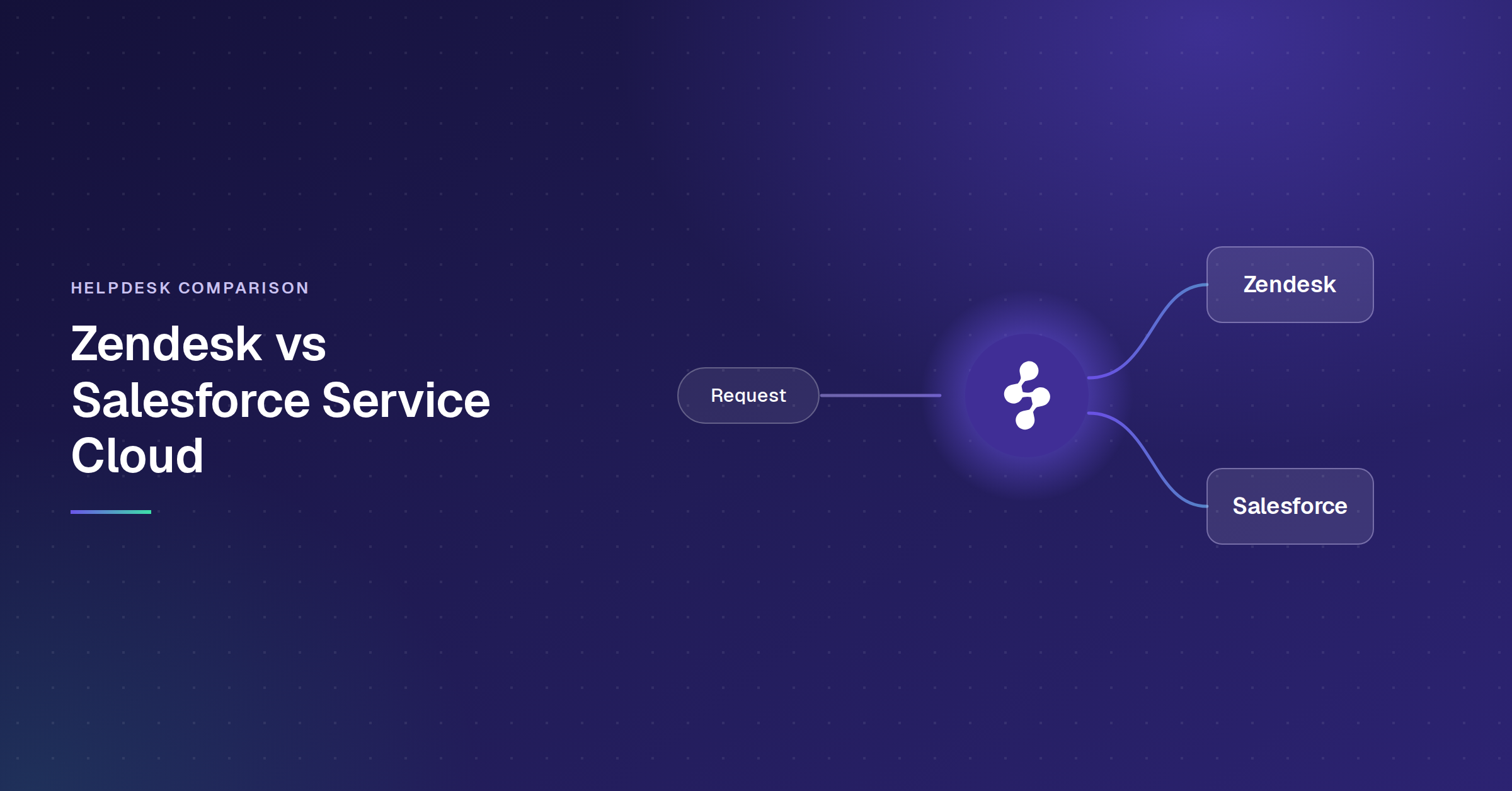
Zendesk is a standalone CS platform: omnichannel ticketing, help center, and AI agents. Salesforce Service Cloud is a service module within a CRM ecosystem, where cases are stored on the same record as sales, marketing, and billing data.
That architectural split drives every difference in the Zendesk vs Salesforce Service Cloud comparison: pricing, AI add-ons, implementation, admin overhead, and switching costs. Whether you are evaluating Salesforce Service Cloud vs Zendesk for a new deployment or considering a migration, the right choice depends on your stack, team shape, and where your AI training data lives.
The short version: Zendesk is built around the ticket, and Salesforce Service Cloud is built around the customer record. Zendesk knows everything about the conversation and only what you sync about the customer. Salesforce knows everything about the customer and asks you to configure what the conversation should do. The check that settles it: pull your last twenty escalations and mark how many needed information that lived outside the support tool, such as contract status, renewal date, open opportunity or past purchase.
Which Architecture Fits Your Operation
Three variables decide this, and none of them is a feature list. First, whether your resolution path runs through CRM data: if closing a case routinely needs contract status, renewal date or open opportunity, that data binding is the whole argument for a service module on a CRM. Second, who administers it: Salesforce assumes Flow and Apex fluency on staff, Zendesk assumes a CS ops lead. Third, where your AI training data lives: if knowledge spans Confluence, SharePoint, Google Drive and past tickets in other systems, neither platform's native AI sees all of it, and that is a separate purchase from the helpdesk decision.
Zendesk vs Salesforce Service Cloud: Feature Comparison
This comparison table goes first, so you can get oriented before the deep dives.
Decision Matrix: Zendesk vs Salesforce
Score each row 1 to 5 against your own operation, and the totals calculate as you go.
Zendesk Overview
Zendesk handles omnichannel ticketing across email, chat, voice, social, and messaging with a branded help center, Explore analytics, and 1,800+ marketplace integrations. Suite plans start at $55/agent/month with Suite Professional at $115, paid yearly. The top tier is sold as Suite Enterprise + Copilot and is not publicly priced. Most mid-market teams go live within a week or two.
Both Zendesk and Salesforce rank among the top-rated platforms on the G2 Summer 2026 Enterprise Grid, though G2 enterprise reviewers frequently note Zendesk's simpler agent UI compared to Salesforce's more complex console.
AI Architecture: Copilot ($50/agent/month) gives agents real-time guidance and suggested replies. AI Agents handle conversations autonomously and are billed per resolution. Both are trained on what Zendesk describes as 18 billion service interactions (per zendesk.com), though the models only see knowledge inside your Zendesk instance.
Where it gets harder: Reporting is the first ceiling for most teams; custom reports require Explore Professional, and Explore reports on support data rather than across sales and marketing. CRM depth is limited (Zendesk Sell is not widely adopted for CS). Cost stacks up once Copilot ($50/agent/month), Quality Assurance (from $25/agent/month), Workforce Management ($25/agent/month), and per-resolution fees are layered on. Each is a separate per-agent line, per zendesk.com/pricing, checked 23 September 2026.
Read more: Enjo for Zendesk
Salesforce Service Cloud Overview
Service Cloud is a service module on the Salesforce platform. Cases, contacts, accounts, and custom objects share a single data model. Case resolution can trigger Marketing Cloud journeys, Sales Cloud tasks, or lifecycle updates via Flows, without middleware. For teams evaluating Salesforce Service Cloud vs Zendesk, this cross-cloud data binding is the core differentiator.
If your org uses that wiring day-to-day, it is difficult to replicate on any standalone helpdesk.
Cost: Salesforce renamed its editions on 3 September 2026. Core lists at $195/user/month, up from $175 under the old Enterprise name. Advanced is $395, up from $350 as Unlimited. Max holds at $550, previously Agentforce 1 Service. Enhanced Messaging adds $75/user/month on both Core and Advanced, with Einstein Bots and read-write Knowledge each a further $75 on Core. Salesforce Voice is available for purchase with no published list price. All figures from salesforce.com/service/pricing, checked 22 September 2026. Anyone holding a quote written before September is holding edition names that no longer exist.
Where it gets harder: Implementation typically runs 10 to 17 weeks and usually requires a certified partner or Flows/Apex-fluent admin (per VantagePoint Consulting). A CS team without an existing Salesforce admin is likely hiring one or paying a retainer. Configuration debt accumulates in any Salesforce org older than a year, and consulting dependency tends to be ongoing.
Read more: Enjo for Salesforce
Read more: Salesforce AI agent
Zendesk vs Salesforce Service Cloud Pricing Comparison
Zendesk AI vs Agentforce: The Real Cost of AI Add-Ons
Both vendors charge for AI on top of the seat count, and the money starts before the results do. Forrester's 2026 assessment of the category found roughly three-quarters of enterprise leaders reporting agentic AI adoption while only a small minority ran it in meaningful production beyond chatbot-like use. Price the add-on against what you will actually put into production, not what the tier unlocks.
Zendesk: Copilot is $50/agent/month flat. Zendesk does not publish a per-resolution rate for AI agents, so that line cannot be modelled before a sales conversation. What is knowable is the shape: AI cost scales with both headcount and resolution volume, and only one of those two numbers is on the pricing page.
Salesforce Agentforce offers two billing models (org-level choice; cannot mix):
- Flex Credits: $500 per 100,000 credits. Standard action = 20 credits ($0.10). Voice action = 30 credits ($0.15). Each record query, API call, reasoning step, and response generation counts as a separate action. A simple FAQ: 3-5 actions ($0.30-$0.50). A complex multi-step case: 15-20+ actions ($1.50-$2.00+). Per salesforce.com/agentforce, June 2026.
- Per conversation: $2 flat regardless of actions. Break-even vs. Flex Credits is roughly 20 actions per conversation (per agencyq.com, April 2026).
- Token threshold: Each action includes up to 10,000 tokens. Exceed it (loading extensive case history, long KB articles), and one action bills as two or three. An action processing 20,001 tokens costs $0.30 instead of $0.10.
- Data Cloud prerequisite: Agentforce requires Data Cloud. Included at the $550/user Max tier; separate cost on lower tiers. Third-party estimates put the first-year Agentforce cost (licensing + Data Cloud + implementation) at $150,000 to $600,000 for mid-market (per getclientell.com, June 2026).
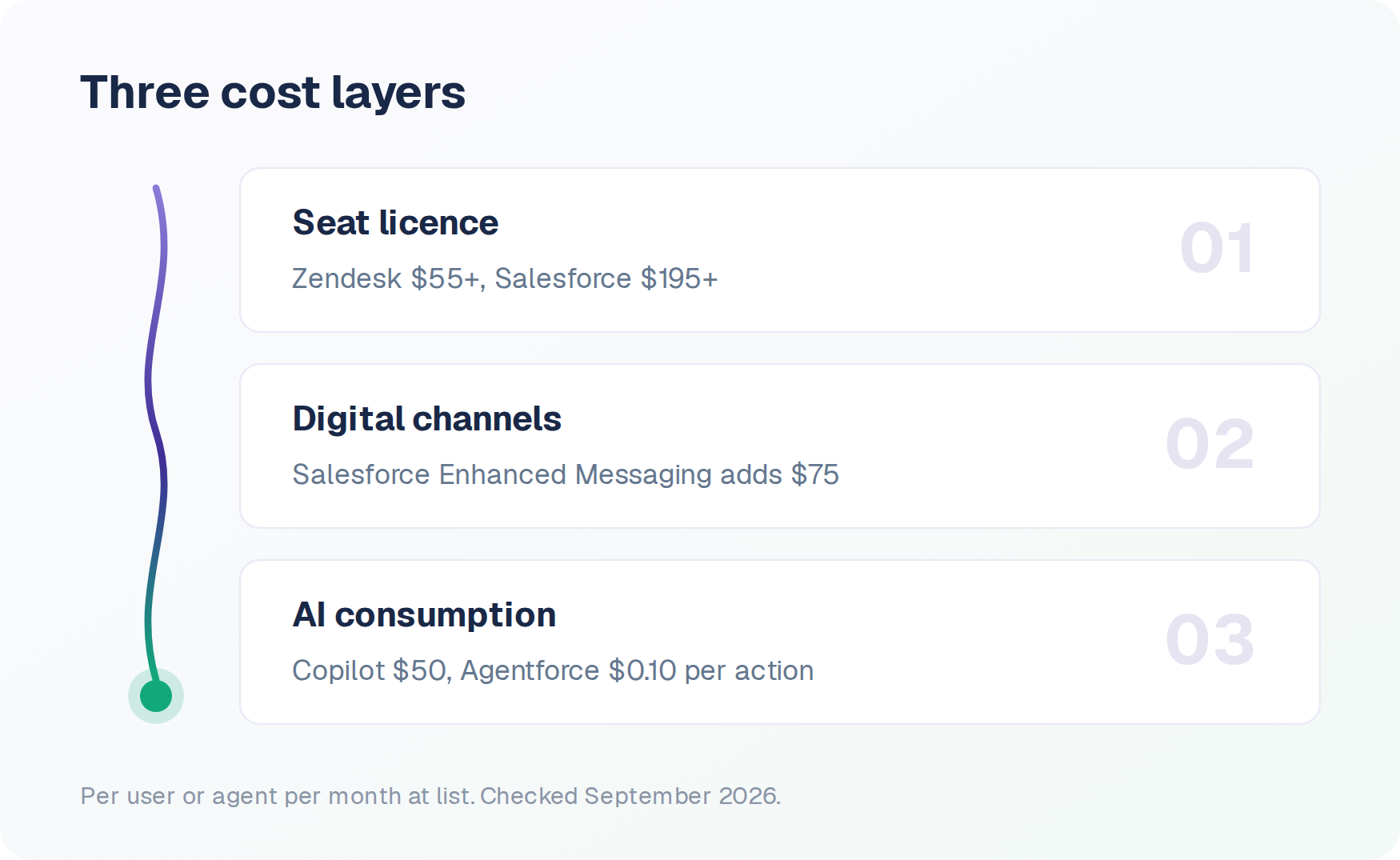
Service Cloud's per-seat licence is only the first of three cost layers, and the other two are what move the total. Our Salesforce Service Cloud pricing breakdown models platform, channel and AI costs together at 5, 15 and 50 agents.
Estimated Annual Cost by Team Size
How to Choose Between Zendesk and Salesforce Service Cloud
Five questions that narrow the decision. Whether you are asking "Should I choose Zendesk or Salesforce for customer service?" for the first time or revisiting the question after a failed pilot, start here.
1. What does your stack look like? If Sales Cloud and Marketing Cloud are in daily use, the shared data model is already doing work you would otherwise rebuild. If not, you are buying platform overhead for a binding you do not exercise, and the cheaper standalone comparison is the one worth running. Freshdesk vs Salesforce Service Cloud covers that version of the decision.
2. How fast do you need to be live? Zendesk is days to weeks. Salesforce is months with a partner.
3. Who will administer it? Zendesk assumes a CS ops lead with no specialized training. Salesforce assumes Flow and Apex fluency, either on staff or on retainer. The honest version of this question is whether that person already exists in your org.
4. Where does your AI training data live? If knowledge spans Confluence, SharePoint, Google Drive, and past tickets across systems, neither vendor's native AI sees the full picture. Factor in whether you need a dedicated AI agent layer.
5. What is your three-year budget? Model total cost: implementation, admin, AI consumption at projected volume, and switching cost.
Switching from Zendesk to Salesforce (or Back)
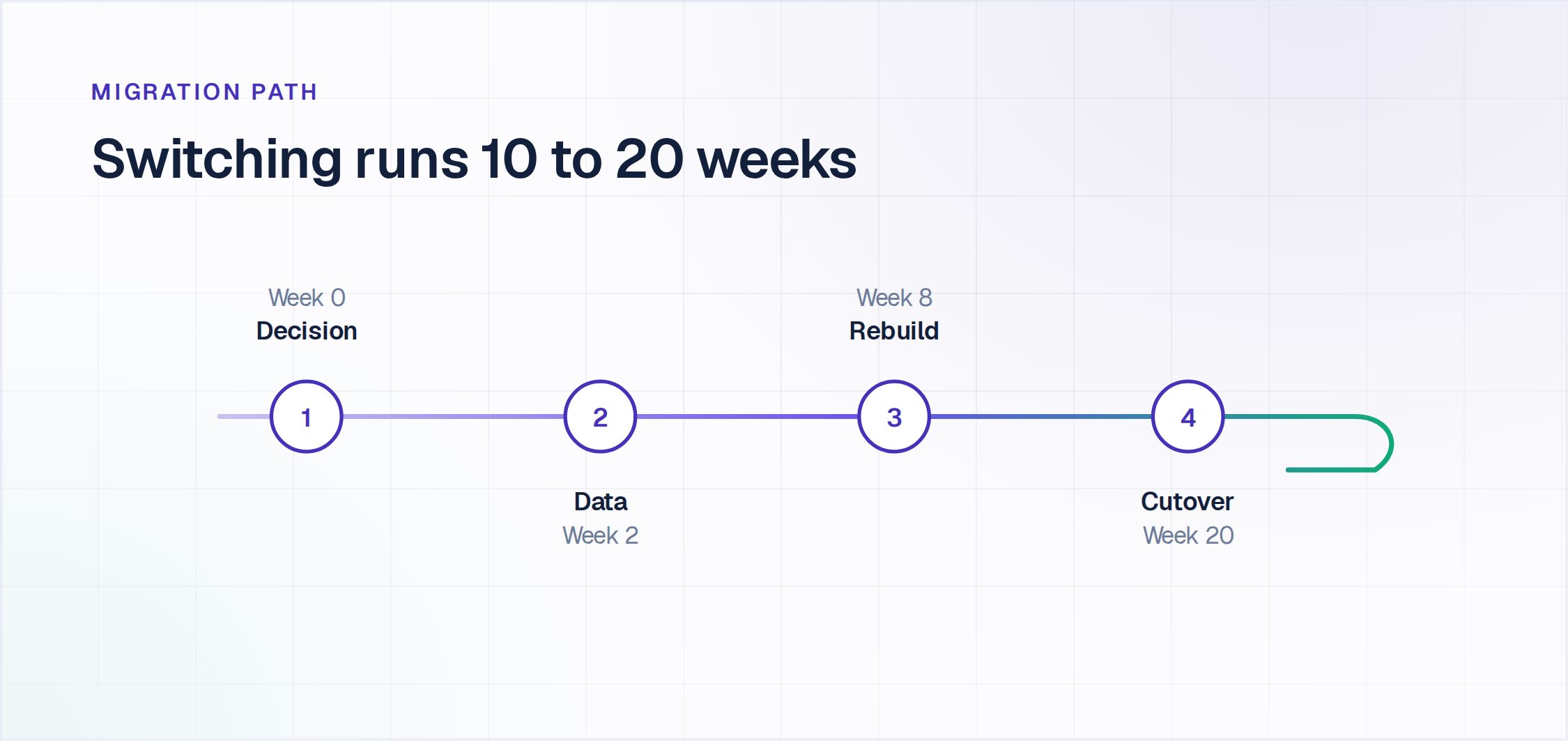
Zendesk to Salesforce: Ticket data migrates via third-party tools. Workflow logic must be recreated manually in Flows. Budget 10 to 20 weeks and $30,000 to $100,000+ in professional services.
Salesforce to Zendesk: Case data moves more easily. Custom objects, Apex logic, and cross-cloud triggers do not.
Change management is where timelines slip. Teams running 4 to 6 weeks of parallel operation handle it well.
Adding an Agentic AI Layer to Zendesk or Salesforce
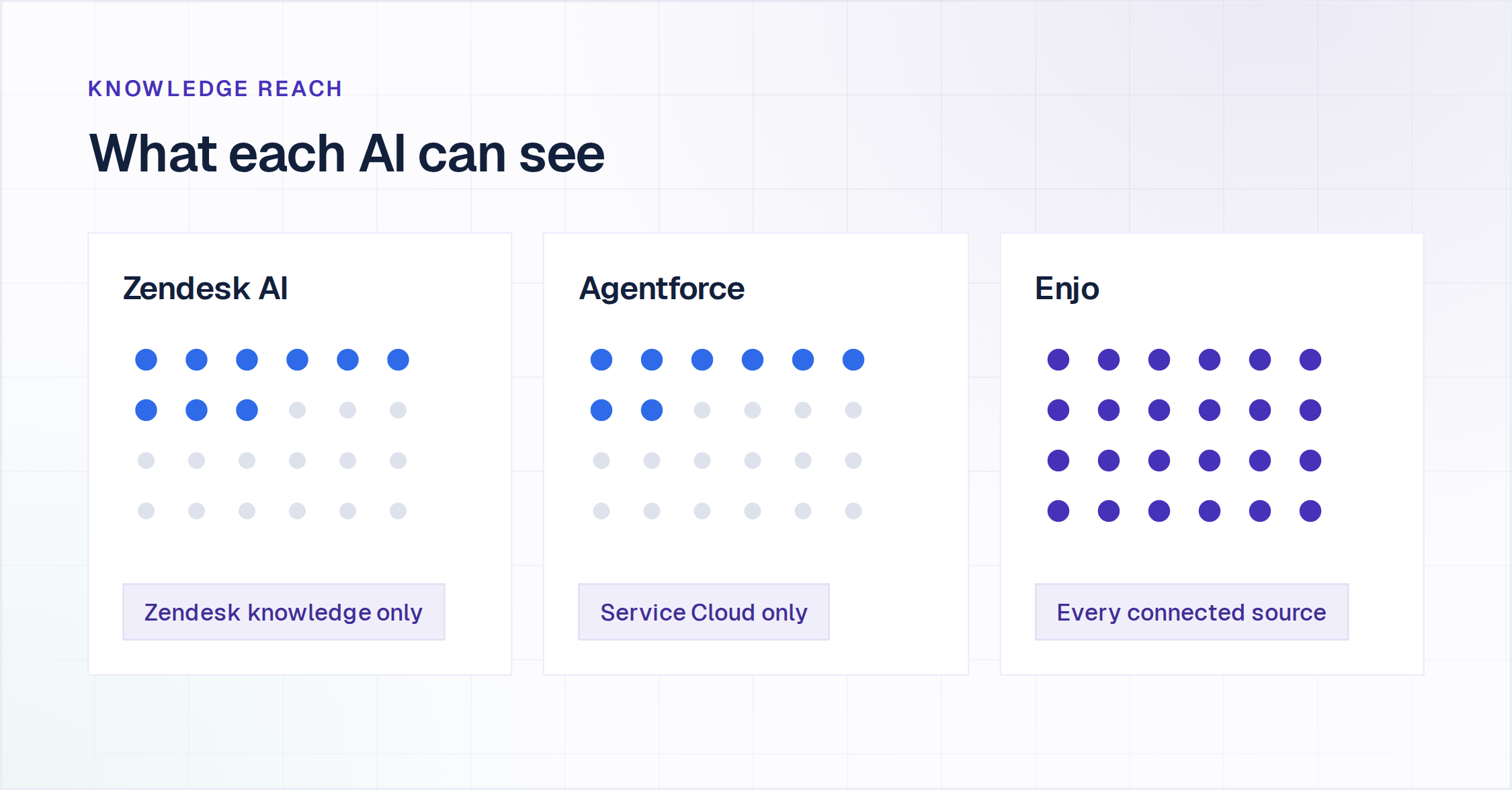
Gartner predicts that by 2029, agentic AI will autonomously resolve 80% of common customer service issues without human intervention, cutting operational costs by 30%. Which knowledge the AI can reach decides whether you get there. Zendesk's AI reads Zendesk's knowledge base. Agentforce reads Service Cloud data. If your training data is distributed across Confluence, SharePoint, Google Drive, past tickets in other systems, or a product docs site, both vendors' AI resolves from an incomplete picture.
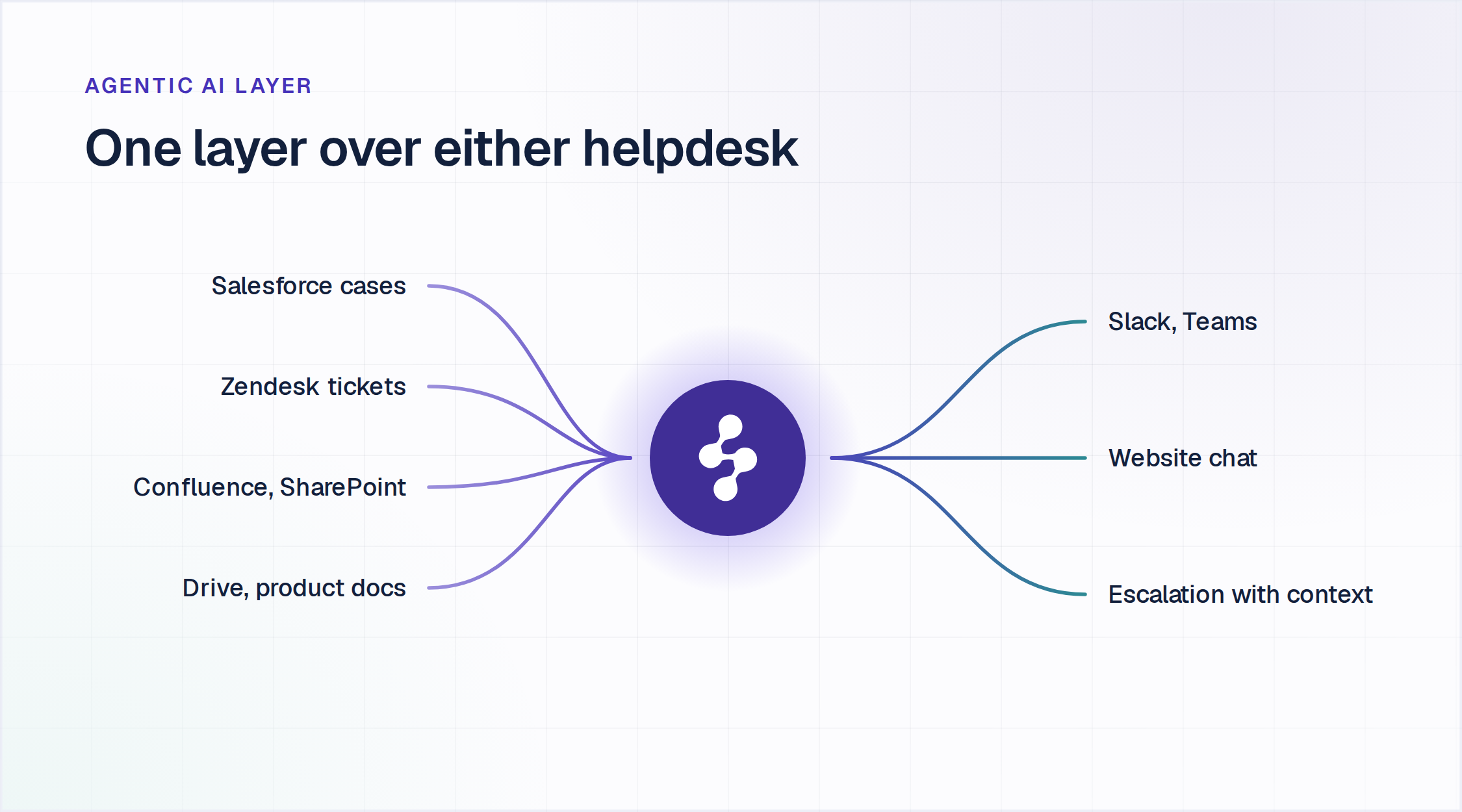
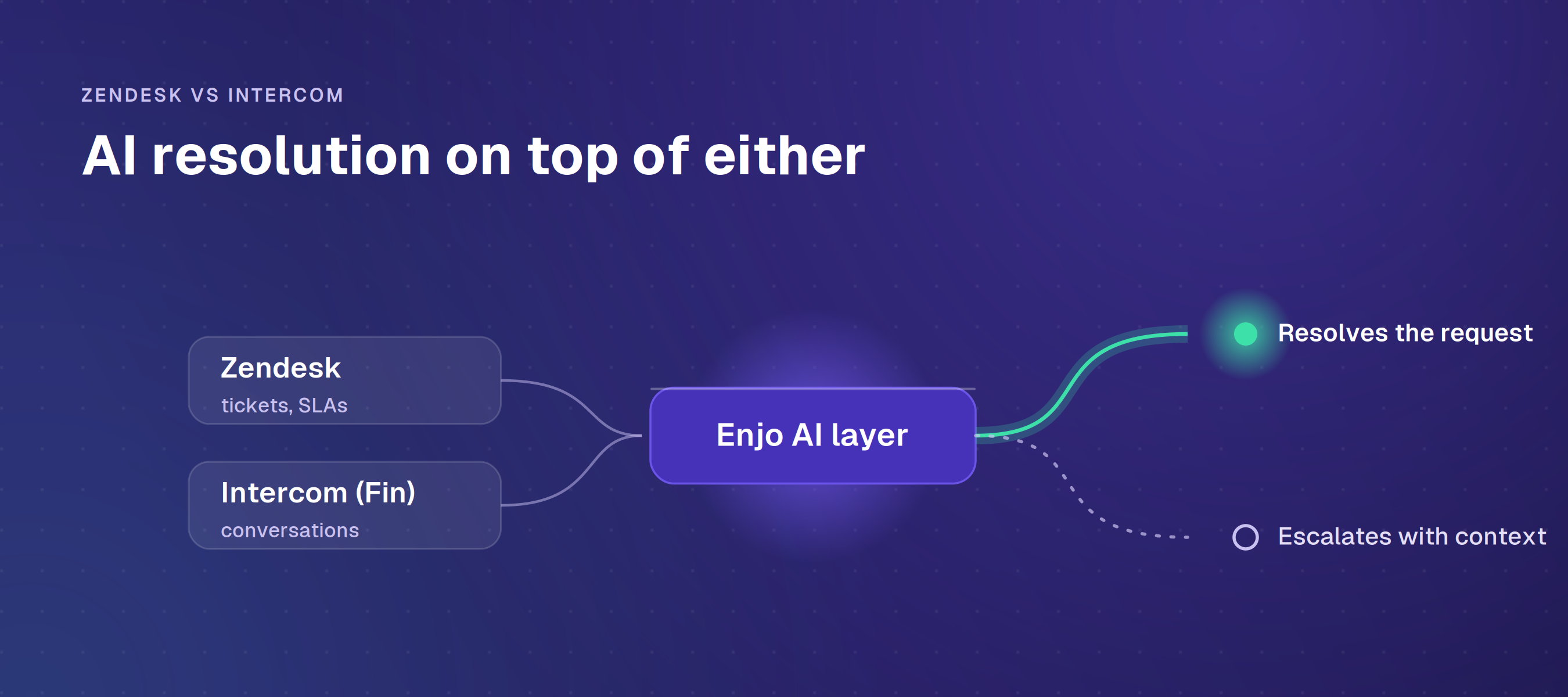
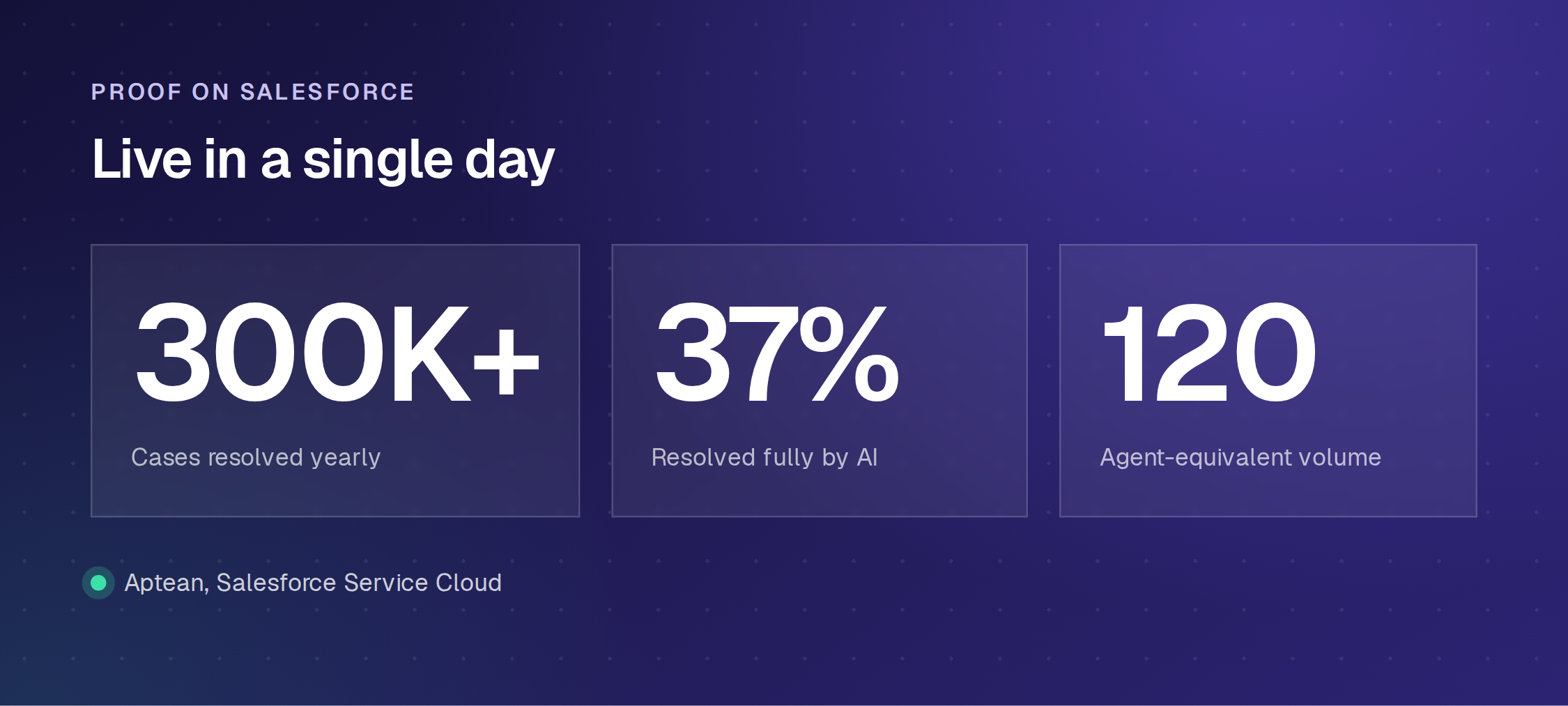
Enjo is an agentic AI layer that sits on top of either help desk. Agent Assist embeds in the Enjo for Zendesk agent view and the Enjo for Salesforce case view. AI Agent resolves requests end to end across Slack, Microsoft Teams, email, and website chat, drawing on a unified knowledge layer that indexes all sources. When resolution is not possible, the AI escalates to your existing helpdesk or Enjo Inbox with the full conversation, account context, and suggested next steps attached. Aptean, a 3,500-employee ERP company on Salesforce, had its initial Enjo cohort live in a single day and now resolves 300K+ cases a year with Enjo AI, 37% of them fully by AI.
How to Run the Evaluation
Run these three on your own systems rather than in a demo. Ask each vendor for the list of write actions, not read actions, because reading a case is not resolving a request. Ask where your knowledge lives and whether the platform's AI reads all of it, since answer quality is capped at whatever the AI can reach. Ask to see one escalation land in the queue your team actually works, carrying the full conversation, the account context and suggested next steps.
Both platforms answer the first and third well inside their own boundary. The second is where the answer depends on your stack rather than on the vendor. If the AI investment is the primary question and your training data spans multiple systems, evaluate an agentic AI layer on top of whichever helpdesk you already run.
If Freshservice is the real alternative you are weighing rather than Salesforce, our Zendesk vs Freshservice comparison runs that version, and ServiceNow vs Salesforce covers the two enterprise platforms head to head. If the shortlist is still open, our roundup of the best Zendesk alternatives prices eight tools from each vendor's own pricing page.
Frequently Asked Questions
Can I use Zendesk and Salesforce together?
Yes, some orgs run Zendesk for frontline CS and Salesforce as CRM. The integration works but requires ongoing maintenance.
How does Zendesk AI pricing compare to Agentforce?
Copilot is $50/agent/month, with AI agent resolutions billed separately at a rate Zendesk does not publish. Agentforce is $0.10 per standard action on Flex Credits, or $2 per conversation. Both sit on top of the seat cost.
What does migration actually cost?
$30,000 to $100,000+ in professional services and 10 to 20 weeks for a mid-market move in either direction. Workflow logic and agent retraining are the hard parts.
Which is better for a team already on Salesforce?
The question is how often CS workflows touch Sales Cloud and Marketing Cloud data. Daily dependency is what the shared data model is built for. If Salesforce is only your contact database and CS operates independently, you are paying platform overhead for a binding you are not using.
Should I choose Zendesk or Salesforce for customer service?
The question resolves on three counts you can take from your own queue: how many of your last twenty escalations needed CRM data to close, whether you have Flow and Apex fluency on staff, and how much of your knowledge sits outside whichever platform you pick. If your primary goal is better AI resolution and your knowledge is distributed across systems, that is a separate purchase from the helpdesk decision.
Is there a free option?
Enjo has a permanent free tier (200 AI Replies/month, unlimited seats) with a Help Center that stays live after the cap is reached. Freshdesk's Free Program runs six months for up to 2 agents on classic Freshdesk only, then expires.