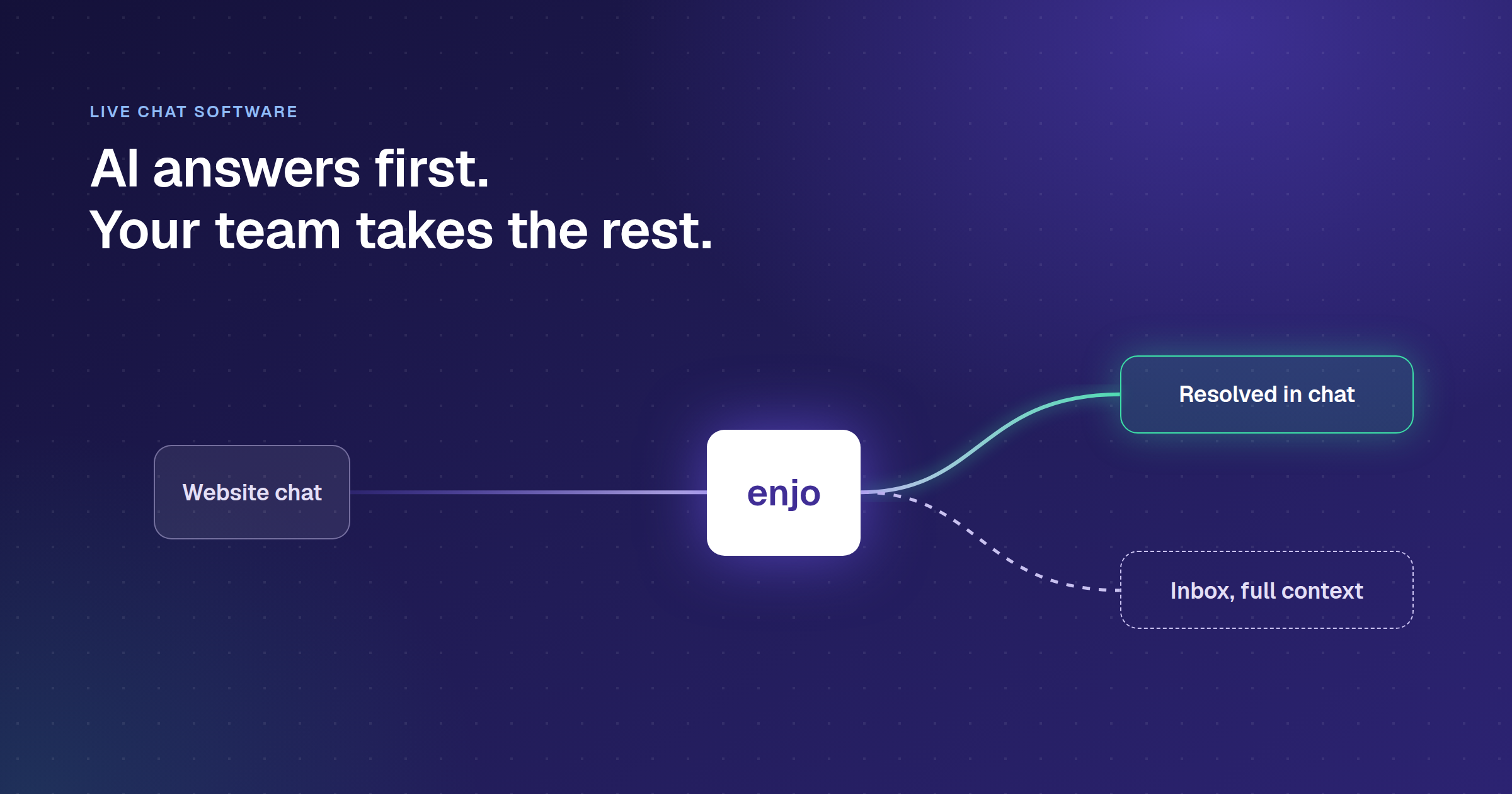
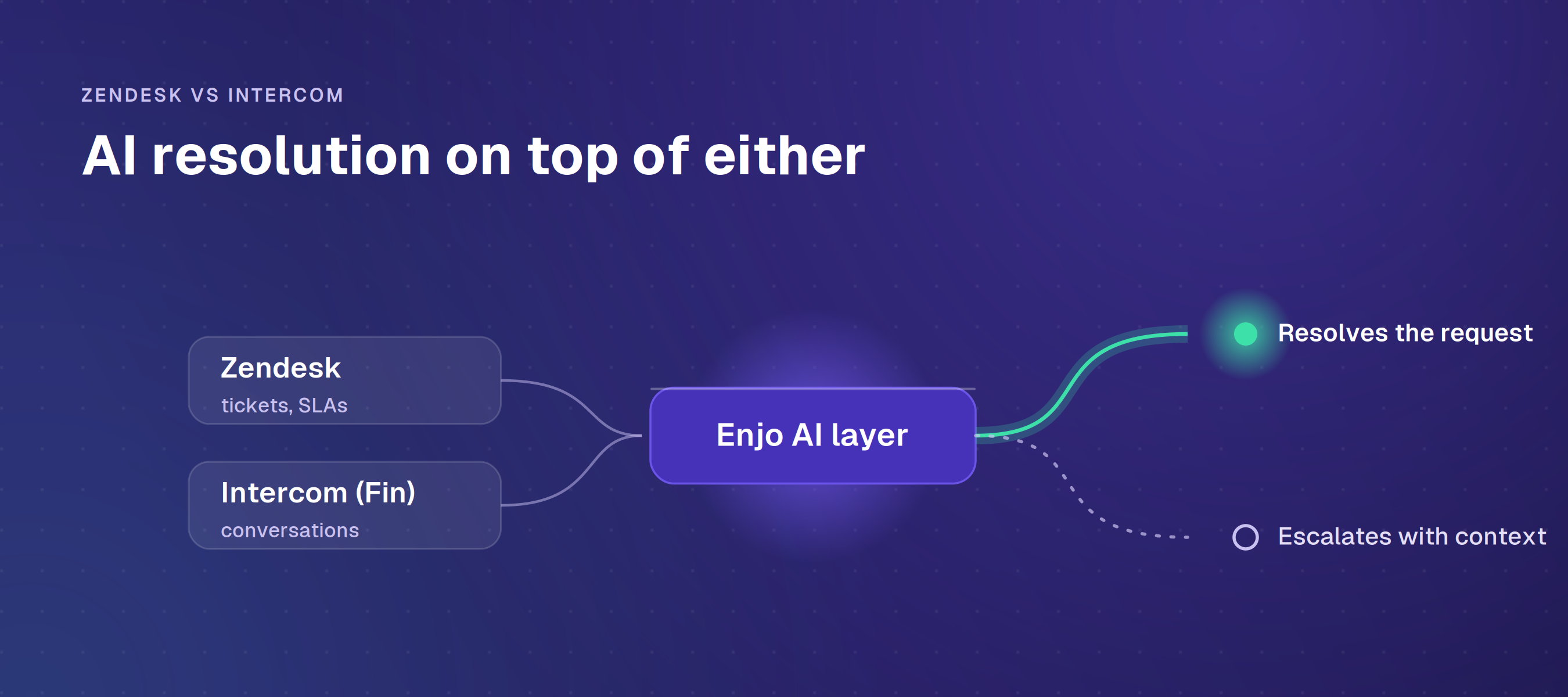
Transform complex support workflows
What Is a Salesforce AI Agent? Capabilities and Evaluation
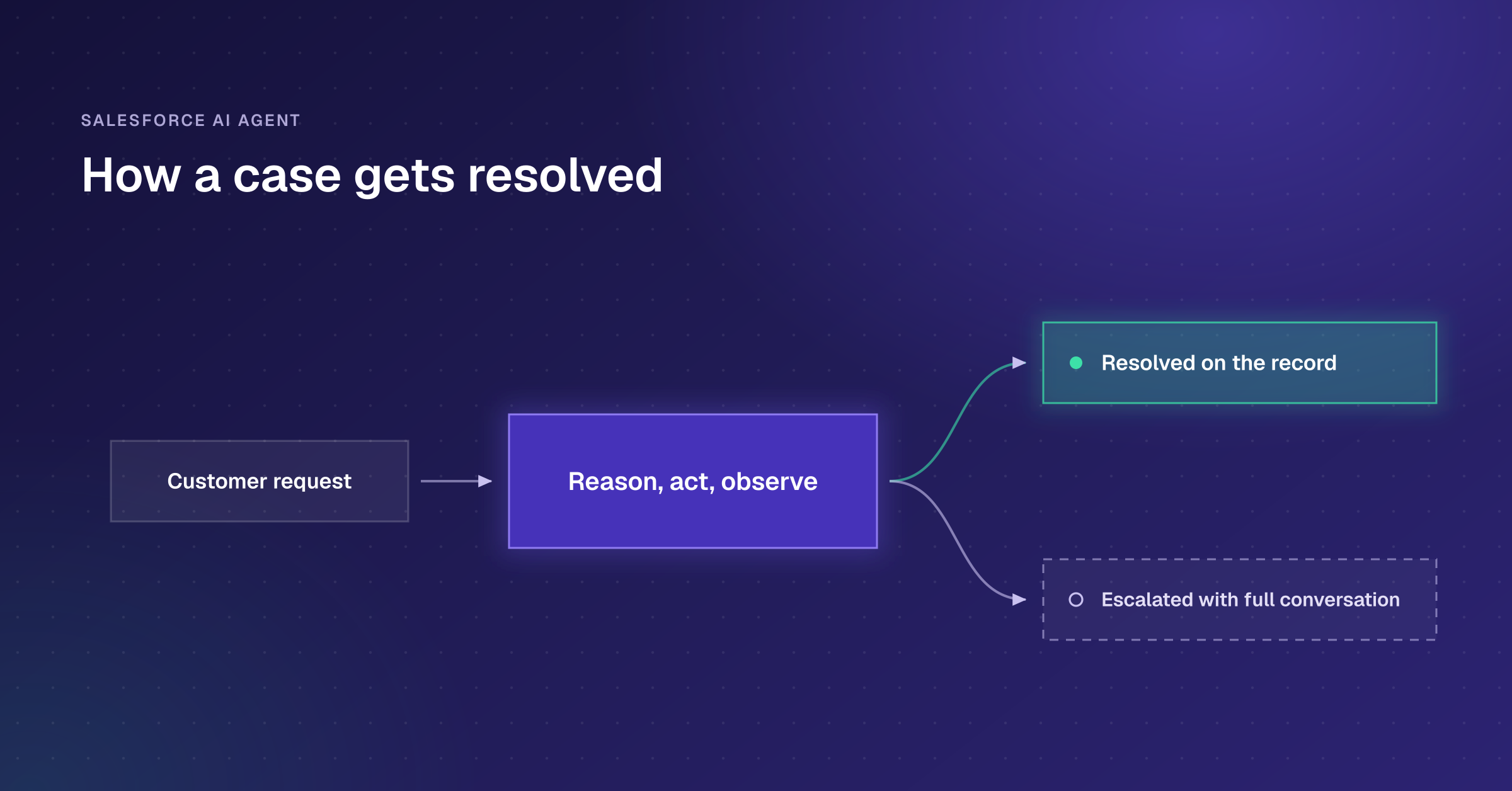
A Salesforce AI agent is an autonomous application that interprets a customer request, pulls the relevant knowledge, takes action on the record, and escalates to a human when it reaches its limits. On Salesforce, that product is Agentforce, built on Service Cloud.
Search this term, and nearly every result stops at that one-word answer. For a support leader, the useful question is not whether Agentforce can build an agent. It is whether Agentforce will resolve your cases without a second, expensive data project underneath it. That answer turns on one thing: where your support knowledge actually lives. Agentforce reasons over Service Cloud data and acts on Service Cloud objects. That is a strength when your knowledge sits inside Salesforce. It becomes a ceiling when the answers span Confluence, SharePoint, and past tickets in other systems. The alternative approach, a cross-system layer such as Enjo, indexes those outside sources directly instead.
This guide is written for that support leader, covering how a Salesforce AI agent works, how you build one, the limits to plan around, and how to evaluate one against your stack. A Salesforce AI agent resolves cases inside Service Cloud. See what Agentforce does, its data ceiling & how to evaluate it. See what's possible with Enjo.
Key Takeaways
- A Salesforce AI agent is Agentforce: it reasons through a request, acts on Service Cloud data, and escalates to a human with context.
- The Atlas Reasoning Engine runs a Reason-Act-Observe loop, so the agent works through a multi-step case rather than answering a single scripted question.
- Salesforce's own case studies report strong deflection (OpenTable: 73% of web queries; 1-800Accountant: 70% of tax-week chats), though clean data and cost predictability determine the real outcome.
- Plan around platform limits: 100 concurrently active agents per org per Salesforce Help, plus practitioner-reported caps of 15 topics per agent, 15 actions per topic, and a 60-second action timeout.
- The biggest deployment risk is data readiness, not the technology. Agentforce is based on Salesforce data and Data 360; knowledge outside the CRM requires additional licensing and work.
- Where your support knowledge lives across systems is the variable that determines whether to use a native agent or a cross-system layer like Enjo.
What a Salesforce AI Agent Actually Does?
The word "agent" marks a real break from the automation that came before it, and the difference shows up the moment a request goes off-script.
A rules-based chatbot follows a script and breaks down when a customer says something it did not anticipate. Workflow automation fires a fixed sequence when conditions are met. A Salesforce AI agent interprets intent, decides what to do, acts, and adapts mid-case if the situation changes.
For the wider category, our explainer on agentic AI covers how these systems work regardless of platform. The intelligence behind this is the Atlas Reasoning Engine. Atlas runs a Reason-Act-Observe (ReAct) loop: it forms a plan, takes an action such as querying a record, observes the result, and adjusts before the next step, repeating until the request is met. It grounds each answer through retrieval-augmented generation, pulling real data from Salesforce and Data 360 rather than generating from the model alone, which is how it keeps responses tied to your business facts. That loop is why a Salesforce AI agent can resolve a multi-part case rather than answer a single scripted question.
A concrete example makes it real. An admin at a customer account emails that their team has lost access to a module they pay for. The agent verifies the account and entitlement, checks the license status in the connected system, and either restores access or returns the exact reason it cannot. If fixing it needs a billing adjustment beyond the agent's guardrails, it escalates into Service Cloud with the full conversation and account context attached, so a rep starts warm rather than with a cold ticket.
Types of Salesforce AI Agents
Agentforce is a family of agents, not a single bot. For a support leader, the one that matters is the Service Agent: a customer-facing agent that resolves service cases across self-service portals and messaging channels, then hands off to a human when needed. It is the direct answer for Salesforce AI customer service.
The rest of the family targets other teams. Sales agents like the SDR engage inbound prospects and book meetings. Sales Coach runs role-play for reps. Commerce agents help buyers find and order products. Employee-facing agents handle internal IT and HR requests. They share the same platform and reasoning engine, so the mechanics below apply across the family, but the support queue is where a Service Agent earns its keep.
What a Salesforce AI Agent Does in Production?
Gartner predicts agentic AI will autonomously resolve 80% of common customer service issues without human intervention by 2029. The public numbers on Agentforce come from Salesforce's own customer reporting, so treat them as vendor benchmarks rather than independent results. They still show the shape of what the technology can do. OpenTable's diner agent was handling 73% of restaurant web queries three weeks in, a 50% lift over its previous chatbot. 1-800Accountant ran an Agentforce Service Agent through the 2025 tax week and reported that 70% of chat engagements were resolved autonomously, with complex scenarios routed to specialists.
The same pattern holds for both teams: each deflected high-volume, repeatable questions and routed the exceptions to humans. That is the realistic shape of a Salesforce case deflection program. The figures a vendor does not put in a press release are the ones a buyer feels later. On G2, the most consistent Agentforce complaint is consumption pricing that runs unpredictably at scale. Reviewers also tie answer quality to the cleanliness of the underlying Salesforce data, so the result depends more on your data and cost model than on the agent's ceiling.
How to Build a Salesforce AI Agent
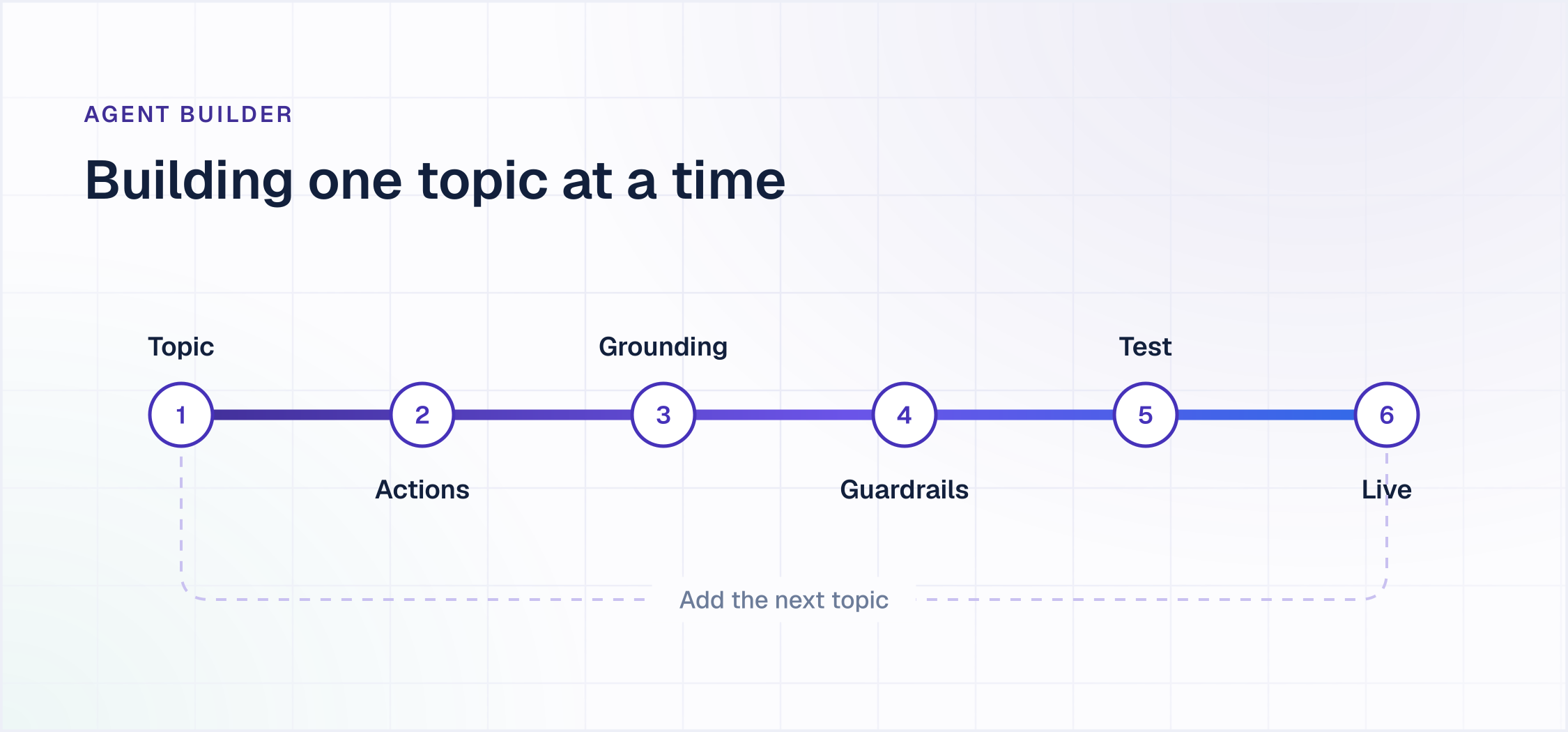
You build a Salesforce AI agent in Agent Builder, Salesforce's low-code environment, rather than by writing an agent from scratch. The build has three moving parts worth understanding before you scope a project.
Topics and actions. A topic is a job the agent can handle, and actions are what it does inside that topic, built from Flow, Apex, or prompt templates. You start with one topic, confirm it resolves cleanly, then add more. This is what makes a rollout iterative rather than a single big launch.
Grounding. The agent answers from Salesforce CRM data and Salesforce Knowledge by default, and reaches external data through Data 360. Grounding quality determines answer quality, so in Salesforce AI customer service, where your knowledge lives is the variable that most affects how well the agent resolves cases.
Guardrails. The Einstein Trust Layer and agent-level guardrails keep responses inside policy, mask sensitive data before the model sees it, and reduce hallucination. You test the agent against real cases before it goes live, and only then point it at production traffic.
The Limits to Plan Around
A Salesforce AI agent runs inside Salesforce's platform boundaries, and those boundaries shape what you can build. The agent cap comes from Salesforce Help. The topic, action, and timeout caps are reported by Salesforce implementation partners rather than published by Salesforce. Confirm each of these against your own edition before designing around them.
- 15 topics per agent, 15 actions per topic. This is the cap that shapes the build. A multi-department workflow has to be split across several agents rather than crammed into a single agent, which turns a single-agent design into an orchestration problem.
- 60-second action timeout. A workflow step that runs long, often a slow call into an external system, fails when it exceeds the window.
- Enterprise edition or higher. Agentforce is not available on entry-level Salesforce editions, so a team on Starter or Pro Suite upgrades the base license first.
- Models come from Salesforce's own provider set. Salesforce manages model provider access across its supported providers, so a custom or self-hosted LLM is not a drop-in option.
- 100 concurrently active agents per org. Only one version of an agent can be active at a time, and activating a new version automatically deactivates the current one.
None of these are disqualifying for a focused support deployment. They matter most when the work spans many systems and departments, which is exactly the case where the data boundary below also comes into play.
Where the Native Data Boundary Sits
A Salesforce AI agent is grounded in Salesforce CRM data, plus external data brought in through Data 360 (formerly Data Cloud). Data 360 genuinely does unify external sources within the platform, so this is not a capability gap. The question for a support leader is what that unification costs, and how much of your resolution knowledge lives outside the CRM to begin with.
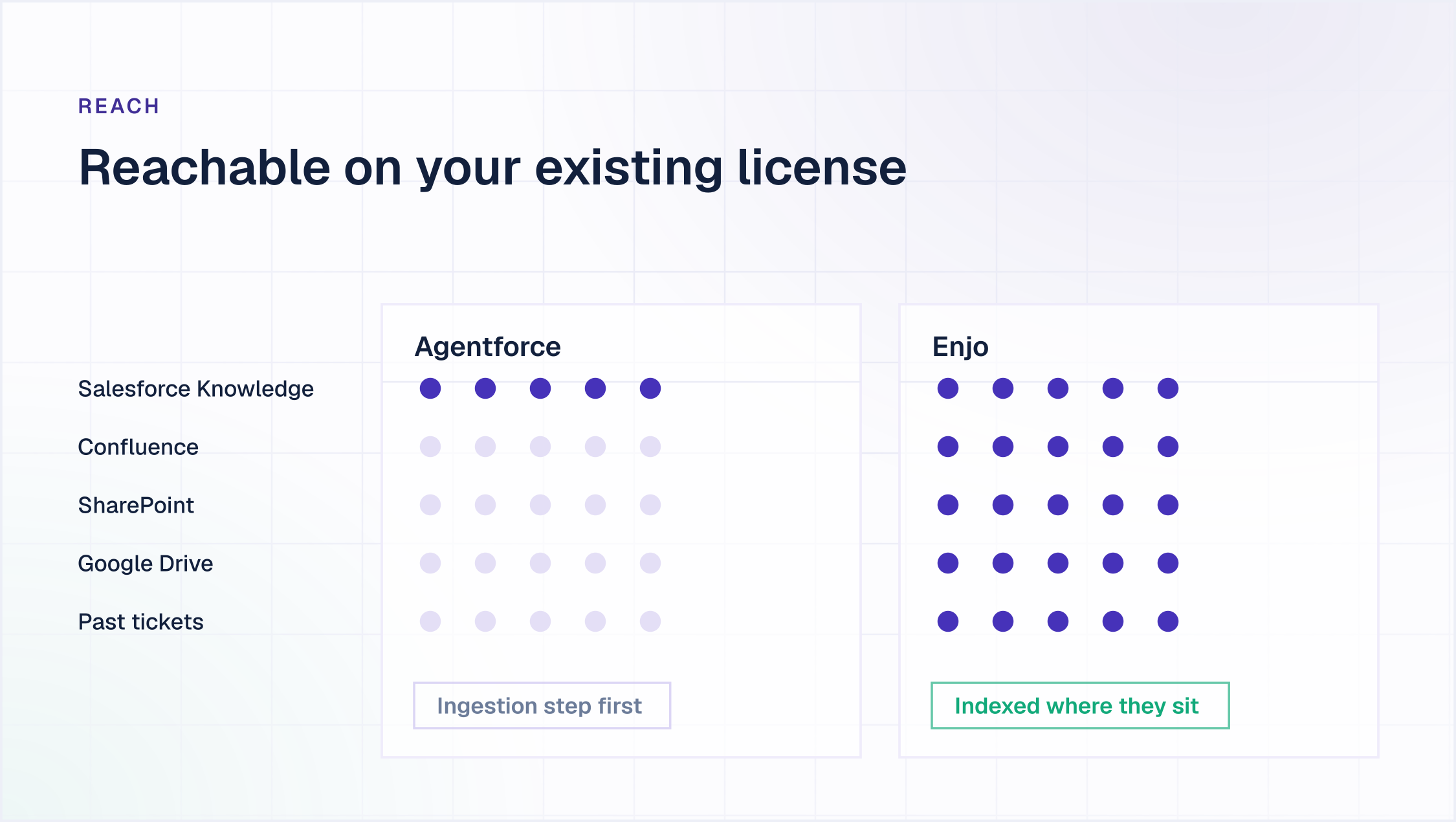
Most support operations answer cases using more than CRM records. The macros and past resolutions sit in Service Cloud, but the product documentation is in Confluence, the policy docs are in SharePoint, and years of resolved tickets may live in a system you used before Salesforce. A native agent accesses that external knowledge by pulling it into Data 360 first, which adds licensing and data-engineering work before the agent can ground in it, and Data 360 credits are billed separately from the agent's own actions. Our Salesforce Service Cloud pricing breakdown models what that adds at 5, 15, and 50 agents. The same applies to actions: a native agent acts cleanly on Service Cloud objects, but reaching into Okta, Jira, or a custom internal system means custom development.
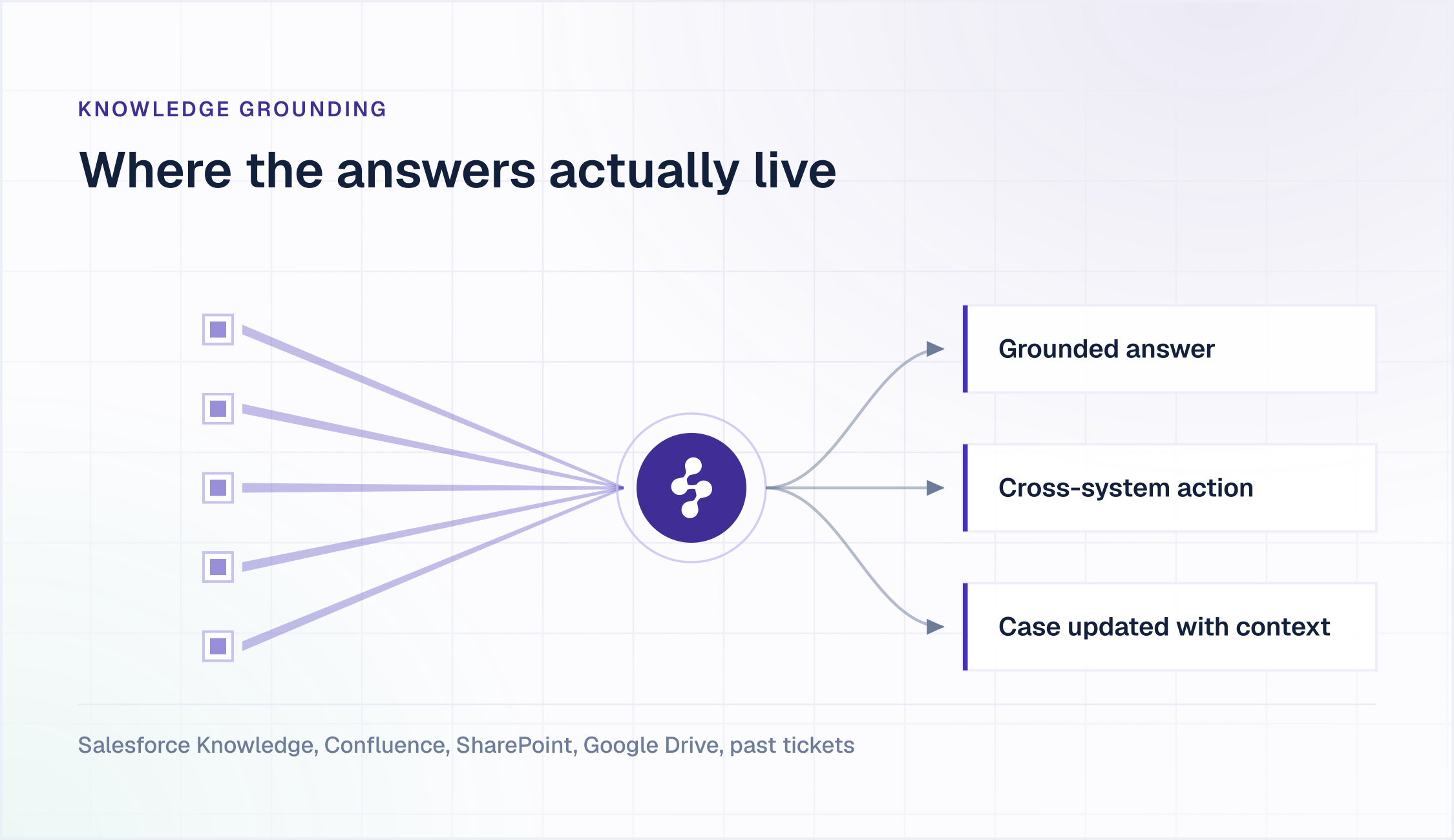
This is the difference between a native agent and a cross-system layer such as Enjo. The layer indexes Confluence, SharePoint, and past tickets into one source directly, rather than routing them through Data 360 first. So the buyer's question resurfaces: will the native agent resolve your cases as they are, or only after a data project funds the reach they need? If your Salesforce case deflection depends on knowledge that never fully lives in Salesforce, that boundary is the first thing to size up.
The Real Deployment Risk Is Data, Not the Model
The teams that struggle with a Salesforce AI agent rarely fail on the technology. They fail on data readiness and change management. Gartner predicts over 40% of agentic AI projects will be canceled by the end of 2027, on escalating costs, unclear business value or inadequate risk controls. An agent grounded in fragmented, duplicated, or stale records returns fragmented, stale answers, and reviewers have reported material inaccuracy rates on messy data. The fix is unglamorous: clean the knowledge the agent will ground on, and decide the escalation rules before launch, not after.
Escalation design is where good deployments separate from bad ones. OpenTable built a live deflection score into its agent: each chat starts at a baseline, the Atlas engine moves the score as the conversation develops, and the team can raise or lower the escalation threshold depending on how much human support they want to offer that week. That kind of explicit handoff logic, decided up front, is what keeps a Salesforce AI agent from either escalating everything or trapping frustrated customers.
What Agentforce Is Built For
Agentforce is designed around the Service Cloud data model, and its architecture scopes it accordingly. It carries a 4.3 out of 5 rating across 1,204 reviews on G2, where users praise the no-code agent-building and consistently flag consumption pricing as hard to predict. Its grounding and its actions are native to Salesforce, so the setup work is smallest where the knowledge and the action targets already sit inside the CRM, and largest where they do not. Teams already licensed for Data 360 or a higher Service Cloud edition have already absorbed part of that setup cost. The product family also spans sales, service, field service and commerce on one platform and one consumption model, which is a breadth a support-focused layer does not carry. Where the operation is not Salesforce-only, an Agentforce alternative reads across systems instead.
Our breakdown of the Salesforce Agentforce platform covers what Service Cloud teams get natively and where the consumption model starts to bite.
How to Evaluate a Salesforce AI Agent
The native product pages walk you through capabilities. They do not answer the question you are actually asking: will this resolve our cases without a second data project? Run any Salesforce AI agent, native or layered, against these criteria before you commit, and see how ten platforms score on the same test in our ranking of AI customer service agents:
- Where your knowledge lives
- What systems must the agent act in
- The total cost model
- Deployment time
- Escalation fidelity
- Lock in if your stack changes
- Compliance posture
Where your knowledge lives. Map where the answers to your top case types actually sit. If most live in Salesforce Knowledge, native grounding is straightforward. If they live in Confluence, SharePoint, or old tickets, Data 360 licensing is what a native agent needs to reach them.
What systems must the agent act in? List the systems a full resolution touches. If it is only Service Cloud objects, native actions suffice. If it includes Okta, Jira, or internal APIs, confirm how each candidate connects to them and what each integration costs.
The total cost model. Compare per-conversation, per-user, and per-reply pricing against your actual case volume, and add the platform costs each model assumes, Data 360 credits, and edition tiers. Model it against the Salesforce case deflection rate you expect, because a low headline rate can still mask a large platform bill underneath.
Deployment time. Confirm how long it takes the agent to resolve live cases. A native rollout that depends on Data 360 setup and edition upgrades runs longer than a layer that connects to an existing Service Cloud license in days.
Escalation fidelity. Check what a human rep sees when the AI hands off. Full conversation history written into the case is the difference between a warm handoff and a customer having to repeat themselves.
Lock in if your stack changes. Ask what survives if you change the help desks. A native agent's investment stays with the platform; a layer that keeps knowledge and flows portable travels with you.
Compliance posture. Confirm the certifications your security review will require. SOC 2 Type II, ISO 27001, and GDPR are the most commonly requested in enterprise reviews.
How a Native Agent and a Cross-System Layer Compare
Two of those criteria where knowledge lives and what systems the agent acts in are where a native agent and a cross-system layer like Enjo diverge most. Here is how they line up across a case's resolution lifecycle.
To size the cost difference in Salesforce's own terms: its published case-management example, 100 users handling 3 cases a day over 20 days at 60 Flex Credits per case, runs $1,800 a month, and that figure explicitly excludes Data 360 credits. A per-reply model bills only for AI resolutions and keeps human seats unlimited. For the full side-by-side math, see the Agentforce pricing breakdown.
How a Cross-System Layer Answers the Knowledge Question
A cross-system layer starts from the opposite premise of a native agent. Instead of asking for your knowledge to move into the platform, it reads the knowledge where it already sits. Enjo for Salesforce is one example that runs on top of your existing Service Cloud license. It indexes Confluence, SharePoint, Google Drive, Notion, and past tickets into one layer. Answers are grounded in that layer, with no separate Data 360 ingestion step to license and maintain.
That design answers the buyer's question directly. The agent resolves cases based on the knowledge you have today, not the knowledge you would have after a migration. When resolution needs an action, it reaches across the stack, into Salesforce, Okta, Jira, ServiceNow, and custom systems, rather than only Service Cloud objects. When it cannot resolve a request, it escalates by updating the case with the full conversation attached, so a rep starts from a warm place. If your helpdesk strategy changes later, the knowledge and the automations built on it stay with you.
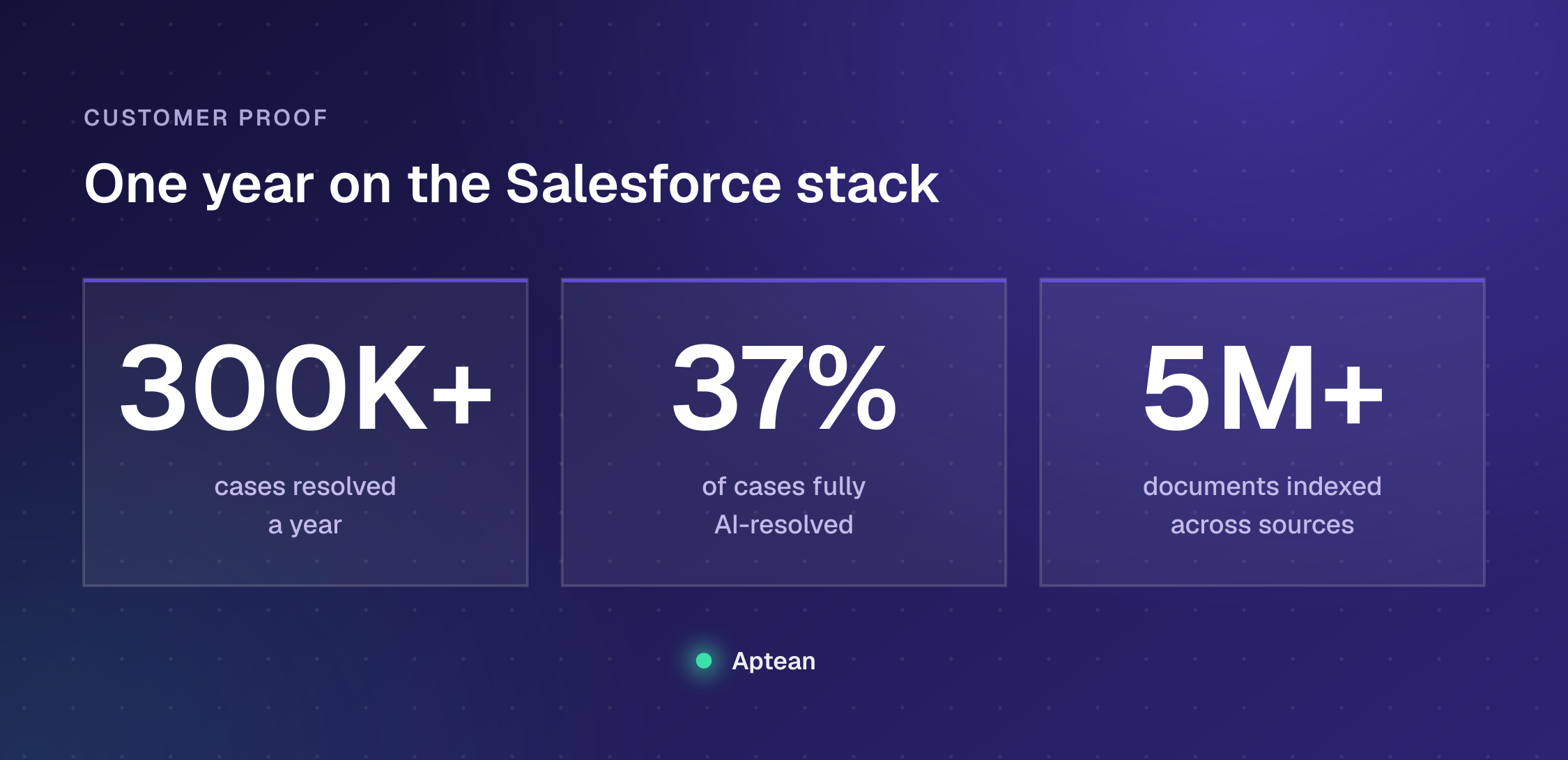
The pattern shows up in practice. Aptean, an enterprise ERP provider with 3,500+ employees and 600+ support reps on the Salesforce stack, hit the outside-knowledge wall described on this page. It indexed 5M+ documents across Salesforce case feeds, knowledge bases, and SharePoint, brought its initial cohort live in a single day, and now resolves 300K+ cases a year with Enjo AI, 37% of them fully by AI without human involvement, with 83% faster access to knowledge inside and outside Salesforce. Enjo is SOC 2 Type II compliant, ISO 27001 certified, and GDPR compliant, with Guardrails that hold responses and actions within policy, backed by Troopr Labs, which has 600+ enterprise deployments and 99.9% uptime over 7 years.
Choose Where Your Knowledge Lives
The strongest decision criterion here is not a feature comparison. Both a native agent and a cross-system layer can reason, act, and escalate. The variables that actually predict whether AI resolves your cases are where your support knowledge is stored and how much it costs to access it.
So do not choose based on AI features. Start by mapping where your knowledge lives. Pull your top twenty case types and mark, for each one, which system holds the answer and which system the resolution has to act in. Wherever every mark lands in Salesforce, native grounding reaches it all. Where the marks land in Confluence, SharePoint, or past tickets in a system you used before Salesforce, price the Data 360 ingestion those answers require, then compare that against a layer that indexes them where they already sit. Enjo runs that second path on your existing Service Cloud license.

Frequently Asked Questions
What is a Salesforce AI agent?
It is an autonomous application that understands a request, reasons through it, takes action, and escalates to a human when needed, without requiring a person to trigger each step. In Salesforce, the native product is Agentforce, which operates on Service Cloud data and acts on Service Cloud objects.
How do you build a Salesforce AI agent?
You build one in Agent Builder, Salesforce's low-code environment. You define topics (the jobs the agent handles) and actions (built from Flow, Apex, or prompt templates), ground the agent on Salesforce Knowledge and Data 360, set guardrails, and test against real cases before going live.
What are the limits of a Salesforce AI agent?
Salesforce Help caps concurrent active agents at 100 per org. Implementation partners also report 15 topics per agent, 15 actions per topic, and a 60-second action timeout, and Agentforce requires the Enterprise edition or higher. Confirm the current figures against Salesforce documentation for your edition.
Is Agentforce the only AI agent for Salesforce?
No. Agentforce is the native option for Salesforce AI customer service. Platforms like Enjo run on your existing Service Cloud license while grounding on knowledge from outside it, so support teams whose content spans Confluence, SharePoint, and past tickets are not limited to what lives in the CRM.
Does a Salesforce AI agent need Data Cloud?
A native agent uses Data 360 (formerly Data Cloud) to ground on data outside standard CRM objects, which carries its own licensing. That reach matters for Salesforce case deflection, since deflection depends on the agent finding the right answer wherever it lives. Enjo indexes external sources directly and runs on your existing Service Cloud license without a Data 360 requirement.
How is a Salesforce AI agent priced?
Agentforce uses consumption pricing (Conversations at $2 each, or Flex Credits at $500 per 100,000) or per-user add-ons ($125/user/month for Service), plus platform costs. Enjo prices per AI Reply with unlimited seats. The Agentforce pricing breakdown runs the full comparison.