Transform complex support workflows
Document360 Alternatives in 2026: 8 Knowledge Base Tools Compared on Price and Upkeep
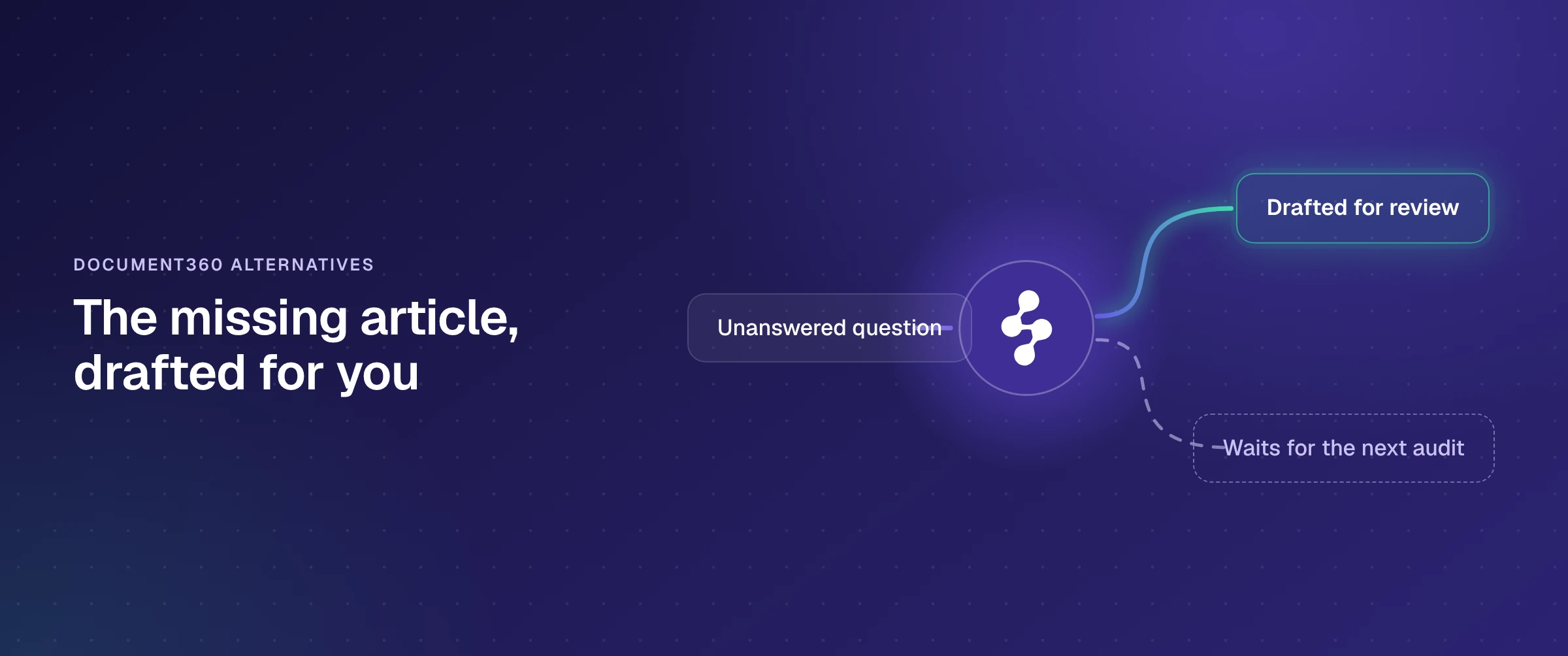
The Document360 alternatives worth a shortlist in 2026 are Enjo Help Center, Helpjuice, Archbee, KnowledgeOwl, HelpDocs, GitBook, and the help centers that come with Zendesk and Intercom. They split three ways: standalone knowledge bases sold on a plan, a docs platform billed per site and per user, and help centers bundled into a per-seat helpdesk. Enjo Help Center is the one built around keeping articles current: a question your articles miss comes back as a drafted article for your review.
Document360 no longer publishes a price, so every figure below comes from each alternative's own pricing page, checked on 2 November 2026: what a team of four pays each month, where the AI that answers readers is billed, and how each tool keeps articles current.
Why teams look past Document360
Document360 is a knowledge base platform for customer-facing and internal documentation. It offers Markdown and WYSIWYG editors, revision history, approval workflows, public and private projects, analytics, and Eddy AI for writing, search and answers. The reasons buyers keep looking are on Document360's own pages, checked on 2 November 2026:
- No published price. The pricing page lists features, not plans or prices. Document360 says it "prices around your specific configuration": team accounts (editors and reviewers), workspaces, languages, SSO and security needs, whether the knowledge base is public, private or mixed, and AI Premium Suite usage. The figure arrives after a quote form.
- The chatbot readers would talk to is an add-on. The Eddy AI Writing Agent, AI Search and Answer, and AI content and FAQ creation are listed as "AI capabilities included with your plan". The AI Chatbot, which answers from your knowledge base, files and Zendesk or Freshdesk tickets, is marked "Add-on", and so is each part of the AI Premium Suite: screen capture, step-by-step guides, interactive demos and video recording.
- Upkeep is a schedule your team keeps. The maintenance tools are review reminders for content audits, global find and replace, bulk article actions and duplicate content detection. They help a content team audit what already exists. Writing the article for a question nobody has covered yet is still someone's job.
- No free plan. The sign-up page offers a free trial with a live demo and no credit card. After that, the plan is quoted.
Those four points are also the quickest way to sort the alternatives: who publishes a price, where the AI that answers readers is billed, and how a missing article gets written.
Document360 alternatives at a glance
In the same order as the entries below:
- Enjo Help Center: turns the questions your articles miss into drafted articles, and starts free.
- Helpjuice: a knowledge base designed to your brand by its team, at a flat monthly price.
- Archbee: documentation portals where readers are free and AI is a token-metered add-on.
- KnowledgeOwl: a knowledge base priced by plan, plus $25 a month for each extra author.
- HelpDocs: a self-serve knowledge base with a published price and editors capped per plan.
- GitBook: docs sites billed per site and per user, with Git sync.
- Zendesk: a help center inside a customer service suite priced per agent.
- Intercom: a help center bundled with the Intercom helpdesk and Fin AI Agent.
| Tool | How It Is Priced | Starting Price | AI Answers For Readers | Free Plan |
|---|---|---|---|---|
| Enjo Help Center | Per AI reply, seats unlimited | Free; Starter $95/month | AI Search with cited answers | Yes, no card |
| Helpjuice | Flat plan, users capped | $249/month | AI Chatbot from $449/month | No; 14-day trial |
| Archbee | Plan plus extra members | From $80/month, annual | AI add-on, metered by tokens | No; 14-day trial |
| KnowledgeOwl | Plan plus $25 per author | $100/month | AI chatbot on AI credits | No; free trial |
| HelpDocs | Plan, editors capped | $99/month, annual | Ask AI on AI credits | No; 14-day trial |
| GitBook | Per site plus per user | $65/site plus $12/user | Assistant Ask; Chat on Ultimate | Yes, one user |
| Zendesk | Per agent, plus resolutions | $55/agent/month, annual | AI agents, billed per resolution | No; 14-day trial |
| Intercom | Per seat, plus outcomes | $29/seat/month, annual | Fin, $0.99 per outcome | No; 14-day trial |
| Document360 (reference) | Custom quote | Not published | AI Chatbot is an add-on | No; free trial |
Scroll sideways to see every column.
Each vendor's own pricing page, checked 2 November 2026. Annual prices where the vendor shows annual billing first. Intercom offers new customers Essential at $19 per seat.
This list sticks to tools that publish a help center or docs site for readers outside your company, which is what most teams use Document360 for. Wikis built for employees, such as Confluence, Notion and Guru, are compared in our guide to internal knowledge base software.
How to compare Document360 alternatives
Most of the lists ranking for this search are published by vendors in the category, and each puts its own product first. This page does too, so here are the six facts each entry below is checked against. Each one is something you can confirm on a trial without trusting anyone's ranking:
- Where an article's first draft comes from: a blank editor, an AI writer an editor prompts, or the docs, web pages and resolved conversations you already have.
- What happens to a question no article answers: a dead end, a contact form, or a person who sees the full conversation and whose answer becomes the next article.
- Where the AI that answers readers is billed: in the plan, on a higher plan, as an add-on, in credits or tokens, or per resolution.
- Who you pay for: editors, every user, each docs site, each agent seat, or nobody.
- Who answers what the articles miss: a team inside the same product, or a second helpdesk contract.
- Time to a live portal: a self-serve sign-up you can publish from today, or a demo and a quote first.
The 8 Document360 alternatives in detail
1. Enjo Help Center: a help center that drafts the articles your readers are missing
Best for: help center owners without a content operations team.
Enjo Help Center is the requester-facing self-serve portal in Enjo Platform, sold self-serve on published plans that start free. It is built around keeping content current: it drafts articles from what you already have, and from every question your articles miss.
- Article Generation: drafts articles from a website URL, from connected docs in Notion, Google Drive, Confluence or SharePoint, or from ticket patterns in Zendesk, Intercom or Freshdesk. Templates set the structure by product type, such as SaaS, API, Marketplace or Fintech.
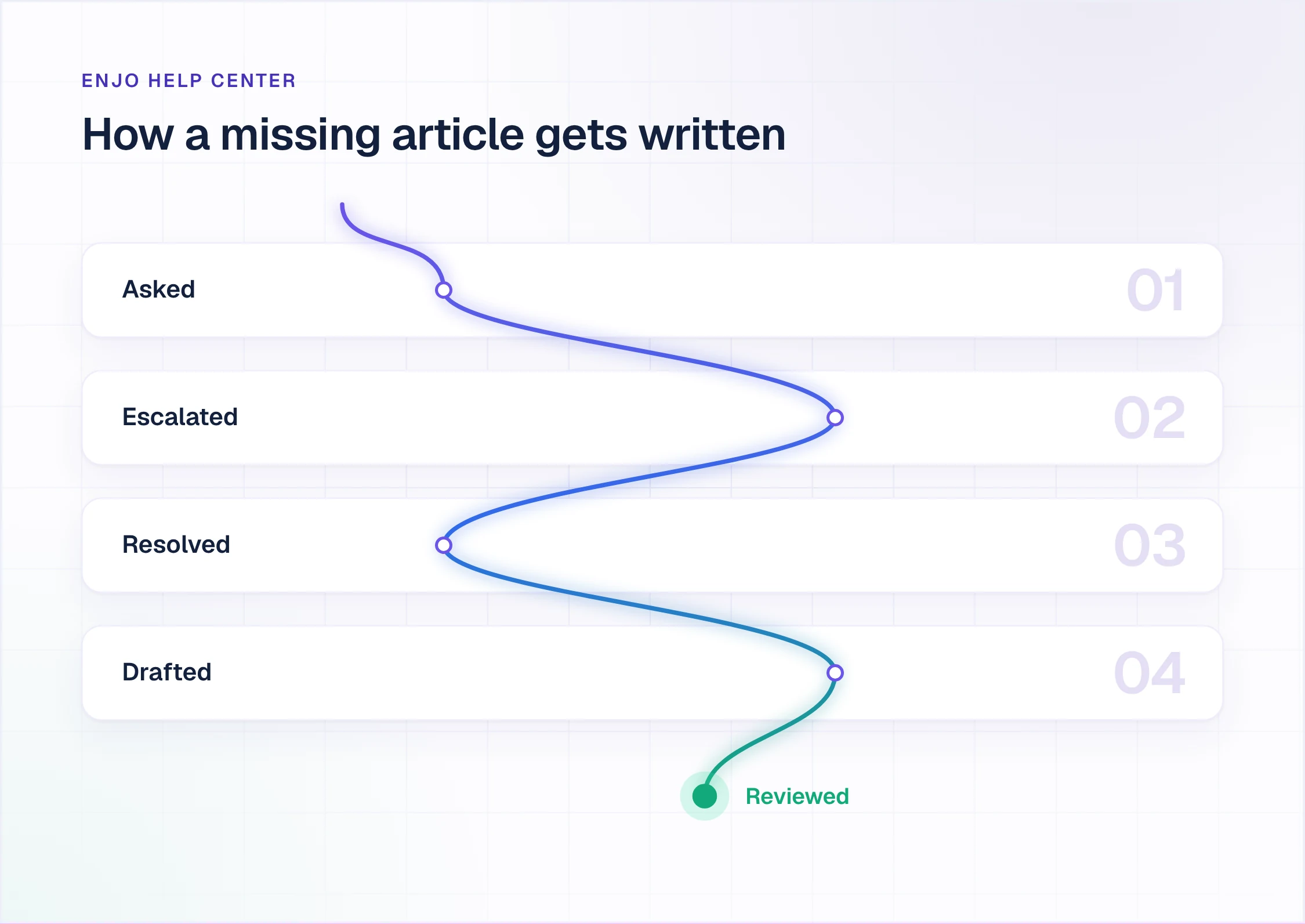
- Self-Improving Loop: a portal question no article answers escalates to your team in Inbox with the full conversation. Once someone resolves it, the conversation is drafted into a new article for review, so the gap closes from the question itself rather than at the next audit.
- AI Command Center: bulk content work in plain language. One instruction can generate, update, rewrite or reorganize many articles at once, such as every article that still names last year's plan.
- AI Search: readers ask in their own words and get a direct answer that cites the articles it came from.
- Publish Workflow and Feedback: nothing goes live without review and approval, and helpfulness signals show which articles are failing readers.
- Portal controls: Collections, custom branding and domain, SEO settings, Multi-brand help centers by product, region or audience, Multilingual help centers with translation, and Audience Targeting by plan, role, segment or login state.
- One knowledge index: the same index grounds the Help Center, Enjo (the AI Support Agent in website chat, Slack and Microsoft Teams) and your team's replies in Inbox. What the portal says is what the agent says and what your people see.
- Security: SOC 2 Type II, ISO 27001 and GDPR compliant, TLS 1.2+ in transit and AES-256 at rest, Guardrails on AI inputs and outputs, and full audit logs. Troopr Labs, the company behind Enjo, has 600+ enterprise deployments and 99.9% uptime over 7 years.
- Pricing (enjo.ai/pricing, 2 November 2026): Free at $0 a month includes Help Center, Inbox, Insights, unlimited agent seats and 200 AI replies, with no credit card. Starter is $95 a month with 1,000 AI replies, Standard is $295 a month with 3,000, and extra replies are $0.05 each. You pay for AI usage, not for editors or seats. At the Free limit, requests auto-escalate to your human agents in Inbox, so nothing is dropped.
- Scope: Enjo Help Center is built around the maintenance loop rather than the authoring editor. Articles are generated from a URL or connected docs, unanswered questions draft new articles for review, and the same index that answers requests keeps the portal current, which is the point rather than a limit.
Point Article Generation at the public address of the knowledge base you run today and compare its drafts with your articles. Launch your free Help Center.
2. Helpjuice: a knowledge base designed to your brand, at a flat price
Best for: teams that want a custom-designed knowledge base.
Helpjuice has sold knowledge base software since 2011, for customer help centers and internal documentation. Its pricing page says its team designs each customer's knowledge base by hand to match the brand, on every plan.
- Custom design: the design work is included on every plan, and the top plan adds what Helpjuice calls unlimited customization credits.
- Editorial workflow: live collaboration, publish approval, scheduled publishing, expiration dates and version history are in every plan.
- AI Suite: AI Writer, AI Search, an AI Chatbot that answers from the knowledge base, AI-Article Request (readers ask for an article and AI suggests what to write) and AI-Support Tickets, which suggests help articles from support tickets.
- Translation: AI Article Translation into 40+ languages on every plan.
- Pricing (helpjuice.com, 2 November 2026): $249 a month for 30 users and 12GB of storage, $449 a month for 100 users with the AI Suite, and $799 a month for unlimited users. 14-day free trial, no credit card.
- Limitation: the AI Suite, including the chatbot readers would use, is not on the $249 plan and starts at $449 a month. Users are counted as everyone who can access and manage the knowledge base, so a 31st user means the next plan.
3. Archbee: documentation portals with free readers
Best for: product and developer documentation teams.
Archbee calls itself a knowledge portal platform, for product documentation, developer documentation, user guides, onboarding and process docs. It sells self-serve after a 14-day trial, with Enterprise through sales.
- Readers are free: you pay for the team members who write, not for readers, and portals can be public, private or password protected, on your own domain and branding.
- Developer docs: GitHub integration and API documentation from the Growing plan.
- Governance: a review system, reusable content and variables, versioning and localization, and advanced reader access control on the Scaling plan.
- AI add-on: question answering, the Writer Agent, AI Write and AI translations run on a monthly token allowance (20M tokens on Growing, 40M on Scaling, 100M on Enterprise), with extra tokens at $1.2 per million and soft or hard limits you set.
- Security: SOC 2 Type 2 and GDPR, according to its pricing FAQ.
- Pricing (archbee.com, 2 November 2026, annual billing): Growing from $80 a month, Scaling from $350 a month, Enterprise on a custom price, with extra team members charged. 14-day free trial, no credit card.
- Limitation: there is no free plan ("A free offering is not available at the moment"), and AI is an add-on below Enterprise, metered by tokens, so the AI cost moves with how much readers and writers use it.
4. KnowledgeOwl: a knowledge base priced by plan plus authors
Best for: support teams with a few writers and many readers.
KnowledgeOwl sells hosted knowledge base software on four published plans, each a flat monthly fee plus a charge for every author after the first.
- Readers: unlimited public and private readers on every plan, including readers who sign in to see private articles.
- AI features: an AI chatbot, AI search, AI article creation, AI article summaries and an AI style guide review, drawing on AI credits: 100 on Basic, 500 on Pro and 1,000 on Business.
- Article limits: up to 1,000 articles on Basic, 2,500 on Pro and 5,000 on Business.
- Migration: a complimentary migration service.
- Pricing (knowledgeowl.com, 2 November 2026): Basic $100 a month, Pro $250, Business $500 and Enterprise $1,250. Each plan includes one author and one knowledge base; extra authors are $25 a month each and extra knowledge bases $50. Free trial, no credit card.
- Limitation: every plan includes a single author, so four writers on Basic cost $175 a month, and AI use is capped by the plan's AI credits.
5. HelpDocs: a self-serve knowledge base with a published price
Best for: small teams buying without a sales call.
HelpDocs sells knowledge base software self-serve ("No demo call, no quote request"), and every plan includes HelpDocs AI.
- Ask AI: answers customer questions in plain language from your published docs only, with a link to the source article.
- AI writing: drafts, rewrites, meta descriptions, alt text and search tags on every plan, with AI improvement and style enforcement from Bloom.
- Lighthouse widget: puts your help content inside your app.
- Reuse: Clips are reusable blocks of content, and variables hold a product or plan name once, so changing either updates every article that uses it.
- Pricing (helpdocs.io, 2 November 2026): Sprout is $99 a month billed annually ($129 monthly) with 5 editors, 1,000 AI credits a month and 3 languages. Bloom is $239 annually ($299 monthly) with 15 editors. Harvest is $399 annually ($499 monthly) with 25 editors, then $25 per extra editor. Enterprise starts at $1,250 a month billed annually. Viewers are unlimited. 14-day free trial, no credit card.
- Limitation: editors and languages are capped per plan (5 editors and 3 languages on Sprout), and SAML and OIDC single sign-on start on Harvest at $399 a month.
6. GitBook: docs sites billed per site and per user
Best for: product and engineering teams writing docs alongside code.
GitBook is a documentation platform for product and developer docs, with a block-based editor and sync with GitHub or GitLab.
- Git sync: sync with GitHub or GitLab on every plan, Free included.
- API docs: auto-generated, interactive API documentation.
- GitBook Assistant: Ask on Essential; Chat, a sidebar that helps readers find, understand or act on your docs, on Ultimate.
- GitBook Agent and AI insights: the agent writes, edits and updates your documentation, and AI insights show how Assistant answered readers so you can find knowledge gaps. Both are on Ultimate.
- MCP: every published docs site gets an MCP server for AI coding assistants.
- Pricing (gitbook.com, 2 November 2026, annual billing): Free for one user; Essential $65 per site a month and Ultimate $249 per site a month, plus $12 per user a month ($79, $299 and $15 on monthly billing). Essential includes 2,000 AI credits a month and Ultimate 10,000. 14-day free trial.
- Limitation: each docs site is billed on its own, every user adds $12 a month, and the agent that updates docs is on Ultimate only.
Weighing GitBook against Document360 as well?
See the 13 best GitBook alternatives →7. Zendesk: a help center inside a customer service suite priced per agent
Best for: support teams already running Zendesk ticketing.
Zendesk sells customer service software priced per agent. Its help center comes with the Suite plans, alongside ticketing, messaging, live chat, voice and AI agents.
- Knowledge builder: generates a ready-to-use knowledge base from your ticket history and business context with generative AI, on Suite Team and Suite Professional.
- Contextual self-service: the web widget and mobile SDK embed the help center and suggest relevant articles.
- AI agents: included in every Suite plan and billed per automated resolution. Suite Team includes 5 automated resolutions per agent a month and Suite Professional 10; more cost $1.50 each committed or $2.00 pay as you go.
- Languages: Suite Team has one default help center language; 40+ languages come with Suite Professional.
- Pricing (zendesk.com, 2 November 2026): Suite Team $55 per agent a month billed yearly ($69 monthly), Suite Professional $115 ($149 monthly). 14-day free trial.
- Limitation: the help center is bought as part of the suite, so its price follows agent seats, and a help center in more than one language starts on Suite Professional at $115 per agent a month.
8. Intercom: a help center bundled with the Intercom helpdesk
Best for: teams supporting customers in the Intercom Messenger.
Intercom sells its helpdesk, the Messenger and Fin AI Agent as one customer service platform, priced per seat, with Fin billed per outcome. A help center is part of every plan.
- Help center by plan: a public help center on Essential, a private and multilingual help center on Advanced, and a multibrand Messenger and help center on Expert.
- Fin AI Agent: included on every plan and billed at $0.99 per outcome, at most once per conversation.
- Helpdesk: a shared inbox and ticketing on every plan, with workflows and round robin assignment from Advanced.
- Pricing (intercom.com, 2 November 2026, annual billing): Essential $29 per seat a month ($19 for new customers), Advanced $85 and Expert $132, plus $0.99 per Fin outcome. 14-day free trial.
- Limitation: private articles and a help center in more than one language start on Advanced at $85 per seat a month, and Fin's outcomes are billed on top of seats.
What a Document360 alternative costs a team of four
Document360 quotes every account, so it has no total here. For the rest, this is one month for four people who write the articles and answer the questions the articles miss, with one public help center, at each vendor's published price.
| Tool | What You Pay For | Four People, Per Month | AI In That Price |
|---|---|---|---|
| Enjo Help Center | AI replies | $0 on Free | 200 AI replies; 1,000 for $95 |
| Helpjuice | Plan, up to 30 users | $249 | None; AI Suite needs $449 plan |
| Archbee | Plan plus extra members | From $80, annual | Token-metered AI add-on |
| KnowledgeOwl | Plan plus authors | $175 on Basic | 100 AI credits |
| HelpDocs | Plan, up to 5 editors | $99, annual | 1,000 AI credits a month |
| GitBook | Site plus users | $113 on Essential, annual | 2,000 AI credits a month |
| Zendesk | Agent seats | $220 on Suite Team, annual | 20 resolutions, then $1.50 to $2.00 |
| Intercom | Seats plus Fin outcomes | $116 on Essential, annual | Fin at $0.99 per outcome |
| Document360 | Custom quote | Not published | AI Chatbot is an add-on |
Scroll sideways to see every column.
Published list prices, checked 2 November 2026. Helpjuice: $249 plan. KnowledgeOwl: $100 plus 3 extra authors at $25. GitBook: $65 per site plus 4 users at $12. Zendesk: 4 agents at $55, with 5 automated resolutions per agent included. Intercom: 4 seats at $29 ($76 at the $19 new-customer price). Archbee's page does not say how many members Growing includes.
Two things the totals leave out. First, Helpjuice, Archbee, KnowledgeOwl, HelpDocs and GitBook sell a knowledge base, not a helpdesk, so the questions the articles miss are answered in a second tool your team pays for separately, and turning those answers into articles is a separate step (Helpjuice's AI-Support Tickets, on the $449 plan, suggests articles from tickets). Second, Zendesk and Intercom include the helpdesk, and their price follows seats. Enjo's Free plan includes Help Center and Inbox with unlimited agent seats, so the four people cost nothing and the bill moves only with AI replies.
Moving your articles off Document360
A knowledge base move fails on links and stale copies more often than on the import itself. Four steps keep it clean:
- List the URLs that matter. Every article your product, emails or other sites link to, and every article that gets search traffic. Each one needs a 301 redirect to its new address so links and rankings carry over.
- Take a copy. Document360 lists export to PDF among its article tools, and your public knowledge base is itself a copy of everything readers can see.
- Rebuild from the source, not by hand. In Enjo Help Center, Article Generation drafts articles from a website URL, so the public address of your current knowledge base can be the starting point, and connected docs in Notion, Google Drive, Confluence or SharePoint are another. Every draft waits in Publish Workflow until someone approves it.
- Watch the first month of questions. The questions the new portal cannot answer are your real gap list. In Enjo Help Center each one escalates to your team and comes back as a draft article once it is resolved.
Test Document360 alternatives on your own docs
A demo shows the vendor's best article. These five checks show yours, and each fits in an afternoon on a trial or a free plan:
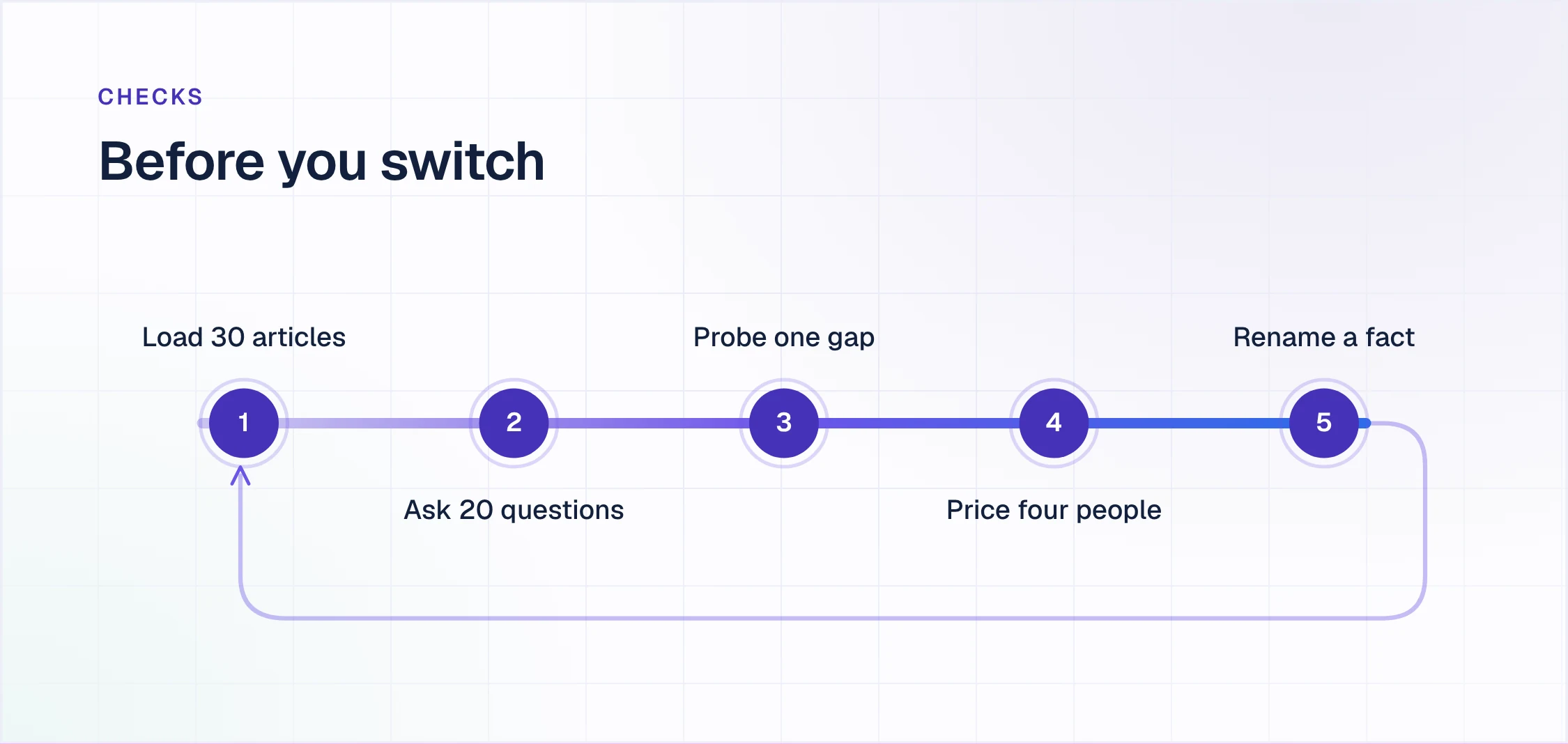
- Load the same 30 articles into each tool, from your current site or your source docs. Note how long it took and who had to do it.
- Ask 20 real questions from last month's requests, in the words your readers used. Count the answers that cite the right article.
- Ask one question your docs do not cover. Does the reader hit a dead end, a contact form, or a person who sees the full conversation? And who writes the article afterwards?
- Price four people and your AI volume at the published rates. Which unit is billed, and what happens to the bill when readers use the AI twice as much?
- Change one fact everywhere. Rename a feature or a plan, then time how long it takes until every article that mentions it is fixed.
Here is how Enjo Help Center answers the five. Article Generation loads the 30 articles from a URL or your connected docs. AI Search answers each question with citations to the articles it used. The uncovered question escalates to your team in Inbox with the full conversation, and the resolved answer comes back as a draft article for review. The price per AI reply is published, with unlimited agent seats. And the AI Command Center makes the rename across every article in one instruction, held in Publish Workflow until you approve it. Help Center is included on the Free plan, which needs no credit card, and same-day go-live is feasible.
Help Center, Inbox and Insights, unlimited agent seats and 200 AI replies a month. No credit card, no procurement.
Launch your free Help CenterFrequently asked questions about Document360 alternatives
What is Document360?
Document360 is a knowledge base platform for customer-facing and internal documentation. It offers Markdown and WYSIWYG editors, categories, revision history, approval workflows, public and private projects, analytics and Eddy AI for writing, search and answers. It is sold on a custom quote after a free trial.
How much does Document360 cost?
Document360 does not publish prices. Its pricing page says the quote depends on team accounts (editors and reviewers), workspaces, languages, SSO and security needs, whether the knowledge base is public, private or mixed, and AI Premium Suite usage. Reader accounts apply only to private knowledge bases, and the AI Chatbot and the AI Premium Suite are listed as add-ons (checked 2 November 2026).
Does Document360 have a free plan?
No. Document360 offers a free trial with a live demo and no credit card, followed by a quoted plan. Two alternatives on this list have free plans: Enjo's Free plan includes Help Center, Inbox, unlimited agent seats and 200 AI replies a month, and GitBook's Free plan is for one user.
Is there an open-source alternative to Document360?
Yes. Open-source wikis and documentation tools cost nothing to license, but you host, secure and update them yourself, and none of the cost of that work shows up on a pricing page. Our guide to free knowledge base software compares the open-source options with the hosted free plans.
Who are Document360's main competitors?
The tools most often compared with Document360 are Helpjuice, Archbee, KnowledgeOwl, HelpDocs, GitBook and the help centers in Zendesk and Intercom, plus employee wikis such as Confluence, Notion and Guru. Enjo Help Center is the alternative that drafts new articles from the questions your existing articles miss.
How do I migrate from Document360?
List every article URL that is linked or gets traffic, take a copy of the content, rebuild it in the new tool, and 301-redirect each old URL to its new address. In Enjo Help Center, Article Generation drafts articles from a website URL or connected docs, so your current public knowledge base can be the starting point, and Publish Workflow holds every draft for review.
Can a help center write its own articles?
Partly, and the tools differ in what starts the draft. Writing assistants such as Document360's Eddy AI Writing Agent and Helpjuice's AI Writer generate content for the editor using them. Zendesk's knowledge builder generates a starting knowledge base from ticket history, Helpjuice suggests articles from support tickets on its $449 plan, and GitBook Agent writes and updates docs on Ultimate. Enjo Help Center drafts an article from each resolved question that no existing article answered, and a person approves it before it publishes.