Transform complex support workflows

What Is an AI Service Desk? How It Works, Features and Costs
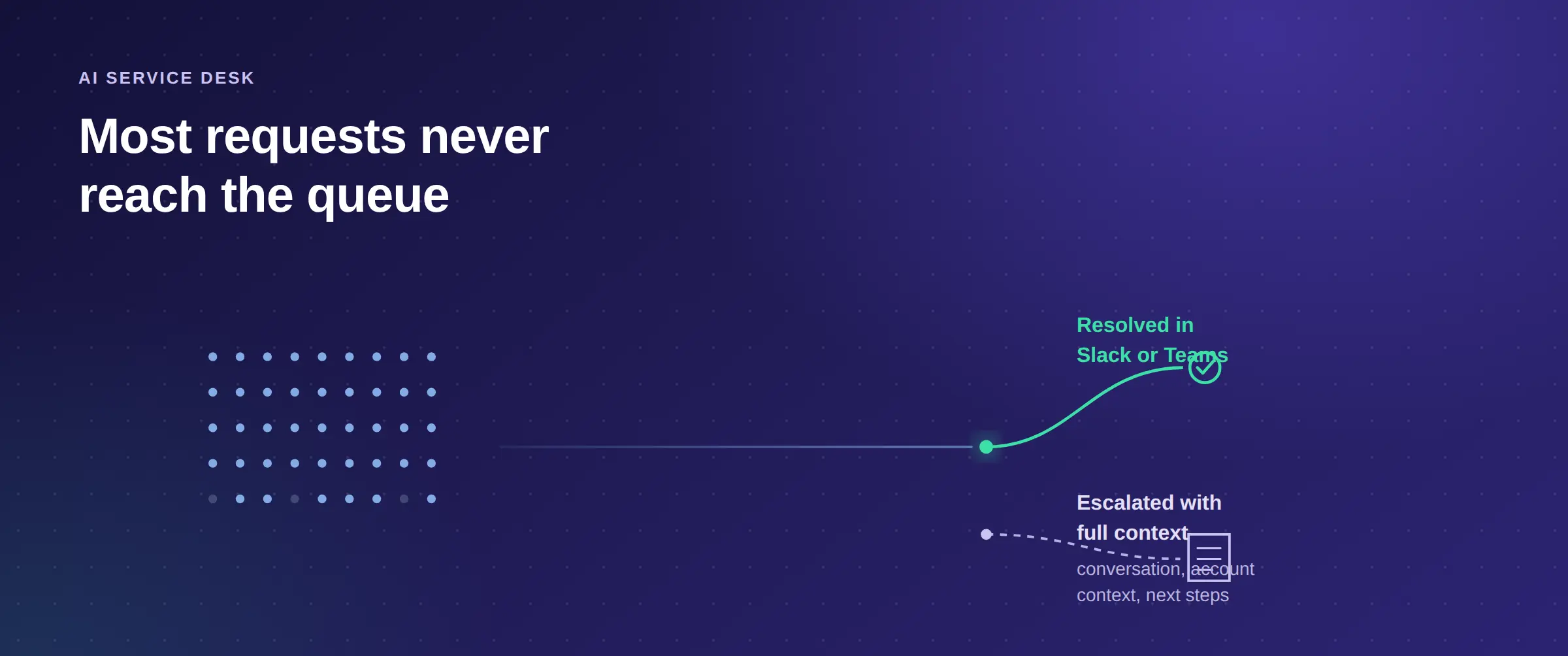
An AI service desk is a service desk where an AI agent resolves routine IT and HR requests end to end: it answers from your own knowledge, takes authorized actions in your systems, and hands a person the full conversation when it can't finish.
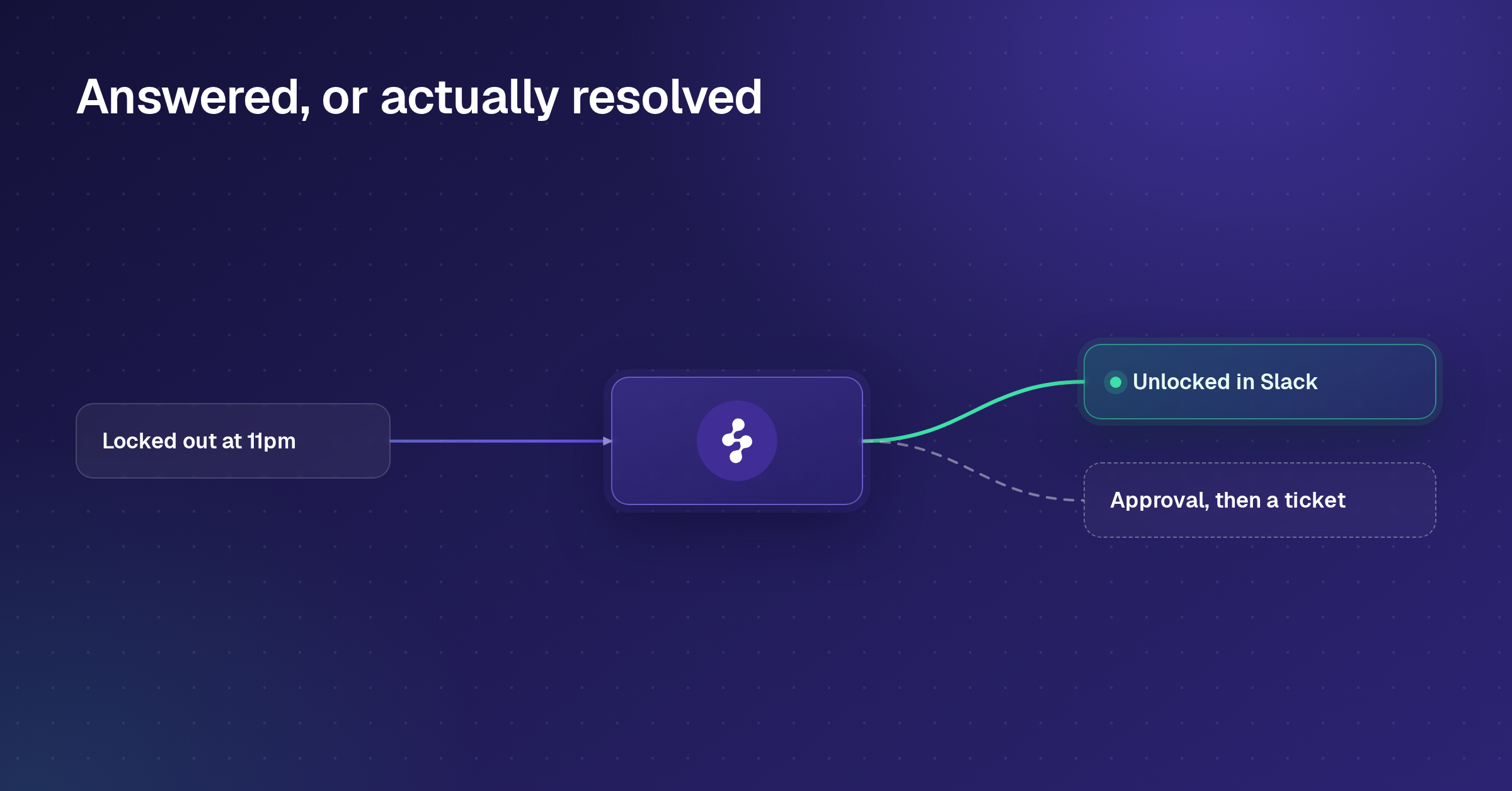
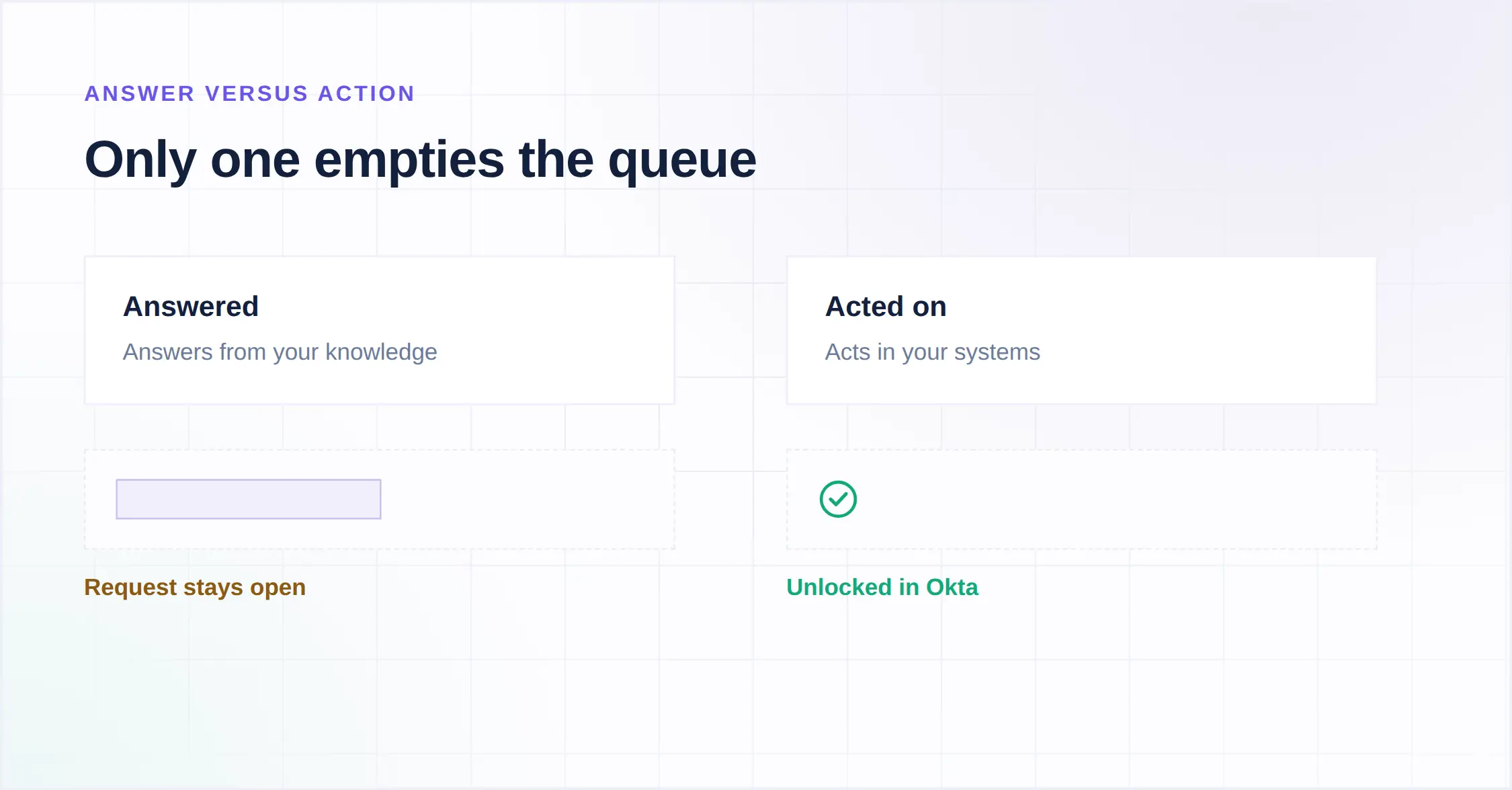
Acting is what separates it from a chatbot. A chatbot returns text. An AI service desk also unlocks the account, adds the employee to the right Okta group, files the Jira request or updates the ServiceNow ticket, and every one of those actions is configured, authorized and logged.
It works at enterprise scale today. Delivery Hero, a company with 95,000+ Slack members, runs a dedicated agent per helpdesk across more than 30 Jira service desks, with 30% average deflection and 80% faster response.
This guide covers how an AI service desk works step by step, what it resolves and what it hands to people, results from three named deployments, what it costs under the three pricing models, and ten checks to run before you buy.
What is an AI service desk?
An AI service desk puts an AI agent at the front of IT and HR support. Employees ask in plain language, in Slack, Microsoft Teams, website chat or a self-service portal, and the agent resolves what it can on its own: it answers from your knowledge, takes the action the request needs, and escalates the rest to your team with the context attached.
You will also see it searched as "AI-powered service desk", "generative AI service desk" or "AI for service desk". The labels differ and the test stays the same. An agent that only answers deflects the questions your team is tired of repeating. An agent that also acts resolves the requests that take the most time: the access request that needs a group added in Okta, the locked account that needs unlocking, the approval that needs a status change in Jira.
Both count as resolution. Only the second takes work out of the queue, which is why an AI service desk is judged on the actions it can take more than on how well it writes.
AI service desk vs traditional service desk and help desk
A traditional service desk turns every request into a ticket and waits for a person. An AI service desk answers or acts in the same conversation and sends a person only the requests that need one.
| Traditional Service Desk | With An AI Agent | |
|---|---|---|
| Intake | Portal form or email, converted to a ticket | Natural language in Slack, Microsoft Teams, website chat or the portal |
| Triage | Manual or rule-based routing | Intent recognition against the request and the requester's context |
| First response | Queue wait, then a human reads the ticket | Answer or action in the same conversation |
| Knowledge reach | Whatever the agent remembers or searches manually | One index across every connected source |
| Resolution path | Human resolves, or escalates up a tier | Agent resolves, or escalates with full context |
| After hours | Queued until the next shift | Same behavior at 03:00 as at 15:00 |
| Scaling | Add headcount as volume grows | Cost scales with resolved volume |
| Learning | Tribal, lost when people leave | Human responses feed back into the agent |
AI service desk vs AI help desk
Most vendors use the two terms interchangeably, and the difference is scope rather than technology. A help desk handles break-fix support: something is broken, fix it. A service desk is the broader ITIL term that adds service requests: access, provisioning, onboarding, approvals and purchases.
An AI help desk that only answers questions covers the first. An agent that takes authorized action in connected systems covers both, so whatever a product is called, ask which actions it performs and who authorizes them. Our ranking of the best IT support chatbots compares ten tools on exactly that.
AI service desk vs service desk automation
Service desk automation is rule-based. It routes by keyword, applies SLAs, sends notifications and assigns work to the right queue, and every step is a rule somebody wrote. When a request matches no rule, it waits for a person.
An AI agent reads the request in plain language, finds the answer in your knowledge and takes the authorized action without a rule written for that case. The two stack: rules handle the predictable paths and the agent handles the rest. If you are still building the rules layer, our guide to service desk automation covers the workflows to automate first.
How an AI service desk works
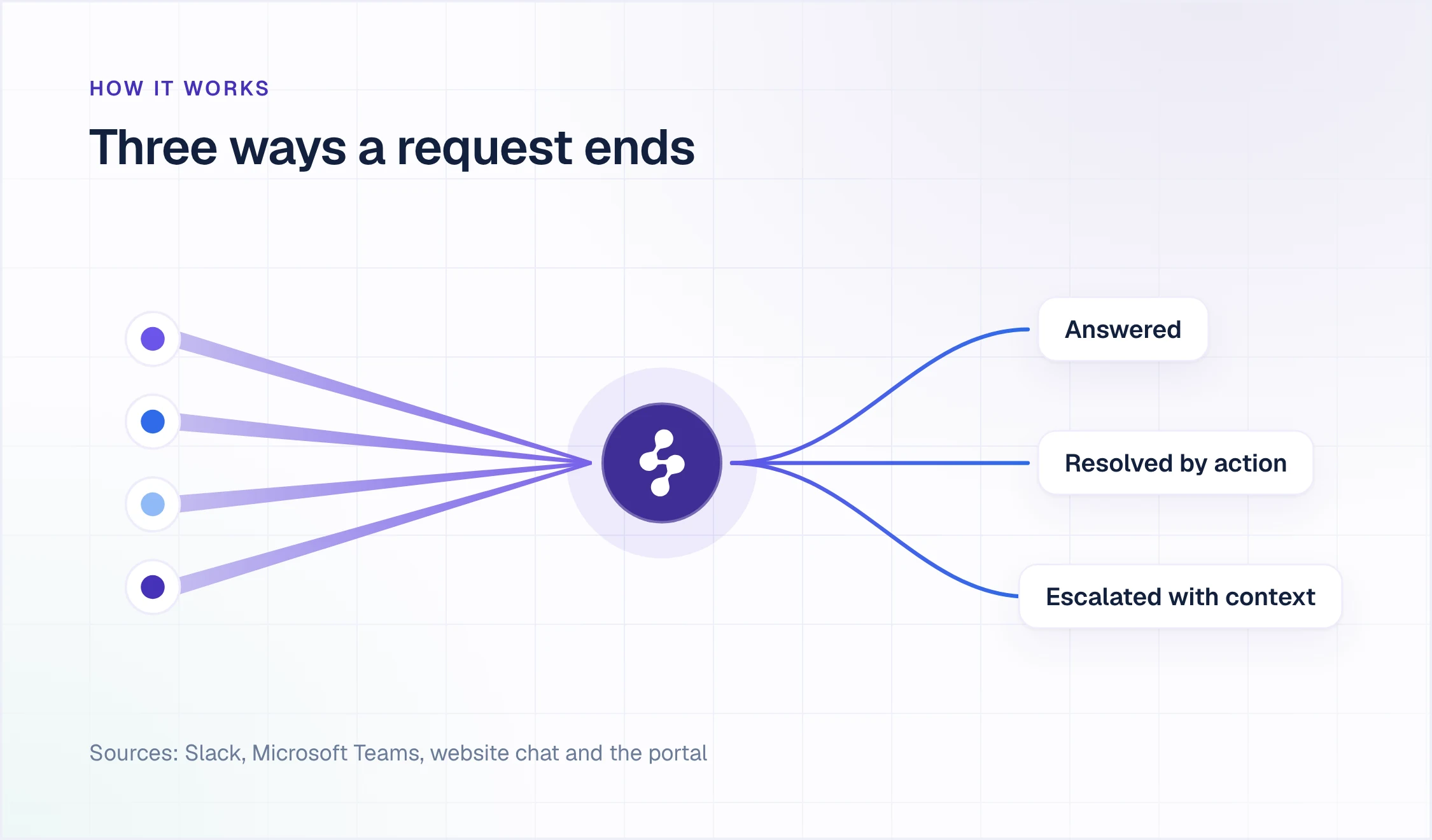
An AI service desk works in six steps, and each one is a feature to check when you compare products. Every request starts with intake and understanding, then ends one of three ways: answered with a citation, resolved with an authorized action, or escalated with full context. What your team does with the escalations feeds back into the agent. Answering is table stakes; acting, escalating well and learning are where products differ, and where most of the value sits.
1. Intake in the channels people already use
Requests arrive where the requester already works: Slack, Microsoft Teams, website chat or the self-service portal. Employees already ask for help in Slack and Teams, so an agent that lives only in a portal waits for requests that are going somewhere else.
2. Understanding the request and the requester
The agent works out what the person wants (a password reset, a new license, a policy answer) and who is asking, so it can apply the right policy and permissions. The same "I need access to Salesforce" means one thing from a new sales hire and another from a contractor.
3. A grounded answer with a citation
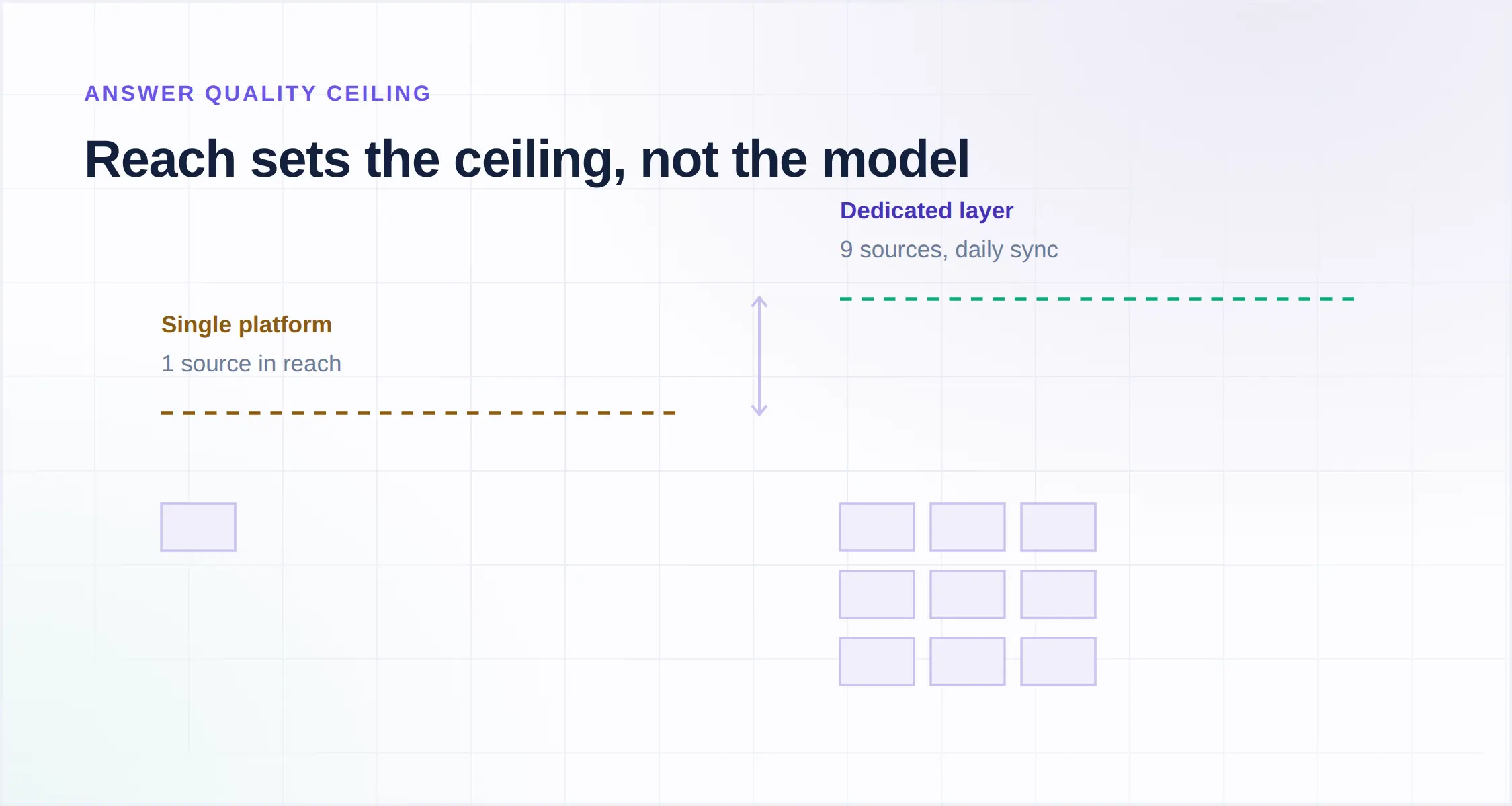
For a question, the agent retrieves the answer from your own content rather than from a general model, and shows the source so the requester and your team can check it. That makes the agent only as good as the knowledge it can read: if the answer sits in a Confluence space or in past tickets it can't index, it can't use it.
4. Action in connected systems
For a request that needs something done, the agent acts in the system of record: it unlocks the account, provisions access, adds the group, creates or updates the ticket, or routes the approval. Multi-step requests run as a sequence with a fallback at each step. Each action is configured in advance, authorized, bounded by guardrails and written to an audit log, which is what makes it safe to leave the agent unattended.
5. Escalation with full context
When the agent can't finish, it files the request into the queue your team already works, in Jira Service Management, ServiceNow, Zendesk or another helpdesk, with the full conversation, the account context and suggested next steps. The person picking it up starts where the agent stopped, and the requester doesn't repeat anything.
6. Learning from how your team responds
When a person resolves an escalated request, that resolution becomes training signal, and resolved conversations become draft knowledge articles for review. The share of requests the agent resolves grows from your own team's answers, with no rules to rewrite.
One request, start to finish
An employee asks in Slack: "I need access to the finance team's shared drive." The agent identifies who is asking, finds the access policy in Confluence and cites it. The policy requires the manager's sign-off, so it posts an approval in the thread. Once the manager approves, the agent adds the employee to the right Google Workspace group and records the action in the audit log. If the change fails, the request lands in the JSM queue with the full conversation, the account context and suggested next steps.
Guardrails, citations and an audit trail run across all six steps. They are what a security review asks for, and they are the reason an agent gets write access at all.
Key features of an AI service desk
The six steps above are what happens to one request. These are the features behind them, and the ones to look for on any product page. What differs between products is how far each one reaches into your own systems, which the ten checks further down test.
- Conversational self-service. Requesters ask in plain language in Slack, Microsoft Teams, website chat or the portal, and get the answer or the action in the same thread.
- Intent recognition and triage. The agent works out what is being asked, then categorizes and tags the request so it takes the right path: an answer, an action or a queue.
- Knowledge integration with citations. Answers come from your connected sources and past tickets rather than a general model, and each one shows its source.
- Actions and multi-step workflows. The agent unlocks accounts, provisions access, updates tickets and routes approvals in the systems of record, and runs longer requests step by step with a fallback at each one.
- Routing and escalation with context. What the agent can't finish goes to the right team's queue with the conversation, the account context and suggested next steps attached.
- Personalization by requester. Who is asking, their attributes and their history shape the answer and where the request goes.
- Alerts on spikes and SLA risk. Real-time notifications when requests spike or an SLA is at risk, so a widespread problem reaches the team early.
- Analytics and insights. Reporting on request topics, outcomes, automation coverage and gaps, and the time and cost saved, which shows what to automate next.
- Continuous learning. How your team resolves escalated requests becomes training signal, and resolved conversations become draft knowledge articles for review.
- Guardrails and an audit trail. Policy controls on inputs and outputs, role-based permissions, and a searchable record of every action.
In Enjo each of these is a named module: Channels, Knowledge, AI Actions and AI Flows, Escalation, Workflows for triage, tagging and routing, Customer Context, Alerts, Insights, Training, Guardrails, the Audit Log and RBAC. The Enjo section below shows how they work together inside your helpdesk.
Benefits of an AI service desk
Faster resolution where people already ask
Requests resolve in the same Slack or Teams thread instead of waiting in a queue. Delivery Hero reports 80% faster response for both answering and ticket creation.
Support that doesn't stop after hours
The agent works the same at 03:00 as at 15:00. What it can finish resolves on the spot, and the rest reaches the morning shift with the conversation attached.
Repetitive volume off the human queue
Password resets, access requests and policy questions resolve without a person, so your team works the requests that need judgment. Aptean resolves 37% of its cases fully by AI, volume equivalent to 120 agents handled by AI.
Self-service people actually use
Answers arrive in chat with a source, so employees stop going around the desk. At Kraken, 80% of employees now self-serve HR queries.
Higher employee satisfaction
Aurora reports a 60% ESAT improvement alongside 63% autonomous resolution.
Cost that follows volume, not headcount
Usage-based pricing charges for what the AI does rather than for every seat, so adding people to the desk doesn't raise the AI bill. The cost section below compares the three pricing models with published prices.
Results you can measure
Resolution, deflection and time saved are reported in the product, so the business case is a number you check every month.
What an AI service desk resolves, and what it hands to people
Resolution rate depends more on your request mix than on the model. Most requests fall into three groups: the ones the agent resolves on its own, the ones it resolves with an action or an approval, and the ones that need a person.
| Request Type | Outcome |
|---|---|
| Password reset, account unlock | Resolves autonomously with an authorized action |
| Access or group membership request | Resolves with an authorized action, approval flow where policy requires |
| Software provisioning | Resolves with an authorized action |
| Policy or how-to question | Resolves autonomously from the knowledge index |
| Ticket status or case lookup | Resolves autonomously with a read action |
| Onboarding and offboarding steps | Resolves the sequence, escalates the exceptions |
| Approval routing | Resolves through in-chat approval flows |
| Hardware fault | Escalates with full context |
| Multi-system incident | Escalates with full context |
Four kinds of request need a person whatever the product. Physical work, such as replacing a laptop. Questions with no policy behind them, which nobody can answer correctly until the policy exists. Exceptions to a rule, which belong with someone accountable for them. And requests that depend on a system the agent can't reach, which escalate every time, so the integration list decides accuracy as much as convenience.
That last group shrinks as you connect systems. With Enjo, custom API and webhook actions reach systems outside the named integrations, and Troopr AI Build delivers custom integrations with a typical time to production of 2 to 6 weeks.
AI service desk examples and use cases
One agent covers several kinds of request, because the mechanism stays the same and only the knowledge and the actions change.
IT troubleshooting. VPN failures, application errors and connectivity issues resolve from your runbooks, and the agent escalates into JSM or ServiceNow when a symptom doesn't match a known fix.
Access and permissions. Group membership, application access and account unlocks resolve through Okta, Entra ID or Google Workspace, with an approval step where policy requires one.
Software requests. License assignment and tool access run as a sequence of authorized actions instead of a ticket that waits for someone to click through three admin consoles.
Onboarding and offboarding. The agent works the checklist, creates the accounts, files the tasks and flags the exceptions for a person.
HR questions and approvals. Leave balances, expense policy and benefits questions resolve from the policy library, and approvals run in chat with nudges and reminders. Kraken cut HR response times from 2 to 3 days to minutes and saves 450 hours a month on automated approval workflows.
Security and compliance requests. Access reviews, policy attestations and evidence requests resolve against current documentation, with every step recorded in the audit trail.
Customer support. In website chat, the Help Center portal and Slack Connect shared channels, the same agent answers requesters and opens cases in your helpdesk when a person is needed.
Why AI service desk projects stall
Gartner expects over 40% of agentic AI projects to be canceled by the end of 2027, citing escalating costs, unclear business value and inadequate risk controls. It also warns about "agent washing", vendors relabeling assistants, chatbots and robotic process automation as agents, and estimates that only about 130 of the thousands of agentic AI vendors offer the real thing.
On a service desk, all three causes are visible before you sign. A demo that answers questions says nothing about resolving requests, the pattern we cover in our guide to AI in ITSM. An agent that can't reach your knowledge or act in your systems stalls at exactly the point the business case depended on, and a bill that grows with every seat or every resolution is the cost problem, visible in advance.
What built-in helpdesk AI is built for
Helpdesk vendors build their AI to work inside their own platform. ServiceNow Otto is the conversational layer over ServiceNow's AI skills (Now Assist) and workflows. Zendesk's AI agents read the Zendesk knowledge base plus external content synced through Zendesk's knowledge connectors, which include Confluence, Google Drive, SharePoint and Notion, and reach other systems through custom actions, billed per automated resolution. Freshworks sells Freddy AI Copilot as a per-agent add-on to a Freshservice subscription.
Each is built as an extension of its platform, by design. The boundary that creates is reach: a built-in agent gets outside its platform only through the connectors and actions that platform supports. You can test it in an afternoon. Take your last twenty resolved requests and count how many needed knowledge or an action outside the helpdesk.
What a dedicated AI layer changes
A dedicated layer indexes across systems and acts across systems while the helpdesk stays the system of record. The agent resolves in front of the helpdesk and escalates into it, and your knowledge, flows and training stay portable if you ever change helpdesk vendors.
| Built-In Helpdesk AI | Dedicated AI Layer | |
|---|---|---|
| Where it runs | Inside one helpdesk platform | In Slack, Teams, chat and the portal, escalating into the helpdesk |
| Knowledge reach | That platform's knowledge base, plus its supported connectors | Every connected source, including past tickets across helpdesks |
| Action reach | Platform objects, plus its connectors and custom actions | Ticketing, identity and custom systems via API and webhook |
| Pricing shape | Per agent seat, per resolution, or in suite billing | Per resolved volume |
| System of record | The helpdesk | The helpdesk, unchanged |
| Portability | Tied to the platform | Knowledge, flows and training travel |
How Enjo works as your AI service desk
Enjo deploys into the helpdesk you already run, through Enjo for Salesforce, Enjo for Zendesk, Enjo for Jira and Enjo for ServiceNow. Nothing migrates, and your helpdesk stays the system of record.
One knowledge index across your sources
Enjo syncs Confluence, Google Drive, SharePoint and OneDrive, Notion and Guru daily, along with past tickets from Jira and JSM, ServiceNow, Zendesk and Salesforce Service Cloud; web pages and uploaded files are indexed once. One index grounds the agent, your team's workflow and self-service, so every answer carries a citation and what the agent says matches what your team sees. Aptean reports 83% faster access to knowledge inside and outside Salesforce.
AI Actions and AI Flows
AI Actions create, update and transition work items and handle approvals in Jira and JSM, create and update tickets in ServiceNow, look up and update cases and records in Salesforce, unlock accounts, provision access and manage groups in Okta, look up identities and provision access in Entra ID, and manage accounts and groups in Google Workspace. Custom API and webhook actions cover other systems, and AI Flows runs multi-step requests with a fallback at each step.
Escalation your team can pick up without re-reading
Escalations land in Jira Service Management, ServiceNow, Zendesk, Salesforce Service Cloud or Freshservice with the full conversation, the account context and suggested next steps. Agent Assist then works inside the Jira and JSM issue views, the ServiceNow and Zendesk agent views and the Salesforce case view, with case summaries, reply suggestions from prior resolutions and one-click translation.
Learning, testing and controls
Training applies examples and feedback from your team, resolved conversations draft Help Center articles for review, and Bulk Testing checks accuracy, consistency and coverage before changes reach production. Guardrails apply policy to inputs and outputs, the Audit Log keeps a searchable history, and RBAC scopes who can do what across modules, data and actions. Enjo is SOC 2 Type II, ISO 27001 and GDPR compliant, with TLS 1.2+ in transit and AES-256 at rest.
Insights that prove the result
Agent Insights reports automation coverage, outcomes and gaps, and Executive Insights reports time saved and cost savings with the drivers behind them. That answers Gartner's "unclear business value" with a number from your own desk.

Results from three production deployments
Published deflection rates are often vendor benchmarks with no company behind them. These are three named deployments with different request mixes, which is why the numbers differ.
| Deployment | Shape | Stack | Result |
|---|---|---|---|
| Aurora | Autonomous vehicle company, 2,500 employees | Not published | 63% autonomous resolution, 45% faster resolution, 60% ESAT improvement |
| Aptean | Enterprise ERP provider, 3,500+ employees, 600+ support reps | Salesforce, SharePoint, Teams | 37% of cases resolved fully by AI, 300K+ cases a year, volume equivalent to 120 agents handled by AI |
| Delivery Hero | Global delivery platform, 95,000+ in Slack, 70+ countries | Jira and JSM, Confluence, Slack | 30% average deflection, 25% increase in employee satisfaction, 80% faster response |
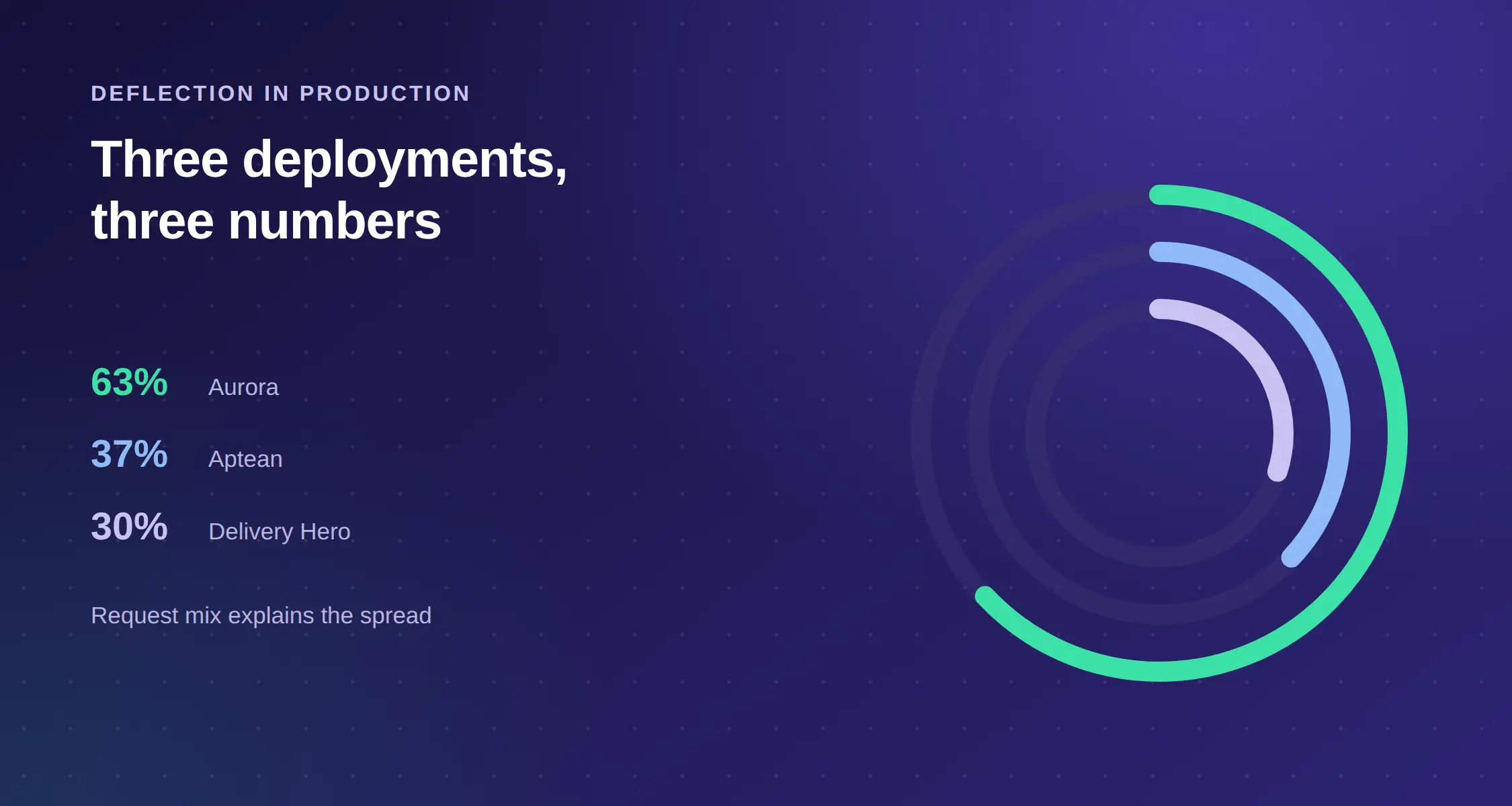
Three things explain the spread. Request mix comes first: Aptean's AI answers technical inquiries across 80+ complex ERP products, a different mix from an IT queue of password resets and access requests. Knowledge maturity comes second, and it is the variable you control: Aptean's deployment unified 5M+ documents from sources that were siloed before. Action coverage comes third, since every request type the agent can't act on is one it can only answer.
Scale is not the limit. Delivery Hero runs one agent per helpdesk across more than 30 Jira service desks, Rakuten (30,000+ employees) automated IT support in Slack and Microsoft Teams, and Amber Group went from POC to full production in 5 weeks with zero missed requests from day one.
How much does an AI service desk cost?
Three pricing models exist in this category, and they behave differently once automation starts working.
| Model | How It Is Charged | What Happens As Volume Grows |
|---|---|---|
| Per agent seat | A monthly fee per human agent, with AI often a separate add-on | Cost tracks headcount, and the AI add-on multiplies across every seat |
| Per resolution | A fee each time the AI resolves a request | Cost rises exactly as automation succeeds |
| Per AI reply | A fee per response the agent sends | Cost tracks resolved volume, forecastable from a reply count |
Published prices, checked on each vendor's own pricing pages (zendesk.com/pricing, freshworks.com/freshservice/pricing, fin.ai/pricing, intercom.com/pricing and salesforce.com) on November 17, 2026:
- Zendesk (per seat, plus per resolution for AI agents): the Employee Service Suite is $29 per agent per month billed yearly for Suite Team, $59 for Suite Growth and $99 for Suite Professional, and the Customer Service Suite is $55 for Suite Team and $115 for Suite Professional, with the Copilot add-on at $50 per agent per month on Suite Professional. AI agents bill per automated resolution: the Customer Service Suite includes 5 per agent per month on Suite Team and 10 on Suite Professional, then $1.50 each committed or $2.00 pay-as-you-go.
- Freshservice (per seat, plus an AI add-on): Starter is $19 per agent per month billed annually, Growth $49 and Pro $99, with Freddy AI Copilot at $29 per agent per month. Freddy AI Agent (Classic) comes with Enterprise, at 1,200 sessions per license per year.
- Fin (per resolution): $0.99 per outcome, with a $49 monthly minimum that includes 50 outcomes when it runs on another helpdesk, or $0.99 per outcome plus $19 per seat per month on the Intercom helpdesk (the Essential plan's annual price for new customers; $29 a seat without that discount). Fin reports an average resolution rate of 76% across 12,000+ customers.
- Salesforce IT Service (per seat): $75 per fulfiller per month on Enterprise Edition and $150 on Unlimited Edition, plus $15 per user per month for the AI Agent for Employees license that requesters use. Agentforce flex credits are included in IT Service and unmetered, and IT Service is typically bought as an annual commitment. A desk with 10 fulfillers serving 500 employees on Enterprise Edition comes to $8,250 a month.
- Enjo (per AI reply): Starter is $95 a month for 1,000 AI replies and Standard is $295 a month for 3,000, with additional replies at $0.05 each. The Free plan includes 200 AI replies a month with no credit card, and human agent seats are unlimited on published plans.
Run the math on your own volume before comparing headline prices: price each option at today's volume and at 2x and 5x, because per-seat and per-resolution bills grow in different ways as automation works. Our AI service desk ROI breakdown has the full model.
How to choose an AI service desk: 10 checks
Gartner's three cancellation causes map to three questions: what will it cost at the volume we expect, what number proves it worked, and what stops it doing something it shouldn't. Many AI service desk products publish a resolution rate; fewer publish a catalog of the actions they can take. Run these checks on your own systems rather than in a vendor demo.
| # | Check | What To Ask For |
|---|---|---|
| 1 | Knowledge reach | The list of sources it indexes, and the sync frequency for each |
| 2 | Write actions | The catalog of write actions, not read actions. Reading a ticket is not resolving a request |
| 3 | Authorization | Who approves an action, how it is bounded, and where it is recorded |
| 4 | Channel fit | Whether it runs where requests actually arrive, which for employee support is Slack and Teams |
| 5 | Identity and access | Support for your IdP, and whether it can provision access rather than only look it up |
| 6 | Model flexibility | Whether the model is fixed, and what changes if you need a different one |
| 7 | Grounding | Whether every answer carries a citation you can open |
| 8 | Guardrails and audit | Whether policy controls are testable before rollout and every action is logged |
| 9 | Escalation quality | Ask to see one escalation land in your queue, carrying the conversation, the context and next steps |
| 10 | Price behavior | What the bill looks like at 2x and 5x your current resolved volume |
Ask for the escalation demo on your own helpdesk: it shows how deep the integration goes and what the agent actually captures. Enjo publishes its answers to several of these checks: the source list and sync schedule, the actions by system, how each action is configured, authorized and logged, and where escalations land.
Comparing named products is a different job, covered in our best help desk software comparison and our guide to AI help desk software.
See what it resolves
Desk Assessment analyzes your ticket history and quantifies the automation opportunity before you commit to anything. Bring your own queue and your own request mix.
Frequently Asked Questions
How can AI help a service desk?
It takes the repetitive first line off the queue, in the channels where employees already ask: Slack, Microsoft Teams, website chat and the Help Center portal. The agent answers from your own knowledge with a citation, takes authorized actions such as unlocking an account or provisioning access, and escalates the rest with the full conversation, account context and suggested next steps, so your team spends its time on the requests that need judgment.
Will an AI service desk replace human agents?
No. It takes the repetitive first line off the queue so your team works the requests that need judgment, and it escalates whatever it can't finish with the full conversation, account context and suggested next steps. It also learns from how your people resolve those requests. Enjo's published plans include unlimited human agent seats, so the Enjo bill follows AI usage, not the number of people on your desk.
What is the difference between an AI service desk and a help desk?
A help desk handles break-fix support. A service desk also covers service requests such as access, provisioning, onboarding and approvals. An AI service desk adds an agent that resolves both kinds of request on its own when it can, by answering from your knowledge or acting in your systems, and escalates the rest.
Is anyone running an AI service desk beyond a basic chatbot?
Yes. Kraken runs HR approval workflows in Slack and saves 450 hours a month on them. BookMyShow reached 100% ticket capture through Slack automation, with zero manual ticket creation. Delivery Hero runs a dedicated agent per helpdesk across more than 30 Jira service desks. What separates them from a chatbot is action: the agent routes the approval or files the ticket, then escalates the rest with the full conversation.
How much does an AI service desk reduce ticket volume?
Enjo's three named deployments range from 30% to 63%. Delivery Hero reports 30% average deflection across more than 30 Jira service desks, Aptean resolves 37% of cases fully by AI, and Aurora reports 63% autonomous resolution. Request mix, knowledge maturity and how many request types the agent can act on drive the spread.
How do AI service desks reduce costs?
They move repetitive volume off the human queue so the team works the exceptions, and with usage-based pricing the bill follows request volume instead of headcount. Enjo's Standard plan is $295 a month for 3,000 AI replies, with unlimited human agent seats on published plans.
Which AI service desk works in Slack and Microsoft Teams?
Enjo runs a full feature set in Slack, including slash commands, emoji actions, approval flows and swarm rooms, and the same core resolution capabilities in Microsoft Teams. Slack Connect shared channels extend the same agent to external accounts.
How fast can an AI service desk go live?
Aptean had its initial cohort live in a single day, and Amber Group went from POC to full production in 5 weeks. Time to launch depends on how ready your knowledge sources are and how many actions you authorize at the start, more than on the size of the organization.
Is it safe to give an AI agent write access?
It depends on the controls. Each action should be configured in advance, authorized, bounded by guardrails and logged. In Enjo every action works that way, RBAC scopes who can do what, and Guardrails can be tested before rollout.
Who uses an AI service desk?
IT and HR teams first, because their requests repeat and their policies are written down: password resets, access requests, onboarding, leave and benefits questions. Support teams use the same agent for requesters in website chat, the Help Center portal and Slack Connect shared channels. Delivery Hero runs a dedicated agent per helpdesk across more than 30 Jira service desks, and Kraken runs its HR approval workflows in Slack.
What are the common challenges of implementing an AI service desk?
Four to plan for: knowledge that is out of date or sits in tools the agent can't read, actions that need systems nobody has connected, controls a security review won't sign off, and a bill that grows faster than the value. Each one is testable before you buy: connect your real sources, run write actions on your own systems, test the guardrails and the audit log, and price the bill at 2x and 5x your volume.
Can an AI service desk work with our existing helpdesk?
Yes. Enjo deploys into Salesforce, Zendesk, Jira and ServiceNow, and escalates into Freshservice too. The helpdesk stays the system of record, the agent resolves in front of it, and escalations land in the queues your team already works.
What does AI service desk software cost per resolution?
It depends on the pricing model. Per-resolution vendors publish a rate per outcome, per-seat vendors charge by agent with AI as an add-on, and Enjo charges per AI reply, with additional replies at $0.05 each on Starter and Standard. Price each at 2x and 5x your current volume, because the three diverge as automation starts working.