Transform complex support workflows
Jira Service Management Pricing 2026: Every Tier and the Real Bill for 10, 50 and 200 Agents
Jira Service Management is free for up to 3 agents. Past that, Atlassian sells it only inside Service Collection, and the price per agent falls as the team grows. On monthly billing, Standard costs $26.90 per agent for your first 15 agents, $20.15 for agents 16 to 100 and $13.50 for agents 101 to 250. Premium costs $61.60, $53.70 and $35.75 for the same bands. Enterprise is billed annually and priced from 201 agents.
The $21.50 and $55.28 that most pricing guides quote are not list prices. They are the averages Atlassian's calculator shows at its default team size of 75 agents, so on Standard a 10-agent desk pays about a quarter more per agent than that headline, and a 200-agent desk about a fifth less.
This guide prices every tier from Atlassian's own price list as of 18 November 2026, shows when annual billing costs more than monthly, and works out the real bill for 10, 50 and 200 agents.
Jira Service Management pricing at a glance
Atlassian prices Jira Service Management per agent: the licensed users who work requests. The people who raise requests, whom Atlassian calls customers, are free and unlimited on every plan. Here is what each plan costs and what it adds.
| Plan | Monthly, Per Agent | Annual, 50 Agents | What It Adds |
|---|---|---|---|
| Free | $0, up to 3 agents | Not offered | Portal, email, Slack and Teams intake |
| Standard | $26.90 (1 to 15) | $11,000 a year | 5,000 Assets objects, branded help center, audit logs |
| Premium | $61.60 (1 to 15) | $28,000 a year | Change management, 99.9% SLA, unlimited storage |
| Enterprise | Annual only | From 201 agents | Atlassian Guard Standard, up to 150 sites |
Atlassian Service Collection plans in USD. Monthly prices shown are for agents 1 to 15 and fall in bands as you add agents; annual billing charges one price for the whole agent band. Source: Atlassian's pricing page and calculator (atlassian.com), checked 18 November 2026.
Three things decide what you actually pay:
- Your agent count sets the per-agent price. Monthly billing is progressive: each agent is billed at the rate of the band it falls in, so agents 16 to 100 cost less each than the first 15.
- Annual billing charges for the whole band. An annual Standard subscription for 26 agents costs the same $11,000 a year as one for 50.
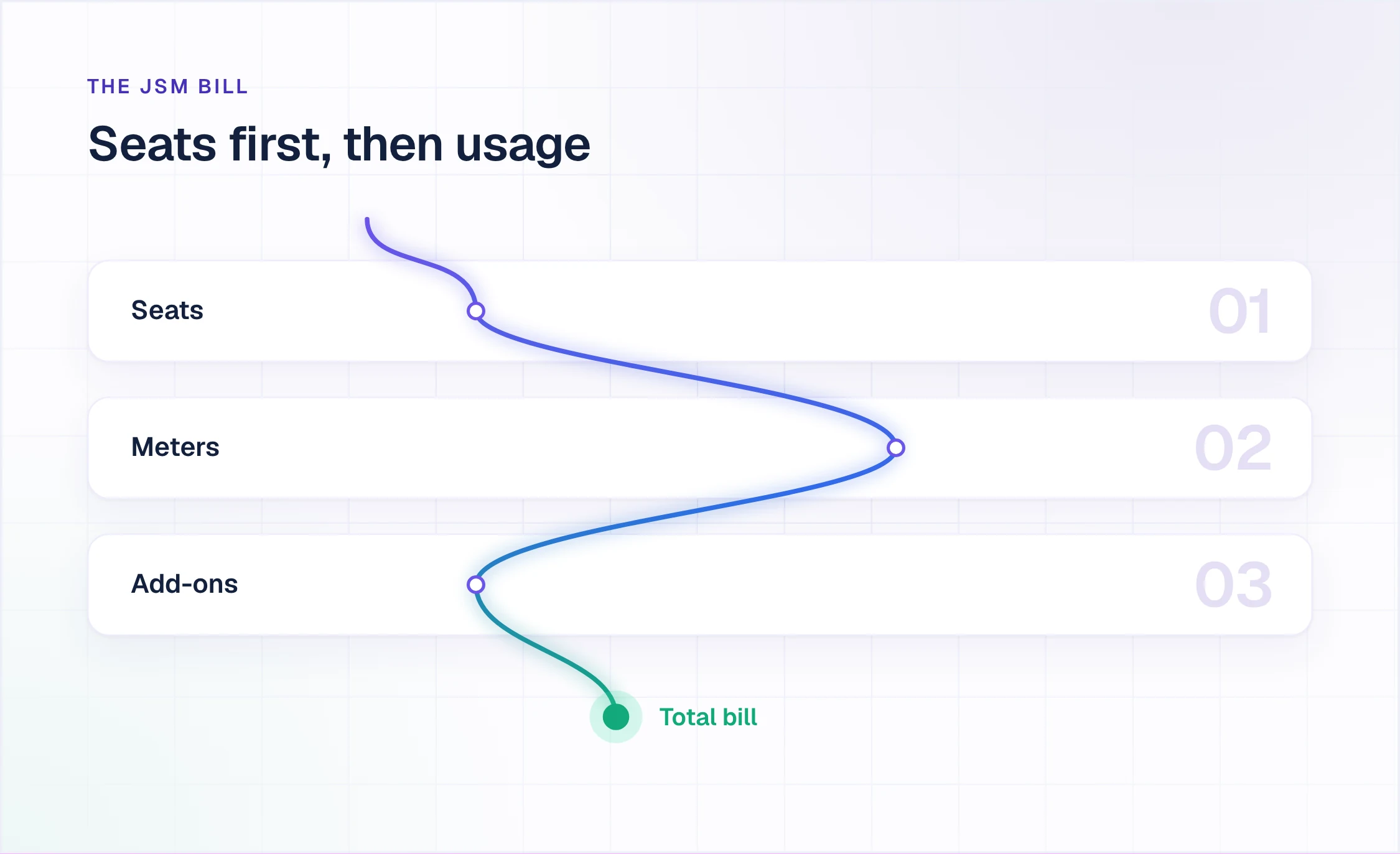
- Seats are no longer the whole bill. Automation steps and Assets objects now come with plan allowances, and Atlassian starts billing usage above them on 3 December 2026 for most meters.
Why the $21.50 and $55.28 prices are averages
Atlassian's pricing page opens with its calculator set to 75 agents. At that size, monthly Standard averages $21.50 per agent and Premium $55.28, and those two figures are what most third-party guides repeat as the price. The rates behind them are graduated:
| Agents on Monthly Billing | Standard, Per Agent a Month | Premium, Per Agent a Month |
|---|---|---|
| 1 to 15 | $26.90 | $61.60 |
| 16 to 100 | $20.15 | $53.70 |
| 101 to 250 | $13.50 | $35.75 |
| 251 to 500 | $9.25 | $24.60 |
| 501 to 1,000 | $8.85 | $22.80 |
Each agent is billed at the rate of the band it falls in. At Atlassian's default of 75 agents this averages $21.50 (Standard) and $55.28 (Premium). Source: the Service Collection price list on Atlassian's pricing page (atlassian.com), checked 18 November 2026.
For 75 agents on Standard, that is 15 agents at $26.90 plus 60 at $20.15: $1,612.50 a month, or $21.50 per agent. A team of 10 never reaches the second band and pays $26.90 for every agent. A team of 200 has 100 agents in the third band and averages $17.33.
Monthly subscriptions also run on what Atlassian calls Maximum Quantity Billing. The bill follows the highest number of seats assigned at any point in the billing cycle: seats added mid-month are prorated, and seats removed mid-month still count for that month, though they can be reassigned until the cycle ends.
What Atlassian Service Collection changed
Jira Service Management is no longer sold on its own in the cloud. Atlassian sells Service Collection as one offering that includes Jira Service Management, Customer Service Management (its app for external customer support), Assets and Atlassian's AI apps. The apps cannot be bought separately. No team has to switch them all on, and an admin decides which apps each licensed agent can use.
A team already on Jira Service Management keeps its configuration when it moves into Service Collection and gains Customer Service Management. The prices in this guide are Service Collection prices, which is what Atlassian's Jira Service Management pricing page now shows.
Service Collection is cloud only. Self-managed Jira Service Management Data Center is on Atlassian's end-of-life schedule: new customers could no longer buy Data Center subscriptions after 30 March 2026, existing customers can buy subscriptions and expansions until 30 March 2028, and Data Center products become read-only on 28 March 2029.
What each Jira Service Management plan includes
Free: $0 for up to 3 agents
Free covers 3 agents, 2 GB of storage and support from the Atlassian Community. It includes the service desk itself: request types, workflows and queues, a customer portal, intake from email, Slack and Microsoft Teams, an embedded knowledge base, and alerts with on-call schedules. Add a fourth agent or pass the storage limit and Atlassian moves the site to a 14-day trial of Standard.
Standard: $26.90 per agent a month for the first 15 agents
Standard adds asset and configuration management with 5,000 Assets objects per organization, a help center on your own branded URL, audit logs, multi-region data residency, unlimited email notifications and 3,000 automation steps per user a month. It scales to 100,000 agents. On annual billing, Standard costs $800 a year for up to 3 agents, $11,000 for 26 to 50 and $34,500 for 101 to 200.
Premium: $61.60 per agent a month for the first 15 agents
Premium adds the service management depth IT operations teams buy it for: change management with approval workflows by change type or CAB procedure, advanced incident and problem management, heartbeat monitoring, deployment gating for CI/CD tools, and advanced asset management with 50,000 Assets objects. It also carries a financially backed 99.9% uptime SLA, unlimited storage, 24/7 Premium Support with a one-hour response for critical issues, and 6,500 automation steps per user a month.
Enterprise: annual billing, priced from 201 agents
Enterprise is billed annually, and Atlassian's calculator shows its price only from 201 agents: $185,000 a year for 201 to 300 agents and $436,000 a year for 801 to 1,000. It adds Atlassian Guard Standard (SSO, SCIM and multiple identity providers), up to 150 separate sites, status pages, advanced admin and data governance controls, 500,000 Assets objects and 9,500 automation steps per user a month.
Monthly or annual billing: when the annual band costs more
Atlassian advertises savings of up to 17% on annual billing, and at the top of each agent band that holds. The catch is that an annual subscription is priced for a band, not for your headcount: Atlassian bills the band that matches your user count, and the band price is the same at its bottom edge as at its top.
So 26 agents on annual Standard pay $11,000 a year, the price of 50. The same 26 agents on monthly billing pay $625.15 a month, or $7,501.80 over twelve months. Annual only becomes the cheaper option from 41 agents in that band.
| Annual Agent Band | Standard, a Year | Premium, a Year | Annual Is Cheaper From |
|---|---|---|---|
| 1 to 3 | $800 | $1,850 | 3 agents |
| 4 to 5 | $1,350 | $3,100 | 5 agents |
| 6 to 10 | $2,700 | $6,200 | 9 agents |
| 11 to 15 | $4,050 | $9,200 | 13 agents |
| 16 to 25 | $6,100 | $14,500 | 21 agents |
| 26 to 50 | $11,000 | $28,000 | 41 agents (Premium 42) |
| 51 to 100 | $21,000 | $55,000 | 82 agents (Premium 84) |
| 101 to 200 | $34,500 | $90,500 | 157 agents (Premium 158) |
| 201 to 300 | $46,000 | $121,000 | 228 agents (Premium 229) |
Annual prices in USD for the whole band. The last column is the smallest agent count at which the annual band price beats twelve months of monthly billing for the same steady number of agents. Source: Atlassian's pricing page and calculator (atlassian.com), checked 18 November 2026.
The pattern holds in every band: annual billing costs more than paying monthly until a team is roughly 80% of the way to the top of its band. Two things shift the math. A team that will grow toward the top of its band during the year pays nothing more on annual billing as it adds agents, while its monthly bill would rise with every seat. And a monthly bill follows the cycle's peak seat count, so a headcount that moves around narrows the gap.
Payment terms differ too. Monthly subscriptions are paid by credit card or PayPal. Annual quotes can be paid by card, bank transfer, check, ACH or PayPal, with Net-30 terms on orders above $10,000.
What Jira Service Management costs for 10, 50 and 200 agents
These are seat costs only, before the separately billed lines in the next section. All three team sizes sit at the top of an annual band (6 to 10, 26 to 50 and 101 to 200), which is where annual billing saves the most.
| Team and Plan | Monthly Billing, a Month | Monthly Billing, 12 Months | Annual Billing, a Year |
|---|---|---|---|
| 10 agents, Standard | $269.00 | $3,228 | $2,700 |
| 50 agents, Standard | $1,108.75 | $13,305 | $11,000 |
| 200 agents, Standard | $3,466.25 | $41,595 | $34,500 |
| 10 agents, Premium | $616.00 | $7,392 | $6,200 |
| 50 agents, Premium | $2,803.50 | $33,642 | $28,000 |
| 200 agents, Premium | $9,063.50 | $108,762 | $90,500 |
Seat costs only, in USD, before the separately billed lines below. Monthly figures apply Atlassian's graduated rates; annual figures are band prices. Source: Atlassian's pricing page and calculator (atlassian.com), checked 18 November 2026.
Per agent, that is $26.90, $22.18 and $17.33 a month on monthly Standard, and $22.50, $18.33 and $14.38 a month on annual Standard. Premium costs between 2.3 and 2.6 times Standard at every size: the step up buys change, incident and problem management, the uptime SLA and Premium Support, not more seats.
Enterprise does not appear at these sizes, because Atlassian's calculator prices it from 201 agents. Band edges matter here too: the 201st agent moves an annual subscription into the 201 to 300 band, at $46,000 a year for Standard (up from $34,500), $121,000 for Premium and $185,000 for Enterprise.
Jira Service Management costs beyond the seats
Seats are the biggest line on the bill, but no longer the only one. Atlassian now meters usage above each plan's allowance, and usage billing for most meters starts on 3 December 2026; the timing varies by meter and billing cadence. Allowances pool across the organization, and admins set pay-as-you-go limits in Atlassian Administration.
| Line | Included | Above It, or How It Is Billed |
|---|---|---|
| Automation steps | 3,000, 6,500 or 9,500 per user monthly | $0.50 per 1,000 steps |
| Assets objects | 5,000, 50,000 or 500,000 per organization | From $0.02 per object |
| SAML SSO | Guard Standard on Enterprise only | Atlassian Guard, per user |
| Confluence | Built-in knowledge base at no charge | Confluence plan, per user |
| Marketplace apps | None | Priced by each app |
| Seat changes | Monthly billing: added seats prorated | Peak seat count in the cycle |
Allowances are for Standard, Premium and Enterprise in that order, and pool across the organization. Assets objects above the allowance are billed per object per month, with volume discounts. Atlassian bills usage above the allowances from 3 December 2026 for most meters. Sources: Atlassian's Service Collection licensing FAQ, automation licensing page and usage-based pricing page (atlassian.com), checked 18 November 2026.
Three of these lines deserve a check before you sign:
- Automation. Every step an automation rule runs counts toward the allowance, and steps above it cost $0.50 per 1,000. Since 6 November 2026, runs that perform no actions no longer count.
- Single sign-on. SAML SSO on plans below Enterprise needs an Atlassian Guard subscription, billed per user. Atlassian's Guard calculator shows Guard Standard at $4.35 per user a month at its default of 100 users on monthly billing. Enterprise includes Guard Standard.
- Knowledge base. The built-in knowledge base runs on Confluence at no extra charge for licensed agents. Anyone given Confluence access for more than that, such as page permissions or analytics, is billed on a Confluence plan.
Atlassian's own AI features carry their own usage allowances and meters by plan. They sit outside this seat math, so price them from Atlassian's rate cards if your team plans to use them.
How to estimate your own Jira Service Management bill
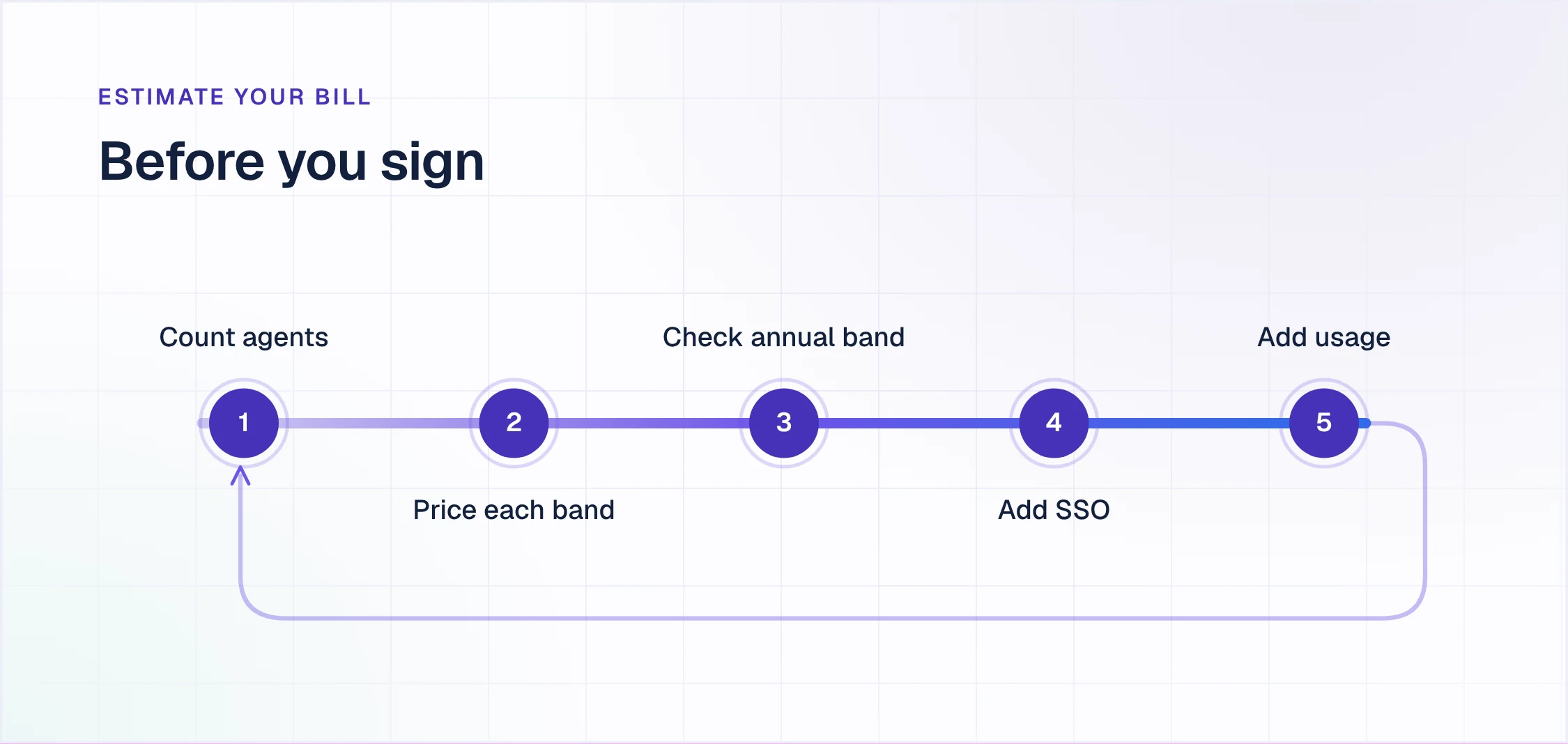
- Count agents, not people. Only licensed agents are billed. Requesters are free, and Jira users who are not agents can still add internal comments and watch requests, so engineers who help on escalations do not need an agent seat.
- Price the monthly bill band by band. $26.90 for each of the first 15 Standard agents, $20.15 for agents 16 to 100 and $13.50 for agents 101 to 250. On Premium: $61.60, $53.70 and $35.75.
- Check where you sit in the annual band. Below roughly 80% of the band's top, twelve months of monthly billing costs less than the annual band price, unless you expect to grow into the band.
- Add single sign-on if you need it. Atlassian Guard, billed per user, on every plan below Enterprise.
- Estimate usage above the allowances. Automation steps at $0.50 per 1,000 and Assets objects from $0.02 each a month.
What changes when requests are resolved in Slack first
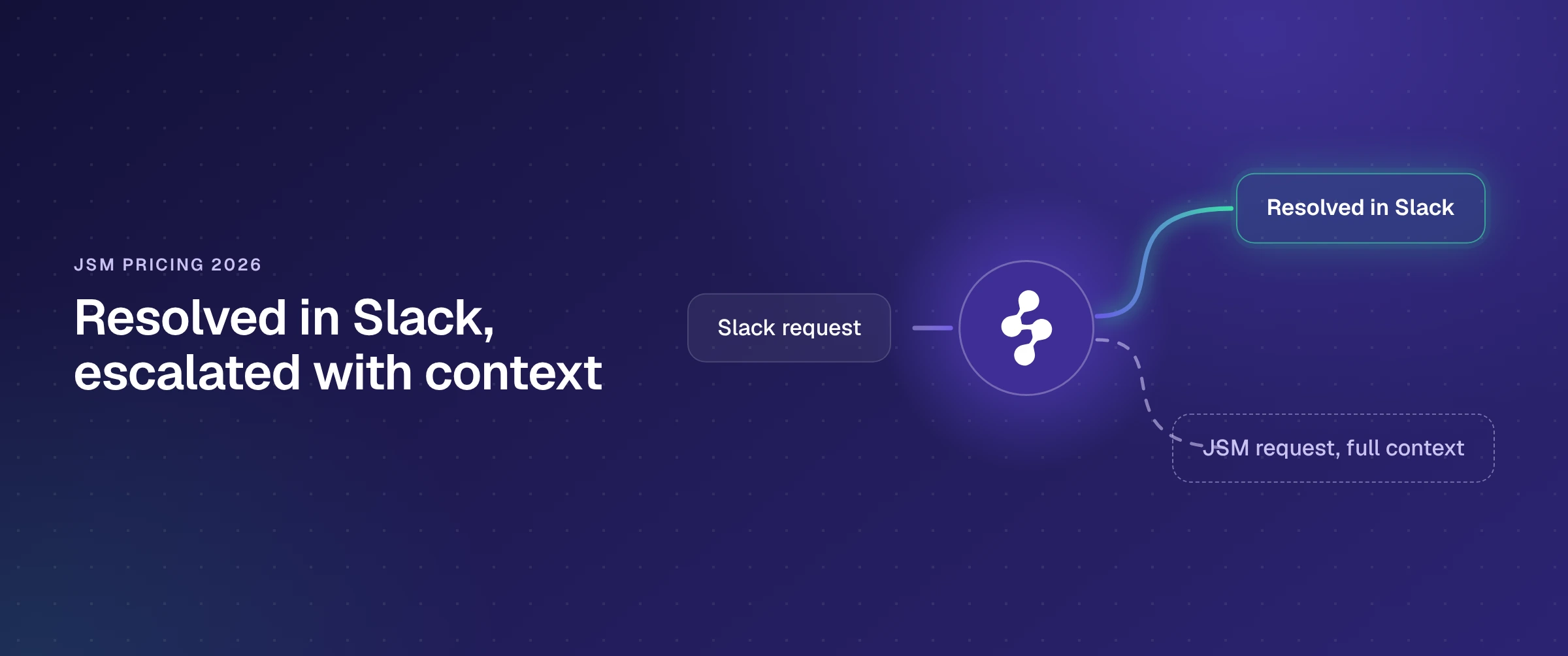
Every number above prices the agents who work the queue. None of it changes what reaches the queue. For IT and HR teams whose employees work in Slack, requests start there: a DM, a channel post, a reply in a thread. Someone copies them into Jira Service Management, or the requester is sent to the portal, and an agent picks each one up, whether it needed a policy link or a real fix.
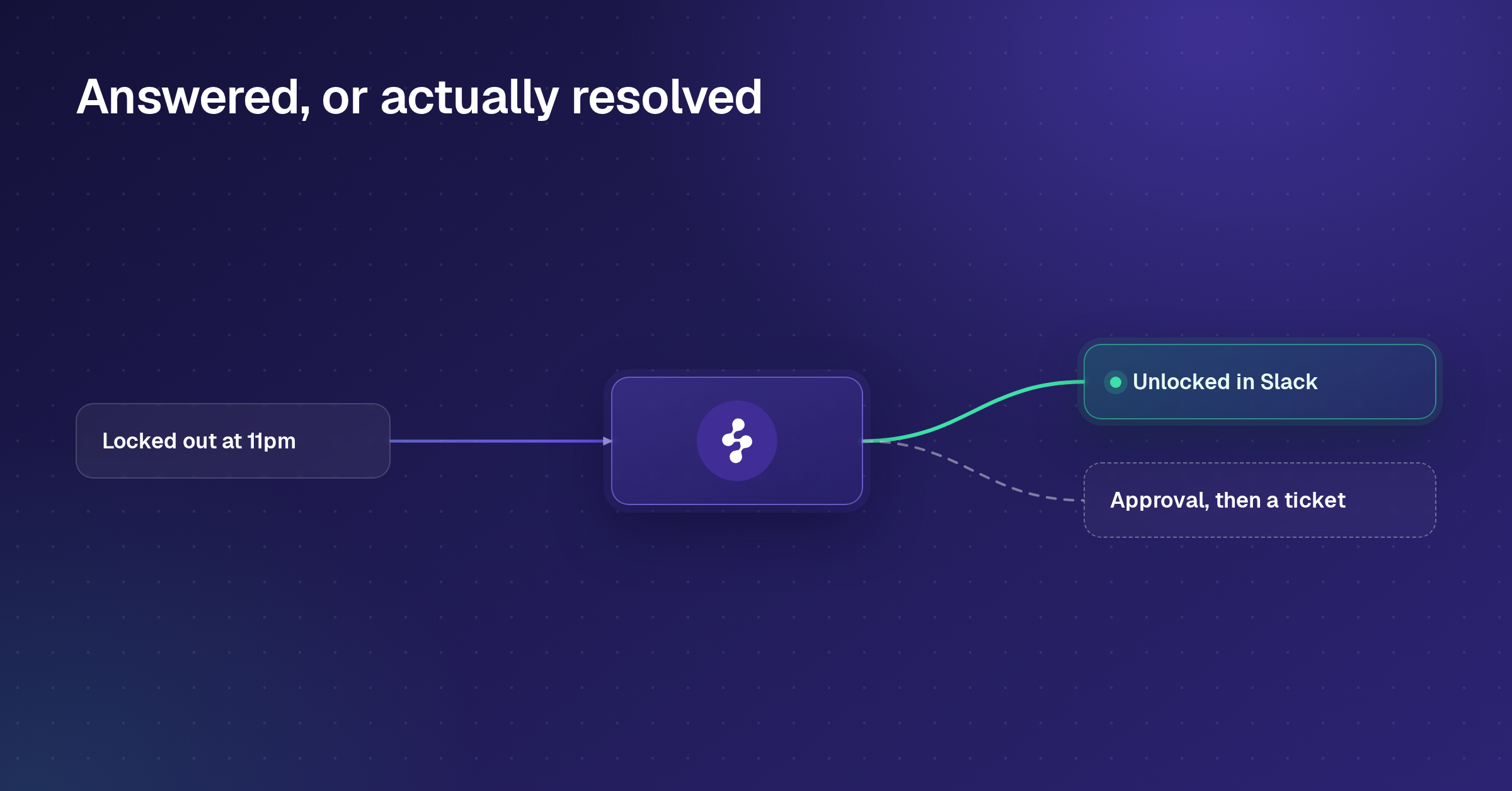
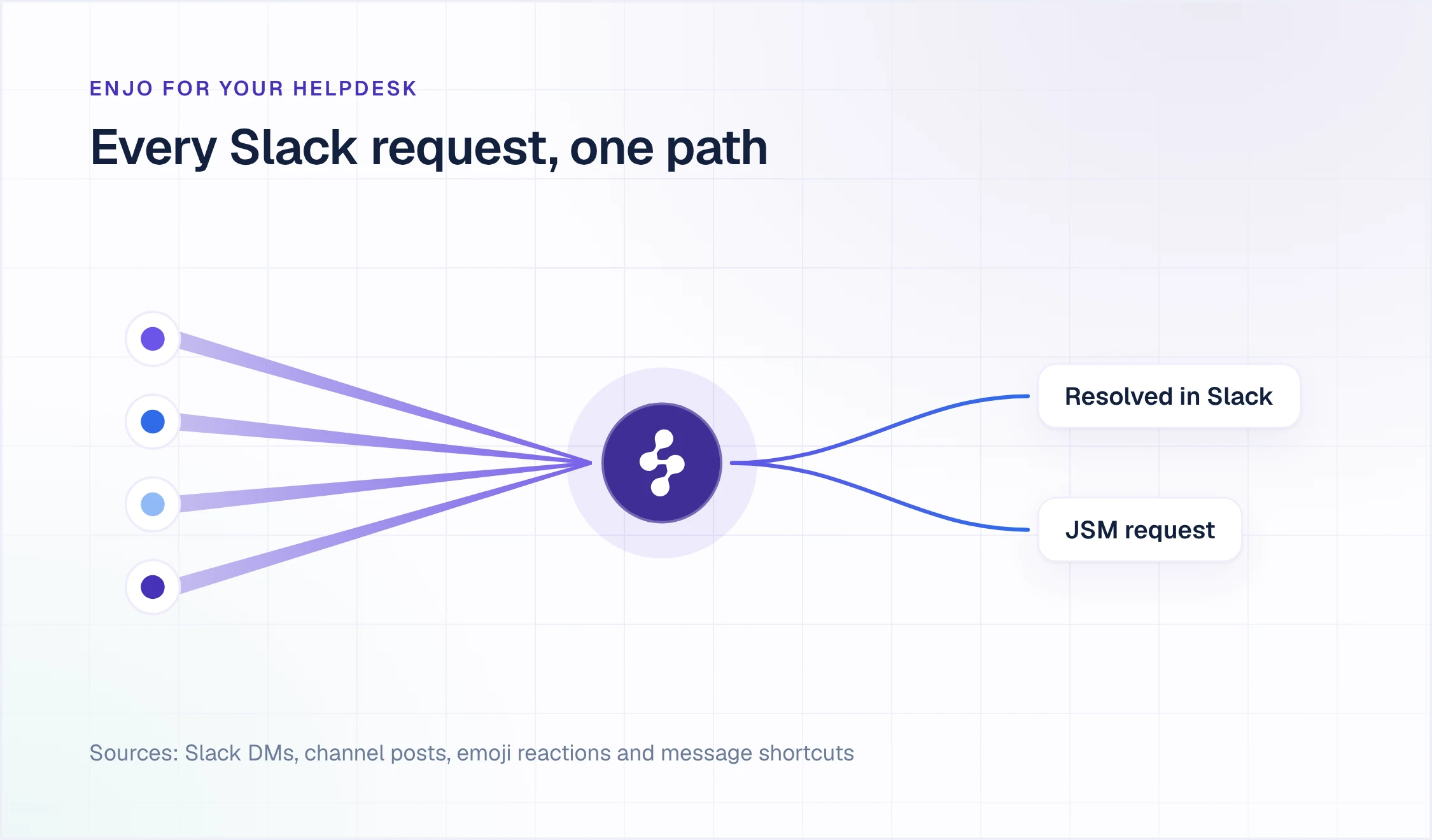
Enjo for your helpdesk changes the order. Enjo, the AI Support Agent, answers in Slack first, grounded in your Confluence spaces, your past JSM requests and your other knowledge sources, with a citation on every answer. Guardrails and the audit trail cover every answer and every action. When it cannot resolve the request, or the requester asks for a person, it creates the JSM request without the requester leaving Slack. Jira Service Management stays the system of record, and your agents keep working in it.
What arrives in Jira Service Management is a complete request, not a forwarded message:
- The right request type. Enjo matches the message against your full list of request types, with their descriptions and sample requests, and applies that type's field defaults.
- The whole conversation. The Slack thread is written into the request as comments with names and timestamps, an AI summary of the thread becomes the request summary, and an attribution block links back to the Slack message. Agent Assist, in the JSM issue view, gives the agent AI help on the request they are working.
- A thread that stays in sync. Agent comments, status changes and field edits in JSM post back into the Slack thread, and the requester's replies become JSM comments. Internal JSM comments can be withheld from the thread.
- Approvals in Slack. Approvers get a Slack DM with the request details and approve and decline buttons. The decision writes back to Jira immediately, with scheduled reminders for anything still pending.
- Satisfaction scores in JSM's own reports. When the request is resolved, the requester rates it in the thread, and Enjo posts the rating to Jira Service Management's native satisfaction survey, so it lands in JSM's satisfaction reporting.
Requests can also start from a message shortcut, an emoji reaction, a slash command or a pasted Jira link, which becomes a live, synced request card in the thread. Every action runs with the acting person's own Jira permissions through personal OAuth, or through a facilitator account an admin has authorized for people who have not connected a Jira account. Enjo never widens Jira permissions.
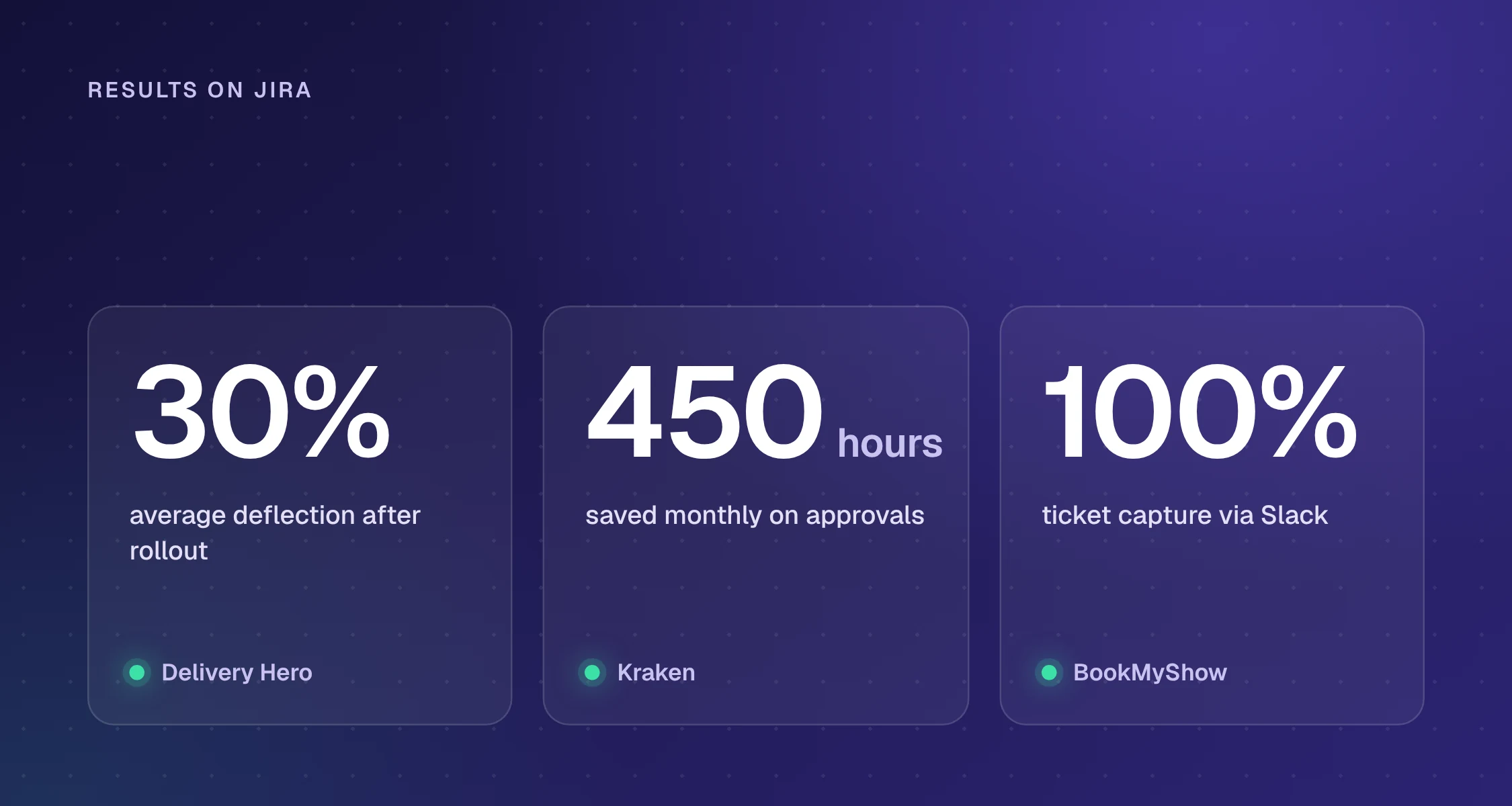
Delivery Hero runs Enjo across more than 30 Jira service desks for over 95,000 people in Slack, with 30% average deflection after rollout and 80% faster response for both answering and ticket creation. Kraken, on Jira, Confluence and Slack, saves 450 hours a month on approval workflows Enjo automates. BookMyShow captures 100% of its tickets through Slack automation, with zero manual ticket creation.
Enjo is an AI layer, not a ticketing platform. It does not replace the helpdesk as the system of record, which is the point rather than a limit.
How the two bills behave
Jira Service Management bills for the agents who can work requests. Enjo bills for AI usage: it is priced per AI reply, one response sent by Enjo's AI agent to a requester, not per seat.
| Enjo Plan | Price | AI Replies a Month |
|---|---|---|
| Free | $0 a month | 200 |
| Starter | $95 a month | 1,000 |
| Standard | $295 a month | 3,000 |
| Enterprise | Custom, billed yearly | By contract |
Enjo's published plans. Additional AI replies are $0.05 each on Starter and Standard. Current details at enjo.ai/pricing.
The two meters answer different questions. The JSM line follows how many agents you license. The Enjo line follows how many replies Enjo sends. Requests Enjo resolves in Slack never need an agent's time, so the agents you pay for spend their day on the incidents, changes and access problems that need a person.
Questions to settle before you sign or renew
Run these on your own Jira site and your own numbers:
- How many people work the queue every day? Occasional helpers who only add internal comments can stay Jira users. Everyone else sets your band.
- Where in the annual band will you be at renewal? Below roughly 80% of the band's top, monthly billing costs less for the year.
- Which automations run the most steps? Atlassian's platform usage view in Atlassian Administration shows usage by app, and usage above the pooled allowance is billed at $0.50 per 1,000 steps.
- How many of last month's requests needed an agent at all? Pull a month of requests and mark the ones answered with a link, a policy or a known fix. That share is the load an AI layer in Slack can resolve before an agent picks it up.
Enjo answers the last question on the stack you already run: it reads your Confluence spaces and past JSM requests, resolves what it can in Slack, and creates a complete JSM request for the rest.
Resolve requests in Slack before they reach Jira Service Management
Enjo for your helpdesk answers in Slack from your Confluence spaces and past JSM requests, and creates a complete JSM request, with the whole thread and the right request type, when a person needs to take over. Jira Service Management stays your system of record.
Book a demoWorks with Jira Service Management Cloud and Data Center.
Read more
- Best Jira Slack integration for IT teams
- How to create Jira tickets from Slack
- AI in ITSM: use cases and what it resolves
- Best ITSM tools in 2026, compared
Frequently asked questions
How much does Jira Service Management cost per agent?
On monthly billing, Jira Service Management Standard costs $26.90 per agent a month for the first 15 agents, $20.15 for agents 16 to 100 and $13.50 for agents 101 to 250. Premium costs $61.60, $53.70 and $35.75 for the same bands. The $21.50 and $55.28 often quoted are the averages at 75 agents. Free is $0 for up to 3 agents.
Is Jira Service Management free?
Yes, for up to 3 agents. The Free plan includes the service desk, a customer portal, intake from email, Slack and Microsoft Teams, a knowledge base and 2 GB of storage, with Community support. Adding a fourth agent moves the site to a 14-day trial of Standard.
Do customers or requesters need a Jira Service Management license?
No. Only agents need a license. Anyone who raises requests through the portal or by email, whom Atlassian calls a customer, is free and unlimited on every plan, and Jira users who are not agents can still add internal comments and watch requests.
Is annual billing cheaper than monthly for Jira Service Management?
Only near the top of your agent band. Annual billing charges the band price, so 26 agents on annual Standard pay $11,000 a year, the same as 50 agents, while monthly billing for 26 agents comes to $7,501.80 a year. Annual becomes cheaper from 41 agents in that band, and at the top of a band it saves about 16% to 17%.
What is Atlassian Service Collection?
Service Collection is the bundle Atlassian now sells Jira Service Management in: Jira Service Management, Customer Service Management, Assets and Atlassian's AI apps, licensed per agent as one cloud subscription. The apps cannot be bought separately. Its Free, Standard, Premium and Enterprise plans are the prices on Atlassian's Jira Service Management pricing page.
How much does Jira Service Management Enterprise cost?
Enterprise is billed annually, and Atlassian's calculator shows its price from 201 agents: $185,000 a year for 201 to 300 agents and $436,000 a year for 801 to 1,000. It includes Atlassian Guard Standard and up to 150 sites.
What is the difference between Jira Service Management Standard and Premium?
Premium adds change management, advanced incident and problem management, heartbeat monitoring, deployment gating, advanced asset management with 50,000 Assets objects instead of 5,000, a 99.9% uptime SLA, unlimited storage and 24/7 Premium Support. It costs 2.3 to 2.6 times Standard at the same agent count.
Is Jira Service Management Data Center being discontinued?
Yes. Jira Service Management Data Center reaches end of life on 28 March 2029, when Data Center products become read-only. New customers could not buy Data Center after 30 March 2026, and existing customers can buy subscriptions and expansions until 30 March 2028. Service Collection is cloud only.
Can you get a discount on Jira Service Management?
Atlassian lists two: 75% off cloud for eligible Community customers and 50% off for eligible Academic customers. Beyond those, the per-agent rate falls with volume on monthly billing, and annual billing saves about 16% to 17% at the top of each agent band.