
.fs-cmsfilter_active span { color: black; }
table of contents

Transform complex support workflows

Deploy AI inside your existing support stack and prove business impact quickly.
Request a Demo

Salesforce Agentforce Platform: What Service Cloud Teams Need

If you run Salesforce Service Cloud, Agentforce is the native way to add AI agents to your support queue. The pitch is simple enough. What the demo does not show is that the Salesforce Agentforce platform is a whole stack under the agent.

The stack around the agent is where teams get surprised. Alongside the agent, Agentforce expects a Data Cloud subscription, MuleSoft for anything outside Service Cloud, and an edition that supports it. On top of that, usage is billed apart from your seat count.

Salesforce prices the AI itself at $2 per conversation or $500 per 100,000 Flex Credits, but that is the smallest line in the total. The Salesforce Agentforce platform is a full implementation, not a quick add-on, so price the whole thing before you commit to Service Cloud.

This guide is for teams already on Service Cloud, weighing Agentforce against adding an AI layer on top instead. It covers what the platform includes, the bills that come with it, and the questions that tell you whether it is worth it.

AI Support Agents
table of contents

TL;DR

The choice on Service Cloud is native or layered. Agentforce is the native option, and it comes with Data Cloud, MuleSoft, an edition upgrade, and usage billing. Build on it when your knowledge and actions already live in Salesforce; add a layer on top when they do not, or when you need to move faster.

Enjo runs on your existing Service Cloud license and resolves cases without Data Cloud or an edition upgrade. Book a demo.

What Does Agentforce Add on Top of Service Cloud?

The Salesforce Agentforce platform is the AI layer Salesforce sells to run on top of Service Cloud, and it is where the extra cost and setup live. The agent itself demos well. The friction shows up underneath it: data readiness, integration scope, and admin time a support organisation rarely has spare.

Salesforce says it built Agentforce 360 on lessons from more than 12,000 implementations. That tells you two things. The technology is real, and the deployments are involved enough to generate that much learning. Independent implementation guides back the second point, ranking services and Data Cloud setup, not the agent, as the largest line items in a rollout. Budget signed off for an agent tends to stretch once the full scope lands.

What Does the Salesforce Agentforce Platform Include?

At Dreamforce in October 2025, Salesforce renamed the platform Agentforce 360 and rebased it on the Headless 360 platform. Salesforce frames the design in three words: data, reasoning, and actions. For a Service Cloud team, that breaks down into a handful of parts, and it pays to know what each one does before you price them.

Atlas Reasoning Engine. This is the part that thinks. Atlas reads an incoming request, breaks it into steps, pulls the data it needs, and runs the right action. Salesforce calls the approach hybrid reasoning: fixed logic where the rules are clear, adaptive AI where they are not. That is what lets an agent handle a request that does not match a scripted path.

Agent Builder and Agent Script. Agent Builder is the low-code canvas where you define agents, the topics they handle, and the actions they can take. Agentforce 360 added Agent Script, an expression language that turns agent logic into code you can govern and version. Most Service Cloud admins will work in Agent Builder; Agent Script matters once you need tighter control.

Data Cloud (Data 360). This is the grounding layer, and the one most likely to surprise a budget. It unifies data from across your systems and maps it to Salesforce's metadata, so the agent answers from real business context rather than the open case alone. Skip it, and the agent only knows what sits on the record in front of it.

Einstein Trust Layer. This is the governance wrapper. It masks sensitive data before it reaches the model, enforces guardrails, and logs interactions so agents stay inside policy. When a CISO asks what data leaves your organization and where it goes, this is the answer.

The rest is plumbing you half-know already. MuleSoft connects actions to systems outside Salesforce. A Service Cloud edition from Enterprise up carries the license. Flex Credits or Conversations meter what the agent does. Picture the agent and the builder, and you have the demo; the other pieces are the Salesforce Agentforce platform, and they are where budget and time go.

What Does Agentforce Cost on Top of Service Cloud?

Agentforce bills in three places, and only one shows on the pricing page you were sent. The first is your Service Cloud license: Enterprise runs $175 per user per month, billed annually, with Agentforce sold as a paid add-on. The second is AI usage: $500 per 100,000 Flex Credits, where a standard action is 20 credits (about $0.10), or a flat $2 per conversation. The third is the Agentforce Data Cloud dependency.

That Agentforce Data Cloud requirement is the piece most Service Cloud teams do not budget for. Salesforce points to it as the layer that grounds agents on data outside the case record, and implementers treat it as a production requirement rather than an option. Third-party estimates put it in the six figures a year depending on data volume, and Salesforce does not list that number on its own pricing page.

Then there is reach. Inside Service Cloud, the agent works on native objects. The moment it needs to read or change a system outside Salesforce, you are into Data Cloud ingestion, zero-copy, or MuleSoft. That is work you scope and pay for. Our Agentforce pricing breakdown runs the full math; current list prices are on salesforce.com/agentforce/pricing and salesforce.com/service/pricing.

How to Evaluate Agentforce for Service Cloud?

The full Salesforce Agentforce requirements only show up once you map them to your own Service Cloud setup. Seven questions get you there. Work through them before the first vendor call.

Question What the Answer Tells You
Is Sales Cloud or Marketing Cloud already in daily use? If yes, staying native on Service Cloud is often the best fit. If Salesforce is only being used as a contact database, the additional platform overhead may be difficult to justify.
Where does your support knowledge live? If knowledge is spread across Confluence, SharePoint, Google Drive, or historical tickets in other systems, expect additional Data Cloud ingestion and integration work.
What must the AI agent take action on? If workflows extend beyond native Service Cloud objects, you'll likely need MuleSoft, Zero Copy architecture, or custom integrations.
How quickly do you need to go live? A native Salesforce implementation typically takes weeks or months, while an AI layer on top of an existing Service Cloud deployment can often be live within days.
Can you accurately forecast AI costs as usage grows? Consumption-based pricing scales with actions and conversations, so estimating workflow volume is usually more important than estimating team size.
Who will administer the platform? Salesforce generally requires experienced administrators or implementation partners, which may exceed the resources of a lean customer support team.
What happens if you change helpdesks later? AI logic built directly into Service Cloud remains tied to Salesforce. A platform-agnostic AI layer such as Enjo can continue operating even if you migrate to Zendesk or another helpdesk in the future.

These evaluation questions help determine whether a native Salesforce AI deployment or a platform-agnostic AI layer is the better long-term fit for your support organization.


Answer those honestly, and the build-or-buy call gets clearer. That portability question matters more than it looks: if a future move to Zendesk or another helpdesk is even plausible, an AI layer travels with you where a native platform doesn't. Our Zendesk vs Salesforce Service Cloud piece goes deeper on stack fit.

Where Does an AI layer on Service Cloud Fit?

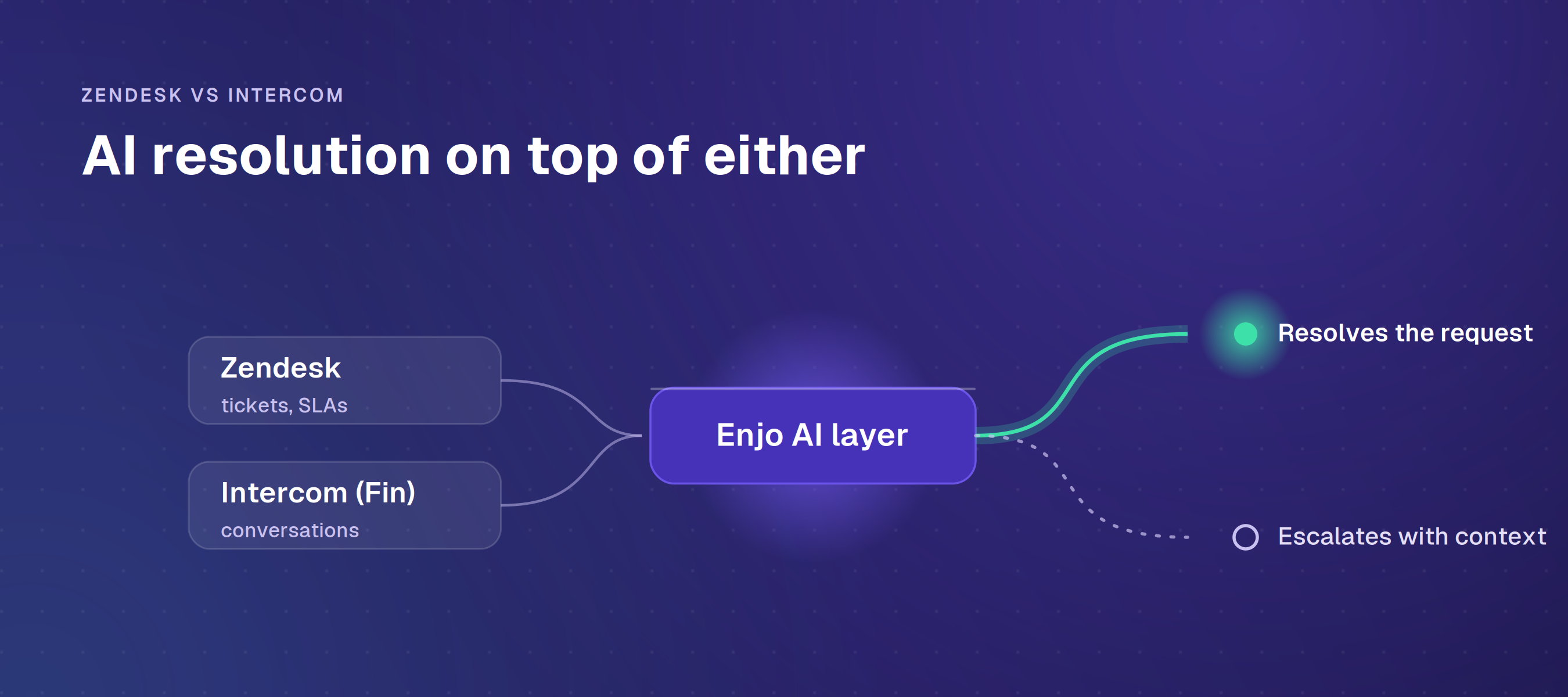
You do not have to own the whole platform to put autonomous resolution on Service Cloud. An AI layer sits on top of your existing license and runs the resolution lifecycle without a Data Cloud subscription or an edition upgrade. Enjo for Salesforce is built for Service Cloud teams whose knowledge and actions reach past the CRM.

Resolution Stage What Happens
Read the Request The AI Agent understands requests coming from Slack, Microsoft Teams, email, and web chat using natural language.
Ground the Answer A unified knowledge layer searches Salesforce Knowledge alongside Confluence, SharePoint, Google Drive, and historical tickets from connected systems.
Take Action AI Actions retrieve or update Salesforce Cases and execute workflows across systems such as Okta, Jira, ServiceNow, and other connected applications.
Escalate with Context If the request cannot be resolved automatically, a Salesforce Case is created or updated with the complete conversation history and AI findings.
Assist the Human Agent Assist provides conversation summaries, recommended responses, and draft replies directly inside the Salesforce case workspace.

This workflow illustrates how an AI-powered support request moves from intake through resolution while keeping human agents in the loop when required.

Aptean runs on a Salesforce stack with 3,500 employees. It put this layer into production in a single day, and it now indexes more than 2 million documents and speeds up over 200,000 support requests a year. That is a customer service reference on Salesforce, which is the one that matters for this decision.

Resolution runs on AI Agents. AI Flows handle the multi-step work and hand off to a human when confidence drops, so your team stays on the exceptions instead of the repeat tickets.

For live work, Agent Assist sits inside the Salesforce case view and drafts replies with the case context already pulled in.

Agentforce wins on native depth. Nothing binds to the Service Cloud data model as tightly, and if you want the same AI reaching into Sales or Commerce, Agentforce covers that ground where Enjo does not. It also has a native voice channel, which a layer like Enjo does not offer. Agentforce wins on native depth. 

A layer is the wrong call in a few cases. If all your knowledge and actions already live in Salesforce, the native route is cleaner. If you need phone or IVR handled by the AI, that is Agentforce, not Enjo. The layer earns its place when your knowledge is spread across systems and standing up a platform to reach it is more than you want to take on.

Verdict: Build on Agentforce or Add a Layer

The deciding factor is where your knowledge and actions already live. If they sit inside Salesforce, build on the Salesforce Agentforce platform. Going native means taking on the full Salesforce Agentforce requirements, but it gives you the tightest Service Cloud integration you can get.

If your knowledge is scattered across systems, your team cannot spare a platform build, or you want resolution sooner, add a layer instead. You keep your Salesforce Service Cloud license and skip both Data Cloud and the edition upgrade.

See how Enjo resolves cases on the Service Cloud stack you already run. Book a demo.

Frequently Asked Questions

Does Agentforce require Data Cloud? In production, effectively yes. It leans on Data Cloud to ground answers on anything beyond the case record, and teams that skip it hit a wall fast. The free Foundations tier is fine for a proof of concept, not for live volume.

What does the Agentforce platform cost? Three things stack up: a Service Cloud edition (Enterprise from $175 per user per month), AI usage ($500 per 100,000 Flex Credits or $2 per conversation), and Data Cloud. Our Agentforce pricing breakdown has the worked math; list prices are on salesforce.com/agentforce/pricing.

Do you need MuleSoft for Agentforce? Only for what lives outside Salesforce. Native actions work on Service Cloud objects; reaching other systems takes MuleSoft, zero-copy, or a custom integration. If everything you need is already in Salesforce, you can skip it.

Can Agentforce read knowledge outside Salesforce? Yes, with setup. External or unstructured content comes in through Data Cloud ingestion or zero-copy, not live reads. If your docs sit in Confluence, SharePoint, or old tickets, plan for that ingestion work.

How fast can Agentforce go live? It tracks your data readiness, the Agentforce Data Cloud setup, and integration scope, so most builds run in months. A layer on your existing Service Cloud is the quicker route; Aptean was live in a day.
TL;DR

The choice on Service Cloud is native or layered. Agentforce is the native option, and it comes with Data Cloud, MuleSoft, an edition upgrade, and usage billing. Build on it when your knowledge and actions already live in Salesforce; add a layer on top when they do not, or when you need to move faster.

Enjo runs on your existing Service Cloud license and resolves cases without Data Cloud or an edition upgrade. Book a demo.

What Does Agentforce Add on Top of Service Cloud?

The Salesforce Agentforce platform is the AI layer Salesforce sells to run on top of Service Cloud, and it is where the extra cost and setup live. The agent itself demos well. The friction shows up underneath it: data readiness, integration scope, and admin time a support organisation rarely has spare.

Salesforce says it built Agentforce 360 on lessons from more than 12,000 implementations. That tells you two things. The technology is real, and the deployments are involved enough to generate that much learning. Independent implementation guides back the second point, ranking services and Data Cloud setup, not the agent, as the largest line items in a rollout. Budget signed off for an agent tends to stretch once the full scope lands.

What Does the Salesforce Agentforce Platform Include?

At Dreamforce in October 2025, Salesforce renamed the platform Agentforce 360 and rebased it on the Headless 360 platform. Salesforce frames the design in three words: data, reasoning, and actions. For a Service Cloud team, that breaks down into a handful of parts, and it pays to know what each one does before you price them.

Atlas Reasoning Engine. This is the part that thinks. Atlas reads an incoming request, breaks it into steps, pulls the data it needs, and runs the right action. Salesforce calls the approach hybrid reasoning: fixed logic where the rules are clear, adaptive AI where they are not. That is what lets an agent handle a request that does not match a scripted path.

Agent Builder and Agent Script. Agent Builder is the low-code canvas where you define agents, the topics they handle, and the actions they can take. Agentforce 360 added Agent Script, an expression language that turns agent logic into code you can govern and version. Most Service Cloud admins will work in Agent Builder; Agent Script matters once you need tighter control.

Data Cloud (Data 360). This is the grounding layer, and the one most likely to surprise a budget. It unifies data from across your systems and maps it to Salesforce's metadata, so the agent answers from real business context rather than the open case alone. Skip it, and the agent only knows what sits on the record in front of it.

Einstein Trust Layer. This is the governance wrapper. It masks sensitive data before it reaches the model, enforces guardrails, and logs interactions so agents stay inside policy. When a CISO asks what data leaves your organization and where it goes, this is the answer.

The rest is plumbing you half-know already. MuleSoft connects actions to systems outside Salesforce. A Service Cloud edition from Enterprise up carries the license. Flex Credits or Conversations meter what the agent does. Picture the agent and the builder, and you have the demo; the other pieces are the Salesforce Agentforce platform, and they are where budget and time go.

What Does Agentforce Cost on Top of Service Cloud?

Agentforce bills in three places, and only one shows on the pricing page you were sent. The first is your Service Cloud license: Enterprise runs $175 per user per month, billed annually, with Agentforce sold as a paid add-on. The second is AI usage: $500 per 100,000 Flex Credits, where a standard action is 20 credits (about $0.10), or a flat $2 per conversation. The third is the Agentforce Data Cloud dependency.

That Agentforce Data Cloud requirement is the piece most Service Cloud teams do not budget for. Salesforce points to it as the layer that grounds agents on data outside the case record, and implementers treat it as a production requirement rather than an option. Third-party estimates put it in the six figures a year depending on data volume, and Salesforce does not list that number on its own pricing page.

Then there is reach. Inside Service Cloud, the agent works on native objects. The moment it needs to read or change a system outside Salesforce, you are into Data Cloud ingestion, zero-copy, or MuleSoft. That is work you scope and pay for. Our Agentforce pricing breakdown runs the full math; current list prices are on salesforce.com/agentforce/pricing and salesforce.com/service/pricing.

How to Evaluate Agentforce for Service Cloud?

The full Salesforce Agentforce requirements only show up once you map them to your own Service Cloud setup. Seven questions get you there. Work through them before the first vendor call.

Question What the Answer Tells You
Is Sales Cloud or Marketing Cloud already in daily use? If yes, staying native on Service Cloud is often the best fit. If Salesforce is only being used as a contact database, the additional platform overhead may be difficult to justify.
Where does your support knowledge live? If knowledge is spread across Confluence, SharePoint, Google Drive, or historical tickets in other systems, expect additional Data Cloud ingestion and integration work.
What must the AI agent take action on? If workflows extend beyond native Service Cloud objects, you'll likely need MuleSoft, Zero Copy architecture, or custom integrations.
How quickly do you need to go live? A native Salesforce implementation typically takes weeks or months, while an AI layer on top of an existing Service Cloud deployment can often be live within days.
Can you accurately forecast AI costs as usage grows? Consumption-based pricing scales with actions and conversations, so estimating workflow volume is usually more important than estimating team size.
Who will administer the platform? Salesforce generally requires experienced administrators or implementation partners, which may exceed the resources of a lean customer support team.
What happens if you change helpdesks later? AI logic built directly into Service Cloud remains tied to Salesforce. A platform-agnostic AI layer such as Enjo can continue operating even if you migrate to Zendesk or another helpdesk in the future.

These evaluation questions help determine whether a native Salesforce AI deployment or a platform-agnostic AI layer is the better long-term fit for your support organization.


Answer those honestly, and the build-or-buy call gets clearer. That portability question matters more than it looks: if a future move to Zendesk or another helpdesk is even plausible, an AI layer travels with you where a native platform doesn't. Our Zendesk vs Salesforce Service Cloud piece goes deeper on stack fit.

Where Does an AI layer on Service Cloud Fit?

You do not have to own the whole platform to put autonomous resolution on Service Cloud. An AI layer sits on top of your existing license and runs the resolution lifecycle without a Data Cloud subscription or an edition upgrade. Enjo for Salesforce is built for Service Cloud teams whose knowledge and actions reach past the CRM.

Resolution Stage What Happens
Read the Request The AI Agent understands requests coming from Slack, Microsoft Teams, email, and web chat using natural language.
Ground the Answer A unified knowledge layer searches Salesforce Knowledge alongside Confluence, SharePoint, Google Drive, and historical tickets from connected systems.
Take Action AI Actions retrieve or update Salesforce Cases and execute workflows across systems such as Okta, Jira, ServiceNow, and other connected applications.
Escalate with Context If the request cannot be resolved automatically, a Salesforce Case is created or updated with the complete conversation history and AI findings.
Assist the Human Agent Assist provides conversation summaries, recommended responses, and draft replies directly inside the Salesforce case workspace.

This workflow illustrates how an AI-powered support request moves from intake through resolution while keeping human agents in the loop when required.

Aptean runs on a Salesforce stack with 3,500 employees. It put this layer into production in a single day, and it now indexes more than 2 million documents and speeds up over 200,000 support requests a year. That is a customer service reference on Salesforce, which is the one that matters for this decision.

Resolution runs on AI Agents. AI Flows handle the multi-step work and hand off to a human when confidence drops, so your team stays on the exceptions instead of the repeat tickets.

For live work, Agent Assist sits inside the Salesforce case view and drafts replies with the case context already pulled in.

Agentforce wins on native depth. Nothing binds to the Service Cloud data model as tightly, and if you want the same AI reaching into Sales or Commerce, Agentforce covers that ground where Enjo does not. It also has a native voice channel, which a layer like Enjo does not offer. Agentforce wins on native depth. 

A layer is the wrong call in a few cases. If all your knowledge and actions already live in Salesforce, the native route is cleaner. If you need phone or IVR handled by the AI, that is Agentforce, not Enjo. The layer earns its place when your knowledge is spread across systems and standing up a platform to reach it is more than you want to take on.

Verdict: Build on Agentforce or Add a Layer

The deciding factor is where your knowledge and actions already live. If they sit inside Salesforce, build on the Salesforce Agentforce platform. Going native means taking on the full Salesforce Agentforce requirements, but it gives you the tightest Service Cloud integration you can get.

If your knowledge is scattered across systems, your team cannot spare a platform build, or you want resolution sooner, add a layer instead. You keep your Salesforce Service Cloud license and skip both Data Cloud and the edition upgrade.

See how Enjo resolves cases on the Service Cloud stack you already run. Book a demo.

Frequently Asked Questions

Does Agentforce require Data Cloud? In production, effectively yes. It leans on Data Cloud to ground answers on anything beyond the case record, and teams that skip it hit a wall fast. The free Foundations tier is fine for a proof of concept, not for live volume.

What does the Agentforce platform cost? Three things stack up: a Service Cloud edition (Enterprise from $175 per user per month), AI usage ($500 per 100,000 Flex Credits or $2 per conversation), and Data Cloud. Our Agentforce pricing breakdown has the worked math; list prices are on salesforce.com/agentforce/pricing.

Do you need MuleSoft for Agentforce? Only for what lives outside Salesforce. Native actions work on Service Cloud objects; reaching other systems takes MuleSoft, zero-copy, or a custom integration. If everything you need is already in Salesforce, you can skip it.

Can Agentforce read knowledge outside Salesforce? Yes, with setup. External or unstructured content comes in through Data Cloud ingestion or zero-copy, not live reads. If your docs sit in Confluence, SharePoint, or old tickets, plan for that ingestion work.

How fast can Agentforce go live? It tracks your data readiness, the Agentforce Data Cloud setup, and integration scope, so most builds run in months. A layer on your existing Service Cloud is the quicker route; Aptean was live in a day.
Transform complex support workflows

Deploy AI inside your existing support stack and prove business impact quickly.
Request a Demo
