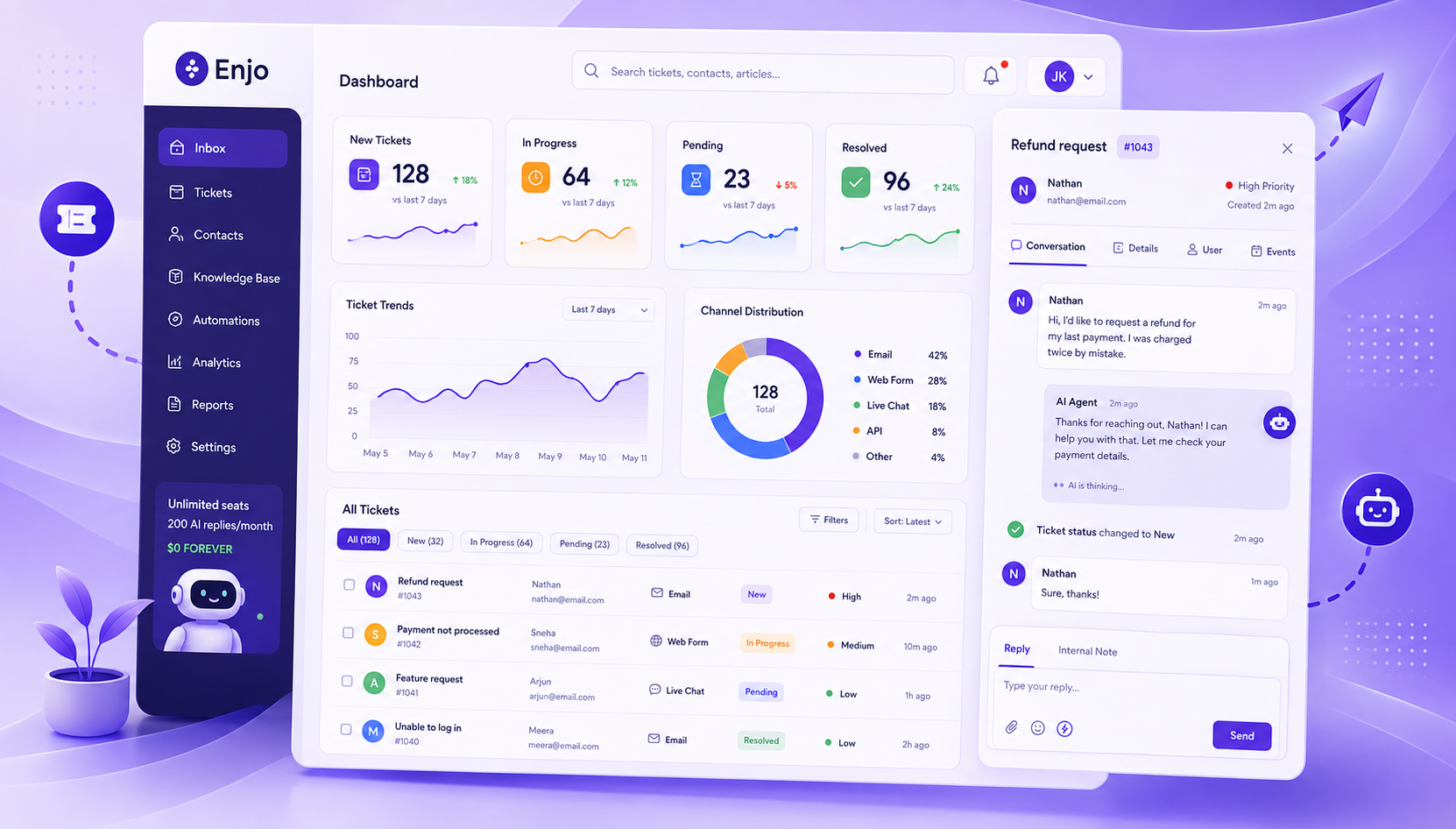
AI Knowledge Base: The Complete 2026 Guide
Your team's documentation is everywhere: Confluence, SharePoint, Notion, PDFs, Slack threads, and no one can find what they need when they need it. In fact, Gartner found that 47% of digital workers struggle to find the information or data they need to do their jobs. An AI knowledge base fixes that. Instead of forcing people to guess the right keyword, it understands what they're actually asking and delivers a clear, accurate answer, pulled straight from your existing docs, in seconds.
See how an AI knowledge base retrieves answers from your own docs, which platforms to shortlist, and how to launch your free Help Center in minutes.

What You'll Learn
By the end of this guide you'll be able to:
- Define clearly what an AI knowledge base is and why it matters now
- Understand how modern AI KB systems retrieve, reason, and serve answers
- Identify which content types benefit most from AI-driven knowledge management
- Compare traditional, collaboration-native and retrieval-native KB platforms (and know when to choose each)
- Follow a step-by-step blueprint to build and govern an AI knowledge base for your organization
- Integrate the AI knowledge base into support, IT, and HR workflows for maximal impact
- Evaluate success with measurable KPIs and build a continuous improvement plan
What Is an AI Knowledge Base?
Modern definition (NLP + ML + semantic retrieval)
An AI knowledge base is a dynamic, centralized digital repository that stores, understands and retrieves information contextually. It runs on machine learning (ML) and natural language processing (NLP).
Unlike static knowledge bases that rely on keyword matching, AI KBs interpret user intent and query context. They continuously learn from interactions and feedback, refining result quality over time without manual rework. Core components include NLP for language understanding, ML for learning and improvement, content storage for documents and data, and reasoning and retrieval engines.
This allows users to query the system in everyday language and receive accurate, context-aware answers.

Why 2026 is the "retrieval-first" era
Advancements in embeddings, vector databases, and reasoning pipelines (for example retrieval-augmented generation and hybrid search) have matured. Businesses of all sizes and enterprises now expect knowledge systems to be real-time, adaptive, and tuned to their domain, not static repositories with poor recall. As vendors shift focus toward semantic retrieval and integration with AI agents, 2026 stands out as the year when "retrieval-first" becomes the default approach to building KBs. Early adopters gain speed, relevance, and better ROI on documentation efforts.
Difference from traditional keyword-based systems
Traditional knowledge bases rely on manually created categories, fixed metadata, and keyword matching. Users had to phrase queries precisely; misspellings or synonyms caused misses. AI KBs add semantic understanding, using embeddings and vector search to match meaning rather than exact words. They reduce friction, surface relevant content even when phrasing differs, and shrink knowledge silos by connecting fragmented document sources.
How AI Knowledge Bases Work
Retrieval (embeddings, vector search, semantic ranking)
At the core of a modern AI KB is a vector database: documents are converted into embeddings, high-dimensional vectors representing semantics. When a user asks a question, the system encodes the query into a vector and finds nearest neighbors in the vector store, using approximate nearest neighbour search. That retrieves a set of candidate documents or excerpts.
The system then semantically ranks them by relevance to deliver the best matches. Vector databases and semantic search are what separate a retrieval-native knowledge base from legacy keyword search.
Here's a guide on how to create a knowledge base
Reasoning Layers (RAG, hybrid pipelines)
Retrieval alone isn't enough for many organizational needs. A reasoning layer, commonly via Retrieval-Augmented Generation (RAG), overlays a generative model or reasoning engine on top of retrieved content. The model synthesizes concise, context-aware answers from the retrieved material, citing the documents it drew on. This enables users to get direct answers even from complex, multi-document content.
Hybrid pipelines may combine vector search with traditional full-text indices, or use re-ranking, metadata filtering, or knowledge-graph reasoning for structured content. These hybrid patterns improve precision and scalability in real-world enterprise environments.
Knowledge Ingestion + Connectors
An effective AI KB must ingest both structured data (databases, spreadsheets) and unstructured data (documents, PDFs, wikis). Connectors to systems like file shares, CMS, cloud storage or services like Confluence, SharePoint, Notion are critical. A unified ingestion pipeline normalizes content, converts it to text or extracts metadata, chunks long documents, embeds them, and indexes them into a vector store. Without connectors, the AI KB risks staying underutilized or outdated.
Permissions + Role-aware answers
Enterprise KBs require access controls. Users should only see information they are authorized for. An AI knowledge base enforces permissions via RBAC (role-based access control), SSO (single sign-on), and audit logging. Sensitive content such as HR, finance and compliance docs stays secure while remaining searchable by eligible users.
This keeps the system compliant without sacrificing usability.
Continuous Improvement Loop
AI KBs aren't "set and forget." They improve through usage metrics, feedback loops, and automated content governance. When users consistently ignore certain results or flag them as unhelpful, the system can surface those for review or trigger content updates. This continuous improvement reduces knowledge rot and keeps the repository fresh and relevant.
Why AI Knowledge Bases Matter for Support, IT & HR
24/7 self-service for every requester
An AI KB lets requesters, whether employees or external users, ask questions at any time and get instant answers. This translates to a better experience, faster resolution, and higher satisfaction. As organizations scale across time zones, 24/7 self-service becomes indispensable.
Ticket deflection + faster MTTR
Routine, repetitive queries such as password resets, onboarding and policy questions often dominate support volume. An AI KB deflects those requests by providing instant, accurate answers, freeing human agents for complex cases. When complex questions come through, agents start from an informed context. That reduces mean time to resolution (MTTR) and improves support capacity without headcount ramp-up.

Consistent answers and reduced tribal knowledge
Unlike person-dependent knowledge, an AI knowledge base offers consistent, up-to-date information across the organization. That reduces reliance on tribal knowledge, minimizes conflicting advice, and keeps institutional memory intact, even as employees join or leave.
Lower maintenance cost vs manual KB teams
Maintaining traditional KBs often requires manual tagging, curation, and constant updates, a resource-heavy process. An AI KB automates much of this: ingestion pipelines, semantic tagging, feedback-based updates, and content lifecycle management. This significantly reduces overhead and keeps the knowledge base both current and scalable.
Benefits of an AI Knowledge Base
AI knowledge bases deliver measurable operational impact across support, IT, HR, and requester-facing teams. The benefits below focus on the outcomes that matter most to organization leaders.
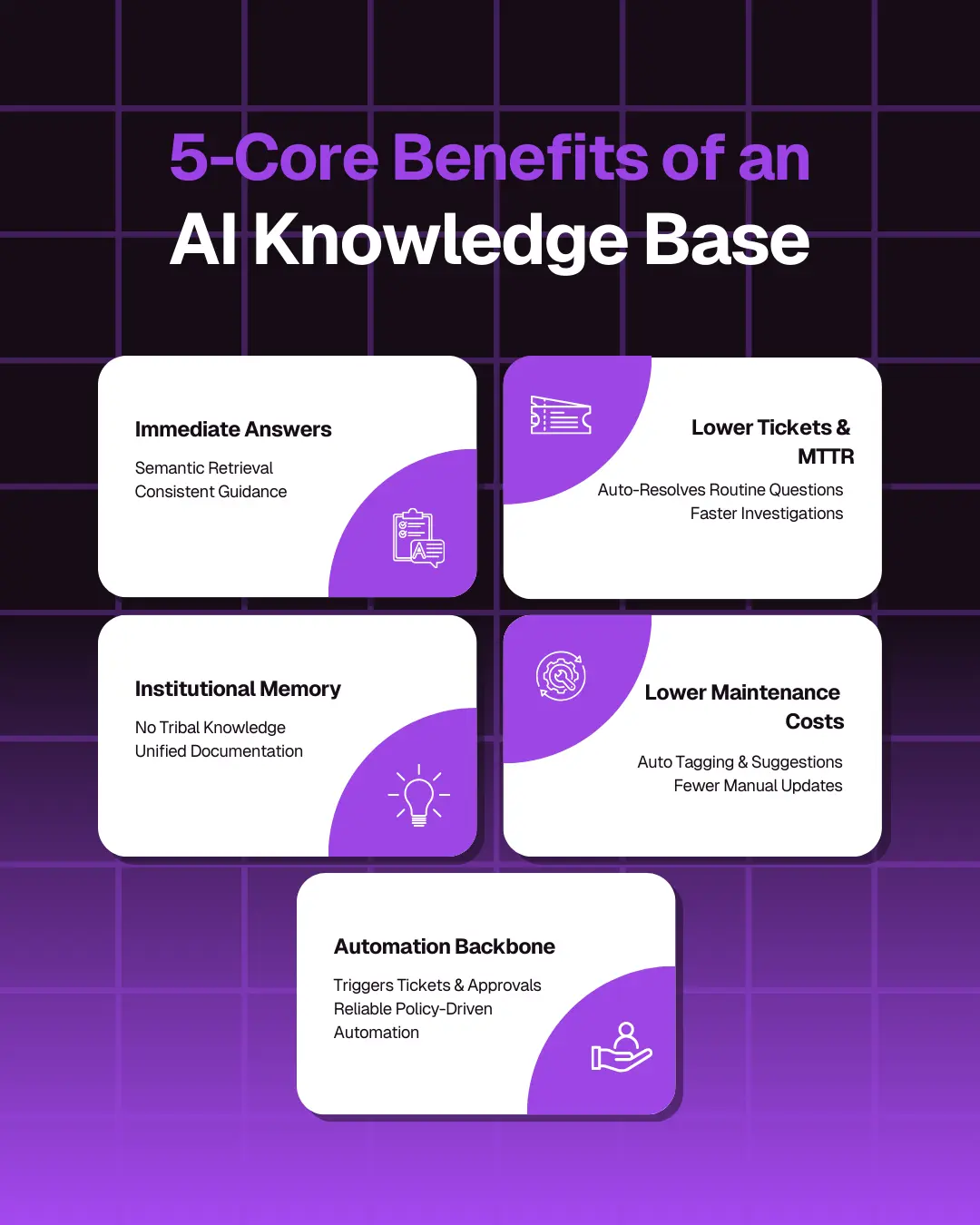
1. Immediate, Consistent Answers for Every Requester
Semantic retrieval and reasoning return relevant answers instantly, reducing time spent searching across Confluence, SharePoint, PDFs, and Slack threads. Everyone gets the same, validated response, eliminating inconsistent or outdated guidance.
Get to know our integrations that support Knowledge Sources
2. Lower Ticket Volume and Faster Resolution (MTTR)
Routine questions are resolved without agent involvement, deflecting a meaningful share of support load. When agents do step in, they start with accurate context sourced from the KB, cutting investigation time and improving MTTR.
3. Preservation of Institutional Knowledge
AI knowledge bases centralize distributed documentation and reduce dependence on tribal knowledge. Workflows, policies, and historical decisions stay captured and discoverable, even during turnover or rapid scaling.
4. Reduced Maintenance Costs
Ingestion pipelines, semantic tagging, automated article suggestions, and feedback loops shrink the overhead of maintaining a large KB. Teams spend less time categorizing, updating, or rewriting content manually.
5. Foundation for Workflow Automation
Retrieval-backed answers can trigger automated actions, ticket creation, access provisioning, and approvals, ensuring decisions follow documented policy. This makes the KB the operational backbone for ITSM, HR, and support automation.
Types of AI Knowledge Base Content
AI knowledge bases aren't limited to one kind of content. They handle structured, unstructured, static and dynamic material.
Structured SOPs and policies
Standard Operating Procedures (SOPs), policies, and compliance guidelines, usually stored as documents or spreadsheets, become searchable. Users can ask in natural language: "What's our VPN access policy for contractors?" and get precise, up-to-date answers, even if the underlying doc is long and complex.
FAQs and troubleshooting flows
Common questions such as password resets, account lockouts and software install instructions benefit greatly, as do decision trees. Instead of static FAQ pages, AI knowledge bases enable conversational retrieval: "Why can't I access the VPN?" returns the relevant troubleshooting flow or article.
Long-form technical documentation
Product docs, architecture guidelines, API references and runbooks typically reside in wikis or versioned docs. An AI knowledge base indexes them, making deep, technical content accessible via plain-language queries.
Visual and video-based knowledge ingestion
Modern AI knowledge bases can index transcripts from videos, parse documents with diagrams or images, or store metadata about visuals. Users can ask: "Show me the deployment diagram for our cloud infra," and get linked visuals or diagrams, useful for engineering and operations teams.
High-variance content (diagrams, PDFs, HR docs)
Documents with heterogeneous formats, including PDFs, scanned docs, HR forms and compliance paperwork, often escape traditional KBs. AI KB ingestion pipelines can normalize them, extract text metadata, and make them searchable. This reduces silos, especially across departments.
Top AI Knowledge Base Software
Below is a comparison of typical platform categories, covering strengths, weaknesses, and suitability for buyers evaluating AI knowledge base tools. If a permanently free option matters more than deep retrieval, our guide to free knowledge base software covers the tools that stay free at scale.
Why choose a retrieval-native system like Enjo:
- It unifies distributed documentation into a single source of truth, indexing Confluence, SharePoint, Notion, Google Drive and Guru on a daily sync into one knowledge index.
- Faster indexing produces cleaner answers, because the system pre-indexes and controls which sources the agent may draw on.
- In-chat article references build transparency and trust, because requesters see where the answer came from.
- Direct feedback on article quality surfaces content gaps.
- The AI can suggest new article ideas when documentation gaps become evident, proactively maintaining the KB.
Distributed teams and multiple document repositories are where this gap shows most, across IT manuals, HR policy docs and support guides. Retrieval-native systems deliver long-term scalability that traditional or collaboration KBs cannot match.
How to Build an AI Knowledge Base
Building an AI KB is a multi-phase process. Below is a framework tailored to your organization's readiness.
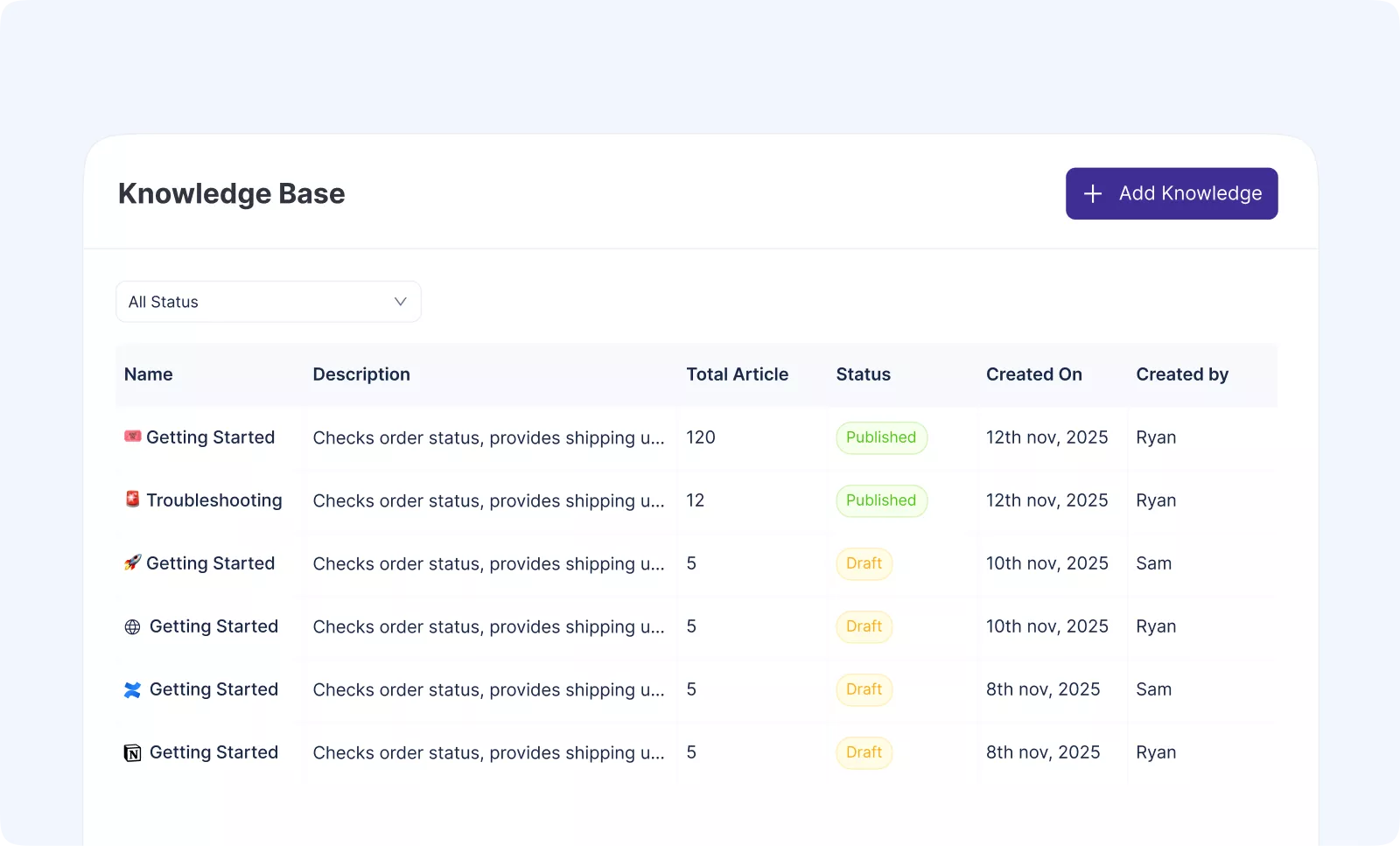
Enjo's Help Center lets teams consolidate their support documentation into one place, and instantly make it available to an AI support agent. It is designed to be simple, fast to launch, and easy to maintain.
Phase 1. Gather and Organize Your Content
Before creating a Help Center, identify where your existing documentation currently lives.
Supported sources:
- Notion
- Confluence
- Your website
- Manual articles created directly inside Enjo
Phase 2. Connect Your Sources and Import Content
Enjo offers direct connectors for:
- Notion
- Confluence
- Public website URLs
Once connected:
- Content is automatically fetched and transformed into Help Center articles.
- Documents are automatically indexed for AI usage.
- You can manually edit or rewrite the imported articles.
Additional features:
- An AI assistant inside each article can upgrade, rewrite, or improve your content instantly.
- Add metadata, SEO settings, category, and visibility.
Phase 3. Add and Test Your AI Support Agent
After your documentation exists, the next step is to add your AI agent to the Help Center. Steps:
- Open Help Center, then Settings.
- Add an AI Agent and link it to this Help Center.
- Start testing by asking real requester questions.
- Observe the answers.
- If the response is incomplete or inaccurate, update the corresponding article.
- Re-test until answers become consistent.
Phase 4. Customize, Configure and Publish
Once the agent is answering well, finish setup using:
Appearance:
- Add your logo
- Set the title
- Choose colors
Installation:
- Connect a custom domain
- Enable or disable search engine indexing
- Set visibility (public, private)
- Allow AI agents to use this Help Center as a knowledge source
Settings:
- Control AI Agent access
- Decide if the AI Agent is requester-facing or internal-only
Contextual reading: A Definitive Guide to Customer Service Automation
Phase 5. Maintain and Update Your Help Center
While Enjo doesn't enforce governance workflows, teams can follow a lightweight maintenance strategy:
- Periodically review and update key articles.
- Use the article-level AI to improve clarity and accuracy.
- Test the AI agent after important updates.
- Re-import content if you update Notion or Confluence pages.
- Unpublish outdated articles instead of deleting them immediately.
This keeps your Help Center and AI agent up to date with minimal overhead.
Integrating an AI Knowledge Base With Daily Workflows
For maximum impact, an AI KB must be embedded into daily work tools and workflows, not left as a separate portal.
Slack and Microsoft Teams retrieval
Connect the AI knowledge base to Slack and Microsoft Teams. Requesters can query the KB directly in their workflow. That reduces context switching, speeds up answers, and embeds knowledge access where work already happens.
Integrating with Jira and ServiceNow
When a query suggests a ticket, for example "I need access to X system," the AI agent can trigger a workflow. It creates the ticket in Jira or ServiceNow automatically, using retrieved docs as context. That accelerates request handling and reduces manual ticket creation.
Triggering workflows from retrieved content
Beyond lookups, certain retrieved content such as an access policy or a compliance requirement may trigger actions, approvals, notifications, or orchestration workflows. Embedding an AI knowledge base in workflow automation ensures decisions follow documented policy and reduces the risk of human error.
Conclusion: 5-Item Action Checklist
- Inventory all documentation sources: identify silos, duplicates, outdated content.
- Pilot an AI knowledge base (connect 2 to 3 doc sources, ingest and index content).
- Tune semantic search and RAG settings; test with real user queries.
- Integrate the AI KB with daily tools (Slack, Microsoft Teams, Jira, ServiceNow).
- Define content governance, review cycles, and a feedback loop. Track metrics: ticket deflection rate, MTTR reduction, user adoption.
Frequently Asked Questions
What is an AI knowledge base?
An AI knowledge base is a centralized repository that uses artificial intelligence, specifically natural language processing (NLP) and machine learning, to understand questions in plain language and return accurate, contextual answers from your company's documentation. Unlike traditional knowledge bases that depend on exact keyword matching, an AI knowledge base interprets user intent and surfaces the right information from sources like Confluence, SharePoint, Notion, PDFs, and Slack threads in seconds.
How does an AI knowledge base work?
An AI knowledge base works in four stages: (1) it ingests content from your existing documentation sources, (2) converts each document into vector embeddings stored in a vector database, (3) interprets a user's question using NLP, and (4) uses retrieval-augmented generation (RAG) to pull the most relevant content and synthesize a clear, source-cited answer. The system also learns from user feedback over time, getting more accurate with every interaction.
What's the difference between an AI knowledge base and a traditional knowledge base?
A traditional knowledge base relies on manual tagging, fixed categories, and exact keyword search, so users have to phrase queries precisely or they miss. An AI knowledge base uses semantic search and reasoning to understand intent, surface answers across different phrasings, and pull context from multiple documents at once. The result is higher self-service success rates, lower ticket volume, less manual maintenance, and a better user experience.
How much does an AI knowledge base cost?
AI knowledge base pricing varies with usage, integrations and security requirements. Most platforms charge per user, per AI query, or through a flat enterprise plan, so the figure that matters is cost per resolved request rather than cost per seat. Enjo's Free plan includes 200 AI replies a month, unlimited human agent seats, unlimited AI agents, Inbox, Help Center and Insights, with no credit card required. If you want to compare options before committing budget, our roundup of the best AI knowledge base software covers the platforms with a genuine no-cost tier.
What is an example of an AI knowledge base?
Enjo's Help Center is one example: it unifies Notion, Confluence and website content into one AI-searchable hub, generates articles from ticket patterns, and auto-drafts new articles from resolved conversations for review. Other examples include Zendesk AI, Guru and Slack Enterprise Search.