Launch your AI Help Centre in minutes
Get it now


.svg)
The 11 best email ticketing systems for support teams in 2026. Compare tools, pricing, and AI capabilities to find the right one.
If you manage a support team, you have felt this: a VIP complaint gets missed; two agents send conflicting answers to the same customer; someone asks, "Who's handling this?" and nobody knows. That's not a people problem, it's a tooling problem. An email ticketing system assigns an owner, a status, and a full conversation history to every inbound email, so nothing falls through the cracks.This guide covers the 11 best email ticketing systems for support teams in 2026. Compare tools, pricing, and AI capabilities to find the right one.
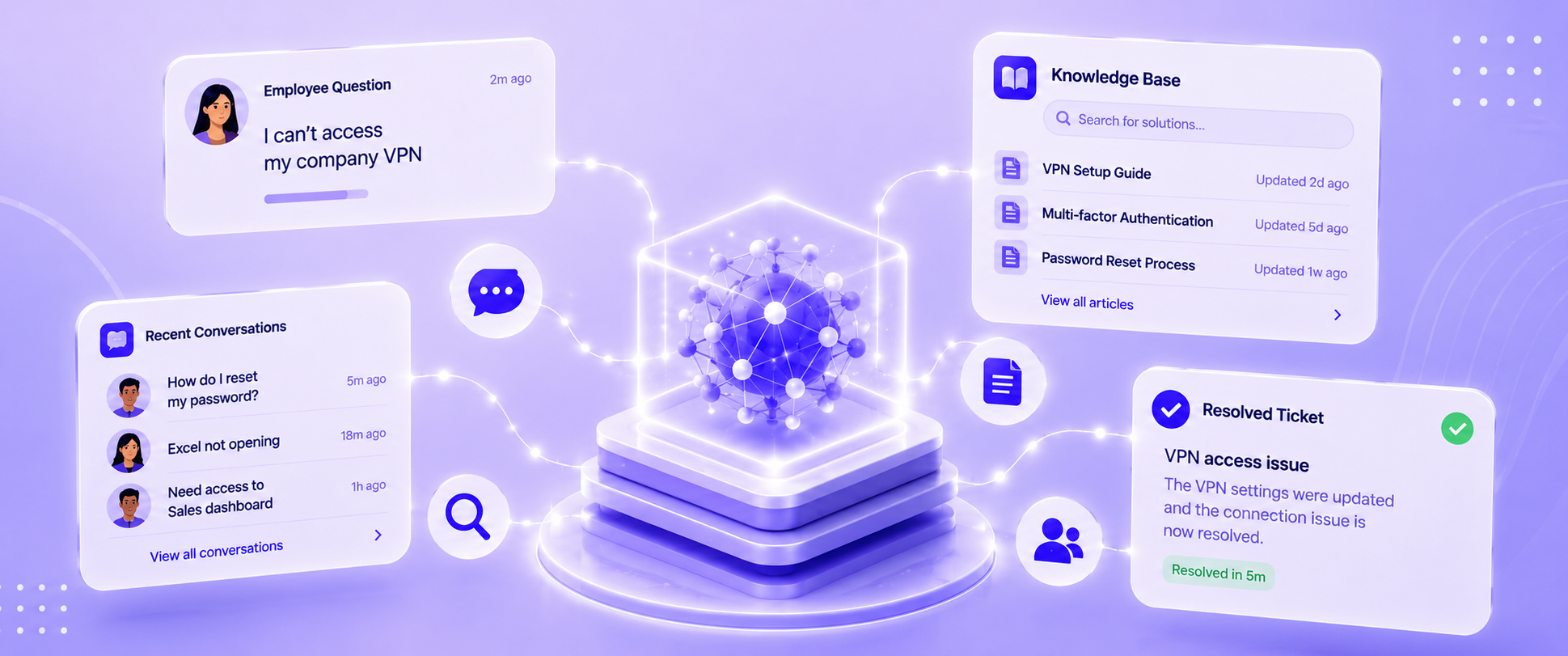
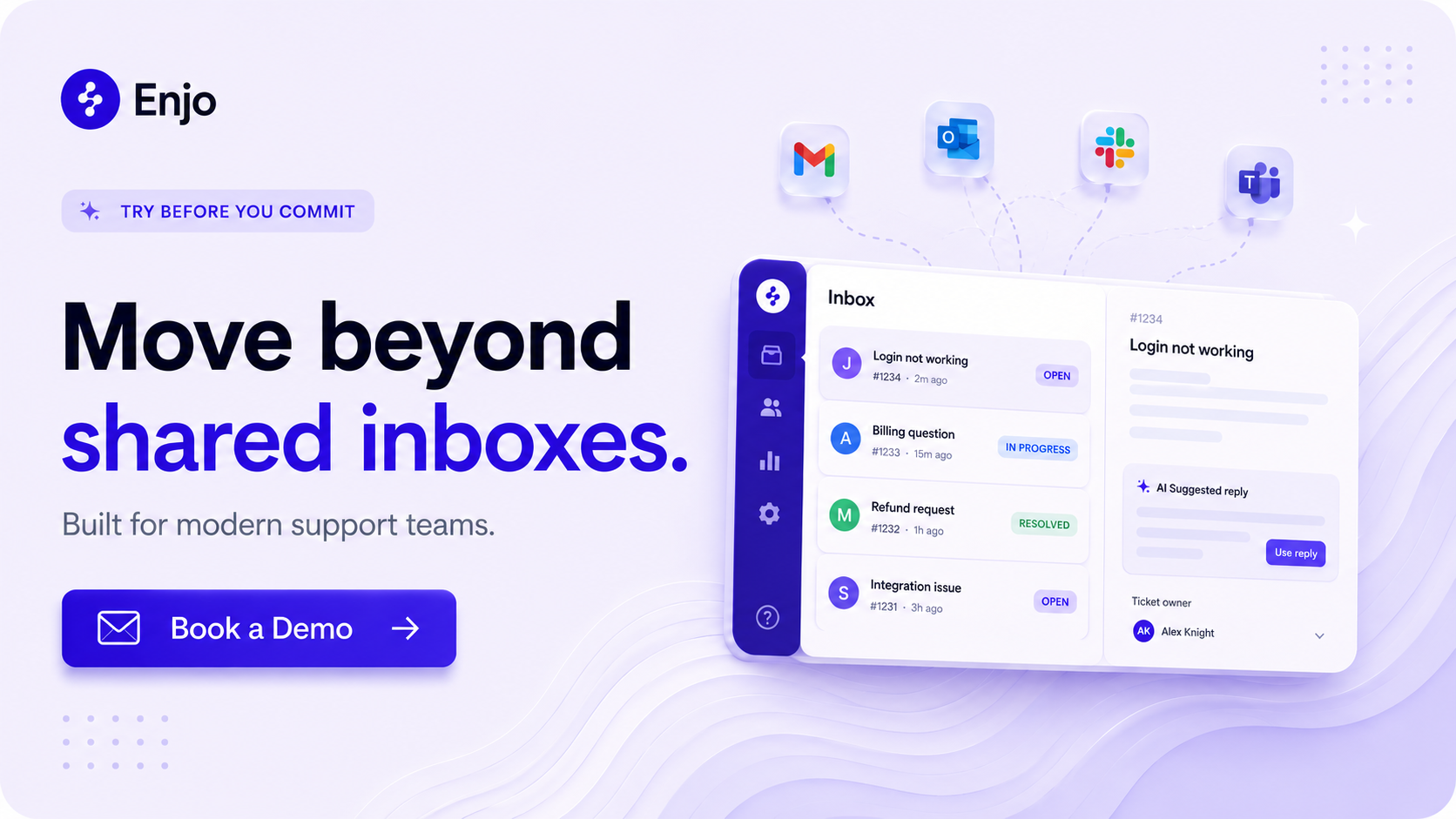
An email ticketing system is software that pulls inbound emails from your support mailbox and converts each one into a trackable ticket. Each ticket gets an owner, a status, a priority, and a full conversation history. Agents reply from inside the system; the customer sees a normal email response and never needs to change how they contact you.
The core difference from a shared inbox: every request is visible, assigned, and tracked. Nothing falls through because nobody knew it was theirs. For teams evaluating how email fits into a broader customer service automation strategy, or considering conversational ticketing via Slack and Teams alongside email, the choice of tool matters more than the channel.
Not every tool in this category solves the same problem. Before comparing options, get clear on these six dimensions:
1. AI capabilities. Does the tool auto-triage and suggest replies, or does it actually resolve requests without agent involvement? There is a wide gap between "AI drafts a reply for an agent to approve" and "AI resolves the request end-to-end and escalates only when it can't."
2. Pricing model. Per-seat pricing punishes growth: every time you hire a support agent, your bill goes up. Usage-based pricing (per AI interaction or per resolution) scales with value delivered. Understand which model a tool uses before you run the math at your expected team size.
3. Channels beyond email. If your customers or employees also contact you via Slack, Microsoft Teams, or a web widget, a tool that handles email only will immediately create a second queue. Check whether the platform is genuinely omnichannel or email-first with add-ons bolted on.
4. Integration depth. Can the system read your existing knowledge sources (Confluence, Google Drive, past tickets) to ground AI responses? Can it take actions in connected systems (Okta, Jira, Salesforce) or only create tickets?
5. Setup speed. Some enterprise tools take months to implement. For most support teams, the right answer is production in days, not a six-month rollout.
6. Security posture. If a CISO is in your buying committee, you need SOC 2 Type II, RBAC, and an audit log, not just SSL.
1. Enjo
What it is: An AI-native service automation platform with a built-in helpdesk (Inbox), email as a supported inbound channel, and AI that resolves requests before they become tickets.
Best for: Support teams migrating off shared Gmail or a legacy per-seat helpdesk who want AI included by default, not as a paid add-on, and a permanent free tier with no credit card or procurement cycle.
Key capabilities:
Pricing: Enjo starts free, $0/month with 200 AI Replies and unlimited human agent seats, no credit card required. The Starter plan is $95/month for 1,000 AI Replies, the Standard plan is $295/month for 3,000 AI Replies, and the Enterprise plan is custom. Additional AI Replies on paid plans cost $0.05 each. Every plan includes unlimited human agent seats. For full details, visit enjo.ai/pricing.
Where it falls short: Email is a supported inbound channel in Enjo Inbox, but Enjo's deepest resolution capability is built around Slack and Teams, where AI Agents resolve requests in-channel before a ticket is ever created. Teams whose entire support motion is high-volume email-only, with no need for Slack or Teams integration, will find more email-specific workflow depth in dedicated tools like Zendesk or Freshdesk.
2. Zendesk
What it is: The category incumbent. The most feature-complete email helpdesk on the market, with the deepest email workflow configurability, a mature omnichannel stack, and the largest app marketplace of any tool in this list.
Best for: Enterprise CS teams that need fine-grained ticket routing logic, multi-brand support, and deep integration with voice and messaging, and are prepared to pay for it.
Key capabilities:
Pricing: Zendesk's Suite Team starts at $55/agent/month (annual), Suite Growth is $89/agent/month, and Suite Professional is $115/agent/month. Agent Copilot is a $ 50-per-agent-per-month add-on available across all Suite plans. AI Agents are billed per resolution, in addition to the base plan. A 10-agent team on Suite Professional with Copilot runs $1,650/month before any AI resolution fees. For full details, visit zendesk.com/pricing.
Where it falls short: A 10-agent team on Suite Professional with Copilot runs $1,650/month before AI resolution fees. The sticker price and the actual price diverge significantly once AI is enabled. Teams that don't need the full omnichannel stack are paying for depth they won't use. Teams already on Zendesk who are looking to add AI resolution without switching platforms can use Enjo for Zendesk as an AI layer on top.
3. Freshdesk
What it is: A mid-market helpdesk with solid email ticketing, multi-channel coverage, and Freddy AI as a native capability, though AI is sold as a separate add-on on most plans.
Best for: Teams already in the Freshworks ecosystem or evaluating a cost-effective per-agent alternative to Zendesk for smaller teams.
Key capabilities:
Pricing: Growth: Freshdesk offers a free program for up to 2 agents for 6 months, not a permanent free tier. After that, Growth is $19/agent/month, Pro is $55/agent/month, and Enterprise is $89/agent/month (all annual billing). Freddy AI Copilot is a $29/agent/month add-on to any paid plan. For current pricing, visit freshdesk.com/pricing.
Where it falls short: Freddy AI reads only Freshdesk's own knowledge base and ticket history. Knowledge in Confluence, SharePoint, or other systems is invisible to it. Freddy AI Agent's per-session billing makes costs variable and hard to forecast at high volume.
4. Help Scout
What it is: A clean, human-touch helpdesk built for small to mid-sized CS teams. Known for an inbox experience that feels like email, not enterprise software.
Best for: Smaller CS teams that want one tool for inbox, knowledge base (Docs), and lightweight chat, and prioritize setup simplicity over AI depth.
Key capabilities:
Pricing: Help Scout's free plan includes 5 users, 1 inbox, 1 Docs site, and 100 contacts/month. Standard is $25/user/month (annual), Plus is $45/user/month, and Pro is $75/user/month. AI Answers is a separate add-on priced at $0.75/resolution, with a 3-month free trial. For full details, visit helpscout.com/pricing.
Where it falls short: Adding a 26th agent forces an upgrade from Standard to Plus, an 80% per-seat jump. AI Answers has zero access to past ticket data, so it can only answer questions your Docs site already covers. Salesforce, Jira, and HubSpot integrations are Plus-only.
5. Intercom
What it is: A messaging-first customer service platform with Fin, its AI agent, as the flagship product. Built for high-volume B2C support where fast, conversational resolution is the priority.
Best for: Teams already standardized on Intercom's messaging platform, particularly B2C companies with high email and chat volume where Fin's deflection rate justifies per-resolution billing.
Key capabilities:
Pricing: Intercom's Essential plan starts at $29/seat/month with Fin resolutions billed separately at $0.99 per resolved conversation. Advanced is $85/seat/month, and Expert is $132/seat/month. Fin resolution fees apply on top of all seat-based plans. For full details, visit intercom.com/pricing.
Where it falls short: Fin is inseparable from the Intercom platform; you can't use its resolution capability on a different helpdesk. Per-resolution billing at high volume is unpredictable; teams handling 10,000+ AI-resolved conversations/month can find that the resolution fee exceeds the base seat cost. B2B teams with knowledge outside Intercom's ecosystem or multi-system action requirements will find the platform optimized for a different use case. See the full breakdown of Intercom alternatives if per-resolution costs are a concern.
6. Front
What it is: A collaborative inbox platform for teams that treat email as a team sport, where multiple agents need to see, discuss, and co-author responses before they go out.
Best for: Account management, sales-adjacent support, and CS teams where agents collaborate heavily on replies and need shared visibility into customer relationships across email threads.
Key capabilities:
Pricing: Front's Starter plan is $25/seat/month (annual, up to 10 seats). Professional is $65/seat/month (up to 50 seats), and Enterprise is $105/seat/month. AI Copilot is $20/seat/month as an add-on on Starter and Professional, and is included in Enterprise. AI Autopilot starts at $0.05/conversation as an add-on on all plans. For full details, visit front.com/pricing.
Where it falls short: A 10-agent team on Growth with Copilot runs approximately $790/month before Autopilot resolution fees. Per-seat AI add-ons mean AI costs scale with headcount rather than with value delivered. Salesforce and Zapier integrations require Growth or above.
7. Hiver
What it is: A Gmail-native email helpdesk. Agents work entirely inside Google Workspace, no new interface, no tab switching, no change management.
Best for: Teams operating entirely in Google Workspace that want structured ticketing without adopting a separate tool.
Key capabilities:
Pricing: Hiver has a free plan with basic shared inbox features. Growth starts at $25/user/month (annual), Pro is $55/user/month, and Elite is $85/user/month. Plans are sold in increments of 5 seats; a 7-person team pays for 10. For full details, visit hiverhq.com/pricing.
Where it falls short: Hiver is Gmail-native; its strength is also its ceiling. Agents outside Google Workspace cannot use it. Cross-channel support (Slack, Teams, web widget) requires separate tools. SLA management, CSAT, and AI capabilities are gated at Pro ($55/user/month); Growth provides inbox structure but no measurement or AI features. The 5-seat increment pricing means a 7-person team effectively pays $78.57/user/month at Pro, not $55.
8. Zoho Desk
What it is: A helpdesk platform inside the Zoho ecosystem, with strong value for teams already on Zoho CRM, Zoho Analytics, or other Zoho products.
Best for: Zoho-stack organizations consolidating vendors, or budget-conscious teams that need multi-channel ticketing at the lowest per-seat price in this list.
Key capabilities:
Pricing: Zoho Desk has a free plan for up to 3 agents. Paid plans range from Express at $7/agent/month to Standard at $14/agent/month, Professional at $23/agent/month, and Enterprise at $40/agent/month (all billed annually). Zia AI is only available on the Enterprise tier. For current pricing, visit zoho.com/desk/pricing.html.
Where it falls short: Zia AI is locked behind the Enterprise tier ($50/agent/month); teams on Standard or Professional get no AI capability. Outside the Zoho ecosystem, the CRM sidebar works with Salesforce but requires configuration. Teams not on Zoho products lose the ecosystem bundling value and pay for a helpdesk without the network effect.
9. HubSpot Service Hub
What it is: A helpdesk built on top of HubSpot's CRM. Every ticket is natively connected to a contact and company record, giving agents instant visibility into the customer's full history across marketing, sales, and support.
Best for: Teams already on HubSpot CRM or Sales Hub, where the value lies in a unified customer view across go-to-market functions, not the helpdesk features in isolation.
Key capabilities:
Pricing: HubSpot Service Hub offers a free plan for up to 2 users, including basic ticketing. Starter is $20/seat/month (annual). Professional is $90/seat/month with a mandatory $1,500 onboarding fee. Enterprise is $150/seat/month with a mandatory $3,500 onboarding fee. Customer Agent (AI) costs $1.00 per resolved conversation (100 credits) after a 14-day trial. At 3,000 AI-resolved conversations/month, credits alone cost $3,000 on top of seat fees. For full details, visit hubspot.com/pricing/service.
Where it falls short: The jump from Starter ($20) to Professional ($90) is steep, and the mandatory $1,500 onboarding fee adds significantly to first-year cost. At $1.00 per AI-resolved conversation, high-volume AI resolution is expensive: 3,000 conversations/month = $3,000 in credits alone, on top of seat costs. Teams evaluating Service Hub solely for helpdesk features, without the CRM connection, will find better value for the dollar elsewhere.
10. Jira Service Management
What it is: Atlassian's ITSM platform, built on Jira. The go-to for IT and engineering-adjacent support teams that live in the Atlassian ecosystem and need ITSM-grade process structure alongside standard ticketing.
Best for: Internal IT, DevOps-adjacent, or engineering support teams already using Jira Software or Confluence, where native two-way linking between support tickets and development issues is the differentiator.
Key capabilities:
Pricing: Jira Service Management is free for up to 3 agents. Standard is $20/agent/month (annual), which includes Rovo AI for AI-powered support. The Premium plan is $51.42/agent/month and includes Assets (CMDB), advanced incident management, and virtual service agent capabilities. Enterprise pricing is custom. For full details, visit atlassian.com/software/jira-service-management/pricing.
Where it falls short: JSM is built for structured ITSM, not conversational CS. The interface is process-heavy, and meaningful configuration is required before it feels natural for a customer-facing support team. Marketplace apps for gaps like advanced reporting add cost beyond the base subscription. Teams without a Jira Software footprint or ITSM requirements are paying for infrastructure they won't use.
11. HappyFox
What it is: A mid-market helpdesk with solid SLA management and a dual pricing model, per-agent plans for smaller teams and unlimited-agent plans for high-volume operations that want to decouple cost from headcount.
Best for: Mid-market teams with strict SLA requirements and predictable ticket volume who want the option to move to an unlimited-agent pricing model as they scale.
Key capabilities:
Pricing: HappyFox's Basic plan starts at $29/agent/month (annual, max 5 agents). Team is $49/agent/month, and Pro is $99/agent/month. The Pro tier was raised 43% in June 2025. Unlimited-agent plans start at $1,499/month. AI Autopilot is a separate add-on priced independently. For full and current details, visit happyfox.com/pricing.
Where it falls short: The June 2025 pricing restructure raised the Pro tier by 43%, putting HappyFox above Freshdesk Pro and making it competitive with Zendesk Suite Growth at the same agent count. AI Autopilot is a separate add-on not included in any base plan; teams evaluating HappyFox for AI-first workflows should verify current Autopilot pricing directly. Verify all pricing on happyfox.com/pricing before committing; the pricing structure has recently changed.
Not every customer support platform fits every team. The right email ticketing system depends on your starting point, stack, and how much of your support motion will stay in email.
Migrating off shared Gmail, want AI included, no procurement cycle: Start with Enjo's free Inbox. Unlimited human agent seats, 200 AI Replies/month, no credit card. If your customers are B2B companies that use Slack, email, and Slack Connect tickets, all of these channels feed into the same Inbox queue.
Already on HubSpot, need unified view across sales and support: HubSpot Service Hub. The CRM-native ticket view is the differentiator; without it, Service Hub is an expensive helpdesk compared to the alternatives at the same price point.
Internal IT team on Jira Software or Confluence: Jira Service Management. The Jira-native ticket-to-issue linking and pre-built ITSM workflow templates justify the configuration overhead. Premium tier for Rovo AI and Assets.
Enterprise CS team, deepest email configurability: Zendesk Suite Professional. Budget $115 + $50 Copilot = $165/agent/month minimum, plus AI Agent resolution fees.
The Google Workspace team wants structured ticketing without a new tool: Hiver Pro. Verify that your team size aligns with a 5-seat increment before committing, and confirm you need Pro-tier features (SLA, CSAT, AI), not just Growth.
Mid-market, Freshworks ecosystem, cost-effective per-agent pricing: Freshdesk Pro. Add Freddy Copilot ($29/agent/month) from day one and budget for it; don't treat it as optional once agents get used to AI reply suggestions.
The best email ticketing system depends on what you're optimizing for. Zendesk wins on raw workflow depth. Freshdesk wins on the mid-market price-to-feature ratio in its ecosystem. Hiver wins for Gmail-native teams. JSM wins for IT teams already on Atlassian. HubSpot Service Hub wins when the CRM connection is the point. For a broader look at how email ticketing fits into a full customer service ticketing system evaluation, or how to pick the right customer support platform across all channels, those guides cover the extended shortlist.
For teams migrating off shared Gmail or a legacy per-seat tool, and who want AI included from day one without a procurement cycle, Enjo's free Inbox is the fastest path to structured, AI-assisted email support. Unlimited human agent seats, 200 AI Replies/month, no credit card. Launch in under an hour.