Transform complex support workflows
Slack Ticketing System: Setup, Tools, and Costs (2026)
Slack is where the request already is. Someone posts "my Okta is locked" in #it-help, three people see it, one person answers, and nothing about that exchange is counted, owned or reusable. Multiply that by a few hundred a week and you have a support operation with no queue and no data about itself.
The tools built to fix this mostly compete on capture speed: how few clicks it takes to turn a message into a tracked item. Delivery Hero measures something else: how many requests never need a person. Across 30+ Jira service desks and 95,000+ people in Slack, it averages 30% deflection after rollout and responds 80% faster.
A Slack ticketing system should resolve requests, not just log them faster. This guide covers how the setup works, what nine tools cost, and how to launch in a day.

What is a Slack ticketing system?
A Slack ticketing system turns requests raised in Slack into tracked work with an owner, a status and a record, without sending the requester to a portal. The request arrives as a channel message, a DM or a thread reply. Something reads it, decides whether it can be answered or actioned outright, and creates a ticket when a human needs to take over.
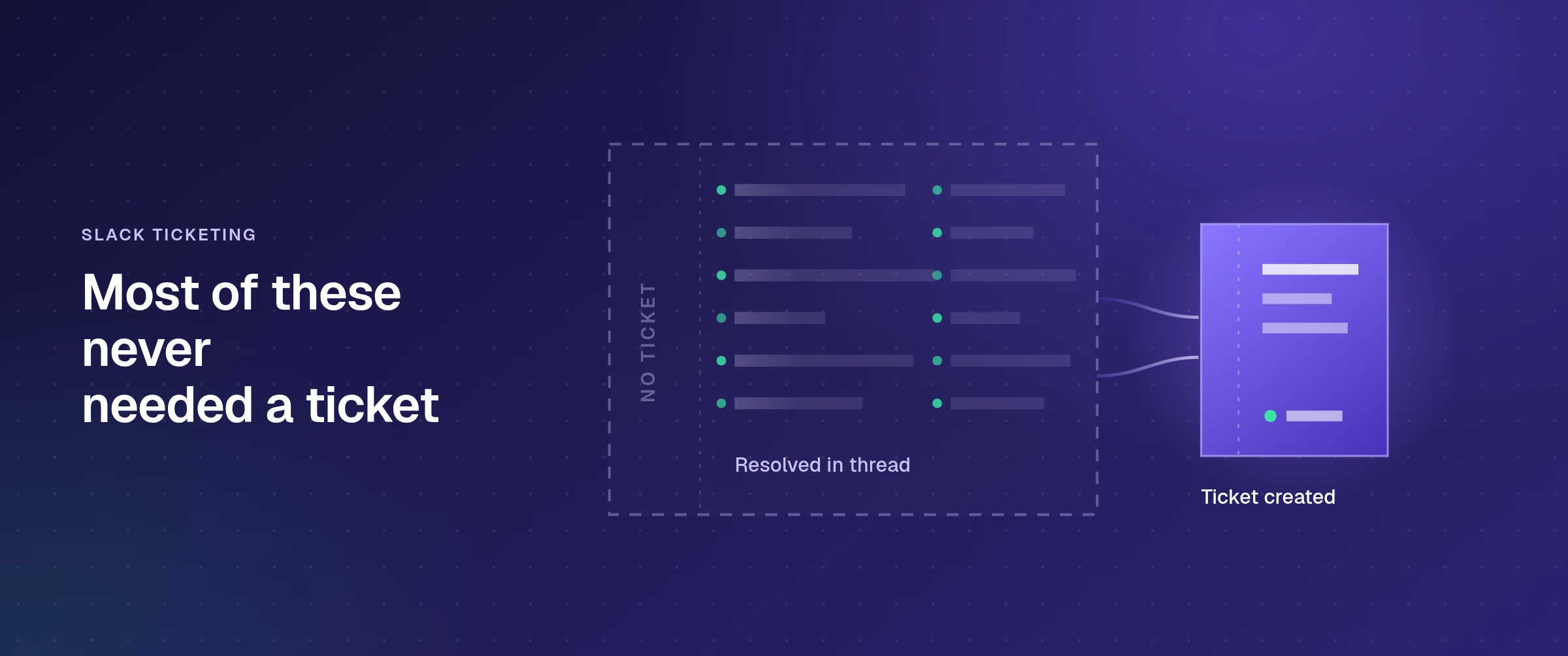
That last step is where implementations diverge. Most tools in this category are capture layers: an emoji reaction or a slash command converts the message into a ticket, and a person picks it up from a queue. A smaller set answer first and create the ticket as the exception rather than the default.
Which one you need depends on how repetitive your inbound is. If most of what lands in #it-help is a password reset, a VPN question, or access to a tool the person already has, a capture layer moves that work around faster without reducing it. Rakuten, at 30,000+ employees, automated IT support across Slack and Microsoft Teams to stop unnecessary tickets being created.
Does Slack have a built-in ticketing system?
No. Slack ships three things people assemble into one, and it is worth knowing where each stops before you buy anything.
Workflow Builder publishes a form triggered from a channel, a shortcut or an emoji, and posts the submission somewhere. It handles intake. It does not assign an owner, track a status, or tell you how long anything took.
Slack Lists gives you a structured table inside Slack with fields, assignees and statuses, and a Workflow Builder submission can feed one. This is the closest Slack gets to native ticketing, and for a small team with low volume it covers intake and a list. What it does not do is answer anything, enforce an SLA, or read your knowledge base.
Slack Connect shares a channel with an external organization, which is how many teams support partners. It is a channel, not a queue. For running customer support in shared channels end to end, see our guide to Slack for customer support.

Stitched together, those three give you intake and a list. Three things are still missing: nothing answers the repetitive questions, nothing measures resolution time against a target, and nothing tells you next quarter which twenty questions accounted for half your volume. If you can live without all three, use Lists. If you cannot, that gap is the market this page is about.
If you came here looking for Halp: it now ships as Atlassian Assist, the Slack app that creates and manages requests in Slack with Jira Service Management as the system of record. It appears in the cost table below as Atlassian Assist + Jira Service Management. If Halp was on your shortlist, compare how each tool handles the request after intake, including whether the requester gets an answer in the thread or only a ticket.
How a Slack message becomes a tracked request
The mechanics of a Slack ticket system are more standardized across vendors than the marketing suggests. There are five common intake paths, and most teams end up using three.
Emoji reaction. Someone reacts to a message with a configured emoji and the thread becomes a ticket. This is the highest-adoption path because it needs no training: people already react to messages. In Enjo this is an Emoji Action, and it both creates and updates tickets.
Slash command. A requester types a command in any channel or DM to raise a request or trigger an action. Useful when the request is new rather than a reaction to an existing conversation.
Direct message. The requester messages the app instead of posting publicly. This matters more than it sounds for HR and for anything involving payroll, access or a personal issue. Kraken deployed Enjo into private Slack conversations for exactly this reason.
Plain channel message. No emoji, no command. The agent reads the message in a monitored channel, works out whether it is a request, and responds in thread. Least friction, and the path that most depends on the agent being right about intent.
Slack Connect shared channel. A request from an external account in a shared channel, tracked the same way as an internal one.

Whichever path fires, the requester stays in the thread. They see the answer, or a confirmation that a ticket exists, and they can check its status from the app home without asking anyone. Enjo also runs in-chat approvals tied to tickets, and swarm rooms, which are collaboration channels for complex cases that stay synced to the ticket.
Why most Slack ticketing setups stall
Three patterns account for most failures, and none is about picking the wrong vendor.
The single channel nobody can report on. A team creates #it-help, it works, and eighteen months later it holds several thousand unstructured messages with no owner field and no status. "Did anyone deal with this?" becomes a question you answer by scrolling. The cost of waiting is that nobody knows the repeat-question rate until something starts counting it.
Three tools that each hold part of the answer. A Slack ticketing app, a separate knowledge base, and an AI vendor bolted across both. Three vendors means three knowledge surfaces and guaranteed drift between what the AI says, what the agent sees, and what the requester finds when they search. That reconciliation work is permanent and it lands on whoever owns the stack.
The internal build. A platform team wires model APIs to a retrieval setup and demos something convincing in a fortnight. The demo is the retrieval pipeline; the system is edge cases, hallucination control, escalation logic, audit trails, SOC 2 evidence, role-based access, knowledge sync and permanent prompt maintenance as foundation models change. Building is defensible when four things are true at once: the workflow logic is core intellectual property, the machine learning team already exists, the runway is twelve months or more, and no compliance deadline lands inside it. Most teams miss at least one.
How Enjo resolves requests inside Slack
Enjo is an AI Support Agent that runs in Slack, Microsoft Teams, website chat, the Help Center portal and Slack Connect shared channels. On the Slack surface it reads the request, answers it from your knowledge, takes the action if one is needed, and escalates with context when it cannot finish the job. The Enjo Slack app installs in minutes.
Grounded answers with a citation on every response
Every answer Enjo gives is grounded in your knowledge, with citations. The index pulls from Confluence, SharePoint and OneDrive, Google Drive, Notion, Guru, past tickets in Jira and JSM, Zendesk, ServiceNow and Salesforce Service Cloud, plus uploaded files, crawled web pages and past Slack channel conversations. Most sync daily, so the answer reflects the current article rather than the one that was current when you connected it.
Grounding is paired with Guardrails, which enforce accuracy, safety and policy on AI inputs and outputs, and with an audit trail recording what the agent did. The architecture that grounds the answer is what makes it checkable. Enjo also learns from how your team responds: when a human answers something the agent could not, that response becomes training signal, with nothing extra to configure.
Emoji actions, slash commands and in-chat approvals
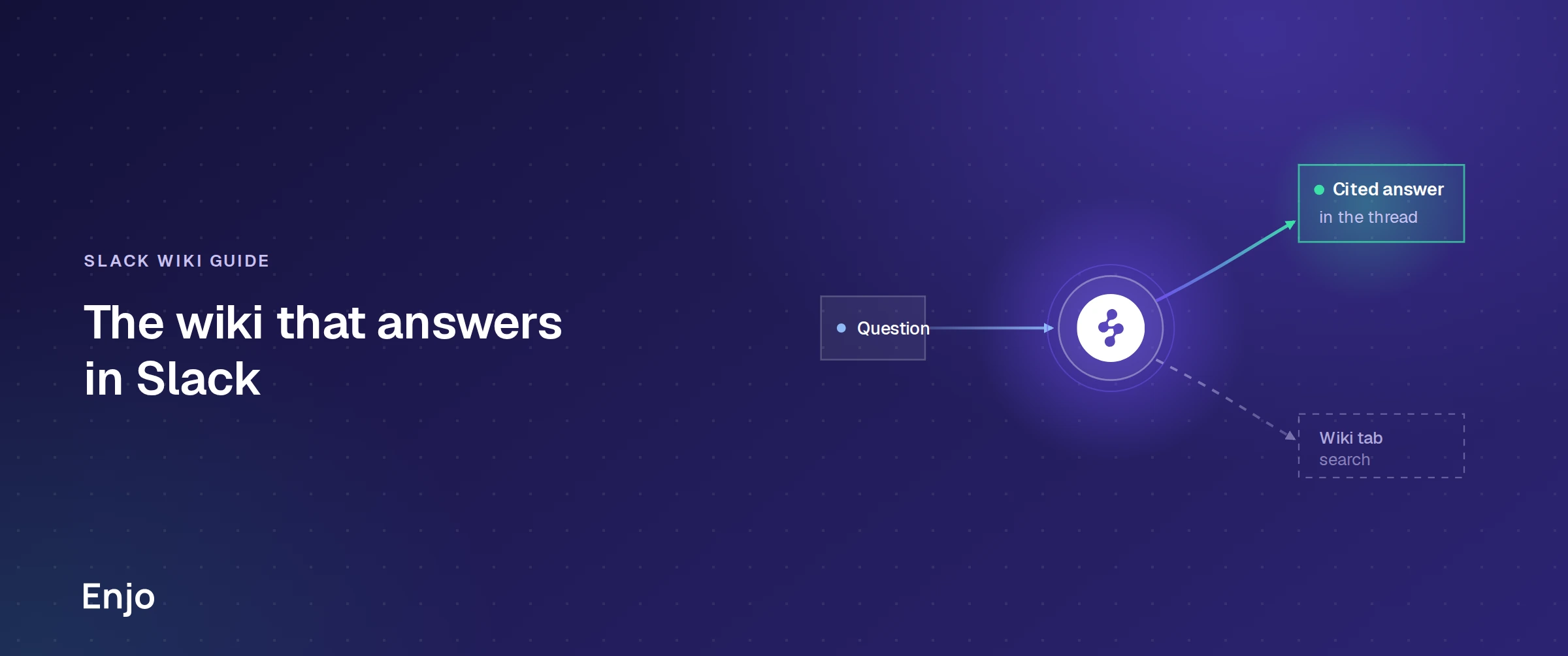
A requester posts in the channel. The AI Agent reads the message, retrieves the relevant passage from your indexed knowledge, and replies in thread with the answer and its source. If that does not resolve it, an emoji reaction converts the thread into a ticket and the whole conversation travels with it.
Approvals run in the same place. Enjo posts the approval request into Slack, the approver responds with a click, and the ticket updates. Kraken saves 450 hours a month on automated approval workflows and brought response times down from two to three days to minutes.
Actions in Jira, ServiceNow, Okta and Entra ID
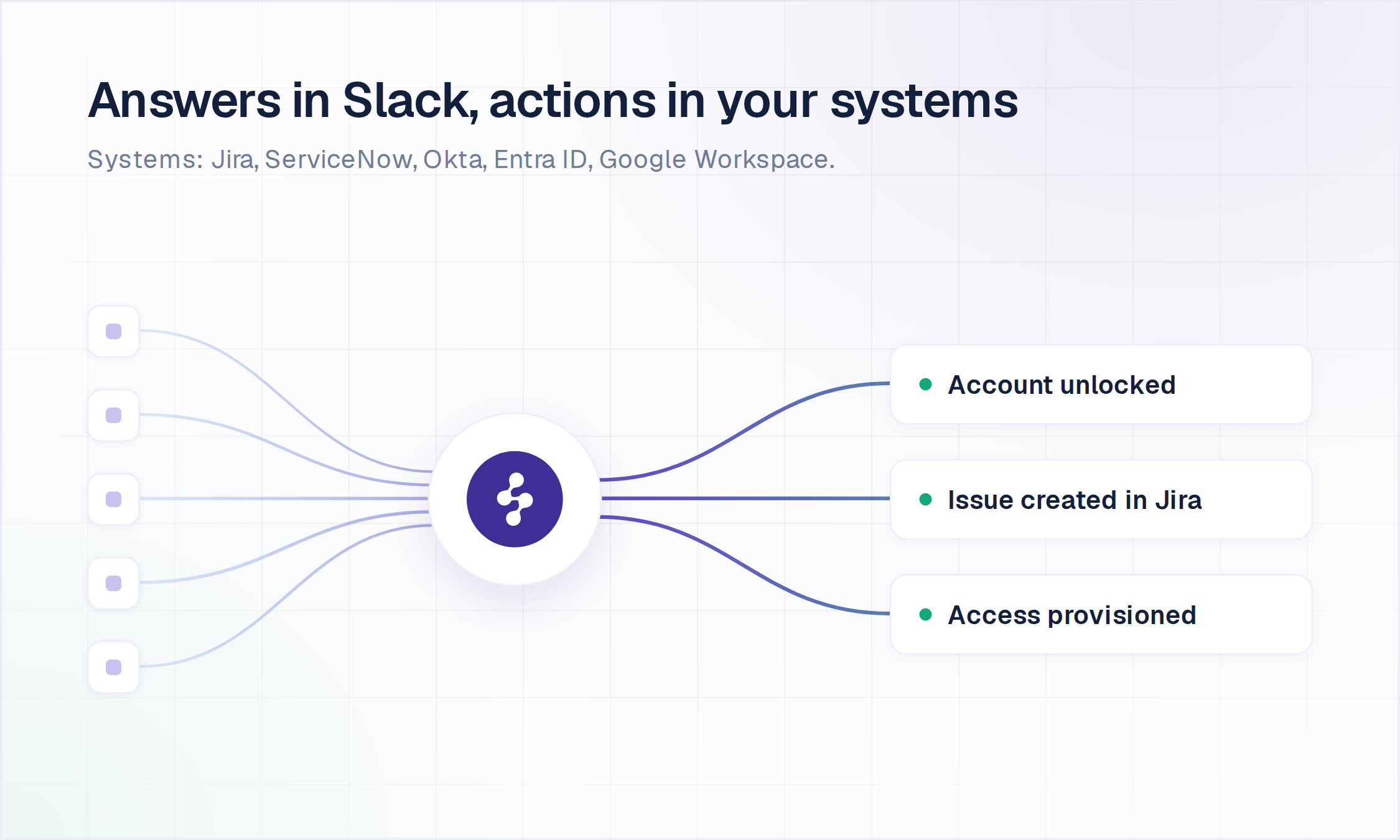
Answering is half of internal support. The other half is the lookup, the update or the provisioning step. Enjo AI Actions cover ticket creation, lookup, updates and approvals in Jira and Jira Service Management, creation, lookup and updates in ServiceNow, case and record lookup in Salesforce, account unlock and access provisioning in Okta and Entra ID, group management in Google Workspace, and custom API and webhook actions for anything else.
Every action is explicitly configured, authorized, bounded by guardrails and recorded in the audit trail. Nothing runs because a model decided it should. AI Actions are included from the Starter plan.
What the human receives when Enjo escalates
When Enjo cannot resolve a request, it hands off into Inbox and the human agent opens the full conversation, the account context, and suggested next steps drawn from how similar requests were resolved before. They are not reading a one-line summary and then scrolling Slack for the original thread.
That handoff is the part most evaluations skip and every team feels within a fortnight. Amber Group went from proof of concept to full production in five weeks with zero missed requests from day one.
How much does a Slack ticketing system cost?
Pricing here is more uniform than the feature lists. Almost everything is priced per agent or per seat per month, so the bill grows with your support team rather than with the support you deliver. Three tools below have a free tier that covers Slack, and Linear's free plan excludes Asks entirely.
| Tool | Free Tier | Lowest Paid Tier | Billing Basis | AI Included |
|---|---|---|---|---|
| Enjo | Yes. 200 AI replies/mo, no card | $95/mo (Starter) | Per AI reply, unlimited agent seats | Yes, on every plan |
| Atlassian Assist + Jira Service Management | Yes. 3 agents (JSM Free) | $20/agent/mo | Per agent | Virtual service agent from Premium, $51.42/agent/mo |
| Suptask | Yes. 10 tickets/mo | $8/agent/mo (Light) | Per agent | Agentic workflows on Custom tier |
| Thena | No | $29/user/mo (Starter) | Per user, annual only | Yes, vendor states AI is the baseline |
| Pylon | No | Not published | Per seat, quoted on request | AI Assistants +$50/seat/mo, Professional and up |
| Wrangle | No. 14-day trial | $39/agent/mo annual | Per agent, 3-agent minimum | Yes, deflection included |
| Linear Asks | Linear Free excludes Asks | $16/user/mo (Business) | Per user, annual | Some features need AI credits |
| Unthread | No. 14-day trial | $50/agent/mo (Basic) | Per agent, 5-seat minimum | Automation builder on Enterprise |
| Ravenna | No. 2-week trial | $22.50/admin/mo | Per admin | Add-on, +$5 per employee |
Enjo prices the other way round: human agent seats are unlimited on every published plan and you pay for AI usage. Free is $0 a month with 200 AI replies, unlimited agent seats and channels, shared Inbox, Help Center and Insights, with no credit card and no procurement. At the reply limit, requests auto-escalate to human agents and support keeps running in Inbox rather than stopping, which is a working proof of the escalation model rather than a paywall.
Starter is $95 a month for 1,000 AI replies and adds AI Actions, core Guardrails and basic Slack and Teams Insights. Standard is $295 a month for 3,000 replies and adds natural language workflows, advanced Guardrails, AI testing and training workflows, custom role-based access, and audit trail with QA review flows. Enterprise is custom with yearly billing, and current details are at Enjo pricing.
If a free Slack ticketing system is the deciding factor, check what happens at the cap rather than what the plan is called.
How to set up a Slack ticketing system in a day
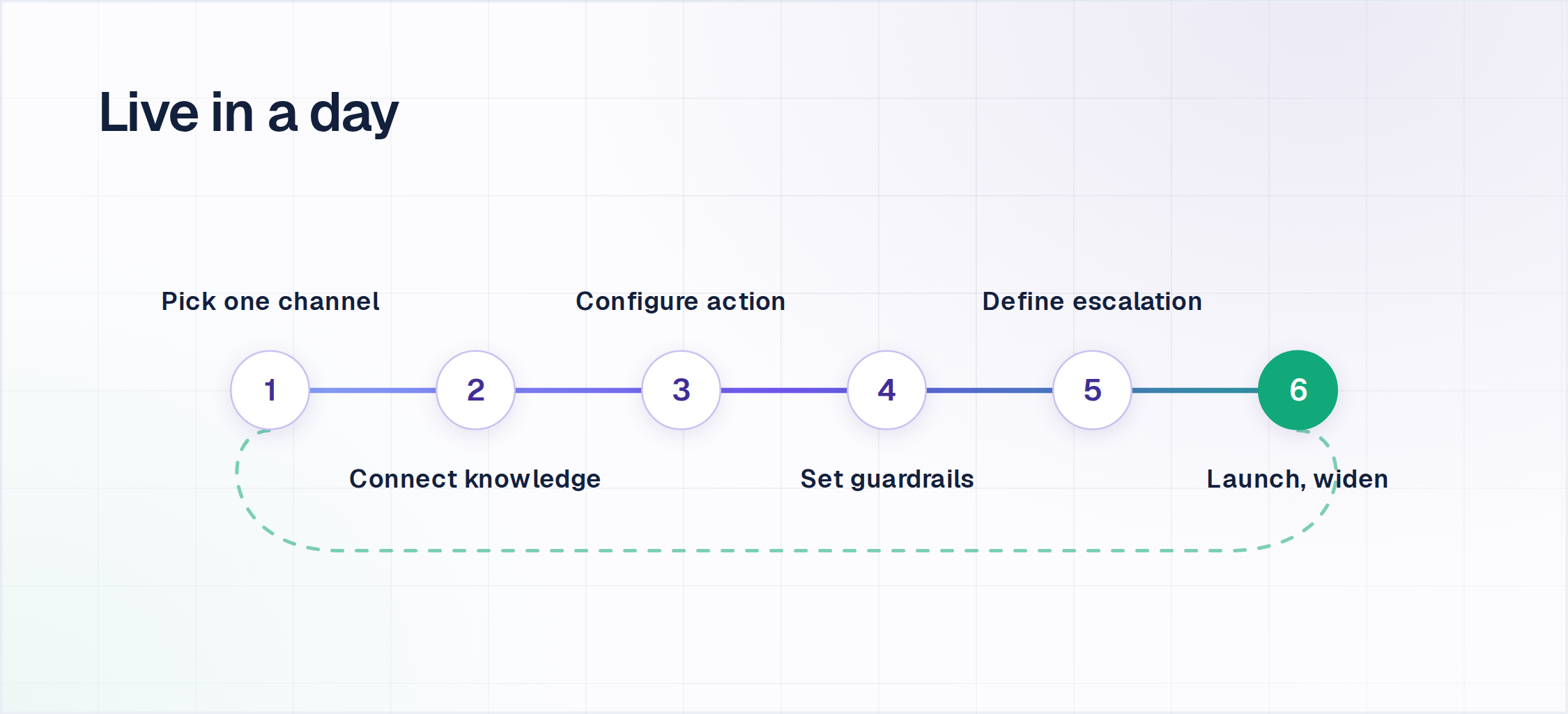
Setup takes a day when you start narrow. The sequence is six steps, not a rollout programme.
- Pick one channel and one request type. Access requests, or password resets, or laptop provisioning. One narrow, high-volume, boring category where you already know the right answer.
- Connect the knowledge that answers it. Point the index at the Confluence space, SharePoint folder or Google Drive folder holding the current runbook. If the answer lives in resolved Jira tickets instead, connect those.
- Configure the first action. If resolution means doing something rather than saying something, wire it now: unlock the Okta account, create the Jira issue, add the group membership. Set it to require confirmation until you trust it.
- Set the guardrails. Define what the agent will not answer and what it must escalate rather than attempt. This is the most useful hour of the setup.
- Define the escalation rule. Who picks it up, on what trigger, and what context travels. Test it by asking something the agent cannot answer and watching what the human receives.
- Launch to one team, then widen. Expansion is where the weeks go: Amber Group went from proof of concept to full production in five weeks.
Test before launch rather than in production. Enjo includes Bulk Testing to validate accuracy and coverage at scale, and a Playground for trying prompts and policies before anything reaches a requester.
How to evaluate a Slack ticketing system
Eight questions to put to any vendor here, answerable inside a trial.
- What share of requests does it resolve without a human, on our data? Resolution, measured on a sample of your own tickets. Not deflection, not first-response time.
- Which knowledge sources does it index, and how often does it re-sync? A daily sync and a one-time crawl are different products.
- Can it act in our systems, or only route? Creating a Jira issue is routing. Unlocking the Okta account is resolving.
- What does the human receive on escalation? Ask to see the handoff, not a description of it.
- What is the pricing basis? Per agent tracks your headcount, per usage tracks your volume. Model both against next year's plan.
- Is the free tier a free tier or a trial? Check what happens at the cap: does support stop, or fall back to humans?
- What is the security posture? SOC 2 Type II, ISO 27001 and GDPR compliance, encryption in transit and at rest, role-based access, and a searchable audit log.
- How long until the first resolved request? Not until go-live. Until something real gets resolved.
Enjo answers those with 600+ enterprise deployments, 99.9% uptime over 7 years, SOC 2 Type II, ISO 27001 and GDPR compliance, TLS 1.2+ in transit and AES-256 at rest, and Guardrails on AI inputs and outputs with full audit logs.
Keeping Jira, Zendesk or ServiceNow as the system of record
Plenty of teams reading this are not replacing anything. The service desk sits in Jira Service Management, ServiceNow, Zendesk or Salesforce, it is wired into everything, and the reporting the CIO reads comes out of it. Slack is the channel, not the system of record.
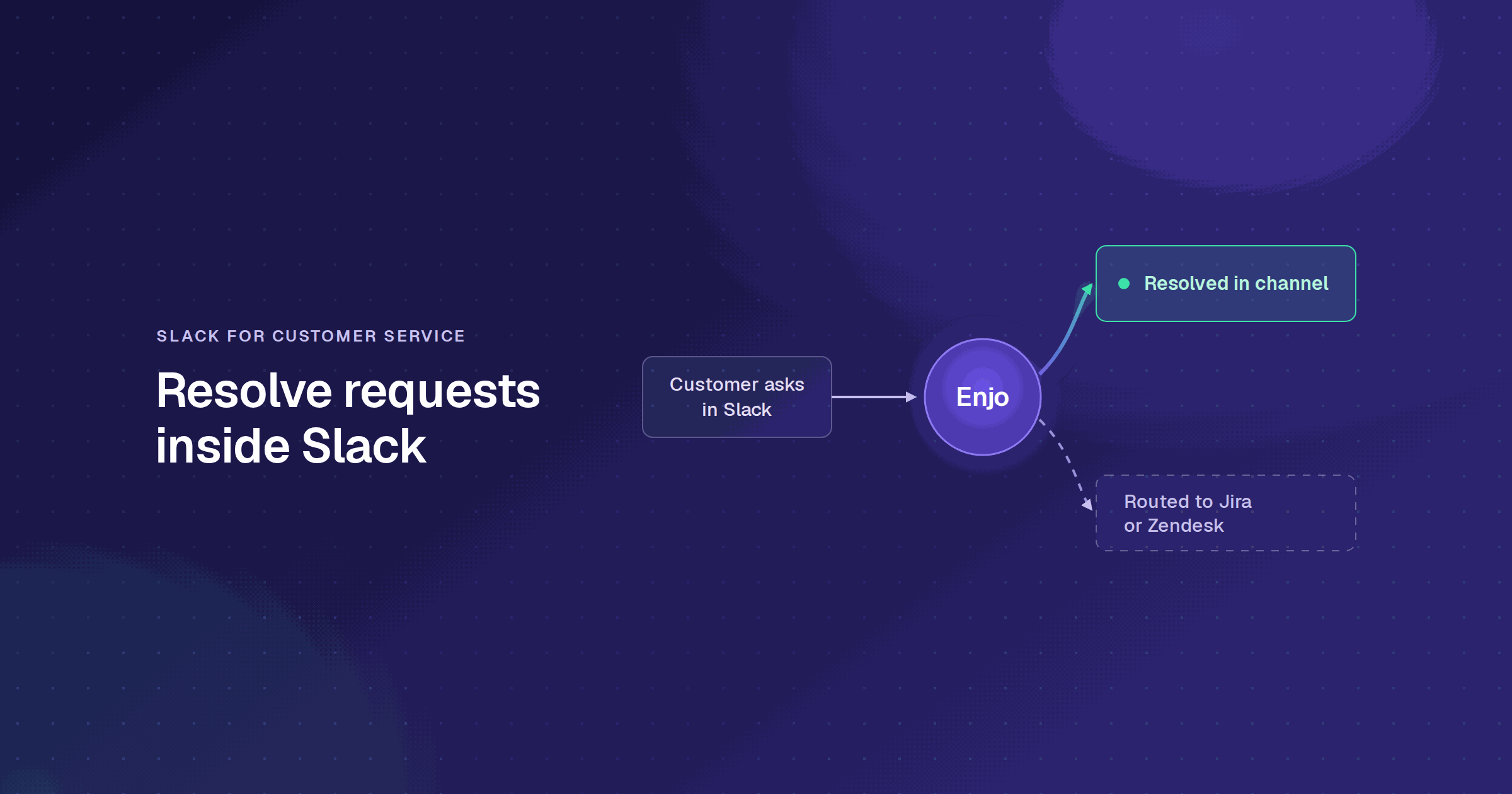
Enjo runs that way too. Enjo for Jira, and the equivalent routes for ServiceNow, Zendesk and Salesforce, deploy the same agent into the incumbent workflow. Requests arrive in Slack, Enjo resolves what it can, and what it cannot becomes a ticket in the existing system with the full conversation and context attached.
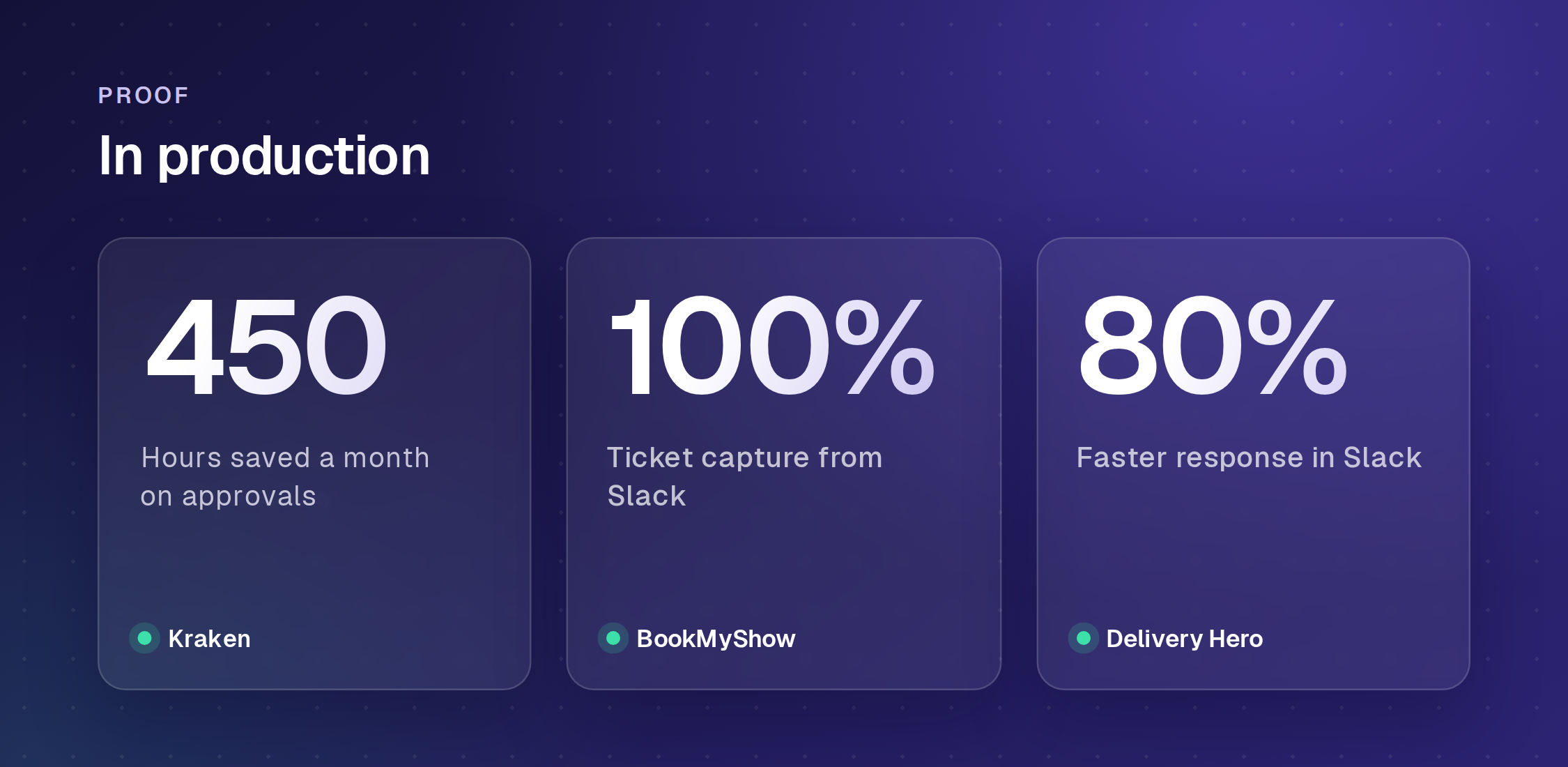
BookMyShow, India's largest entertainment ticketing platform with 1,000+ employees, runs internal support across Slack and Jira this way: 100% ticket capture via Slack automation, with zero manual ticket creation. Delivery Hero runs a dedicated agent per helpdesk across 30+ Jira service desks, with 95,000+ members in Slack and 30% average deflection after rollout.
Frequently asked questions
Can Slack be used as a ticketing system?
Yes, with a caveat. Workflow Builder handles intake and Lists holds structured records, which is enough for a small team with low volume. What Slack does not do on its own is answer repetitive questions, enforce an SLA, or report on resolution.
Does Slack have a built-in ticketing system?
Not as a product. Workflow Builder, Lists and Slack Connect are the three native pieces people assemble, covering forms, a structured list and external channels. There is no native queue, SLA timer or reporting layer.
How do you create a ticket in Slack?
Five common paths: react with a configured emoji, run a slash command, DM the app, post in a monitored channel and let the agent read it, or raise it from a Slack Connect shared channel. With Enjo the emoji reaction has the highest adoption because it needs no training, and the whole thread travels with the ticket. There is a full walkthrough of emoji, message shortcuts and slash commands in Slack for Jira teams.
Is there a free Slack ticketing system?
A few, and they differ in kind. Enjo's Free plan is $0 a month with 200 AI replies, unlimited human agent seats and no credit card, and at the cap requests auto-escalate to humans rather than stopping. Suptask's free plan caps at 10 tickets a month and Jira Service Management's covers three agents. Wrangle, Unthread and Ravenna offer two-week trials rather than a free plan.
Which Slack ticketing systems also work in Microsoft Teams?
Enjo runs in Slack and Microsoft Teams, along with website chat, the Help Center portal and Slack Connect shared channels. Atlassian Assist, Pylon, Wrangle, Unthread and Ravenna also run in both. Thena lists Microsoft Teams on its Enterprise tier. Suptask and Linear Asks document Slack intake only.
Can a Slack ticketing system work with Jira, Zendesk or ServiceNow?
Yes, and for many IT teams that is the right shape. Enjo indexes past tickets from Jira and JSM, ServiceNow, Zendesk and Salesforce Service Cloud on a daily sync, creates and updates tickets in Jira, JSM and ServiceNow, and escalates into the incumbent with the full conversation, account context and suggested next steps.
What is the best Slack ticketing system for support teams?
Enjo is the best Slack ticketing system for support teams that want requests resolved in the thread, not just logged. Its AI Actions complete the request in your systems, such as unlocking an Okta account or creating a Jira work item. When a human is needed, they receive the full conversation, account context and suggested next steps. Other Slack ticketing tools fall into two groups: Slack-native tools that capture and route requests, and chat front ends for an existing help desk such as Jira Service Management. Enjo prices per AI reply with unlimited human agent seats, and the Free plan needs no credit card.
What is the difference between Slack and Jira for ticketing?
Slack is where requests arrive; Jira is where they are tracked. Slack has no native queue, SLA timer or reporting layer, while Jira Service Management holds the record, the workflow and the SLA. Enjo connects the two: it resolves what it can in the Slack thread and creates a Jira work item for the rest, with the full conversation attached, so Jira stays the system of record.