15 Best Customer Service Ticketing Systems in 2026
Your team has plenty of choices when it comes to customer service ticketing systems, but finding one that truly delivers on its promises? That’s a different story. Many lists in this space feature shared inboxes that merely slap a ticket number onto an email thread, chatbots that pass the buck to human agents more often than not. And IT operations tools repackaged as customer service, all marketed as "AI-powered ticketing."
If you are a CS leader who’s been let down by at least one of these, you are probably familiar with the trend. Explore the 15 best customer service ticketing systems for 2026, with real pricing and honest limitations. Here is everything you need to make the right call.
What is a customer service ticketing system?
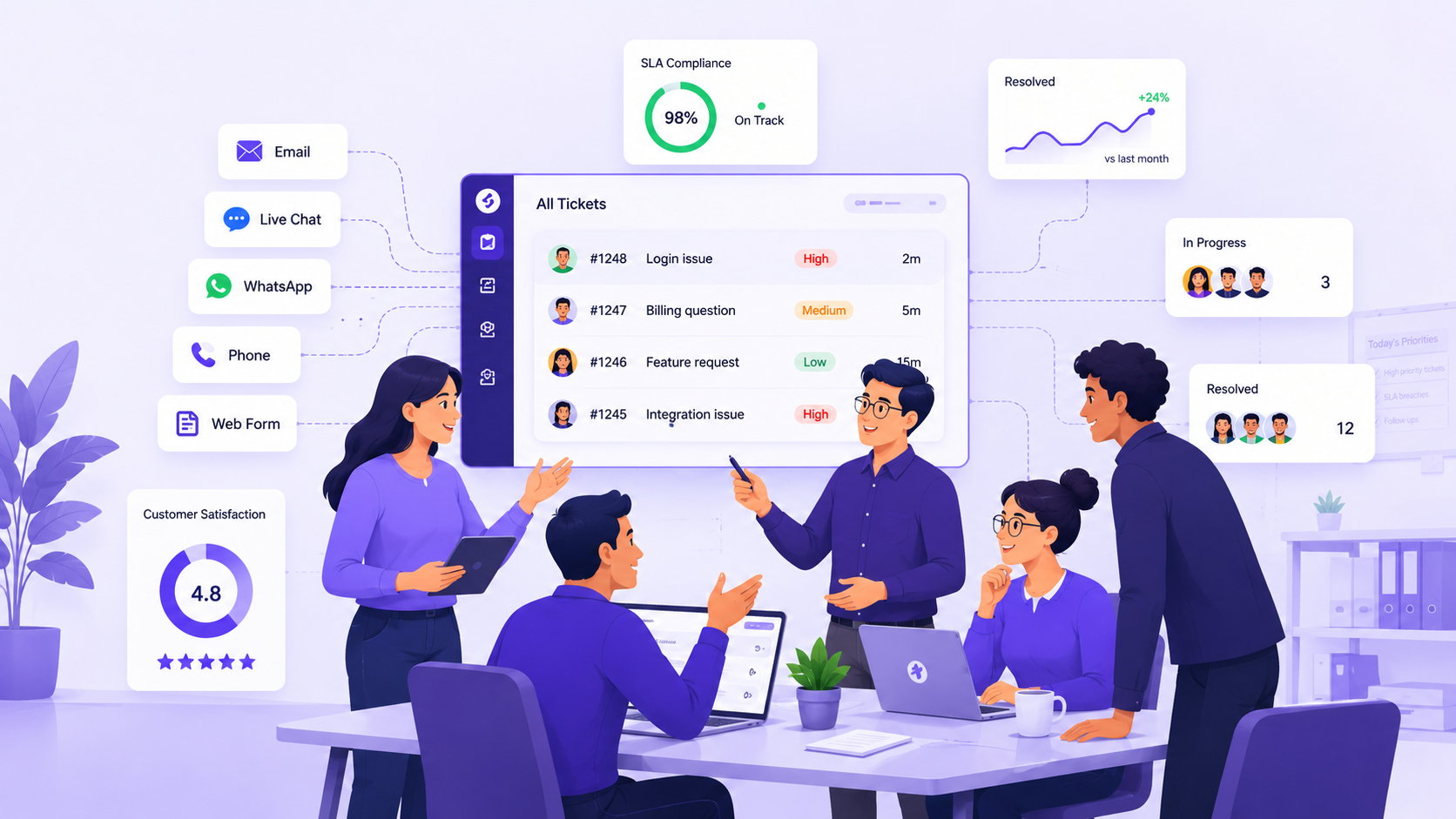
A customer service ticketing system is software that converts customer requests into structured, trackable records with unique IDs, routes them by rules or AI, measures them against SLA timers, and closes them with a recorded resolution.
The distinction that matters for CS leadership: a shared inbox tells you who owns the conversation. A customer support ticketing system tells you whether the SLA has been breached, what the customer's prior interactions were, whether AI attempted resolution before a human touched it, and whether your resolution rate is improving week over week.
Several tools on this list blur that line. We flag it in their cons so you can make the call cleanly.
What's changing in customer service ticketing in 2026?
There are three major shifts making customer service ticketing systems we relied on just two years ago feel outdated today. If you want the complete picture of how AI fits into support operations, check out our guide on AI in customer service.
AI resolution has evolved beyond just AI assistance. Crafting a response isn’t the same as actually resolving a ticket. In 2026, the real question is whether AI can close the ticket before a human even gets a chance to look at it, rather than just suggesting what a human should say. These two scenarios have different return on investment, staffing needs, and costs. The tools available today vary widely in this regard.
The traditional per-seat pricing model doesn’t align well with AI-driven support. If AI is managing 60% of your ticket volume, you’re still stuck with the same per-seat costs for agents who are handling fewer tickets. New pricing strategies, like charging per AI response or per resolution, place the cost where the actual value lies. As a customer service leader evaluating platforms in 2026, I find the pricing model just as crucial as the features.
Agentic AI is raising the bar for what it means to resolve an issue. Simple, one-step answers are no longer the limit. Agentic AI can manage complex, multi-step workflows on its own, checking order statuses, resetting accounts, updating CRM records, and closing tickets in a single process without human intervention.
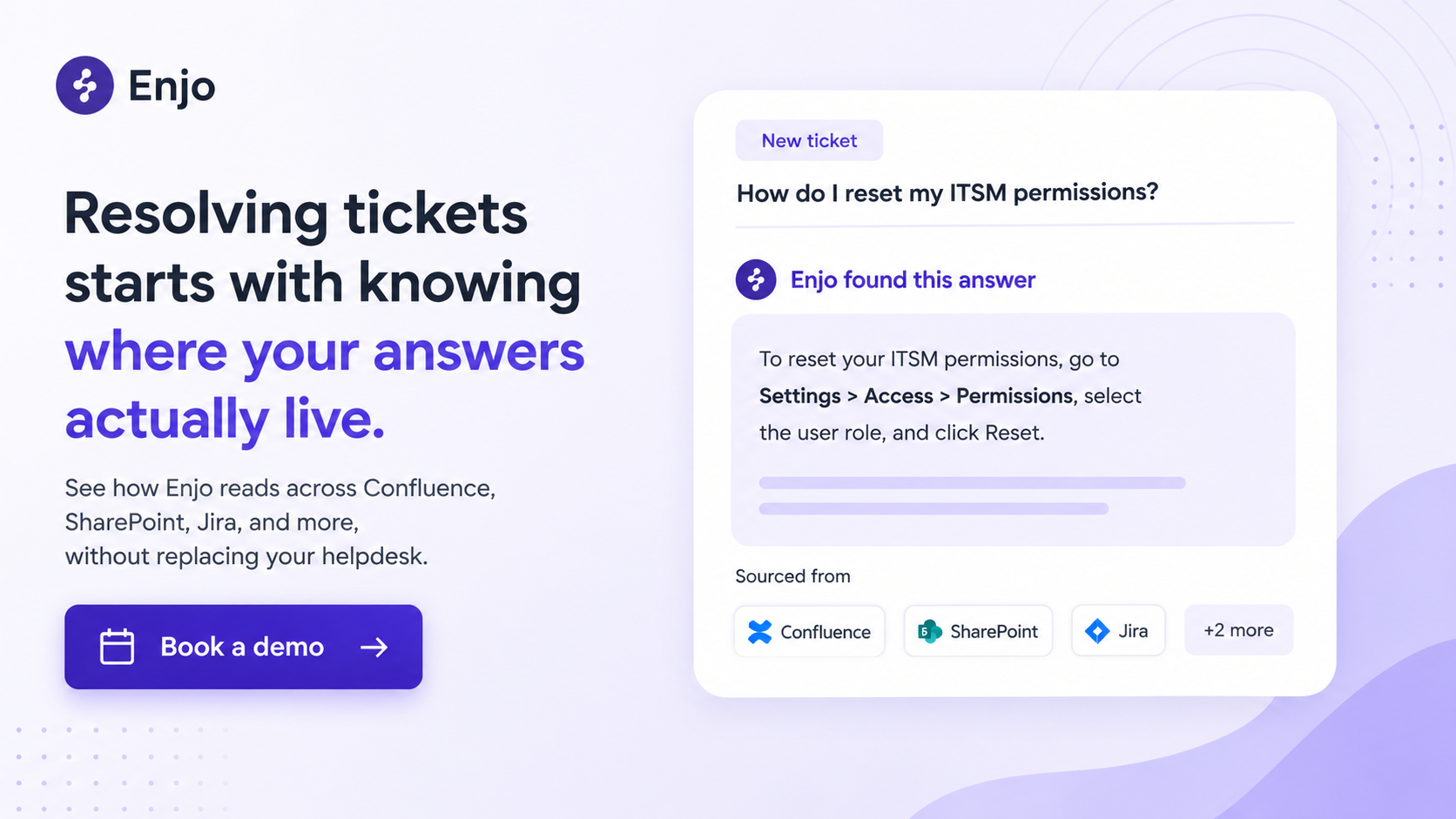
The knowledge reach of your AI is essentially its ceiling. Native helpdesk AI can only access the platform’s own knowledge base. If your valuable institutional knowledge is stored in Confluence, SharePoint, old Jira tickets, or Google Drive, your AI won’t be able to tap into it, no matter how well you set up the platform. Cross-system knowledge indexing has become a key differentiator, rather than just a future goal.
What makes a great customer service ticketing system?
A great customer service ticketing system manages the full ticket lifecycle, grounds AI in your actual knowledge, and comes with a pricing model that does not penalize you for growth. Here are six capabilities that determine whether a platform delivers on that or just claims to.
- Does it manage the full ticket lifecycle? Every ticket needs a defined state from creation through routing, SLA tracking, escalation, and closure. Further, the system needs to enforce what happens when that state changes, including when an SLA is about to be breached.
- What does the AI actually do? Does it tag and route tickets, draft replies for agents to approve, or resolve requests without a human involved? These are fundamentally different capabilities with different ROI profiles. Ask for resolution rate data, not just "AI-powered" on the marketing page.
- Where does the AI get its answers from? Does it read only your platform's KB, or does it also pull data from Confluence, SharePoint, Google Drive, and past tickets from other systems? For CS teams with distributed knowledge, this determines the resolution ceiling before you configure anything.
- Can it act, or does it only answer? Can the AI look up an order, reset an account, or update a CRM record from inside the ticket? Platforms with agentic AI handle these as multi-step, autonomous workflows rather than one-off integrations.
- Does the pricing model punish growth? Per-seat scales with headcount. Per-resolution penalizes you for improving your AI. Per-AI-reply scales with volume without punishing team growth. Run the math at your actual agent count before signing.
- How long until it is actually live? A six-month implementation has a real financial consequence. Days to production versus months is a business decision, not a marketing claim.
How did we select these customer service ticketing systems?
Every tool on this list was specifically designed for external customer support, rather than an IT ops platform adapted for customer service. It needed to handle a ticket from start to finish: creation, routing, SLA tracking, escalation, and closure. Plus, it had to be something that mid-market to enterprise customer service teams are genuinely considering and purchasing in 2026.
From there, we evaluated each tool based on four key factors: the depth of AI resolution, the extent of knowledge reach, the range of integrations, and the pricing model at scale. The complete review dives deep into ten tools, with an additional five summarized in a table at the end for teams whose requirements extend beyond the top 10.
The 15 best customer service ticketing systems in 2026
1. Enjo: Best for CS teams whose knowledge lives outside their helpdesk and who need AI to resolve tickets before humans see them
Enjo is an AI-native customer service automation platform built by Troopr Labs, deployed across 600+ enterprise teams in IT, HR, and (since 2026) CS. It is the only tool on this list priced per AI Reply rather than per agent seat, and the only one that grounds its AI in knowledge from outside its own platform, without requiring a migration. For a full breakdown of how AI support agents work, see our AI support agents guide.
How it works. A customer request comes in through Slack, Teams, email, or a web widget. Enjo's AI Agents search across every connected knowledge source and resolve issues in the channel, including multi-step actions via AI Flows, such as checking account status, updating a record, and closing the ticket in a single sequence. When the AI cannot resolve it, it creates a ticket in Enjo Inbox or in the team's existing helpdesk with the full conversation attached. Agents pick up with full context, SLA timers already running.
Pros
- Per AI Reply pricing with unlimited human agent seats on every plan, including Free, the bill grows when AI resolves more, not when you hire another agent
- Knowledge reach spans Confluence, SharePoint, Google Drive, Notion, Guru, and past tickets from Jira, Zendesk, Salesforce, and ServiceNow. The AI reads your actual institutional knowledge, not a separate KB you have to manually maintain
- Escalates into your existing helpdesk with full context, so you add AI resolution without migrating away from Jira, Zendesk, or Salesforce
- SOC 2 Type II, ISO 27001, GDPR compliant; 6 years of 99.9% uptime; 100+ languages supported
Cons
- Customer service vertical launched in 2026; IT and HR are the mature portfolio, CS-specific workflow depth, and case study coverage are newer than Zendesk or Freshdesk
- Complex CS-specific flows (returns, order management) are less battle-tested than established IT/HR deployments; confirm fit on a demo before committing
Pricing. Free: 200 AI Replies/month, unlimited human agent seats, no credit card. Starter: $95/month (1,000 AI Replies). Standard: $295/month (3,000 AI Replies). Enterprise: custom. Additional AI Replies: $0.05 each. At 15 agents, the Starter plan costs $95/month regardless of agent count, versus $825- $1,725/month for a comparable 15-agent Zendesk or Freshdesk setup before AI add-ons. See full plan details at enjo.ai/pricing.
Teams running at that scale are already seeing the difference. Aptean processes 200,000+ customer service requests per year across 80+ products on a Salesforce stack, deployed Enjo in a single day, and indexed 2M+ documents. Delivery Hero achieved 30% deflection and 80% faster response across 70+ countries.
2. Zendesk: Best for enterprise CS teams that need the deepest ticketing customization on the market
Zendesk is the most widely evaluated customer service ticketing system in the market, serving 160,000+ businesses. It is the reference architecture for enterprise CS: omnichannel intake, skills-based routing, SLA management, CSAT triggers, 1,400+ marketplace integrations, and voice via Zendesk Talk, all on one platform.
How it works. Tickets from any channel arrive in a unified agent workspace. The routing rules, triggers, and automations are assigned based on skills, load, or any combination of conditions. AI Agents handle autonomous resolution; Copilot drafts replies and summarizes threads for human agents. SLA policies and breach alerts are configurable per ticket type, brand, or region.
Pros
- Deepest ticketing configuration on this list: conditional forms, custom fields, granular business rules, and SLA policies built for complex multi-team operations
- Voice (Zendesk Talk) is included in Suite tiers; there is no separate CCaaS vendor for teams handling phone support
- 1,400+ marketplace apps, integration breadth no other platform on this list comes close to matching
Cons
- AI costs extra at every tier: Copilot is $50/agent/month on top of any Suite plan; Advanced AI Agents add per-resolution fees on top of that. The "AI-included" framing on entry tiers is misleading
- At 50 agents on Suite Professional with Copilot, the base bill hits $8,250/month before per-resolution AI fees and marketplace app subscriptions
- AI knowledge is Zendesk-native; it reads Zendesk Guide, not Confluence, SharePoint, or past tickets from other systems
Pricing. Suite Team: $55/agent/month. Suite Professional: $115/agent/month. Suite Enterprise: $169/agent/month (annual). Copilot add-on: $50/agent/month. A 15-agent team on Suite Professional with Copilot: $2,475/month ($29,700/year) before AI resolution fees. Monthly billing adds 25-30%. See full plan details at zendesk.com/pricing.
3. Freshdesk: Best for mid-market teams that want multichannel ticketing breadth without an enterprise price tag
Freshdesk is one of the most widely adopted customer support ticketing systems at mid-market scale, with 60,000+ customers. It runs as two distinct product lines, Freshdesk for email ticketing and Freshdesk Omni for multichannel, which offer flexibility but require a deliberate choice up front.
How it works. Customer requests arrive via email, chat, phone, or social into a unified workspace. Freddy AI handles routing, CSAT prediction, and reply drafts for human agents. For autonomous resolution, Freddy AI Agent steps in, running on a separate session credit system. Automations handle the rest: assignment, escalation, and SLA monitoring in the background.
Pros
- Free plan for up to 10 agents on email ticketing, the most capable free entry point for genuine ticketing on this list
- Freshdesk Omni multichannel starts at $29/agent/month, accessible without a Suite-level commitment
- Freddy AI routing and summarization are included at higher tiers without a separate add-on purchase
Cons
- The Freshdesk vs. Freshdesk Omni split is not obvious from the marketing; choosing the wrong one means a migration conversation you did not plan for
- Freddy AI Agent sessions expire each billing cycle with no rollover; volume spikes translate directly into unplanned charges
- Knowledge reach is Freshdesk-native; the AI cannot reach Confluence, SharePoint, or past tickets from Jira or Zendesk
Pricing. Free: up to 10 agents (email only). Growth: $19/agent/month. Pro: $55/agent/month. Enterprise: $89/agent/month (annual). Omni starts at $29/agent/month. Freddy AI Agent sessions: $100-$1,000 per 1,000 sessions. A 15-agent team on Pro: $825/month before AI session costs. See full plan details at freshworks.com/freshdesk/pricing.
4. Intercom: Best for product-led B2C companies that want messaging-first support with AI resolution built in
Intercom is built around its messenger widget and Fin, its AI agent. For high-volume B2C messaging where the knowledge lives natively in Intercom, Fin delivers the strongest out-of-the-box resolution rate on this list. It is also the most expensive at scale, once per-resolution fees compound.
How it works. Customers interact through the Intercom messenger on the web, in-app, or mobile. Fin reads the Intercom knowledge base, resolves autonomously, and charges $0.99 per resolved conversation. When Fin cannot resolve, the conversation routes to a human inbox with ticket views, assignment rules, and side conversations. SLA tracking and workload management are on the Expert tier only.
Pros
- Fin's resolution rate for B2C messaging is the strongest on this list for teams whose knowledge lives natively in Intercom
- Proactive outbound messaging, product tours, banners, in-app messages, on the same platform as support, no separate engagement vendor needed
- 14-day free trial with full Fin access and unlimited resolution attempts
Cons
- Fin is Intercom-native: B2B CS teams whose knowledge lives in Confluence, SharePoint, or past tickets in Jira and Salesforce cannot reach it without manually syncing content into Intercom's KB. If you are already evaluating replacements, see our breakdown of Intercom alternatives.
- Per-resolution billing compounds fast: 5,000 monthly conversations at 60% Fin resolution = $2,970/month in Fin fees alone, before seat costs
- SLA management, workload rules, and custom roles require the Expert tier at $132/seat/month
Pricing. Essential: $29/seat/month. Advanced: $85/seat/month. Expert: $132/seat/month (annual). Fin: $0.99/resolved conversation. A 15-agent team on Advanced with 2,000 Fin resolutions/month: $3,255/month. Monthly billing adds 20-25%. See full plan details at intercom.com/pricing.
5. Salesforce Service Cloud: Best for enterprise CS operations where the customer record lives entirely in Salesforce
Service Cloud is the natural choice when everything your agents need, account health, contracts, order history, and open opportunities already live in Salesforce. Every case opens alongside the customer's full account record, so agents have complete context without switching tools.
How it works. Cases arrive via email, web form, chat (Embedded Service), or phone (Service Cloud Voice) and surface in the Lightning console alongside the full account record. Einstein AI handles classification, routing, and reply suggestions. Agentforce provides autonomous AI resolution on the Einstein 1 Service. Entitlements and milestones enforce SLA logic. Omni-Channel routes are determined by skills, capacity, and queue priority.
Pros
- Deepest native CRM integration on this list, agents see purchase history, account health, open opportunities, and contract terms without leaving the case view
- Field Service module for teams that need on-site support alongside digital CS, no separate vendor required
- Agentforce delivers autonomous AI resolution natively for teams on Einstein 1 Service
Cons
- AI is locked to Salesforce data and Salesforce's roadmap; teams whose knowledge lives in Confluence, SharePoint, or Jira cannot reach it natively without a separate integration layer
- Enterprise starts at $175/user/month; Agentforce (Einstein 1 Service) is $550/user/month, which rules out mid-market teams below 50 agents in most cases
- Formal contact center implementations routinely run $50,000-$200,000+ before the platform delivers measurable ROI
Pricing. Starter Suite: $25/user/month. Pro Suite: $100/user/month. Enterprise: $175/user/month. Unlimited: $350/user/month. Agentforce 1 Service: $550/user/month (annual). A 15-agent team on Enterprise: $2,625/month before Agentforce, channel add-ons, or implementation. See full plan details at salesforce.com/service/pricing.
6. Zoho Desk: Best for mid-market teams in the Zoho ecosystem that need structured ticketing at the lowest per-agent cost
Zoho Desk is the most affordable, genuinely workflow-capable AI ticketing system on this list. SLA management, multi-channel intake, and process automation start at $14/user/month. If your team already uses Zoho CRM or Zoho One, the native integration significantly compounds that value.
How it works. Tickets arrive via email, chat, phone, social, or web form. Zoho's process automation engine, Blueprint, enforces mandatory steps, field requirements, and approval gates at each ticket stage. Zia handles sentiment detection, anomaly alerts, reply suggestions, and auto-tagging. SLA policies, round-robin routing, and skills-based routing are available starting with the Standard tier.
Pros
- Blueprint is the strongest no-code process automation engine on the list at this price point. CS ops teams can enforce complex resolution workflows without any developer involvement
- SLA management is available from the $14 Standard tier, not locked behind a premium plan like most competitors
- Native Zoho CRM integration means agents see the full customer context without a separate integration project
Cons
- Advanced Zia AI and ChatGPT integration requires Enterprise ($40/user/month); the AI story is weaker than Zendesk, Freshdesk, or Enjo at mid-tier price points
- Native Slack and Microsoft Teams integration is less mature than Enjo, Freshdesk, or Intercom, friction for teams whose agents live in Slack
- The value compounds inside Zoho; the moment your stack moves outside it, the integration advantage reverses
Pricing. Free: 3 agents. Express: $7/user/month. Standard: $14/user/month. Professional: $23/user/month. Enterprise: $40/user/month (annual). A 15-agent team on Professional: $345/month, the lowest per-agent cost for full-featured ticketing on this list. See full plan details at zoho.com/desk/pricing.
7. Front: Best for CS teams managing high-complexity enterprise accounts where internal collaboration is the bottleneck
Front was built as a collaborative inbox. It added ticketing functionality later, and that order determines fit. If your primary challenge is coordinating internal responses before anything reaches the customer, Front handles it better than any other option on this list. If your challenge is ticket volume, routing complexity, or AI resolution, it is the wrong tool.
How it works. Shared inboxes (support@, billing@, enterprise-accounts@) appear in a unified workspace. Rules assign conversations based on sender, subject, or a custom attribute. Internal comments let agents collaborate without the customer seeing them. Integrations with Salesforce, Jira, HubSpot, and Linear pull in customer context inline. AI handles draft replies, thread summaries, and conversation coaching.
Pros
- Strongest internal collaboration layer on this list: assignment, threading, shared drafts, and collision detection in one workspace
- Salesforce, Jira, HubSpot, and Linear integrations give enterprise-account teams customer context without switching tools
- Starter at $25/seat covers shared inboxes, SLAs, and basic automations without platform overhead
Cons
- Escalation logic, autonomous AI resolution, and cross-system ticket sync are materially behind Zendesk, Freshdesk, and Intercom. This is an inbox tool with ticket numbers, not the other way around
- AI Autopilot (autonomous resolution) is not available on Starter or Professional and requires an add-on even on Enterprise
- Teams above 2,000 tickets per month with complex routing needs will hit the ceiling of the workflow engine faster than they expect
Pricing. Starter: $25/seat/month. Professional: $65/seat/month. Enterprise: $105/seat/month (annual). The Starter is capped at 1 channel and 10 seats. AI Copilot, Smart QA, and Smart CSAT are paid add-ons on every plan. A 15-agent team on Professional: $975/month before AI add-ons. See full plan details at front.com/pricing.
8. Kustomer: Best for high-volume B2C brands that need a full customer CRM timeline alongside every ticket
Kustomer puts every ticket into a complete customer timeline, purchases, prior conversations, loyalty status, and every interaction across every channel. For consumer brands where the support context is the customer's history rather than institutional knowledge, that is a genuine operational advantage.
How it works. Every inbound conversation creates or updates a customer timeline, not an isolated ticket. Agents see the full customer record in a single view. AI for Customers handles autonomous resolution at $0.60/engaged conversation. AI for Reps provides reply suggestions and workflow automation. Custom objects let brands define a data model that maps to their product catalog or loyalty program.
Pros
- Deepest customer data model on this list: custom objects, full conversation timeline, and CRM data in one agent view with no separate CRM integration
- Shopify integration rated 5.0 in the App Store, agents process refunds, cancellations, and order changes without leaving Kustomer
- Conversation-based alternative pricing ($0.35-$0.50/conversation, unlimited seats) available for very high-volume operations
Cons
- 8-seat annual minimum means the floor is $8,544/year before AI add-ons, voice, SMS, or implementation
- Implementation typically costs $18,000-$30,000, not a viable option for teams under 20 agents or without a professional services budget
- B2B SaaS CS teams whose complexity is routing logic and knowledge depth, not customer data richness, are paying for capabilities they will never use
Pricing. Kustomer no longer lists public pricing; you need to contact their sales team directly for a quote. Previously published rates were Enterprise $89/seat/month and Ultimate $139/seat/month (annual, 8-seat minimum). AI for Reps: $40/seat/month. AI for Customers: $0.60/engaged conversation. HIPAA compliance: $25/seat/month. Contact sales at kustomer.com/pricing.
9. Gorgias: Best for DTC e-commerce brands on Shopify, where every ticket is really an order management interaction
Gorgias is the only tool on this list built specifically for e-commerce CS. The ability to see order data, issue refunds, create returns, and cancel orders without leaving the ticket is not replicated by anyone else here. The ticket-volume pricing model, rather than per-agent pricing, is a structural advantage for operations with seasonal swings in headcount.
How it works. Tickets arrive via email, live chat, social, and SMS; each one surfaces alongside the customer's full order history, shipping status, and return eligibility. Agents can process refunds, edits, and returns without leaving the ticket. The AI Agent handles WISMO, returns, and order edits autonomously, and all paid plans include unlimited agents.
Pros
- Order-data-native workflow: refunds, returns, and cancellations processed inside the ticket, no backend switching
- Ticket-volume pricing with unlimited agents means seasonal headcount growth does not raise the base bill
- AI Agent handles WISMO and order management autonomously, which covers the majority of DTC support volume
Cons
- Built exclusively for DTC e-commerce, B2B SaaS, financial services, or knowledge-heavy support operations, Gorgias's core differentiators provide limited value
- AI double-billing: teams pay both the ticket volume fee and a separate AI resolution fee ($0.90-$1.00/conversation); volume spikes hit twice
- SLA management, complex escalation routing, and skills-based assignment are less mature than Zendesk or Freshdesk
Pricing. Starter: $10/month (50 tickets). Basic: $50/month (300 tickets). Pro: $300/month (2,000 tickets). Advanced: $750/month. Overage: $0.40/ticket on Starter, $0.36/ticket on higher tiers. AI Agent: $1.00/resolved conversation on monthly billing, $0.90 on annual. Verify current pricing at gorgias.com/pricing.
10. Help Scout: Best for small CS teams moving off shared Gmail that need structure without complexity
Help Scout is an inbox-first tool, said plainly, because it determines fit. For a team of 2-15 agents making their first move away from a shared Gmail account, the UX is the cleanest on this list, and the time to operationalize is the shortest. The ceiling arrives faster than most teams expect when they sign.
How it works. Customer emails land in shared inboxes with collision detection preventing simultaneous replies. Beacon embeds chat and a help center on the website. Docs hosts a knowledge base. AI Drafts generates reply suggestions; AI Summarize condenses thread history. Routing is rules-based.
Pros
- Cleanest transition from shared Gmail on this list, minimal configuration to be operational from day one
- Docs (knowledge base) is included free on the Plus plan and above; on Standard, it costs an extra $10/user/month.
- No seat minimums, no annual commitment required to start
Cons
- No SLA management, no skills-based routing, no autonomous AI resolution at any tier, automation is rules-based only
- Teams above 1,500 tickets per month or with routing complexity beyond round-robin will outgrow it before the end of a typical annual contract
- Help Scout is a shared inbox with a ticket number, not a ticketing system with a lifecycle management engine
Pricing. Standard: $25/user/month. Plus: $45/user/month. Pro: custom starting at $75. Free trial available, no free tier. A 15-agent team on Standard: $375/month, the lowest absolute cost on this list for a team that fits the use case. See full plan details at helpscout.com/pricing.
Also worth considering
Five tools that appear frequently in customer service ticketing systems evaluations. None made the top 10 for the reasons noted; each is the right answer for a specific profile.
How to choose the right customer service ticketing system?
The right customer service ticketing system depends on where your support complexity actually lives.
- Your knowledge is scattered across Confluence, SharePoint, and past tickets in Jira or Zendesk, and your AI keeps missing questions because it can only read your helpdesk's own KB. The real issue here is access to knowledge. Enjo stands out as the only tool that can index knowledge from multiple systems and base AI responses on that.
- You need the deepest ticketing configuration on the market, complex SLAs, conditional forms, skills-based routing, and you have a dedicated CS ops person to own it. Zendesk is your best bet. No other platform on this list offers the same level of configuration. Just remember, AI features come at an extra cost at every tier, so make sure to factor that into your budget from the start.
- If you are fully committed to Salesforce and your agents need case context that only exists in CRM records, then Salesforce Service Cloud is the way to go. And if your institutional knowledge extends beyond Salesforce, consider layering Enjo on top as your AI resolution engine to ensure that knowledge limitations don’t hinder your automation efforts.
- You run a DTC brand on Shopify, and most of your ticket volume is WISMO, returns, and order edits. Gorgias is tailor-made for you. Its order-data-native workflow and unlimited-agent pricing are unique and can't be found elsewhere on this list. Just a heads up: Gorgias isn’t the right fit for B2B SaaS or knowledge-heavy support.
- You are a team of 5-12, leaving a shared inbox and not ready for platform complexity. Start with Help Scout for its simplicity, or opt for Freshdesk Free if you want to ease into automation without switching tools later. Both are great starting points, not final destinations. If budget is your main concern, take a look at our list of the best free customer service software.
Final Verdict
The clearest dividing line in the customer service ticketing system category is not between platforms. It is between what the AI can actually do and what it cannot. Most tools on this list offer AI that drafts replies or routes tickets. Enjo, Intercom, and Kustomer offer AI that can resolve requests without human intervention. Of those three, only Enjo resolves using knowledge from outside its own platform and charges per AI Reply rather than per seat.
Zendesk, if you need the deepest configuration and have the ops resources to run it. Freshdesk if you want breadth at a mid-market price. Gorgias if you are a Shopify-native DTC brand. Salesforce Service Cloud is for your team and customer data that lives entirely in the Salesforce ecosystem.
Enjo is the wrong choice if everything lives natively in Salesforce, Zendesk, or Shopify. It is the right choice if your knowledge is scattered across systems your AI cannot reach, and that gap is costing you resolution rate. For a broader look at how automation fits into CS operations, see our guide to customer service automation.
Customer Service Ticketing System FAQ
Q: What is the difference between a customer service ticketing system and a shared inbox?
A customer service ticketing system manages the full lifecycle, creation, routing, SLA tracking, escalation, and resolution, and records outcomes for reporting. A shared inbox assigns a conversation to a person and stops there. The inbox tells you who owns the email. The ticketing system tells you whether the SLA has been breached, whether AI attempted to resolve it, and whether performance is improving. Tools that use both terms interchangeably are flagged in the cons sections above.
Q: How much does a customer service ticketing system cost in 2026?
Customer service ticketing system pricing ranges from free to $550+/user/month, depending on the platform and tier. Per-seat tools cost $14-$175/agent/month before AI add-ons. AI adds $20-$50/agent/month on per-seat platforms, or $0.60-$0.99 per resolved conversation on per-resolution platforms. Enjo prices AI Replies at $0.05 each above the plan allowance, with unlimited human-agent seats, a 15-agent team pays $95-$295/month regardless of headcount. Run the math at your actual agent count and AI resolution volume before comparing sticker prices.
Q: Does a customer service ticketing system need to replace my existing helpdesk?
No, a customer service ticketing system can layer on top of your existing helpdesk rather than replace it. Enjo's AI Agents escalate directly into Jira, Zendesk, Salesforce, or ServiceNow with full conversation context attached, keeping your existing system as the record of truth. The decision to replace versus augment depends on whether your current platform's native AI has hit its knowledge or configuration ceiling. For more on how this works, see our guide to conversational ticketing platforms.
Q: What is an AI ticketing system, and how is it different from a chatbot?
An AI ticketing system resolves customer requests end-to-end by understanding the question, searching knowledge sources, taking action in connected systems, and creating a ticket only when it cannot resolve the request. A chatbot matches a message to a rule and hands it off to a human when the rule does not match, which happens 60-80% of the time. The difference is resolution rate: chatbots deflect, AI ticketing systems close. For context on how this plays out in practice, see our guide on Slack for customer service.
Q: How long does it take to deploy a customer service ticketing system?
Deployment time for a customer service ticketing system ranges from 1 day to 6 months, depending on the platform and your knowledge readiness. Legacy enterprise platforms and native AI implementations (Agentforce, Zendesk AI) typically take 3-6 months. Zendesk and Freshdesk mid-tier setups take 2-6 weeks. AI-native platforms that read existing knowledge sources move faster. Aptean deployed Enjo in a single day, indexing 2M+ documents. The real variable is knowledge quality, not implementation complexity.
What is a customer service ticketing system?
A customer service ticketing system is software that converts customer requests into structured, trackable records with unique IDs, routes them by rules or AI, measures them against SLA timers, and closes them with a recorded resolution.
The distinction that matters for CS leadership: a shared inbox tells you who owns the conversation. A customer support ticketing system tells you whether the SLA has been breached, what the customer's prior interactions were, whether AI attempted resolution before a human touched it, and whether your resolution rate is improving week over week.
Several tools on this list blur that line. We flag it in their cons so you can make the call cleanly.
What's changing in customer service ticketing in 2026?
There are three major shifts making customer service ticketing systems we relied on just two years ago feel outdated today. If you want the complete picture of how AI fits into support operations, check out our guide on AI in customer service.
AI resolution has evolved beyond just AI assistance. Crafting a response isn’t the same as actually resolving a ticket. In 2026, the real question is whether AI can close the ticket before a human even gets a chance to look at it, rather than just suggesting what a human should say. These two scenarios have different return on investment, staffing needs, and costs. The tools available today vary widely in this regard.
The traditional per-seat pricing model doesn’t align well with AI-driven support. If AI is managing 60% of your ticket volume, you’re still stuck with the same per-seat costs for agents who are handling fewer tickets. New pricing strategies, like charging per AI response or per resolution, place the cost where the actual value lies. As a customer service leader evaluating platforms in 2026, I find the pricing model just as crucial as the features.
Agentic AI is raising the bar for what it means to resolve an issue. Simple, one-step answers are no longer the limit. Agentic AI can manage complex, multi-step workflows on its own, checking order statuses, resetting accounts, updating CRM records, and closing tickets in a single process without human intervention.
The knowledge reach of your AI is essentially its ceiling. Native helpdesk AI can only access the platform’s own knowledge base. If your valuable institutional knowledge is stored in Confluence, SharePoint, old Jira tickets, or Google Drive, your AI won’t be able to tap into it, no matter how well you set up the platform. Cross-system knowledge indexing has become a key differentiator, rather than just a future goal.
What makes a great customer service ticketing system?
A great customer service ticketing system manages the full ticket lifecycle, grounds AI in your actual knowledge, and comes with a pricing model that does not penalize you for growth. Here are six capabilities that determine whether a platform delivers on that or just claims to.
- Does it manage the full ticket lifecycle? Every ticket needs a defined state from creation through routing, SLA tracking, escalation, and closure. Further, the system needs to enforce what happens when that state changes, including when an SLA is about to be breached.
- What does the AI actually do? Does it tag and route tickets, draft replies for agents to approve, or resolve requests without a human involved? These are fundamentally different capabilities with different ROI profiles. Ask for resolution rate data, not just "AI-powered" on the marketing page.
- Where does the AI get its answers from? Does it read only your platform's KB, or does it also pull data from Confluence, SharePoint, Google Drive, and past tickets from other systems? For CS teams with distributed knowledge, this determines the resolution ceiling before you configure anything.
- Can it act, or does it only answer? Can the AI look up an order, reset an account, or update a CRM record from inside the ticket? Platforms with agentic AI handle these as multi-step, autonomous workflows rather than one-off integrations.
- Does the pricing model punish growth? Per-seat scales with headcount. Per-resolution penalizes you for improving your AI. Per-AI-reply scales with volume without punishing team growth. Run the math at your actual agent count before signing.
- How long until it is actually live? A six-month implementation has a real financial consequence. Days to production versus months is a business decision, not a marketing claim.
How did we select these customer service ticketing systems?
Every tool on this list was specifically designed for external customer support, rather than an IT ops platform adapted for customer service. It needed to handle a ticket from start to finish: creation, routing, SLA tracking, escalation, and closure. Plus, it had to be something that mid-market to enterprise customer service teams are genuinely considering and purchasing in 2026.
From there, we evaluated each tool based on four key factors: the depth of AI resolution, the extent of knowledge reach, the range of integrations, and the pricing model at scale. The complete review dives deep into ten tools, with an additional five summarized in a table at the end for teams whose requirements extend beyond the top 10.
The 15 best customer service ticketing systems in 2026
1. Enjo: Best for CS teams whose knowledge lives outside their helpdesk and who need AI to resolve tickets before humans see them
Enjo is an AI-native customer service automation platform built by Troopr Labs, deployed across 600+ enterprise teams in IT, HR, and (since 2026) CS. It is the only tool on this list priced per AI Reply rather than per agent seat, and the only one that grounds its AI in knowledge from outside its own platform, without requiring a migration. For a full breakdown of how AI support agents work, see our AI support agents guide.
How it works. A customer request comes in through Slack, Teams, email, or a web widget. Enjo's AI Agents search across every connected knowledge source and resolve issues in the channel, including multi-step actions via AI Flows, such as checking account status, updating a record, and closing the ticket in a single sequence. When the AI cannot resolve it, it creates a ticket in Enjo Inbox or in the team's existing helpdesk with the full conversation attached. Agents pick up with full context, SLA timers already running.
Pros
- Per AI Reply pricing with unlimited human agent seats on every plan, including Free, the bill grows when AI resolves more, not when you hire another agent
- Knowledge reach spans Confluence, SharePoint, Google Drive, Notion, Guru, and past tickets from Jira, Zendesk, Salesforce, and ServiceNow. The AI reads your actual institutional knowledge, not a separate KB you have to manually maintain
- Escalates into your existing helpdesk with full context, so you add AI resolution without migrating away from Jira, Zendesk, or Salesforce
- SOC 2 Type II, ISO 27001, GDPR compliant; 6 years of 99.9% uptime; 100+ languages supported
Cons
- Customer service vertical launched in 2026; IT and HR are the mature portfolio, CS-specific workflow depth, and case study coverage are newer than Zendesk or Freshdesk
- Complex CS-specific flows (returns, order management) are less battle-tested than established IT/HR deployments; confirm fit on a demo before committing
Pricing. Free: 200 AI Replies/month, unlimited human agent seats, no credit card. Starter: $95/month (1,000 AI Replies). Standard: $295/month (3,000 AI Replies). Enterprise: custom. Additional AI Replies: $0.05 each. At 15 agents, the Starter plan costs $95/month regardless of agent count, versus $825- $1,725/month for a comparable 15-agent Zendesk or Freshdesk setup before AI add-ons. See full plan details at enjo.ai/pricing.
Teams running at that scale are already seeing the difference. Aptean processes 200,000+ customer service requests per year across 80+ products on a Salesforce stack, deployed Enjo in a single day, and indexed 2M+ documents. Delivery Hero achieved 30% deflection and 80% faster response across 70+ countries.
2. Zendesk: Best for enterprise CS teams that need the deepest ticketing customization on the market
Zendesk is the most widely evaluated customer service ticketing system in the market, serving 160,000+ businesses. It is the reference architecture for enterprise CS: omnichannel intake, skills-based routing, SLA management, CSAT triggers, 1,400+ marketplace integrations, and voice via Zendesk Talk, all on one platform.
How it works. Tickets from any channel arrive in a unified agent workspace. The routing rules, triggers, and automations are assigned based on skills, load, or any combination of conditions. AI Agents handle autonomous resolution; Copilot drafts replies and summarizes threads for human agents. SLA policies and breach alerts are configurable per ticket type, brand, or region.
Pros
- Deepest ticketing configuration on this list: conditional forms, custom fields, granular business rules, and SLA policies built for complex multi-team operations
- Voice (Zendesk Talk) is included in Suite tiers; there is no separate CCaaS vendor for teams handling phone support
- 1,400+ marketplace apps, integration breadth no other platform on this list comes close to matching
Cons
- AI costs extra at every tier: Copilot is $50/agent/month on top of any Suite plan; Advanced AI Agents add per-resolution fees on top of that. The "AI-included" framing on entry tiers is misleading
- At 50 agents on Suite Professional with Copilot, the base bill hits $8,250/month before per-resolution AI fees and marketplace app subscriptions
- AI knowledge is Zendesk-native; it reads Zendesk Guide, not Confluence, SharePoint, or past tickets from other systems
Pricing. Suite Team: $55/agent/month. Suite Professional: $115/agent/month. Suite Enterprise: $169/agent/month (annual). Copilot add-on: $50/agent/month. A 15-agent team on Suite Professional with Copilot: $2,475/month ($29,700/year) before AI resolution fees. Monthly billing adds 25-30%. See full plan details at zendesk.com/pricing.
3. Freshdesk: Best for mid-market teams that want multichannel ticketing breadth without an enterprise price tag
Freshdesk is one of the most widely adopted customer support ticketing systems at mid-market scale, with 60,000+ customers. It runs as two distinct product lines, Freshdesk for email ticketing and Freshdesk Omni for multichannel, which offer flexibility but require a deliberate choice up front.
How it works. Customer requests arrive via email, chat, phone, or social into a unified workspace. Freddy AI handles routing, CSAT prediction, and reply drafts for human agents. For autonomous resolution, Freddy AI Agent steps in, running on a separate session credit system. Automations handle the rest: assignment, escalation, and SLA monitoring in the background.
Pros
- Free plan for up to 10 agents on email ticketing, the most capable free entry point for genuine ticketing on this list
- Freshdesk Omni multichannel starts at $29/agent/month, accessible without a Suite-level commitment
- Freddy AI routing and summarization are included at higher tiers without a separate add-on purchase
Cons
- The Freshdesk vs. Freshdesk Omni split is not obvious from the marketing; choosing the wrong one means a migration conversation you did not plan for
- Freddy AI Agent sessions expire each billing cycle with no rollover; volume spikes translate directly into unplanned charges
- Knowledge reach is Freshdesk-native; the AI cannot reach Confluence, SharePoint, or past tickets from Jira or Zendesk
Pricing. Free: up to 10 agents (email only). Growth: $19/agent/month. Pro: $55/agent/month. Enterprise: $89/agent/month (annual). Omni starts at $29/agent/month. Freddy AI Agent sessions: $100-$1,000 per 1,000 sessions. A 15-agent team on Pro: $825/month before AI session costs. See full plan details at freshworks.com/freshdesk/pricing.
4. Intercom: Best for product-led B2C companies that want messaging-first support with AI resolution built in
Intercom is built around its messenger widget and Fin, its AI agent. For high-volume B2C messaging where the knowledge lives natively in Intercom, Fin delivers the strongest out-of-the-box resolution rate on this list. It is also the most expensive at scale, once per-resolution fees compound.
How it works. Customers interact through the Intercom messenger on the web, in-app, or mobile. Fin reads the Intercom knowledge base, resolves autonomously, and charges $0.99 per resolved conversation. When Fin cannot resolve, the conversation routes to a human inbox with ticket views, assignment rules, and side conversations. SLA tracking and workload management are on the Expert tier only.
Pros
- Fin's resolution rate for B2C messaging is the strongest on this list for teams whose knowledge lives natively in Intercom
- Proactive outbound messaging, product tours, banners, in-app messages, on the same platform as support, no separate engagement vendor needed
- 14-day free trial with full Fin access and unlimited resolution attempts
Cons
- Fin is Intercom-native: B2B CS teams whose knowledge lives in Confluence, SharePoint, or past tickets in Jira and Salesforce cannot reach it without manually syncing content into Intercom's KB. If you are already evaluating replacements, see our breakdown of Intercom alternatives.
- Per-resolution billing compounds fast: 5,000 monthly conversations at 60% Fin resolution = $2,970/month in Fin fees alone, before seat costs
- SLA management, workload rules, and custom roles require the Expert tier at $132/seat/month
Pricing. Essential: $29/seat/month. Advanced: $85/seat/month. Expert: $132/seat/month (annual). Fin: $0.99/resolved conversation. A 15-agent team on Advanced with 2,000 Fin resolutions/month: $3,255/month. Monthly billing adds 20-25%. See full plan details at intercom.com/pricing.
5. Salesforce Service Cloud: Best for enterprise CS operations where the customer record lives entirely in Salesforce
Service Cloud is the natural choice when everything your agents need, account health, contracts, order history, and open opportunities already live in Salesforce. Every case opens alongside the customer's full account record, so agents have complete context without switching tools.
How it works. Cases arrive via email, web form, chat (Embedded Service), or phone (Service Cloud Voice) and surface in the Lightning console alongside the full account record. Einstein AI handles classification, routing, and reply suggestions. Agentforce provides autonomous AI resolution on the Einstein 1 Service. Entitlements and milestones enforce SLA logic. Omni-Channel routes are determined by skills, capacity, and queue priority.
Pros
- Deepest native CRM integration on this list, agents see purchase history, account health, open opportunities, and contract terms without leaving the case view
- Field Service module for teams that need on-site support alongside digital CS, no separate vendor required
- Agentforce delivers autonomous AI resolution natively for teams on Einstein 1 Service
Cons
- AI is locked to Salesforce data and Salesforce's roadmap; teams whose knowledge lives in Confluence, SharePoint, or Jira cannot reach it natively without a separate integration layer
- Enterprise starts at $175/user/month; Agentforce (Einstein 1 Service) is $550/user/month, which rules out mid-market teams below 50 agents in most cases
- Formal contact center implementations routinely run $50,000-$200,000+ before the platform delivers measurable ROI
Pricing. Starter Suite: $25/user/month. Pro Suite: $100/user/month. Enterprise: $175/user/month. Unlimited: $350/user/month. Agentforce 1 Service: $550/user/month (annual). A 15-agent team on Enterprise: $2,625/month before Agentforce, channel add-ons, or implementation. See full plan details at salesforce.com/service/pricing.
6. Zoho Desk: Best for mid-market teams in the Zoho ecosystem that need structured ticketing at the lowest per-agent cost
Zoho Desk is the most affordable, genuinely workflow-capable AI ticketing system on this list. SLA management, multi-channel intake, and process automation start at $14/user/month. If your team already uses Zoho CRM or Zoho One, the native integration significantly compounds that value.
How it works. Tickets arrive via email, chat, phone, social, or web form. Zoho's process automation engine, Blueprint, enforces mandatory steps, field requirements, and approval gates at each ticket stage. Zia handles sentiment detection, anomaly alerts, reply suggestions, and auto-tagging. SLA policies, round-robin routing, and skills-based routing are available starting with the Standard tier.
Pros
- Blueprint is the strongest no-code process automation engine on the list at this price point. CS ops teams can enforce complex resolution workflows without any developer involvement
- SLA management is available from the $14 Standard tier, not locked behind a premium plan like most competitors
- Native Zoho CRM integration means agents see the full customer context without a separate integration project
Cons
- Advanced Zia AI and ChatGPT integration requires Enterprise ($40/user/month); the AI story is weaker than Zendesk, Freshdesk, or Enjo at mid-tier price points
- Native Slack and Microsoft Teams integration is less mature than Enjo, Freshdesk, or Intercom, friction for teams whose agents live in Slack
- The value compounds inside Zoho; the moment your stack moves outside it, the integration advantage reverses
Pricing. Free: 3 agents. Express: $7/user/month. Standard: $14/user/month. Professional: $23/user/month. Enterprise: $40/user/month (annual). A 15-agent team on Professional: $345/month, the lowest per-agent cost for full-featured ticketing on this list. See full plan details at zoho.com/desk/pricing.
7. Front: Best for CS teams managing high-complexity enterprise accounts where internal collaboration is the bottleneck
Front was built as a collaborative inbox. It added ticketing functionality later, and that order determines fit. If your primary challenge is coordinating internal responses before anything reaches the customer, Front handles it better than any other option on this list. If your challenge is ticket volume, routing complexity, or AI resolution, it is the wrong tool.
How it works. Shared inboxes (support@, billing@, enterprise-accounts@) appear in a unified workspace. Rules assign conversations based on sender, subject, or a custom attribute. Internal comments let agents collaborate without the customer seeing them. Integrations with Salesforce, Jira, HubSpot, and Linear pull in customer context inline. AI handles draft replies, thread summaries, and conversation coaching.
Pros
- Strongest internal collaboration layer on this list: assignment, threading, shared drafts, and collision detection in one workspace
- Salesforce, Jira, HubSpot, and Linear integrations give enterprise-account teams customer context without switching tools
- Starter at $25/seat covers shared inboxes, SLAs, and basic automations without platform overhead
Cons
- Escalation logic, autonomous AI resolution, and cross-system ticket sync are materially behind Zendesk, Freshdesk, and Intercom. This is an inbox tool with ticket numbers, not the other way around
- AI Autopilot (autonomous resolution) is not available on Starter or Professional and requires an add-on even on Enterprise
- Teams above 2,000 tickets per month with complex routing needs will hit the ceiling of the workflow engine faster than they expect
Pricing. Starter: $25/seat/month. Professional: $65/seat/month. Enterprise: $105/seat/month (annual). The Starter is capped at 1 channel and 10 seats. AI Copilot, Smart QA, and Smart CSAT are paid add-ons on every plan. A 15-agent team on Professional: $975/month before AI add-ons. See full plan details at front.com/pricing.
8. Kustomer: Best for high-volume B2C brands that need a full customer CRM timeline alongside every ticket
Kustomer puts every ticket into a complete customer timeline, purchases, prior conversations, loyalty status, and every interaction across every channel. For consumer brands where the support context is the customer's history rather than institutional knowledge, that is a genuine operational advantage.
How it works. Every inbound conversation creates or updates a customer timeline, not an isolated ticket. Agents see the full customer record in a single view. AI for Customers handles autonomous resolution at $0.60/engaged conversation. AI for Reps provides reply suggestions and workflow automation. Custom objects let brands define a data model that maps to their product catalog or loyalty program.
Pros
- Deepest customer data model on this list: custom objects, full conversation timeline, and CRM data in one agent view with no separate CRM integration
- Shopify integration rated 5.0 in the App Store, agents process refunds, cancellations, and order changes without leaving Kustomer
- Conversation-based alternative pricing ($0.35-$0.50/conversation, unlimited seats) available for very high-volume operations
Cons
- 8-seat annual minimum means the floor is $8,544/year before AI add-ons, voice, SMS, or implementation
- Implementation typically costs $18,000-$30,000, not a viable option for teams under 20 agents or without a professional services budget
- B2B SaaS CS teams whose complexity is routing logic and knowledge depth, not customer data richness, are paying for capabilities they will never use
Pricing. Kustomer no longer lists public pricing; you need to contact their sales team directly for a quote. Previously published rates were Enterprise $89/seat/month and Ultimate $139/seat/month (annual, 8-seat minimum). AI for Reps: $40/seat/month. AI for Customers: $0.60/engaged conversation. HIPAA compliance: $25/seat/month. Contact sales at kustomer.com/pricing.
9. Gorgias: Best for DTC e-commerce brands on Shopify, where every ticket is really an order management interaction
Gorgias is the only tool on this list built specifically for e-commerce CS. The ability to see order data, issue refunds, create returns, and cancel orders without leaving the ticket is not replicated by anyone else here. The ticket-volume pricing model, rather than per-agent pricing, is a structural advantage for operations with seasonal swings in headcount.
How it works. Tickets arrive via email, live chat, social, and SMS; each one surfaces alongside the customer's full order history, shipping status, and return eligibility. Agents can process refunds, edits, and returns without leaving the ticket. The AI Agent handles WISMO, returns, and order edits autonomously, and all paid plans include unlimited agents.
Pros
- Order-data-native workflow: refunds, returns, and cancellations processed inside the ticket, no backend switching
- Ticket-volume pricing with unlimited agents means seasonal headcount growth does not raise the base bill
- AI Agent handles WISMO and order management autonomously, which covers the majority of DTC support volume
Cons
- Built exclusively for DTC e-commerce, B2B SaaS, financial services, or knowledge-heavy support operations, Gorgias's core differentiators provide limited value
- AI double-billing: teams pay both the ticket volume fee and a separate AI resolution fee ($0.90-$1.00/conversation); volume spikes hit twice
- SLA management, complex escalation routing, and skills-based assignment are less mature than Zendesk or Freshdesk
Pricing. Starter: $10/month (50 tickets). Basic: $50/month (300 tickets). Pro: $300/month (2,000 tickets). Advanced: $750/month. Overage: $0.40/ticket on Starter, $0.36/ticket on higher tiers. AI Agent: $1.00/resolved conversation on monthly billing, $0.90 on annual. Verify current pricing at gorgias.com/pricing.
10. Help Scout: Best for small CS teams moving off shared Gmail that need structure without complexity
Help Scout is an inbox-first tool, said plainly, because it determines fit. For a team of 2-15 agents making their first move away from a shared Gmail account, the UX is the cleanest on this list, and the time to operationalize is the shortest. The ceiling arrives faster than most teams expect when they sign.
How it works. Customer emails land in shared inboxes with collision detection preventing simultaneous replies. Beacon embeds chat and a help center on the website. Docs hosts a knowledge base. AI Drafts generates reply suggestions; AI Summarize condenses thread history. Routing is rules-based.
Pros
- Cleanest transition from shared Gmail on this list, minimal configuration to be operational from day one
- Docs (knowledge base) is included free on the Plus plan and above; on Standard, it costs an extra $10/user/month.
- No seat minimums, no annual commitment required to start
Cons
- No SLA management, no skills-based routing, no autonomous AI resolution at any tier, automation is rules-based only
- Teams above 1,500 tickets per month or with routing complexity beyond round-robin will outgrow it before the end of a typical annual contract
- Help Scout is a shared inbox with a ticket number, not a ticketing system with a lifecycle management engine
Pricing. Standard: $25/user/month. Plus: $45/user/month. Pro: custom starting at $75. Free trial available, no free tier. A 15-agent team on Standard: $375/month, the lowest absolute cost on this list for a team that fits the use case. See full plan details at helpscout.com/pricing.
Also worth considering
Five tools that appear frequently in customer service ticketing systems evaluations. None made the top 10 for the reasons noted; each is the right answer for a specific profile.
How to choose the right customer service ticketing system?
The right customer service ticketing system depends on where your support complexity actually lives.
- Your knowledge is scattered across Confluence, SharePoint, and past tickets in Jira or Zendesk, and your AI keeps missing questions because it can only read your helpdesk's own KB. The real issue here is access to knowledge. Enjo stands out as the only tool that can index knowledge from multiple systems and base AI responses on that.
- You need the deepest ticketing configuration on the market, complex SLAs, conditional forms, skills-based routing, and you have a dedicated CS ops person to own it. Zendesk is your best bet. No other platform on this list offers the same level of configuration. Just remember, AI features come at an extra cost at every tier, so make sure to factor that into your budget from the start.
- If you are fully committed to Salesforce and your agents need case context that only exists in CRM records, then Salesforce Service Cloud is the way to go. And if your institutional knowledge extends beyond Salesforce, consider layering Enjo on top as your AI resolution engine to ensure that knowledge limitations don’t hinder your automation efforts.
- You run a DTC brand on Shopify, and most of your ticket volume is WISMO, returns, and order edits. Gorgias is tailor-made for you. Its order-data-native workflow and unlimited-agent pricing are unique and can't be found elsewhere on this list. Just a heads up: Gorgias isn’t the right fit for B2B SaaS or knowledge-heavy support.
- You are a team of 5-12, leaving a shared inbox and not ready for platform complexity. Start with Help Scout for its simplicity, or opt for Freshdesk Free if you want to ease into automation without switching tools later. Both are great starting points, not final destinations. If budget is your main concern, take a look at our list of the best free customer service software.
Final Verdict
The clearest dividing line in the customer service ticketing system category is not between platforms. It is between what the AI can actually do and what it cannot. Most tools on this list offer AI that drafts replies or routes tickets. Enjo, Intercom, and Kustomer offer AI that can resolve requests without human intervention. Of those three, only Enjo resolves using knowledge from outside its own platform and charges per AI Reply rather than per seat.
Zendesk, if you need the deepest configuration and have the ops resources to run it. Freshdesk if you want breadth at a mid-market price. Gorgias if you are a Shopify-native DTC brand. Salesforce Service Cloud is for your team and customer data that lives entirely in the Salesforce ecosystem.
Enjo is the wrong choice if everything lives natively in Salesforce, Zendesk, or Shopify. It is the right choice if your knowledge is scattered across systems your AI cannot reach, and that gap is costing you resolution rate. For a broader look at how automation fits into CS operations, see our guide to customer service automation.
Customer Service Ticketing System FAQ
Q: What is the difference between a customer service ticketing system and a shared inbox?
A customer service ticketing system manages the full lifecycle, creation, routing, SLA tracking, escalation, and resolution, and records outcomes for reporting. A shared inbox assigns a conversation to a person and stops there. The inbox tells you who owns the email. The ticketing system tells you whether the SLA has been breached, whether AI attempted to resolve it, and whether performance is improving. Tools that use both terms interchangeably are flagged in the cons sections above.
Q: How much does a customer service ticketing system cost in 2026?
Customer service ticketing system pricing ranges from free to $550+/user/month, depending on the platform and tier. Per-seat tools cost $14-$175/agent/month before AI add-ons. AI adds $20-$50/agent/month on per-seat platforms, or $0.60-$0.99 per resolved conversation on per-resolution platforms. Enjo prices AI Replies at $0.05 each above the plan allowance, with unlimited human-agent seats, a 15-agent team pays $95-$295/month regardless of headcount. Run the math at your actual agent count and AI resolution volume before comparing sticker prices.
Q: Does a customer service ticketing system need to replace my existing helpdesk?
No, a customer service ticketing system can layer on top of your existing helpdesk rather than replace it. Enjo's AI Agents escalate directly into Jira, Zendesk, Salesforce, or ServiceNow with full conversation context attached, keeping your existing system as the record of truth. The decision to replace versus augment depends on whether your current platform's native AI has hit its knowledge or configuration ceiling. For more on how this works, see our guide to conversational ticketing platforms.
Q: What is an AI ticketing system, and how is it different from a chatbot?
An AI ticketing system resolves customer requests end-to-end by understanding the question, searching knowledge sources, taking action in connected systems, and creating a ticket only when it cannot resolve the request. A chatbot matches a message to a rule and hands it off to a human when the rule does not match, which happens 60-80% of the time. The difference is resolution rate: chatbots deflect, AI ticketing systems close. For context on how this plays out in practice, see our guide on Slack for customer service.
Q: How long does it take to deploy a customer service ticketing system?
Deployment time for a customer service ticketing system ranges from 1 day to 6 months, depending on the platform and your knowledge readiness. Legacy enterprise platforms and native AI implementations (Agentforce, Zendesk AI) typically take 3-6 months. Zendesk and Freshdesk mid-tier setups take 2-6 weeks. AI-native platforms that read existing knowledge sources move faster. Aptean deployed Enjo in a single day, indexing 2M+ documents. The real variable is knowledge quality, not implementation complexity.

Transform complex support workflows


Stay Informed and Inspired



Start Free. Prove Value. Scale When Ready.
Use Enjo for real customer conversations and see how it fits your support workflow. Scale as your support grows.