
Launch your AI Help Centre in minutes
Get it now


.svg)
GitBook raised prices and gated its AI behind the $249 tier. The right replacement depends on why you're leaving; this guide sorts 8 alternatives by exit reason.
The best GitBook alternatives, sorted by why teams leave: self-maintaining help centers, internal wikis, self-hosted docs, and API reference tools.
GitBook raised its prices, moved to a per-site-plus-per-user model, and kept its AI features on the top tier. If you are searching for a GitBook alternative, you have probably noticed that most answers are single-vendor pitches pretending one tool fits every team. It doesn't. Teams leave GitBook for four different reasons, and the right replacement depends on which one is yours.
Teams replacing GitBook fall into four groups. Find yours first; it cuts eight candidates down to two or three.
GitBook is a good product, and the complaints about it are specific rather than vague. Four reasons come up consistently across reviews and community threads, and each points to a different class of replacement.
The pricing model punishes teams. GitBook's Free plan covers exactly 1 site and 1 user. Paid plans charge per site and per user: Premium is $65 per site/month plus $12 per user/month. Reviewers report the 2024 to 2025 restructure roughly doubled or tripled costs for existing customers; it is the switching trigger third-party reviews cite most often.
The AI features sit behind the $249 tier. AI Assistant, AI insights, and GitBook Agent are Ultimate-plan features, at $249 per site/month plus $12 per user/month, with 500 successful Assistant answers before a soft limit. On the Free plan, GitBook Agent is capped at 10 messages per week.
The editor frustrates both audiences. Third-party reviews describe the same paradox from opposite sides. The Markdown-centric workflow is a barrier for non-technical contributors, while code-first engineers find the WYSIWYG-first editing an obstacle to true docs-as-code.
GitBook hosts docs; it doesn't maintain them. Nothing in the platform tells you which articles went stale when your product changed last sprint. GitBook Agent drafts scoped edits when asked; it does not watch your product, tickets, or unanswered questions on its own. For engineering docs synced to a Git repo, drift is at least visible in diffs. For a customer help center, stale articles are invisible until a customer, or your support AI, repeats the wrong answer.
A fifth reason is binary: GitBook is SaaS-only. If self-hosting is your blocker, your list is two entries long (BookStack and Wiki.js, below).
Prices from GitBook's published pricing page, July 2026. Reported figures vary across the web because the plans have changed more than once; treat older numbers with caution.
Every new site is a fixed cost, so a second product line moves the bill more than a new teammate does. And the jump from docs hosting to docs with AI is $65 to $249 per site.
G2 ratings checked July 2026. Open-source, self-hosted tools are underrepresented on G2; their reputation lives in community forums instead.
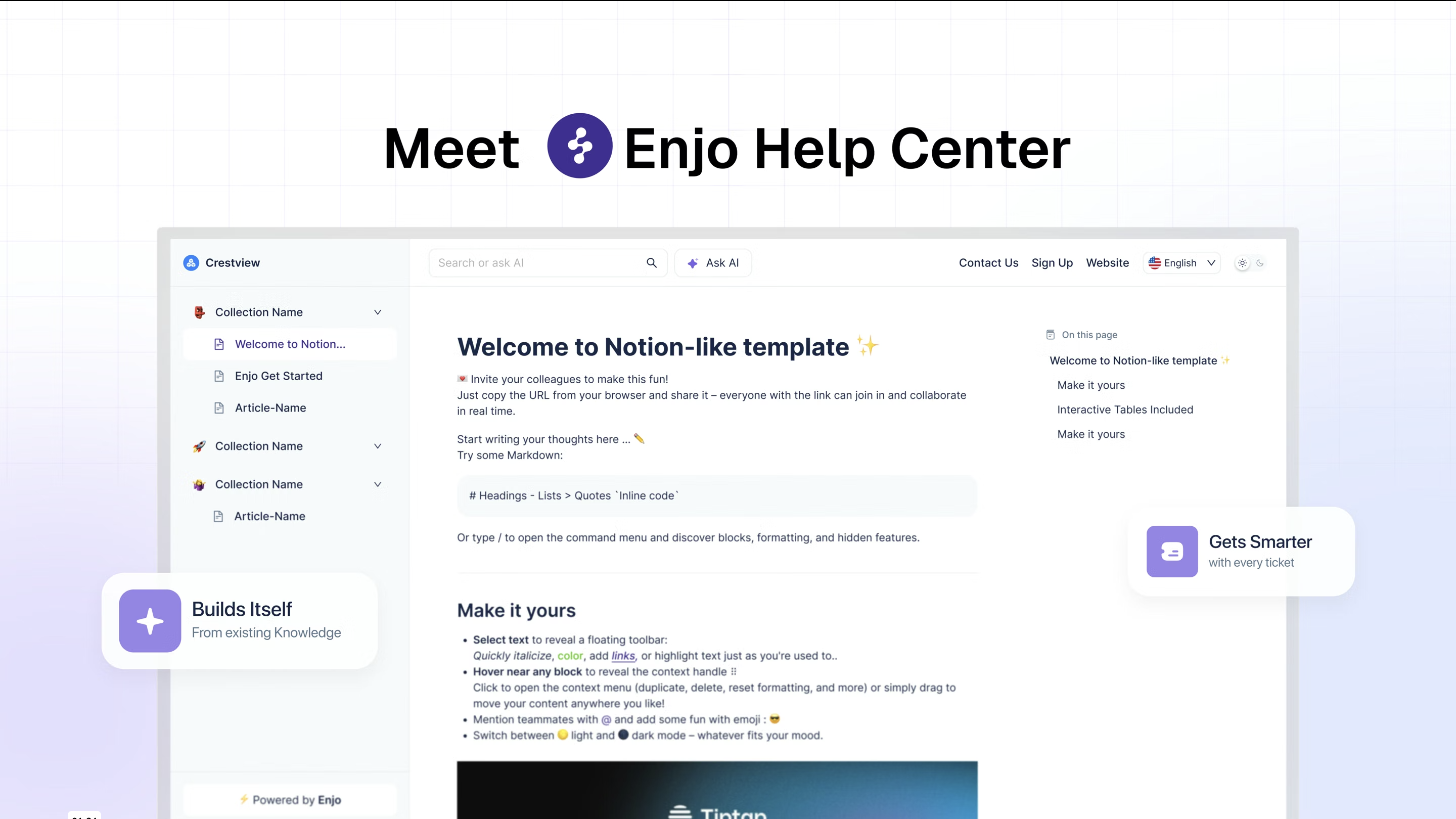
What it is: An AI-native customer help center that support and product teams run with zero code. GitBook users write and maintain every article by hand; Enjo's Help Center generates articles and maintains itself from systems your team already uses.
Best for: Teams that adopted GitBook as a product help center (not API reference) and lost the battle on keeping it current.
Key capabilities:
The stakes are double: the same content that answers customers also grounds the AI that answers them. Stale content behind an AI assistant means confidently wrong answers at scale; a help center that updates itself attacks the root cause.
Pricing: The Free tier includes 200 AI Replies per month and unlimited human seats, with no credit card. The help center stays live and fully functional after the AI cap is reached; only AI replies pause until the next cycle. Starter is $95/month with 1,000 AI Replies plus AI Actions, Core Guardrails, and Enjo branding removal; additional AI replies are $0.05 each. GitBook charges for sites and seats whether or not the docs help anyone; Enjo's pricing scales with questions answered.
Trust signals: SOC 2 Type II, ISO 27001, GDPR; 600+ enterprise deployments; six years of 99.9% uptime. Teams at Netflix, Spotify, and Snowflake use Enjo's platform.
Where it falls short: Enjo is not a developer-docs tool. There's no Git sync, no MDX, no docs-as-code workflow, and no self-hosted option. API teams should choose Mintlify or Docusaurus; self-hosting points to BookStack or Wiki.js. Enjo's customer-facing Help Center also launched in 2026; it is newer than the platform's IT and HR track record behind the deployment numbers above. Enjo wins on exactly one axis: a customer help center that maintains itself.

What it is: An enterprise knowledge-base platform for public and private documentation at publication scale.
Best for: Larger organizations with dedicated docs teams that need workflows, granular permissions, and multi-language publishing depth.
Key capabilities:
Pricing: No published prices. Plans (Professional, Business, Enterprise) are quoted per configuration; team accounts, workspaces, languages, and AI usage all move the number. A 14-day trial is available.
Where it falls short: Quote-based pricing means you can't budget it from the website, and the platform assumes a content ops team exists to run it; if maintenance headcount is your problem, this is more platform than answer.
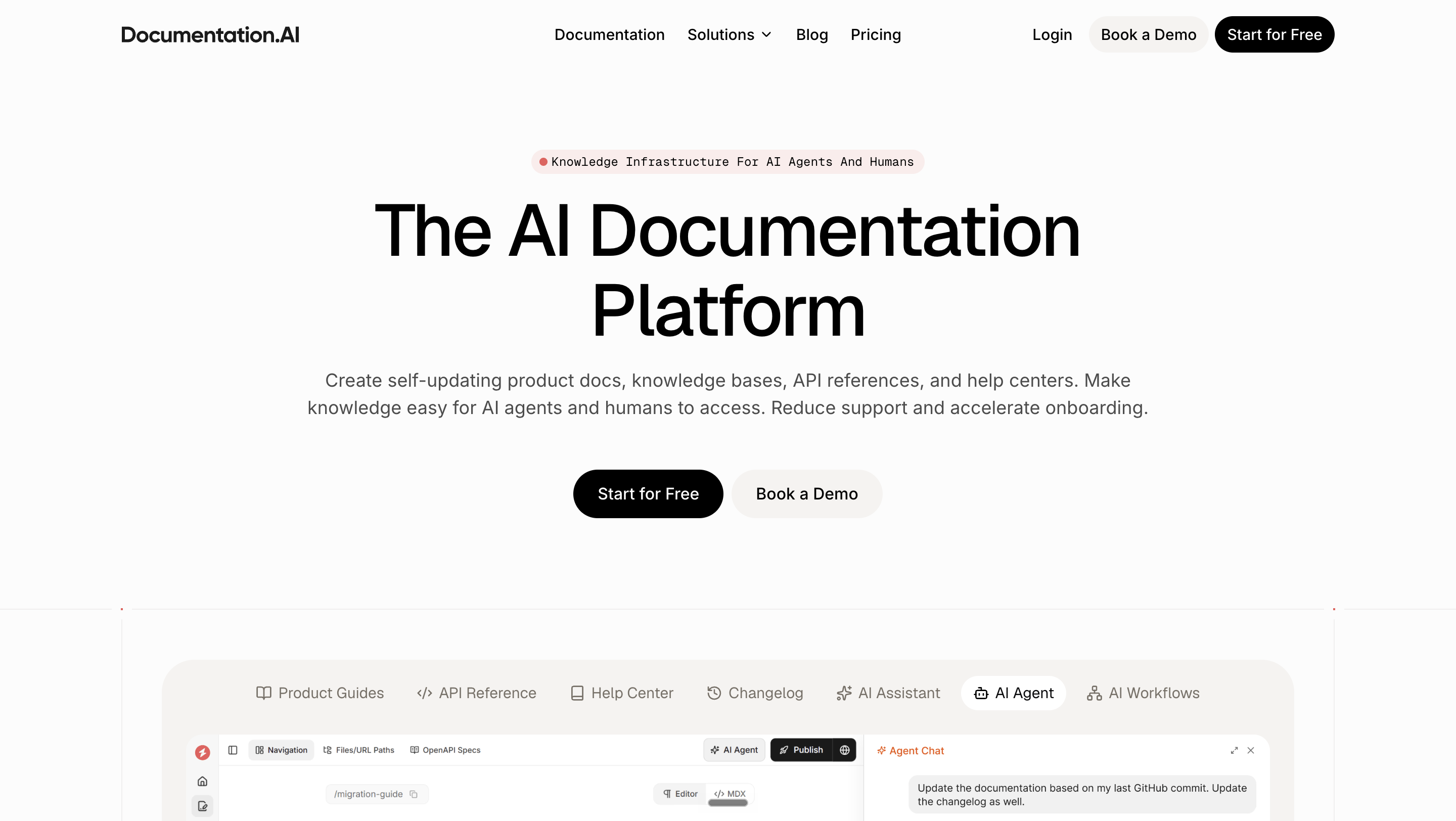
What it is: An AI-first documentation platform where agents help generate and update doc sites.
Best for: Product and platform teams that want AI-assisted docs authoring with developer-docs features, at a lower entry price than GitBook's Ultimate tier.
Key capabilities:
Pricing: The free plan includes 10,000 trial AI credits. Standard is $55/month billed yearly (10,000 AI credits/month). Pro is $159/month billed yearly (30,000 credits/month). Enterprise is custom. No credit card to start.
Where it falls short: The AI maintains the writing workflow, not the support loop. It doesn't learn from your resolved tickets or escalate unanswered customer questions. It's also a young product with a shorter enterprise track record than most tools here.

What it is: The all-in-one workspace for docs, wikis, projects, and databases that many teams already pay for.
Best for: Internal knowledge bases, and teams whose GitBook usage was really "a wiki with a nicer theme."
Key capabilities:
Pricing: Free for individuals; Plus is $10 per member/month; Business is $20 per member/month (up to 20% off billed yearly). A custom domain for published pages runs $8 to $10 per month extra.
Where it falls short: Published Notion pages are functional, not a product help center: limited information architecture, weak SEO control, and search built for members rather than visiting customers. Per-member pricing re-creates GitBook's seat problem as the team grows.
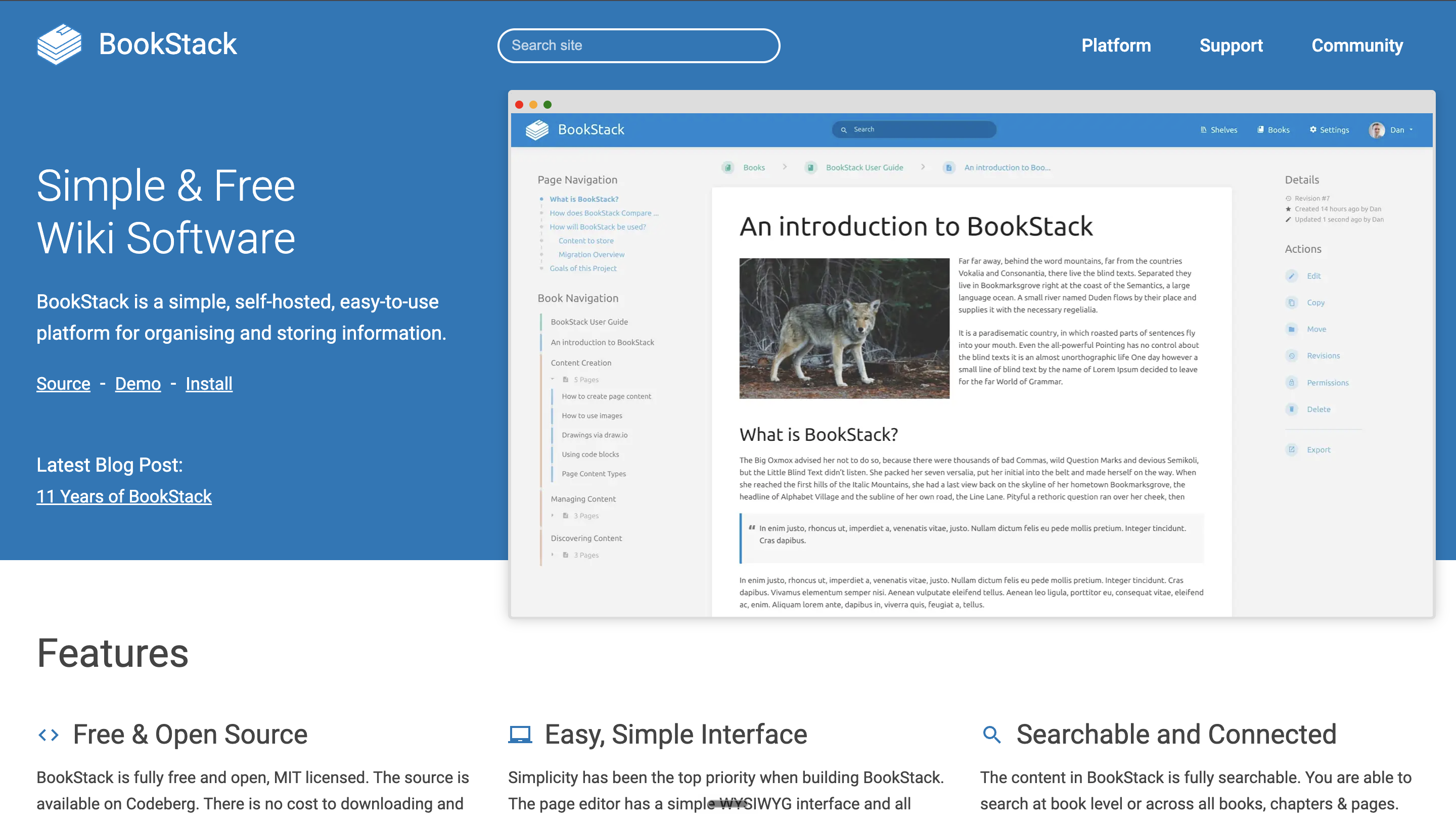
What it is: A self-hosted, MIT-licensed wiki platform built on PHP/Laravel with MySQL, organizing content as Books, Chapters, and Pages.
Best for: Teams with a self-hosting requirement that want the simplest credible option; the consistent crowd favorite in self-hosted communities.
Key capabilities:
Pricing: Free. Monetization is through optional support plans only.
Where it falls short: You run it: server, updates, backups, auth. The structure is opinionated (deep nesting fights the Books model), and there's no AI, no help-center features, and no hosted option.

What it is: An open-source (AGPL-v3) Node.js wiki with flexible storage, from PostgreSQL to SQLite, plus Git and cloud-storage sync.
Best for: Self-hosters who specifically want two-way Git sync for their wiki content; the closest self-hosted analogue to GitBook's Git workflow.
Key capabilities:
Pricing: Free and open source; no paid tiers.
Where it falls short: The current stable line is 2.5.x, and the project's site lists no newer major release. Evaluate the release cadence before making it a load-bearing dependency. Like BookStack, it's an internal tool at heart, not a customer help center.

What it is: A hosted documentation platform built for developer-facing docs; the competitor GitBook measures itself against in its own comparison content.
Best for: Startups and API-first companies whose docs are written by engineers and read by engineers.
Key capabilities:
Pricing: Starter is free and includes the full platform. Pro is $450/month on annual billing. Enterprise is quote-based.
Where it falls short: It's a developer tool. Support managers and PMs who don't live in Markdown and Git will be editing someone else's system, and there's no concept of learning from support tickets.
What it is: Meta's open-source static site generator for documentation, built on React and MDX, currently at v3.10.
Best for: Engineering teams that want full control of their docs site and are comfortable owning a build-and-deploy pipeline.
Key capabilities:
Pricing: Free, with no usage tiers of any kind.
Where it falls short: Everything is your job: hosting, search, analytics, and every visual change is a code change. There is no editor for non-technical contributors and no AI anything. It's the maximum-control, maximum-effort option.
For some teams the right GitBook alternative is GitBook. Its two-way GitHub/GitLab sync with a block-based visual editor is a rare combination: engineers work docs-as-code while non-technical teammates edit visually, on the same content. Interactive API playgrounds and preview deployments ship even on the free plan, its integrations platform is open, and GitBook Agent drafts scoped changes on request. If your docs are engineering-led product documentation living in version control, and the per-site math works for you, staying is a defensible call.
Docs that maintain themselves are cheaper than docs you pay per site to host. Enjo's Help Center generates articles from your existing docs or help site URL, learns from resolved tickets, and answers customers from the content your team curates. The help center stays live even after the monthly AI replies run out.
Launch your free Help Center → and see it running on your own content in under an hour.


