.fs-cmsfilter_active span { color: black; }
table of contents

Transform complex support workflows

Deploy AI inside your existing support stack and prove business impact quickly.
Request a Demo

12 Best SaaS Customer Support Software for B2B Teams in 2026

Your SaaS customer support stack has an expiration date. The shared inbox that works for 15 people breaks at 50. The helpdesk AI you added at Series A starts failing at Series B, because your real answers live in Confluence and Notion, not helpdesk tickets. The per-seat pricing that looked reasonable at five agents becomes a line item nobody can justify at 200.

Most SaaS customer support software evaluations miss this entirely. They compare feature lists without accounting for the stage your company is actually at. Here are the 12 best SaaS customer support software for B2B teams in 2026, with real pricing, stack requirements, and which fits your growth stage.
AI Support Agents
table of contents

How We Evaluated These 12 Tools

Six criteria shaped every entry in this list. They are not the usual checklist of features; they are the questions that actually separate the right tool from the wrong one for a B2B SaaS customer support team.

Growth-stage fit. Does it work for your current team size and ticket volume, and does it scale without a pricing cliff when you add agents?

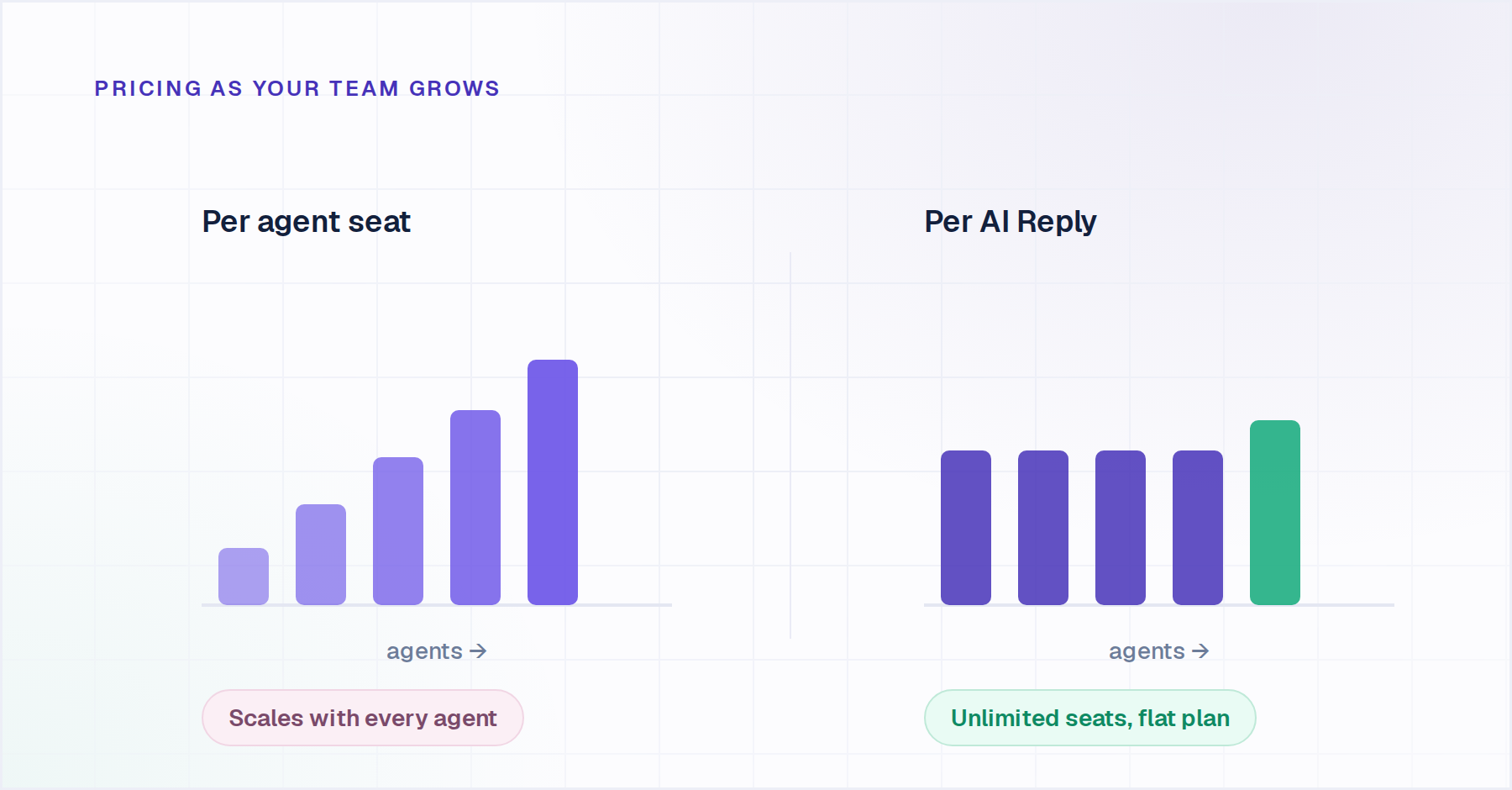
Pricing model. Per-seat, per-resolution, per-AI-Reply, or contacts-based, and what does the real monthly math look like at 10, 30, and 100 agents? This matters more than the headline price.
AI depth. Does the customer service automation software resolve requests end-to-end and take action in connected systems, or does it suggest replies for a human to approve? These are different products solving different problems.

Knowledge source flexibility. Does the AI read only its own helpdesk's knowledge base, or can it index Confluence, Notion, SharePoint, Google Drive, and past tickets across systems? For B2B SaaS teams with product knowledge scattered across tools, this is often the deciding criterion.

Stack compatibility. What does the tool require you to stay in or migrate to? Some customer support platforms are overlays on your existing stack. Others require migration. The distinction matters at renewal time.

Time to production. Days or months? Legacy platforms frequently require dedicated implementation teams and multi-quarter rollouts. Most B2B SaaS teams cannot afford that.

CTA banner showing Enjo AI autonomously resolving a customer support ticket with enterprise support automation.

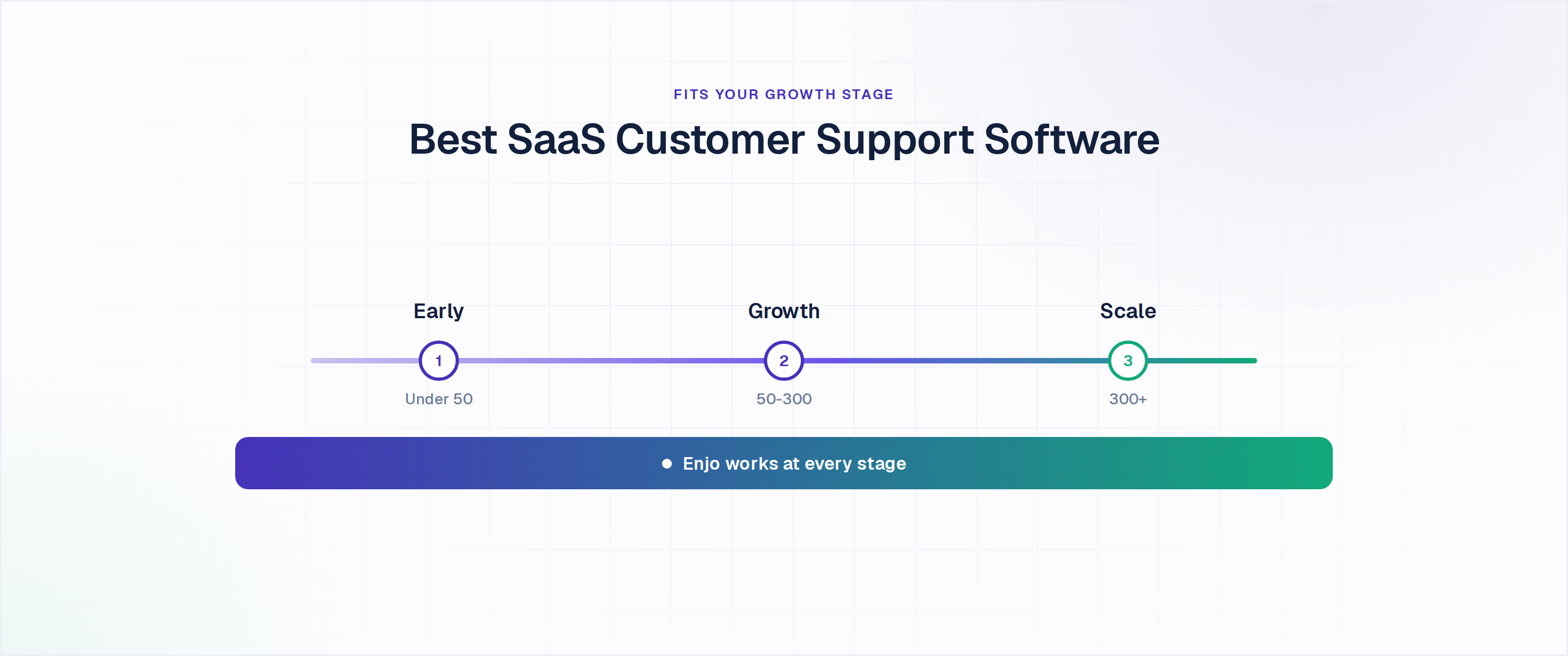
What Stage Is Your SaaS Support Team At?

Before evaluating any tool, answer this question: What stage is your B2B SaaS customer support team at? The right customer support software at the seed stage is the wrong call at Series B, and forcing a scale-stage platform onto an early-stage team is how you end up paying Zendesk enterprise rates for five agents.

Early-stage (seed to Series A, under 50 employees)

The pain: B2B customer service at this stage needs something live in hours, not weeks, with no migration, no implementation project, and no procurement cycle.

Signal to upgrade: Ticket volume regularly exceeding 500 per month, or AI deflection becoming a genuine business priority.

Best fits: Enjo (free Inbox, unlimited seats, no per-seat cost), Help Scout (clean email-first experience), Crisp (free tier, multichannel basics).

Growth-stage (Series B, 50-300 employees)

The pain: The shared inbox is breaking. Your knowledge is scattered across Confluence, Notion, Google Drive, and a help center that hasn't been updated in six months. AI tools that only read your Zendesk tickets miss 70% of the answers.

Signal to upgrade: Per-resolution billing becoming unpredictable, multi-helpdesk environments emerging, or AI producing wrong answers because it can't reach your actual knowledge.

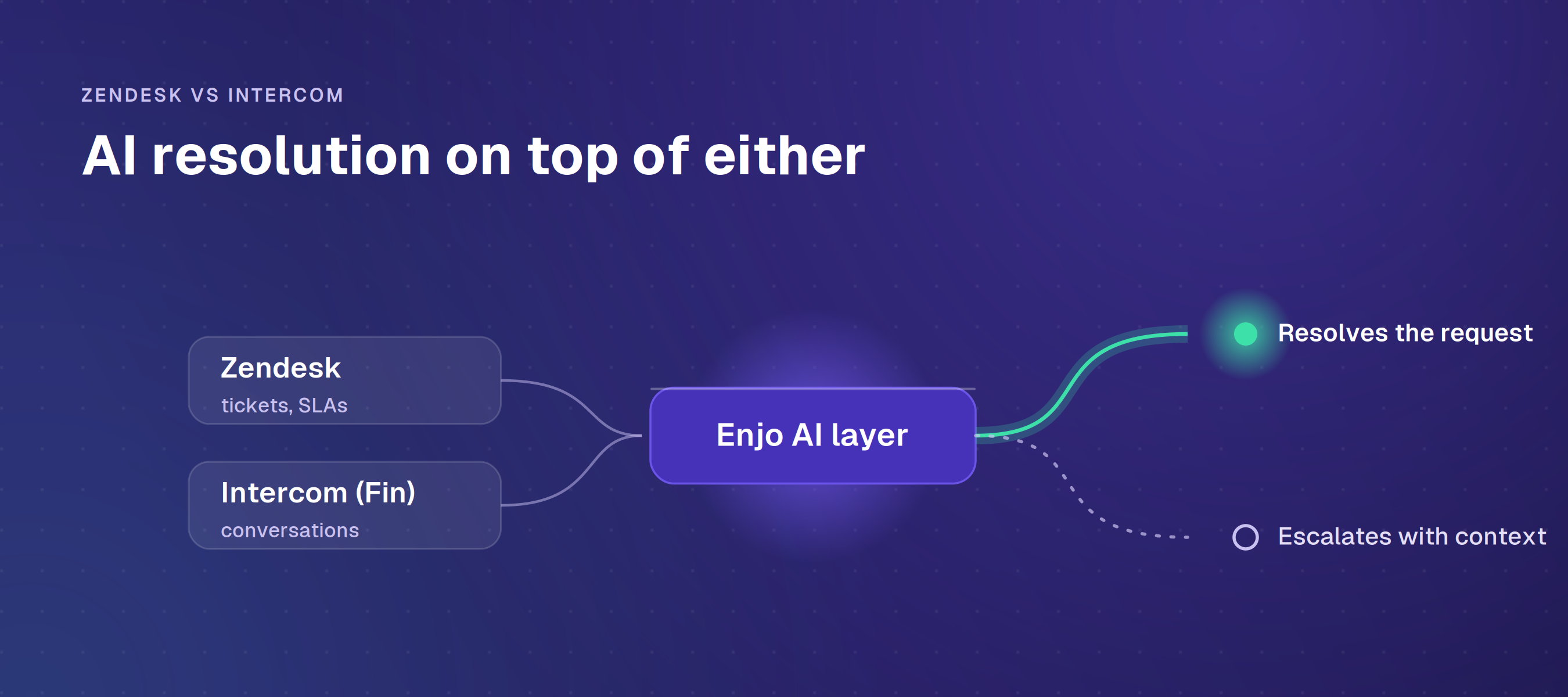
Best fits: The best customer support platforms for this stage: Enjo (AI Agents + Knowledge layer reads across all sources), Intercom Fin (messaging-first), HubSpot Service Hub (sales-led teams).

Scale-stage (300+ employees, multi-helpdesk)

The pain: Per-resolution billing at high volume creates an unpredictable cost line. AI locked to one helpdesk's data misses everything your team knows from Salesforce cases, Confluence pages, and past Jira tickets.

Signal to upgrade: Existing AI billing model becoming unpredictable, security or compliance team pushing back, or an acquisition bringing a second helpdesk into the mix.

Best fits: For B2B customer service at this scale: Enjo (Agent Assist within Salesforce, Zendesk, Jira, or ServiceNow); Zendesk (enterprise routing depth); Salesforce Service Cloud (if fully committed to Salesforce).

The 12 Best Customer Support Software for B2B SaaS Teams

Platform G2 Rating Best For Helpdesk Required Free Tier
Enjo 4.8/5 B2B CS teams on any helpdesk None — works with Salesforce, Zendesk, Jira, ServiceNow, or standalone Yes (200 AI Replies/mo)
Fin (Intercom) 4.5/5 High-volume B2C on Intercom Intercom plan required for full feature set No (14-day trial)
Salesforce Agentforce 4.4/5 Enterprises 100% on Salesforce Salesforce Service Cloud required Limited (Foundations only)
Zendesk AI 4.3/5 Teams fully standardised on Zendesk Zendesk Suite or Support plan required No (14-day trial)
Ada 4.6/5 Large consumer-brand enterprise CS None (standalone AI layer) No
Freshdesk (Freddy AI) 4.4/5 Single-vendor consolidation, mid-market Freshdesk or Freshservice plan required Limited (free Freshdesk tier)
Decagon 4.9/5 Enterprise with complex multi-step workflows Separate helpdesk required No
Sierra 4.4/5 Fortune 500 prioritising voice + dialogue depth Separate helpdesk required No
Tidio (Lyro) 4.6/5 SMB and ecommerce teams None (standalone) Yes (50 conversations)
Kore.ai (XO Platform) 4.6/5 Fortune 500 with complex multi-channel automation None (standalone multi-channel platform) No

1. Enjo

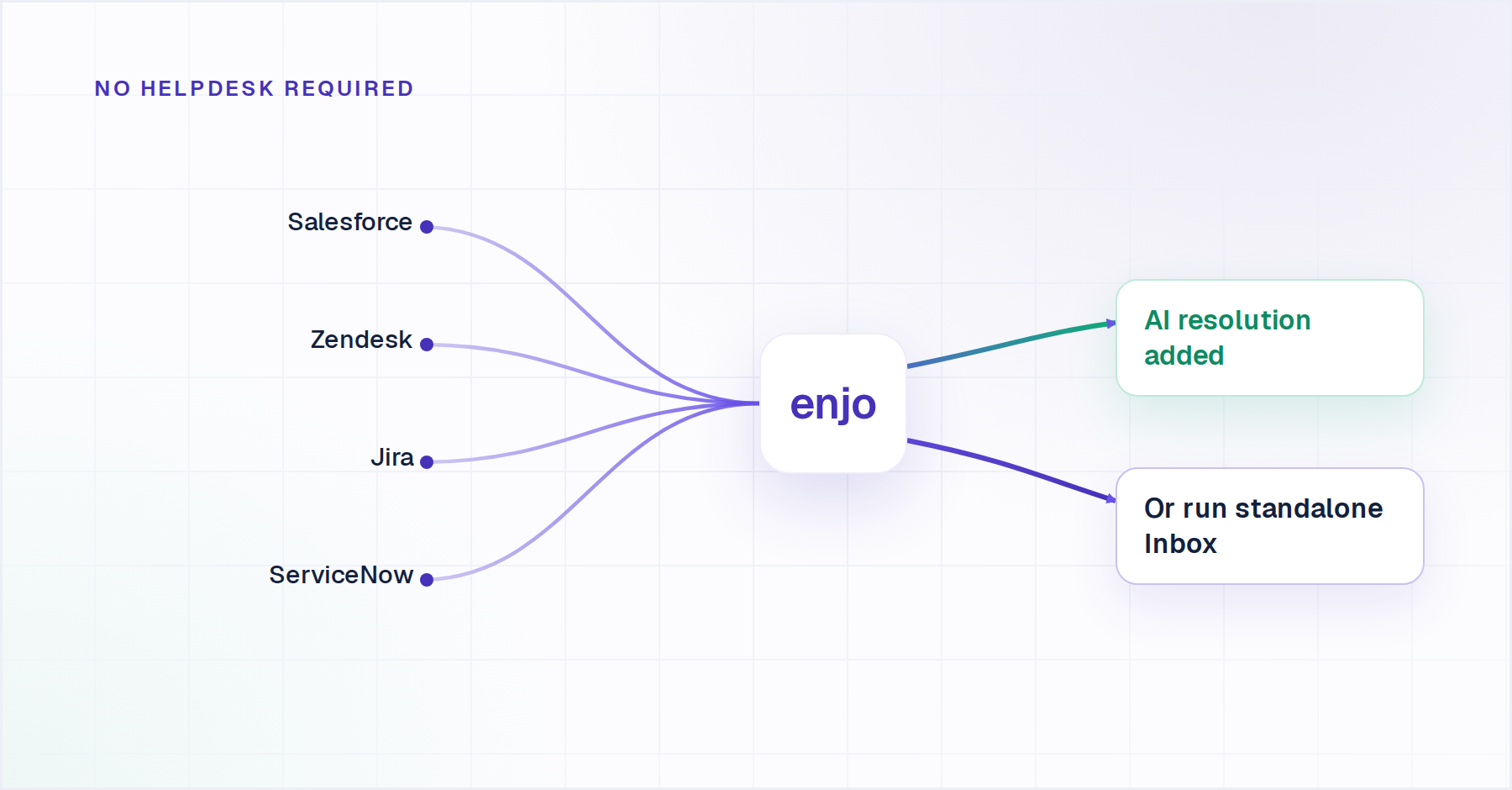
Enjo is an AI-native SaaS customer support platform that adds AI resolution to the tools your B2B team already uses, or works as a standalone support platform if you're starting fresh. It connects to your existing helpdesk, knowledge sources, and communication channels, Slack, Teams, email, and web, without requiring migration.

Best for: B2B SaaS teams at any growth stage. Free Inbox and unlimited seats for early-stage teams. AI Agents and a multi-source knowledge layer for growth-stage teams. Agent Assist is embedded inside Salesforce, Zendesk, Jira, or ServiceNow for scale-stage teams.
Key capabilities:

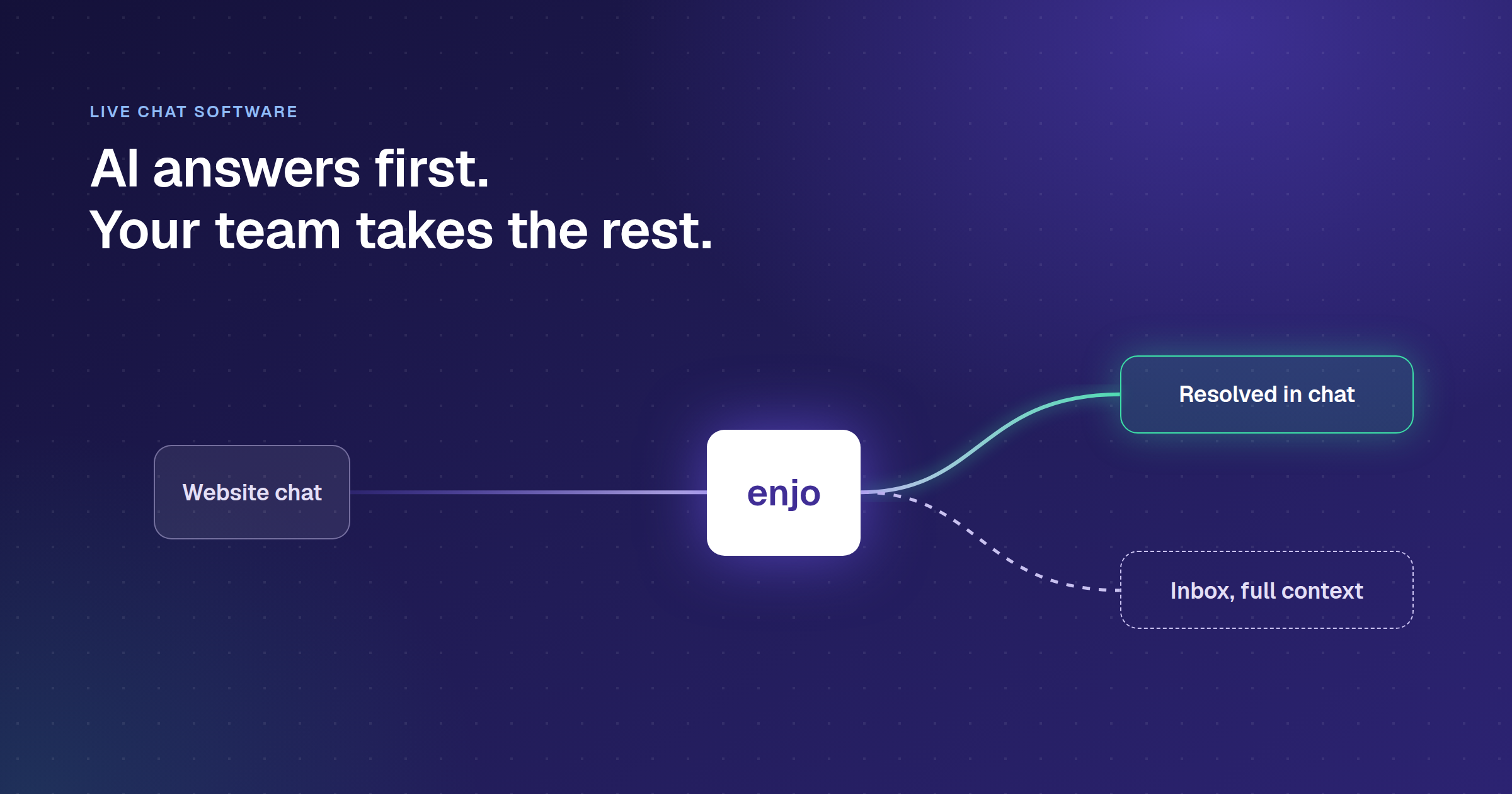
  • AI Agents resolve customer requests end-to-end across Slack, Microsoft Teams, email, and web. When the AI cannot resolve, it escalates to your existing helpdesk or Enjo Inbox with the full conversation attached.
  • Knowledge module indexes Confluence, Notion, SharePoint, Google Drive, Guru, past tickets from Zendesk, Jira, and ServiceNow, uploaded files, and your website. One knowledge layer powers AI resolution, human agent workflows, and your Help Center simultaneously.
  • Enjo Inbox is a full, standalone helpdesk with unlimited human agent seats on every plan, including Free. No per-seat pricing ever.
  • Help Center is an AI-native self-serve portal that generates articles from a website URL, connected docs, or helpdesk ticket patterns. Includes AI-powered search, custom branding, multilingual support, SEO controls, and an AI Command Center for bulk content operations.
  • Agent Assist embeds inside Salesforce, Zendesk, Jira Service Management, and ServiceNow as a plugin. Surfaces case summaries, reply suggestions, and knowledge in context.
  • AI Actions connects AI Agents to external systems: Okta for access provisioning, Jira for ticket creation, Salesforce for case lookup, and custom APIs for any system.
  • Guardrails and compliance: SOC 2 Type II, ISO 27001, GDPR compliant. Audit logs, RBAC, and hallucination controls built in. 600+ enterprise deployments. Six years of 99.9% uptime.

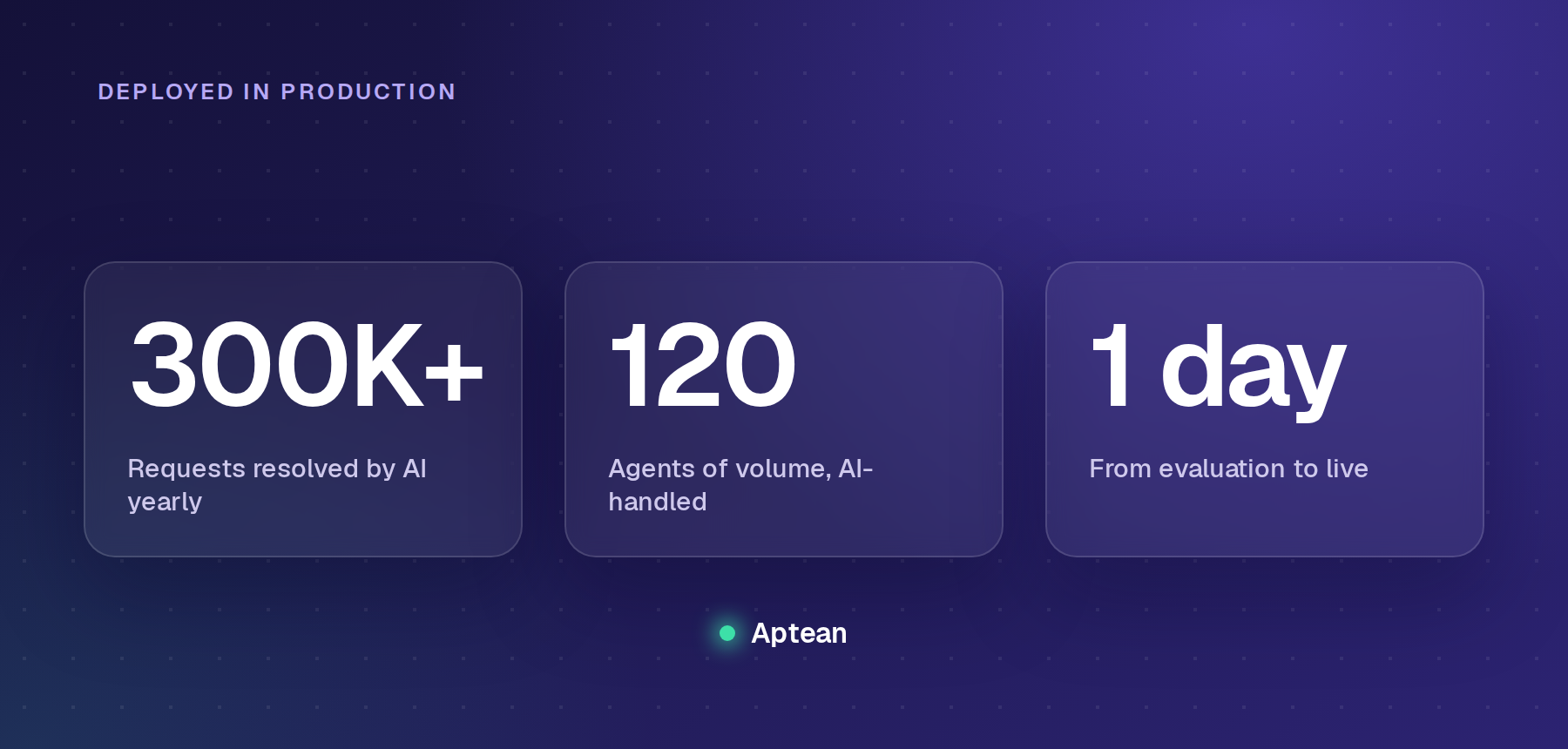
Proof: Aptean, a 3,500-person enterprise software company, deployed Enjo in a single day. The platform now indexes over 2 million documents and handles more than 200,000 support requests per year with AI, the equivalent of 120 human agents.

Pricing: Free ($0/month, 200 AI Replies, unlimited human seats, no credit card). Starter ($95/month, 1,000 AI Replies). Standard ($295/month, 3,000 AI Replies). Enterprise (custom). Additional AI Replies on Starter and Standard cost $0.05 each. Verify current pricing at enjo.ai/pricing.

Honest limitation: Enjo's customer service vertical launched in 2026. IT and HR deployments have a six-year track record and deeper case study coverage.
CTA banner encouraging teams to choose scalable customer support software with AI automation and existing tool integrations.

2. Intercom (Fin)

Intercom is a SaaS customer support platform built around a messaging-first experience. It combines a shared inbox, help center, ticketing, and Fin AI Agent in a single workspace, with Fin handling autonomous resolution across chat and email channels.

Best for: Growth to scale-stage B2B SaaS teams with messaging-first support and high conversation volume.

Key capabilities:

  • Fin AI Agent resolves customer conversations end-to-end; charged at $0.99 per resolution separately from seat costs
  • Shared inbox with full omnichannel support (email, chat, in-app, social)
  • Help center with multilingual support and a public knowledge base
  • Ticketing system integrated with the Intercom workspace
  • Copilot AI assist for human agents ($29/agent/month add-on). For Intercom alternatives, see our full comparison.

Pricing: Essential $29/seat/month (annual), Advanced $85/seat/month, Expert $132/seat/month. Fin AI Agent billed separately at $0.99 per resolution. No permanent free tier; 14-day free trial available. Verify current pricing at intercom.com/pricing.

Honest limitation: Fin requires Intercom as its substrate. Per-resolution billing at $0.99 becomes a significant cost line for high-volume B2B teams. If your helpdesk strategy changes, the Fin investment does not travel with you.

3. Zendesk

Zendesk is a SaaS customer support platform built for enterprise-scale ticket management. It covers omnichannel routing, a native knowledge base, advanced analytics, and an AI layer across more than 1,800 integrations.

Best for: Scale-stage B2B SaaS teams (300+ employees) with complex routing requirements and high ticket volume.

Key capabilities:

  • Omnichannel ticket management across email, chat, voice, social, and messaging
  • Zendesk AI agents for automated resolution and Copilot for agent assist ($50/agent/month add-on)
  • Zendesk Guide knowledge base powering both self-service and AI
  • Advanced analytics and reporting via Zendesk Explore
  • 1,800+ marketplace integrations

Pricing: Support Team $19/agent/month (annual). Suite Team $55/agent/month. Suite Professional $115/agent/month. Suite Enterprise + Copilot: contact sales. Copilot add-on $50/agent/month. Verify current pricing at zendesk.com/pricing.

Honest limitation: Zendesk AI reads only Zendesk Guide. If your product knowledge lives in Confluence, Notion, or SharePoint, the AI's answers are only as good as what you've manually transferred into Zendesk Guide.

4. Freshdesk

Freshdesk is a multichannel SaaS customer support platform from Freshworks. It covers email, chat, phone, and social ticketing in one workspace, with Freddy AI handling triage, reply suggestions, and basic resolution.

Best for: Early to growth-stage B2B SaaS teams wanting affordable multichannel ticket management without committing to Zendesk-level investment.

Key capabilities:

  • Multichannel ticketing across email, chat, phone, and social
  • Freddy AI for automated triage, reply suggestions, and basic resolution
  • Built-in knowledge base and self-service portal
  • Automation rules, SLA management, and collision detection on paid plans
  • Marketplace integrations for Jira, Salesforce, Slack, and 1,000+ apps

Pricing: Free (1–2 agents, 6 months). Growth $19/agent/month (annual), Pro $55/agent/month, Enterprise $89/agent/month. Freddy AI Agent sessions: first 500 included, then $43/100 sessions. Freddy AI Copilot pricing not shown on live page — FLAG for verification. Verify current pricing at freshdesk.com/pricing.

Honest limitation: Freddy AI only reads Freshdesk's knowledge base. The jump from Growth to Pro ($19 to $55 per agent) is steep for teams that need SLA management and custom roles.

5. Help Scout

Help Scout is a conversation-first SaaS customer support platform built around a shared inbox and a docs knowledge base. It uses a contact-based pricing model rather than per-seat pricing, with a Beacon widget for in-app self-service and basic AI resolution on paid plans.

Best for: Early-stage B2B SaaS teams (under 50 people) where support is primarily email-driven and the priority is clean workflows over AI depth.

Key capabilities:

  • Shared inbox with collision detection, conversation assignment, and internal notes
  • Docs knowledge base integrated with the Beacon widget for in-app self-service
  • AI Answers for basic resolution from the knowledge base ($0.75/resolution, 3-month free trial)
  • CSAT surveys and basic reporting on paid plans
  • Integrations with Salesforce, Jira, HubSpot, and Slack on the Plus plan

Pricing: Standard $25/seat/month (annual, up to 10 seats). Plus $45/seat/month (up to 50 seats). Pro $75/seat/month. AI Answers $0.75/resolution (3-month free trial). Free plan: 5 users, 1 inbox, 1 Docs site. Verify current pricing at helpscout.com/pricing.

Honest limitation: AI Answers reads only Help Scout Docs. No cross-system actions, no Confluence or Notion ingestion. Starts to feel limiting past 50 agents or when automation complexity grows.

6. Salesforce Service Cloud (with Agentforce)

Salesforce Service Cloud is an enterprise SaaS customer support platform built natively on the Salesforce data model. It covers omnichannel case management, Agentforce AI agents, Einstein analytics, and a knowledge base, all within the Salesforce ecosystem.

Best for: Scale-stage B2B SaaS companies (300+ employees) already running Salesforce CRM, where case context and account history must be deeply connected to every support interaction.

Key capabilities:

  • Full case management with omnichannel routing (email, chat, voice, social, messaging)
  • Agentforce AI agents are built natively on Salesforce objects and data model
  • Einstein Analytics and Service Intelligence for ROI and performance reporting
  • Knowledge management with customer self-service and internal article authoring
  • 3,000+ AppExchange integrations and API access for custom workflows

Pricing: Starter Suite $25/user/month, Pro Suite $100, Enterprise $175, Unlimited $350, Einstein 1 Service $500 (includes Agentforce, Data Cloud, Service Intelligence). All annual billing. Verify current pricing at salesforce.com/agentforce/pricing/.

Honest limitation: Agentforce AI reads only Salesforce objects. Implementation timelines typically run 24-52 weeks. Enterprise at $175 is the realistic starting point for a real B2B SaaS support operation, not the $25 headline.

7. HubSpot Service Hub

HubSpot Service Hub is a SaaS customer support platform built on HubSpot's CRM. It connects ticketing, live chat, a knowledge base, and a customer portal directly to HubSpot contact and deal records.

Best for: Growth-stage B2B SaaS teams already using HubSpot CRM for sales and marketing, where support must connect tightly to deal history and pipeline context.

Key capabilities:

  • Ticketing system connected directly to HubSpot CRM contact and deal records
  • Live chat and basic chatbot for both support and lead qualification
  • Knowledge base with a self-service portal for customers
  • Customer portal for ticket tracking and self-service
  • CSAT surveys and service analytics are built into the HubSpot reporting suite

Pricing: Free (up to 2 users). Starter from $20/seat/month (annual). Professional from $100/seat/month (annual, requires a $1,500 onboarding fee). Enterprise from $150/seat/month (requires a $3,500 onboarding fee). Verify current pricing at hubspot.com/pricing/service.

Honest limitation: AI features are less mature than dedicated CS AI platforms. Value degrades significantly if your team is not already on HubSpot CRM. Professional at $100/seat/month is a steep jump from the Starter plan.

8. Zoho Desk

Zoho Desk is a multichannel SaaS customer support platform from Zoho. It covers email, chat, social, and phone ticketing with Zia AI for basic triage and sentiment detection, and integrates natively with Zoho CRM and Zoho Analytics.

Best for: Early- to growth-stage B2B SaaS teams seeking structured multichannel support and knowledge base tooling at a competitive price, particularly those already in the Zoho ecosystem.

Key capabilities:

  • Multichannel ticketing across email, chat, social, and phone (Zoho Voice add-on required for phone)
  • Zia AI for ticket tagging, sentiment detection, and basic reply suggestions
  • Knowledge base with customer self-service portal
  • Custom workflows, blueprint automation, and SLA management on Professional and above
  • Deep Zoho CRM, Zoho Analytics, and Zoho ecosystem integration

Pricing: Standard $14/user/month (annual), Professional $23, Enterprise $40. Zoho Voice is a separate subscription. Verify current pricing at zoho.com/desk/pricing.

Honest limitation: Zia AI is more basic than Fin or Agentforce. Phone support requires a separate Zoho Voice subscription. Value is significantly higher inside the Zoho ecosystem.

9. Gorgias

Gorgias is a customer support platform built for e-commerce brands. It pulls order data, shipping status, and returns directly from Shopify, Magento, and BigCommerce into the agent view, with ticket-volume-based pricing and unlimited agent seats.

Best for: B2B SaaS teams whose customers are ecommerce operators, or SaaS companies with an ecommerce component where order context matters in support. Not a fit for pure SaaS product support.

Key capabilities:

  • Deep native integration with Shopify, Magento, and BigCommerce — order data visible in the agent view
  • Ticket-volume-based pricing with unlimited agent seats on most plans
  • AI macros and automation rules for common e-commerce support patterns
  • Revenue reporting that ties support interactions to sales outcomes
  • Multichannel inbox across email, chat, social, and SMS

Pricing: Starter $10/month (50 tickets). Basic $50/month (300 tickets). Pro $300/month (2,000 tickets). Advanced $750/month (5,000 tickets). AI Agent add-on: $0.90/resolved conversation. Verify current pricing at gorgias.com/pricing.

Honest limitation: Built for e-commerce, not SaaS. If your support volume does not involve order management, you are paying for integrations you will never use.

10. Kustomer

Kustomer is a CRM-native SaaS customer support platform built around a unified customer timeline. It surfaces every interaction, order, and custom data point for each customer in a single chronological view across all channels.

Best for: Scale-stage B2B SaaS teams (300+ employees) where support agents need deep customer context surfaced in a single view rather than assembled across multiple tools.

Key capabilities:

  • Unified customer timeline showing every interaction, channel, and custom object in one view
  • Omnichannel inbox across email, chat, social, voice, SMS, and WhatsApp
  • AI agents for autonomous customer resolution and AI assist for human agents
  • Deep CRM customization, custom objects and attributes for SaaS-specific data (subscription tier, usage, churn risk)
  • Workflow automation and intelligent routing based on customer attributes

Pricing: Kustomer does not publish pricing publicly. To get current rates, visit kustomer.com and click "Schedule Demo" or contact their sales team directly through the contact form on the same page.

Honest limitation: No public pricing, expect enterprise-level investment. Overkill for early and growth-stage teams. Implementation is heavier than lighter alternatives.

11. Crisp

Crisp is a messaging-first SaaS customer support platform combining live chat, a shared inbox, a basic chatbot, and a knowledge base. It supports email, chat, Messenger, WhatsApp, and Instagram from a single workspace, with a permanent free tier and co-browsing on paid plans.

Best for: Early-stage B2B SaaS startups (under 30 people) wanting low-cost multichannel support with a permanent free tier and enough automation to handle basic routing.

Key capabilities:

  • Live chat widget with co-browsing (agent can view the customer's screen in real time)
  • Shared inbox centralizing email, chat, Messenger, WhatsApp, and Instagram
  • Basic chatbot for FAQ deflection and triage
  • Knowledge base for customer self-service
  • CRM-lite contact profiles with conversation history

Pricing: Crisp's exact plan pricing is not listed on their homepage. Visit crisp.chat/en/pricing for current plan tiers and per-seat rates, or start the 14-day free trial (all features included, no card required) to evaluate before committing.

Honest limitation: Thin on enterprise controls, no RBAC, no SOC 2, no audit trails. Not a viable long-term platform for a SaaS team past 50 agents or one with compliance requirements.

12. Front

Front is a collaborative SaaS customer support platform built around a shared inbox. It blends email, messaging, and internal team collaboration, with @mentions, internal comments, CRM integrations, and workflow automation, all within the email interface agents already use.

Best for: Growth-stage B2B SaaS teams (50-200 people) where CS and account management share workflows and a helpdesk-first ticketing model feels like overkill.

Key capabilities:

  • Shared inbox with internal comments, @mentions, and assignment — email stays the primary surface
  • CRM integrations (Salesforce, HubSpot) to pull account context into conversation view
  • Workflow automation for routing, SLA tracking, and follow-up sequences
  • Analytics on response time, CSAT, and team performance
  • AI-assisted reply drafting and conversation summarisation

Pricing: Starter $25/seat/month (annual, up to 10 seats). Professional $65/seat/month (up to 50 seats). Enterprise $105/seat/month. AI Autopilot add-on: $0.05/conversation. Copilot add-on: $20/seat/month (included in Enterprise). Smart QA: $20/seat/month. Smart CSAT: $10/seat/month. Verify current pricing at front.com/pricing.

Honest limitation: Front is a collaborative inbox, not a dedicated AI-first CS platform. Autonomous resolution is not Front's design goal. Not a fit for teams needing deep ITSM workflow or compliance controls.

Quick verdict: For early-stage SaaS teams, start with Enjo or Help Scout. For growth and scale-stage teams dealing with scattered knowledge, per-resolution billing, or a multi-helpdesk environment, Enjo, Intercom Fin, or Zendesk, depending on your stack.

Conclusion

The "best" customer support software for a B2B SaaS team is not the one with the most integrations or the highest G2 rating. The right customer support platform fits where your company is right now and doesn't punish you for growth.

Early-stage teams overspend on enterprise platforms they do not use and underuse free tools that would do the job. Scale-stage teams stay on platforms that worked at 50 agents but create billing cliffs and knowledge silos at 500. The growth-stage window, where AI starts to matter, knowledge becomes scattered, and per-resolution pricing first becomes painful, is where most B2B SaaS customer support teams make the wrong call.

If you are evaluating customer service automation software and want AI that works inside your existing stack rather than replacing it, Enjo is worth a serious look. Aptean deployed it in a single day. Six hundred enterprise teams run it across IT, HR, and customer service. The free tier includes unlimited human seats and 200 AI Replies per month with no credit card required.

CTA banner promoting Enjo AI to reduce repetitive support tickets and resolve customer requests for SaaS support teams.

Frequently Asked Questions

Q: What is the best customer support software for early-stage B2B SaaS startups?

For teams under 50 people, the priority is zero per-seat cost, fast setup, and no migration project. Enjo's free Inbox includes unlimited human-agent seats and 200 AI Replies per month, with no credit card required. The help center and inbox stay live permanently, even after the free AI cap is reached. Help Scout works well for email-first teams. For more options, see our guide to free customer service software.

Q: How is B2B customer support software different from tools built for B2C teams?

B2B customer service involves fewer customers, more complex issues, longer resolution cycles, and higher stakes per account. B2B-specific needs include SLA management tied to contract tiers, multi-stakeholder account context, Slack Connect support for customers in shared channels, and escalation paths that loop in account managers or product engineers, not just support agents.

Q: What should I look for in customer support software for a SaaS company?

Beyond the standard checklist, here is what to look for in customer service automation software that most lists miss. First, where does the AI read its knowledge from? If it only reads your helpdesk's knowledge base, it misses everything in Confluence, Notion, Google Drive, and your changelog. Second, what is the real pricing model at the team size you expect in 18 months, not today? Third, what does it require you to stay in? Some tools are overlays on your existing stack; others require migration.

Q: Is free customer support software good enough for a B2B SaaS team?

For early-stage teams, yes, with caveats. Enjo's free Inbox includes unlimited human seats, omnichannel ticket management, and 200 AI Replies per month. The signal to move to paid is consistent ticket volume above 500 per month, a need for AI deflection beyond the free cap, or compliance requirements (SOC 2, RBAC) that free tiers do not cover.

Q: How does AI customer support software actually work for B2B teams?

The best AI customer support software connects to your knowledge sources, Confluence, Notion, SharePoint, past tickets, your product docs, indexes them into a single knowledge layer, and uses that layer to resolve incoming requests without a human. When it cannot be resolved, it creates a ticket in your existing helpdesk with the full conversation attached. For a deeper look at AI-specific tools, see our guide to AI customer support software.
How We Evaluated These 12 Tools

Six criteria shaped every entry in this list. They are not the usual checklist of features; they are the questions that actually separate the right tool from the wrong one for a B2B SaaS customer support team.

Growth-stage fit. Does it work for your current team size and ticket volume, and does it scale without a pricing cliff when you add agents?

Pricing model. Per-seat, per-resolution, per-AI-Reply, or contacts-based, and what does the real monthly math look like at 10, 30, and 100 agents? This matters more than the headline price.

AI depth. Does the customer service automation software resolve requests end-to-end and take action in connected systems, or does it suggest replies for a human to approve? These are different products solving different problems.

Knowledge source flexibility. Does the AI read only its own helpdesk's knowledge base, or can it index Confluence, Notion, SharePoint, Google Drive, and past tickets across systems? For B2B SaaS teams with product knowledge scattered across tools, this is often the deciding criterion.

Stack compatibility. What does the tool require you to stay in or migrate to? Some customer support platforms are overlays on your existing stack. Others require migration. The distinction matters at renewal time.

Time to production. Days or months? Legacy platforms frequently require dedicated implementation teams and multi-quarter rollouts. Most B2B SaaS teams cannot afford that.

CTA banner showing Enjo AI autonomously resolving a customer support ticket with enterprise support automation.

What Stage Is Your SaaS Support Team At?

Before evaluating any tool, answer this question: What stage is your B2B SaaS customer support team at? The right customer support software at the seed stage is the wrong call at Series B, and forcing a scale-stage platform onto an early-stage team is how you end up paying Zendesk enterprise rates for five agents.

Early-stage (seed to Series A, under 50 employees)

The pain: B2B customer service at this stage needs something live in hours, not weeks, with no migration, no implementation project, and no procurement cycle.

Signal to upgrade: Ticket volume regularly exceeding 500 per month, or AI deflection becoming a genuine business priority.

Best fits: Enjo (free Inbox, unlimited seats, no per-seat cost), Help Scout (clean email-first experience), Crisp (free tier, multichannel basics).

Growth-stage (Series B, 50-300 employees)

The pain: The shared inbox is breaking. Your knowledge is scattered across Confluence, Notion, Google Drive, and a help center that hasn't been updated in six months. AI tools that only read your Zendesk tickets miss 70% of the answers.

Signal to upgrade: Per-resolution billing becoming unpredictable, multi-helpdesk environments emerging, or AI producing wrong answers because it can't reach your actual knowledge.

Best fits: The best customer support platforms for this stage: Enjo (AI Agents + Knowledge layer reads across all sources), Intercom Fin (messaging-first), HubSpot Service Hub (sales-led teams).

Scale-stage (300+ employees, multi-helpdesk)

The pain: Per-resolution billing at high volume creates an unpredictable cost line. AI locked to one helpdesk's data misses everything your team knows from Salesforce cases, Confluence pages, and past Jira tickets.

Signal to upgrade: Existing AI billing model becoming unpredictable, security or compliance team pushing back, or an acquisition bringing a second helpdesk into the mix.

Best fits: For B2B customer service at this scale: Enjo (Agent Assist within Salesforce, Zendesk, Jira, or ServiceNow); Zendesk (enterprise routing depth); Salesforce Service Cloud (if fully committed to Salesforce).

The 12 Best Customer Support Software for B2B SaaS Teams

Platform G2 Rating Best For Helpdesk Required Free Tier
Enjo 4.8/5 B2B CS teams on any helpdesk None — works with Salesforce, Zendesk, Jira, ServiceNow, or standalone Yes (200 AI Replies/mo)
Fin (Intercom) 4.5/5 High-volume B2C on Intercom Intercom plan required for full feature set No (14-day trial)
Salesforce Agentforce 4.4/5 Enterprises 100% on Salesforce Salesforce Service Cloud required Limited (Foundations only)
Zendesk AI 4.3/5 Teams fully standardised on Zendesk Zendesk Suite or Support plan required No (14-day trial)
Ada 4.6/5 Large consumer-brand enterprise CS None (standalone AI layer) No
Freshdesk (Freddy AI) 4.4/5 Single-vendor consolidation, mid-market Freshdesk or Freshservice plan required Limited (free Freshdesk tier)
Decagon 4.9/5 Enterprise with complex multi-step workflows Separate helpdesk required No
Sierra 4.4/5 Fortune 500 prioritising voice + dialogue depth Separate helpdesk required No
Tidio (Lyro) 4.6/5 SMB and ecommerce teams None (standalone) Yes (50 conversations)
Kore.ai (XO Platform) 4.6/5 Fortune 500 with complex multi-channel automation None (standalone multi-channel platform) No

1. Enjo

Enjo is an AI-native SaaS customer support platform that adds AI resolution to the tools your B2B team already uses, or works as a standalone support platform if you're starting fresh. It connects to your existing helpdesk, knowledge sources, and communication channels, Slack, Teams, email, and web, without requiring migration.

Best for: B2B SaaS teams at any growth stage. Free Inbox and unlimited seats for early-stage teams. AI Agents and a multi-source knowledge layer for growth-stage teams. Agent Assist is embedded inside Salesforce, Zendesk, Jira, or ServiceNow for scale-stage teams.

Key capabilities:

  • AI Agents resolve customer requests end-to-end across Slack, Microsoft Teams, email, and web. When the AI cannot resolve, it escalates to your existing helpdesk or Enjo Inbox with the full conversation attached.
  • Knowledge module indexes Confluence, Notion, SharePoint, Google Drive, Guru, past tickets from Zendesk, Jira, and ServiceNow, uploaded files, and your website. One knowledge layer powers AI resolution, human agent workflows, and your Help Center simultaneously.
  • Enjo Inbox is a full, standalone helpdesk with unlimited human agent seats on every plan, including Free. No per-seat pricing ever.
  • Help Center is an AI-native self-serve portal that generates articles from a website URL, connected docs, or helpdesk ticket patterns. Includes AI-powered search, custom branding, multilingual support, SEO controls, and an AI Command Center for bulk content operations.
  • Agent Assist embeds inside Salesforce, Zendesk, Jira Service Management, and ServiceNow as a plugin. Surfaces case summaries, reply suggestions, and knowledge in context.
  • AI Actions connects AI Agents to external systems: Okta for access provisioning, Jira for ticket creation, Salesforce for case lookup, and custom APIs for any system.
  • Guardrails and compliance: SOC 2 Type II, ISO 27001, GDPR compliant. Audit logs, RBAC, and hallucination controls built in. 600+ enterprise deployments. Six years of 99.9% uptime.

Proof: Aptean, a 3,500-person enterprise software company, deployed Enjo in a single day. The platform now indexes over 2 million documents and handles more than 200,000 support requests per year with AI, the equivalent of 120 human agents.

Pricing: Free ($0/month, 200 AI Replies, unlimited human seats, no credit card). Starter ($95/month, 1,000 AI Replies). Standard ($295/month, 3,000 AI Replies). Enterprise (custom). Additional AI Replies on Starter and Standard cost $0.05 each. Verify current pricing at enjo.ai/pricing.

Honest limitation: Enjo's customer service vertical launched in 2026. IT and HR deployments have a six-year track record and deeper case study coverage.

CTA banner encouraging teams to choose scalable customer support software with AI automation and existing tool integrations.

2. Intercom (Fin)

Intercom is a SaaS customer support platform built around a messaging-first experience. It combines a shared inbox, help center, ticketing, and Fin AI Agent in a single workspace, with Fin handling autonomous resolution across chat and email channels.

Best for: Growth to scale-stage B2B SaaS teams with messaging-first support and high conversation volume.

Key capabilities:

  • Fin AI Agent resolves customer conversations end-to-end; charged at $0.99 per resolution separately from seat costs
  • Shared inbox with full omnichannel support (email, chat, in-app, social)
  • Help center with multilingual support and a public knowledge base
  • Ticketing system integrated with the Intercom workspace
  • Copilot AI assist for human agents ($29/agent/month add-on). For Intercom alternatives, see our full comparison.

Pricing: Essential $29/seat/month (annual), Advanced $85/seat/month, Expert $132/seat/month. Fin AI Agent billed separately at $0.99 per resolution. No permanent free tier; 14-day free trial available. Verify current pricing at intercom.com/pricing.

Honest limitation: Fin requires Intercom as its substrate. Per-resolution billing at $0.99 becomes a significant cost line for high-volume B2B teams. If your helpdesk strategy changes, the Fin investment does not travel with you.

3. Zendesk

Zendesk is a SaaS customer support platform built for enterprise-scale ticket management. It covers omnichannel routing, a native knowledge base, advanced analytics, and an AI layer across more than 1,800 integrations.

Best for: Scale-stage B2B SaaS teams (300+ employees) with complex routing requirements and high ticket volume.

Key capabilities:

  • Omnichannel ticket management across email, chat, voice, social, and messaging
  • Zendesk AI agents for automated resolution and Copilot for agent assist ($50/agent/month add-on)
  • Zendesk Guide knowledge base powering both self-service and AI
  • Advanced analytics and reporting via Zendesk Explore
  • 1,800+ marketplace integrations

Pricing: Support Team $19/agent/month (annual). Suite Team $55/agent/month. Suite Professional $115/agent/month. Suite Enterprise + Copilot: contact sales. Copilot add-on $50/agent/month. Verify current pricing at zendesk.com/pricing.

Honest limitation: Zendesk AI reads only Zendesk Guide. If your product knowledge lives in Confluence, Notion, or SharePoint, the AI's answers are only as good as what you've manually transferred into Zendesk Guide.

4. Freshdesk

Freshdesk is a multichannel SaaS customer support platform from Freshworks. It covers email, chat, phone, and social ticketing in one workspace, with Freddy AI handling triage, reply suggestions, and basic resolution.

Best for: Early to growth-stage B2B SaaS teams wanting affordable multichannel ticket management without committing to Zendesk-level investment.

Key capabilities:

  • Multichannel ticketing across email, chat, phone, and social
  • Freddy AI for automated triage, reply suggestions, and basic resolution
  • Built-in knowledge base and self-service portal
  • Automation rules, SLA management, and collision detection on paid plans
  • Marketplace integrations for Jira, Salesforce, Slack, and 1,000+ apps

Pricing: Free (1–2 agents, 6 months). Growth $19/agent/month (annual), Pro $55/agent/month, Enterprise $89/agent/month. Freddy AI Agent sessions: first 500 included, then $43/100 sessions. Freddy AI Copilot pricing not shown on live page — FLAG for verification. Verify current pricing at freshdesk.com/pricing.

Honest limitation: Freddy AI only reads Freshdesk's knowledge base. The jump from Growth to Pro ($19 to $55 per agent) is steep for teams that need SLA management and custom roles.

5. Help Scout

Help Scout is a conversation-first SaaS customer support platform built around a shared inbox and a docs knowledge base. It uses a contact-based pricing model rather than per-seat pricing, with a Beacon widget for in-app self-service and basic AI resolution on paid plans.

Best for: Early-stage B2B SaaS teams (under 50 people) where support is primarily email-driven and the priority is clean workflows over AI depth.

Key capabilities:

  • Shared inbox with collision detection, conversation assignment, and internal notes
  • Docs knowledge base integrated with the Beacon widget for in-app self-service
  • AI Answers for basic resolution from the knowledge base ($0.75/resolution, 3-month free trial)
  • CSAT surveys and basic reporting on paid plans
  • Integrations with Salesforce, Jira, HubSpot, and Slack on the Plus plan

Pricing: Standard $25/seat/month (annual, up to 10 seats). Plus $45/seat/month (up to 50 seats). Pro $75/seat/month. AI Answers $0.75/resolution (3-month free trial). Free plan: 5 users, 1 inbox, 1 Docs site. Verify current pricing at helpscout.com/pricing.

Honest limitation: AI Answers reads only Help Scout Docs. No cross-system actions, no Confluence or Notion ingestion. Starts to feel limiting past 50 agents or when automation complexity grows.

6. Salesforce Service Cloud (with Agentforce)

Salesforce Service Cloud is an enterprise SaaS customer support platform built natively on the Salesforce data model. It covers omnichannel case management, Agentforce AI agents, Einstein analytics, and a knowledge base, all within the Salesforce ecosystem.

Best for: Scale-stage B2B SaaS companies (300+ employees) already running Salesforce CRM, where case context and account history must be deeply connected to every support interaction.

Key capabilities:

  • Full case management with omnichannel routing (email, chat, voice, social, messaging)
  • Agentforce AI agents are built natively on Salesforce objects and data model
  • Einstein Analytics and Service Intelligence for ROI and performance reporting
  • Knowledge management with customer self-service and internal article authoring
  • 3,000+ AppExchange integrations and API access for custom workflows

Pricing: Starter Suite $25/user/month, Pro Suite $100, Enterprise $175, Unlimited $350, Einstein 1 Service $500 (includes Agentforce, Data Cloud, Service Intelligence). All annual billing. Verify current pricing at salesforce.com/agentforce/pricing/.

Honest limitation: Agentforce AI reads only Salesforce objects. Implementation timelines typically run 24-52 weeks. Enterprise at $175 is the realistic starting point for a real B2B SaaS support operation, not the $25 headline.

7. HubSpot Service Hub

HubSpot Service Hub is a SaaS customer support platform built on HubSpot's CRM. It connects ticketing, live chat, a knowledge base, and a customer portal directly to HubSpot contact and deal records.

Best for: Growth-stage B2B SaaS teams already using HubSpot CRM for sales and marketing, where support must connect tightly to deal history and pipeline context.

Key capabilities:

  • Ticketing system connected directly to HubSpot CRM contact and deal records
  • Live chat and basic chatbot for both support and lead qualification
  • Knowledge base with a self-service portal for customers
  • Customer portal for ticket tracking and self-service
  • CSAT surveys and service analytics are built into the HubSpot reporting suite

Pricing: Free (up to 2 users). Starter from $20/seat/month (annual). Professional from $100/seat/month (annual, requires a $1,500 onboarding fee). Enterprise from $150/seat/month (requires a $3,500 onboarding fee). Verify current pricing at hubspot.com/pricing/service.

Honest limitation: AI features are less mature than dedicated CS AI platforms. Value degrades significantly if your team is not already on HubSpot CRM. Professional at $100/seat/month is a steep jump from the Starter plan.

8. Zoho Desk

Zoho Desk is a multichannel SaaS customer support platform from Zoho. It covers email, chat, social, and phone ticketing with Zia AI for basic triage and sentiment detection, and integrates natively with Zoho CRM and Zoho Analytics.

Best for: Early- to growth-stage B2B SaaS teams seeking structured multichannel support and knowledge base tooling at a competitive price, particularly those already in the Zoho ecosystem.

Key capabilities:

  • Multichannel ticketing across email, chat, social, and phone (Zoho Voice add-on required for phone)
  • Zia AI for ticket tagging, sentiment detection, and basic reply suggestions
  • Knowledge base with customer self-service portal
  • Custom workflows, blueprint automation, and SLA management on Professional and above
  • Deep Zoho CRM, Zoho Analytics, and Zoho ecosystem integration

Pricing: Standard $14/user/month (annual), Professional $23, Enterprise $40. Zoho Voice is a separate subscription. Verify current pricing at zoho.com/desk/pricing.

Honest limitation: Zia AI is more basic than Fin or Agentforce. Phone support requires a separate Zoho Voice subscription. Value is significantly higher inside the Zoho ecosystem.

9. Gorgias

Gorgias is a customer support platform built for e-commerce brands. It pulls order data, shipping status, and returns directly from Shopify, Magento, and BigCommerce into the agent view, with ticket-volume-based pricing and unlimited agent seats.

Best for: B2B SaaS teams whose customers are ecommerce operators, or SaaS companies with an ecommerce component where order context matters in support. Not a fit for pure SaaS product support.

Key capabilities:

  • Deep native integration with Shopify, Magento, and BigCommerce — order data visible in the agent view
  • Ticket-volume-based pricing with unlimited agent seats on most plans
  • AI macros and automation rules for common e-commerce support patterns
  • Revenue reporting that ties support interactions to sales outcomes
  • Multichannel inbox across email, chat, social, and SMS

Pricing: Starter $10/month (50 tickets). Basic $50/month (300 tickets). Pro $300/month (2,000 tickets). Advanced $750/month (5,000 tickets). AI Agent add-on: $0.90/resolved conversation. Verify current pricing at gorgias.com/pricing.

Honest limitation: Built for e-commerce, not SaaS. If your support volume does not involve order management, you are paying for integrations you will never use.

10. Kustomer

Kustomer is a CRM-native SaaS customer support platform built around a unified customer timeline. It surfaces every interaction, order, and custom data point for each customer in a single chronological view across all channels.

Best for: Scale-stage B2B SaaS teams (300+ employees) where support agents need deep customer context surfaced in a single view rather than assembled across multiple tools.

Key capabilities:

  • Unified customer timeline showing every interaction, channel, and custom object in one view
  • Omnichannel inbox across email, chat, social, voice, SMS, and WhatsApp
  • AI agents for autonomous customer resolution and AI assist for human agents
  • Deep CRM customization, custom objects and attributes for SaaS-specific data (subscription tier, usage, churn risk)
  • Workflow automation and intelligent routing based on customer attributes

Pricing: Kustomer does not publish pricing publicly. To get current rates, visit kustomer.com and click "Schedule Demo" or contact their sales team directly through the contact form on the same page.

Honest limitation: No public pricing, expect enterprise-level investment. Overkill for early and growth-stage teams. Implementation is heavier than lighter alternatives.

11. Crisp

Crisp is a messaging-first SaaS customer support platform combining live chat, a shared inbox, a basic chatbot, and a knowledge base. It supports email, chat, Messenger, WhatsApp, and Instagram from a single workspace, with a permanent free tier and co-browsing on paid plans.

Best for: Early-stage B2B SaaS startups (under 30 people) wanting low-cost multichannel support with a permanent free tier and enough automation to handle basic routing.

Key capabilities:

  • Live chat widget with co-browsing (agent can view the customer's screen in real time)
  • Shared inbox centralizing email, chat, Messenger, WhatsApp, and Instagram
  • Basic chatbot for FAQ deflection and triage
  • Knowledge base for customer self-service
  • CRM-lite contact profiles with conversation history

Pricing: Crisp's exact plan pricing is not listed on their homepage. Visit crisp.chat/en/pricing for current plan tiers and per-seat rates, or start the 14-day free trial (all features included, no card required) to evaluate before committing.

Honest limitation: Thin on enterprise controls, no RBAC, no SOC 2, no audit trails. Not a viable long-term platform for a SaaS team past 50 agents or one with compliance requirements.

12. Front

Front is a collaborative SaaS customer support platform built around a shared inbox. It blends email, messaging, and internal team collaboration, with @mentions, internal comments, CRM integrations, and workflow automation, all within the email interface agents already use.

Best for: Growth-stage B2B SaaS teams (50-200 people) where CS and account management share workflows and a helpdesk-first ticketing model feels like overkill.

Key capabilities:

  • Shared inbox with internal comments, @mentions, and assignment — email stays the primary surface
  • CRM integrations (Salesforce, HubSpot) to pull account context into conversation view
  • Workflow automation for routing, SLA tracking, and follow-up sequences
  • Analytics on response time, CSAT, and team performance
  • AI-assisted reply drafting and conversation summarisation

Pricing: Starter $25/seat/month (annual, up to 10 seats). Professional $65/seat/month (up to 50 seats). Enterprise $105/seat/month. AI Autopilot add-on: $0.05/conversation. Copilot add-on: $20/seat/month (included in Enterprise). Smart QA: $20/seat/month. Smart CSAT: $10/seat/month. Verify current pricing at front.com/pricing.

Honest limitation: Front is a collaborative inbox, not a dedicated AI-first CS platform. Autonomous resolution is not Front's design goal. Not a fit for teams needing deep ITSM workflow or compliance controls.

Quick verdict: For early-stage SaaS teams, start with Enjo or Help Scout. For growth and scale-stage teams dealing with scattered knowledge, per-resolution billing, or a multi-helpdesk environment, Enjo, Intercom Fin, or Zendesk, depending on your stack.

Conclusion

The "best" customer support software for a B2B SaaS team is not the one with the most integrations or the highest G2 rating. The right customer support platform fits where your company is right now and doesn't punish you for growth.

Early-stage teams overspend on enterprise platforms they do not use and underuse free tools that would do the job. Scale-stage teams stay on platforms that worked at 50 agents but create billing cliffs and knowledge silos at 500. The growth-stage window, where AI starts to matter, knowledge becomes scattered, and per-resolution pricing first becomes painful, is where most B2B SaaS customer support teams make the wrong call.

If you are evaluating customer service automation software and want AI that works inside your existing stack rather than replacing it, Enjo is worth a serious look. Aptean deployed it in a single day. Six hundred enterprise teams run it across IT, HR, and customer service. The free tier includes unlimited human seats and 200 AI Replies per month with no credit card required.

CTA banner promoting Enjo AI to reduce repetitive support tickets and resolve customer requests for SaaS support teams.

Frequently Asked Questions

Q: What is the best customer support software for early-stage B2B SaaS startups?

For teams under 50 people, the priority is zero per-seat cost, fast setup, and no migration project. Enjo's free Inbox includes unlimited human-agent seats and 200 AI Replies per month, with no credit card required. The help center and inbox stay live permanently, even after the free AI cap is reached. Help Scout works well for email-first teams. For more options, see our guide to free customer service software.

Q: How is B2B customer support software different from tools built for B2C teams?

B2B customer service involves fewer customers, more complex issues, longer resolution cycles, and higher stakes per account. B2B-specific needs include SLA management tied to contract tiers, multi-stakeholder account context, Slack Connect support for customers in shared channels, and escalation paths that loop in account managers or product engineers, not just support agents.

Q: What should I look for in customer support software for a SaaS company?

Beyond the standard checklist, here is what to look for in customer service automation software that most lists miss. First, where does the AI read its knowledge from? If it only reads your helpdesk's knowledge base, it misses everything in Confluence, Notion, Google Drive, and your changelog. Second, what is the real pricing model at the team size you expect in 18 months, not today? Third, what does it require you to stay in? Some tools are overlays on your existing stack; others require migration.

Q: Is free customer support software good enough for a B2B SaaS team?

For early-stage teams, yes, with caveats. Enjo's free Inbox includes unlimited human seats, omnichannel ticket management, and 200 AI Replies per month. The signal to move to paid is consistent ticket volume above 500 per month, a need for AI deflection beyond the free cap, or compliance requirements (SOC 2, RBAC) that free tiers do not cover.

Q: How does AI customer support software actually work for B2B teams?

The best AI customer support software connects to your knowledge sources, Confluence, Notion, SharePoint, past tickets, your product docs, indexes them into a single knowledge layer, and uses that layer to resolve incoming requests without a human. When it cannot be resolved, it creates a ticket in your existing helpdesk with the full conversation attached. For a deeper look at AI-specific tools, see our guide to AI customer support software.
Transform complex support workflows

Deploy AI inside your existing support stack and prove business impact quickly.
Request a Demo