Salesforce Service Cloud Pricing: Is It Worth It in 2026?
Customer support teams are deploying AI faster than they ever adopted new software, and the per-seat pricing model is not keeping up. Salesforce Service Cloud is still the dominant platform for enterprise customer service, and for good reason: the CRM integration is unmatched, the workflow engine is deep, and Salesforce is pouring billions into Agentforce to make the AI case. But here is the tension. Service Cloud pricing was built for a world where you paid per agent. Now you also pay per AI conversation, per channel, and per data platform on top of that, and for growing teams, those costs compound instead of scaling.
That compounding is exactly why platforms like Enjo exist: agentic AI layers that sit on top of Salesforce rather than replacing it, decoupling the AI economics from the seat economics so you can scale resolution without scaling the bill. This guide breaks down Salesforce Service Cloud's three pricing layers (platform, channels, AI), what each costs, and when an Agentic AI layer outside Salesforce makes sense.
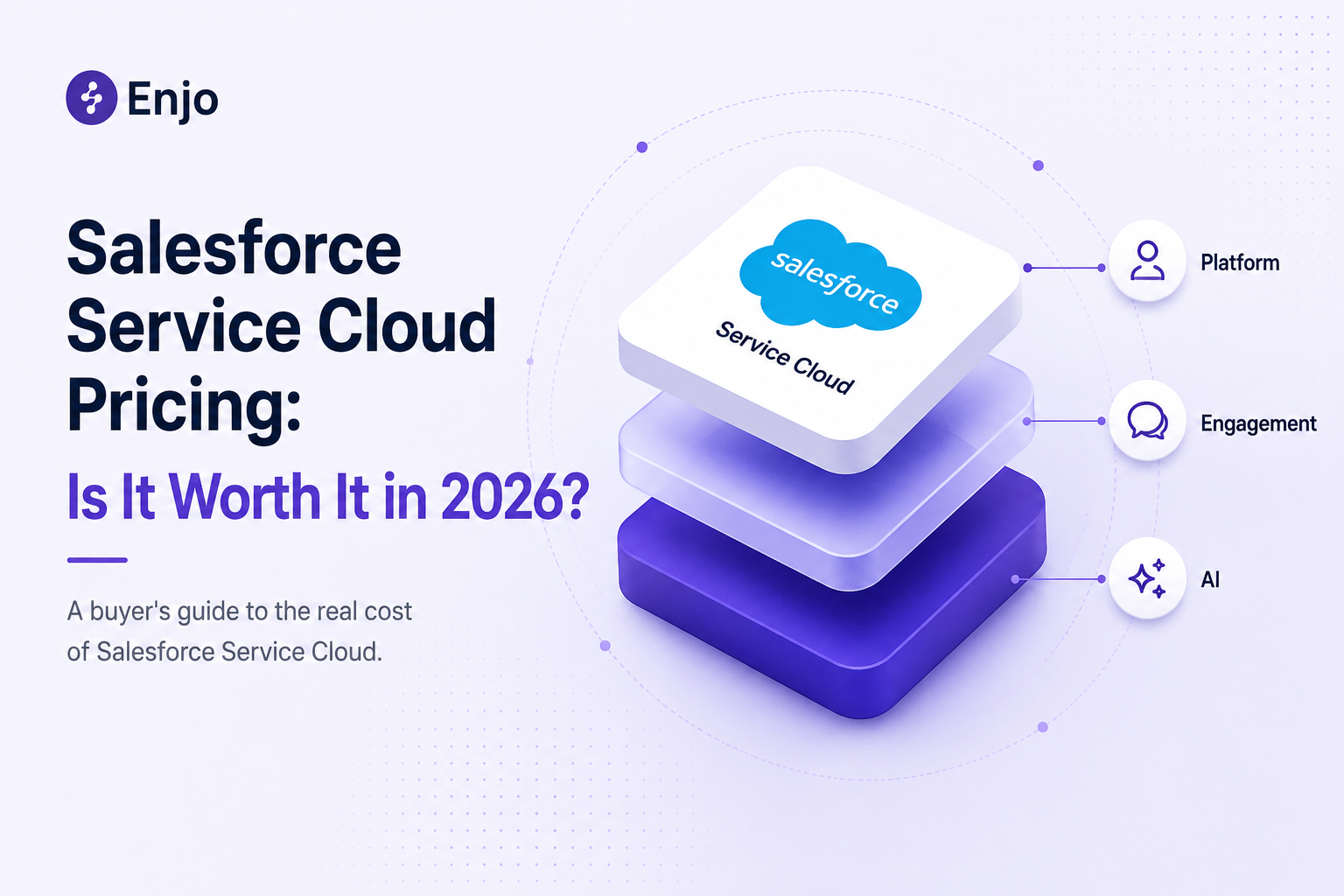
The Three Cost Layers of Salesforce Service Cloud
Salesforce Service Cloud pricing has three cost layers, not one. Most teams only budget for the first, and that is where the surprises start.
Platform Cost (per seat, billed annually) The Service Cloud license: case management, routing, automation, reporting. This is the number on the pricing page.
Engagement Cost (per seat, billed separately): Digital Engagement for chat, messaging, and social. Service Cloud Voice for telephony. Neither comes with the base license. If your customers reach you through anything beyond email, you are paying for this layer whether you planned for it or not.
AI Cost (per conversation or per action, usage-based) Agentforce, at $2 per conversation or $0.10 per action via Flex Credits. Requires Data Cloud at scale. Unlike the first two layers, this one has no ceiling and scales with volume rather than headcount.
Platform Cost and Engagement Cost grow every time you hire an agent. AI Cost grows every time the AI runs a conversation. All three bills are independent. The listed Salesforce Service Cloud pricing reflects only Platform Cost, which is why teams that budget based on the pricing page alone end up rebuilding their budget from scratch six months in.
What Each Layer Costs
Platform Cost
If you run a mid-market customer service team, Enterprise at $165/user/month is your realistic starting point. Starter caps out at two users. Pro lacks the automation depth most teams need. Everything in this guide is priced from Enterprise.
Engagement Cost
- Digital Engagement (chat, messaging, social): $75/user/month (per atonementlicensing.com, solutions4sf.com)
- Service Cloud Voice (telephony): $50+/user/month (per atonementlicensing.com)
One thing experienced buyers learn fast: not every agent needs every channel add-on. Licensing Digital Engagement only to agents who actually work chat, and Voice only to agents who take calls, is the single biggest cost lever most teams overlook.
AI Cost
Salesforce offers two billing models for Agentforce, and you cannot mix them in the same org: a flat per-conversation rate or a variable per-action rate through Flex Credits.
- Per conversation: $2 per session. Multiple messages in one session count as a single billable event (per atonementlicensing.com, citing Salesforce documentation).
- Per action (Flex Credits): $0.10 per action, sold in blocks of 100,000 for $500. Each action in a conversation burns credits independently, so your cost per conversation depends on how many steps the AI takes to resolve it.
- Data Cloud: Required at production scale. Implementation firms cite $108,000+/year as a baseline (per estarei.io and getclientell.com, April 2026), though the amount varies with data volume.
There is no monthly ceiling on agentforce pricing at list .A product launch, a seasonal spike, or even a viral support issue hits the AI bill directly. And before buying Agentforce as a separate add-on, check what your tier already bundles: Unlimited Edition includes 25 Einstein bot conversations per user per month, and we have seen teams pay extra for something they already had.
Five Questions to Ask Before You Evaluate Pricing
The three-layer structure makes Salesforce Service Cloud pricing deeply situational. Two teams with identical headcounts can end up with wildly different bills depending on how well the platform fits their operation. These five questions are the ones that separate a strong investment from a slow-motion budget problem.
1. Will we use everything we are paying for? Enterprise unlocks omni-channel routing, advanced automation, and API access. If your team mostly handles email with straightforward routing, much of that capability will go unused, and you will be paying for platform depth you cannot use. This is more common than anyone admits.
2. Are we complex enough to justify Salesforce? Service Cloud was designed for organizations that run support across multiple business units, languages, geographies, and escalation paths. If you are a single team in a single region supporting a single product, the platform's sophistication works against you. The complexity is not a bug. It is the product. And if you do not need it, you are paying for it anyway.
3.Do we actually need Data Cloud and Agentforce? AI Cost is the fastest-growing line item, but it is also entirely optional. Plenty of teams run Service Cloud for case management and routing while using a separate AI agent platform for resolution. The real question is whether the knowledge your AI needs resides entirely within Salesforce or is spread across Confluence, SharePoint, Google Drive, and three other systems that Agentforce cannot natively access.
4. Do we have the resources to manage Salesforce? This one matters more than the price tag. G2 reviewers consistently flag complexity and steep learning curve as top concerns, and having spent time in these deployments, it tracks. Without a dedicated admin, every workflow change stalls. It either becomes a consulting engagement that takes weeks or a backlog item nobody picks up. The distance between buying Salesforce and actually running it the way you need to is where most ROI projections quietly fall apart.
5. Is Salesforce the right operating model? This is the question underneath all the others. Salesforce is not something you configure and move on from. It is an operating model: ongoing admin investment, annual contracts, a specific approach to how data flows, and workflows run. When the model fits the organization, the pricing makes sense. When it does not, there is no discount large enough to close the gap.
Salesforce Has a Fit Problem, Not a Satisfaction Problem
Salesforce does not have a satisfaction problem. It has a fit problem. The capabilities that make it exceptional for large, complex enterprises become unnecessary overhead for teams that do not share the same operating model.
G2 review data clearly backs this up. The most praised features (case management, automation, CRM-native visibility, enterprise governance) are all capabilities that require real organizational complexity to exercise. The most common complaints (complexity, steep learning curve, cost unpredictability, admin dependency) trace back to the same root: the platform assumes you have dedicated admin resources and the kind of multi-system, multi-team complexity that justifies the investment. Teams that have both do well. Teams that identify the mismatch after procurement spend the next few quarters trying to justify it.
This is worth being direct about. The review data do not indicate that Salesforce is too expensive or too complex. It says the platform rewards a specific operating shape. And the cost of not fitting that shape compounds.
The Real Cost at Three Team Sizes
Here is where the three cost layers stop being a framework and start being a spreadsheet.
Methodology: Enterprise ($165/user/month) base. ~400 Agentforce conversations per agent per month (mid-market B2B). Digital Engagement for all agents; Voice for a subset; Data Cloud only at 50 agents. Implementation excluded ($ 50K–$200K+ per partner estimate). These are modeled estimates at list prices. Enterprise discounts can reduce totals by 15-30%.
Look at the bottom two rows. The listed price is $165 across all columns. The effective cost is $1,040 to $1,450. Agentforce pricing alone is 5-6x higher than the platform license across all three scenarios, and the platform license accounts for just 10-16% of the total bill.
There is a specific trap here worth naming. Buying full agent seats and a large Agentforce commitment simultaneously, before you have proven what deflection rate the AI actually delivers, means paying twice for the same case volume. A phased approach that starts with real deflection data before sizing the conversation commitment avoids the double-pay problem.
The Architecture Decision That Defines the Investment
The best contact centers in 2026 are running a three-tier model: autonomous AI handling 40-60% of volume, AI-assisted agents on the middle tier, and human escalation for the rest. That model has created a real split in how teams architect their service stack:
AI inside the helpdesk. Agentforce reads Service Cloud data, acts on its objects, and bills through its pricing model. You get native integration. You also get AI Cost compounding on top of Platform Cost and Engagement Cost, all inside the same vendor.
AI as a separate resolution layer. The AI sits in front of the helpdesk. It resolves routine requests from every connected knowledge source. Only the hard stuff reaches Salesforce and the human team, with full context already attached.
The economic logic is straightforward. Inside the helpdesk, AI cost and seat cost compound. As a separate layer, AI cost scales with resolution (which you want more of) while seat cost scales with headcount (which you want to hold). One grows. The other shrinks. They stop working against each other.
A Decision Framework
Salesforce Service Cloud is worth the investment if:
- You run support across multiple business units, languages, or compliance regimes, and need the routing and governance depth Service Cloud provides.
- Your service team relies on CRM-native visibility into sales history, contract status, and account health during live case work.
- You have certified Salesforce administrators in-house who can configure and maintain the platform without recurring consulting costs.
- All of your service knowledge and all required AI actions live within Salesforce, making Agentforce's native binding a real advantage.
- Your contact center is large enough (100+ agents) that enterprise negotiation delivers meaningful per-seat discounts on Salesforce Service Cloud cost.
Consider a different architecture if:
- Your knowledge is scattered across Confluence, SharePoint, Google Drive, past tickets in other systems, or web content, not consolidated in Salesforce.
- You are paying per agent and per AI conversation at the same time; both lines grow independently, and your finance team cannot forecast a bill where the AI side has no monthly ceiling.
- You do not have Salesforce platform admins, and implementation timelines measured in months are a cost your team cannot absorb.
- You need to prove AI ROI within a quarter, not a year.
- AI resolution is a core capability for you, and it needs to run independently of any single helpdesk's data model and billing.
What an Agentic AI Layer Looks Like on Salesforce
Organizations choosing the separate resolution layer architecture are typically looking for something specific: a platform that works as the AI layer without disrupting the Salesforce investment they have already made. Enjo was built for exactly this.
Its AI Agents resolve requests end-to-end, pulling knowledge from Salesforce and other connected sources, executing AI Actions in Okta, Jira, Salesforce, and custom APIs, with guardrails enforcing policy at every step. Agent Assist embeds directly within Salesforce, providing human agents with summaries, reply suggestions, and in-context knowledge. Insights show leadership where automation is working and where gaps remain.
Aptean, a 3,500-employee enterprise on Salesforce, deployed Enjo in a single day and now handles a volume equivalent to 120 agents, processing 200,000+ requests per year. They did not migrate off Salesforce. They changed the economics of running it. Enjo pricing is per AI Reply with unlimited human agent seats, starting at a free tier that requires no procurement.
FAQ
Q :How much does Salesforce Service Cloud actually cost per agent?
A :The pricing page says $25 to $500 per user per month, depending on edition. In practice, mid-market teams on Enterprise with Digital Engagement, Voice, and Agentforce land between $1,000 and $1,450+ per agent per month. The edition price ends up being a fraction of the total once all three cost layers stack.
Q: Is Agentforce included in Service Cloud pricing?
A :No. Agentforce pricing is entirely separate: $ 2 per conversation or $0.10/action via Flex Credits. Einstein 1 Service ($500/user/month) includes it. Data Cloud, which Agentforce requires at scale, is also a line item in its own right. Current agentforce pricing can be verified at salesforce.com/agentforce.
Q : Can you run a separate AI layer on top of Salesforce?
A : Yes, and a growing number of teams are doing exactly that. Platforms like Enjo sit on top of Salesforce rather than replacing it. Agent Assist embeds within the Salesforce workspace; AI Agents create Salesforce cases with full context when they escalate; and the knowledge layer indexes Salesforce alongside every other source the team uses. No migration.
Q : Does Salesforce Service Cloud offer a free plan?
A : There is a free plan for up to two users and a time-limited trial. For any real CS operation, Enterprise at $165/user/month, billed annually, is the starting point. Current plans can be verified at salesforce.com/service/pricing.
The Three Cost Layers of Salesforce Service Cloud
Salesforce Service Cloud pricing has three cost layers, not one. Most teams only budget for the first, and that is where the surprises start.
Platform Cost (per seat, billed annually) The Service Cloud license: case management, routing, automation, reporting. This is the number on the pricing page.
Engagement Cost (per seat, billed separately): Digital Engagement for chat, messaging, and social. Service Cloud Voice for telephony. Neither comes with the base license. If your customers reach you through anything beyond email, you are paying for this layer whether you planned for it or not.
AI Cost (per conversation or per action, usage-based) Agentforce, at $2 per conversation or $0.10 per action via Flex Credits. Requires Data Cloud at scale. Unlike the first two layers, this one has no ceiling and scales with volume rather than headcount.
Platform Cost and Engagement Cost grow every time you hire an agent. AI Cost grows every time the AI runs a conversation. All three bills are independent. The listed Salesforce Service Cloud pricing reflects only Platform Cost, which is why teams that budget based on the pricing page alone end up rebuilding their budget from scratch six months in.
What Each Layer Costs
Platform Cost
If you run a mid-market customer service team, Enterprise at $165/user/month is your realistic starting point. Starter caps out at two users. Pro lacks the automation depth most teams need. Everything in this guide is priced from Enterprise.
Engagement Cost
- Digital Engagement (chat, messaging, social): $75/user/month (per atonementlicensing.com, solutions4sf.com)
- Service Cloud Voice (telephony): $50+/user/month (per atonementlicensing.com)
One thing experienced buyers learn fast: not every agent needs every channel add-on. Licensing Digital Engagement only to agents who actually work chat, and Voice only to agents who take calls, is the single biggest cost lever most teams overlook.
AI Cost
Salesforce offers two billing models for Agentforce, and you cannot mix them in the same org: a flat per-conversation rate or a variable per-action rate through Flex Credits.
- Per conversation: $2 per session. Multiple messages in one session count as a single billable event (per atonementlicensing.com, citing Salesforce documentation).
- Per action (Flex Credits): $0.10 per action, sold in blocks of 100,000 for $500. Each action in a conversation burns credits independently, so your cost per conversation depends on how many steps the AI takes to resolve it.
- Data Cloud: Required at production scale. Implementation firms cite $108,000+/year as a baseline (per estarei.io and getclientell.com, April 2026), though the amount varies with data volume.
There is no monthly ceiling on agentforce pricing at list .A product launch, a seasonal spike, or even a viral support issue hits the AI bill directly. And before buying Agentforce as a separate add-on, check what your tier already bundles: Unlimited Edition includes 25 Einstein bot conversations per user per month, and we have seen teams pay extra for something they already had.
Five Questions to Ask Before You Evaluate Pricing
The three-layer structure makes Salesforce Service Cloud pricing deeply situational. Two teams with identical headcounts can end up with wildly different bills depending on how well the platform fits their operation. These five questions are the ones that separate a strong investment from a slow-motion budget problem.
1. Will we use everything we are paying for? Enterprise unlocks omni-channel routing, advanced automation, and API access. If your team mostly handles email with straightforward routing, much of that capability will go unused, and you will be paying for platform depth you cannot use. This is more common than anyone admits.
2. Are we complex enough to justify Salesforce? Service Cloud was designed for organizations that run support across multiple business units, languages, geographies, and escalation paths. If you are a single team in a single region supporting a single product, the platform's sophistication works against you. The complexity is not a bug. It is the product. And if you do not need it, you are paying for it anyway.
3.Do we actually need Data Cloud and Agentforce? AI Cost is the fastest-growing line item, but it is also entirely optional. Plenty of teams run Service Cloud for case management and routing while using a separate AI agent platform for resolution. The real question is whether the knowledge your AI needs resides entirely within Salesforce or is spread across Confluence, SharePoint, Google Drive, and three other systems that Agentforce cannot natively access.
4. Do we have the resources to manage Salesforce? This one matters more than the price tag. G2 reviewers consistently flag complexity and steep learning curve as top concerns, and having spent time in these deployments, it tracks. Without a dedicated admin, every workflow change stalls. It either becomes a consulting engagement that takes weeks or a backlog item nobody picks up. The distance between buying Salesforce and actually running it the way you need to is where most ROI projections quietly fall apart.
5. Is Salesforce the right operating model? This is the question underneath all the others. Salesforce is not something you configure and move on from. It is an operating model: ongoing admin investment, annual contracts, a specific approach to how data flows, and workflows run. When the model fits the organization, the pricing makes sense. When it does not, there is no discount large enough to close the gap.
Salesforce Has a Fit Problem, Not a Satisfaction Problem
Salesforce does not have a satisfaction problem. It has a fit problem. The capabilities that make it exceptional for large, complex enterprises become unnecessary overhead for teams that do not share the same operating model.
G2 review data clearly backs this up. The most praised features (case management, automation, CRM-native visibility, enterprise governance) are all capabilities that require real organizational complexity to exercise. The most common complaints (complexity, steep learning curve, cost unpredictability, admin dependency) trace back to the same root: the platform assumes you have dedicated admin resources and the kind of multi-system, multi-team complexity that justifies the investment. Teams that have both do well. Teams that identify the mismatch after procurement spend the next few quarters trying to justify it.
This is worth being direct about. The review data do not indicate that Salesforce is too expensive or too complex. It says the platform rewards a specific operating shape. And the cost of not fitting that shape compounds.
The Real Cost at Three Team Sizes
Here is where the three cost layers stop being a framework and start being a spreadsheet.
Methodology: Enterprise ($165/user/month) base. ~400 Agentforce conversations per agent per month (mid-market B2B). Digital Engagement for all agents; Voice for a subset; Data Cloud only at 50 agents. Implementation excluded ($ 50K–$200K+ per partner estimate). These are modeled estimates at list prices. Enterprise discounts can reduce totals by 15-30%.
Look at the bottom two rows. The listed price is $165 across all columns. The effective cost is $1,040 to $1,450. Agentforce pricing alone is 5-6x higher than the platform license across all three scenarios, and the platform license accounts for just 10-16% of the total bill.
There is a specific trap here worth naming. Buying full agent seats and a large Agentforce commitment simultaneously, before you have proven what deflection rate the AI actually delivers, means paying twice for the same case volume. A phased approach that starts with real deflection data before sizing the conversation commitment avoids the double-pay problem.
The Architecture Decision That Defines the Investment
The best contact centers in 2026 are running a three-tier model: autonomous AI handling 40-60% of volume, AI-assisted agents on the middle tier, and human escalation for the rest. That model has created a real split in how teams architect their service stack:
AI inside the helpdesk. Agentforce reads Service Cloud data, acts on its objects, and bills through its pricing model. You get native integration. You also get AI Cost compounding on top of Platform Cost and Engagement Cost, all inside the same vendor.
AI as a separate resolution layer. The AI sits in front of the helpdesk. It resolves routine requests from every connected knowledge source. Only the hard stuff reaches Salesforce and the human team, with full context already attached.
The economic logic is straightforward. Inside the helpdesk, AI cost and seat cost compound. As a separate layer, AI cost scales with resolution (which you want more of) while seat cost scales with headcount (which you want to hold). One grows. The other shrinks. They stop working against each other.
A Decision Framework
Salesforce Service Cloud is worth the investment if:
- You run support across multiple business units, languages, or compliance regimes, and need the routing and governance depth Service Cloud provides.
- Your service team relies on CRM-native visibility into sales history, contract status, and account health during live case work.
- You have certified Salesforce administrators in-house who can configure and maintain the platform without recurring consulting costs.
- All of your service knowledge and all required AI actions live within Salesforce, making Agentforce's native binding a real advantage.
- Your contact center is large enough (100+ agents) that enterprise negotiation delivers meaningful per-seat discounts on Salesforce Service Cloud cost.
Consider a different architecture if:
- Your knowledge is scattered across Confluence, SharePoint, Google Drive, past tickets in other systems, or web content, not consolidated in Salesforce.
- You are paying per agent and per AI conversation at the same time; both lines grow independently, and your finance team cannot forecast a bill where the AI side has no monthly ceiling.
- You do not have Salesforce platform admins, and implementation timelines measured in months are a cost your team cannot absorb.
- You need to prove AI ROI within a quarter, not a year.
- AI resolution is a core capability for you, and it needs to run independently of any single helpdesk's data model and billing.
What an Agentic AI Layer Looks Like on Salesforce
Organizations choosing the separate resolution layer architecture are typically looking for something specific: a platform that works as the AI layer without disrupting the Salesforce investment they have already made. Enjo was built for exactly this.
Its AI Agents resolve requests end-to-end, pulling knowledge from Salesforce and other connected sources, executing AI Actions in Okta, Jira, Salesforce, and custom APIs, with guardrails enforcing policy at every step. Agent Assist embeds directly within Salesforce, providing human agents with summaries, reply suggestions, and in-context knowledge. Insights show leadership where automation is working and where gaps remain.
Aptean, a 3,500-employee enterprise on Salesforce, deployed Enjo in a single day and now handles a volume equivalent to 120 agents, processing 200,000+ requests per year. They did not migrate off Salesforce. They changed the economics of running it. Enjo pricing is per AI Reply with unlimited human agent seats, starting at a free tier that requires no procurement.
FAQ
Q :How much does Salesforce Service Cloud actually cost per agent?
A :The pricing page says $25 to $500 per user per month, depending on edition. In practice, mid-market teams on Enterprise with Digital Engagement, Voice, and Agentforce land between $1,000 and $1,450+ per agent per month. The edition price ends up being a fraction of the total once all three cost layers stack.
Q: Is Agentforce included in Service Cloud pricing?
A :No. Agentforce pricing is entirely separate: $ 2 per conversation or $0.10/action via Flex Credits. Einstein 1 Service ($500/user/month) includes it. Data Cloud, which Agentforce requires at scale, is also a line item in its own right. Current agentforce pricing can be verified at salesforce.com/agentforce.
Q : Can you run a separate AI layer on top of Salesforce?
A : Yes, and a growing number of teams are doing exactly that. Platforms like Enjo sit on top of Salesforce rather than replacing it. Agent Assist embeds within the Salesforce workspace; AI Agents create Salesforce cases with full context when they escalate; and the knowledge layer indexes Salesforce alongside every other source the team uses. No migration.
Q : Does Salesforce Service Cloud offer a free plan?
A : There is a free plan for up to two users and a time-limited trial. For any real CS operation, Enterprise at $165/user/month, billed annually, is the starting point. Current plans can be verified at salesforce.com/service/pricing.

Transform complex support workflows


Stay Informed and Inspired



Start Free. Prove Value. Scale When Ready.
Use Enjo for real customer conversations and see how it fits your support workflow. Scale as your support grows.