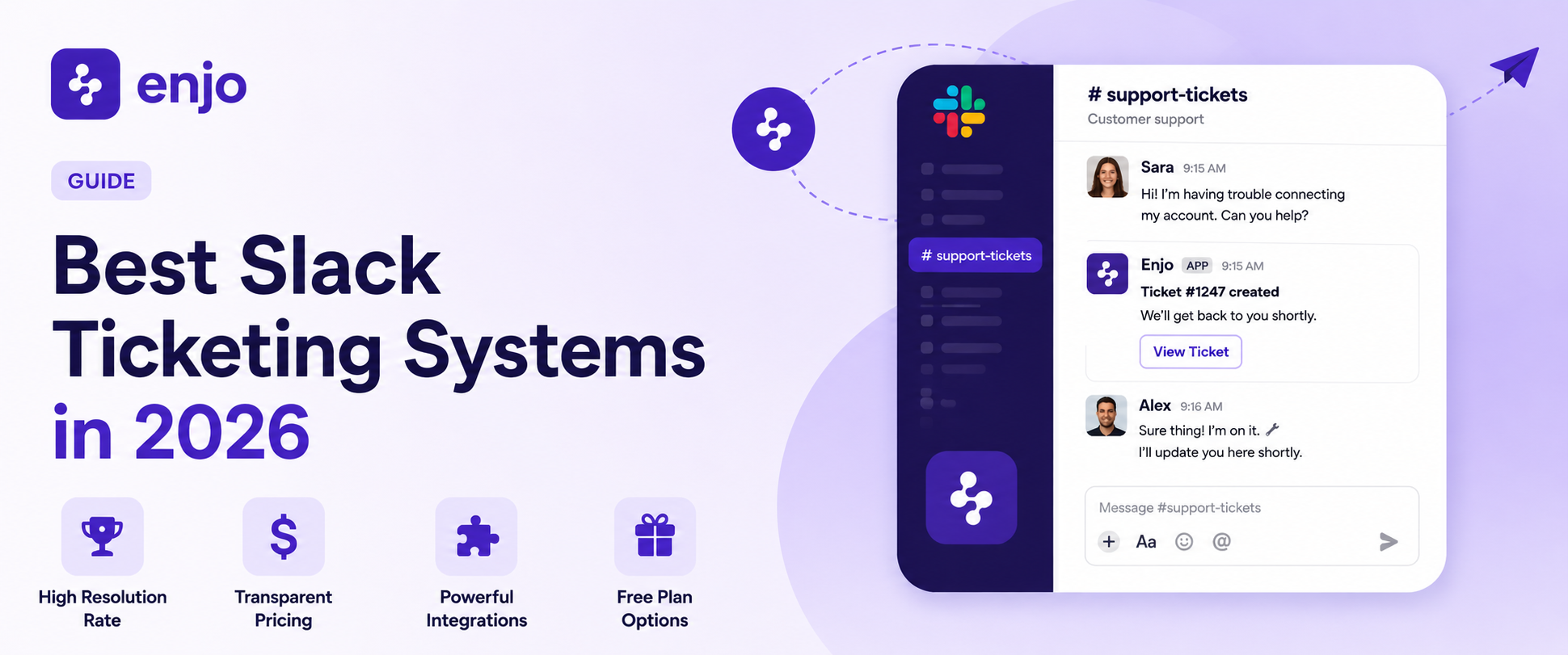
9 Best Slack Ticketing Systems in 2026
A Slack ticketing system promises something simple: handle IT and HR requests where employees already are, instead of dragging them to a portal nobody opens. The problem is that a busy channel is not a queue. Nothing tells you who owns a request, what its status is, or whether it was ever finished. By Friday, nobody remembers who requested the laptop from Tuesday.
The nine tools below are split into two camps. Some capture requests and route them to another system. Others resolve them in the thread before a human gets pulled in. We checked current pricing, free plans, and where each one actually fits, with no tool forced to the top of every list. Compare the 9 best Slack ticketing systems in 2026 on resolution, pricing, integrations, and free plans to pick the right fit for your team.
How we evaluated these tools
Every tool here was scored on the things that actually decide a rollout, not feature-list length:
- Where the queue lives: Slack-native queue, or capture in Slack and track somewhere else.
- Resolve or route: does the AI close common requests, or only hand them off?
- Pricing model: per-seat, usage-based, or a real free tier, and what the floor cost is.
- Integration and system-of-record fit: Jira, ServiceNow, Zendesk, Salesforce, Okta.
- AI depth: triage and summaries, or autonomous actions in connected systems.
- Security and governance: SOC 2, RBAC, audit logs for sensitive requests.
- Free plan: a permanent free tier versus a trial that expires.
Slack ticketing systems compared at a glance
Here is the short version before the deep dives. Starting prices are the lowest paid tier, checked against each vendor in 2026. G2 ratings link to each tool's reviews page.
The 9 best Slack ticketing systems in 2026
1. Enjo
Enjo is the all-in-one option here, and the one to beat if your work happens in Slack. Its AI Agents resolve common IT and HR requests in the thread and cleanly route the rest to a person when one is genuinely needed. Resolve or route, in one place, is the difference between deflecting work and just relabeling it. BookMyShow runs it to capture 100% of IT tickets through Slack, with zero manual ticket creation across 1,000+ employees.
Best for: teams that want one tool to capture, resolve, and route requests in Slack across IT, HR, and customer support.
Key capabilities:
- Autonomous resolution in Slack: AI Agents read the request in the channel, answer from connected knowledge sources (Confluence, SharePoint, past tickets), and close routine ones like password resets and access requests without human intervention.
- Actions, not just answers: AI Actions run real operations in Okta, Jira, and ServiceNow, so the agent can clear an account lockout or provision access instead of explaining the steps.
- Resolve or route, with full context: when a person is needed, Escalation opens a Jira or ServiceNow ticket, or an Enjo Inbox conversation, with the Slack thread attached, so the human starts where the AI left off.
- One platform, not three: the same knowledge layer powers AI resolution, human handling in Inbox, and a self-serve Help Center, so customer support in Slack Connect runs on the same engine as internal IT and HR.
- Ticket creation the Slack way: Commands turn a slash command into a ticket, Emoji Actions turn a reaction into one, and Approval Flow handles one-click approvals right in the thread.
Pricing: Free at $0 with 200 AI Replies a month, unlimited human seats, and no credit card. Starter is $95/month, with extra AI Replies at $0.05 each. Verify current details at enjo.ai/pricing.
Where it falls short: Enjo's IT and HR deployments are the most mature, most proven side of the product. Its standalone customer support side is newer (the customer-facing pieces expanded in 2026), so a B2C team running very high chat volume should weigh that against the IT and HR track record.
Reviews and trust: 4.8/5 on G2, with SOC 2 Type II, ISO 27001, and GDPR validated by third-party audits and 99.9% uptime over six years across 600+ deployments. Review volume is smaller than that of incumbents like Zendesk, since Enjo is a newer brand, so weigh the proof points and a free trial too. For the deployment view, see Enjo's AI support agent for the IT service desk.
2. ClearFeed
ClearFeed turns a Slack channel into a real queue, so support requests get an owner, an SLA, and a status instead of disappearing into the scroll. It is built for teams that want the ticket to live in Slack rather than in a separate inbox.
Best for: Slack-first support, customer or internal, where the queue should stay inside Slack.
Key capabilities:
- Slack-native queue: capture requests from channels or DMs, keep the thread as the ticket history, and triage without leaving Slack.
- SLA timers and escalation: alerts and rules for high-priority or premium customers so nothing ages out unnoticed.
- Two-way sync: keeps tickets in step with Zendesk, Jira, and ClickUp.
Pricing: Starter at $24/agent/month. No permanent free plan, 14-day trial only. Verify current rates at clearfeed.ai.
Where it falls short: running many channels adds real admin overhead, and there is no free tier to grow into.
Reviews: 4.6/5 on G2 (140+ reviews).
3. Atlassian Assist (formerly Halp)
Atlassian Assist is the rebuilt Halp, now tied to Jira Service Management. It converts Slack messages into JSM tickets, so casual chatter becomes a formal request without anyone having to open Jira.
Best for: teams already standardized on Jira Service Management that want Slack as the intake layer.
Key capabilities:
- Message-to-ticket intake: emoji reactions or message actions create JSM tickets from Slack.
- Two-way sync: comments and status changes mirror between Slack and Jira.
- Knowledge auto-replies: common questions get answered from a connected knowledge base, with a virtual agent on the premium tier.
Pricing: sold through Atlassian alongside JSM, where the Free plan covers up to 3 agents; Standard and Premium pricing comes from Atlassian. Verify current rates at atlassian.com. Reporting is on the basic side.
Where it falls short: it connects Slack, Teams, and JSM, and not much else as a backend, and analytics are thinner than a full service desk. For a closer look at the trade-offs, see Halp vs Enjo.
Reviews: 4.3/5 on G2 (bundled into Jira Service Management).
4. Suptask
Suptask keeps the whole ticket inside Slack, with no separate agent app to learn. Coworkers raise a request by mentioning it in a message, and the team works the queue from there.
Best for: teams that want native Slack ticketing without having to stand up another tool.
Key capabilities:
- In-Slack tickets: create, assign, and resolve from the message and thread.
- Multi-inbox routing: separate queues for IT, HR, or support, with custom forms and fields.
- AI assists: ticket summaries and routing, with unlimited requesters at no extra cost.
Pricing: The Free plan covers up to 10 tickets per month with unlimited users. Paid plans (Light, Professional, Custom) are billed per agent. Verify current rates at suptask.com.
Where it falls short: lower tiers cap ticket retention, and reporting is lighter than a full helpdesk.
Reviews: 4.8/5 on G2, mostly from small teams.
5. Thena
Thena is built for B2B teams whose customers live in shared Slack channels. It creates and manages support tickets inside Slack while syncing to the system of record behind it.
Best for: Slack-native B2B customer support.
Key capabilities:
- Flexible ticket creation: turn messages into tickets with emojis, tags, or forms.
- Private internal threads: the team collaborates on a ticket without the customer seeing it.
- Two-way sync and CSAT: connects to Zendesk, Jira, HubSpot, and Salesforce, with SLAs and satisfaction tracking.
Pricing: Starter at $29/user/month (up to 5 users and 1,000 tickets a month). No free plan. Verify current rates at thena.ai.
Where it falls short: deep analytics often lean on the underlying helpdesk, and the focus is on customer support rather than internal IT.
Reviews: 4.9/5 on G2 (60+ reviews).
6. Pylon
Pylon is an all-in-one B2B support platform, with Slack as one channel alongside email, chat, and Teams. It centralizes customer requests from those channels into a single workspace.
Best for: B2B support teams that need Slack plus several other channels in one place.
Key capabilities:
- Slack-native ticketing: track and resolve customer issues from Slack inside a unified inbox.
- AI triage and routing: automatic tagging, routing, and reply suggestions.
- Knowledge base and broadcasts: self-serve articles plus product and outage announcements across channels.
Pricing: Starter at $59/seat/month, billed annually with a 3-seat minimum. AI features are sold as separate add-ons. No free plan. Verify current rates at usepylon.com.
Where it falls short: per-seat pricing with seat minimums and annual-only billing raises the entry cost, and the AI you may want sits in paid add-ons.
Reviews: 4.9/5 on G2 (60+ reviews).
7. Wrangle
Wrangle brings ticketing, approvals, and forms into Slack through a no-code workflow designer. Internal teams use it to turn messy requests into structured, trackable processes.
Best for: internal Slack workflows, approvals, and form-based intake.
Key capabilities:
- No-code workflow builder: design request and approval flows that run in Slack channels.
- Custom forms and routing: capture the right details up front and route with conditional logic.
- Status dashboard: see what is open and where a request is stuck.
Pricing: Pro starts at $39/user/month with a 3-agent minimum. Free trial, no permanent free plan. Verify current rates at wrangle.io.
Where it falls short: analytics are limited, and it fits standardized, repeatable processes better than highly custom ones.
Reviews: 4.9/5 on G2, though the review count is small.
8. Linear Asks
Linear Asks is a lightweight intake layer for teams that already run Linear. It is aimed at product and engineering groups fielding bug reports, feature requests, and quick "can someone help?" messages.
Best for: product and engineering teams already living in Linear.
Key capabilities:
- Slack-to-issue intake: create requests from Slack, even from people without a Linear account.
- Emoji to issue: the :ticket: reaction turns a message into a structured Linear issue.
- Thread updates: notifications and replies sync back to the same Slack thread.
Pricing: included with Linear Business at $16/user/month (billed annually). Linear offers a free plan, but Asks requires a Business plan or higher. Verify current rates at linear.app.
Where it falls short: it is shaped around engineering workflows, so it feels less natural for non-technical teams, and reporting is basic.
Reviews: 4.5/5 on G2 (60+ reviews).
9. Jira Service Management
Jira Service Management is the full ITSM backend that many IT teams already use, with Slack serving as the intake channel via Atlassian Assist. It is the heavyweight option here, with depth that smaller Slack tools do not attempt.
Best for: IT teams standardizing on a complete ITSM platform, with Slack as the intake channel.
Key capabilities:
- ITSM depth: incident, change, and request templates, SLAs, and asset management.
- Automation: rule-based routing and workflows across the Atlassian stack.
- Slack intake and virtual agent: request capture through Atlassian Assist, plus the Rovo virtual agent on Premium.
Pricing: Free for up to 3 agents. Standard at $20/agent/month and Premium at $51.42/agent/month, both billed annually. Enterprise is custom. Verify current rates at atlassian.com.
Where it falls short: Slack is the intake, not where agents resolve; the better AI and automation sit on Premium, and full setup can take months.
Reviews: 4.3/5 on G2, across thousands of enterprise reviews.
How to choose a ticketing system for Slack
The real decision is two questions, not nine. Where should the queue live, and do you want the tool to resolve requests or only capture them?
If you want one platform that covers IT, HR, and customer support and actually closes requests in Slack, Enjo is the best fit because resolution, human handling in Inbox, and self-serve all run on a single knowledge layer. If you only need a Slack-native queue, ClearFeed and Suptask do that well. If your records belong in Jira, Atlassian Assist or full Jira Service Management make Slack the front door. For B2B customer support spread across many channels, Thena and Pylon pull Slack into a wider inbox. Intercom is worth a look when Slack is just one of several channels, and most agents work elsewhere.
Match it to your stack, your budget, and whether you need resolution or capture. If a free Slack ticketing system is the deciding factor, Enjo and Suptask are the two here with a permanent free tier rather than a trial. The conversational ticketing approach is the throughline across all of these: meet people in chat, and lose the form.
Bottom line
Most tools on this list are good at catching requests before they scroll away. Fewer of them close the request without adding a human to the loop. That gap is the whole point of evaluating a Slack ticketing system in the first place: the goal was never to log more tickets; it was to handle the work. See where Enjo fits your IT, HR, and customer support, and what it resolves on day one.

How we evaluated these tools
Every tool here was scored on the things that actually decide a rollout, not feature-list length:
- Where the queue lives: Slack-native queue, or capture in Slack and track somewhere else.
- Resolve or route: does the AI close common requests, or only hand them off?
- Pricing model: per-seat, usage-based, or a real free tier, and what the floor cost is.
- Integration and system-of-record fit: Jira, ServiceNow, Zendesk, Salesforce, Okta.
- AI depth: triage and summaries, or autonomous actions in connected systems.
- Security and governance: SOC 2, RBAC, audit logs for sensitive requests.
- Free plan: a permanent free tier versus a trial that expires.
Slack ticketing systems compared at a glance
Here is the short version before the deep dives. Starting prices are the lowest paid tier, checked against each vendor in 2026. G2 ratings link to each tool's reviews page.
The 9 best Slack ticketing systems in 2026
1. Enjo
Enjo is the all-in-one option here, and the one to beat if your work happens in Slack. Its AI Agents resolve common IT and HR requests in the thread and cleanly route the rest to a person when one is genuinely needed. Resolve or route, in one place, is the difference between deflecting work and just relabeling it. BookMyShow runs it to capture 100% of IT tickets through Slack, with zero manual ticket creation across 1,000+ employees.
Best for: teams that want one tool to capture, resolve, and route requests in Slack across IT, HR, and customer support.
Key capabilities:
- Autonomous resolution in Slack: AI Agents read the request in the channel, answer from connected knowledge sources (Confluence, SharePoint, past tickets), and close routine ones like password resets and access requests without human intervention.
- Actions, not just answers: AI Actions run real operations in Okta, Jira, and ServiceNow, so the agent can clear an account lockout or provision access instead of explaining the steps.
- Resolve or route, with full context: when a person is needed, Escalation opens a Jira or ServiceNow ticket, or an Enjo Inbox conversation, with the Slack thread attached, so the human starts where the AI left off.
- One platform, not three: the same knowledge layer powers AI resolution, human handling in Inbox, and a self-serve Help Center, so customer support in Slack Connect runs on the same engine as internal IT and HR.
- Ticket creation the Slack way: Commands turn a slash command into a ticket, Emoji Actions turn a reaction into one, and Approval Flow handles one-click approvals right in the thread.
Pricing: Free at $0 with 200 AI Replies a month, unlimited human seats, and no credit card. Starter is $95/month, with extra AI Replies at $0.05 each. Verify current details at enjo.ai/pricing.
Where it falls short: Enjo's IT and HR deployments are the most mature, most proven side of the product. Its standalone customer support side is newer (the customer-facing pieces expanded in 2026), so a B2C team running very high chat volume should weigh that against the IT and HR track record.
Reviews and trust: 4.8/5 on G2, with SOC 2 Type II, ISO 27001, and GDPR validated by third-party audits and 99.9% uptime over six years across 600+ deployments. Review volume is smaller than that of incumbents like Zendesk, since Enjo is a newer brand, so weigh the proof points and a free trial too. For the deployment view, see Enjo's AI support agent for the IT service desk.
2. ClearFeed
ClearFeed turns a Slack channel into a real queue, so support requests get an owner, an SLA, and a status instead of disappearing into the scroll. It is built for teams that want the ticket to live in Slack rather than in a separate inbox.
Best for: Slack-first support, customer or internal, where the queue should stay inside Slack.
Key capabilities:
- Slack-native queue: capture requests from channels or DMs, keep the thread as the ticket history, and triage without leaving Slack.
- SLA timers and escalation: alerts and rules for high-priority or premium customers so nothing ages out unnoticed.
- Two-way sync: keeps tickets in step with Zendesk, Jira, and ClickUp.
Pricing: Starter at $24/agent/month. No permanent free plan, 14-day trial only. Verify current rates at clearfeed.ai.
Where it falls short: running many channels adds real admin overhead, and there is no free tier to grow into.
Reviews: 4.6/5 on G2 (140+ reviews).
3. Atlassian Assist (formerly Halp)
Atlassian Assist is the rebuilt Halp, now tied to Jira Service Management. It converts Slack messages into JSM tickets, so casual chatter becomes a formal request without anyone having to open Jira.
Best for: teams already standardized on Jira Service Management that want Slack as the intake layer.
Key capabilities:
- Message-to-ticket intake: emoji reactions or message actions create JSM tickets from Slack.
- Two-way sync: comments and status changes mirror between Slack and Jira.
- Knowledge auto-replies: common questions get answered from a connected knowledge base, with a virtual agent on the premium tier.
Pricing: sold through Atlassian alongside JSM, where the Free plan covers up to 3 agents; Standard and Premium pricing comes from Atlassian. Verify current rates at atlassian.com. Reporting is on the basic side.
Where it falls short: it connects Slack, Teams, and JSM, and not much else as a backend, and analytics are thinner than a full service desk. For a closer look at the trade-offs, see Halp vs Enjo.
Reviews: 4.3/5 on G2 (bundled into Jira Service Management).
4. Suptask
Suptask keeps the whole ticket inside Slack, with no separate agent app to learn. Coworkers raise a request by mentioning it in a message, and the team works the queue from there.
Best for: teams that want native Slack ticketing without having to stand up another tool.
Key capabilities:
- In-Slack tickets: create, assign, and resolve from the message and thread.
- Multi-inbox routing: separate queues for IT, HR, or support, with custom forms and fields.
- AI assists: ticket summaries and routing, with unlimited requesters at no extra cost.
Pricing: The Free plan covers up to 10 tickets per month with unlimited users. Paid plans (Light, Professional, Custom) are billed per agent. Verify current rates at suptask.com.
Where it falls short: lower tiers cap ticket retention, and reporting is lighter than a full helpdesk.
Reviews: 4.8/5 on G2, mostly from small teams.
5. Thena
Thena is built for B2B teams whose customers live in shared Slack channels. It creates and manages support tickets inside Slack while syncing to the system of record behind it.
Best for: Slack-native B2B customer support.
Key capabilities:
- Flexible ticket creation: turn messages into tickets with emojis, tags, or forms.
- Private internal threads: the team collaborates on a ticket without the customer seeing it.
- Two-way sync and CSAT: connects to Zendesk, Jira, HubSpot, and Salesforce, with SLAs and satisfaction tracking.
Pricing: Starter at $29/user/month (up to 5 users and 1,000 tickets a month). No free plan. Verify current rates at thena.ai.
Where it falls short: deep analytics often lean on the underlying helpdesk, and the focus is on customer support rather than internal IT.
Reviews: 4.9/5 on G2 (60+ reviews).
6. Pylon
Pylon is an all-in-one B2B support platform, with Slack as one channel alongside email, chat, and Teams. It centralizes customer requests from those channels into a single workspace.
Best for: B2B support teams that need Slack plus several other channels in one place.
Key capabilities:
- Slack-native ticketing: track and resolve customer issues from Slack inside a unified inbox.
- AI triage and routing: automatic tagging, routing, and reply suggestions.
- Knowledge base and broadcasts: self-serve articles plus product and outage announcements across channels.
Pricing: Starter at $59/seat/month, billed annually with a 3-seat minimum. AI features are sold as separate add-ons. No free plan. Verify current rates at usepylon.com.
Where it falls short: per-seat pricing with seat minimums and annual-only billing raises the entry cost, and the AI you may want sits in paid add-ons.
Reviews: 4.9/5 on G2 (60+ reviews).
7. Wrangle
Wrangle brings ticketing, approvals, and forms into Slack through a no-code workflow designer. Internal teams use it to turn messy requests into structured, trackable processes.
Best for: internal Slack workflows, approvals, and form-based intake.
Key capabilities:
- No-code workflow builder: design request and approval flows that run in Slack channels.
- Custom forms and routing: capture the right details up front and route with conditional logic.
- Status dashboard: see what is open and where a request is stuck.
Pricing: Pro starts at $39/user/month with a 3-agent minimum. Free trial, no permanent free plan. Verify current rates at wrangle.io.
Where it falls short: analytics are limited, and it fits standardized, repeatable processes better than highly custom ones.
Reviews: 4.9/5 on G2, though the review count is small.
8. Linear Asks
Linear Asks is a lightweight intake layer for teams that already run Linear. It is aimed at product and engineering groups fielding bug reports, feature requests, and quick "can someone help?" messages.
Best for: product and engineering teams already living in Linear.
Key capabilities:
- Slack-to-issue intake: create requests from Slack, even from people without a Linear account.
- Emoji to issue: the :ticket: reaction turns a message into a structured Linear issue.
- Thread updates: notifications and replies sync back to the same Slack thread.
Pricing: included with Linear Business at $16/user/month (billed annually). Linear offers a free plan, but Asks requires a Business plan or higher. Verify current rates at linear.app.
Where it falls short: it is shaped around engineering workflows, so it feels less natural for non-technical teams, and reporting is basic.
Reviews: 4.5/5 on G2 (60+ reviews).
9. Jira Service Management
Jira Service Management is the full ITSM backend that many IT teams already use, with Slack serving as the intake channel via Atlassian Assist. It is the heavyweight option here, with depth that smaller Slack tools do not attempt.
Best for: IT teams standardizing on a complete ITSM platform, with Slack as the intake channel.
Key capabilities:
- ITSM depth: incident, change, and request templates, SLAs, and asset management.
- Automation: rule-based routing and workflows across the Atlassian stack.
- Slack intake and virtual agent: request capture through Atlassian Assist, plus the Rovo virtual agent on Premium.
Pricing: Free for up to 3 agents. Standard at $20/agent/month and Premium at $51.42/agent/month, both billed annually. Enterprise is custom. Verify current rates at atlassian.com.
Where it falls short: Slack is the intake, not where agents resolve; the better AI and automation sit on Premium, and full setup can take months.
Reviews: 4.3/5 on G2, across thousands of enterprise reviews.
How to choose a ticketing system for Slack
The real decision is two questions, not nine. Where should the queue live, and do you want the tool to resolve requests or only capture them?
If you want one platform that covers IT, HR, and customer support and actually closes requests in Slack, Enjo is the best fit because resolution, human handling in Inbox, and self-serve all run on a single knowledge layer. If you only need a Slack-native queue, ClearFeed and Suptask do that well. If your records belong in Jira, Atlassian Assist or full Jira Service Management make Slack the front door. For B2B customer support spread across many channels, Thena and Pylon pull Slack into a wider inbox. Intercom is worth a look when Slack is just one of several channels, and most agents work elsewhere.
Match it to your stack, your budget, and whether you need resolution or capture. If a free Slack ticketing system is the deciding factor, Enjo and Suptask are the two here with a permanent free tier rather than a trial. The conversational ticketing approach is the throughline across all of these: meet people in chat, and lose the form.
Bottom line
Most tools on this list are good at catching requests before they scroll away. Fewer of them close the request without adding a human to the loop. That gap is the whole point of evaluating a Slack ticketing system in the first place: the goal was never to log more tickets; it was to handle the work. See where Enjo fits your IT, HR, and customer support, and what it resolves on day one.

Transform complex support workflows


Stay Informed and Inspired



Start Free. Prove Value. Scale When Ready.
Use Enjo for real customer conversations and see how it fits your support workflow. Scale as your support grows.