Zendesk vs Salesforce Service Cloud: Which Is Right for Your CS Team?
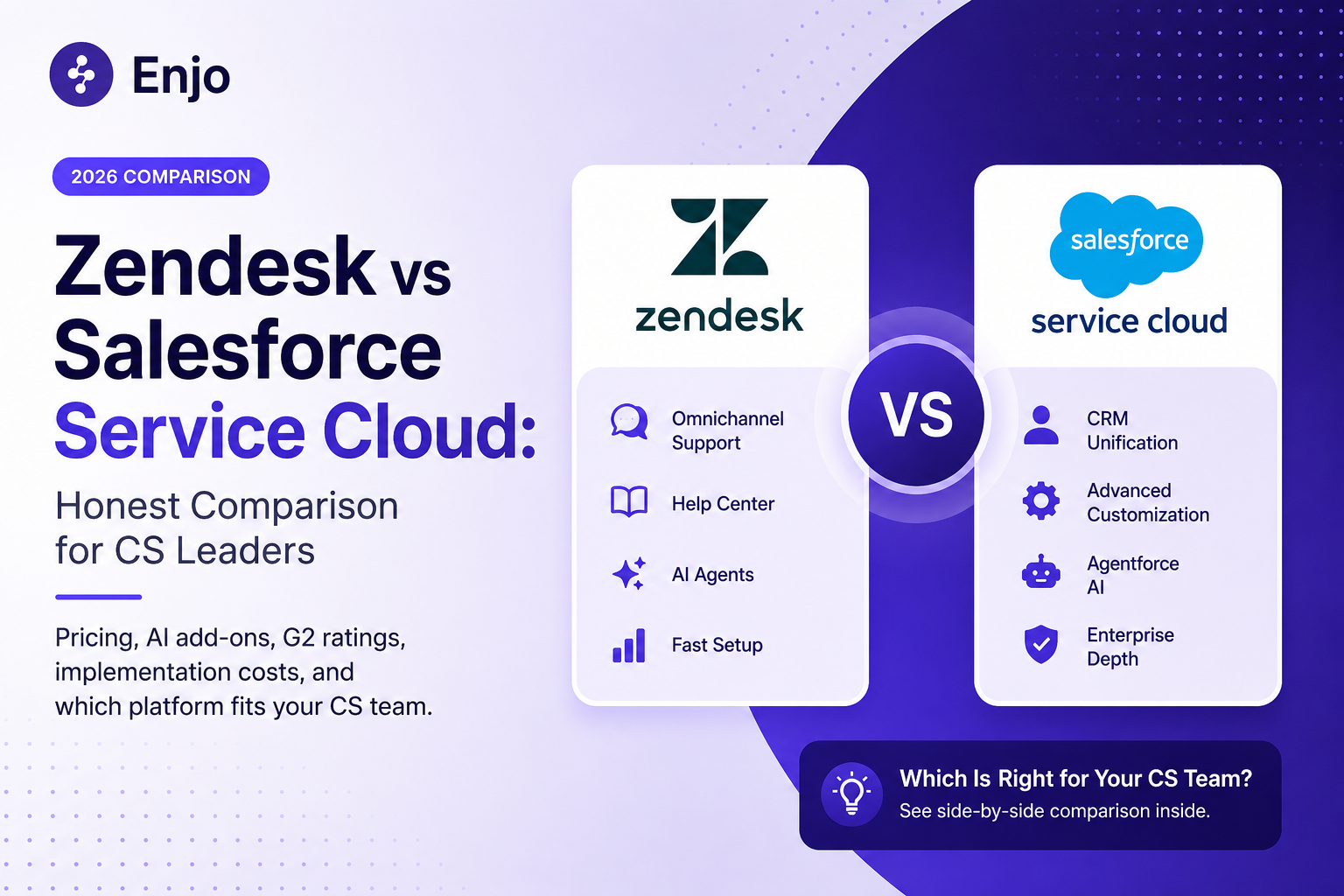
Zendesk is a standalone CS platform: omnichannel ticketing, help center, and AI agents. Salesforce Service Cloud is a service module within a CRM ecosystem, where cases are stored on the same record as sales, marketing, and billing data.
That architectural split drives every difference in Zendesk vs Salesforce Service Cloud comparison: pricing, AI add-ons, implementation, admin overhead, and switching costs. Whether you are evaluating Salesforce Service Cloud vs Zendesk for a new deployment or considering a migration, the right choice depends on your stack, team shape, and where your AI training data lives..
TL;DR: Zendesk wins on speed, simplicity, and native omnichannel at a lower total cost. Salesforce wins on CRM unification, customization ceiling, and enterprise depth, if you have the budget and admin resources. If your AI training data spans systems outside either platform, an agentic AI layer on top of your existing helpdesk may outperform both vendors' native AI. Get a free assessment →
Quick Verdict
Zendesk vs Salesforce Service Cloud: Feature Comparison
This comparison table goes first, so you can get oriented before the deep dives. G2 user feedback is sourced from the G2 Summer 2026 Enterprise Grid Report.
Decision Matrix: Zendesk vs Salesforce
Rate each criterion for your team (1-5), then compare totals. This matrix helps frame the Zendesk vs Salesforce decision around your priorities.
Zendesk Overview
Zendesk handles omnichannel ticketing across email, chat, voice, social, and messaging with a branded help center, Explore analytics, and 1,800+ marketplace integrations. Suite plans run from $55/agent/month to $169/agent/month, billed annually. Most mid-market teams go live within a week or two. Both Zendesk and Salesforce rank among the top-rated platforms on the G2 Summer 2026 Enterprise Grid, though G2 enterprise reviewers frequently note Zendesk's simpler agent UI compared to Salesforce's more complex console.
AI Architecture : Copilot ($50/agent/month) gives agents real-time guidance and suggested replies. AI Agents handle conversations autonomously and are billed per resolution. Both are trained on what Zendesk describes as 18 billion service interactions (per zendesk.com), though the models only see knowledge inside your Zendesk instance.
Where it gets harder: Reporting is the first ceiling for most teams; custom reports require Explore Professional and still lag Salesforce's flexibility. CRM depth is limited (Zendesk Sell is not widely adopted for CS). Cost stacks up once Copilot, QA ($35/agent/month), WFM ($50/agent/month), and per-resolution fees are layered on.
Salesforce Service Cloud Overview
Service Cloud is a service module on the Salesforce platform. Cases, contacts, accounts, and custom objects share a single data model. Case resolution can trigger Marketing Cloud journeys, Sales Cloud tasks, or lifecycle updates via Flows, without middleware. For teams evaluating Salesforce Service Cloud vs Zendesk, this cross-cloud data binding is the core differentiator.
If your org uses that wiring day-to-day, it is difficult to replicate on any standalone helpdesk.
Cost: Enterprise lists at $175/user/month, Unlimited at $350, Agentforce 1 Service at $550. Digital Engagement (chat, messaging, WhatsApp) adds $75/user/month. Multiple third-party pricing analyses estimate a realistic deployment with AI and digital channels at $400 to $600/user/month at list (sources: atonementlicensing.com, getclientell.com, June 2026). Visit salesforce.com/editions-pricing/service-cloud to verify current rates.
Where it gets harder: Implementation typically runs 10 to 17 weeks and usually requires a certified partner or Flows/Apex-fluent admin (per VantagePoint Consulting). A CS team without an existing Salesforce admin is likely hiring one or paying a retainer. Configuration debt accumulates in any Salesforce org older than a year, and consulting dependency tends to be ongoing.
Read more: Enjo for Salesforce
Zendesk vs Salesforce Service Cloud Pricing Comparison
Zendesk AI vs Agentforce: The Real Cost of AI Add-Ons
Both vendors charge for AI on top of the seat count.
Zendesk: Copilot is $50/agent/month flat. AI Agent resolutions are billed per resolution (approximately $1- $ 2 each, volume-dependent). Total AI cost scales with both headcount and resolution volume.
Salesforce Agentforce offers two billing models (org-level choice; cannot mix):
- Flex Credits: $500 per 100,000 credits. Standard action = 20 credits ($0.10). Voice action = 30 credits ($0.15). Each record query, API call, reasoning step, and response generation counts as a separate action. A simple FAQ: 3-5 actions ($0.30-$0.50). A complex multi-step case: 15-20+ actions ($1.50-$2.00+). Per salesforce.com/agentforce, June 2026.
- Per conversation: $2 flat regardless of actions. Break-even vs. Flex Credits is roughly 20 actions per conversation (per agencyq.com, April 2026).
- Token threshold: Each action includes up to 10,000 tokens. Exceed it (loading extensive case history, long KB articles), and one action bills as two or three. An action processing 20,001 tokens costs $0.30 instead of $0.10.
- Data Cloud prerequisite: Agentforce requires Data Cloud. Included at the $550/user Agentforce 1 tier; separate cost on lower tiers. Third-party estimates put the first-year Agentforce cost (licensing + Data Cloud + implementation) at $150,000 to $600,000 for mid-market (per getclientell.com, default.com).
Estimated Annual Cost by Team Size
How to Choose Between Zendesk and Salesforce Service Cloud
Five questions that narrow the decision. Whether you are asking "Should I choose Zendesk or Salesforce for customer service?" For the first time or revisiting the question after a failed pilot, start here.
1. What does your stack look like? If Sales Cloud and Marketing Cloud are in daily use, Service Cloud is the path of least resistance. If not, the platform overhead is not justified.
2. How fast do you need to be live? Zendesk is days to weeks. Salesforce is months with a partner.
3. Who will administer it? If your CS ops lead can own it without specialized training, Zendesk fits. If you have a Salesforce admin, Service Cloud's depth becomes an asset.
4. Where does your AI training data live? If knowledge spans Confluence, SharePoint, Google Drive, and past tickets across systems, neither vendor's native AI sees the full picture. Factor in whether you need a dedicated AI agent layer.
5. What is your three-year budget? Model total cost: implementation, admin, AI consumption at projected volume, and switching cost.
Switching from Zendesk to Salesforce (or Back)
Zendesk to Salesforce: Ticket data migrates via third-party tools. Workflow logic must be recreated manually in Flows. Budget 10 to 20 weeks and $30,000 to $100,000+ in professional services.
Salesforce to Zendesk: Case data moves more easily. Custom objects, Apex logic, and cross-cloud triggers do not.
Change management is where timelines slip. Teams running 4 to 6 weeks of parallel operation handle it well.
Adding an Agentic AI Layer to Zendesk or Salesforce
Zendesk's AI reads Zendesk's knowledge base. Agentforce reads Service Cloud data. If your training data is distributed across Confluence, SharePoint, Google Drive, past tickets in other systems, or a product docs site, both vendors' AI resolves from an incomplete picture.
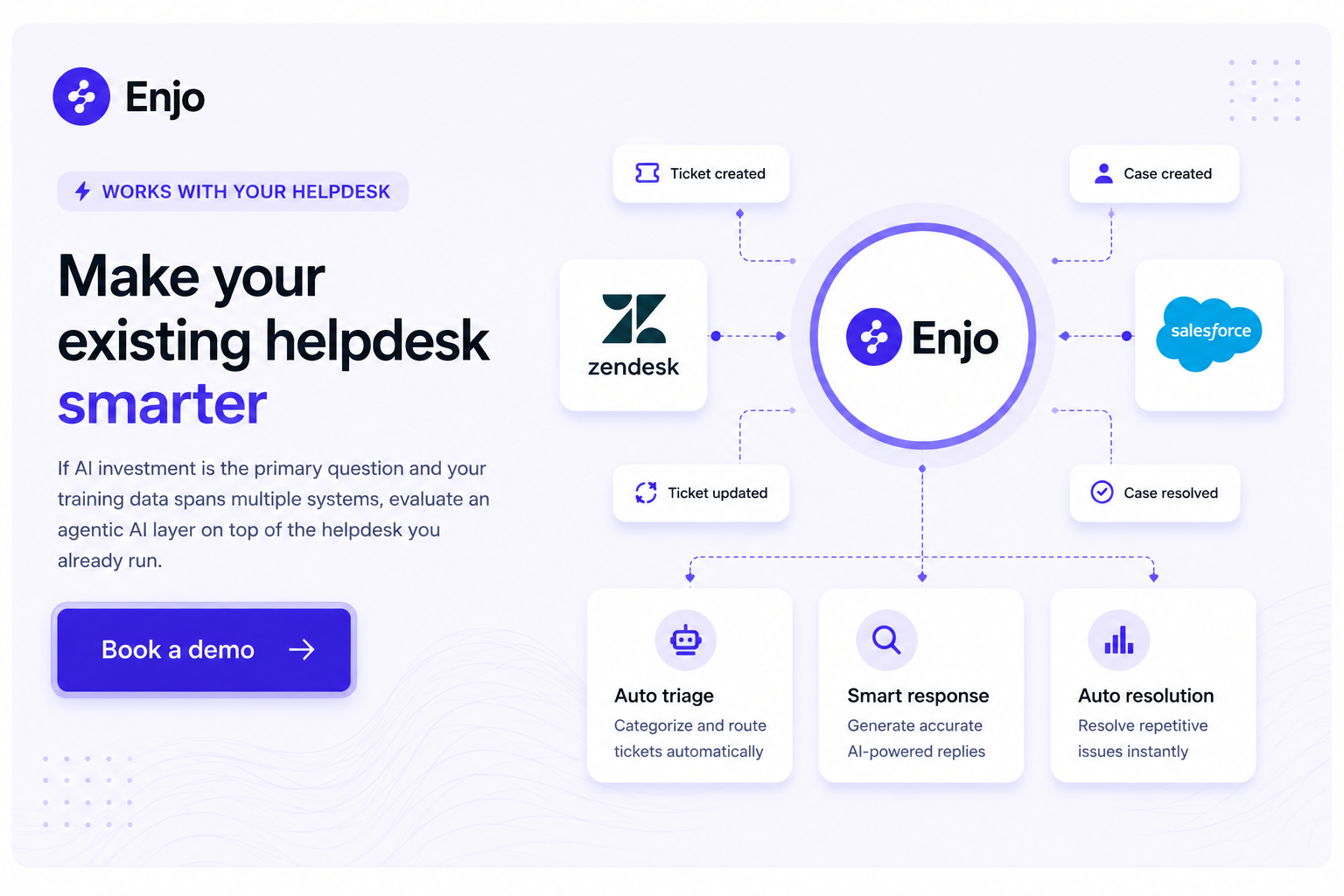
Enjo is an agentic AI layer that sits on top of either help desk. Agent Assist embeds in the Enjo for Zendesk agent view and the Enjo for Salesforce case view. AI Agent resolves requests end-to-end across Slack, Teams, email, and web, drawing on a unified knowledge layer that indexes all sources. When resolution is not possible, AI escalates to your existing helpdesk or Enjo Inbox with full context. Aptean, a 3,500-employee ERP company on Salesforce, deployed Enjo in a single day and now accelerates 200,000+ customer service requests per year.
FAQ
Q : Can I use Zendesk and Salesforce together?
A: Yes, some orgs run Zendesk for frontline CS and Salesforce as CRM. The integration works but requires ongoing maintenance.
Q: How does Zendesk AI pricing compare to Agentforce?
A : Copilot: $50/agent/month plus per-resolution fees (scales with headcount). Agentforce: $0.10/action or $2/conversation (scales with volume). Both layers on top of the seat cost.
Q : What does migration actually cost?
A: $30,000 to $100,000+ in professional services and 10 to 20 weeks for a mid-market move in either direction. Workflow logic and agent retraining are the hard parts.
Q : Which is better for a team already on Salesforce?
A : If your CS workflows depend on Sales Cloud and Marketing Cloud data daily, Service Cloud is the architecturally correct choice. If Salesforce is just your contact database and CS operates independently, the platform overhead may not be worth it.
Q : Should I choose Zendesk or Salesforce for customer service?
A :Zendesk is faster, simpler, and cheaper for teams without a Salesforce CRM dependency. Salesforce Service Cloud is the right call when cross-cloud data binding and code-level customization justify the higher cost, longer implementation, and ongoing admin overhead. If your primary goal is better AI resolution and your knowledge is distributed across systems, consider an agentic AI layer that works on top of either platform.
Q : Is there a free option?
A : Enjo has a permanent free tier (200 AI Replies/month, unlimited seats) with a Help Center that stays live after the cap is reached. Freshdesk also offers a free plan for up to 2 agents.
Verdict
Zendesk, if your team does not live in Salesforce, speed matters, and you want a clean agent experience without platform admin overhead. Salesforce Service Cloud if your org runs on the ecosystem, and CS workflows depend on cross-cloud data daily.
If the AI investment is the primary question and your training data spans multiple systems, evaluate an agentic AI layer on top of whichever helpdesk you already run.
Quick Verdict
Zendesk vs Salesforce Service Cloud: Feature Comparison
This comparison table goes first, so you can get oriented before the deep dives. G2 user feedback is sourced from the G2 Summer 2026 Enterprise Grid Report.
Decision Matrix: Zendesk vs Salesforce
Rate each criterion for your team (1-5), then compare totals. This matrix helps frame the Zendesk vs Salesforce decision around your priorities.
Zendesk Overview
Zendesk handles omnichannel ticketing across email, chat, voice, social, and messaging with a branded help center, Explore analytics, and 1,800+ marketplace integrations. Suite plans run from $55/agent/month to $169/agent/month, billed annually. Most mid-market teams go live within a week or two. Both Zendesk and Salesforce rank among the top-rated platforms on the G2 Summer 2026 Enterprise Grid, though G2 enterprise reviewers frequently note Zendesk's simpler agent UI compared to Salesforce's more complex console.
AI Architecture : Copilot ($50/agent/month) gives agents real-time guidance and suggested replies. AI Agents handle conversations autonomously and are billed per resolution. Both are trained on what Zendesk describes as 18 billion service interactions (per zendesk.com), though the models only see knowledge inside your Zendesk instance.
Where it gets harder: Reporting is the first ceiling for most teams; custom reports require Explore Professional and still lag Salesforce's flexibility. CRM depth is limited (Zendesk Sell is not widely adopted for CS). Cost stacks up once Copilot, QA ($35/agent/month), WFM ($50/agent/month), and per-resolution fees are layered on.
Salesforce Service Cloud Overview
Service Cloud is a service module on the Salesforce platform. Cases, contacts, accounts, and custom objects share a single data model. Case resolution can trigger Marketing Cloud journeys, Sales Cloud tasks, or lifecycle updates via Flows, without middleware. For teams evaluating Salesforce Service Cloud vs Zendesk, this cross-cloud data binding is the core differentiator.
If your org uses that wiring day-to-day, it is difficult to replicate on any standalone helpdesk.
Cost: Enterprise lists at $175/user/month, Unlimited at $350, Agentforce 1 Service at $550. Digital Engagement (chat, messaging, WhatsApp) adds $75/user/month. Multiple third-party pricing analyses estimate a realistic deployment with AI and digital channels at $400 to $600/user/month at list (sources: atonementlicensing.com, getclientell.com, June 2026). Visit salesforce.com/editions-pricing/service-cloud to verify current rates.
Where it gets harder: Implementation typically runs 10 to 17 weeks and usually requires a certified partner or Flows/Apex-fluent admin (per VantagePoint Consulting). A CS team without an existing Salesforce admin is likely hiring one or paying a retainer. Configuration debt accumulates in any Salesforce org older than a year, and consulting dependency tends to be ongoing.
Read more: Enjo for Salesforce
Zendesk vs Salesforce Service Cloud Pricing Comparison
Zendesk AI vs Agentforce: The Real Cost of AI Add-Ons
Both vendors charge for AI on top of the seat count.
Zendesk: Copilot is $50/agent/month flat. AI Agent resolutions are billed per resolution (approximately $1- $ 2 each, volume-dependent). Total AI cost scales with both headcount and resolution volume.
Salesforce Agentforce offers two billing models (org-level choice; cannot mix):
- Flex Credits: $500 per 100,000 credits. Standard action = 20 credits ($0.10). Voice action = 30 credits ($0.15). Each record query, API call, reasoning step, and response generation counts as a separate action. A simple FAQ: 3-5 actions ($0.30-$0.50). A complex multi-step case: 15-20+ actions ($1.50-$2.00+). Per salesforce.com/agentforce, June 2026.
- Per conversation: $2 flat regardless of actions. Break-even vs. Flex Credits is roughly 20 actions per conversation (per agencyq.com, April 2026).
- Token threshold: Each action includes up to 10,000 tokens. Exceed it (loading extensive case history, long KB articles), and one action bills as two or three. An action processing 20,001 tokens costs $0.30 instead of $0.10.
- Data Cloud prerequisite: Agentforce requires Data Cloud. Included at the $550/user Agentforce 1 tier; separate cost on lower tiers. Third-party estimates put the first-year Agentforce cost (licensing + Data Cloud + implementation) at $150,000 to $600,000 for mid-market (per getclientell.com, default.com).
Estimated Annual Cost by Team Size
How to Choose Between Zendesk and Salesforce Service Cloud
Five questions that narrow the decision. Whether you are asking "Should I choose Zendesk or Salesforce for customer service?" For the first time or revisiting the question after a failed pilot, start here.
1. What does your stack look like? If Sales Cloud and Marketing Cloud are in daily use, Service Cloud is the path of least resistance. If not, the platform overhead is not justified.
2. How fast do you need to be live? Zendesk is days to weeks. Salesforce is months with a partner.
3. Who will administer it? If your CS ops lead can own it without specialized training, Zendesk fits. If you have a Salesforce admin, Service Cloud's depth becomes an asset.
4. Where does your AI training data live? If knowledge spans Confluence, SharePoint, Google Drive, and past tickets across systems, neither vendor's native AI sees the full picture. Factor in whether you need a dedicated AI agent layer.
5. What is your three-year budget? Model total cost: implementation, admin, AI consumption at projected volume, and switching cost.
Switching from Zendesk to Salesforce (or Back)
Zendesk to Salesforce: Ticket data migrates via third-party tools. Workflow logic must be recreated manually in Flows. Budget 10 to 20 weeks and $30,000 to $100,000+ in professional services.
Salesforce to Zendesk: Case data moves more easily. Custom objects, Apex logic, and cross-cloud triggers do not.
Change management is where timelines slip. Teams running 4 to 6 weeks of parallel operation handle it well.
Adding an Agentic AI Layer to Zendesk or Salesforce
Zendesk's AI reads Zendesk's knowledge base. Agentforce reads Service Cloud data. If your training data is distributed across Confluence, SharePoint, Google Drive, past tickets in other systems, or a product docs site, both vendors' AI resolves from an incomplete picture.
Enjo is an agentic AI layer that sits on top of either help desk. Agent Assist embeds in the Enjo for Zendesk agent view and the Enjo for Salesforce case view. AI Agent resolves requests end-to-end across Slack, Teams, email, and web, drawing on a unified knowledge layer that indexes all sources. When resolution is not possible, AI escalates to your existing helpdesk or Enjo Inbox with full context. Aptean, a 3,500-employee ERP company on Salesforce, deployed Enjo in a single day and now accelerates 200,000+ customer service requests per year.
FAQ
Q : Can I use Zendesk and Salesforce together?
A: Yes, some orgs run Zendesk for frontline CS and Salesforce as CRM. The integration works but requires ongoing maintenance.
Q: How does Zendesk AI pricing compare to Agentforce?
A : Copilot: $50/agent/month plus per-resolution fees (scales with headcount). Agentforce: $0.10/action or $2/conversation (scales with volume). Both layers on top of the seat cost.
Q : What does migration actually cost?
A: $30,000 to $100,000+ in professional services and 10 to 20 weeks for a mid-market move in either direction. Workflow logic and agent retraining are the hard parts.
Q : Which is better for a team already on Salesforce?
A : If your CS workflows depend on Sales Cloud and Marketing Cloud data daily, Service Cloud is the architecturally correct choice. If Salesforce is just your contact database and CS operates independently, the platform overhead may not be worth it.
Q : Should I choose Zendesk or Salesforce for customer service?
A :Zendesk is faster, simpler, and cheaper for teams without a Salesforce CRM dependency. Salesforce Service Cloud is the right call when cross-cloud data binding and code-level customization justify the higher cost, longer implementation, and ongoing admin overhead. If your primary goal is better AI resolution and your knowledge is distributed across systems, consider an agentic AI layer that works on top of either platform.
Q : Is there a free option?
A : Enjo has a permanent free tier (200 AI Replies/month, unlimited seats) with a Help Center that stays live after the cap is reached. Freshdesk also offers a free plan for up to 2 agents.
Verdict
Zendesk, if your team does not live in Salesforce, speed matters, and you want a clean agent experience without platform admin overhead. Salesforce Service Cloud if your org runs on the ecosystem, and CS workflows depend on cross-cloud data daily.
If the AI investment is the primary question and your training data spans multiple systems, evaluate an agentic AI layer on top of whichever helpdesk you already run.

Transform complex support workflows


Stay Informed and Inspired



Start Free. Prove Value. Scale When Ready.
Use Enjo for real customer conversations and see how it fits your support workflow. Scale as your support grows.