Transform complex support workflows
AI Support Agents: A Guide to Automating Customer Support
Your support team is working harder than ever, and yet, customer expectations keep climbing. Faster responses. 24/7 availability. Personalized answers at scale. For most businesses, meeting that bar with human agents alone is no longer sustainable.
That's where AI support agents are changing the landscape. According to Gartner, agentic AI will autonomously resolve 80% of common customer service issues without human intervention by 2029, driving a 30% reduction in operational costs in the process. This guide covers what AI support agents are, how they work, when to deploy them, and how to build a support automation strategy that sticks.
What Is an AI Support Agent?
An AI Support Agent is an intelligent system that combines large language models, enterprise knowledge, and workflow automation to handle support requests autonomously. Unlike basic chatbots that navigate conversation trees or respond with static answers, true AI Support Agents can:
- Understand natural language queries with context and nuance
- Access and synthesize information from various AI knowledge bases
- Evaluate multiple potential solutions
- Plan and execute multi-step workflows
- Take action in enterprise systems (e.g., reset passwords, create accounts)
- Learn from interactions to continuously improve
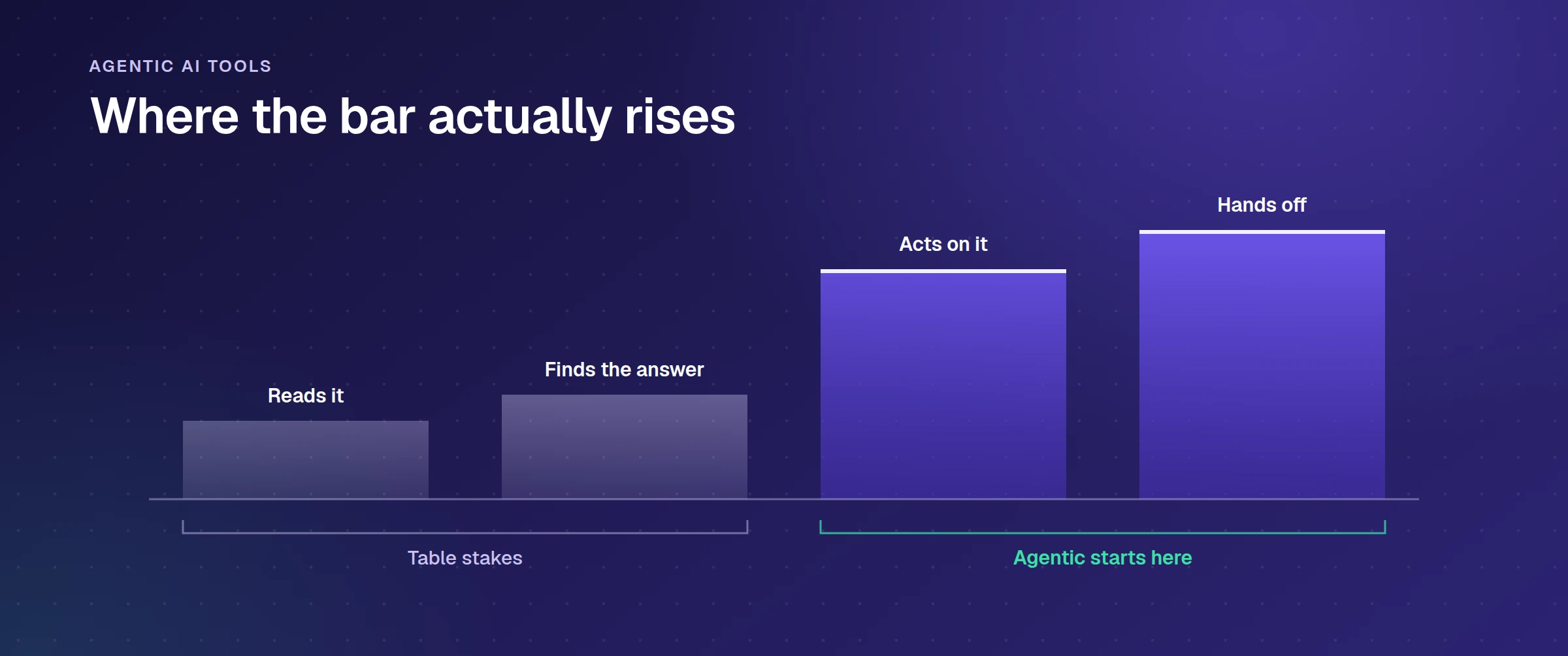
The key distinction between AI Support Agents and previous generations of AI agents is their ability to handle ambiguity and take autonomous action. While traditional chatbots could only respond based on pre-programmed rules, modern AI Support Agents leverage large language models (LLMs) to understand intent, context, and to generate appropriate solutions.
Fundamentally, AI Support Agents represent the shift from reactive, script-based support tools to proactive, reasoning-based autonomous systems.
Key Benefits of AI Support Agents
The measurable gains show up in resolution rate, response time and hours returned to the team, and the four deployments named below report those figures directly. As support volumes continue to scale exponentially across digital channels, these benefits become increasingly pronounced, creating competitive advantages for early adopters.
Implementing AI Support Agents delivers measurable improvements across several critical dimensions:
Operational Efficiency
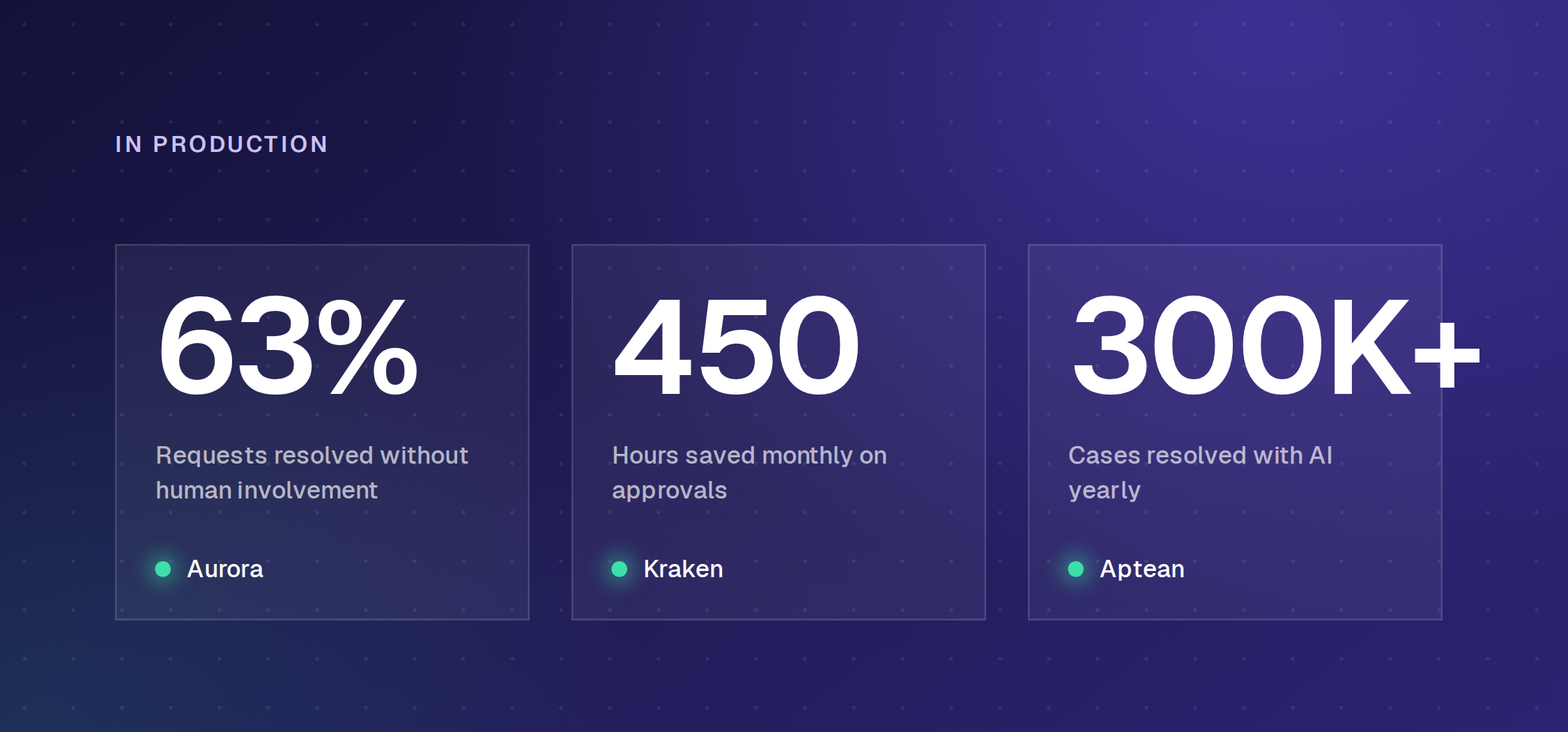
- Aurora reached 63% autonomous resolution across frontline requests
- Delivery Hero saw 30% deflection and 80% faster response times
- Kraken automated approval workflows, saving 450 hours a month
- 24/7 availability without staffing changes
Enhanced Experience
- Instant responses without queues or wait times
- Consistent quality regardless of volume fluctuations
- Self-service resolution for users who prefer it
- Multilingual support without additional resources
Strategic Advantages
- Detailed analytics on common issues and knowledge gaps
- Identification of process inefficiencies and improvement opportunities
- Redeployment of human expertise to complex, high-value activities
- Scalable support operations that grow without proportional costs
Enjo's Multilingual module (under Help Center) and AI Translation module (under Agent Assist) give customer service teams native-language support and one-click agent-side translation without hiring region-specific teams. For how this connects to account data rather than conversations, see our guide to AI in customer relationship management.
- Multilingual (Help Center): localized help content and AI answers served in the customer's language, with 100+ languages supported across AI Agents, Help Center, Agent Assist, and Inbox
- AI Translation (Agent Assist): one-click translation of agent drafts into any target language before sending
Delivery Hero runs Enjo across 70+ countries and multiple languages without a region-specific support team, seeing 30% deflection, a 25% employee satisfaction lift, and 80% faster response times.
These benefits of AI Support Agents translate to substantial ROI, with the potential to accelerate payback by reducing support costs and improving operational efficiency.
How AI Support Agents Work (Technically)
Understanding the technical architecture of AI Support Agents is essential for effective implementation. Modern systems typically incorporate several key components:
Foundation Models
Advanced AI Customer Service Agents utilize large language models (LLMs) as their core reasoning engine. These models understand natural language, interpret user intent, and generate contextually appropriate responses. Enterprise-grade solutions use either fine-tuned versions of models like GPT-4 or Claude, or proprietary models specifically trained for support scenarios. The wider guide to AI in customer service covers where these models fit alongside routing, self-service and quality assurance.
Knowledge Integration
To provide accurate, organization-specific responses, AI Support Agents must access enterprise knowledge.
- Document indexing and embedding of help center articles, FAQs, and documentation
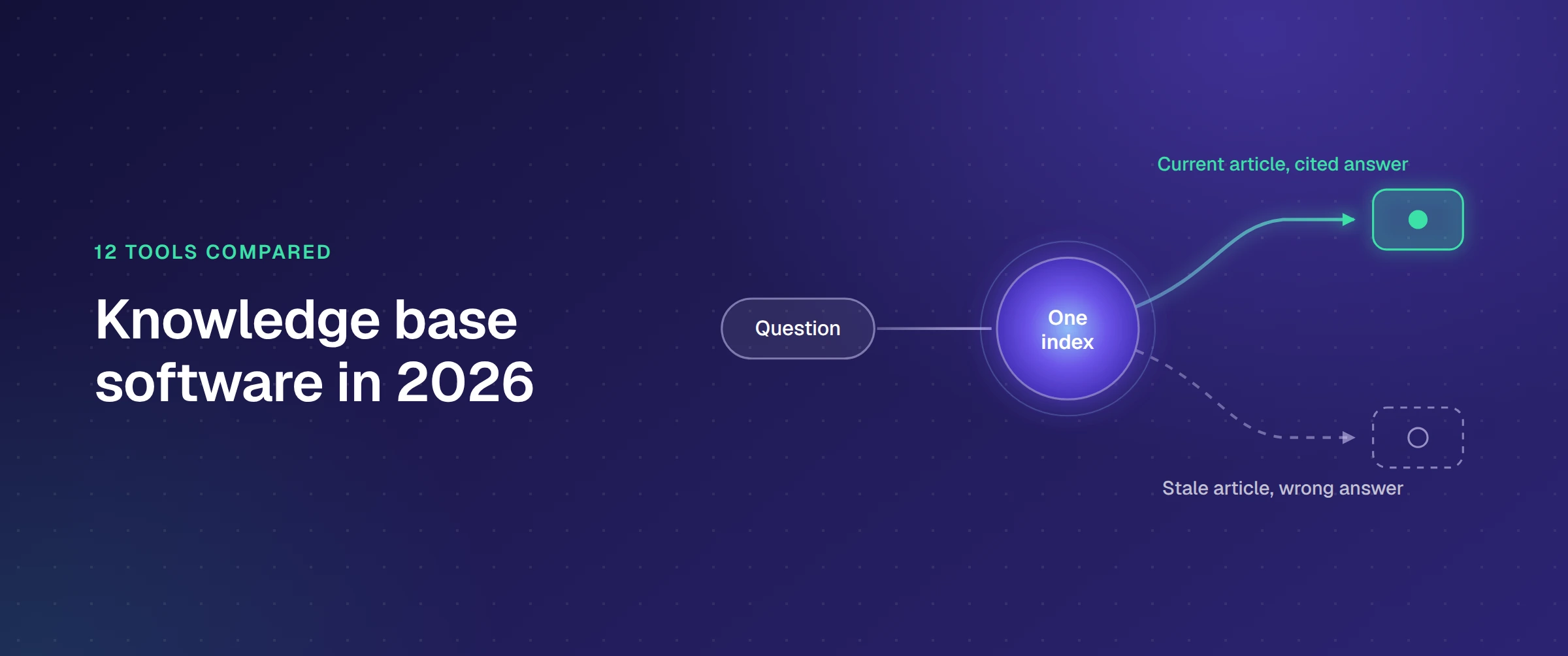
- The quality of that index is set by the source content, which is where AI help center software that drafts and repairs its own articles changes the maintenance burden.
- Processing of historical ticket data to learn from previous resolutions
- Integration with product knowledge bases and technical resources
- Continuous synchronization as knowledge bases evolve
Reasoning & Planning
What separates true AI Support Agents from simple chatbots is their reasoning capability. When presented with a request, the system:
- Evaluates the nature of the request
- Determines whether it has sufficient information
- Plans a resolution approach
- Identifies necessary steps and tools
- Executes the plan or escalates when appropriate
System Integrations
To deliver end-to-end resolution, AI Customer Service Agents connect with enterprise systems through:
- API integrations with ticketing platforms (Zendesk, ServiceNow, Jira)
- Workflow automation tools
- User management systems
- Communication platforms (Slack, Teams)
- Custom business applications
Feedback Loop & Learning
AI Support Agents improve over time through structured feedback mechanisms:
- Resolution ratings from end-users
- Manual reviews by support specialists
- Analysis of escalation patterns
- Periodic retraining with new data
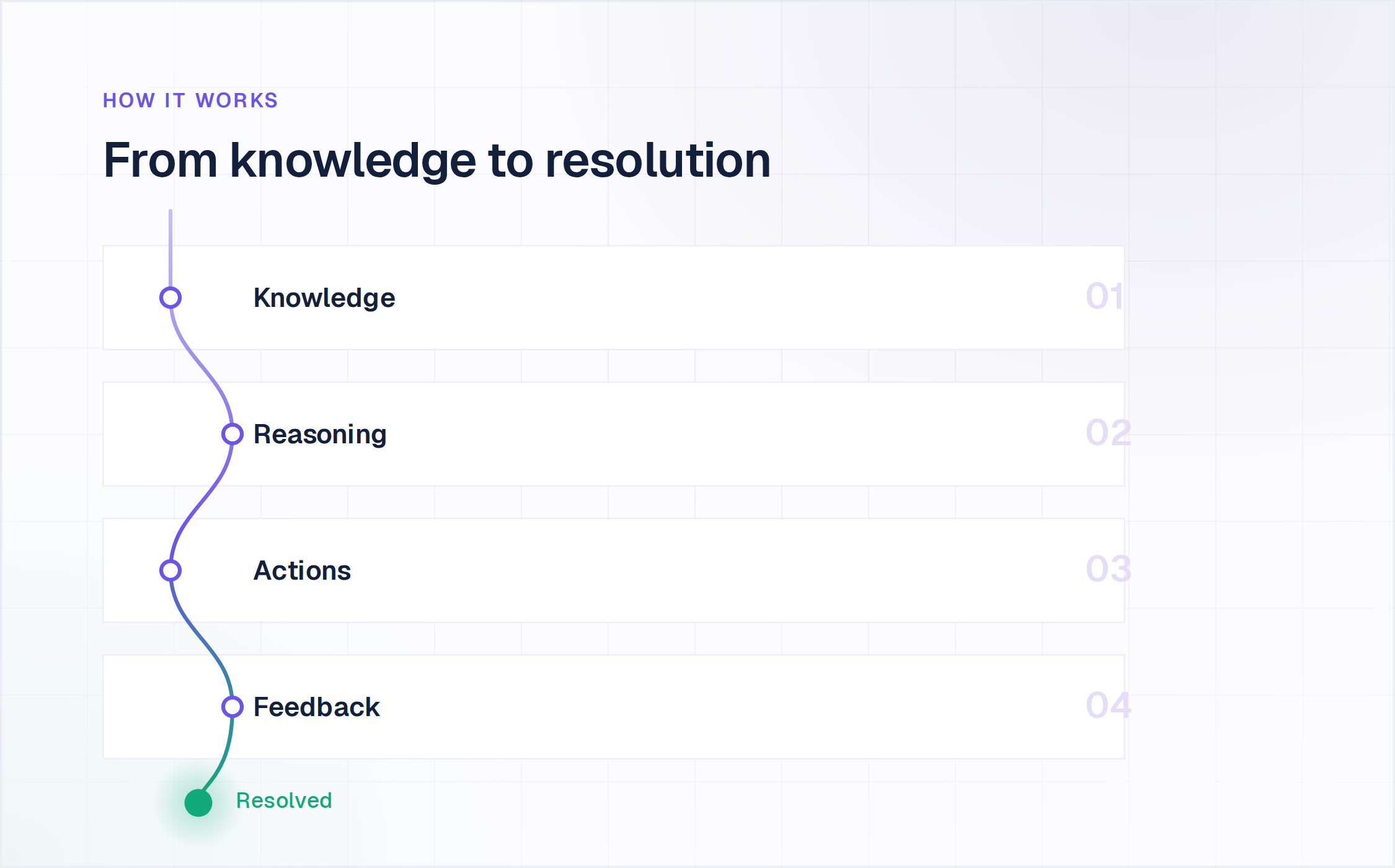
This architecture enables the autonomous handling of support requests from initial understanding through to resolution, with appropriate human oversight for quality control.
Primary Use Cases of Support Agents
While implementations exist in virtually every business department, three key areas have emerged as the primary adoption targets due to their combination of clear ROI potential and well-defined knowledge requirements. AI Support Agents excel across multiple support functions within the enterprise:
Customer Support
Customer service teams get the most immediate ROI from AI support agents, since ticket volume here is typically the highest and the most repetitive. AI Support Agents enable:
- 24/7 first-line response to product and service inquiries
- Automatic classification and routing of complex issues
- Guided troubleshooting for common products problems
- Order status checking and transaction history retrieval
- Account management and profile updates
IT Helpdesk
Within internal IT support, AI Support Agents handle:
- Password resets and account unlocks
- Software access provisioning
- Basic troubleshooting for common IT issues
- Navigation assistance for enterprise applications
- System status updates and outage information
Our breakdown of enterprise IT support covers what changes at scale, with figures from four named deployments.
HR Support
Human Resources departments leverage AI Support Agents for:
- Benefits enrollment and policy questions
- Time-off requests and approvals
- Document retrieval (pay stubs, tax forms)
- Onboarding process guidance
- Policy clarification and procedural information
These implementations reduce administrative burden on HR teams while providing employees with immediate answers to common questions.
Why Current Approaches Fall Short?
Manual ticket triage doesn't scale with support volume, and hiring ahead of demand is expensive and slow. Native helpdesk AI (the AI features bundled into Zendesk, Salesforce, or Jira) is typically limited to that one platform. If a team runs Slack, an internal wiki, and a separate ticketing system, native AI can't see across all three.
In-house builds using ChatGPT or Claude APIs plus a RAG setup solve the demo but rarely survive contact with production. Knowledge sync across systems, hallucination control, escalation logic, audit trails, and SOC 2 evidence are all separate engineering problems that a working prototype doesn't address. And the security review at the end of that work is usually where an internal build stalls, because SOC 2 evidence and access controls are not something a retrieval prototype produces.
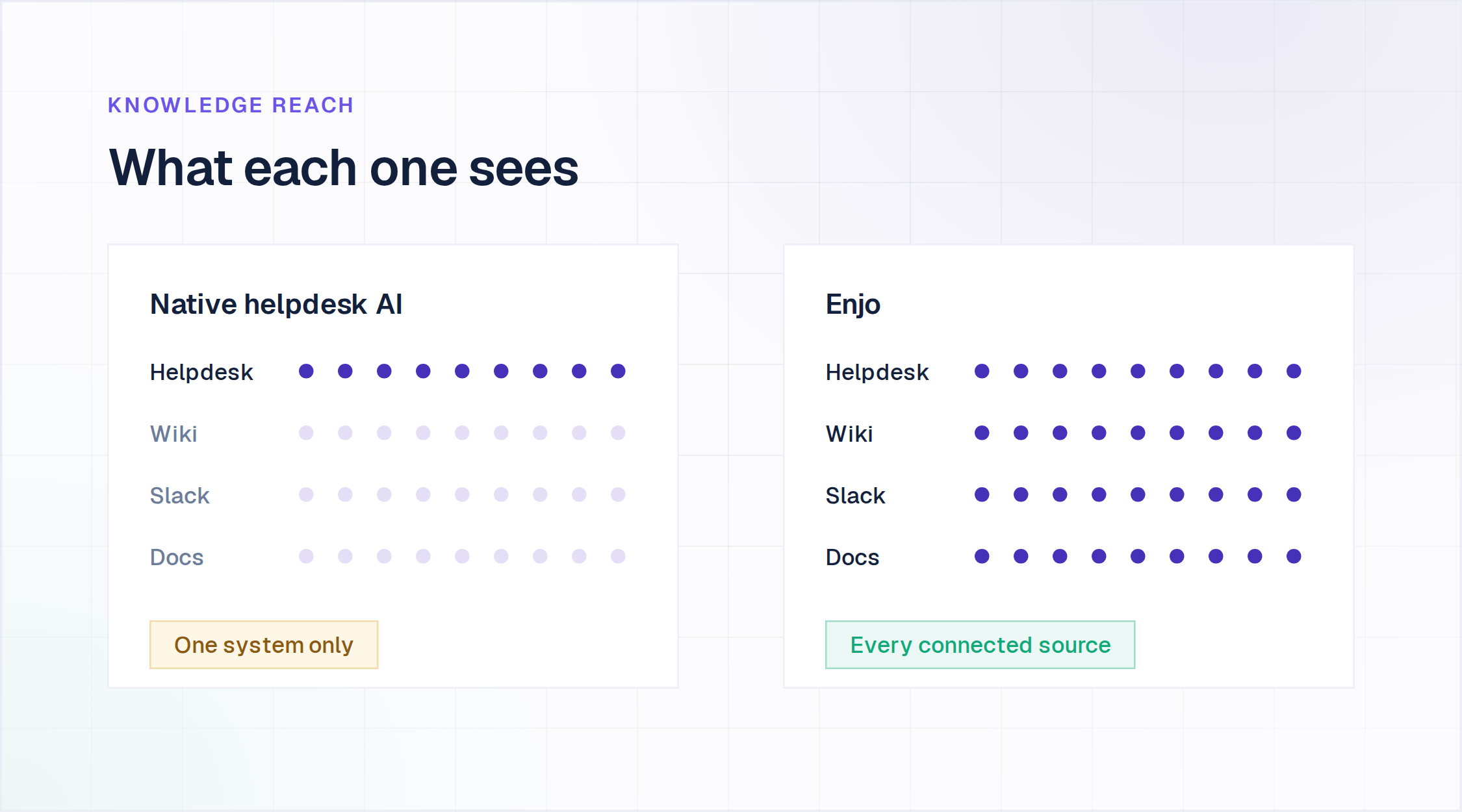
How Enjo Handles This?
Studio
Enjo's Studio module is a no-code visual builder for designing, testing, and deploying AI agent workflows. CS Ops leads and support managers configure and deploy agents without engineering involvement, and Aptean's CS team deployed their first agent in a single day using it, indexing 5M+ docs, 300K+ cases, and handling support volume equivalent to 120 agents.
Agents built in Studio deploy across Slack, Microsoft Teams, and the website widget. The same setup powers an AI website chatbot on your own site.
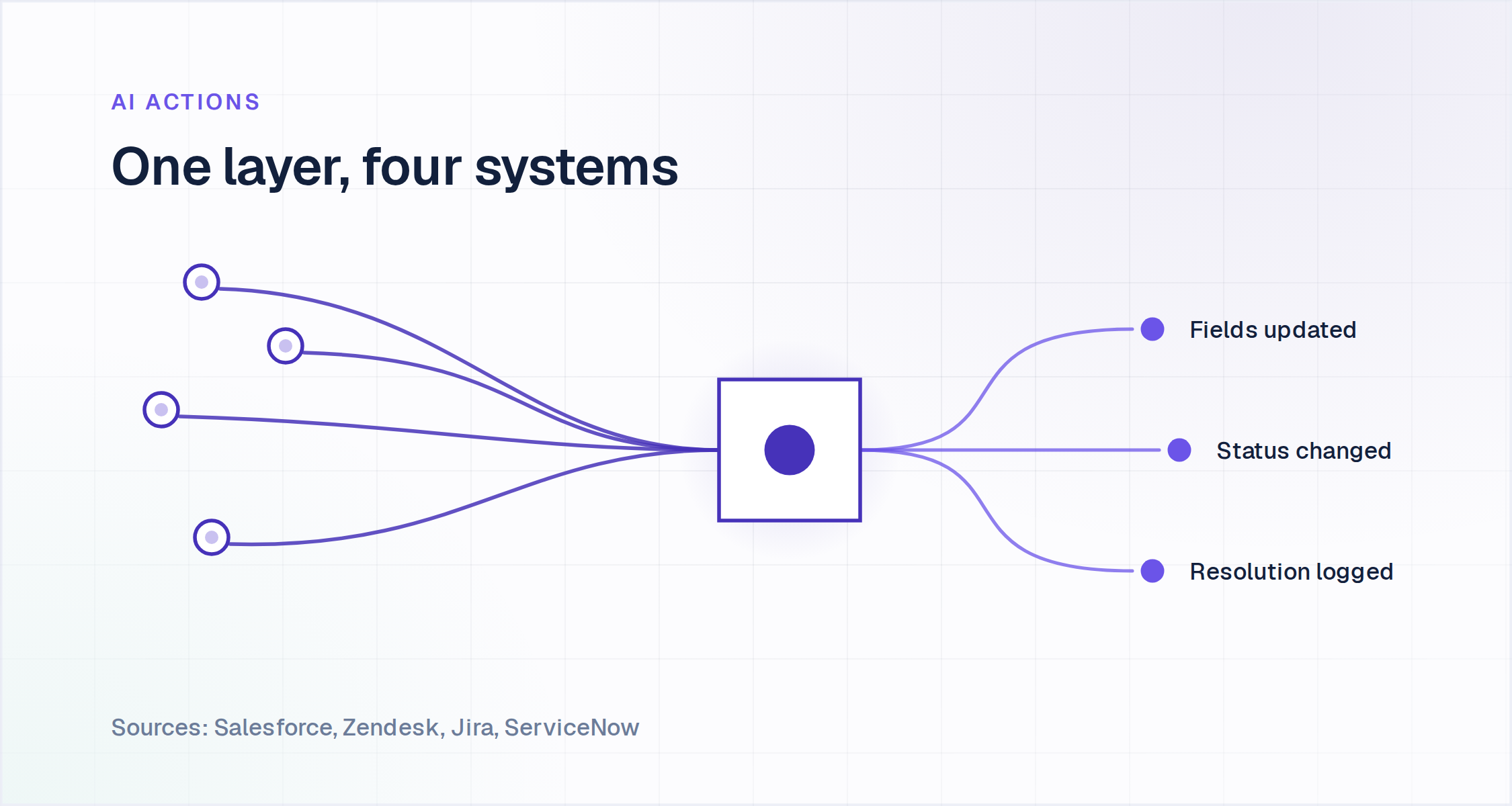
AI Actions
AI Actions connects natively to Zendesk, ServiceNow, Jira, and Salesforce Cases. The AI Agent retrieves case data and pushes structured case updates directly into these systems, resetting fields, updating statuses, logging resolutions, rather than just drafting a reply for a human to copy over manually.
Escalation
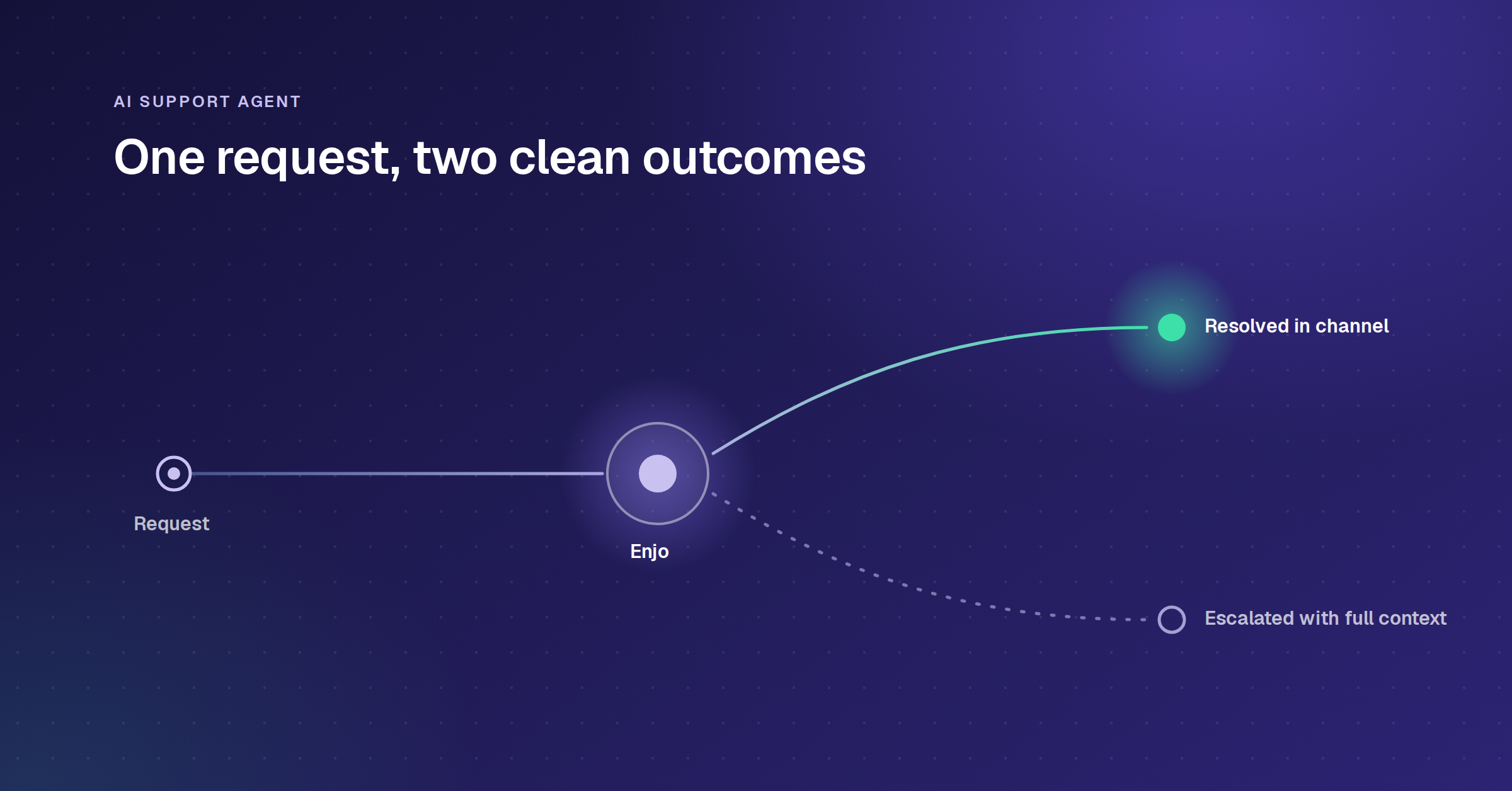
A rule-based escalation engine defines when, how, and where the AI hands off to a human, with the full conversation history attached, so a human agent starts where the AI left off instead of asking the customer to repeat themselves.
Training
The Training module improves outcomes over time via examples, feedback loops, and tuning signals, so accuracy compounds with usage instead of staying fixed at whatever the initial setup achieved. Effective training draws on AI knowledge bases, not just the underlying model's general conversational ability.
Insights
Visual dashboard shows performance metrics in plain language, automated alerts highlight areas needing attention, built-in suggestions for improving agent responses, and a collaborative workspace supports team-based agent management.
Implementation Overview
Despite the sophistication of underlying AI technology, implementation success correlates more strongly with preparation quality than with model selection or technical specifications. Successfully deploying AI Support Agents requires careful planning and execution across several key dimensions:
Data Requirements
The foundation of any effective AI Support Agent is high-quality knowledge. Organizations must prepare:
- Comprehensive documentation covering products, services, and policies
- Structured FAQ content addressing common questions
- Historical support ticket data (ideally with resolution notes)
- Process and workflow documentation for automated actions
Technical Setup
Implementation typically involves:
- Knowledge base integration and initial training
- System integrations with ticketing platforms and enterprise applications
- User interface configuration (chat, messaging platforms, email)
- Security controls and access management
- Testing environments for validation before production deployment
Rollout Strategy
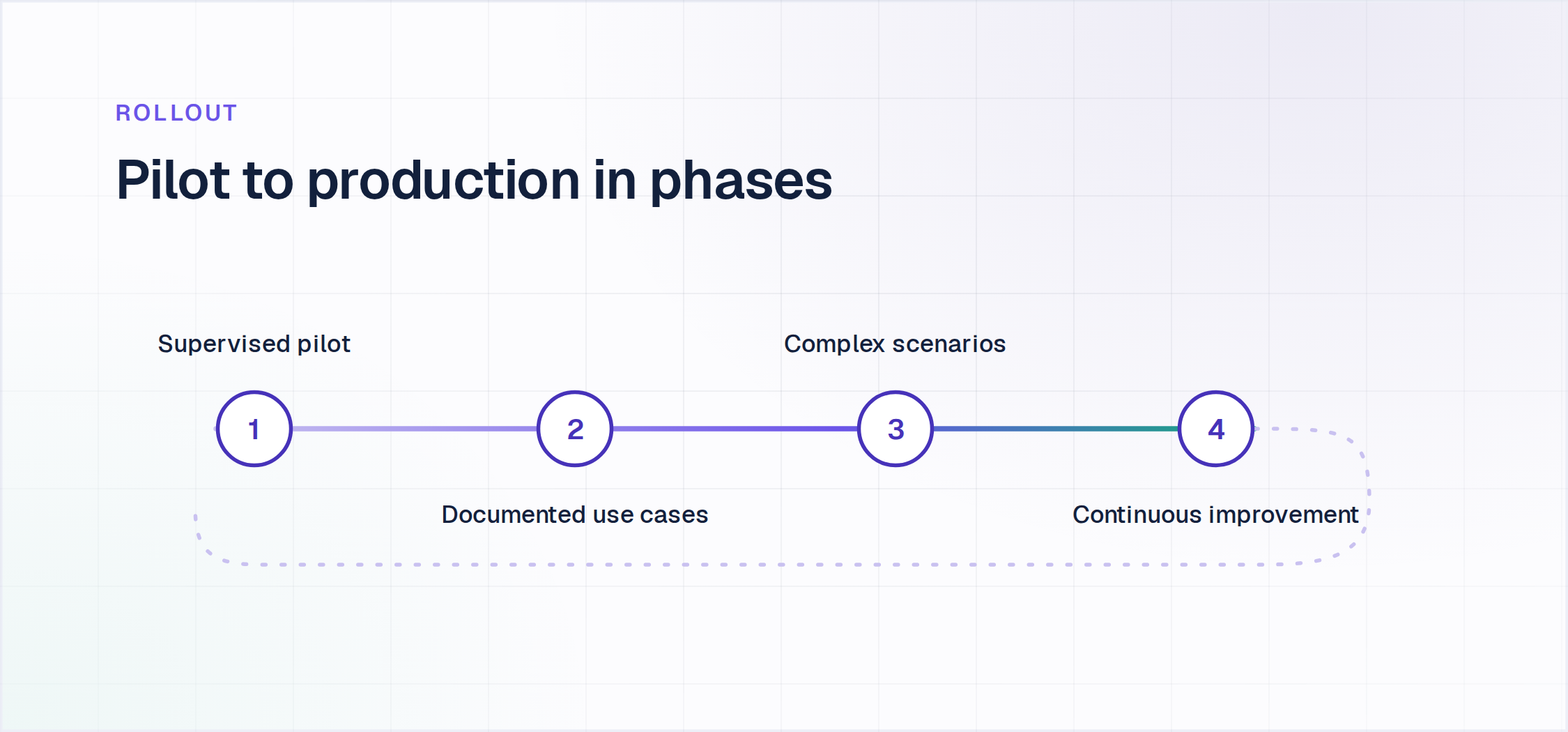
Most successful implementations follow a phased approach:
- Pilot with limited scope and supervised operation
- Expansion to handle specific, well-documented use cases
- Progressive addition of more complex scenarios
- Continuous improvement based on performance data
Change Management
Ensuring adoption requires:
- Clear communication with both support teams and end-users
- Training for support specialists on working alongside AI
- Feedback mechanisms to identify and address issues
- Regular reviews and performance assessments
How to Train AI Support Agents?
Effective training represents the critical differentiator between AI Support Agents that merely respond and those that autonomously resolve. While the underlying language models provide conversational capabilities, AI knowledge bases determine actual resolution effectiveness.
Knowledge Base Preparation
- Auditing existing documentation for accuracy and completeness
- Structuring content for optimal retrieval and relevance
- Creating documentation for common but undocumented processes
- Establishing maintenance workflows for knowledge updates
Quality Control Mechanisms
- Defining confidence thresholds for autonomous resolution
- Establishing human review processes for uncertain cases
- Creating feedback loops for continuous improvement
- Setting up monitoring for accuracy and resolution rates
Governance Framework
- Developing clear policies for appropriate AI agent use
- Establishing oversight responsibilities and audit trails
- Creating escalation paths for complex or sensitive issues
- Defining measurement standards for performance evaluation
Accuracy on in-scope scenarios tracks the quality of the indexed knowledge more than the choice of model, which is why the knowledge audit belongs before the pilot rather than after it.
.webp)
Different AI Agents in the Market
The AI Customer Support Agent market includes several notable platforms with varying capabilities:
Enterprise-Focused Solutions
- Enjo: multi-vertical AI resolution layer that works inside your existing helpdesk (Salesforce, Zendesk, Jira, ServiceNow) or standalone
- Moveworks: IT service management focus, acquired by ServiceNow
- Forethought: Specializes in customer support automation, acquired by Zendesk
- IBM Watson Assistant: Enterprise-grade solution with robust integration capabilities
- Agentforce: Salesforce's native agent platform, with reasoning and multi-agent orchestration scoped to the Salesforce platform
- Ada: Customer service-oriented solution
Platform Extensions
- ServiceNow Virtual Agent: Integrated with the ServiceNow ecosystem
- Zendesk AI: Native capabilities within the Zendesk platform
- Salesforce Einstein: Embedded within Salesforce Service Cloud
How to evaluate these platforms: weigh integration depth (native or middleware?), resolution vs. drafting (does it resolve the request or only suggest a reply?), setup time (non-technical or engineering-required?), escalation quality, multilingual depth, security posture (SOC 2, ISO 27001, GDPR?), pricing transparency, and deployment speed against your own stack and volume.
Selection criteria should include integration capabilities, enterprise security controls, training requirements, and specific functional needs based on use cases. Our ranking of customer service automation software applies those same criteria to ten named platforms, with pricing and honest trade-offs for each. Run the shortlist on your own systems rather than in a vendor demo: ask for the list of write actions rather than read actions, confirm which of your knowledge sources the tool can actually index, and watch one escalation land in the queue your team works.
Enjo connects directly to the customer service automation systems that teams already run. While many AI agents offer basic API connections, Enjo provides native integrations that remove data silos and workflow handoffs.
Enjo's AI Actions module connects natively to Zendesk, ServiceNow, Jira, and Salesforce Cases, the AI Agent retrieves data and executes actions in these systems directly, rather than relying on middleware. See Enjo's full integrations list.
- AI Actions: retrieves case data and executes updates in the connected helpdesk without a separate integration layer
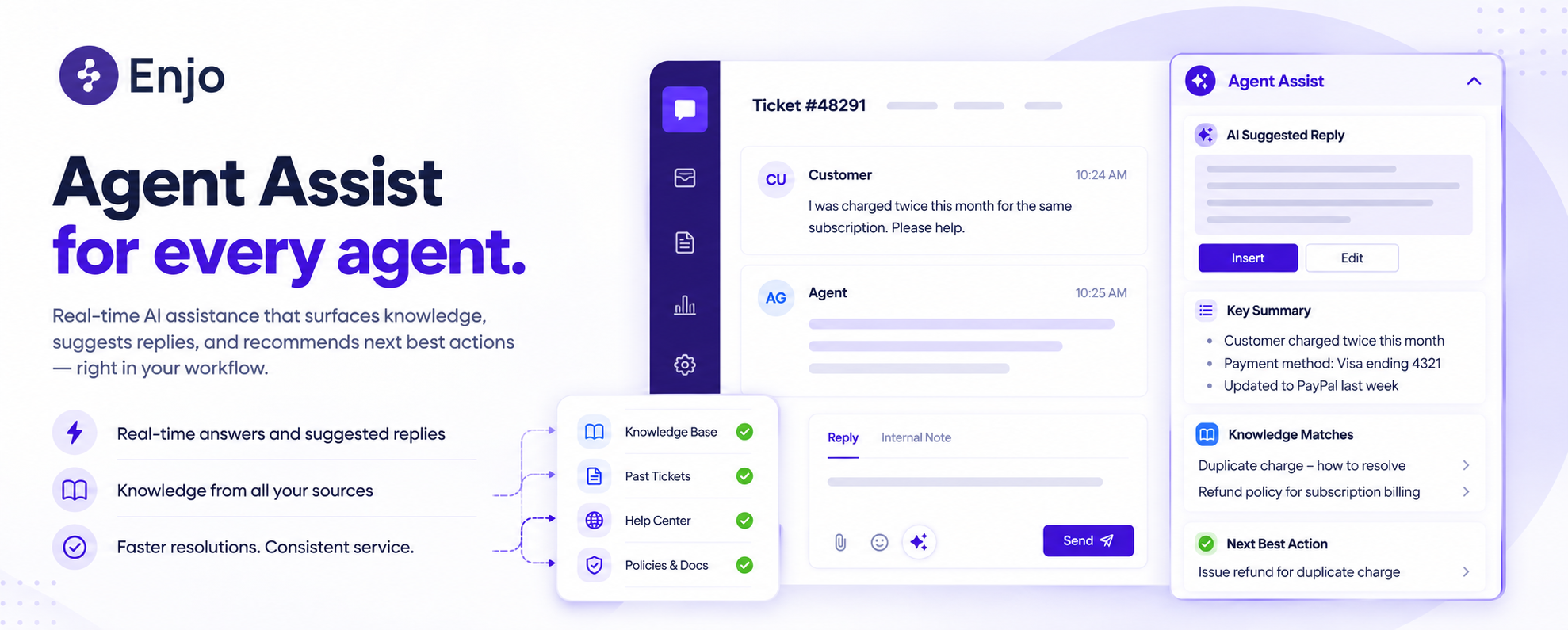
- Agent Assist: embeds inside the agent's existing workspace (Salesforce, Zendesk) instead of requiring a separate tool
If you are comparing vendors rather than the category, we ranked ten ai customer support software on pricing, knowledge reach and whether they resolve end to end.
Troopr Labs holds SOC 2 Type II, ISO 27001 and GDPR compliance, with the report and certificate available on request, which is what a CISO review turns on.
Unlike competitors that require complex middleware or custom development, Enjo's plug-and-play architecture enables deployment in days rather than months.
Tracking Performance After Deployment
Effective evaluation combines operational metrics with financial indicators to create a complete picture of transformation progress. This comprehensive approach ensures continuous improvement while validating investment decisions against tangible results.
A proper evaluation framework should incorporate metrics across several complementary dimensions:
Volume Metrics
- Ticket deflection rate: Percentage of inquiries fully resolved by AI
- Automation rate: Proportion of total support volume handled autonomously
- Escalation rate: Percentage of AI interactions requiring human intervention
Efficiency Metrics
- Mean Time to Resolution (MTTR): Average time from request to resolution
- First Contact Resolution (FCR): Percentage of issues resolved in first interaction
- Agent productivity: Support volume handled per human agent
Quality Metrics
- Customer Satisfaction (CSAT): User ratings of AI-provided support
- Resolution accuracy: Correctness of solutions provided
- Knowledge gap identification: New issues requiring documentation
Business Impact
- Cost per ticket: Total support cost divided by volume
- Support capacity: Maximum volume manageable with current resources
- ROI: Cost savings and efficiency gains versus implementation investment
Organizations should establish baseline measurements before implementation and track trends over time, with quarterly reviews to identify optimization opportunities.
Cost Effectiveness
One of the biggest advantages of AI support agents is how they stretch your budget further without compromising service. Instead of scaling your team headcount every time ticket volumes increase, AI handles a large share of routine queries at almost no extra cost.
Think of it this way: once the system is set up, the cost of handling the next ticket is close to zero compared to paying for another full-time agent. Even deflecting 20 to 30% of tickets adds up quickly; that’s thousands of hours of human effort freed up each quarter.
It’s not just about direct savings either. By letting AI take care of password resets or “where’s my order?” type questions, your team avoids burnout and turnover, which are expensive in their own right. Over time, the total cost of running support with AI tends to grow much slower than with a purely human team. The same math decides which chat tool you buy: our comparison of the best live chat software prices ten widgets on per-seat, per-conversation and per-resolution billing.
Challenges and How to Address Them
While AI Support Agents offer significant benefits, organizations should be prepared to address several common challenges:
Hallucination and Accuracy Issues
- Challenge: AI models occasionally generate plausible but incorrect responses
The cost of getting this wrong is not a single bad answer: Gartner's September 2026 survey of 3,566 customers found that only 27% would try a chatbot again after a negative experience, so reliability within a narrow scope beats reach across a wide one.
Poor Data Preparation
- Challenge: Incomplete or outdated knowledge bases lead to gaps in AI capabilities
- Solution: Invest in knowledge audits, structured content creation, and regular maintenance processes
Integration Limitations
- Challenge: Lack of API access to legacy systems limits automation potential
- Solution: Develop middleware connectors, RPA bridges, or phased migration strategies for critical systems
Change Resistance
- Challenge: Support teams may view AI as a threat rather than a tool
- Solution: Focus on augmentation rather than replacement messaging, involve agents in training, and highlight high-value work opportunities. For the full breakdown of which work stays with humans and which does not, see our comparison of AI support agents vs human agents.
Scope Management
- Challenge: Attempting to automate too much too quickly leads to poor performance
- Solution: Begin with well-defined, high-volume use cases and expand methodically based on success
Ethical and Privacy Concerns
- Challenge: Customer and employee data require careful handling
- Solution: Implement strict data governance, minimize sensitive data usage, and maintain transparency about AI capabilities
Organizations that proactively address these challenges achieve significantly higher success rates and faster time-to-value from their implementations.
Why Enjo Stands Out?
In the evolving landscape of AI Customer Support Agents, Enjo separates itself on four things a buyer can check:
Proven at Enterprise Scale
- Aptean: initial cohort live in a single day, 5M+ documents indexed, 300K+ cases resolved with Enjo AI every year, volume equivalent to 120 agents handled by AI
- Built by Troopr Labs, with 600+ enterprise deployments and 99.9% uptime over 7 years
- Snap, DoorDash, Roku, Snowflake, Wayfair, Delivery Hero and Rakuten are among the companies in the portfolio
End-to-End Resolution with Control
- Resolves requests autonomously, escalates exceptions with full context
- Connects to enterprise systems through AI Actions, not generic API middleware
- Every action is auditable
Security and Compliance
- SOC 2 Type II compliant, ISO 27001 certified, GDPR compliant
- Role-based access management (RBAC) and audit logs
Named Modules, Not Buzzwords
- Bulk Testing: validates AI responses for accuracy and coverage at scale before they reach production
- Guardrails: agent-level restrictions extending global compliance controls
- Training: improves outcomes via examples, feedback loops, and tuning signals
AI Support Agent Trends in 2026
The AI Customer Support Agent landscape continues to evolve. Key trends defining the space in 2026 include:
Multi-Agent Systems
Rather than relying on a single AI agent, organizations are implementing specialized agents for different functions, working together as a coordinated system. These multi-agent setups include:
- Triage agents that classify and route requests
- Specialized domain agents with deep expertise in specific areas
- Orchestration agents that coordinate complex workflows
- Oversight agents that monitor performance and ensure quality
Autonomous Workflows
Advanced AI customer support agents are moving beyond conversation to execute complex, multi-step processes without human intervention. This includes:
- Cross-system operations involving multiple enterprise applications
- Decision-making based on business rules and policies
- Handling of exception cases through predefined alternatives
- Completion of entire support processes from request to resolution
Enterprise LLM Adoption
As organizations grow more sophisticated in their AI strategies, many are deploying:
- Private LLM instances with enterprise-specific training
- Domain-adapted models focused on internal terminology and processes
- Hybrid approaches combining public and private model capabilities
- Specialized models for specific business functions
Proactive Support Models
The most advanced implementations are shifting from reactive to proactive support by:
- Identifying potential issues before they affect users
- Recommending process improvements based on support data
- Delivering personalized guidance based on user behavior patterns
- Preemptively resolving anticipated problems
These trends indicate a maturing market moving from basic automation toward truly intelligent support systems that fundamentally transform enterprise operations.
Conclusion
AI Support Agents represent a fundamental shift in how enterprises manage support functions. By automating routine inquiries and resolving common issues autonomously, they reduce operational costs while improving service quality.
As adoption matures through 2026, the capabilities of these systems continue to expand. Organizations that deploy AI customer service agents are achieving support scale that would be financially prohibitive through traditional staffing alone.

Frequently Asked Questions
How long does it take to deploy an AI support agent?
Timelines vary by scope, but Aptean deployed its first Enjo agent in a single day. Most teams run a supervised pilot before expanding to broader use cases.
What happens when the AI can't resolve a request?
It escalates to your existing helpdesk or Enjo Inbox with full conversation context attached, so a human agent starts where the AI left off instead of starting over.
Is AI support agent data secure?
Enjo is SOC 2 Type II compliant, ISO 27001 certified, and GDPR compliant, with role-based access controls and a full audit log on every conversation and action.
What is an AI customer support agent?
An AI customer support agent is a system that uses an LLM plus your enterprise knowledge to understand customer requests, reason through multi-step resolutions, and take action in your connected helpdesk, not just answer from a script.
What's the best or most cost-effective AI support agent?
It depends on your existing stack and volume. Enjo is built for teams that want an AI resolution layer on top of Salesforce, Zendesk, Jira, or ServiceNow rather than a replacement, see the market comparison above for how it stacks up against Forethought, Ada, and Agentforce.
How do I choose an AI agent for support tickets?
Weigh integration depth with your current helpdesk, whether it resolves requests end to end or only drafts replies, setup time without an engineering team, and whether the vendor is shipping updates at a reasonable pace; see the evaluation criteria and market comparison sections above.
Does an AI support agent replace my existing helpdesk?
No. Enjo also works as an overlay on top of Zendesk, Salesforce, Jira, or ServiceNow via AI Actions, resolving requests and pushing updates directly into whatever helpdesk you already run, so no migration is required.