


Your Confluence knowledge, Answering questions in Slack, Automatically.
Enjo connects your Confluence knowledge base to Slack and uses AI to resolve customer and team questions - instantly, accurately, without your agents lifting a finger.
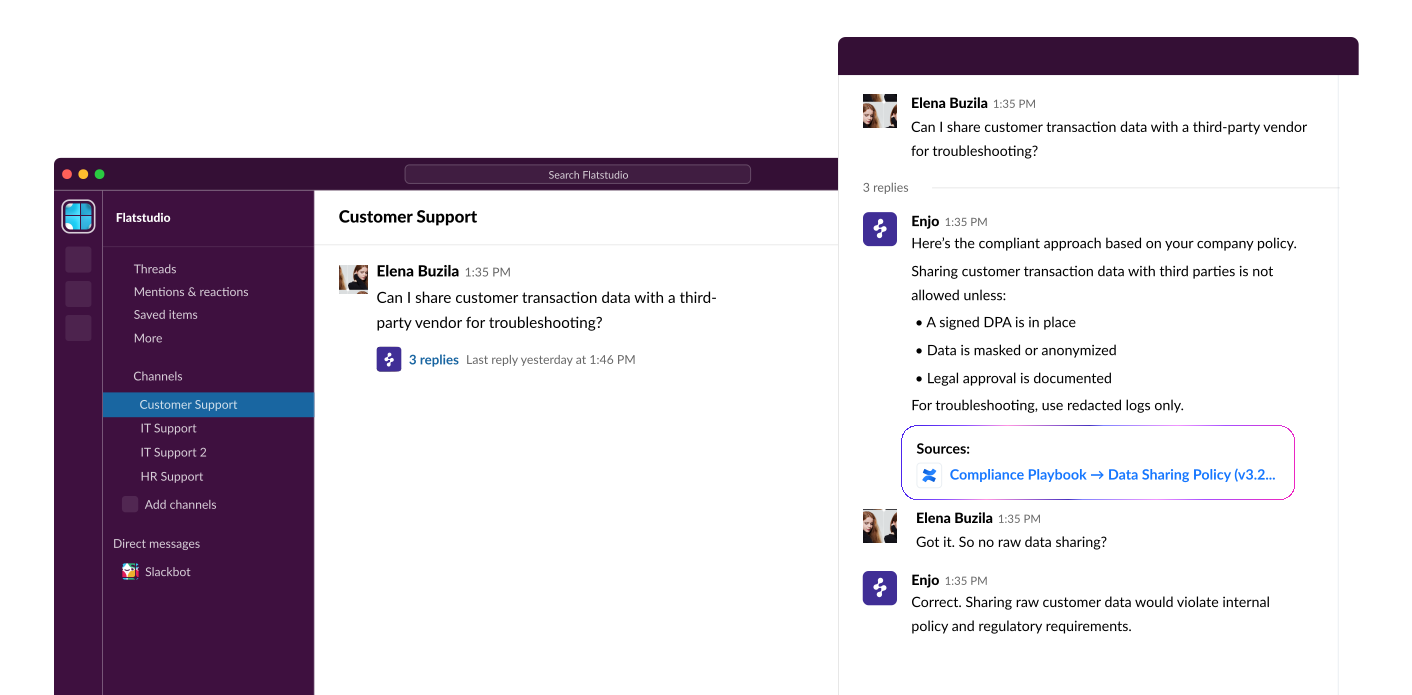







Your team shouldn't be the middleman between Slack and Confluence.
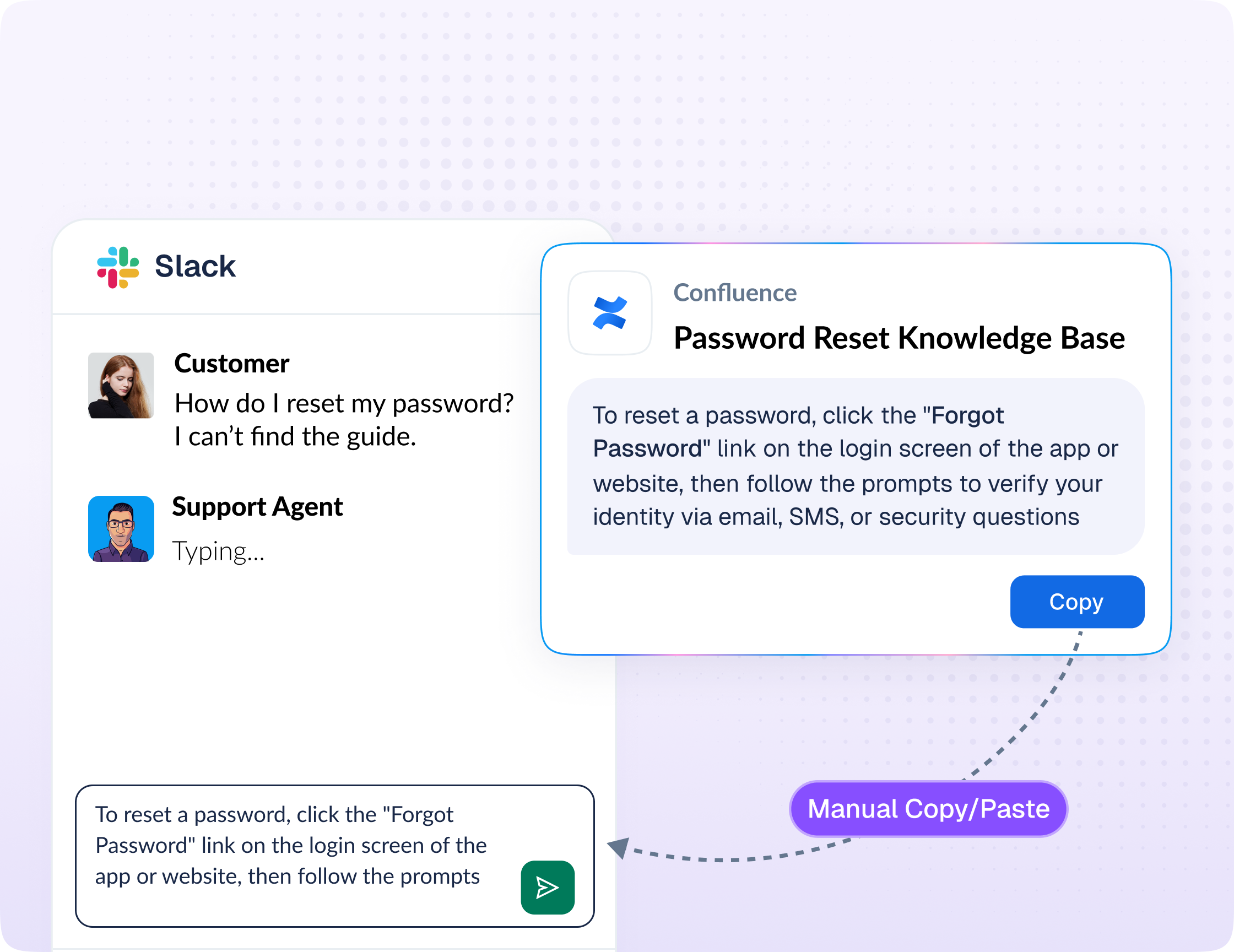
Every day, your support team gets the same questions in Slack - questions that already have answers sitting in Confluence. But customers and teammates don't search Confluence. They ask in Slack. And your agents spend time hunting for the right page, copying answers, and pasting them into threads.
That's not support. That's copy-paste at scale.
Enjo fixes this. Connect Confluence as a knowledge source, deploy to Slack, and let AI handle the repetitive questions your team is tired of answering.
Live in 10 minutes. No engineering required.


Connect Confluence
Deploy to Slack
AI answers, agents handle exceptions

Not just a connector. An AI support agent trained on your Confluence.
Most Slack-Confluence integrations are notification bridges - they push page updates into Slack or let you search Confluence from Slack. That's not what your team needs.
Enjo is an AI agent that actually reads your Confluence knowledge, understands intent, and resolves questions end-to-end in Slack - like having a support agent who has memorized every page in your wiki.

AI-Powered Answers, Not Links
Enjo doesn't just return a Confluence page link. It synthesizes an accurate, conversational answer grounded in your content - so the person asking gets a real resolution, not a search result.

Always Up to Date
Enjo auto-syncs with Confluence. When you update a page, the AI uses the latest version - no manual reindexing or stale answers.

Smart Escalation
When Enjo can't answer confidently, it doesn't guess. It routes the question to your team with full conversation context, the question summary, and the closest Confluence sources, so agents resolve faster.

Works Across Channels
Start with Slack + Confluence. Expand to Teams, Email, and Webchat when ready. Same knowledge, same AI, every channel.
Start free. Stay free. Pay only when
you need more AI.
Enjo's free plan isn't a 14-day trial. It's a permanent free tier designed so your team can prove value before spending a dollar.

Unlimited agent seats
Every agent on your team gets access to Enjo Inbox at no cost

Unlimited Help Center seats
Publish a self-serve knowledge base your customers can use

Confluence integration
Connect and sync your Confluence workspace

Slack deployment
Deploy AI answers in your Slack channels

200 AI resolutions/month
Free credits to cover your initial AI usage every month

AI summaries and drafts
AI prepares every conversation for your agents
No credit card required. No per-seat pricing surprises. Need more AI volume? Upgrade when you see the value.
Confluence is just the beginning.
Enjo is a full AI support platform
Enjo doesn't stop at answering Confluence questions in Slack. As your team grows,
Enjo grows with you - adding AI-powered automation across your entire support workflow.

Inbox
One shared workspace for every support conversation - Slack, Teams, Email, and Web. AI triages, summarizes, and drafts replies. Agents resolve.
Help Center
A self-serve knowledge base powered by live Confluence content. Customers get instant answers without filing a ticket.
AI Agent
Automate repetitive support workflows end-to-end. Order status, account changes, billing questions, handled by AI, escalated only when needed.

Frequently asked questions
Enjo syncs with your Confluence workspace through a secure integration. You authorize access, select the spaces you want Enjo to learn from, and it stays in sync automatically as your pages change. Setup takes minutes.
It is one way to build one. Confluence stays the wiki, and Enjo answers from it inside Slack. For all three setup routes and the tool comparison, see our Slack wiki guide.
Enjo reads your Confluence content and generates a direct, conversational answer in Slack - not just a link. It cites the source page so the person can dig deeper if needed.
It doesn't guess. It escalates to your team with the full conversation thread, a summary of what was asked, and the closest Confluence sources - so your agent can resolve quickly.
It's free forever. Unlimited agent seats in Inbox, unlimited Help Center seats, and 200 AI resolutions per month - no credit card required. You only pay if you need additional AI volume.
Yes. Enjo also integrates with Microsoft Teams, Email, Salesforce, Jira, Zendesk, ServiceNow, and more. Start with Slack + Confluence and expand as needed.
Most teams are live in under 10 minutes. Connect Confluence, deploy to Slack, and Enjo starts answering questions immediately.
Enjo is SOC 2 Type II compliant with 256-bit encryption and enterprise-grade access controls. Your data is used only to generate answers for your team - never shared or used to train models.


